Best MIDI Pad Controller for Finger Drumming and Clips
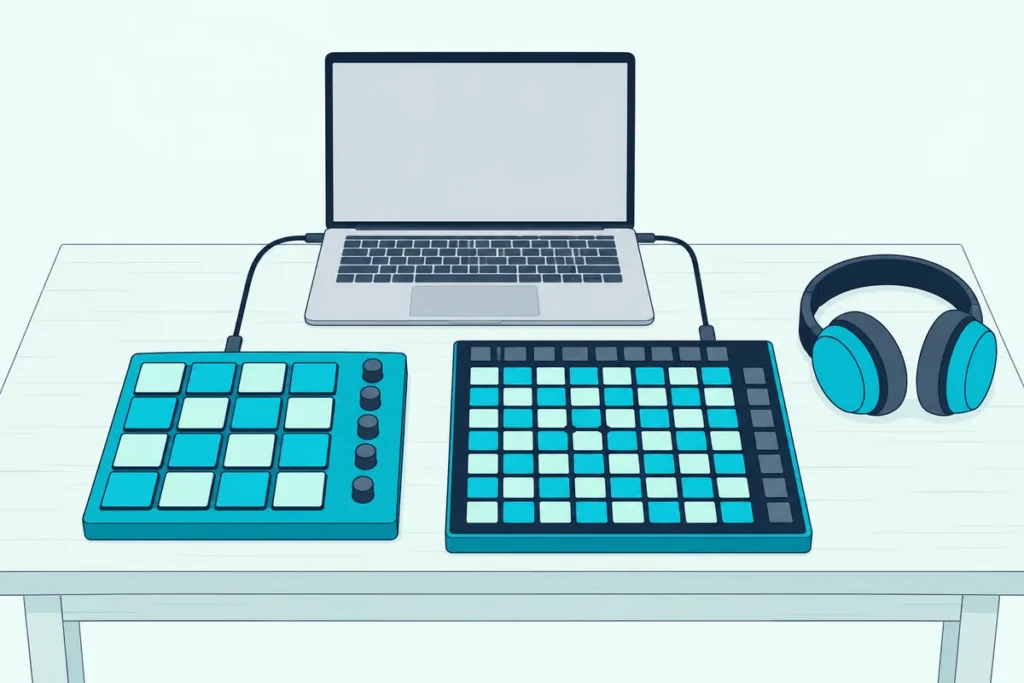
Choosing the best MIDI pad controller starts with a question most spec sheets skip: will you play drums with your fingers, or launch clips and notes from a grid?
Get it wrong and the hardware works against you, like a grid whose pads can’t read how hard you hit, so every snare lands at the same volume.
Match the pads to the job, and you get velocity and pressure under your fingers for drums or a full 8×8 grid that mirrors your clips.
This guide covers 10 pad controllers from Akai Professional, Novation, Native Instruments, Arturia and Korg, each described from the maker’s own manual or spec page.
The quick answer and a side-by-side table come first, then each pick, then the questions about pad types, pad counts and software that decide which one belongs on your desk.
What Is the Best MIDI Pad Controller?
That fingers-or-grid question settles most of it, and for most people the Akai MPD218 is the best MIDI pad controller. Akai’s guide gives it 16 pressure- and velocity-sensitive pads in three banks, Note Repeat and Full Level buttons and six knobs, all powered over one USB cable (Akai).
If you launch clips in Ableton Live or Logic Pro, the Novation Launchpad X is the grid to get. Novation gives it 64 pads that sense how hard you hit and how hard you keep pressing, plus Note and Scale modes for playing in key.
The other eight picks each answer a narrower need, from Maschine beat making to sequencing hardware synths:
| Pick | Type | Pads | How the maker describes the pads | Best for |
|---|---|---|---|---|
| Akai MPD218 | MPC-style pad controller | 16, in 3 banks | Velocity- and pressure-sensitive | Best overall |
| Novation Launchpad X | Grid controller | 64 | Velocity-sensitive, polyphonic aftertouch | Playing on a grid |
| Native Instruments Maschine Mikro MK3 | Maschine controller | 16 | Highly sensitive | Beat making in Maschine |
| Novation Launchpad Pro MK3 | Grid controller | 64 | Velocity-sensitive, polyphonic aftertouch | Sequencing and MIDI hardware |
| Native Instruments Maschine MK3 | Maschine controller | 16 | Ultra-sensitive | Screens and an audio interface |
| Akai APC mini mk2 | Grid controller with faders | 64 | No velocity sensing listed | Ableton clip launching |
| Arturia BeatStep Pro | Pad controller and sequencer | 16 | Velocity- and pressure-sensitive | Hardware synths |
| Novation Launchpad Mini MK3 | Grid controller | 64 | No velocity sensing listed | A small grid |
| Akai LPD8 mk2 | Compact pad controller | 8 | Velocity-sensitive | The smallest Akai pads |
| Korg nanoPAD2 | Slim pad controller | 16, in 4 scenes | Velocity-sensitive | Slim pads with an X-Y pad |
Each pick had at least 4.0 stars from 50 or more Amazon reviews and was in stock when checked on 16 October 2026, but ratings, review counts and prices aren’t shown here because they change daily. None was played or measured for this guide, so each description rests on the maker’s own documents.
And if neither format suits how you play, wind controllers, drum pads and guitar pickups are covered in our guide to alternatives beyond keys and pads.
| Product | Link |
|---|---|
Best Overall 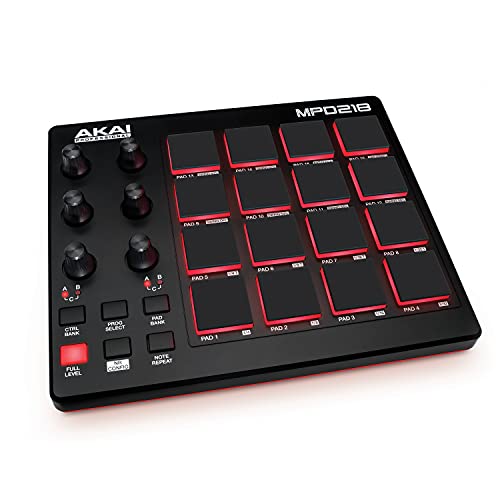 | See ratings |
Best Grid for Playing 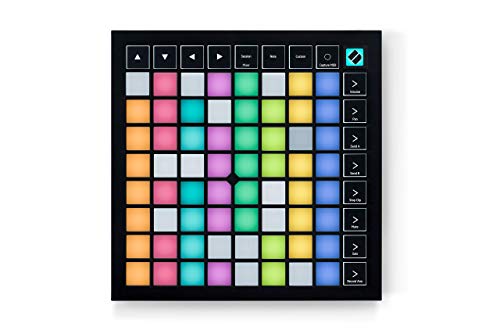 | See ratings |
Best for Maschine Beat Making 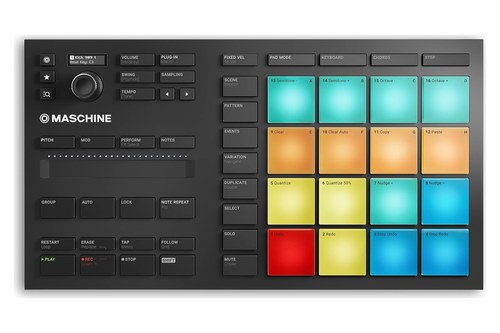 | See ratings |
Best for Sequencing and Hardware 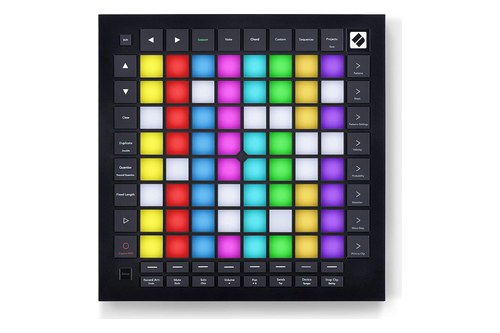 | See ratings |
Best With Screens and Audio 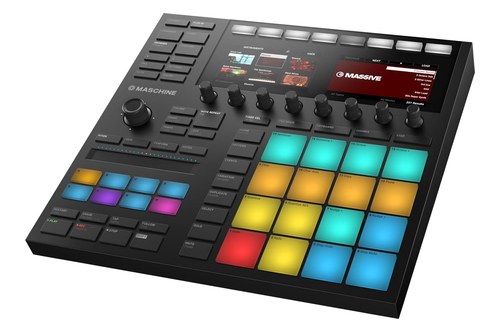 | See ratings |
Best for Ableton Clip Launching 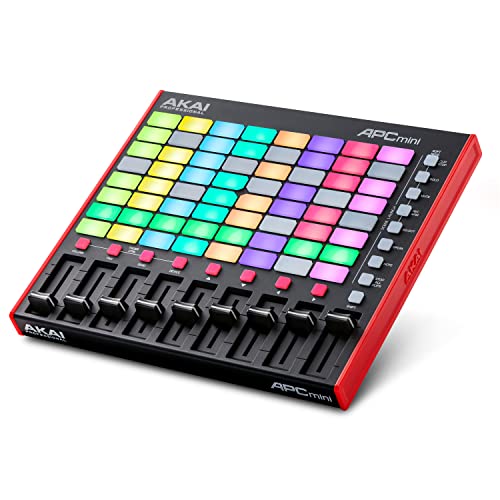 | See ratings |
Best for Hardware Synths 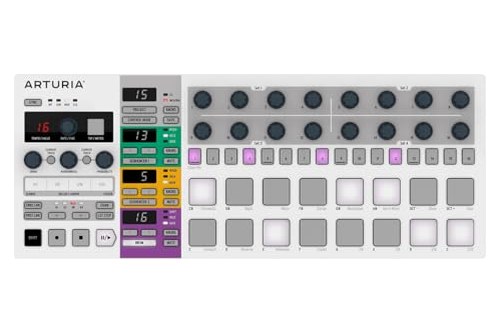 | See ratings |
Best Small Grid 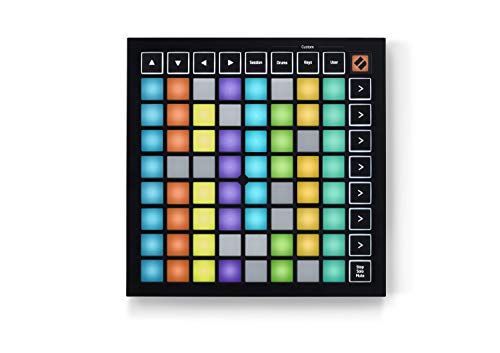 | See ratings |
Which Drum Pad MIDI Controllers Made the List?
Those 10 picks split into six units built around 8 or 16 pads and four 64-pad grids, and each one wins a different setup. The MPD218 is best overall and the Launchpad X the best grid for playing, while the rest cover Maschine, sequencing, Ableton clip launching, hardware synths and small desks.
Akai MPD218
For most people, the Akai MPD218 is the pick.
the Akai MPD218
Akai’s guide says its 16 pads are pressure- and velocity-sensitive and switch across three banks for 48 pads, while three banks of six 360-degree knobs give you 18 parameters to control. Full Level makes every hit play at the maximum velocity of 127, and holding Note Repeat retriggers a pad at quarter to 32nd notes, with triplets, swing from 54 to 62% and tap tempo.
Akai pitches it at producers, programmers, musicians and DJs alike, and its MPD218 page lists MPC Beats, AIR’s DrumSynth Multi and Xpand!2 and Ableton Live Lite in the box. It needs no drivers on a Mac or PC, Akai says.
It has one USB port and no 5-pin MIDI, so it plays software on a computer or, through Apple’s Camera Connection Kit, an iOS app. It suits a first pad controller for producing beats in any DAW, at 23.9 cm wide and 0.75 kg.
Novation Launchpad X
For playing instruments on a grid, the Novation Launchpad X is the pick.
the Novation Launchpad X
Novation calls it the essential 64-pad grid controller for Ableton Live and Logic Pro, and its spec sheet lists 64 velocity-sensitive pads with polyphonic aftertouch (Novation). In Live it launches clips and scenes, captures MIDI with one press and handles stop, solo, mute, record arm, levels, pans and sends, while in Logic Pro it triggers Live Loops cells.
Dynamic Note and Scale modes keep basslines, melodies and chords in key, and the 2.0 firmware raises its Custom Modes from four to eight. It’s a 241 mm square on USB-C bus power, with no drivers to install.
Grid pads can also run computer shortcuts instead of clips, and using a MIDI controller as a Stream Deck explains the translator software behind it.
Native Instruments Maschine Mikro MK3
For beat making inside NI’s Maschine software, the Native Instruments Maschine Mikro MK3 is the pick.
the Native Instruments Maschine Mikro MK3
NI’s comparison gives it 16 large, highly-sensitive, multi-color pads, a Smart Strip for strumming notes and bending pitch, a compact display and one multi-function encoder, all on USB power. Maschine runs as a VST, Audio Units or AAX plug-in in Ableton Live, Logic Pro, FL Studio, Cubase and other major DAWs, and the Mikro has no audio interface or MIDI ports of its own.
Outside Maschine, SHIFT plus the Project button puts it in a MIDI mode that NI describes as a fixed implementation of MIDI Control Change messages (Native Instruments). NI calls the MK3 and Mikro MK3 its current generation, and the Mikro measures 320 x 177 mm and weighs 1.12 kg.
A Maschine isn’t locked to its own software, though: one button combination switches it to MIDI mode, and our guide to using Maschine as a MIDI controller lists the combination for every model.
Novation Launchpad Pro MK3
For sequencing and hardware control from a grid, the Novation Launchpad Pro MK3 is the pick.
the Novation Launchpad Pro MK3
Novation lists 64 velocity-sensitive pads with polyphonic aftertouch and a four-track, eight-note polyphonic, 32-step sequencer with pattern chaining, probability, mutation and micro steps (Novation). Scale and Chord modes help with harmonies, and eight Custom Modes built in Novation’s Components editor keep working after you disconnect the computer.
MIDI In, Out and Out 2/Thru sit on 3.5 mm TRS jacks with three DIN adapters in the box, and a USB power supply comes with it for standalone use. Novation says it’s class compliant on Mac and Windows, and at 268 mm square it’s the largest grid here.
Native Instruments Maschine MK3
For screens and a built-in audio interface, the Native Instruments Maschine MK3 is the pick.
the Native Instruments Maschine MK3
NI gives it two high-resolution color displays, 16 large, ultra-sensitive pads, eight touch-sensitive knobs, a 4-directional push encoder and a Smart Strip, still on USB power. Its 96 kHz/24-bit audio interface has two 1/4-inch line inputs and line outputs, a dynamic mic input, a headphone output, MIDI In and Out and a footswitch input.
NI’s manual lets you set the pads’ touch sensitivity and scale velocity from Soft 3 through Linear to Hard 3, and SHIFT plus CHANNEL switches it to MIDI mode (Native Instruments). It’s 320 x 301 mm and 2.2 kg, about twice the Mikro’s weight.
Akai APC mini mk2
For Ableton Live clip launching with faders, the Akai APC mini mk2 is the pick.
the Akai APC mini mk2
Akai’s guide sets it up as a control surface in Live’s Link/MIDI preferences, where its 8×8 matrix of 64 RGB-backlit pads launches clips (Akai). Eight track faders switch between volume, pan, sends and device macros, and a ninth fader runs the master.
Drum Mode splits the grid into 4×4 quadrants that line up with Ableton’s 16-slot Drum Rack, and Note Mode lays notes out like a chromatic keyboard in 16 scale types. Akai’s specifications call the pads clip-launch buttons and list no velocity sensing, so it’s a launcher first.
It runs on USB bus power at 240 x 210 mm and 0.81 kg, with Ableton Live Lite as a download in the box.
Arturia BeatStep Pro
For sequencing hardware synths, the Arturia BeatStep Pro is the pick.
the Arturia BeatStep Pro
Arturia lists 16 velocity- and pressure-sensitive pads, two monophonic step sequencers of up to 64 steps and a 16-track drum sequencer with one track per pad (Arturia). Its rear panel has 1 V/octave CV and gate outputs, eight drum gate outputs, clock and DIN sync, and MIDI In and Out through the supplied adapters.
A looper and roller touch strip, a randomizer and swing sit beside touch-sensitive knobs, and Control mode turns the pads into a DAW controller. It’s class compliant on USB bus power, runs standalone from a USB power adapter, and is 415 mm wide at 1.45 kg.
Novation Launchpad Mini MK3
For the smallest grid, the Novation Launchpad Mini MK3 is the pick.
the Novation Launchpad Mini MK3
Novation calls it its most compact and portable grid controller, a 180 mm square with 64 RGB pads, Stop, Solo and Mute controls and three Custom Modes (Novation). Like the X, it triggers Live Loops in Logic Pro and needs Ableton Live 10 or later for its clip integration, but its spec sheet lists 64 pads without calling them velocity-sensitive.
If it has to share a bag with a keyboard or a fader unit, Burton Acoustix’s travel controller guide lists each one’s size, weight and cable.
Akai LPD8 mk2
For MPC-style pads in the smallest Akai box, the Akai LPD8 mk2 is the pick.
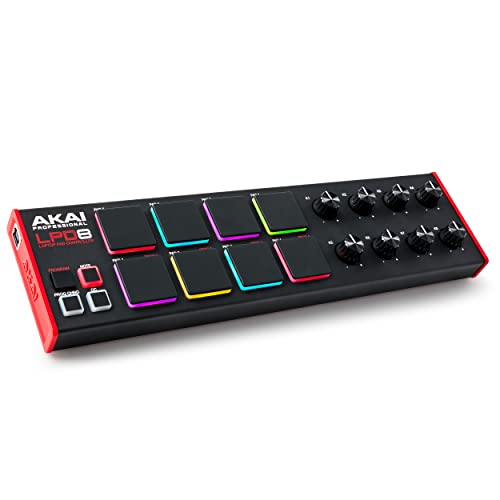
the Akai LPD8 mk2
Akai’s specifications list eight velocity-sensitive, RGB-lit pads and eight 270-degree knobs, and its feature list calls the pads velocity- and pressure-sensitive (Akai). Note, Prog Chng and CC buttons switch what the pads send, and four programs store every pad and knob assignment, set in Akai’s free editor tool.
It runs on USB power at 306 x 81 mm and 0.39 kg. Eight pads hold a kick, snare, hats and a few hits, and a 16-sound kit needs a second program.
Korg nanoPAD2
For slim pads with an X-Y touchpad, the Korg nanoPAD2 is the pick.
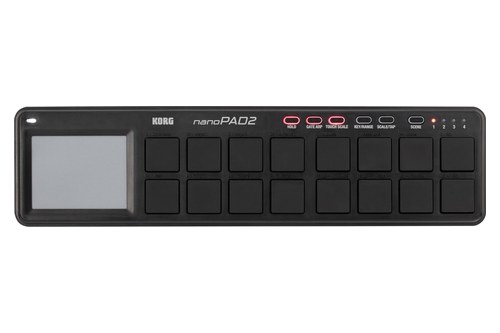
the Korg nanoPAD2
Korg lists 16 velocity-sensitive trigger pads in four scenes, for 64 pad assignments, plus an X-Y touchpad with Touch Scale, 16 scales and a tempo-synced Gate Arp (Korg). Its free KONTROL Editor sets how the pads respond, and the unit draws under 100 mA of USB bus power at 325 x 83 x 16 mm.
Korg sized it to work beside any laptop or desktop computer, and it says iPad use through Apple’s Camera Connection Kit needs no external power but isn’t guaranteed.
Get Studio Tips Weekly
Join 5,000+ creators getting acoustic treatment advice every week.
No spam. Unsubscribe anytime.Should You Choose MPC-Style Pads or a Grid?
That split between drum pads and grids is the decision to make first. Pads like the MPD218’s and the Maschines’ are built for playing drum hits, while an 8×8 grid maps your Ableton Session View, one pad per clip slot.
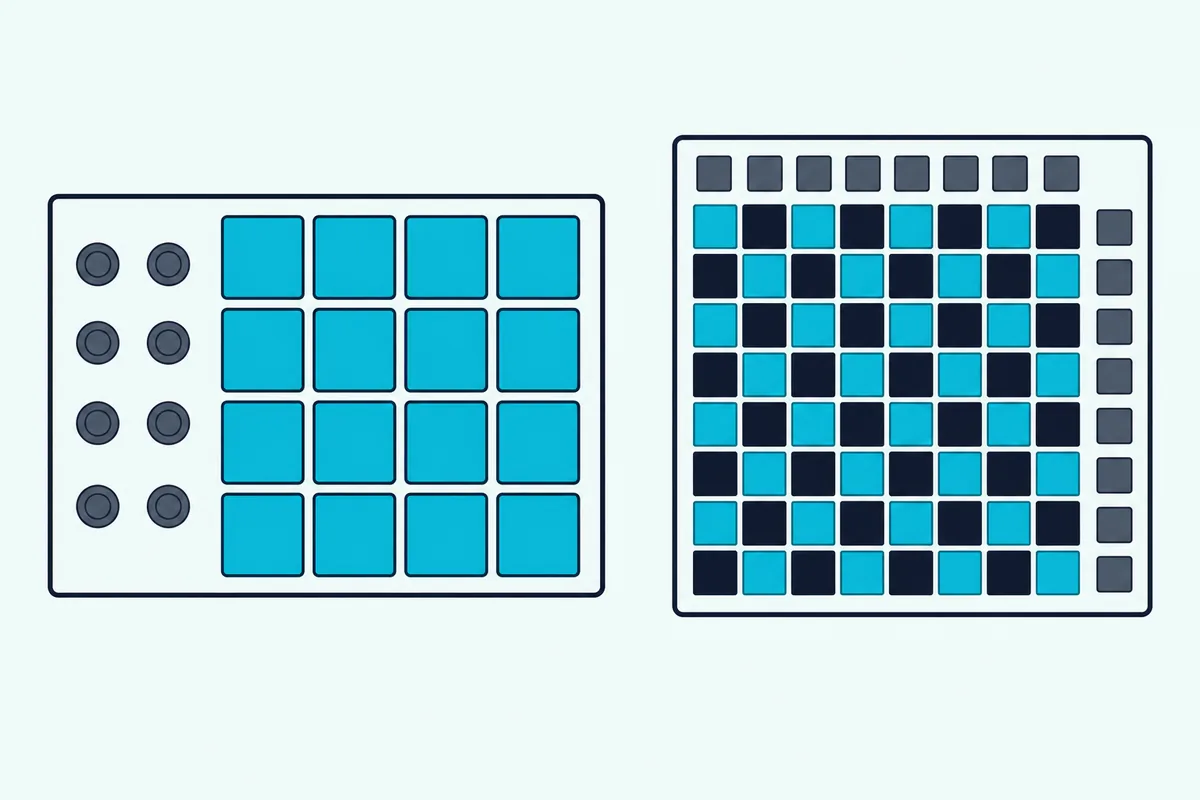
On the APC mini mk2, the eight columns are eight tracks and the eight rows are eight scenes, and Novation says the Launchpad Mini lets you see your whole session on its grid. Grids aren’t only launchers, though: the Launchpad X and Pro read velocity and pressure, and the APC’s Drum Mode carves out a 4×4 block for Ableton’s Drum Rack.
Try this before you buy: sketch a two-bar beat with a kick, a snare and a hi-hat you’d play softer on the offbeats. If the hats need soft and hard hits, you want velocity-sensitive pads, and if you mostly start and stop loops, the Launchpad Mini or APC mini mk2 does the job.
For a whole live set, our guide to choosing MIDI controllers for live performance compares grids, keyboards and fader units for the stage.
What Do Velocity and Pressure Mean on a Pad?
That difference between playing a pad and pressing it comes down to velocity, the spec that matters most for drums. Velocity is how hard you strike, sent as a value up to 127, and Akai’s Full Level button fixes it at 127 so every hit plays at maximum.
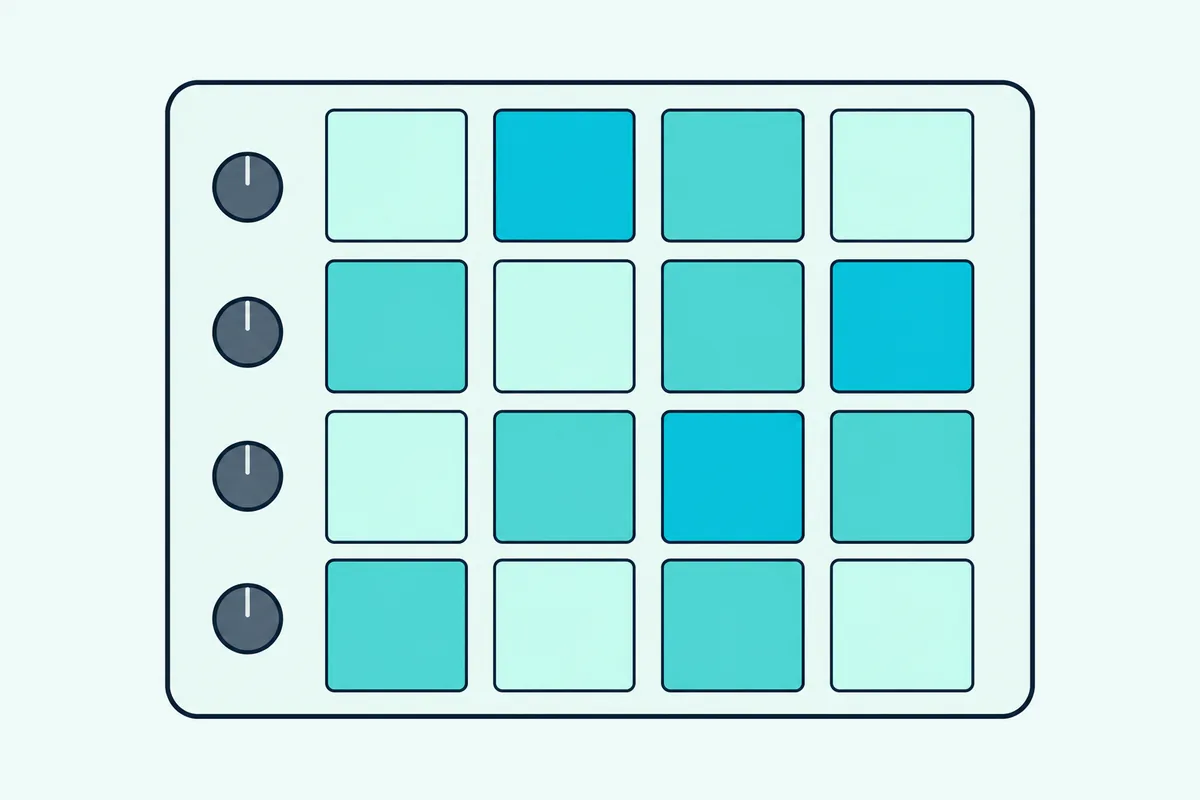
Pressure, which makers also call aftertouch, keeps sending changes while you hold a pad down, the way M-Audio describes scanning how much pressure you apply after the first press (M-Audio). Novation’s spec sheets call the Launchpad X and Pro’s pressure sensing polyphonic aftertouch, and Akai and Arturia call the MPD218 and BeatStep Pro pads pressure-sensitive.
Response settings change how hard you have to hit. Korg’s KONTROL Editor gives the nanoPAD2 three response curves or one fixed level, and NI’s manual scales the Maschine MK3’s response from Soft 3 to Hard 3.
Try this with any pick: open your DAW’s MIDI monitor, tap one pad softly and then hard, and watch the number your DAW shows for each note. If both taps read 127, a full-level or fixed setting is on.
Do You Need 8, 16 or 64 Pads?
Pad sensing decides how a pad plays, and pad count decides how much of a kit you reach without switching. For drum programming, 16 pads are usually enough: Ableton’s Drum Rack has 16 slots, and Akai’s APC mini mk2 splits its Drum Mode into 4×4 quadrants to match.
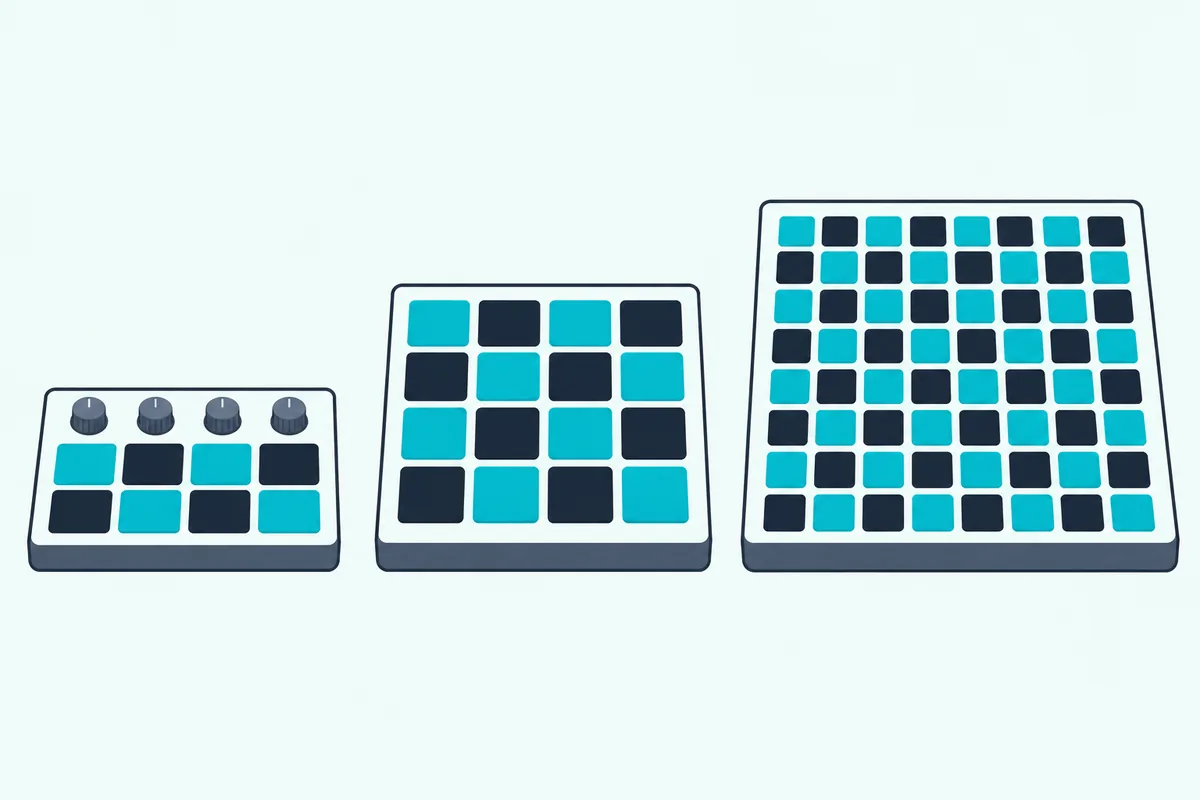
The MPD218, both Maschines, the BeatStep Pro and the nanoPAD2 match that with 16 pads, and the MPD218’s three banks and the nanoPAD2’s four scenes stretch the count to 48 and 64. If you program trap or boom-bap drums with a kick, a snare, two hi-hats, a clap and a few percussion one-shots, 16 pads hold the whole kit at once.
Eight pads, as on the LPD8 mk2, cover the core of a kit, and its four programs swap in other sounds. Sixty-four pads only pay off on a grid, where each pad is a clip slot or a note in a scale mode.
Which Pad Controller Is Best for Finger Drumming?
Those 16-pad kits are where finger drumming happens, and the MPD218 is the best pick for it among these 10. Its pads, which read how hard you hit and press, Note Repeat with swing and tap tempo, and three pad banks are the drum tools Akai’s guide documents on a plain USB box.
If you’re serious about finger drumming inside software instruments, both Maschines add NI’s groovebox features, which its comparison lists as 16 velocity levels, swing, pad link, note repeat and a step sequencer. On a grid, the Launchpad X and Pro sense hit strength and pressure, and each of the three Launchpads here comes with 40 free Melodics finger drumming lessons.
Which Pad Controller Suits a Beginner?
Finger drumming takes practice, so for beginners the easiest start is a controller that installs nothing and comes with software to make music with. Akai says the MPD218 needs no drivers and includes MPC Beats and Ableton Live Lite, and Novation’s Launchpads ship with Live Lite, Cubase LE and those Melodics lessons.
Novation’s Easy Start tool walks a new Launchpad Mini owner through downloading the software with step-by-step video guides, which makes it the gentlest first grid. Whatever your budget, the LPD8 mk2 and nanoPAD2 take the least desk space of these 10.
Once it’s plugged in, our walkthrough of how to use a MIDI controller the first time covers picking the input in your software and getting sound from the pads.
Does a Pad Controller Work With Every DAW?
That setup step is where DAW support shows, and every pick here can send standard MIDI, though the deepest integration differs by DAW. Novation says each Launchpad also works as a standard MIDI controller, and Akai’s MPD218 guide simply has you select it as the controller in your DAW’s preferences.
In Ableton Live, the Launchpads need version 10 or later for their clip integration, and the APC mini mk2 is chosen as a Control Surface in the Link/MIDI preferences. Logic Pro triggers Live Loops from any Launchpad, and Maschine runs inside Logic, FL Studio, Cubase, Pro Tools and Studio One as a plug-in.
FL Studio users get a dedicated grid too: Novation now makes the FLpad, which it calls the grid controller for fast, hands-on beatmaking in FL Studio, though it had no Amazon ratings yet on 16 October.
What Software Comes With Each Pad Controller?
Those DAW versions often come in the box, so the bundle is worth comparing before you buy. Akai’s MPD218 page lists MPC Beats, AIR’s DrumSynth Multi and Xpand!2, Ableton Live Lite and a preset editor, and the APC mini mk2 includes Ableton Live Lite as a download.
Novation’s three Launchpads add Cubase LE, two Klevgrand effects, three AAS synths, XLN Audio’s Addictive Keys Studio Grand piano and the Melodics lessons to Live Lite. Korg ships the nanoPAD2 with a software license bundle and its free KONTROL Editor, and the LPD8 mk2 comes with a software download card and Akai’s free editor.
Arturia’s BeatStep Pro is set up in its free MIDI Control Center, and the two Maschines are built around NI’s Maschine software, which also runs inside your DAW.
What About MIDI Drum Pads You Play With Sticks?
Everything above is played with fingers, but some searches for a MIDI drum pad mean a pad you hit with sticks. Those are electronic drum and sampling pads, a different instrument with its own settings, so they aren’t picks here.
Drummers with an electronic kit can feed the same kind of drum plugins, and connecting an electronic drum kit as a MIDI controller covers the settings. Stick-played sampling pads are in the alternatives guide linked near the top of this page.
Which Pad Controllers Didn’t Make the List?
Several more pad controllers were held to the same rules on 16 October, and these fell short on stock, reviews or documents. The Akai MPD226 showed no in-stock offer on Amazon, the Native Instruments Maschine+ had no availability listed, Ableton’s Push 3 had fewer than 50 reviews, and M-VAVE’s SMC-PAD listings had under a dozen.
Novation’s new FLpad and FLpad Mini had no ratings yet, and no Amazon listing turned up for the Akai Fire or MPD232. The Akai MPC Studio is left out because Akai’s own page for the model Amazon sells couldn’t be read for this guide.
Arturia’s original BeatStep passed every check and keeps 16 velocity- and pressure-sensitive pads with a 16-step sequencer and CV/Gate, so it’s the smaller choice if one sequence is enough.
If you’d rather make the pads than buy them, a DIY Arduino MIDI controller wires arcade buttons to a board with native USB and sends each press as a note.
The Bottom Line
So for most people the Akai MPD218 is the best MIDI pad controller, because its 16 velocity- and pressure-sensitive pads, banks and Note Repeat cover finger drumming in any DAW. Pick the Launchpad X or Pro to play and launch from a grid, the Maschines for NI’s beat making, the APC mini mk2 for Ableton with faders, the BeatStep Pro for hardware, and the Launchpad Mini, LPD8 mk2 or nanoPAD2 for a small desk.
If pads are your primary input method and keys are secondary, pair one of these pad controllers with a separate keyboard controller. In Ableton the pair works once each port is switched on, and two controllers at once in Ableton shows the settings.
And if you’d rather have keys and pads on one board, our mini MIDI keyboards with pads cover the small all-in-one controllers instead.
Frequently Asked Questions
Can a pad controller play melodies and chords?
Yes, several can. Novation’s Launchpad X and Pro have Note and Scale modes that keep the pads in key, the Pro adds a Chord mode, and the APC mini mk2’s Note Mode lays the grid out like a chromatic keyboard in 16 scale types. Korg’s nanoPAD2 plays phrases from its X-Y pad with Touch Scale, and any pad that sends notes, such as the LPD8 mk2’s, can trigger melodic samples in your software.
Do pad controllers work with an iPad?
Some do, with the right adapter and power. Akai says you can connect the MPD218 to iOS apps through Apple’s Camera Connection Kit, Korg says the nanoPAD2 runs from an iPad that way without external power but doesn’t guarantee it, and Novation says the Launchpad Pro needs Apple’s Lightning to USB 3 Camera Adapter with external power. Arturia lists iPad control for the BeatStep through a camera connection kit too. The app has to support Core MIDI, which Korg names as a requirement.
Do pad controllers need a power supply?
Most don’t. The MPD218, LPD8 mk2, APC mini mk2, nanoPAD2, BeatStep Pro, the three Launchpads and both Maschines run on USB bus power, and Korg puts the nanoPAD2’s draw under 100 mA. The Launchpad Pro comes with a USB power supply for standalone use, and Arturia says the BeatStep Pro runs standalone from a USB power adapter. Korg suggests a powered USB hub for long sessions or for more than one nanoSERIES2 unit.
Can a pad controller work without a computer?
A few can drive hardware on their own. The Launchpad Pro’s sequencer and Custom Modes keep running with the computer disconnected and send MIDI through its TRS ports, and the BeatStep Pro sequences synths over MIDI, CV and gate from a USB power adapter. Most of the others are USB-only and send MIDI to software on a computer or tablet, which makes the sound.
Do pad controllers need drivers?
Usually not. Akai says the MPD218 needs no drivers on a Mac or PC, Novation says the Launchpad X needs none and calls the Launchpad Pro class compliant, and Arturia says the BeatStep Pro is class compliant. Maschine controllers talk to NI’s own software through a native protocol and switch to standard MIDI only in MIDI mode.