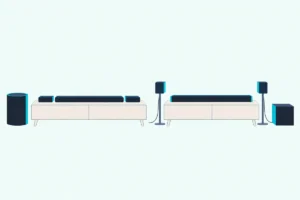
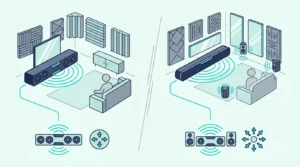
Pick by room: the JBL Bar 2.0 All-in-one (MK2) for a small TV, the Bar 500MK2 for a 10-inch sub and the Bar 700MK2 for rear speakers.
The picks

JBL Bar 2.0 All-in-one (MK2)
JBL Bar 2.1 Deep Bass (MK2)
JBL Bar 300MK2
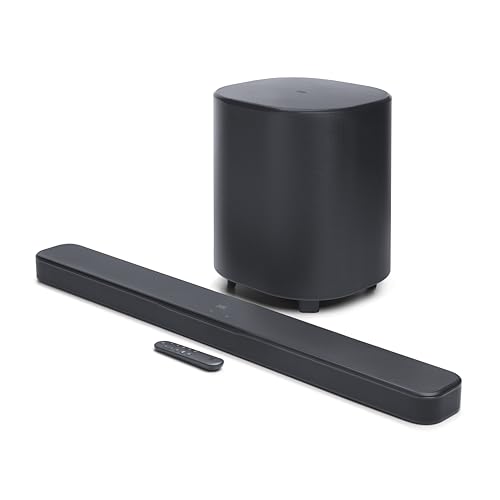
JBL Bar 500MK2
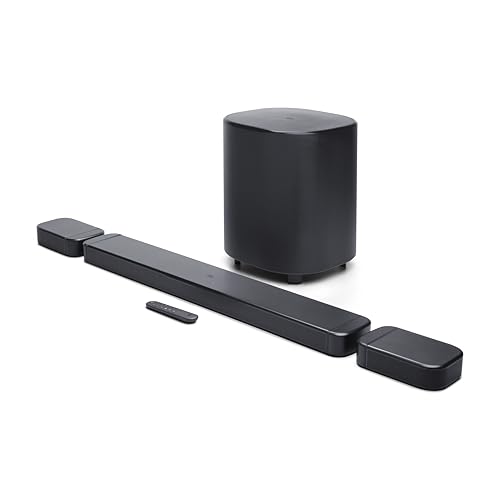
JBL Bar 700MK2
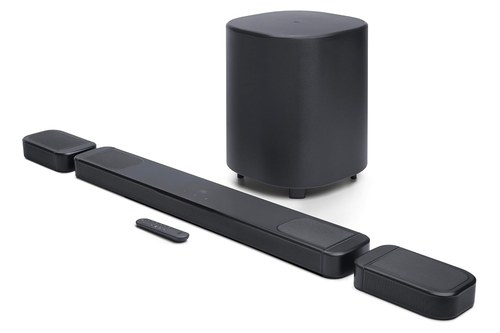
JBL Bar 1000MK2
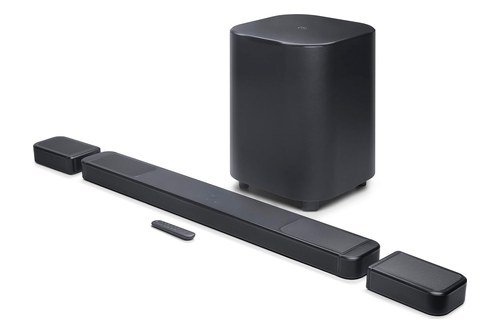
JBL Bar 1300X MK2
Choosing the best JBL soundbar comes down to how many speakers you can place, since JBL’s current MK2 line runs from a 24.2-inch two-channel bar to an 11.1.4-channel system whose rear speakers lift off its ends.
Go by the model number alone and you can pay for detachable speakers that never leave the bar, or bring home a slim bar with no subwoofer when deep bass was the point.

Match the bar to your TV’s connections and your seating, and every channel in the box gets a place to play from.
The picks come first, sorted by what each bar adds: one box, then a subwoofer, then rear speakers, then up-firing drivers.
After them come JBL’s own placement drawing, its HDMI and streaming lists and the older bars still on sale, so you can check the one you’re leaning toward.
Which JBL Soundbar Is Best for Your Setup?
That speaker count sorts JBL’s line cleanly. The Bar 500MK2 suits a room that wants a 10-inch wireless subwoofer and no rear speakers, the Bar 700MK2 adds two detachable rear speakers, and the Bar 1000MK2 and Bar 1300X MK2 add up-firing drivers and three HDMI inputs.
For a smaller TV, the Bar 2.0 All-in-one (MK2) is a single 24.2-inch bar, the Bar 2.1 Deep Bass (MK2) adds a 6.5-inch wireless subwoofer, and the Bar 300MK2 puts Wi-Fi and Dolby Atmos processing in one 37-inch box. None of those three lists rear speakers or up-firing drivers in its specifications.
The table lines up what JBL’s manuals list for each one.
| Bar | Channels | Subwoofer | Rear speakers | HDMI inputs | Bar width |
|---|---|---|---|---|---|
| Bar 2.0 All-in-one (MK2) | 2.0 | None | None | None (HDMI ARC out) | 24.2 in |
| Bar 2.1 Deep Bass (MK2) | 2.1 | 6.5-inch wireless | None | 1 (HDMI ARC out) | 38 in |
| Bar 300MK2 | 5.0 | None | None | 1 (HDMI eARC out) | 37 in |
| Bar 500MK2 | 5.1 | 10-inch wireless | None | 1 (HDMI eARC out) | 37 in |
| Bar 700MK2 | 7.1 | 10-inch wireless | Two, detachable | 1 (HDMI eARC out) | 45.8 in docked, 33.6 in alone |
| Bar 1000MK2 | 7.1.4 | 10-inch wireless | Two, detachable | 3 (HDMI eARC out) | 47.4 in docked, 33.6 in alone |
| Bar 1300X MK2 | 11.1.4 | 12-inch wireless | Two, detachable | 3 (HDMI eARC out) | 55.3 in docked, 40.6 in alone |
Read the rear speaker and HDMI columns first, since those two decide whether a bar suits your room and your TV. If the channel numbers in the second column are new to you, here’s how to read a soundbar’s channel numbers.
The descriptions come from the makers’ manuals and spec pages. Every pick met Burton Acoustix’s rating, review and stock checks on 5 November 2026.
What’s in JBL’s Current Soundbar Lineup?
Those bars are JBL’s MK2 generation, and JBL’s own stores show how far the line reaches. JBL’s Canadian store lists the Bar 300MK2, 500MK2, 700MK2 and 1000MK2 beside the earlier Bar 1300X and the Cinema SB510 and SB580, while its Malaysian store lists the Bar 2.0 All-in-one (MK2), Bar 2.1 Deep Bass (MK2), 300MK2, 500MK2, 800MK2, 1000MK2 and 1300MK2.
Two of those names are regional twins rather than extra steps. The Bar 800MK2’s owner’s manual prints the same 7.1-channel, 780 W specification as the Bar 700MK2’s, and the Bar 1300MK2 shares the 1300X MK2’s bar and rear speakers but pairs them with two 8-inch subwoofer drivers instead of one 12-inch driver.
The picks below use the 700MK2 and the 1300X MK2, the names Amazon’s US store carries. If another store shows you the 800MK2 or 1300MK2, read the matching pick.
JBL also sells the Cinema SB series alongside the Bar line. Its stores describe the SB510 as a 3.1-channel bar with a built-in subwoofer and the SB580 as a 3.1-channel bar with virtual Dolby Atmos and a wireless subwoofer, a separate family from the picks here.
The Best JBL Soundbar Picks, Sorted by What Each Bar Adds
Those names in hand, the picks run from the simplest one-box bar to the biggest system, and each card’s labels say what that bar is for.
The Bar 2.0 All-in-one (MK2) for a Small TV and No Subwoofer
If your TV is small or sits in a bedroom, the JBL Bar 2.0 All-in-one (MK2) is the simplest bar in the line. JBL’s owner’s manual lists one 24.2-inch cabinet with two racetrack drivers and 80 W in all, 2 x 40 W.
JBL Bar 2.0 All-in-one (MK2)
It connects to the TV over HDMI ARC or optical and takes Bluetooth 4.2 from a phone. There’s no HDMI input, so a game console or streaming box plugs into the TV, not the bar.
Its manual lists no subwoofer, Wi-Fi or Dolby Atmos, and JBL gives its frequency response from 70 Hz, the highest starting point in the line. The box holds an HDMI cable and a wall-mounting kit, so it can hang below a wall-mounted TV from day one.
At 2.2 inches tall and 3.5 inches deep, it’s also the smallest cabinet here for a narrow stand. If you’re still weighing any bar against your TV’s own speakers, it helps to know what a sound bar replaces before you pick a size.
The Bar 2.1 Deep Bass (MK2) for a Wireless Sub on an ARC TV
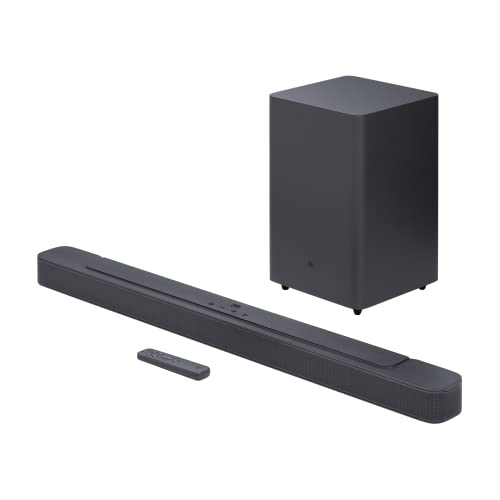
When bass is the point and Wi-Fi isn’t, the JBL Bar 2.1 Deep Bass (MK2) pairs a 38-inch bar with a 6.5-inch wireless subwoofer. JBL’s Bar 2.1 Deep Bass (MK2) owner’s manual rates the system at 300 W, 2 x 50 W in the bar and 200 W in the sub.
JBL Bar 2.1 Deep Bass (MK2)
The bar carries four racetrack drivers and two 1-inch tweeters, and JBL lists the system’s frequency response from 40 Hz. It adds one HDMI input beside its HDMI ARC connection, at HDMI version 1.4.
Placement has two rules in the manual: keep the sub at least 3 ft (1 m) from the bar and 4 inches (10 cm) from a wall, and keep the two less than 20 ft (6 m) apart. The sub’s bass level steps between low, middle and high.
Like the 2.0, it streams over Bluetooth 4.2 only, and its manual names no Wi-Fi, app or Dolby Atmos. That makes it the sub-and-bar pair for a TV with plain HDMI ARC and no need for streaming.
The Bar 300MK2 for Wi-Fi and Atmos Processing in One Box
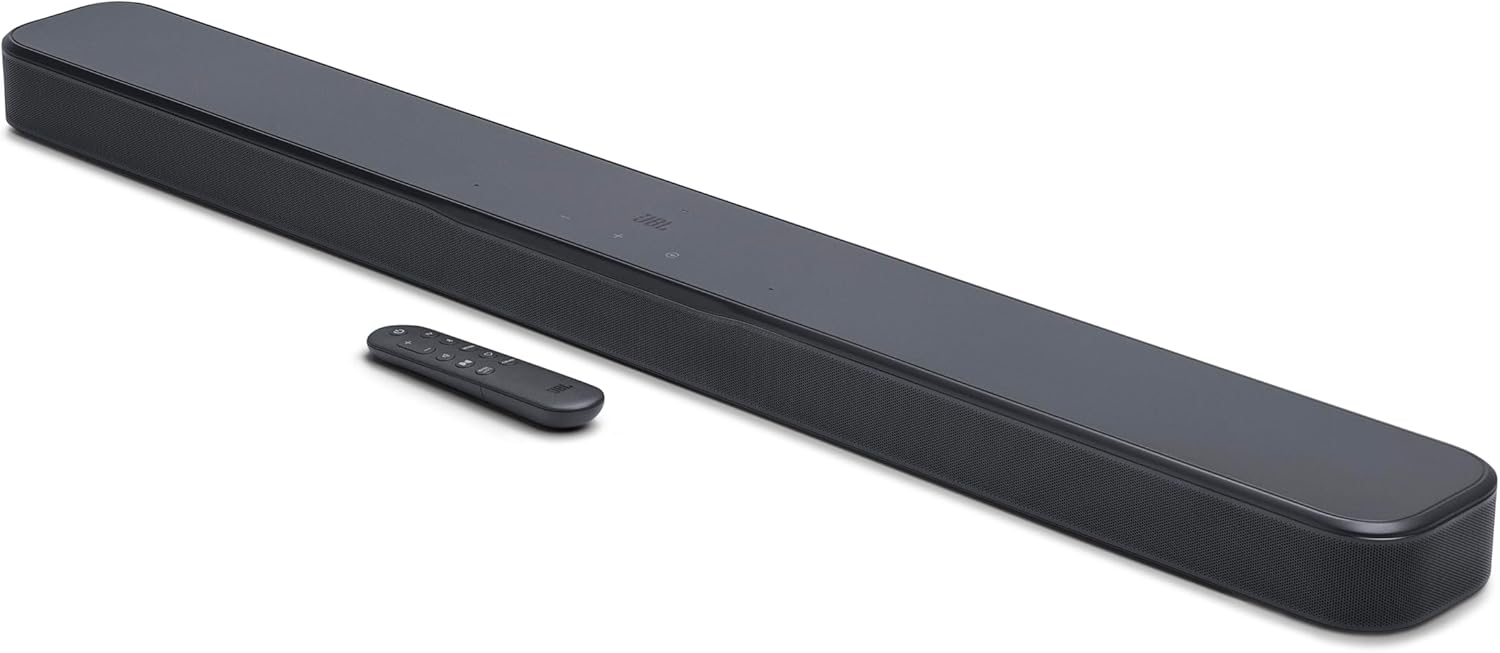
The JBL Bar 300MK2 is the one-box choice with the newer features. Its owner’s manual lists a 5.0-channel bar with five racetrack drivers, four 0.75-inch tweeters and 450 W, in the same 37-inch cabinet as the Bar 500MK2.
JBL Bar 300MK2
It’s the first bar in the line with HDMI eARC, Wi-Fi 6 and the JBL One app, plus one HDMI input that passes HDR10+ and Dolby Vision. Over Wi-Fi it streams through Google Cast, AirPlay and Spotify Connect.
JBL’s stores list Dolby Atmos and DTS Virtual:X for it. Its manual calls the effect virtual Dolby Atmos, with a remote button to switch it on or off, and its driver list has no up-firing drivers.
Without a subwoofer, JBL gives its frequency response from 50 Hz at -6 dB, against 40 Hz for the 500MK2 with its sub. Its placement drawing is the same room JBL draws for its bigger bars, covered further down, so on paper the 300MK2 isn’t sized for a smaller space.
The Bar 500MK2 for a 10-Inch Sub and No Rear Speakers
Add a subwoofer to that bar and you have the JBL Bar 500MK2, a 5.1-channel system with a 10-inch wireless sub. Its 750 W splits into 450 W in the bar and 300 W in the sub.
JBL Bar 500MK2
JBL’s owner’s manual lists the same 37-inch bar, drivers and connections as the 300MK2, so the two share eARC, one HDMI input, Wi-Fi 6 and Bluetooth 5.3. The difference is the sub, a 12.8 x 15.7 x 12.8-inch box that weighs 8.1 kg (17.8 lb).
Its box holds the bar and the sub and no rear speakers, which keeps the setup to two pieces. JBL’s spec sheet adds PureVoice 2.0, MultiBeam 3.0 and SmartDetails to the feature list, beside Dolby Atmos and DTS Virtual:X.
RTINGS’s Bar 500MK2 review calls it JBL’s 2025 successor to the Bar 500. It also notes that the MK2’s video pass-through caps out at 4K at 60 Hz, where the original Bar 500 supports 4K at 120 Hz.
That 5.1 label is where older JBL names cause trouble. If a listing has you choosing between this line and the older 5.1 bars, the difference between JBL 500 and JBL 5.1 soundbar systems sorts out which of those has rear speakers and which has Wi-Fi.
The Bar 700MK2 for Rear Speakers That Lift Off the Bar
The JBL Bar 700MK2 is where rear speakers enter the line. Two wireless speakers dock on the ends of a 7.1-channel bar and lift off to sit beside or behind your seats.
JBL Bar 700MK2
JBL’s Bar 700MK2 owner’s manual lists 780 W in all: 400 W in the bar, 2 x 40 W in the rear speakers and 300 W in its 10-inch wireless sub. Each rear speaker runs up to 10 hours on a charge, and an empty battery takes about 4 hours to refill when the speakers are docked.
Docked, the bar measures 45.8 inches, and with the speakers off it’s 33.6 inches, each speaker 6.7 inches wide. The remote’s surround level control works only when both speakers are undocked.
Its sound calibration measures your listening position first, with the rear speakers beside your seat, and then the spot where you’ve put them. It keeps one HDMI input and a virtual Dolby Atmos switch on the remote, and it adds an Ethernet port plus Tidal Connect and Roon Ready to the streaming list.
The Bar 1000MK2 for Up-Firing Drivers and Three HDMI Inputs
Step up to the JBL Bar 1000MK2 and the height channels get their own drivers. JBL’s Bar 1000MK2 spec sheet lists 7.1.4 channels, with two 2.75-inch up-firing drivers in the bar.
JBL Bar 1000MK2
Its owner’s manual lists two 2.75-inch up-firing drivers for the rear speakers too, and JBL’s feature list calls the result True Dolby Atmos and DTS:X. Total power is 960 W: 500 W in the bar, 2 x 80 W in the rear speakers and 300 W in the 10-inch sub.
It’s the first pick with three HDMI inputs, so a console, a streaming box and a disc player can all plug into the bar. The manual recommends the TV’s HDMI eARC connection for the best Dolby Atmos and DTS:X experience.
The bar alone is 33.6 inches, the same as the 700MK2’s, and 47.4 inches with its 7.4-inch rear speakers docked. JBL gives its frequency response from 33 Hz at -6 dB, the lowest figure in the line, which it shares with the 1300X MK2.
The Bar 1300X MK2 for JBL’s Biggest Channel Count
The JBL Bar 1300X MK2 tops the line at 11.1.4 channels. JBL’s Bar 1300X MK2 owner’s manual rates it at 1,570 W with a 12-inch wireless subwoofer.
JBL Bar 1300X MK2
The bar holds eight racetrack drivers, seven 1-inch tweeters and four 3-inch up-firing drivers. JBL’s list for the rear speakers names racetrack drivers, a 2-inch full-range driver and a 3-inch up-firing driver.
Those rear speakers do a second job, too. JBL’s spec sheet lists portable Bluetooth speakers among its features, and the manual gives the rear speakers Bluetooth 5.4 against the bar’s 5.3.
It’s the widest bar here: 40.6 inches alone and 55.3 inches with its 8-inch rear speakers docked. The sub measures 15 x 19 x 15 inches and weighs 15.4 kg (34 lb), so plan floor space for it.
Like the 1000MK2, it has three HDMI inputs and eARC, and its manual adds Auracast for linking other JBL speakers. RTINGS’s review calls it the follow-up to the JBL Bar 1300X, which JBL’s Canadian store still lists.
Which JBL Soundbar Fits Under Your TV?
Those widths are the first thing to check against your TV. Measure the stand or the wall space under the screen and compare it with each bar: 24.2 inches for the 2.0 All-in-one, 37 inches for the 300MK2 and 500MK2, 38 inches for the 2.1 Deep Bass, and 33.6 inches for the 700MK2 and 1000MK2 and 40.6 inches for the 1300X MK2 with their speakers off.
JBL’s manuals give no TV size for any of these bars, so the bar against your stand is the practical test. The three with docking rear speakers need room for the docked width, 45.8, 47.4 and 55.3 inches, whenever the speakers come back to charge.
Height matters under a screen as well. The 2.0 and 2.1 bars stand 2.2 inches tall, the 300MK2 and 500MK2 2.0 inches, the 700MK2 and 1000MK2 2.0 inches and the 1300X MK2 2.3 inches.
Each pick’s manual has wall-mounting steps. On the 700MK2, the template goes about 120 mm (4.7 in) from your TV, so leave that much wall between the screen and the bar.
What Room Does JBL Draw for These Soundbars?
That stand test settles the bar’s size, but the room is a separate question. JBL gives no room-size rating in any of these manuals, and from the 300MK2 up it prints one placement drawing: a TV wall wider than 4 m (13 ft), with the seats 2.5 to 3.0 m (8.2 to 9.8 ft) from the bar.
The same drawing puts the subwoofer 1 to 6 m (3 to 20 ft) from the bar and more than 10 cm (4 in) from a wall. On the bars with rear speakers, it sets them on a table behind the sofa, 1 to 1.4 m (3 to 4.6 ft) off the floor.
So the drawing doesn’t change from the one-box 300MK2 to the 11.1.4-channel 1300X MK2, which means JBL’s paperwork doesn’t steer a smaller room toward a smaller bar. What changes is what you have to place: one bar, a bar and a sub, or a bar, a sub and two speakers behind you.
The Bar 2.1 Deep Bass (MK2) gives only its sub’s distances: at least 1 m (3 ft) and less than 6 m (20 ft) from the bar, and 10 cm (4 in) from a wall. The Bar 2.0 All-in-one (MK2)’s manual asks only for a flat, stable surface.
Try this before you buy: measure from the TV wall to your sofa. If it’s well under 8 ft, you’re closer than JBL’s drawing, and if the sofa backs onto a wall, the rear speakers go beside it, the other spot the 700MK2’s calibration step names.
Do You Need Detachable Surround Speakers?
That drawing puts the rear speakers behind the sofa, and that’s the test of whether you need them. You need them if you want sound from behind the seats: the 700MK2, 1000MK2 and 1300X MK2 have them, while the 2.0 All-in-one, 2.1 Deep Bass, 300MK2 and 500MK2 play from the front of the room, from the bar and, on the 2.1 and 500MK2, a sub.
Each rear speaker runs up to 10 hours, per JBL, and charges when you dock it or through a USB cable. The 700MK2’s manual says to charge them for more than 3 hours the first time.
When a battery runs out, the 700MK2’s display shows DOCK REAR SPKR, and the manual says the wireless link to the bar is lost. That’s the trade against the 500MK2: no charging and a 37-inch bar, but nothing behind you, which is why the 5.1 soundbar roundup names it for a bar and a big subwoofer rather than for rears.
If the speakers will stay docked most nights, the 700MK2’s own controls say what you give up. Its surround level setting works only when both speakers are off the bar.
The 1300X MK2 adds a third use for them. JBL’s spec sheet says you can pair one or both rear speakers with any Bluetooth device as portable speakers when you’re not watching TV.
What’s the Best JBL Soundbar With a Subwoofer?
Those rear speakers always come with a subwoofer, so the sub is the next thing to compare. The 2.1 Deep Bass (MK2) has a 6.5-inch wireless sub, the 500MK2, 700MK2 and 1000MK2 share a 10-inch one, and the 1300X MK2 has a 12-inch sub.

JBL rates the 2.1’s sub at 200 W and the 10-inch and 12-inch subs at 300 W each, so the 1300X MK2’s larger total comes from its bar and rear speakers. Its regional twin, the Bar 1300MK2, is the exception, with two 8-inch drivers rated at 1,200 W.
The 10-inch sub is the same 12.8 x 15.7 x 12.8-inch box on all three bars that use it, and the 1300X MK2’s measures 15 x 19 x 15 inches. On paper, the subs also move each system’s low end: JBL lists 40 Hz for the 2.1 Deep Bass and 500MK2, 35 Hz for the 700MK2 and 33 Hz for the 1000MK2 and 1300X MK2, against 50 Hz for the sub-less 300MK2 and 70 Hz for the 2.0.
The Wi-Fi bars state those figures at -6 dB, while the 2.0 and 2.1 manuals give no reference level. Every sub is wireless, so it can sit away from the TV within JBL’s 1 to 6 m (3 to 20 ft) range.
If the link ever drops, Burton Acoustix’s JBL subwoofer re-pairing guide covers the sequence for the Bar 500MK2, Bar 1000 and newer bars. And if floor space rules out a sub, the 300MK2 is the Wi-Fi bar without one, and the 2.0 All-in-one is the smallest.
Do Any JBL Soundbars Have Up-Firing Dolby Atmos Drivers?
Bass comes from the sub, but height is a separate feature, and it’s where JBL’s wording changes. Yes: the 1000MK2 and 1300X MK2 list up-firing drivers in the bar and in the rear speakers, and JBL’s spec sheets call their format support True Dolby Atmos and DTS:X.
The 300MK2, 500MK2 and 700MK2 list no up-firing drivers, and JBL describes them with Dolby Atmos and DTS Virtual:X. Their manuals call the effect virtual Dolby Atmos, with a remote button to turn it on or off.
The 2.0 All-in-one and 2.1 Deep Bass manuals carry Dolby Audio licensing and no Dolby Atmos at all. So on height, JBL’s line splits three ways: none, processing, or up-firing drivers.
The connection matters too. The manuals say Atmos plays from the TV or an HDMI source, not over Bluetooth or casting with Google Cast or AirPlay, and they recommend the TV’s eARC connection for the best Dolby Atmos experience.
If your TV has only HDMI ARC, the manuals’ fix for missing height effects is to plug the streaming box or console into the bar’s HDMI input instead. That’s one more reason the HDMI count below matters.
How Many HDMI Inputs Does Each JBL Soundbar Have?
That HDMI input is also the next dividing line in the range. The 1000MK2 and 1300X MK2 have three HDMI inputs, the 2.1 Deep Bass, 300MK2, 500MK2 and 700MK2 have one, and the 2.0 All-in-one has none, only its HDMI ARC output to the TV.
From the 300MK2 up, the TV connection is HDMI eARC, with HDCP 2.3 and HDR10+ and Dolby Vision pass-through. The 2.1 Deep Bass uses HDMI ARC at HDMI version 1.4.
Each bar also has an optical input, Bluetooth and a USB port. JBL lists USB music playback for US versions, and for APAC versions too on the 1300X MK2.
The 2.0 and 2.1 manuals list MP3 and WAV files for it, the Wi-Fi bars MP3.
Count the boxes you plug in before you choose. A one-input bar takes a console or a streaming box, and the other goes into the TV.
That 4K at 60 Hz limit from RTINGS’s 500MK2 review applies to the bar’s HDMI input. A console you run at 120 Hz is better plugged into the TV, with the sound coming back over eARC.
Can a JBL Soundbar Stream Over Wi-Fi?
Those inputs cover the TV side, and Wi-Fi covers the phone side. Yes, from the 300MK2 up: each has Wi-Fi 6 and the JBL One app and streams through Google Cast, AirPlay and Spotify Connect, with the 700MK2, 1000MK2 and 1300X MK2 adding Tidal Connect and Roon Ready.

The 2.0 All-in-one and 2.1 Deep Bass have no Wi-Fi in their manuals and stream over Bluetooth 4.2. The Wi-Fi bars use Bluetooth 5.3.
The 700MK2, 1000MK2 and 1300X MK2 also have an Ethernet port for a wired network connection, which the 300MK2 and 500MK2 manuals don’t list. Setup on every Wi-Fi bar here runs through the JBL One app.
Their remotes also carry a Moment button, which calls up a playlist or speaker settings you’ve saved in JBL One. The Atmos limit from the previous section applies here too: music you cast plays, but Dolby Atmos doesn’t carry over Google Cast or AirPlay.
Which Older JBL Soundbars Are Still for Sale?
All of those features belong to the MK2 bars, but older JBL models still turn up beside them. You’ll see the earlier Bar 500, Bar 1000, Bar 1300X and Bar 800, and RTINGS’s reviews call the MK2 versions the successors or follow-ups of the Bar 500, Bar 1000 and Bar 1300X.
JBL’s Canadian store marks the Bar 1000 as sold out, while its Malaysian store still lists the Bar 500, Bar 1000, Bar 1300, Bar 800 and Bar 300. Amazon’s US store still carries the Bar 1000 and Bar 1300X too.
The Bar 800 shows how much a name can change. JBL’s Malaysian store lists the older Bar 800 as a 5.1.2-channel bar with detachable surround speakers, while the 800MK2 beside it is a 7.1-channel system with no up-firing drivers in its manual.
When a listing doesn’t say MK2, match the model name on the box with JBL’s documents before you buy. The table near the top lists the MK2 figures, so a mismatch in channels or HDMI inputs shows up fast.
How Do You Choose Between the Bar 500MK2, 700MK2 and 1000MK2?
Those older names aside, most decisions land on three MK2 bars. Choose the 500MK2 if the seats can’t have speakers behind or beside them, the 700MK2 if they can, and the 1000MK2 if you also want up-firing drivers or more than one HDMI input.
All three share the 10-inch wireless sub and JBL’s placement drawing, so the same room layout fits all three on paper. The step from the 500MK2 to the 700MK2 adds rear speakers, an Ethernet port and Tidal Connect and Roon Ready.
The step to the 1000MK2 adds up-firing drivers, three HDMI inputs and 180 W more power. The bar itself is shorter on the other two, 33.6 inches with the speakers off against 37 inches on the 500MK2.
Whichever you pick, its sound calibration is one of the settings you’ll run again after resetting a JBL soundbar, along with Wi-Fi and the app. JBL’s manuals put calibration on the remote for all three.
The Bottom Line
That three-way choice covers most rooms, and the two ends of the line cover the rest. For a subwoofer without rear speakers, the Bar 500MK2 is the pick, and for rear speakers that lift off, the Bar 700MK2.
For up-firing drivers with three HDMI inputs, pick the Bar 1000MK2, or the Bar 1300X MK2 if you want 11.1.4 channels and a 12-inch sub. For a small TV, the Bar 2.0 All-in-one (MK2) is one 24.2-inch bar, the Bar 2.1 Deep Bass (MK2) adds a 6.5-inch sub, and the Bar 300MK2 adds Wi-Fi and Atmos processing in one 37-inch box.
Measure your stand and the distance to your sofa, then check your TV for HDMI eARC. Those three facts narrow JBL’s line to one or two bars.
Frequently Asked Questions
Which JBL series is the best?
JBL’s stores describe their series rather than rank them, so the best one is the one that matches your setup. The Bar series covers every pick on this page, and within it the MK2 bars from the 300MK2 up add Wi-Fi 6, HDMI eARC and the JBL One app, while the 1000MK2 and 1300X MK2 add up-firing drivers and three HDMI inputs. The Cinema SB series is a separate line, which JBL’s stores list as 3.1-channel bars: the SB510 with a built-in subwoofer and the SB580 with a wireless subwoofer and virtual Dolby Atmos. For a TV with plain HDMI ARC and no streaming needs, the Bar 2.0 All-in-one (MK2) and Bar 2.1 Deep Bass (MK2) are the simplest Bar models.
Which one is better, Bose or JBL?
That depends on what you need the bar to do, and each maker’s own documents are the fair way to compare them. On JBL’s side, the current line covers rear speakers that lift off the bar on the 700MK2, 1000MK2 and 1300X MK2, up-firing drivers on the 1000MK2 and 1300X MK2, and wireless subwoofers from 6.5 to 12 inches. The JBL and Bose soundbar comparison puts the two brands’ features side by side, so start there if a Bose bar is on your list.
Which JBL soundbar has the best sound quality?
JBL’s documents don’t score sound quality; they print frequency response figures and driver lists. JBL gives the 1000MK2 and 1300X MK2 the lowest figure, 33 Hz at -6 dB, against 35 Hz for the 700MK2, 40 Hz for the 500MK2 and 2.1 Deep Bass, 50 Hz for the 300MK2 and 70 Hz for the 2.0 All-in-one. The 1300X MK2 also lists the most drivers, with eight racetrack drivers, seven tweeters and four up-firing drivers in the bar alone. For measured listening results, RTINGS publishes reviews of the 500MK2, 1000MK2 and 1300X MK2.
What’s the best JBL soundbar for music?
For streaming, the Wi-Fi bars from the 300MK2 up play Google Cast, AirPlay and Spotify Connect through the JBL One app, and the 700MK2, 1000MK2 and 1300X MK2 add Tidal Connect and Roon Ready. The 2.0 All-in-one and 2.1 Deep Bass stream over Bluetooth 4.2 only. On US versions, every bar also plays MP3 files from a USB drive, and the 2.0 and 2.1 add WAV. If you want a subwoofer under your music too, the 500MK2 is the first Wi-Fi bar in the line with one.