Best HDMI Cable for Soundbar Setups, Checked Against HDMI Licensing
Choosing the best HDMI cable for soundbar setups comes down to a small sticker on the box, not the price, the braid or the brand.
Cable boxes shout 8K, 48Gbps and HDMI 2.1, yet HDMI Licensing says no version number may appear on any cable’s packaging, and some cables sold online are counterfeits.
Read the label right and you’ll know which cable carries eARC, when the cable you already own is fine for ARC, and when a new one changes nothing.
This guide lists seven certified Ultra High Speed HDMI cables whose makers show HDMI Licensing’s certification label, then the grades, ports and lengths behind each choice.
The quick answer and a comparison table come first, then each cable, then HDMI Licensing’s own rules for ARC, eARC and the label check.
What Is the Best HDMI Cable for a Soundbar?
That label check gives the short answer: the best HDMI cable for a soundbar is a certified Ultra High Speed HDMI Cable, and the UGREEN 8K HDMI 2.1 Cable is the pick for most TV-to-soundbar runs. HDMI Licensing says both of its Ultra cables, Ultra High Speed and the newer Ultra96, are designed to support eARC, and that High Speed cables with Ethernet “might” work for eARC but aren’t certified for it (HDMI Licensing FAQ).
If your TV and soundbar only have ARC, the answer flips. HDMI Licensing says all HDMI cables support Audio Return Channel when both devices are ARC-enabled, so the cable already in the drawer will carry the sound (HDMI Licensing’s HDMI 1.4 feature guide).
| Pick | Official cable name, per the maker | Length | Best for |
|---|---|---|---|
| UGREEN 8K HDMI 2.1 Cable | Certified Ultra High Speed | 6.6 ft | Best overall |
| Highwings 8K HDMI Cable | Certified Ultra High Speed | 6.6 ft | Best value |
| Zeskit Maya 8K HDMI Cable | Certified, Ultra High Speed | 6 ft | eARC soundbars |
| Anker HDMI 2.1 Cable | Certified Ultra High-Speed | Not in the listing name | Consoles through the TV |
| Cable Matters 3-Pack 8K HDMI Cable | Ultra High Speed HDMI Certified | 6.6 ft each | A TV with several boxes |
| Monoprice 8K Certified Braided Cable | Certified Ultra High Speed | 10 ft | In-wall runs |
| Ubluker 8K HDMI Cable | Certified Passed, Ultra High Speed | 6.6 ft | Label you can scan |
Every pick met Burton Acoustix’s rating, review and stock checks on 26 October 2026. Prices change daily, so none are printed here, and none of these cables was tested or measured for this guide; each card says only what its maker’s listing and photos say.
| Product | Link |
|---|---|
Best Overall  | See ratings |
Best Value 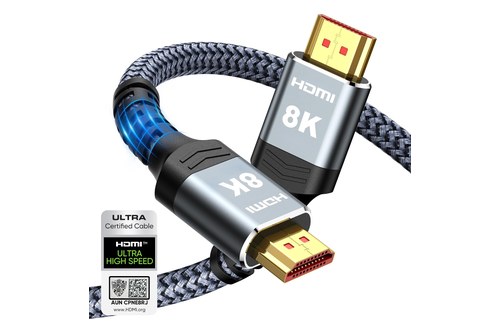 | See ratings |
Best for eARC Soundbars 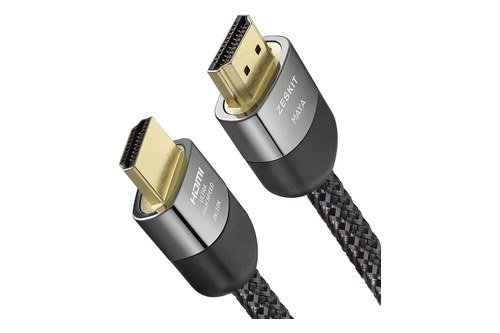 | See ratings |
Best for Consoles 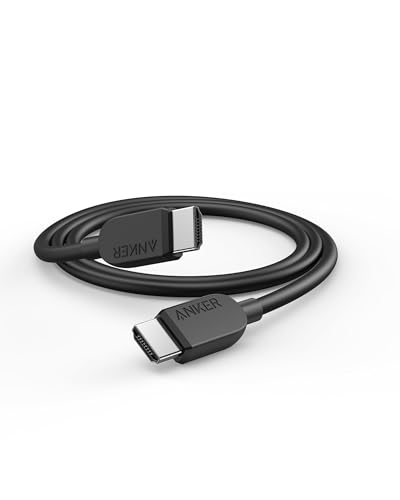 | See ratings |
Best Multi-Pack 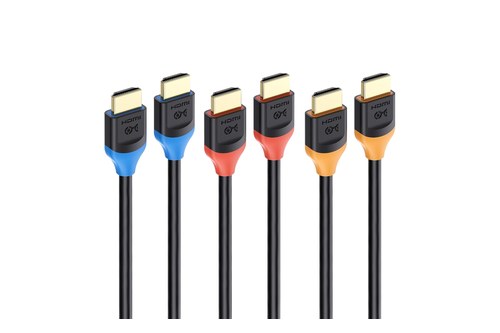 | See ratings |
Best for In-Wall Runs 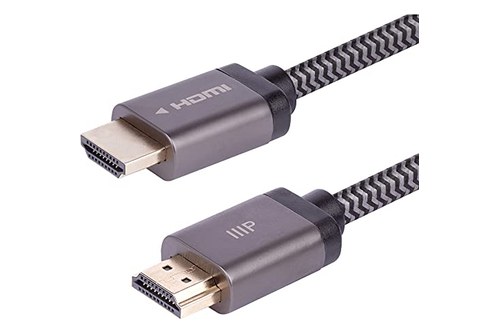 | See ratings |
Best Label Proof 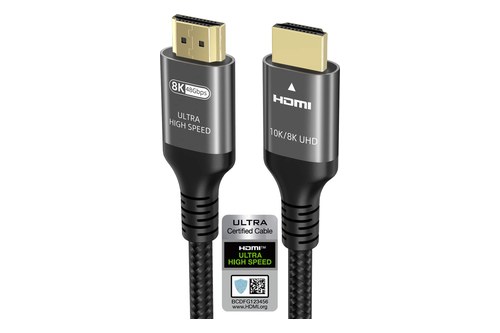 | See ratings |
Which HDMI Cables Made the List?
Those seven share one thing: each maker’s listing calls the cable certified Ultra High Speed, and four of them show HDMI Licensing’s Ultra Certified Cable label in their photos. HDMI Licensing makes that certification mandatory for any cable sold under the Ultra High Speed name, with testing at an HDMI Forum Authorized Testing Center and a label on every package (HDMI Licensing).
The cards run from the best all-round cable to the special cases, and the reasons behind each pick follow the cards.
UGREEN 8K HDMI 2.1 Cable (6.6 ft)
For most soundbars under a TV, the UGREEN 8K HDMI 2.1 Cable is the pick.
the UGREEN 8K HDMI 2.1 Cable
UGREEN sells it as a certified Ultra High Speed HDMI cord at 48Gbps, and its listing photo shows the Ultra Certified Cable label beside a braided cable with gray plug housings. That label is the thing HDMI Licensing tells you to look for, so this card earns its place on the label, not the 8K on the plug.
At 6.6 feet it’s one of five picks here between 6 and 6.6 feet. The length section below shows how to measure your own run before you choose.
Highwings 8K HDMI Cable (6.6 ft)
For the same certified grade at a lower outlay, the Highwings 8K HDMI Cable is the value pick.
the Highwings 8K HDMI Cable
Highwings lists it as a certified Ultra High Speed cable at 48Gbps, and the first photo in its listing shows the Ultra Certified Cable label with its QR code. Its gallery also has a panel on eARC with Dolby Atmos and DTS:X, which matches HDMI Licensing’s own list of eARC formats.
The 10K in the name is marketing: HDMI Licensing ties the Ultra High Speed grade to systems up to 48Gbps, and 10K belongs to its newer HDMI 2.2 material. The label, not the number on the box, tells you what you’re getting.
Zeskit Maya 8K HDMI Cable (6 ft)
For a cable sold with soundbars in mind, the Zeskit Maya 8K HDMI Cable is the pick.
the Zeskit Maya 8K HDMI Cable
Zeskit’s listing names it a certified 48Gbps cable compatible with soundbar eARC, Dolby Vision and Atmos, and its photos show “Ultra High Speed” printed on the plug housing. HDMI Licensing requires the official cable name on the jacket, so check the jacket and the package label when it arrives.
Its gallery shows the braided jacket and the plugs but not the certification sticker. That’s why it sits third: the claim is clear, but you’ll do the QR scan yourself.
Anker HDMI 2.1 Cable
For a TV that also runs a console, the Anker HDMI 2.1 Cable is the pick.
the Anker HDMI 2.1 Cable
Anker lists it as a certified Ultra High-Speed cord at 48Gbps with 4K at 240Hz in the name, and the card photo shows a plain black cable with Anker on both plugs.
Its gallery doesn’t show the certification label, so scan the package when it arrives. The same grade covers the soundbar link and a console link, so one spare cable fits either job.
HDMI Licensing says 4K at 120Hz and 8K at 60Hz with HDR need an Ultra cable, which is why a gaming setup and an eARC soundbar end up wanting the same grade.
Cable Matters 3-Pack 8K HDMI Cable (6.6 ft)
For a TV fed by a streamer, a console and a soundbar, the Cable Matters 3-Pack 8K HDMI Cable is the pick.
the Cable Matters 3-Pack 8K HDMI Cable
Cable Matters lists the pack as Ultra High Speed HDMI Certified, and one of its photos shows the Ultra Certified Cable label with a QR code beside blue, red and orange plugs. Color-coding helps when three cables leave the back of one TV and only one of them goes to the bar’s ARC port.
That same photo says “Officially HDMI 2.1 Certified”, wording HDMI Licensing doesn’t allow on cable packaging, because a cable’s grade is its name, not a version number. It’s a reminder to trust the label, which this pack shows.
Monoprice 8K Certified Braided Ultra High Speed HDMI Cable (10 ft)
For a run inside a wall to a mounted TV, the Monoprice 8K Certified Braided Ultra High Speed HDMI Cable is the pick.
the Monoprice 8K Certified Braided Ultra High Speed HDMI Cable
Monoprice says it’s certified by an HDMI authorized testing center and supports 48Gbps, and lists it as CL2 in-wall rated. HDMI Licensing suggests Ultra cables for anyone installing cables “in inaccessible locations such as inside walls”, since the cable is then hard to swap later.
Its four listing photos show the braided cable and plugs but no certification label. Scan the package label before you close up the wall, because that’s the last easy moment to return it.
Ubluker 8K HDMI Cable (6.6 ft)
For a label you can see before you buy, the Ubluker 8K HDMI Cable is the pick.
the Ubluker 8K HDMI Cable
Ubluker’s listing calls it “Certified Passed” Ultra High Speed HDMI, and two of its photos show the Ultra Certified Cable label with a QR code, one marked as the official certification label. Its gallery also includes an HDMI eARC panel listing Dolby Atmos and DTS-HD Master Audio.
It sits last only because the other six cover the common runs first. On the label test that this whole guide rests on, it shows its proof as plainly as any pick here.
Does It Matter What HDMI Cable You Use for a Soundbar?
Those cards all lean on one idea, and here it is plainly: the cable matters only for eARC, because ARC works over any HDMI cable. HDMI Licensing’s HDMI 1.4 guide says ARC-enabled devices “can be connected via all the existing categories of HDMI cables”, while its eARC answer certifies only the two Ultra cables.
Think of the cable as a pipe and ARC as a trickle. A thin pipe carries a trickle as well as a thick one does, and the TV’s ARC port decides how much flows, not the cable.
eARC is the bigger flow, and HDMI Licensing lists uncompressed 5.1 and 7.1, up to 32 channels of uncompressed audio, Dolby TrueHD, Dolby Atmos, DTS-HD Master Audio and DTS:X for eARC (HDMI Licensing on eARC). That list is the reason eARC matters to owners of the best Dolby Atmos soundbars, since Dolby TrueHD and Dolby Atmos both appear on it.
So the practical test takes ten seconds. Find the port your soundbar uses on the TV: if it reads eARC, buy an Ultra High Speed cable with the label; if it reads only ARC, try the cable you have first.
The other half of the question is quality between cables of the same grade. HDMI Licensing’s certification exists so a buyer doesn’t have to guess, and it warns that “many websites may recommend cables only based on receiving affiliate payments”, so this guide puts the label ahead of any brand.
Which HDMI Cable Grades Does HDMI Licensing List?
That ten-second port test only works if you can read the cable’s grade, and HDMI Licensing names them plainly. Its cable overview lists seven grades for home use, plus two automotive ones, and requires every cable to carry its official name (HDMI Licensing’s HDMI cable overview).
| HDMI Licensing’s cable name | Bandwidth, per HDMI Licensing | What HDMI Licensing says it’s for |
|---|---|---|
| Ultra96 HDMI Cable | Up to 96Gbps | All HDMI 2.2 features, such as 8K@60 and 4K@240 at full chroma |
| Ultra High Speed HDMI Cable | Up to 48Gbps | 8K@60 and 4K@120; designed for eARC |
| Premium High Speed HDMI Cable (with or without Ethernet) | Up to 18Gbps | 4K60, HDR and BT.2020 |
| High Speed HDMI Cable with Ethernet | Same as High Speed | Adds the HDMI Ethernet Channel |
| High Speed HDMI Cable | Up to 10.2Gbps | 1080p and beyond, 4K@30Hz, 3D, Deep Color |
| Standard HDMI Cable with Ethernet | Same as Standard | Adds the HDMI Ethernet Channel |
| Standard HDMI Cable | Not stated | 1080i or 720p |
Two numbers in that table matter for soundbar buyers. High Speed stops at 10.2Gbps and Premium High Speed at 18Gbps, so a “High Speed cable at 18Gbps” is a mix-up of two grades.
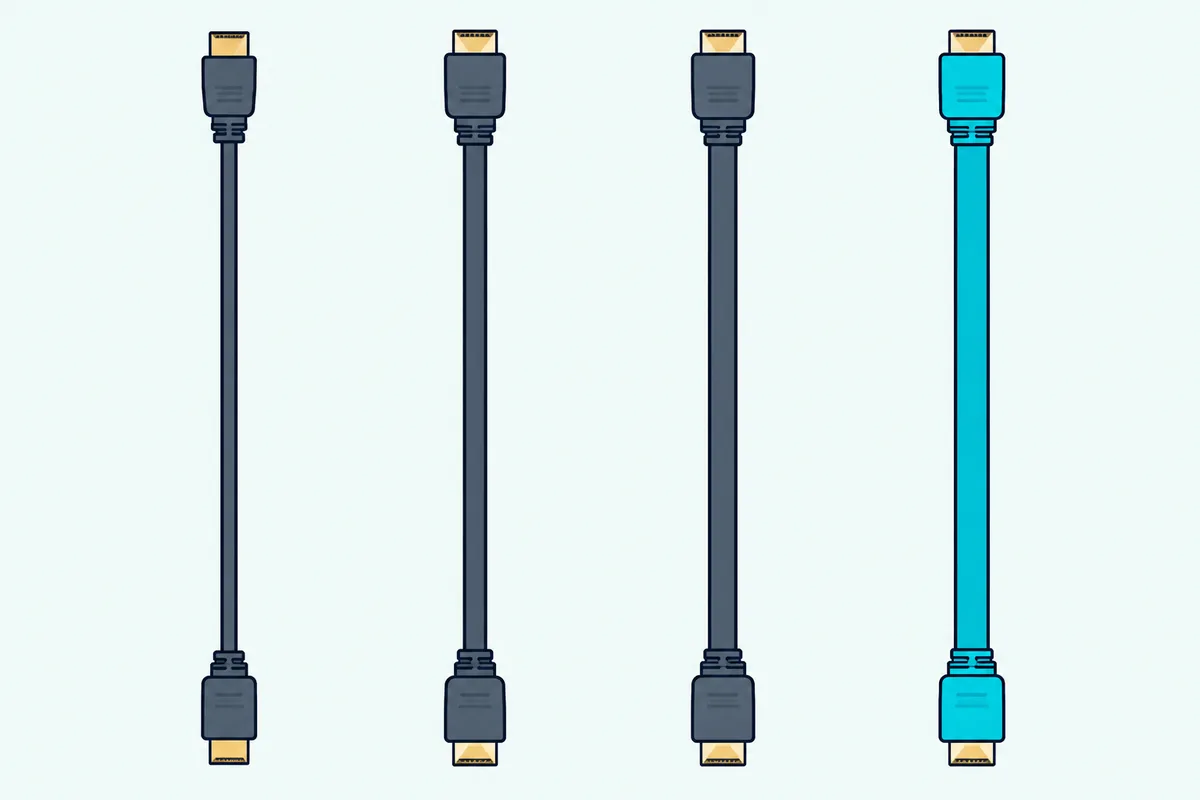
Every grade in the table is required to carry its official name on the cable jacket, and the packaging must show the name logo or the certification label. HDMI Licensing says that rule is there “to help consumers clarify cable types”.
The Ultra cables also carry a category number in HDMI Licensing’s FAQ: Ultra High Speed is Category 3 and Ultra96 is Category 4. You won’t see the category on most boxes, but it’s the same cable under a technical name.
Do You Need a Special Cable for HDMI ARC?
The bottom rows of that table answer the ARC question, and the answer is no special cable at all. HDMI Licensing says “all HDMI cables will support Audio Return Channel functionality when connected to Audio Return Channel-enabled devices”, and that you can use your existing cables.
That’s why this guide calls the best HDMI ARC cable for a soundbar the one already in your drawer.
HDMI Licensing’s FAQ for HDMI 1.4 asks “Will I need a new cable to support Audio Return Channel functionality?” and answers “No.”
ARC carries the formats a traditional optical (S/PDIF) connection carries, which HDMI Licensing lists as Dolby Digital, DTS and PCM. A new cable doesn’t add formats to an ARC port; the port sets the limit.
Here’s the scenario where people overspend. A five-year-old TV with an ARC port and a new bar that ships with its own HDMI cable: the boxed cable works, and an Ultra High Speed cable bought on top changes nothing you’ll hear.
There’s one case where a new cable is still worth it on ARC. If the old cable is damaged or too short to reach without strain, replace it with an Ultra High Speed cable, which keeps working if you later move to eARC.
What Is the Best HDMI Cable for eARC Soundbars?
ARC forgives any cable, but eARC is where the cable choice earns its keep. HDMI Licensing says both Ultra HDMI cables, Ultra High Speed and Ultra96, are designed to support eARC, and that “eARC operation with the Standard HDMI Cable with Ethernet and the High Speed HDMI Cable with Ethernet might be possible, but these cable types are not certified for eARC operation.”
That “might be possible” is the whole story with an older cable. A High Speed cable with Ethernet may or may not carry eARC in your setup, HDMI Licensing hasn’t certified it for that, and the Ultra grade removes the guesswork.
So the best HDMI eARC cable for a soundbar is any labeled Ultra High Speed cable at the length you need, which is every pick above. Ultra96 works too, since HDMI Licensing says both Ultra cables support all HDMI 2.1b and 1.4b features and are backwards compatible with existing devices.
Dolby’s own advice lines up with this. Dolby tells readers to make sure they’re using an HDMI 2.1 “ultra-high-speed” cable to take full advantage of the HDMI 2.1 features, eARC among them (Dolby).
The cable is only half of eARC. HDMI Licensing says eARC generally can’t be added by a firmware upgrade, so both the TV and the bar need eARC from the factory; check both port labels before blaming the cable.
Does HDMI 2.1 Improve Sound Quality?
That eARC rule leads straight into the version-number question, and the cable’s version doesn’t change the sound at all. HDMI Licensing says “NO use of version numbers is allowed in the labeling, packaging, or promotion of any cable product”, so “HDMI 2.1” on a cable describes the ports it’s meant for, not a cable grade.
What improves the sound is the audio format reaching the bar. Lossless Dolby TrueHD and DTS-HD Master Audio are on HDMI Licensing’s eARC list, and ARC’s list stops at Dolby Digital, DTS and PCM, so the port pair decides the format.
Four of the seven listing names on this page still put “HDMI 2.1” or “2.1” in them, and a fifth uses it in a photo. Read past it to the words “Ultra High Speed” and the label photo, the two things HDMI Licensing actually controls.
Same principle for “8K” and “10K” on the box. HDMI Licensing’s Ultra High Speed grade covers systems up to 48Gbps, including 8K@60 and 4K@120, and its 10K support sits in the HDMI 2.2 material.
How Do You Spot a Certified Ultra High Speed HDMI Cable?
Version numbers fail as a test, and the certification label passes it. HDMI Licensing says every Ultra High Speed cable carries a certification label on its package, and “the labels can be scanned by standard QR code apps” to confirm the model was tested and certified.

Its FAQ adds what a scan shows: the label’s QR code and security hologram let you verify the brand name, model number and length, and that the cable is registered in HDMI Licensing’s verification system. If the scan names a different brand or length from the box in your hand, send it back.
Three checks take under a minute at home:
- Find the Ultra Certified Cable label on the package and scan its QR code with your phone’s camera.
- Check that the brand, model number and length on the screen match the box.
- Read the cable jacket for the printed words “Ultra High Speed HDMI Cable”, which HDMI Licensing requires on the jacket itself.
HDMI Licensing also says the Cable Name Logo may only appear on the certification label, not printed on the package, so a box with a printed logo and no sticker should make you look twice. That’s a practical test you can run in the store aisle.
The label program has teeth. HDMI Licensing says it buys cables in stores and online marketplaces and sends them to test centers, and if a cable fails, the maker must correct it or can’t order more labels for it.
Shopping online, look for HDMI Licensing’s Verification Banners. HDMI Licensing describes them as an optional add-on that sellers can show on their pages, which you can click or scan for the same brand, model and length a physical label shows.
Does 4K or 8K Change the HDMI Cable You Need for a Soundbar?
That label check settles the soundbar side, and video only raises the bar when the soundbar sits in the video path. For a plain TV-to-bar eARC link, the eARC rule above decides; for 4K at 120Hz or 8K at 60Hz video through the cable, HDMI Licensing says the Ultra cables are needed for those modes with HDR.
Most soundbar links carry sound only, coming back from the TV. A bar with an HDMI input that passes a console’s 4K picture on to the TV is the case where the cable between them carries video too.
HDMI Licensing’s 1.4b page says 4K at 24, 25 and 30Hz “can be support[ed] with the High Speed HDMI Cable”, and its Premium High Speed grade covers 4K60 and HDR at up to 18Gbps. Past that, 4K at 100 or 120Hz and 8K, it points to Ultra High Speed.
Should a 1080p or 4K TV owner buy an Ultra cable anyway? HDMI Licensing answers that such installations “can benefit” because the Ultra cables are tested for low EMI, reducing the chance of interference with Wi-Fi, streaming players, Bluetooth devices and phones.
That’s the honest case for upgrading a working cable: less interference risk. It isn’t better sound on ARC.
How Long Should a Soundbar HDMI Cable Be?
Low interference matters most on long or hidden runs, which brings up length. HDMI Licensing’s FAQ says the specification “does not indicate a cable length”, and that length depends on the cable type and construction.
So there’s no official maximum to quote, and no length makes a cable better or worse at ARC. Buy the shortest certified cable that reaches without pulling on either port.
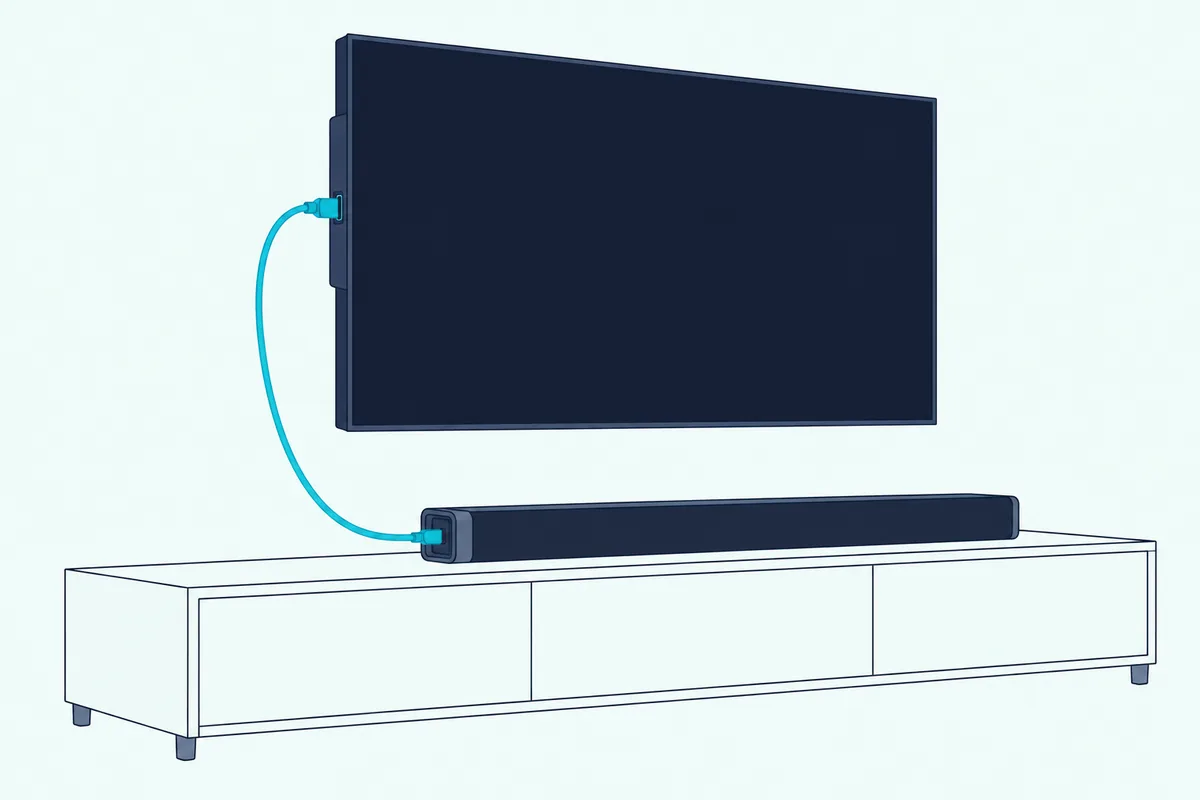
Five of the seven picks here are 6 or 6.6 feet, which covers a bar on the same stand as the TV with slack to spare. A wall-mounted TV with the bar on a console below needs the drop from the TV’s side ports plus a little slack.
For a cable inside a wall, HDMI Licensing says Ultra cables give “a future-proof solution” for inaccessible locations. That’s the Monoprice card’s job, with its CL2 in-wall rating per Monoprice.
Feeding a ceiling-mounted projector from the bar stretches that run further, and connecting a soundbar to a projector covers that layout with Epson’s HDMI 2.0 cable note for 4K at 60.
Measure with a piece of string from the TV’s HDMI port to the bar’s HDMI port, along the route the cable will take. Add a foot so neither plug carries the cable’s weight.
Which TV Port Does the Soundbar Cable Go In?
Length gets the cable to the TV, and the port decides whether sound comes back. HDMI Licensing says it “has strongly recommended” that makers label ARC ports with the letters “ARC” but “does not require manufacturers to do so”, so check your TV’s manual if no port is marked.
Sony, LG and Dolby all point you to a labeled port. Sony’s TV help guide tells you to connect an eARC or ARC audio system to the port labeled “eARC / ARC” (Sony’s BRAVIA help guide), and Dolby says to find the port labeled “ARC/eARC” on your TV.
Samsung owners should note that Samsung’s 2025 TV e-Manual lists the cable types it recommends, High Speed through Ultra High Speed, and warns that a non-certified HDMI cable “may result in a blank screen or a connection error”. If you’re still choosing the bar, our guide to Samsung soundbars pairs bars with those TVs.
LG’s webOS 25 user guide names its port HDMI (eARC/ARC) and says an LG soundbar connected there is connected automatically (LG’s webOS user guide). The cable rule is HDMI Licensing’s either way, and the bars that suit those TVs are in our roundup of LG soundbars.
If an eARC connection won’t establish, Sony’s guide suggests connecting the audio system with an HDMI cable with Ethernet and turning on the TV’s eARC mode. That fits HDMI Licensing’s FAQ on powered cables, which names the Ethernet grades and both Ultra cables as the labels that support ARC and eARC.
For the difference between a plain HDMI port and an ARC port, see how HDMI and HDMI ARC compare on a soundbar.
What If Your TV Has eARC and Your Soundbar Only Has ARC?
That port label can disagree between the two devices, and then the older one sets the pace. HDMI Licensing says eARC “is not defined to be backwards compatible with ARC”, though makers “can produce products that are compatible with both”, so whether an eARC TV talks to an ARC bar depends on the products.
Dolby’s advice is the reassuring half. Dolby says that if your TV supports eARC but your soundbar only supports ARC, you’ll still get audio, though “playback support for certain audiovisual formats may be reduced”.
In that mix the cable stops mattering again. The link runs as ARC, and HDMI Licensing says all HDMI cables carry ARC.
Spend on the cable only when both ports say eARC.
When Is Optical Better Than an HDMI Cable?
ARC-only links keep coming up, and that’s where optical becomes a fair alternative. HDMI Licensing says ARC supports the same formats a traditional S/PDIF connection can, Dolby Digital, DTS and PCM, so on an ARC TV optical and HDMI carry the same family of formats.
That makes the choice on an ARC TV a matter of which port your TV and bar have free, not of sound formats.
For lossless formats, optical drops out. Dolby TrueHD and DTS-HD Master Audio are on HDMI Licensing’s eARC list, not its ARC list, and optical sits in ARC’s family.
The full comparison, setup by setup, is in our guide to when optical beats HDMI on a soundbar.
Do Gamers Need a Different HDMI Cable for a Soundbar Setup?
Optical is the fallback, and gaming is the case that pushes the other way. HDMI Licensing says 4K at 120Hz and 8K at 60Hz with HDR need an Ultra cable, so a console plugged into the TV needs an Ultra High Speed cable whatever the soundbar uses.
In a typical setup the console goes into the TV, and the TV sends the game’s sound to the bar over eARC or ARC. That’s two cables, and the Cable Matters pack or a second Anker cable covers both with one certified grade.
HDMI Licensing lists Auto Low Latency Mode, Variable Refresh Rate and Quick Frame Transport as gaming features of HDMI 2.1b. Those are features of the console and the TV, and HDMI Licensing’s FAQ says to ask the makers of your devices whether they support them.
Our list of the best soundbar for PS5 setups pairs bars with that console-into-TV route.
Which HDMI Cables Didn’t Make the List?
Those gaming and soundbar needs narrowed the field, and three cables from the old version of this page are gone. The Silkland HDMI ARC/eARC Cable (B09XD47T6Q) had no stock or price on Amazon on 20 October 2026, and its listing name doesn’t say certified.
The JSAUX 2-pack (B08SC28M9H) calls itself Ultra High Speed but not certified, so it fails this guide’s one rule. The Silkland listing B0F43GPYCW is now a 1-foot cable, too short for most bar-to-TV runs, with one left in stock.
The three optical cables are out because no HDMI label applies to them. If your TV has no ARC at all, our guide to connecting a soundbar with HDMI but no ARC covers the optical and HDMI-input routes.
The Bottom Line
Everything above comes back to that first sticker. The best HDMI cable for a soundbar is a certified Ultra High Speed HDMI Cable when both the TV and the bar say eARC, and the UGREEN 8K HDMI 2.1 Cable is the pick for most runs.
For less outlay, the Highwings shows the same label; for an eARC bar, the Zeskit is sold for exactly that; and for consoles, extra boxes or in-wall runs, the Anker, Cable Matters pack and Monoprice fit. The Ubluker shows its label most plainly of all.
On an ARC-only TV, keep your money: HDMI Licensing says any HDMI cable carries ARC. Scan the QR code on whatever you buy, and match the cable to the port, not to the number printed on the box.
Frequently Asked Questions
Does HDMI 2.1 improve sound quality?
No, the cable’s version number doesn’t change the sound, and HDMI Licensing doesn’t allow version numbers on cable packaging at all. What improves the sound is the format the link can carry: eARC carries Dolby TrueHD, Dolby Atmos, DTS-HD Master Audio and DTS:X, while ARC carries the formats an optical connection does, Dolby Digital, DTS and PCM. For eARC, HDMI Licensing certifies the Ultra High Speed and Ultra96 cables; for ARC, it says any HDMI cable works.
What is the difference between HDMI 2.1 and eARC?
HDMI 2.1 is a version of the HDMI specification, which HDMI Licensing says HDMI 2.2 now supersedes, and eARC is one of its features. HDMI Licensing describes eARC as an advancement over ARC that sends a TV’s audio to a soundbar or AVR through a single HDMI cable, with high-bitrate formats up to 192kHz and 24-bit. You need eARC on both the TV and the bar, and HDMI Licensing says it generally can’t be added by a firmware update.
Which cable is best for a soundbar?
A certified Ultra High Speed HDMI Cable is best when your TV and soundbar both have eARC, because HDMI Licensing designed both Ultra cables to support it. If either device only has ARC, any HDMI cable works, and the one in the box is fine. Optical is the alternative for ARC-era formats, since HDMI Licensing says ARC carries the same formats a traditional S/PDIF optical connection does.
Do I need a special HDMI cable for a sound bar?
Not for ARC: HDMI Licensing says ARC devices work with all existing categories of HDMI cables. For eARC, buy a certified Ultra High Speed HDMI Cable, since HDMI Licensing says High Speed cables with Ethernet might work for eARC but aren’t certified for it. Look for the Ultra Certified Cable label on the package and scan its QR code to check the brand, model and length.
Is there a difference between a regular HDMI cable and a 4K HDMI cable?
There’s no official cable called a “4K HDMI cable”; HDMI Licensing names grades instead. A High Speed HDMI Cable handles up to 10.2Gbps, including 4K at 30Hz; a Premium High Speed cable handles up to 18Gbps for 4K60 and HDR; and an Ultra High Speed cable handles up to 48Gbps for 4K at 120Hz and 8K at 60Hz. For a soundbar’s ARC link the grade doesn’t matter; for eARC, choose Ultra High Speed.