Wired vs Wireless Soundbar: What “Wireless” Really Means

In the wired vs wireless soundbar question, one fact surprises people: every soundbar still plugs into the wall, even the ones sold as wireless. Some also plug into the TV by cable.
The box says wireless, so you picture a bar with no cables at all. Then it arrives with a power cord, an HDMI cable, and a subwoofer that also needs an outlet.
That gap between the label and the living room is where most disappointment starts. “Wireless” describes how some parts talk to each other, not a cable-free setup.
It also affects the sound you get. The connection you choose decides whether a movie’s surround and Dolby Atmos tracks reach the bar at all.
Below you’ll find what wireless actually covers on a soundbar, when a wired connection sounds better, and when wireless is the smarter choice.
Are Soundbars Wireless?
That power cord is the first thing the label leaves out. A soundbar has its own amplifier, so it always needs mains power, and so does a wireless subwoofer or a pair of wireless rear speakers.
What’s wireless is the link between parts. A wireless subwoofer receives its signal from the bar without a cable, and many bars can take audio from a phone or TV over Bluetooth or Wi-Fi.
So the honest answer is partly. The signal can travel without cables, but the power can’t.
You can see how separate the pieces are in Samsung’s manual for the HW-A450. When the main unit powers off, the wireless subwoofer drops into standby on its own, and its LINK light glows solid blue once the two reconnect (Samsung HW-A450 manual).
What Does “Wireless Soundbar” Actually Mean?
That partly-wireless picture usually covers three different things. It helps to check which ones a bar offers before buying.

Bluetooth
The first of those is Bluetooth, which lets a phone, tablet or TV send audio to the bar without a cable. It’s convenient for music, but it compresses the sound, and some TVs show a slight delay between picture and voice.
Vizio’s manual for its 2025 5.1 system puts both limits plainly. It says a Bluetooth signal “has a range of up to 30 feet,” and that because Bluetooth is compressed, “streamed music may lose some integrity when compared to a wired connection” (Vizio SV510M-0806 manual).
Samsung gives the same distance for its bars. Its HW-A450 manual notes that Bluetooth can disconnect when the device is more than 32.8 feet (10 m) from the soundbar.
Wi-Fi Streaming
Wi-Fi bars can play music straight from streaming apps and join multiroom speaker systems. They sound better than Bluetooth for music, because the stream isn’t squeezed through a Bluetooth link.
Range works differently too. A Wi-Fi bar talks to your router rather than to your phone, so your phone can leave the room while the music keeps playing.
That router link is also what makes multiroom possible. A Wi-Fi bar can usually be grouped with the same brand’s other speakers in its app, so one song plays through the living room and kitchen together.
The Sonos Beam Gen 2 is a compact example that plays Dolby Atmos from the TV over HDMI eARC and streams music over Wi-Fi.
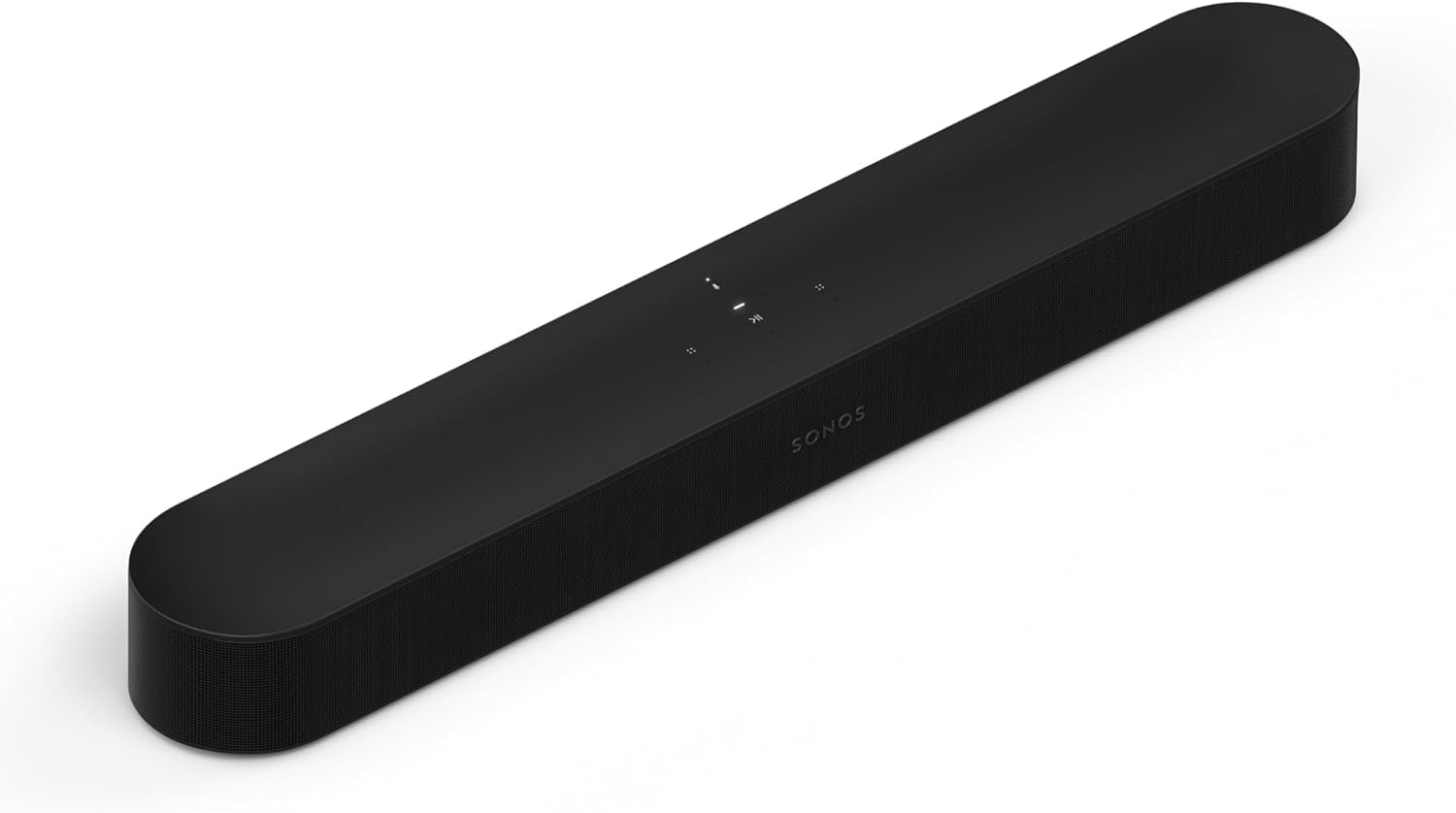
Sonos Beam Gen 2
For a bigger room, the Bose Smart Ultra Soundbar adds upward-firing speakers for height.
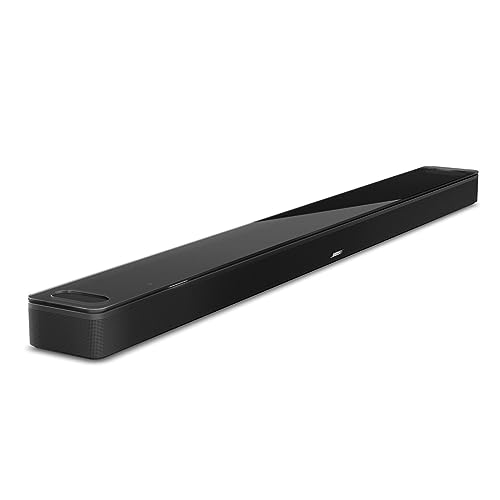
Bose Smart Ultra Soundbar
The Denon Home 550 is another Wi-Fi option, with Dolby Atmos in a 26-inch bar and HEOS streaming built in.
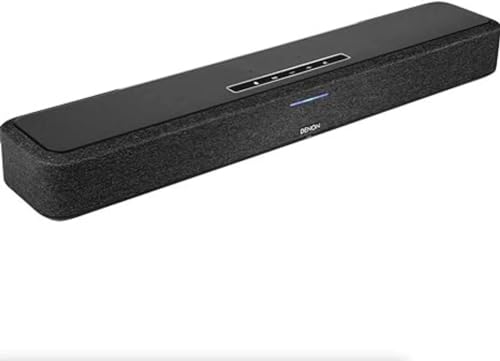
Denon Home 550
Wireless Subwoofer and Rear Speakers
This is what most “wireless” bar-and-sub bundles mean. The subwoofer and any rear speakers link to the bar wirelessly, so you don’t run long cables across the room, though each piece still plugs into an outlet.
Samsung’s HW-A450 manual shows the limits of that link. It rates the wireless signal at about 32.8 feet (10 m), warns that another device on the same 5.8GHz frequency can cause “some sound interruption,” and says a steel-concrete or metal wall between the parts may stop the system working, “because the wireless signal cannot penetrate metal.”
Bose’s Bose Surround Speakers 700 work this way, linking wirelessly to a Bose soundbar while each speaker plugs into power.
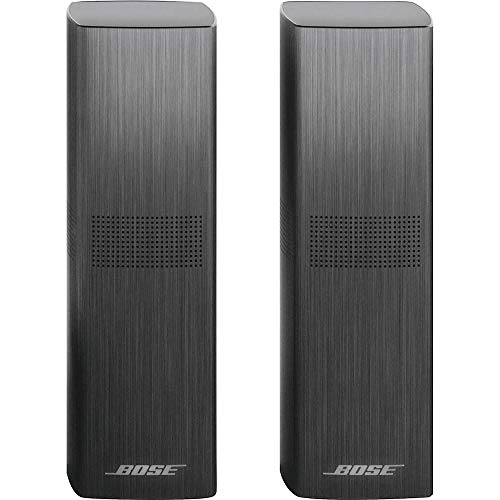
Bose Surround Speakers 700
Get Studio Tips Weekly
Join 5,000+ creators getting acoustic treatment advice every week.
No spam. Unsubscribe anytime.How Do Wired and Wireless Connections Compare?
Those three kinds of wireless sit alongside three wired options. Here’s how the five usually line up for TV and music.
| Connection | Cable to the TV? | Dolby Atmos from the TV? | Best for |
|---|---|---|---|
| HDMI eARC | Yes | Yes, including lossless formats | Movies, shows and games |
| HDMI ARC | Yes | Often, with reduced format support | TV sound on older TVs |
| Optical | Yes | No | TVs without ARC |
| Bluetooth | No | No | Music from a phone |
| Wi-Fi streaming | No | Depends on the bar and app | Music and multiroom |
The HDMI rows come from HDMI Licensing and Dolby. HDMI Licensing says eARC supports uncompressed 5.1 and 7.1 audio plus Dolby TrueHD and Dolby Atmos (HDMI Licensing), while Dolby notes that on plain ARC “playback support for certain audiovisual formats may be reduced” (Dolby).
The optical and Bluetooth rows follow the bars themselves. Samsung’s support page, for example, says “Dolby Atmos is only supported in HDMI mode” on its soundbars (Samsung).
What’s the Difference Between ARC and eARC?
Those two HDMI rows are the ones people mix up most. ARC, the Audio Return Channel, lets the TV send its sound to the soundbar over the same HDMI cable, so one cable does the job.
eARC is the enhanced version. Dolby says it uses the extra bandwidth of HDMI 2.1 to support a wider range of audio formats, and to correct processor delays automatically so sound and picture stay matched.
How Do You Tell Which One You Have?
That label is the quickest check. Dolby’s advice is simply to look for the ARC or eARC label on your devices’ HDMI ports.
Both ends matter. If the TV has eARC but the bar only has ARC, Dolby says you’ll still get good audio, but support for some formats may be reduced.
Do You Need a Special Cable?
Once both ends have eARC, the cable matters more than it does for ARC. Dolby’s setup guide says an HDMI 2.0 cable should work for ARC, while HDMI 2.1 “is necessary for eARC setups” (Dolby).
Is It Better to Connect a Soundbar With HDMI or Bluetooth?
That table points one way for TV sound: HDMI wins. A wired HDMI ARC or eARC connection carries full-quality audio and surround formats, and it lets the TV remote control the bar’s volume.

Dolby recommends eARC “whenever possible” for an Atmos soundbar (Dolby). Bluetooth can’t carry Atmos to the bar, so a bar connected that way loses the height effects it was built for.
Optical sits in between: it’s wired and reliable, but it can’t carry Atmos either. The trade-offs are laid out in this side-by-side comparison and in Burton Acoustix’s HDMI vs optical comparison.
What About the TV Remote?
That HDMI cable has one more advantage people notice every day. With HDMI-CEC turned on, the TV remote controls the soundbar’s volume, and Samsung’s support page walks through enabling it, noting that Samsung TVs call it Anynet+.
When Is Bluetooth From the TV Worth Using?
Only when the TV has nothing better. Some TVs have Bluetooth audio but no ARC port and no optical output, and then Bluetooth is the only way to get sound to the bar without extra boxes.
In that case, check the TV’s audio delay setting or the bar’s sync setting after pairing. A small adjustment usually brings voices back in line with lips.
Remote Control Without HDMI
Over optical or Bluetooth, that link isn’t there. Many bars can learn a TV remote instead: the HW-A450 has a TV remote setting that works with Samsung remotes and, in its all-brands mode, with remotes from makers such as VIZIO, LG and Sony.
Does Wireless Sound Worse Than Wired?
That depends on which link you mean. Bluetooth does lose some quality, which is why Vizio says streamed music may lose some integrity compared with a wired connection.
Wi-Fi streaming avoids that squeeze for music, and a wireless subwoofer link carries bass from the bar without trouble. The part that truly needs a cable is the TV connection, because surround and Atmos formats only reach the bar over HDMI.
Where You’ll Hear the Difference
That gap is easy to miss with a TV show’s stereo soundtrack, where most people won’t hear much difference between HDMI and optical. With a Dolby Atmos movie, the HDMI connection is the only one that delivers the height effects.
With music, the gap shows up between Bluetooth and Wi-Fi rather than between wired and wireless. A Wi-Fi stream from an app avoids the Bluetooth compression altogether.
Wireless Subwoofer or Wired Subwoofer?
A home theater receiver usually feeds its subwoofer through one cable, so you can pick any powered sub you like. A soundbar’s wireless sub is matched to its bar instead, and it usually can’t be moved to another brand’s bar.
That’s the real trade-off: placement freedom now, but less choice later. Our look at using a Vizio subwoofer without its soundbar shows what happens when the bar fails.
What About Lip-Sync Delay?
That compression isn’t Bluetooth’s only cost; delay is the other. The sound takes a little longer to arrive than the picture, and with speech you notice it as lips moving slightly ahead of the voice.
Some Bluetooth equipment reduces this. Qualcomm says its aptX Low Latency technology achieves about 40ms of delay from an adapter running its encoder (Qualcomm aptX), but the speaker or bar has to support it too.
Why Delay Matters Less for Music
With music there’s no picture to match, so a small Bluetooth delay goes unnoticed. You only see it when a face on screen is speaking.
That’s why Bluetooth is fine for a playlist from your phone but a poor way to connect the TV itself.
How HDMI Handles It
Unlike Bluetooth, HDMI eARC can correct delay by itself. Dolby says eARC adds features such as “automatically correcting processor delays so that your audio and video always match,” along with lip sync correction.
Fixing Delay by Hand
If you still see a delay after that, most bars have a manual setting. Samsung’s HW-A450 has an AUDIO SYNC option that sets the audio delay, and Vizio’s V-Series 5.1 has an AV Delay level in its menu (Vizio V51x-J6 manual).
Which Is More Reliable Day to Day?
Wired connections win on reliability, because there’s nothing to pair or lose. Once an HDMI or optical cable is in, it doesn’t drop out when someone starts the microwave.
Wireless links can. Vizio lists wireless security cameras, video baby monitors, cordless phones and microwave ovens as devices that can affect Bluetooth range.
Fixing Wireless Dropouts
Vizio’s advice for break-ups is simple: move the source device closer and make sure there are no solid obstructions in the line of sight. Turning off or moving the interfering device can help too.
For a wireless subwoofer, Samsung’s advice is to keep the area around it clear of obstructions. If the sub sits behind a metal cabinet or a concrete wall, moving it may be the only fix.
What If Your TV Has No HDMI ARC?
Those dropouts are one reason to prefer a cable, but some TVs don’t offer the best one. If there’s no ARC or eARC port, Dolby describes a second route called HDMI passthrough.
It needs a soundbar with at least one HDMI input and an HDMI output. You plug a streaming device that supports Dolby Atmos, such as an Apple TV, Fire TV, Nvidia Shield or selected Roku models, into the bar’s HDMI input, then run the bar’s HDMI output to the TV.
When Optical Is the Only Choice
If neither ARC nor passthrough is possible, optical still gives you a wired link. Vizio’s troubleshooting advice for a silent optical connection is to set the TV’s audio output to PCM, because some TVs don’t pass digital audio through.
Optical won’t carry Atmos, but it avoids Bluetooth’s delay and range limit. For a TV with an optical port, it’s usually the better of the two.
Does a Wireless Soundbar Need Wi-Fi?
That app step makes some buyers think every wireless bar needs Wi-Fi, but most wireless features don’t. Bluetooth pairs directly with your phone or TV, and the link to a wireless subwoofer runs on its own frequency, 5.8GHz on Samsung’s HW-A450.
Wi-Fi is only needed for streaming features. Playing music from apps, multiroom grouping and voice assistants use your home network, so a Wi-Fi bar without a network still works as a regular HDMI or Bluetooth bar.
Is a Wireless Setup Harder to Install?
Usually not, because most of the linking happens at the factory. Vizio says its V-Series 5.1 subwoofer “should automatically power on and link to the sound bar when plugged in,” and its LED glows solid to confirm.
Samsung’s HW-A450 works the same way, with the sub’s LINK light turning solid blue once connected. You only step in if that link fails.
Pairing Bluetooth
Unlike the sub, Bluetooth takes one extra step. On Vizio’s V-Series 5.1, you hold the Bluetooth button on the bar or remote for 5 seconds, then choose the bar from your phone’s Bluetooth list.
After that, the phone stays paired while it’s in range. Vizio adds that when you switch the bar back to its Bluetooth input, a paired device reconnects automatically.
Setting Up Wi-Fi
Wi-Fi bars take the longest to set up, because they use the maker’s app to join your network. Once connected, they appear as a speaker in that app and in supported music apps.
Wired vs Wireless Soundbar: When Does a Cable Make More Sense?
That Atmos limit makes HDMI the clear choice for movies. If you watch films with surround or Atmos tracks, a wired HDMI connection is the only way to hear them as intended.
Wired is also more dependable day to day. There’s no pairing to drop, no interference from Wi-Fi routers, and no lip-sync delay to correct.
If your TV has an HDMI ARC or eARC port, this setup walkthrough covers the connection and settings.
Gaming
That reliability matters most for games. A delay you’d barely notice in a TV show can throw off timing in a fast game, so connect the bar by HDMI rather than Bluetooth.
Dolby points to eARC’s extra bandwidth as a good fit for gaming in Dolby Atmos. If your console plugs into the TV, the TV’s eARC port carries its sound to the bar.
When Is Wireless the Better Choice?
Wireless earns its place for music and placement. Streaming from your phone over Wi-Fi or Bluetooth is simpler than cabling a laptop, and a wireless subwoofer can sit wherever the bass sounds best.
It’s also the fallback for TVs without useful ports. If the TV has Bluetooth audio but no ARC or optical output, a wireless link is better than no soundbar at all, and our steps to connect a TV to a soundbar via Bluetooth cover the pairing.
The Best Setup Uses Both
Most good setups mix the two. The bar connects to the TV by HDMI for movies and shows, while Bluetooth or Wi-Fi handles music from your phone.
The subwoofer and rears stay wireless for tidy placement. That combination gives full-quality TV sound without cables across the floor.
Renters and Awkward Rooms
Wireless rears and subs also suit rooms where you can’t run cable under a rug or through a wall. You only need an outlet near each speaker, rather than a speaker wire back to the bar.
That still rules out spots with no outlet. Check where the nearest outlet is behind the sofa before you buy a set with wireless rear speakers.
Do Wireless Rear Speakers Make a Real Difference?
Those spare outlets buy you something real. Rear speakers behind the seats add sound from behind you, which a bar under the TV can only suggest with virtual processing.
Vizio’s V-Series 5.1 manual shows both approaches. Its standard layout puts the surround speakers behind the seats, while Front Surround Mode places them beside the bar and uses DTS Virtual:X to create a virtual surround effect instead.
If you can’t put speakers behind the sofa, a bar with good virtual surround may suit you better than a 5.1 set used halfway. If you can, wireless rears are the easiest way to get real surround sound.
Counting the Cables in Each Setup
Counting the cables before you buy avoids the surprise from the start of this article. A bar on its own needs two: power, and HDMI or optical to the TV.
Add a wireless subwoofer and you add a power cable for the sub. A 5.1 set adds power for the rear speakers too, and how they’re powered varies by brand.
How Vizio and Samsung Handle the Rears
Those rear speakers are where brands differ most, and Vizio’s V-Series 5.1 is a good example of “wireless” meaning something narrower. The sub links wirelessly to the bar, but the two surround speakers plug into the subwoofer with color-coded cables, blue for left and gray for right.
Samsung’s manual for the HW-A450 mentions a Wireless Receiver Module, sold separately, for its wireless surround option. Either way, some cable still runs to the rear speakers, just not all the way back to the TV.
So a Vizio V-Series 5.1 comes with two power cords, one for the bar and one for the sub, plus the HDMI cable to the TV and the two rear cables that run from the sub. A bar with a wireless receiver for the rears adds a power cord at the back of the room instead.
Can You Make a Wired Soundbar Wireless?
That mixed setup also works in reverse on older gear. A small Bluetooth receiver plugged into a bar’s AUX input lets a wired-only soundbar play music from a phone.
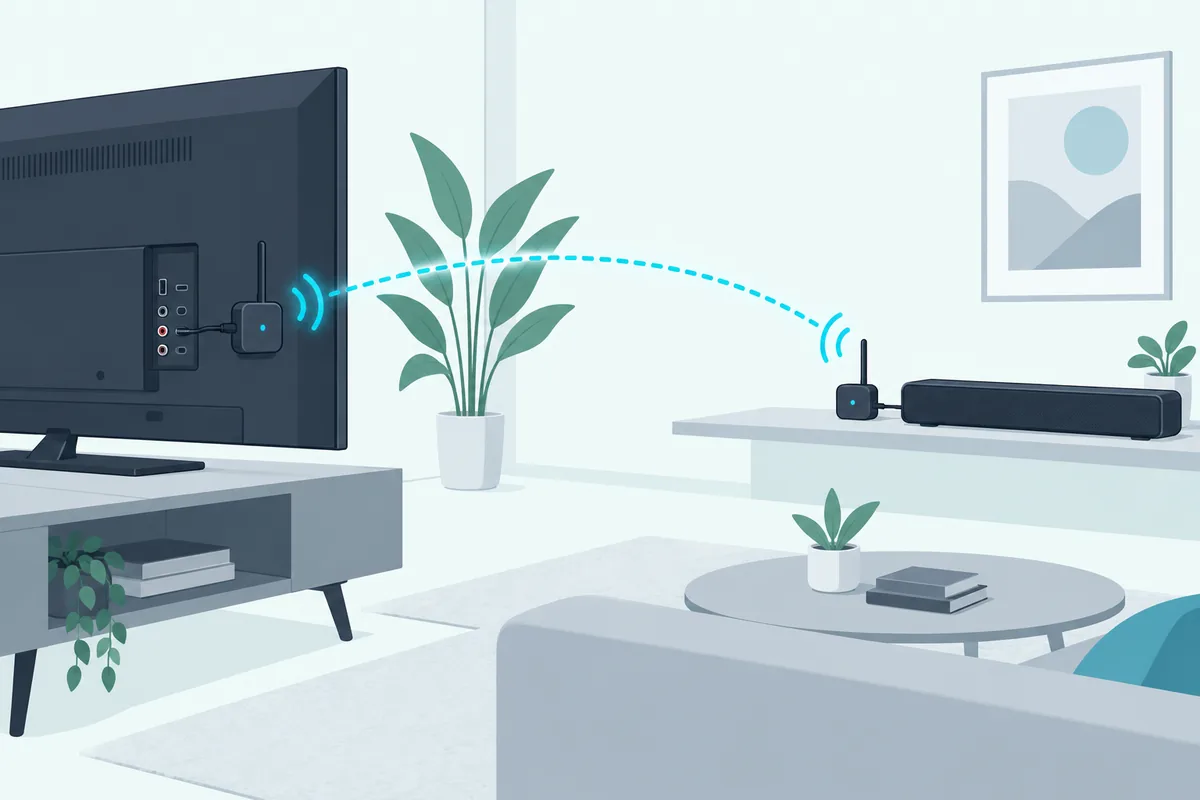
Going the other way, a Bluetooth transmitter on a TV’s audio output can feed a Bluetooth bar. Expect the same compression and possible delay as any Bluetooth link, so use it when a cable isn’t practical.
The 1Mii B06TX Bluetooth Transmitter is one that takes optical, AUX or RCA audio from the TV, and it keeps delay low with speakers that support aptX-LL.
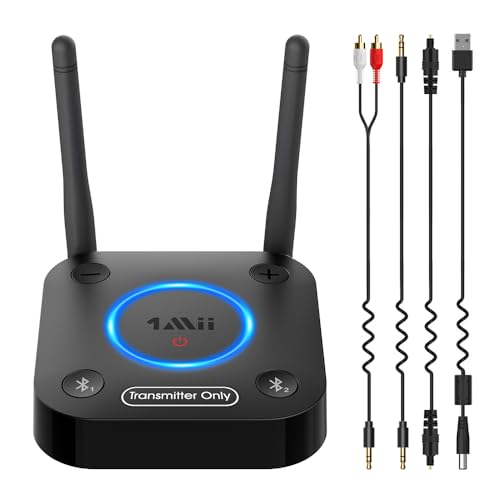
1Mii B06TX Bluetooth Transmitter
Which Should You Choose?
Put together, the choice usually comes down to what you watch and what your TV offers. These four cases cover most homes.
You Watch a Lot of Movies
Choose a bar with HDMI eARC and connect it to the TV’s eARC port. That’s the only route that carries lossless formats and the full Atmos effect.
You Mostly Play Music
A Wi-Fi bar suits you best, with HDMI still connected for TV. You get app streaming and multiroom without Bluetooth’s compression and range limit.
Your TV Is Older
If the TV has ARC but not eARC, HDMI ARC is still the best link. If it has neither, optical is the next step, and Bluetooth is the fallback.
Your TV Is Wall-Mounted
If the TV is on the wall, plan the HDMI cable first, since it has to reach from the TV’s port down to the bar. A bar mounted just below the TV keeps that run short, and a wireless sub means nothing else has to reach the TV.
You Want the Fewest Cables
Pick a bar with a wireless sub, and put the bar close to an outlet and the TV. You’ll still have the power and TV cables, but nothing crossing the floor.
Frequently Asked Questions
Do wireless soundbars need to be plugged in?
Yes. Every soundbar needs mains power for its amplifier, and so do wireless subwoofers and rear speakers. “Wireless” refers to the audio link, not the power.
Can you connect a soundbar to a TV without HDMI?
Yes, with an optical cable, an analog AUX cable, or Bluetooth if both support it. Atmos needs HDMI, though, so you’ll lose it on those connections.
Is a wireless subwoofer as good as a wired one?
For most rooms, yes. The wireless link carries the bass signal from the bar reliably, and the benefit is being able to place the sub where it sounds best rather than where the cable reaches.
Does Bluetooth support Dolby Atmos on a soundbar?
No. Bluetooth carries a compressed stereo-style stream, and makers such as Samsung support Atmos on their bars only over HDMI.
How far can a wireless subwoofer be from the soundbar?
It depends on the model. Samsung rates the HW-A450’s wireless link at about 32.8 feet (10 m), though walls, metal and interference can shorten that.
Do wireless rear speakers need their own power?
Yes, in most sets. Bose’s Surround Speakers 700, for example, link wirelessly to the bar, but each speaker still plugs into power at its receiver.
Do I need a special HDMI cable for a soundbar?
For ARC, a standard high-speed HDMI cable is usually enough. For eARC, Dolby says an HDMI 2.1 cable is necessary.
Can a wireless soundbar work with any TV?
Almost any TV can send it sound one way or another. HDMI ARC or eARC is best, optical works on most older TVs, and Bluetooth covers TVs with neither, with the delay and compression that come with it.
Is optical better than Bluetooth for a soundbar?
For TV sound, usually yes. Optical is a wired connection with no pairing and no Bluetooth delay, while Bluetooth is compressed, as Vizio notes. Neither carries Dolby Atmos, so HDMI remains the better choice when the TV has it.
Why does my wireless soundbar keep cutting out?
Usually distance or interference. Move the phone or sub closer, clear the line of sight, and move devices such as cordless phones or baby monitors away from the bar.