Electronic Drum MIDI Controller: How to Set Up Your Kit
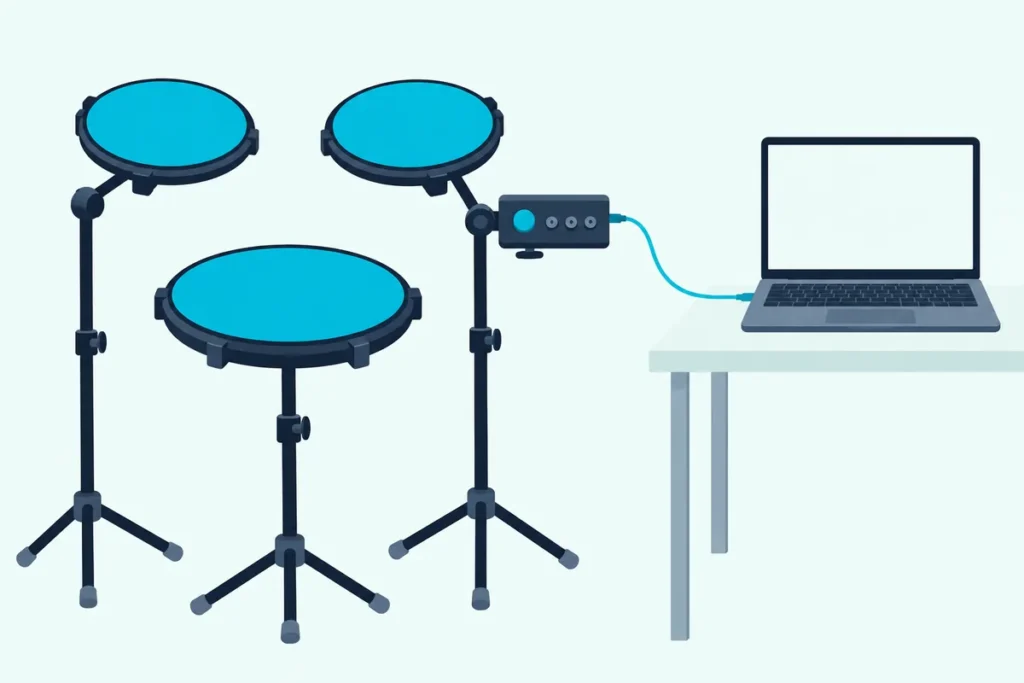
Your electronic drum kit already speaks MIDI, so turning it into an electronic drum MIDI controller usually takes one cable and two settings, yet most people end up with double notes or silence.
Hit a pad and you may hear the module’s own kit and a software kit together, or nothing at all, because on some modules the USB port carries notes and no sound.
This guide covers what a module sends, how to connect it, how to record, what Local Mode does and which notes each pad plays.
You’ll also see the Alesis Nitro Max’s own note numbers, how standalone pads differ, and five products that make the job easier.
Start with what your drums can already do, because the answer depends on the module.
What Is an Electronic Drum MIDI Controller?
Any electronic kit whose sound module sends MIDI to a computer, which is most of them. If MIDI itself is new to you, our explainer on what MIDI stands for covers the basics first.
Roland says its TD-07 module is an audio/MIDI recording interface that sends stereo sound and MIDI data to a Mac or Windows computer over one USB cable, and Alesis says connecting a Nitro Max kit to a computer turns the drums into a MIDI controller (Roland, Alesis).
The Alesis Nitro Max is an eight-piece kit with a module that holds 32 BFD kits and 16 user kits, according to Alesis, and its guide says the USB port sends only MIDI and no audio.
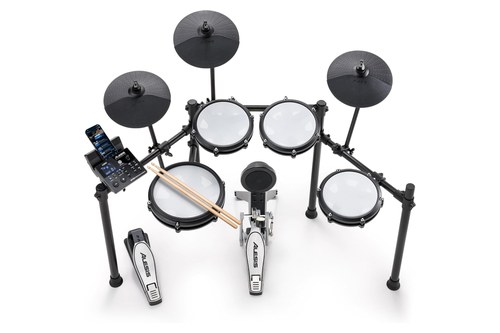
The Alesis Nitro Max
The Roland TD-07KV goes further, because Roland says its module sends both stereo audio and MIDI over USB and supports MIDI over Bluetooth for recording in music apps without a cable.
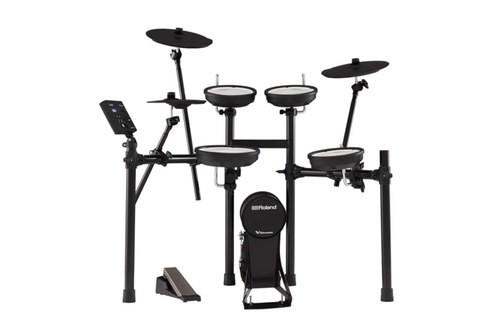
The Roland TD-07KV
What Does a Drum Module Send to the Computer?
Notes and how hard you hit them, not sound. Thomann’s e-drum guide puts it plainly: MIDI does not transmit sound, and the pads of an electronic kit send their information to the module in a different way, after which it’s MIDI (Thomann).
Each hit becomes a note number and a velocity. A software drum instrument listens for that number and plays the matching sample at the matching volume, which is why the same kit can drive a far better-sounding library than the one inside the module.
Get Studio Tips Weekly
Join 5,000+ creators getting acoustic treatment advice every week.
No spam. Unsubscribe anytime.How Do You Connect a Drum Pad to MIDI?
With a USB cable if the module has a USB port, and with a MIDI cable and an interface if it only has 5-pin MIDI. There’s a third route on some models, and the table shows all three.
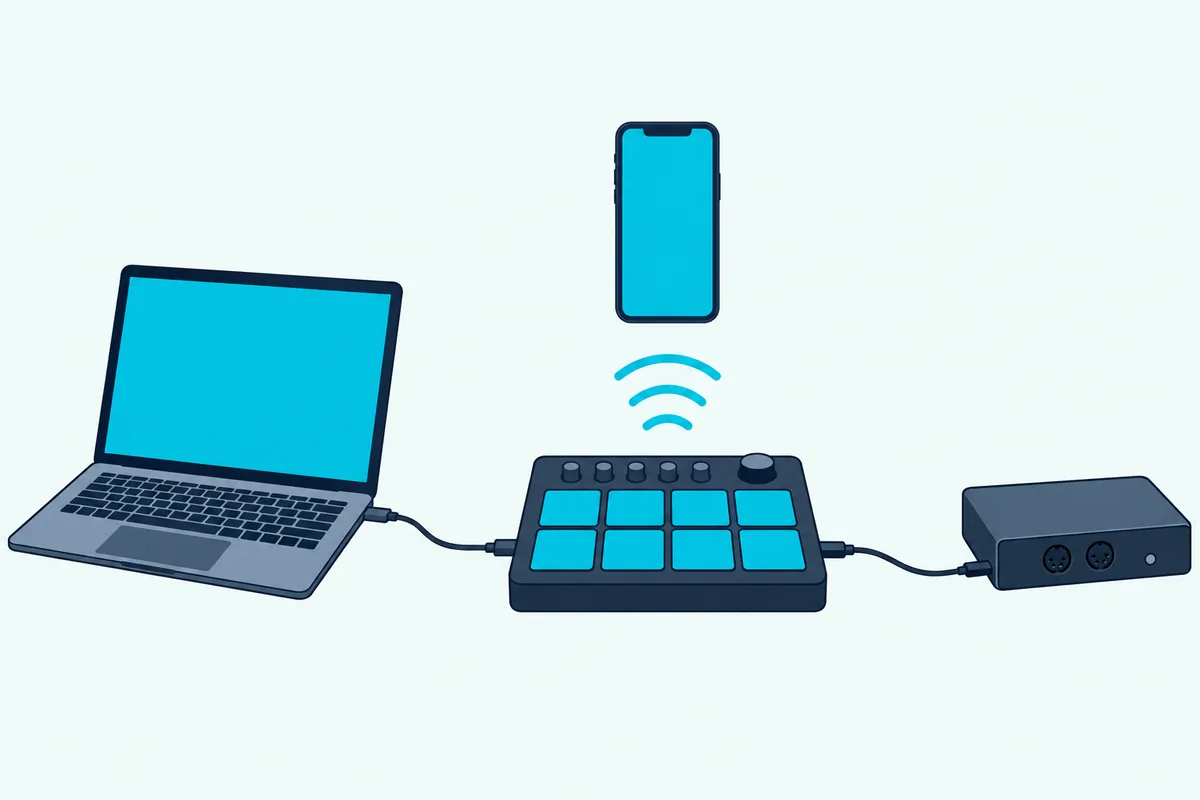
| Route | What you need | Example from the makers |
|---|---|---|
| USB | A USB cable to the computer | Roland’s TD-07 sends MIDI and audio over one cable, and the Alesis Nitro Max has a USB-B port for MIDI |
| 5-pin MIDI | A MIDI cable and a MIDI interface | Thomann: connect the module’s MIDI Out to the interface’s MIDI In |
| Bluetooth | A module that supports MIDI over Bluetooth | Roland: the TD-07 supports MIDI over Bluetooth |
Alesis’ guide says the USB cable is sold separately, so check the box contents before you plan the setup. Its Bluetooth is a different matter: Alesis describes it as audio streaming for play-along tracks, so use the cable for MIDI.
If your module only has 5-pin MIDI, Thomann says to connect the module’s MIDI Out to the interface’s MIDI In and keep the cable under 10 meters. The Roland UM-ONE mk2 is a bus-powered interface with one input and one output, which covers recording a single module.
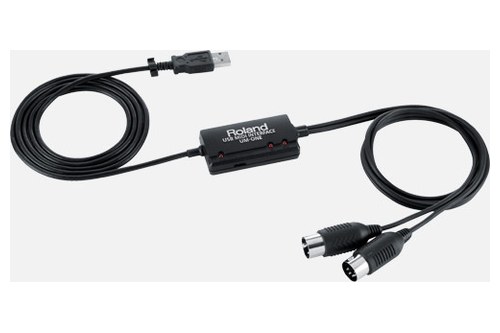
The Roland UM-ONE mk2
How Do You Record Drums as MIDI in Your DAW?
Connect the module, pick it as a MIDI input and record onto a track that has a drum instrument on it. Alesis’ guide gives the Nitro Max steps: connect the USB cable, open your DAW, set the active instrument or MIDI track to channel 10, make sure an instrument plugin such as BFD Player is on the track, then record and play.
Thomann’s guide adds what to look for: most programs record all MIDI inputs by default, so once the track is armed you should see an input light or meter flicker when you hit a pad. When you start recording, regions with data in them should appear.
In Ableton Live, Ableton’s MIDI controllers FAQ says to activate Track and Remote for the input port connected to a controller that has no control surface of its own. Other DAWs hide the same switch under Preferences, Settings or Hardware Setup.
What Does Local Mode Do, and Why Do You Hear Double Notes?
That problem comes down to Local Mode, which decides whether your pads trigger the module’s own sounds. Alesis says that with LOC on, playing the kit triggers the module’s sounds, and that with LOC off, it triggers sounds in a computer connected to the USB port and bypasses the module’s library.
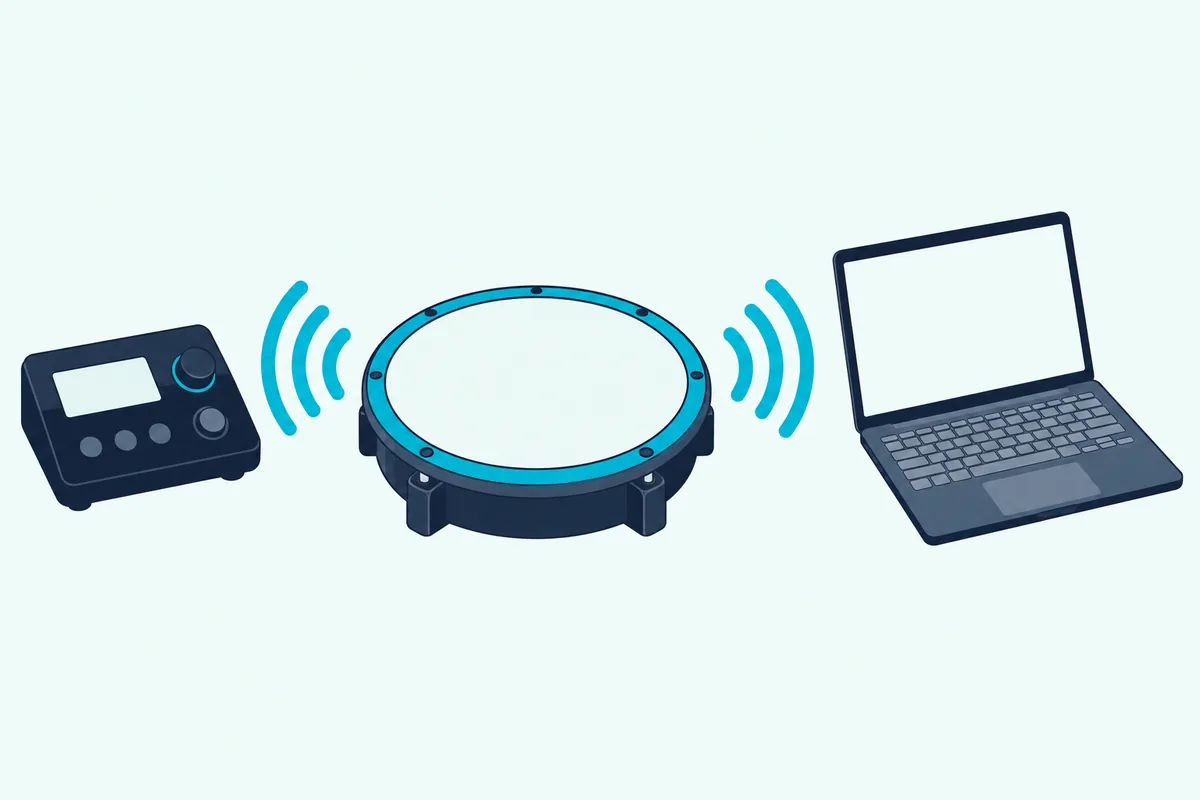
That’s the double-note fix: if you want only the software kit, turn Local off, because otherwise the module’s kit plays on top of it. Thomann gives the same warning from the other direction, saying that if you don’t decouple the pads from the module’s sound generation you might hear double triggers while recording.
Alesis’ General MIDI mode is a separate switch. With GM on, channel 10 in the module uses General MIDI percussion sounds, and with GM off, channel 10 uses the module’s internal drum sounds.
Which MIDI Notes Do the Pads Send?
Whatever the module’s default map says, and you can change it per pad. The table lists the main pads from Alesis’ Appendix for the Nitro Max.
| Pad | MIDI note |
|---|---|
| Kick | 36 |
| Snare | 38 |
| Snare rim | 40 |
| Hi-hat closed | 42 |
| Hi-hat pedal | 44 |
| Hi-hat open | 46 |
| Tom 1 | 48 |
| Tom 2 | 45 |
| Tom 3 | 43 |
| Tom 4 | 41 |
| Crash 1 | 49 |
| Ride | 51 |
Alesis’ guide says each pad’s MIDI note can be changed in the pad settings under MID, so a drum plugin that expects different numbers can be matched. Check your own module’s manual for its list, because other makers use their own defaults.
Which Pad Settings Fix Missed Hits and Stray Notes?
With the module’s pad settings, because software drums respond to the velocity each hit sends. Alesis’ guide lists six for the Nitro Max, and the table puts them in plain words.
| Setting | What it controls |
|---|---|
| SEN, pad sensitivity | How responsive the pad is: the higher the value, the less forcefully you need to hit to get a loud sound |
| THR, pad threshold | How hard you have to hit to make a sound at all: the higher the value, the harder the hit |
| CRO, pad crosstalk | Whether hitting a neighboring pad triggers this one: the higher the value, the less likely crosstalk becomes |
| CUR, velocity curve | How the pad’s loudness follows the force of your hit, with six curves shown in the guide’s appendix |
| R-S, rim sensitivity | How responsive the pad’s rim is |
| S-S, hi-hat splash sensitivity | How responsive the splash effect is when you tap the pedal |
Set sensitivity and threshold first, so soft hits register without stray notes, and then pick the velocity curve that makes your playing sound even in the software kit. Alesis says to press Save after adjusting, because otherwise the settings return to their defaults when you power the module off.
That warning applies to Local Mode too, since the guide lists LOC and GM in the same Utility menu. If your double notes come back after a restart, the setting probably wasn’t saved.
Which Drum Software Can the Kit Play?
Any drum instrument that accepts MIDI, and some kits include one. Alesis includes BFD Player with the Nitro Max, and Thomann lists Superior Drummer 3, BFD3, Steven Slate Drums 5 and EZdrummer 3 as examples of libraries that can replace the module’s sounds.
Alesis also gives steps for using BFD Player on its own: connect USB, install BFD Player and any expansion packs, open it, choose your sample rate, buffer size and output, then pick Alesis Nitro Max as the MIDI input device. Its guide adds that audio from BFD Player won’t come out of the Nitro Max’s headphone output, so you hear it through the computer’s audio.
That catches many first-timers, since the module is silent while the software plays. Plug headphones into the computer or an audio interface instead.
Why Play MIDI Instead of Recording the Module’s Audio?
Because MIDI is easier to fix and gives you more sounds to choose from. Thomann gives two reasons: editing takes is quicker and deeper, and software drum instruments are often much better sounding than the module’s sounds.
Roland makes the same point from the recording side, saying its module lets you record discrete audio and MIDI drum tracks in any DAW, or trigger sounds in software drum instruments for studio or live playing. If a tom fill lands late, you move the notes instead of re-recording the take.
Can a Standalone Pad Do the Same?
Yes, and some are built for it. Roland says the SPD-SX PRO’s USB connection sends eight discrete audio channels and MIDI to a computer for recording, and Alesis lists MIDI in and out ports and a USB port on its SamplePad Pro.
The Roland SPD-SX PRO is the flagship of the two, with nine pads and a 4.3-inch color screen.
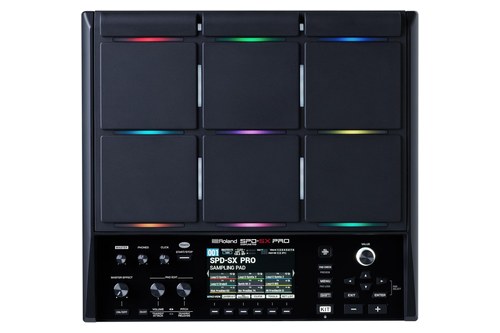
The Roland SPD-SX PRO
The Alesis SamplePad Pro is smaller, with eight pads and inputs for two more pads and kick and hi-hat pedals.
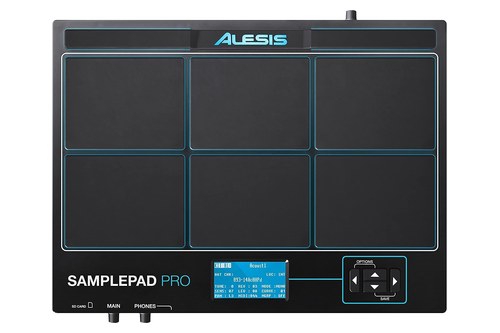
The Alesis SamplePad Pro
Our list of MPC-style and grid pad controllers compares finger-drumming pads, and our guide to ways to play without keys covers wind, guitar and other non-keyboard options.
What Can Go Wrong?
Usually one of three things, and each has a fix in the manual. No sound means the audio isn’t coming from where you expect, double notes mean Local Mode is on, and wrong drum sounds mean the note map or channel doesn’t match the plugin.
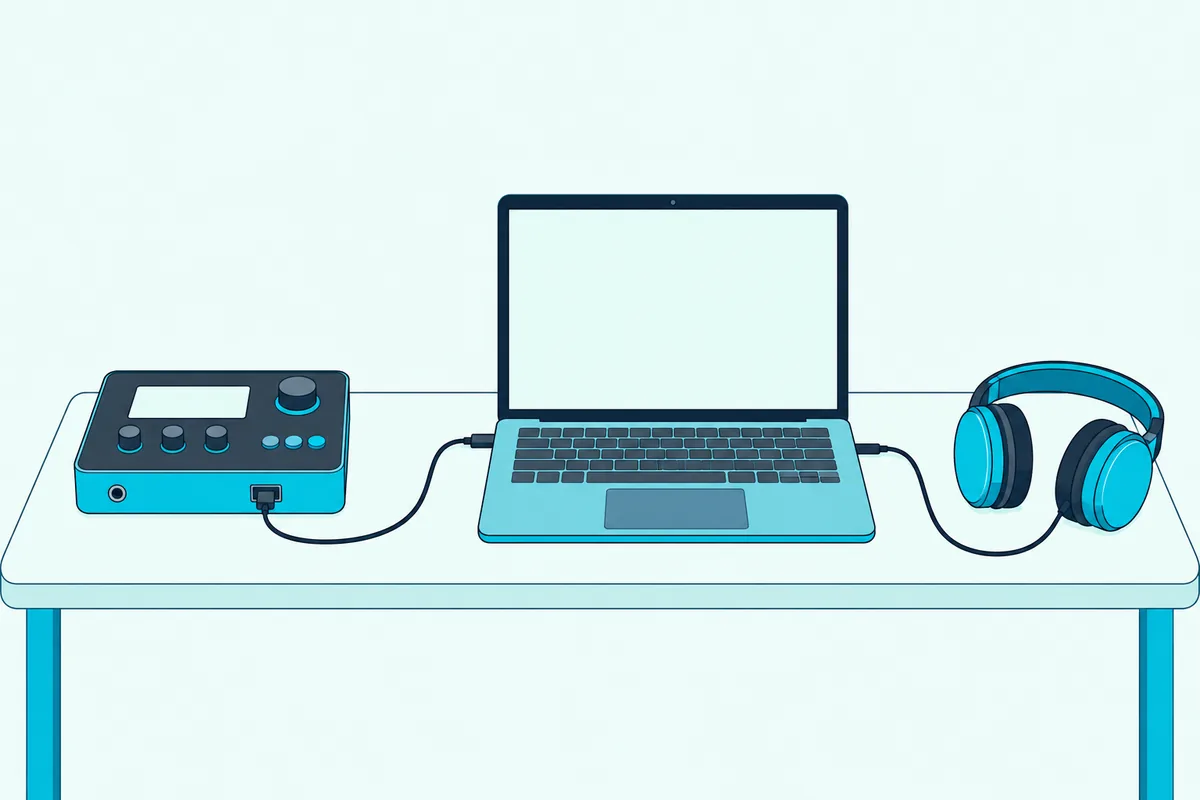
For no sound, remember Alesis’ note that only MIDI travels over the Nitro Max’s USB cable. The audio has to come from the software, through the computer’s output.
For double notes, turn Local off as above. For wrong sounds, set the track to channel 10 as Alesis says, and compare the pad notes with the table or your module’s list.
If the computer doesn’t see the module at all, try another USB cable and port first, and check that the DAW’s MIDI preferences list the module as an input, since both Thomann and Alesis’ DAW steps start there.
The Bottom Line
An electronic drum kit works as a MIDI controller as soon as it reaches the computer, and the module’s manual says how. Connect it by USB or MIDI, choose it as an input, set Local Mode so you hear one kit, and match the notes and channel to your drum plugin.
If you want to play software kits without a full kit, a standalone pad such as the SPD-SX PRO or SamplePad Pro sends MIDI too. A small MIDI interface covers older modules that only have 5-pin MIDI.
Frequently Asked Questions
Can I use my electronic drum kit as a MIDI controller?
Yes, if the module has USB or MIDI out. Roland and Alesis both describe their kits as sending MIDI to a computer over USB.
Do I need an audio interface?
Not for MIDI over USB. Alesis says the Nitro Max’s USB port sends only MIDI, so the software’s audio comes out of the computer, and Thomann says a module with only 5-pin MIDI needs a MIDI interface.
What is Local Mode on a drum module?
It sets whether the pads trigger the module’s own sounds. On the Alesis Nitro Max, LOC on plays the module’s sounds and LOC off sends the playing to a computer and bypasses the module’s library.
What MIDI channel do drum modules use?
Channel 10 is the usual one. Alesis’ DAW steps use channel 10 for the Nitro Max, and Thomann says most drum modules use channel 10 by default.
What MIDI note does a snare send?
On the Alesis Nitro Max the default is 38 for the snare and 40 for the snare rim. Other modules use their own defaults, so check your manual.
Can I use Bluetooth for MIDI drums?
Only if the module supports it. Roland says the TD-07 supports MIDI over Bluetooth, while Alesis describes the Nitro Max’s Bluetooth as audio streaming for play-along.