What Does MIDI Stand For? (And Why the Name Explains Everything)
You plugged in a brand new controller, pressed a key, and got absolutely nothing.
Or you opened a MIDI file someone sent you and it played back sounding like a ringtone from 1998, which made you wonder what you’d done wrong.
Neither of those is a fault, and both come from the same misunderstanding about four letters that were agreed between rival manufacturers back in 1983.
So what does MIDI stand for? Musical Instrument Digital Interface — and the name is unusually literal, which is why it explains the silence and the ringtone in about a minute each.
Here’s what those four words actually promise, what travels down a MIDI cable, and why your controller makes no sound on its own.
Does a MIDI Cable Carry Sound?
Start with the word that misleads everyone — “interface” — and what it actually moves.
A MIDI cable doesn’t carry audio. It never has, not once in forty years.
What travels down it is a stream of short instructions. Note number 60 was pressed, at a velocity of 94, on channel 1.
The instrument at the other end reads those instructions and decides what to do with them. What it decides is entirely its own business.
That’s why the same MIDI file can sound like a grand piano on one device and a steel drum on another. The file never specified a piano — it specified note 60, hard, for half a second.
It’s also why MIDI files are tiny. A three-minute arrangement might be a few kilobytes, because it’s a list of what to play rather than a recording of the playing.
The same performance recorded as audio runs to tens of megabytes. Think sheet music versus a cassette.
What Information Does MIDI Actually Send?
If not audio, then what exactly is in that stream of instructions?
Three pieces of information do most of the work.
Note on and note off tell the receiving device which key, and when it started and stopped. Notes are numbered rather than named — middle C is 60 — which sidesteps every argument about whether that’s C3 or C4.
Velocity records how hard you hit the key, on a scale of 1 to 127. On a piano sound that usually maps to loudness and brightness together, because a real string struck harder isn’t just louder, it’s harsher.
Velocity is the single biggest reason a MIDI performance sounds human instead of typed. Flat velocity is what makes amateur programming sound like a machine.
Control changes cover the continuous stuff — mod wheel, sustain pedal, expression, pan. When you assign a knob to a filter in your software, this is the message doing it.
Beyond those sit pitch bend, program change, and aftertouch. Aftertouch is pressure applied to a key after it’s already down, and plenty of keyboards don’t send it at all.
Get Studio Tips Weekly
Join 5,000+ creators getting acoustic treatment advice every week.
No spam. Unsubscribe anytime.What Are MIDI Channels?
Those messages need addressing, or every instrument would play every part.
A single MIDI connection carries sixteen independent channels. One cable can address sixteen instruments, each responding only to messages aimed at it.
In the 80s that let one keyboard drive a whole rack of sound modules. Today it mostly matters inside software, separating your drum track from your bass track.
It also explains the most common beginner frustration. If your controller transmits on channel 1 and your software instrument listens on channel 2, you’ll press keys and hear absolutely nothing.
Nothing is broken. They’re just not talking on the same channel.
What Does MIDI Stand For, Word by Word?
With what it does clear, the name itself stops being jargon.
Musical Instrument. The spec was written by instrument makers with a commercial problem — a Roland synth couldn’t control a Sequential synth.
Every company used its own connectors and signaling. Own three keyboards from three brands and you played them one at a time.
Digital. Before MIDI, the common approach was control voltage, where an actual voltage level represented pitch.
It worked, but it drifted with temperature, and manufacturers disagreed about how many volts made an octave. Digital messages don’t drift and never need calibrating.
Interface. Not a file format, not a language, not a sound — though people use the word all three ways.
It’s the agreed meeting point between two devices. That word was chosen carefully, and it’s the one that matters most when you’re buying gear.
Why Did Rival Manufacturers Agree on MIDI?
A standard is only useful if competitors adopt it, which is the genuinely surprising part of this story.
The interesting history here isn’t technical, it’s commercial.
Dave Smith of Sequential Circuits proposed a universal standard in the early 80s, and rival manufacturers adopted it instead of fighting for their own. Roland’s Ikutaro Kakehashi was central to making that happen.
Robert Moog announced it publicly in late 1982. At the 1983 NAMM show, a Sequential Prophet 600 was connected to a Roland JP-6 — two competing products, talking.
The spec was published with no licensing fees. Two rivals gave away the thing that would have locked in their customers.
That’s not how the industry usually behaves, and it’s the reason a controller you buy today still works with software written decades ago.
What Is the Difference Between DIN and USB MIDI?
That free specification is why the physical connector could change without breaking anything.
Original MIDI used a five-pin DIN connector, and you needed two cables for a two-way conversation — one for OUT, one for IN.
Many devices also had a THRU socket that passed the incoming signal along to the next instrument in a chain.
That socket still chains synths today, and Burton Acoustix’s guide to one-keyboard MIDI rigs shows when a chain needs a thru box instead.
Most modern controllers use USB instead, carrying MIDI both directions on one cable and supplying power at the same time. The messages are identical; only the wiring changed.
Five-pin sockets still show up on hardware synths and on interfaces built to connect them. A lot of equipment in daily use predates USB entirely.
Why Does MIDI Sound Cheap?
Which brings us back to the ringtone problem from the start.
This is the most persistent misconception in the whole subject, and it’s aimed at the wrong target.
In the 90s, MIDI files were everywhere on the early web and played back through whatever sound chip sat in your computer. Those chips implemented General MIDI, a fixed list of 128 instrument sounds.
The versions built into budget soundcards were thin and synthetic. That’s what a whole generation heard, and the impression stuck.
The instructions were never the problem. Feed the identical file to a well-sampled modern piano and it sounds like a piano.
Remember that the file only ever said note 60, hard. The 90s playback devices were cheap — MIDI was just the messenger.
Is MIDI Still Used Today?
Given it dates from 1983, the reasonable assumption is that something has replaced it.
MIDI 2.0 arrived in 2020. It raises velocity and controller resolution far beyond the original 128 steps and adds per-note control.
More importantly it makes the conversation two-way, so devices can describe their own capabilities instead of assuming. It was designed to stay compatible with the original, so 1983 gear keeps working.
Forty years is a long life for any technical standard. It survived because it was given away.
What Do You Need to Make Sound With MIDI?
That leaves the other problem from the start — the controller that made no noise.
Three things have to be present. Beginners usually have two of them.
Something to send the instructions — the controller itself, keys and pads and knobs.
Something to turn instructions into sound — a software instrument inside your recording software, or a hardware sound module. This is the piece people miss, and it’s the piece that decides what you actually hear.
A connection they both agree on, which is USB in almost every modern case.
Miss any one and you get silence. The silence looks identical whichever piece is missing, which is exactly why day one is so frustrating.
Why Is My MIDI Controller Not Making Sound?
Because MIDI only carries instructions, silence is nearly always routing rather than a fault.
Because MIDI only carries instructions, a silent setup is nearly always a routing problem rather than a fault.
The wrong input is selected. Your software has to be told to listen to that specific controller — plugging it in isn’t the same as selecting it.
Channel mismatch, which is the sixteen-channel problem from earlier. Setting the instrument to receive on all channels usually fixes it instantly.
No instrument is loaded. The track receives perfectly and has nothing to make sound with.
You’ll often see the meters move while the speakers stay silent. That’s a strong clue the messages are arriving and there’s simply nothing there to play them.
The track isn’t armed. Most software only passes MIDI to a track that’s record-enabled or selected.
Notice that none of these is a broken cable. Genuine MIDI hardware failures are rare compared with configuration mistakes.
Why Is There a Delay When I Press a Key?
Once sound is coming out, the next complaint is usually that it arrives late.
If notes arrive noticeably after you press a key, the delay almost certainly isn’t in the MIDI. Those messages are tiny and travel in about a millisecond.
The lag comes from the audio side — your computer has to generate the sound and push it through an output buffer. Lowering that buffer reduces the delay and increases the load on your processor.
Blaming the controller is common and misplaced. The fix lives in your audio settings.
Why Is MIDI Easier to Edit Than Audio?
All of this instruction-not-audio business has one large practical payoff.
Because a MIDI performance is data rather than a recording, it stays editable in ways audio never is.
A wrong note drags to the right pitch after the fact. Timing nudges or snaps to the grid, and the whole part transposes without the pitch going strange.
Most usefully, you can decide six months later that the part should be a cello instead of a piano. The performance survives intact and only the instrument changes.
None of that works with an audio recording, where pitch, timing and instrument are baked together permanently. That’s the real reason MIDI is still central to production rather than a museum piece.
Should You Buy a MIDI Controller or a Keyboard?
Which makes the buying question simpler than the product pages suggest.
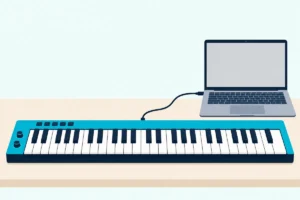
A MIDI controller makes no sound on its own. It’s keys, pads and knobs that send instructions to software, and the software makes the noise.
That surprises a lot of first-time buyers, and it follows directly from the name. An interface connects things — it was never meant to be the thing itself.
Our guide to what a MIDI keyboard actually is goes further into that distinction. The comparison between a controller and a keyboard that makes its own sound is the one worth reading before you spend anything.
If you’re starting out, something like the midiplus AKM320 or the Akai MPK Mini MK3 covers the basics without much commitment. Our picks for beginners walk through the trade-offs.
The question to answer first isn’t which controller is best. It’s whether you want a controller at all, or an instrument that makes sound by itself — and the name told you that from the start.