Do MIDI Controllers Have Speakers? Where the Sound Comes From
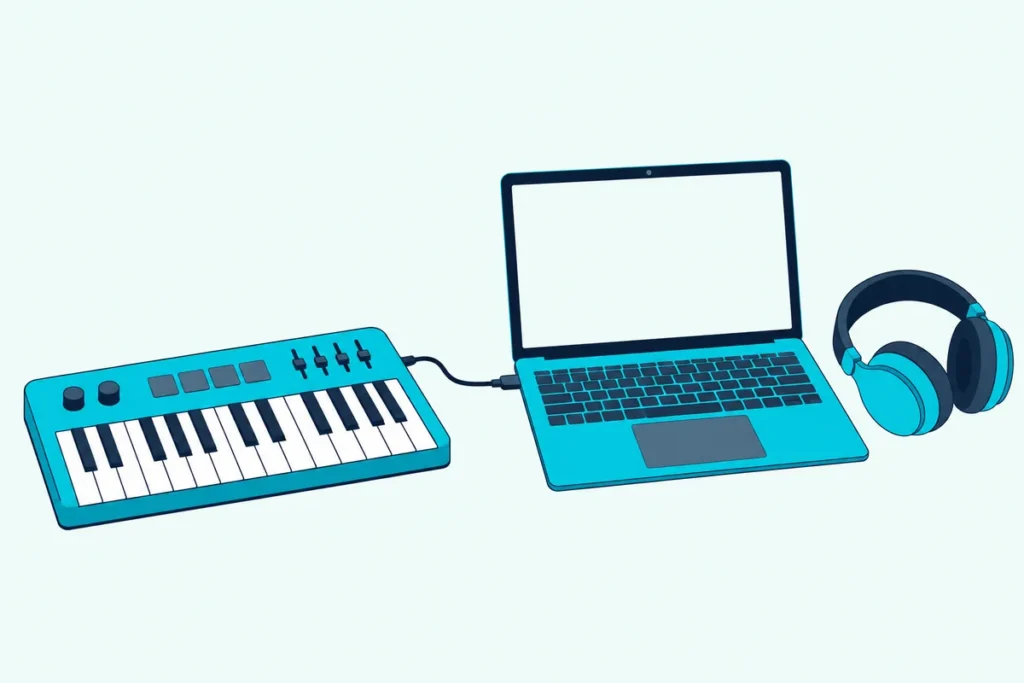
You press a key on a new MIDI keyboard and nothing comes out of it, which leaves many buyers asking, do MIDI controllers have speakers?
Almost none do, because a controller sends notes rather than sound, but a few keyboards and one family of pocket controllers carry speakers of their own.
This guide explains why the silence is normal, using the MIDI Association, Berklee Online and Wikipedia, and what makes the sound in a controller’s place.
You’ll also see which keyboards and controllers do have speakers, what to plug a silent controller into, and why an ordinary Bluetooth speaker won’t work.
Start with the plain answer, because it explains every setup that follows, from a silent desk controller to a piano with speakers.
Do MIDI Controllers Have Speakers?
Usually not, and that’s by design. Wikipedia says a MIDI controller may or may not have a synthesizer or speaker built in, and that most rely on external equipment to turn MIDI events into audible sound (Wikipedia).
| What you have | Built-in speakers? | Where the sound comes from |
|---|---|---|
| A typical MIDI keyboard controller | No | A software instrument on your computer |
| A pad or fader controller | No | Software instruments or a drum app on your computer |
| A controller with a sound engine, such as Akai’s MPK mini Play MK3 | Yes | 128+ onboard sounds through its speaker |
| A portable keyboard, such as Casio’s CT-S1 | Yes | Its own sound source through stereo speakers |
| A digital piano, such as Casio’s CDP-S160 | Yes | Its own tones through a stereo speaker system |
So the answer depends on what you bought. If it’s sold as a controller, expect silence, and if it’s a keyboard or digital piano that can also send MIDI, expect speakers.
If the term itself is new, our explainer on what a MIDI controller actually is covers it in a few minutes.
Why Doesn’t a MIDI Controller Make Sound by Itself?
Because MIDI carries instructions, not audio, and the MIDI Association says it in four words: MIDI is not audio. It compares MIDI to sheet music, where messages describe which notes to play, for how long and at what relative volumes, and the sound depends on whatever plays them (MIDI Association).
Berklee Online puts the same idea in software terms. MIDI data defines parameters that let a software instrument produce audio, so changing the instrument gives you wildly different sounds from the same data (Berklee Online).
Each key press sends a Note On message with a key number and a velocity, which the MIDI Association says decides how loud the note plays relative to others. The controller reports what your fingers did, and something else has to decide how it sounds.
The association adds that MIDI depends on the quality of the playback device, which is why the same controller can sound cheap through one instrument and wonderful through another. A speaker, in other words, belongs to whatever receives those messages, and a silent controller isn’t broken.
Get Studio Tips Weekly
Join 5,000+ creators getting acoustic treatment advice every week.
No spam. Unsubscribe anytime.What Can Turn a Controller’s Notes Into Sound?
Four kinds of sound source can, and the controller works with all of them because it only sends the notes. The first is a software instrument, which Ableton’s manual names as one option for a MIDI clip’s instrument, alongside an external synth fed through the track’s output routing (Ableton).
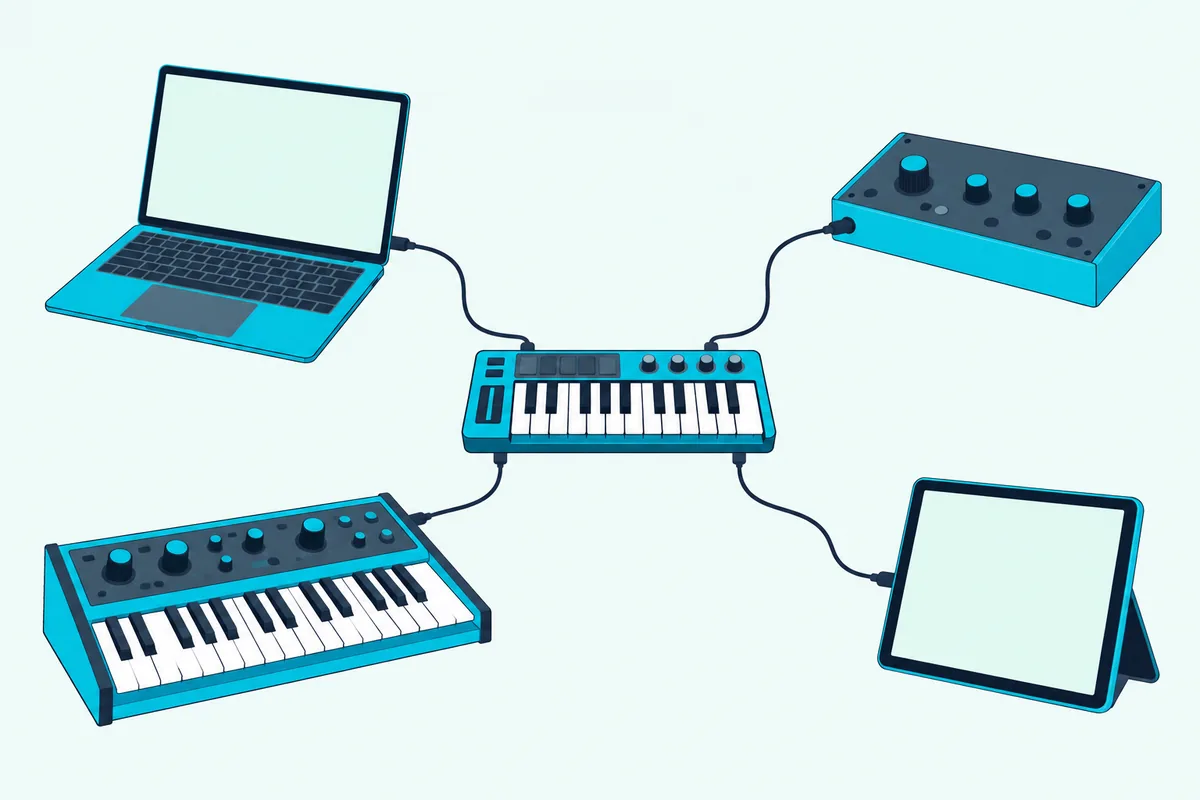
The second is a hardware sound module, synthesizer or sampler, which Wikipedia lists as places a controller’s MIDI information can go, next to a sequencer or digital audio workstation for later playback. Berklee Online says controllers are most often connected to a computer or a synthesizer, which matches the first two.
The third is the sound engine inside a keyboard or digital piano, like the Akai and Casio models below. The fourth is a DAW’s own instruments, since Apple’s Logic Pro guide says you play a chosen software instrument with musical typing, the onscreen keyboard or a connected music keyboard.
Every one of these ends the same way, with audio leaving a speaker or a headphone jack. The controller is only the first link in that chain.
Do MIDI Keyboards Have Speakers?
That depends on whether the keyboard is a controller or an instrument, because people use “MIDI keyboard” for both. A controller only sends notes, while a digital piano or portable keyboard has its own sound source and, in the examples below, its own speakers.
Berklee Online says digital pianos and keyboard workstations aren’t MIDI controllers, per se, but can still function as them, generally for note entry only. Our explainer on MIDI controller versus keyboard covers where each one wins.
To tell which you have, check the spec sheet for a speaker line and a headphone jack. Casio lists the speakers and amplifier wattage for the CT-S1, and Akai’s spec sheet for the MPK mini Play MK3 lists a built-in speaker, so the information is easy to find when it exists.
Which MIDI Keyboards and Controllers Do Have Speakers?
Three options cover the range from a pocket controller to a full-size piano, and each is also a real MIDI device, so none of them closes the door on a computer setup.
The Akai MPK mini Play MK3 is a battery-powered, portable MIDI keyboard with a built-in speaker and samples, according to Akai. It has 25 velocity-sensitive keys, eight MPC-style pads and 128+ onboard instruments and drum kits.
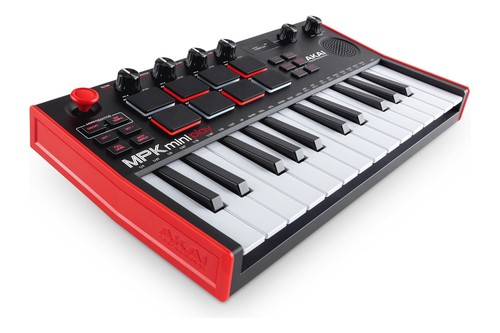
The Akai MPK mini Play MK3
It runs on USB power or four AA batteries, which Akai lists at 14+ hours of battery-operated performance, and it has a headphone output. Akai says it’s class compliant and doubles as a MIDI controller that connects to a DAW.
The Casio CT-S1 has 61 full-size touch-responsive keys, 61 tones and two 13 by 6 centimeter speakers with 2.5 watts of amplifier power each, according to Casio. It runs on an AC adapter or six AA batteries, and Casio lists about three hours of battery life.
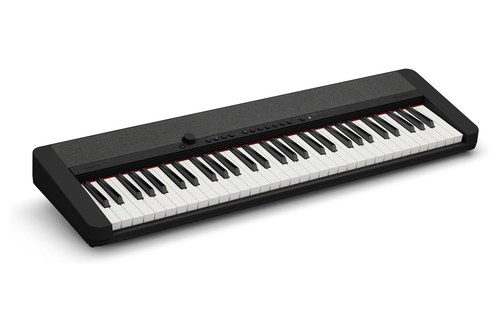
The Casio CT-S1
Its microUSB port connects to any PC, Mac, iOS or Android device with no drivers, Casio says, and the USB-MIDI is class compliant, so the keyboard doubles as a controller. Our guide to turning a Casio keyboard into a controller walks through ports, cables and tests.
The Casio CDP-S160 is an 88-key digital piano with scaled hammer action, 10 tones and two oval 12 by 6 centimeter speakers driven by 8 watts each, according to Casio. It has a headphone output for quiet practice and a class-compliant USB-MIDI port that needs no drivers.
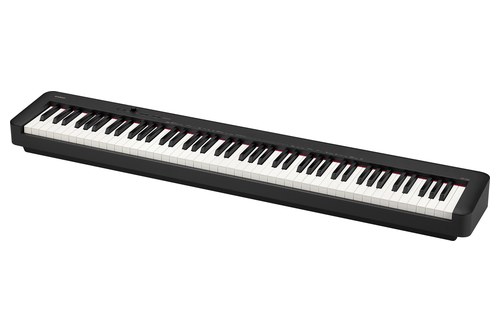
The Casio CDP-S160
Casio includes a sustain pedal and says the piano weighs 10.5 kilograms. That makes it a keyboard first and a controller second, which is the reverse of the MPK mini Play MK3.
| Model | Keys | Speakers | Amplifier | Power | Computer connection | Size and weight |
|---|---|---|---|---|---|---|
| Akai MPK mini Play MK3 | 25 velocity-sensitive | Built-in speaker | Not listed | USB or 4 AA batteries | USB-MIDI, class compliant | 317 x 178 x 58 mm, 0.86 kg |
| Casio CT-S1 | 61 full-size | 2 x 13 x 6 cm | 2.5 W + 2.5 W | AC adapter or 6 AA batteries | microUSB, class-compliant USB-MIDI | 930 x 258 x 83 mm, 4.5 kg without batteries |
| Casio CDP-S160 | 88, scaled hammer action | 2 oval, 12 x 6 cm | 8 W + 8 W | AC adapter or 6 AA batteries | USB Type B, class-compliant USB-MIDI | 1,322 x 232 x 99 mm, 10.5 kg |
What Should You Check on a Keyboard With Speakers?
Start with the connection, because a keyboard that can’t send MIDI to a computer can’t double as a controller. Casio’s support page says USB keyboards work on a Mac only if they’re class compliant, which needs no driver, and that keyboards with only 5-pin MIDI sockets need a compatible interface and cables (Casio).
Then check power and size. The table shows amplifier wattage and batteries, and Casio’s three hours of battery life on the CT-S1 against Akai’s 14+ hours on the MPK mini Play MK3 shows how different two portable options can be.
Size and weight decide whether it travels. The makers list 0.86 kilograms for the MPK mini Play MK3, 4.5 for the CT-S1 without batteries and 10.5 for the CDP-S160, so only the first is sized for a backpack, which is how Akai pitches it.
Finally check the jacks. All three models list a headphone output, and the CDP-S160 also lists a stereo mini AUDIO IN jack and a multi-use PHONES/OUTPUT jack.
Can You Use a Keyboard’s Speakers for Other Audio?
Sometimes, and the maker’s spec sheet says how. Casio lists a stereo mini AUDIO IN jack on the CDP-S160 for connecting another audio source, and says the optional WU-BT10 adapter lets the CT-S1 act as a Bluetooth speaker.
That doesn’t help a separate silent controller, though. Its notes still have to become audio somewhere first, and only then could that audio be played through a keyboard’s speakers.
Can an iPad Be the Sound Source for a MIDI Controller?
Yes, and it’s the closest thing to a controller with speakers that needs no sound engine of its own. Apple’s GarageBand guide for iPad says you can connect a compatible Bluetooth MIDI device to your iPad and use it to play and control Touch Instruments.
For USB, Apple’s Logic Remote guide for iPad says some class-compliant USB MIDI devices connect through the iPad Camera Connector or a Lightning to USB Camera Adapter, and that some devices may need an external power supply. Casio says its CT-S1 connects to iOS and Android devices with no drivers, which is the same idea from the keyboard’s side.
What Is a MIDI Speaker?
It’s a speaker with its own sound chip, at least according to PartyKeys, the company that sells one. PartyKeys describes a MIDI speaker as an audio output device that receives a keyboard’s notes, runs them through an internal sound chip and plays instrument sounds in real time (PartyKeys).
That’s different from an ordinary speaker, which only plays audio it’s given. Searches for MIDI speakers can mean one of three things: speakers to hear a silent controller through, a keyboard with speakers built in, or this niche sound-chip type.
The first two are covered above and below, and the third is a product category to research with the maker’s own documentation. We don’t link to one here, because the PartyKeys pages read as marketing for a single product.
How Do You Hear a MIDI Controller That Has No Speakers?
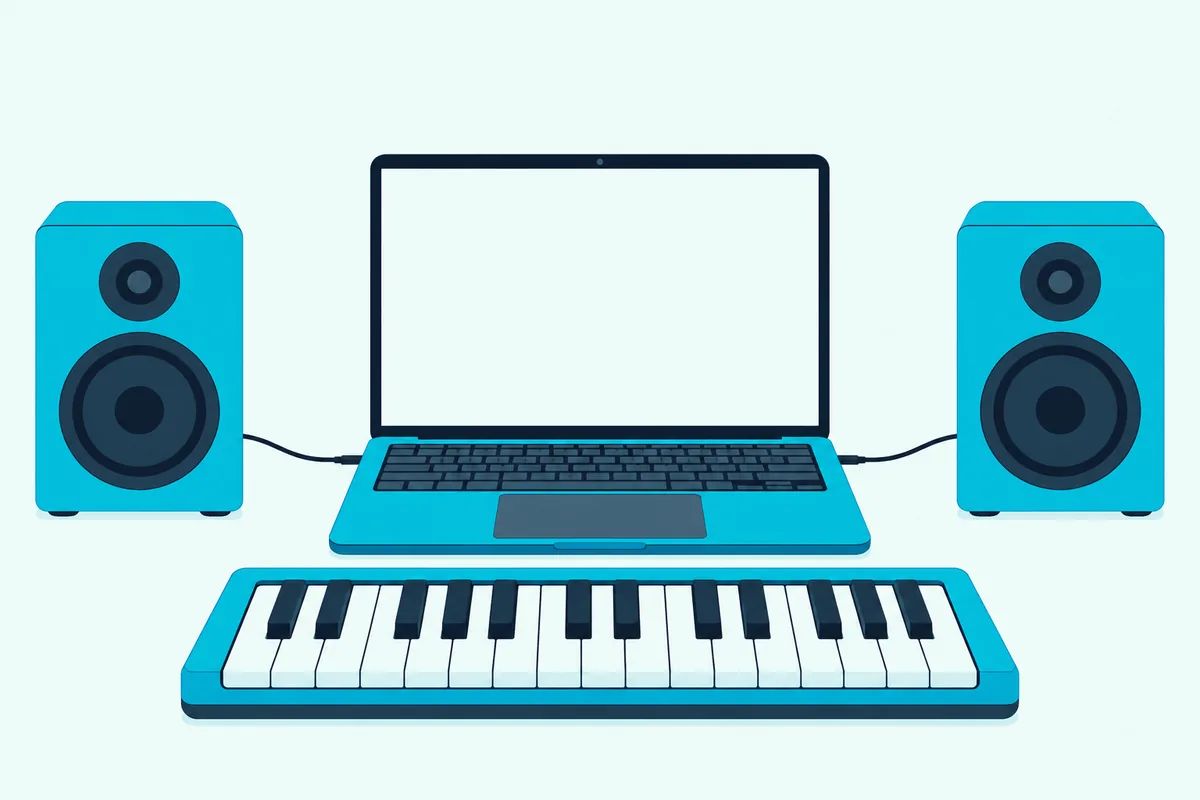
With a computer, because the usual chain is controller, USB cable, software instrument and then headphones or speakers on the computer’s output. Berklee Online says most controllers today pass MIDI over USB, so they connect to a computer without extra hardware.
- The controller sends MIDI notes over USB.
- The software receives them on a track that holds an instrument.
- The instrument turns the notes into audio.
- The computer’s output sends that audio to headphones or speakers.
Ableton’s help page says to connect a USB controller with its original cable, that class-compliant devices need no driver, and that the controller has to be enabled in the software’s MIDI settings (Ableton). Apple’s guides for Logic Pro and GarageBand both say you can play an instrument with a connected music keyboard.
Once the software has an instrument on the track, the notes turn into sound at the computer’s output. Our guide to software that works with a MIDI keyboard compares free and paid options.
Do You Need an Audio Interface to Hear It?
Not for a USB controller, because the computer’s own headphone or speaker output plays the software’s sound. Our guide to playing a USB keyboard with no audio interface covers the delay to expect and the few jobs where one helps.
The exception is a controller with only 5-pin MIDI sockets, which Ableton’s help page says connects to an input on a MIDI interface or audio interface.
Can You Plug a MIDI Keyboard Straight Into a Speaker?
No, because a speaker plays audio and a controller sends MIDI notes, so something in between has to turn notes into sound. PartyKeys says the same about Bluetooth speakers: a regular one can’t process MIDI data and only plays audio.
A keyboard with speakers can work the other way around. Casio says its optional WU-BT10 adapter adds Bluetooth MIDI and audio to the CT-S1, so you can play songs through its speakers or control other devices over MIDI.
Sound from your computer can go to a Bluetooth speaker, which is audio, but the keyboard’s notes can’t, which is why the software instrument has to sit in the middle.
Do You Need Speakers for a MIDI Controller?
Only if you want to hear it, and headphones do that job too. A controller makes no sound, so what you need is a way to hear the software, and the computer’s headphone output or a pair of powered monitors both work.
Berklee Online adds a useful test for spending. If you only plan to input notes, it says, a keyboard you already own may be completely sufficient, which means the real question is often whether you need a new controller at all.
If you do buy, choose by how you’ll listen. A keyboard with speakers suits playing away from a computer, a silent controller suits production at a desk, and a pocket controller with a speaker suits both in a small way.
How Do Built-In Speakers Compare With Monitors?
They differ first in power, going by the makers’ own numbers. Casio lists 2.5 watts per side for the CT-S1 and 8 watts per side for the CDP-S160, while PreSonus lists 25 watts per side for the Eris 3.5 monitors below.
Built-in speakers have one big advantage, which is that nothing else is needed. You plug in, turn on and play, and the headphone jack on each of the three keyboards above covers quiet practice.
Monitors win when you work on a computer and want a larger, even sound, because they take the computer’s output directly. PreSonus says its Eris speakers aim for an even response from bass to treble, with high and low controls to adjust for your room.
Which Speakers Work With a Computer-Based MIDI Setup?
Powered desktop monitors are the usual answer, because they accept the computer’s audio directly and add a headphone jack. The PreSonus Eris 3.5 pair has 25 watts per side, a 3.5-inch woven-composite woofer and a one-inch silk-dome tweeter, according to PreSonus.
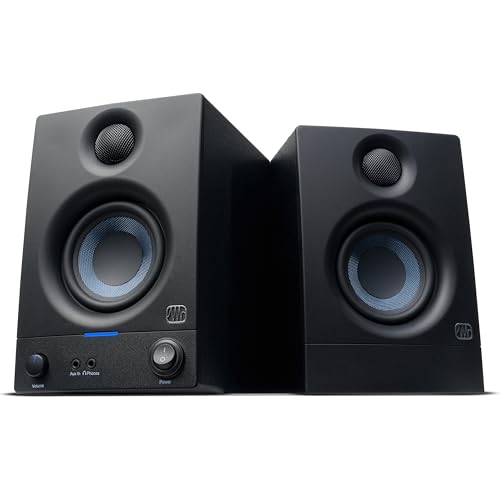
The PreSonus Eris 3.5
PreSonus says they connect to virtually any line-level source through balanced quarter-inch TRS inputs, unbalanced eighth-inch stereo and RCA inputs, and that connecting headphones to the front jack mutes the speakers. It lists speaker wire and two adapter cables in the box and says the monitors suit bedroom studios, video production and gaming setups.
If you’d rather not add speakers, headphones on the computer’s output do the same job in silence. Either way, the controller stays silent and the computer does the sounding.
Which Setup Suits You?
Match the gear to how you play, and the table shows the fit.
| You want | Best fit | Why |
|---|---|---|
| A keyboard that plays with no computer | Casio CT-S1 or CDP-S160 | Built-in speakers, plus USB-MIDI for later |
| A pocket controller that can also make sound | Akai MPK mini Play MK3 | Built-in speaker, 128+ sounds and class-compliant MIDI |
| To keep a silent controller and work on a computer | Headphones, or powered monitors such as the Eris 3.5 | The computer’s output plays the software’s sound |
Whichever row fits, the MIDI side works the same way, so you can swap the sound source later without replacing the keyboard.
A keyboard with speakers also keeps its value if you later add a computer, since the USB-MIDI ports on all three models let it act as a controller. A silent controller is the cheaper and lighter way in, but it needs the computer and headphones from day one.
Why Is Your MIDI Keyboard Silent?
Most silence comes down to three checks, and they work in this order.
- Enable the controller as a MIDI input in your software, since Ableton’s help page says the MIDI settings must be set correctly and only the necessary ports switched on.
- Put an instrument on the track, because MIDI carries notes and not sound, as the MIDI Association says.
- Check the output, meaning headphones or speakers connected to the computer with the volume up, and remember that plugging headphones into the Eris 3.5 mutes its speakers.
The Bottom Line
A MIDI controller doesn’t have speakers because it sends notes, not sound, and the notes need a software instrument or a sound source to become audible.
Keyboards and digital pianos are different, since they carry their own sounds and speakers, and the Akai MPK mini Play MK3 is a rare controller that does both.
If yours is silent, plug it into a computer with an instrument on the track and headphones or monitors on the output, and it will behave exactly as designed.
Frequently Asked Questions
Do MIDI keyboards have speakers?
A keyboard sold as a controller doesn’t, but a keyboard or digital piano that can send MIDI usually does, such as Casio’s CT-S1 and CDP-S160. Akai’s MPK mini Play MK3 is a pocket controller that has one too.
Do MIDI controllers make sound?
No. The MIDI Association says MIDI is not audio, so the sound comes from a software instrument or another sound source that reads the notes.
Can I connect a MIDI keyboard to a speaker?
Not directly. A speaker plays audio, so the notes need a software instrument or sound module first, and then the audio can go to powered monitors or headphones.
What is a MIDI speaker?
PartyKeys describes it as a speaker with an internal sound chip that turns a keyboard’s notes into instrument sounds. Treat that as one company’s description of a niche product type.
Can I use a Bluetooth speaker with a MIDI keyboard?
Not for the keyboard’s notes. PartyKeys says a regular Bluetooth speaker can’t process MIDI data, though audio from your computer can be sent to one.
Do I need headphones?
No, but they’re a simple way to hear a silent controller. Akai and Casio both list headphone outputs on their keyboards, and the Eris 3.5 has a front jack.
Does the Akai MPK mini Play MK3 have a speaker?
Yes. Akai lists a built-in speaker, 128+ onboard sounds, a headphone output and battery power of 14+ hours.
Can a digital piano work as a MIDI controller?
Yes. Berklee Online says digital pianos and keyboard workstations can function as MIDI controllers, generally for note entry only, and Casio says the CDP-S160’s class-compliant USB-MIDI port needs no drivers.
Can I use my keyboard’s speakers for my computer’s audio?
It depends on the model. Casio lists an AUDIO IN jack on the CDP-S160 and a Bluetooth adapter option for the CT-S1, so check the spec sheet for an audio input before you count on it.
What makes the sound when I play a MIDI controller?
A sound source does, which can be a software instrument, a hardware sound module, synthesizer or sampler, or a keyboard’s own sound engine. The controller only sends the notes.
Why is my MIDI keyboard silent?
Usually because the controller isn’t enabled as a MIDI input or no instrument is loaded on the track. The three checks above, plus the volume on your headphones or speakers, find the cause in most setups.
Can I use an iPad as the sound source for a MIDI keyboard?
Yes. Apple’s GarageBand guide for iPad says a compatible Bluetooth MIDI device can play and control Touch Instruments, and its Logic Remote guide describes connecting class-compliant USB devices through a camera adapter.
Do I need an audio interface for a USB MIDI keyboard?
Not to hear it, since the computer’s own output plays the software’s sound. A controller with only 5-pin MIDI sockets connects to a MIDI interface or an audio interface instead.