2 Channel vs 4 Channel DJ Controller: What Changes, Who Needs It
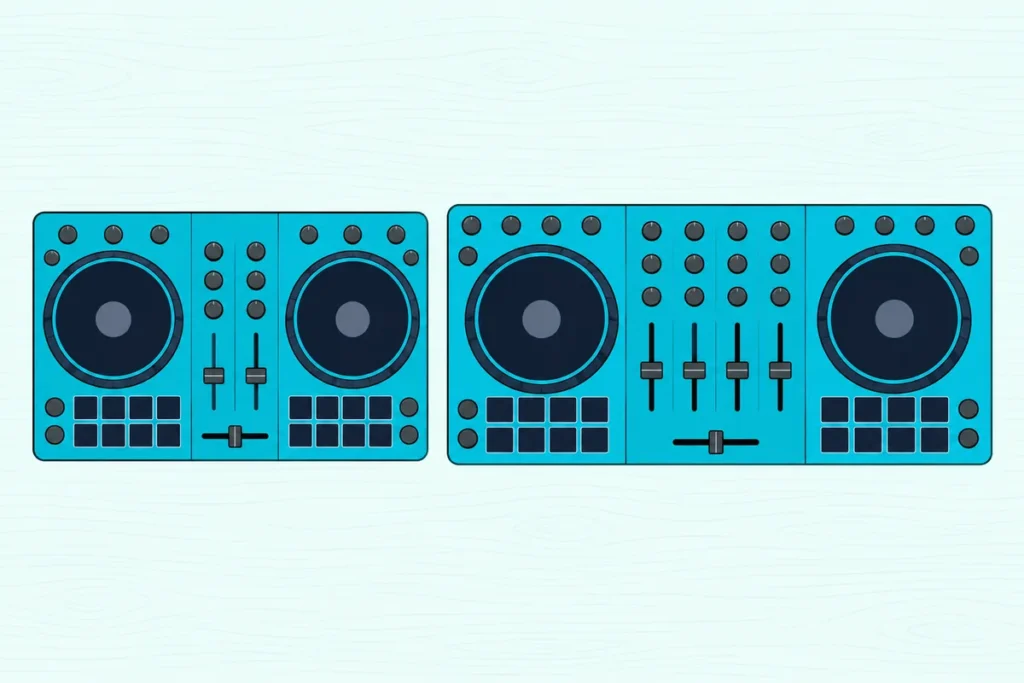
Choosing between a 2 channel vs 4 channel DJ controller looks like a question of more being better, until the bigger unit takes over your desk and you still only ever mix two songs.
Listings make it harder, because “4-deck” and “4-channel” get printed on controllers that work in very different ways.
Get the difference straight and you’ll pay for the channels you’ll actually use, and nothing you’ll have to work around.
This guide explains what a channel is, how decks differ, what the third and fourth strips add, what they cost in size and controls, and which software plays four decks.
It ends with a simple count that settles it, plus one current controller of each kind from Pioneer DJ.
What’s the Difference Between a 2 Channel vs 4 Channel DJ Controller?
That count is where the difference lives. A 2-channel DJ controller has two strips on its mixer section, so it mixes two sources at once, while a 4-channel controller has four strips and can mix up to four sources at the same moment.
Pioneer DJ’s own range shows it plainly. The DDJ-FLX4 is described by Pioneer DJ as a 2-channel controller, and the DDJ-FLX6-GT and DDJ-FLX10 as 4-channel controllers.
| 2-channel controller | 4-channel controller | |
|---|---|---|
| Mixer strips | Two | Four |
| Sources heard at once | Two | Up to four |
| Decks it can reach | Two, or four on some models through deck switching | Four |
| Outside inputs, Pioneer DJ examples | DDJ-FLX4: no line or phono input | DDJ-FLX10: LINE/PHONO and LINE inputs |
| Size, Pioneer DJ examples | DDJ-FLX4: 482 mm wide, 2.1 kg | DDJ-FLX6-GT: 676 mm, 3.8 kg; DDJ-FLX10: 716 mm, 6.7 kg |
| Best fit | Learning, two-track blends, travel | Layering, stems, turntables, club-style practice |
The decks row is where most confusion starts. Some 2-channel controllers still control four software decks, which is why the next two sections separate channels from decks.
What Is a Channel on a DJ Controller’s Mixer Section?
Those mixer strips are the channels, and each one is a complete path for one source. A channel takes one deck or input and gives it its own level, EQ and fader, so you can shape one track without touching the other.
Numark’s user guide for the Mixtrack Platinum FX lists what sits on each strip. Every channel has a Level knob, high, mid and low EQ knobs, a filter, a Cue/PFL button for your headphones and a channel fader, plus a crossfader that blends between the two decks.
That’s seven controls per strip on that controller. Two strips give you 14 to manage, and four strips give you 28, which is the plainest way to picture what doubling the channel count does to the mixer section.
For what each of those controls does in an actual blend, our walkthrough of a two-channel mixer, control by control sets them in order from trim to crossfader.
Think of each channel as a lane on a road. Two lanes carry two cars side by side, and four lanes carry four, but the road gets wider and there’s more to watch.
The strips work the same way on a standalone DJ mixer, and how a controller compares with a standalone DJ mixer covers when you’d want the separate box instead.
Get Studio Tips Weekly
Join 5,000+ creators getting acoustic treatment advice every week.
No spam. Unsubscribe anytime.Are Channels and Decks the Same Thing?
Those strips sit in the middle of the controller, while the decks sit on either side. Decks and channels aren’t the same: a deck is a player in your DJ software that holds and plays a track, and a channel is the mixer strip that carries a deck’s sound into the mix.
Pioneer DJ’s manual for the DDJ-FLX6-GT draws the line clearly. Its left deck section controls deck 1 and deck 3, its right one controls deck 2 and deck 4, and a DECK SELECT button in each deck section switches the deck to be used.
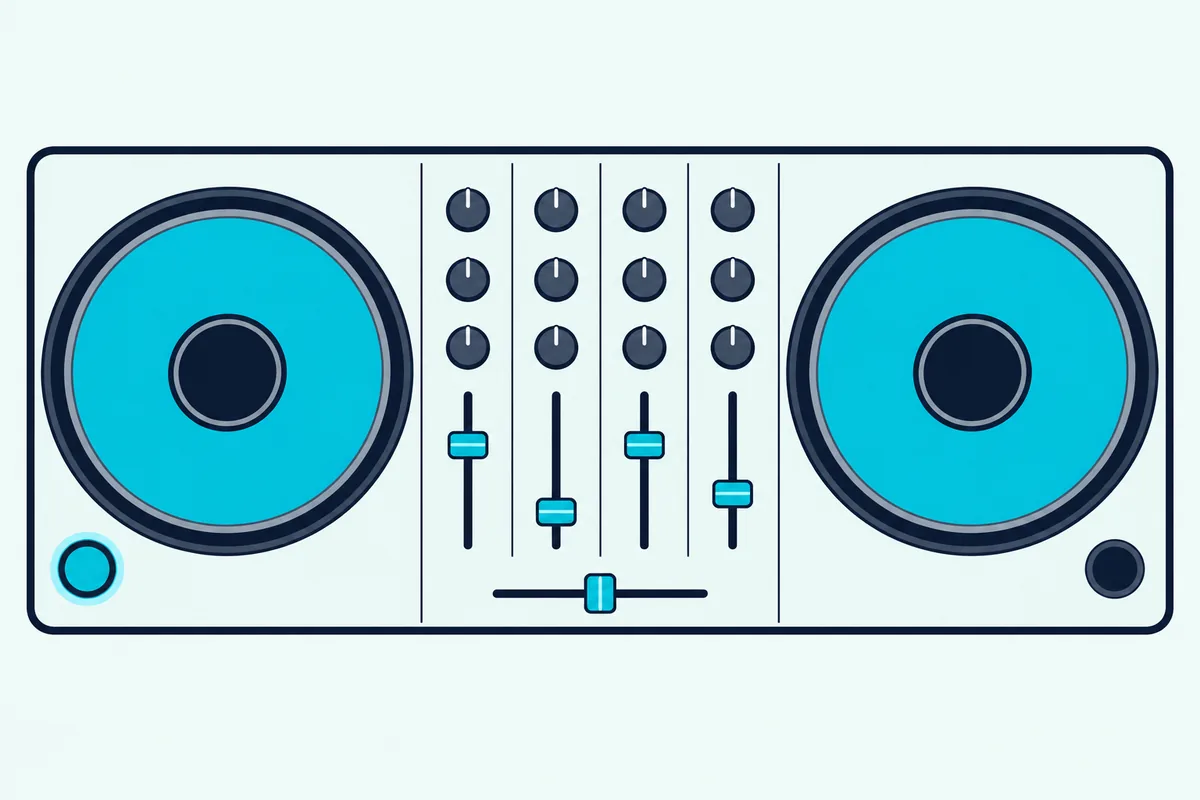
So a 4-channel controller can have two jog wheels, not four. The FLX6-GT reaches four decks by switching each wheel between two of them, then gives each deck its own mixer strip.
The DDJ-FLX10 works the same way. Pioneer DJ’s manual says its On Air indicator lights white when you’re playing deck 1 or 2 and blue for deck 3 or 4, so the light shows which pair you’re on.
Numark uses the word Layer for the same idea. Its NS4FX user guide says Deck A can control Layer 1 or 3 and Deck B can control Layer 2 or 4, and Denon DJ says the SC LIVE 4 has dedicated Layer buttons for its four decks.
How Does a 2-Channel Controller Play Four Decks?
The same switching trick also turns up on smaller controllers. A 2-channel controller can play four decks only when its maker builds in deck switching, so each hardware side flips between two software decks instead of getting a strip for each.
Numark’s Mixtrack Platinum FX is the clearest example. Numark calls it a 4-deck controller with access to four layered decks, and its user guide says holding Shift and pressing the Scratch button picks whether Deck 1 controls Layer 1 or 3, and Deck 2 controls Layer 2 or 4.
Numark doesn’t call it a 4-channel controller, though. Its guide says the crossfader controls the blend between the two decks, so you’re steering four software decks from two hardware sides.
Here’s a real scenario. You’ve got a track playing on deck 1 and switch that side to deck 3 to cue an acapella, and that hardware side now controls layer 3 instead.
Numark’s guide describes that switch for the hardware deck, but it doesn’t say how the mixer knobs pick up each deck’s settings after you switch back. Try it in your software at home before relying on it in a set, because that’s the part the guide leaves open.
The two Mixtrack models also show what deck switching costs in space. Numark lists the 4-deck Mixtrack Platinum FX and the 2-deck Mixtrack Pro FX at the same 53.6 by 24.6 by 5.1 centimeters, so the switching adds decks without adding width.
What Do Four Channels Add?
That shared strip is the limit four channels remove. With four channels, every deck or input gets its own trim, EQ and fader at the same time, so a third track, a sample deck or an outside player can stay up in the mix while you blend the other two.
The first use is layering. A loop or an acapella on a third channel can ride over a blend of two full tracks, and each layer keeps its own EQ and fader for the whole time it plays.
Samples are the second use. Pioneer DJ’s DDJ-FLX6-GT has a DECK4/SAMPLER switch that sends the software sampler to channel 4, where the manual says you can adjust it with the trim, EQ, filter, channel fader and crossfader.
That switch has a trade-off. The same manual says sound from deck 4 can’t come out of channel 4 while the switch is set to SAMPLER, so channel 4 carries a fourth deck or the sampler, not both.
Stems are the third. Pioneer DJ says the DDJ-FLX10 lets you control the vocals, drums and other instruments of a regular song separately, and its Part Instant Doubles function sends one part to another deck.
That’s where four channels earn their keep, because a vocal moved to its own deck needs a free strip to sit on. On a 2-channel controller, both strips are usually busy with the two tracks you’re blending.
Outside gear is the fourth. The FLX10’s manual describes channel switches that pick either a software deck or gear plugged into its LINE/PHONO and LINE input terminals, so a turntable or a media player can play alongside the software decks.
Numark’s NS4FX has a smaller version of the same idea. Its Mic 1/Line switch lets a CD player or sampler connected to the Aux input play through the controller in place of the first microphone.
Even a 2-channel controller can take a microphone, though. Pioneer DJ’s rear-panel list for the DDJ-FLX4 has a mic input and a master output, with no line or phono input for an outside player.
What Do Four Channels Cost in Size and Complexity?
All those extra strips and inputs need room. A 4-channel controller is usually much wider and heavier than a 2-channel one, and it puts twice as many mixer controls under your hands.
Pioneer DJ’s specifications show the jump across one family. The 2-channel DDJ-FLX4 measures 482 millimeters wide and weighs 2.1 kilograms, the 4-channel DDJ-FLX6-GT is 676 millimeters wide and 3.8 kilograms, and the DDJ-FLX10 is 716 millimeters and 6.7 kilograms.
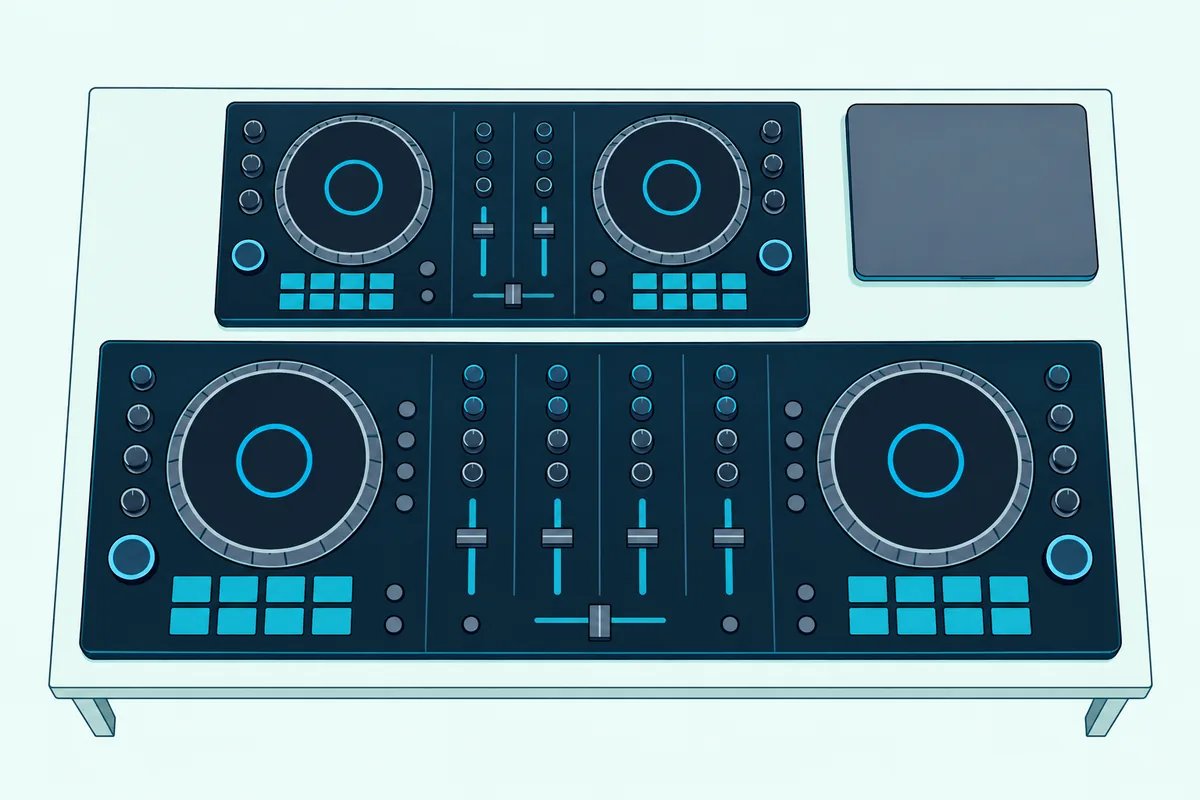
That makes the FLX10 about 1.5 times as wide as the FLX4 and more than three times as heavy. A desk that fits a laptop beside the FLX4 may not fit both beside the FLX10.
Standalone units show a smaller gap. Denon DJ lists the 2-deck SC LIVE 2 at 26.7 by 15.4 inches and 10.1 pounds, and the 4-deck SC LIVE 4 at 28.3 by 15.9 inches and 12.8 pounds.
Try this before you buy. Measure the space where the controller will live, then mark the maker’s width on the desk with tape and see whether your laptop, speakers and headphones still fit around it.
Complexity is the other cost. The 28 strip controls counted earlier are a lot to track when you’re learning to blend two tracks, and every extra knob is one more thing that can be left in the wrong position.
Which DJ Software Runs Four Decks?
Hardware is only half of it, because the software has to offer four decks too. Serato DJ Pro, rekordbox and VirtualDJ all have 4-deck layouts, and Denon DJ’s SC LIVE 4 runs four decks on its own Engine DJ system without a laptop.
Serato’s page for Serato DJ Pro lists a 4 Deck Mode that plays up to four tracks at once on supported hardware. Its FAQ names 4-deck view among Serato DJ Pro’s advanced features.
Serato DJ Lite is the free version that comes with many starter controllers. Serato’s Lite page doesn’t list a deck count, but Numark says the NS4FX ships with Serato DJ Lite and lets you start mixing with up to 4 channels right away.
Pioneer DJ’s rekordbox manual says you can pick 2Deck or 4Deck layouts in its PERFORMANCE mode. The same manual warns that some functions depend on your subscription plan and the DJ equipment connected, so check your plan against the controller you’re buying.
VirtualDJ’s manual for the DDJ-FLX10 refers to both 2-deck and 4-deck skins. Its DECK SELECT entry describes the same left and right deck switching that Pioneer DJ’s manual does.
Denon DJ calls the SC LIVE 4 a 4-deck standalone controller that runs Engine DJ. In Computer Mode it also works as a controller for Serato DJ, with a Pro license included, and for VirtualDJ with an additional license.
If you’d rather leave the laptop at home altogether, our roundup of laptop-free standalone controllers compares more of them.
How Do You Choose Between 2 and 4 Channels?
Software support narrows the field, but your sets decide it. Pick two channels if you’ll mostly blend two tracks at a time, and pick four if you’ll regularly run a third source at the same moment, such as an acapella, a sample deck, stems or a turntable.
Here’s the count that settles it. Write down every sound you want playing at the same moment during your busiest transition, then count the ones that need their own fader.
If the answer is two, a 2-channel controller covers it. If it’s three or four, you need four channels, or a 2-channel controller with deck switching if you can live with sharing a strip.
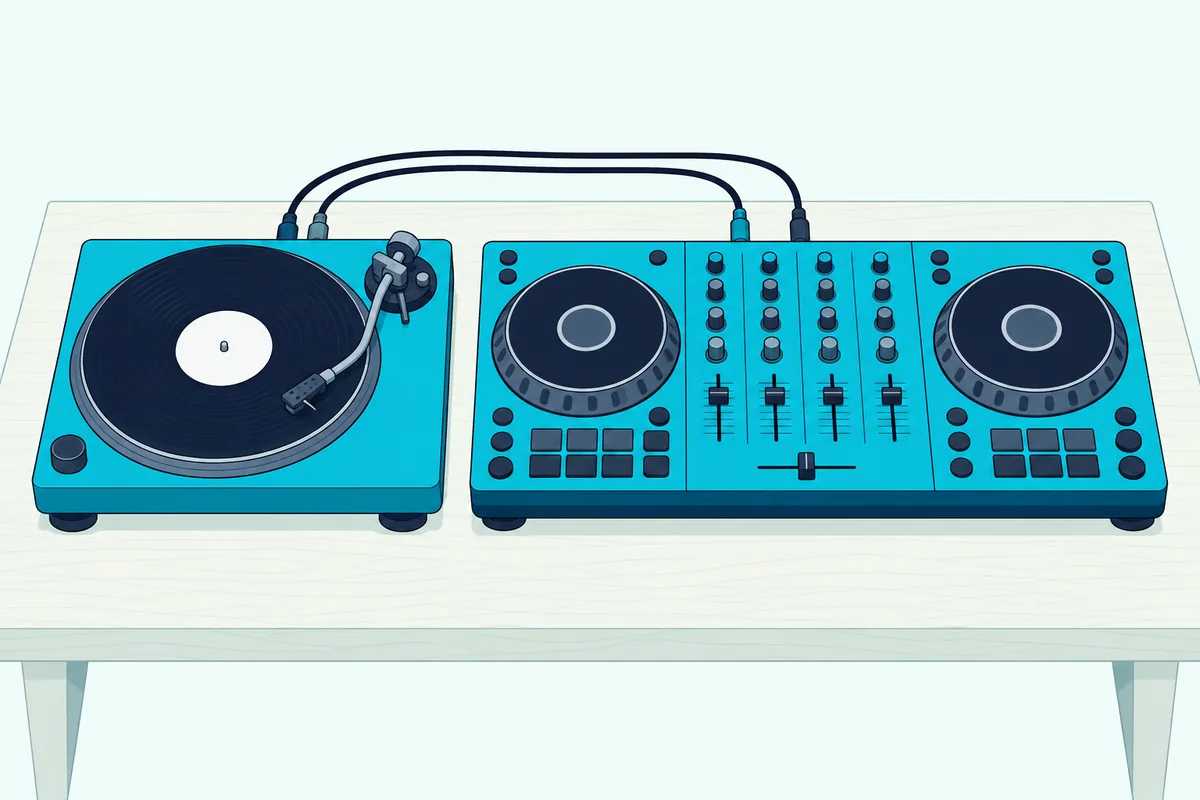
Turntables change the count on their own. A turntable needs a phono input and a channel of its own, and the FLX4’s rear panel, from the earlier section, has no phono input.
Beginners fit the two-channel side of that rule in most cases. Learning to beatmatch and blend is a two-track skill, and the smaller unit is easier to carry, store and learn on.
A club-style setup is the exception. If your goal is to practice for a booth with four players, a 4-channel controller puts a strip per deck in front of you.
Pioneer DJ says the FLX6-GT’s layout echoes a club-standard CDJ and DJM setup, so it’s one way to rehearse that layout at home.
Planning to grow is a fair reason too, as long as you’ll use the extra strips within the first year. Otherwise the deck switching on some 2-channel controllers gives you room to experiment without the extra size.
Which 2-Channel and 4-Channel Controllers Can You Buy Now?
That rule points to one of two buys for most readers. Pioneer DJ’s DDJ-FLX4 is the 2-channel pick for two-track mixing, and the DDJ-FLX10 is the 4-channel pick for stems, outside gear and four full strips.
For two channels, the Pioneer DJ DDJ-FLX4 is the controller Pioneer DJ describes as a simple, user-friendly 2-channel design. It works free with rekordbox, Serato DJ Lite and Traktor Play, and you can buy a Serato DJ Pro license or subscription later.
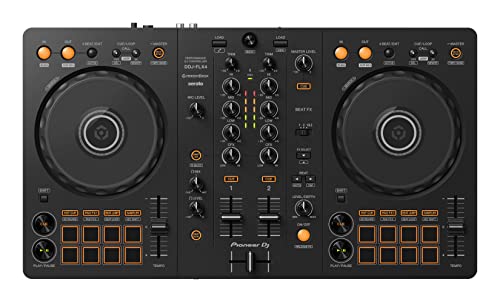
the Pioneer DJ DDJ-FLX4
For four channels, the Pioneer DJ DDJ-FLX10 is Pioneer DJ’s 4-channel performance controller for rekordbox and Serato DJ Pro. It covers the main reasons for four channels from the earlier sections: stems, a strip for each of four decks and inputs for outside players.
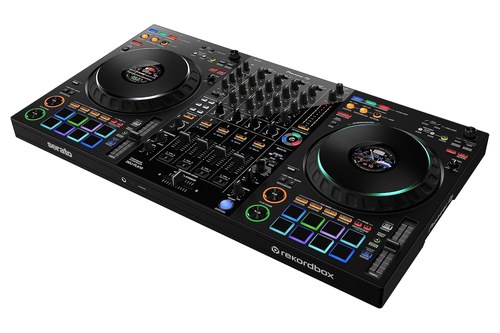
the Pioneer DJ DDJ-FLX10
The DDJ-FLX6-GT sits between them in size, at 676 millimeters and 3.8 kilograms, with a sampler switch on channel 4. Pioneer DJ says it works free with rekordbox and Serato DJ Pro, with VirtualDJ available on a separate license.
For more four-deck options and the software rules behind each, see our guide to 4 channel DJ controllers worth buying. If you’re still on your first controller, Burton Acoustix’s beginner controller list compares two-channel starters in more depth.
The Bottom Line
So the 2-channel vs 4-channel choice comes down to how many sources you play at once. Two channels cover two-track mixing in a smaller, simpler unit, and four channels give a third or fourth source its own strip.
Decks aren’t channels, so a “4-deck” label alone doesn’t tell you how many strips you get. Check the mixer section, the inputs and your software’s deck mode, then match them to the count from your busiest transition.
Frequently Asked Questions
Is 4 channel or 2 channel better for DJing?
Neither is better for everyone, because the right one depends on how many sources you mix at once. Two channels handle two-track blends in a smaller unit, such as Pioneer DJ’s 482-millimeter DDJ-FLX4. Four channels suit layering, stems and turntables, at the cost of size, like the 716-millimeter DDJ-FLX10.
Is 2 channels enough for DJing?
Yes, for most DJs who blend one track into the next. A two-track blend needs a strip for the track that’s playing and one for the track you’re bringing in, which is exactly what a 2-channel controller has. You’ll want more channels only when a third source needs to play at the same time.
Why do some DJ controllers have four channels?
They give a third and fourth source their own trim, EQ and fader. That lets you layer an acapella or loop, send a sampler to its own strip, as Pioneer DJ’s DDJ-FLX6-GT can, or plug in a turntable or media player alongside your software decks.
Can you use four decks on a 2-channel controller?
Yes, on controllers built with deck switching. Numark’s Mixtrack Platinum FX switches each side between two layers, so Deck 1 controls Layer 1 or 3 and Deck 2 controls Layer 2 or 4. Numark still calls it a 4-deck controller rather than a 4-channel one, so check the mixer section if you want a fader for every deck.
Do you need a 4-channel controller for stems?
Not always, because the stem separation runs in the software, and Serato lists Stems among Serato DJ Pro’s features. Four channels help when you move a stem to its own deck, as Pioneer DJ’s Part Instant Doubles does on the DDJ-FLX10, because the moved part then needs a free strip to play on.
How many channels do I need on my DJ controller?
Count the sounds you want playing at the same moment during your busiest transition. Two sounds means two channels; three or four means a 4-channel controller. A turntable or outside player adds one to the count and needs a line or phono input as well.