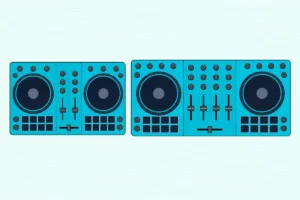
How Does DJ Mixing Work? A DJ Mixer, Control by Control
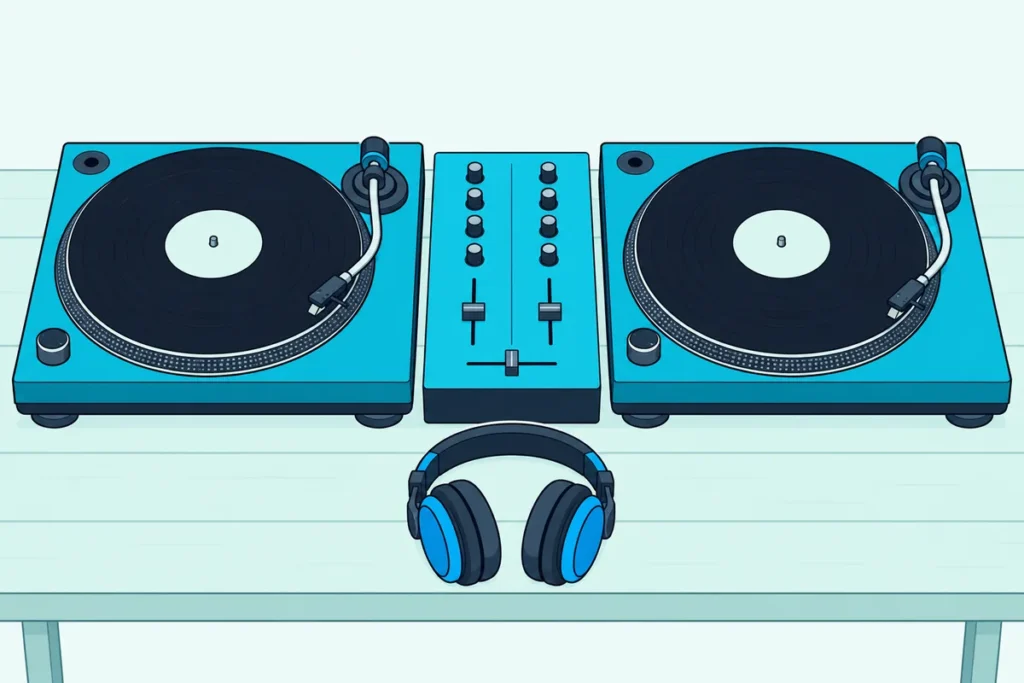
The plain answer to “How does DJ mixing work?” sits on the mixer between your two decks, where each track gets its own channel and a handful of knobs and faders decide how much of it the room hears.
Skip one of those controls and a first mix goes wrong in ways that are hard to trace, from a crackle on every loud chorus to a bass line that turns to mud when both tracks play.
Learn what each control does, and the order the sound passes through them, and a blend stops being guesswork.
This guide walks through a two-channel DJ mixer control by control, from the input switch and trim to the EQ, faders, cue section and outputs, using the makers’ own manuals.
Then it puts every control to work in one plain mix of two tracks, start to finish.
How Does DJ Mixing Work on a Two-Channel Mixer?
That idea of one channel per track is the whole method. DJ mixing works by running two tracks into separate channels, setting each one’s level and tone, then fading from one to the other while you listen ahead to the next track in headphones.
Pioneer DJ’s beginner’s guide to DJ gear splits the job the same way. Decks play the music, the mixer lets the audience hear two or more decks at the same time, and DJ headphones let you hear the next track without playing it through the speakers.
On a typical two-channel mixer such as Pioneer DJ’s DJM-250MK2, that job is spread across more than a dozen controls. The table lists them roughly from where the sound enters to where it leaves, with the names two makers print on the panel.
| Control | What it does | Pioneer DJ DJM-250MK2 | Numark M2 |
|---|---|---|---|
| Input selector | Picks which connected source feeds the channel | Input selector switch | Input Selector |
| Trim (gain) | Sets how loud the track enters, before the EQ and fader | TRIM | Channel Gain |
| Channel meter | Shows the channel’s level before its fader | Channel Level indicator | Level Indicators (Cue) |
| EQ | Cuts or boosts the highs, mids and lows | ISO (HI, MID, LOW) | Treble, Mid, Bass |
| Filter | Sweeps a low-pass or high-pass filter | COLOR with FILTER | Not fitted |
| Cue | Sends the channel to your headphones | CUE button | Cue Mode Selector and Cue Slider |
| Channel fader | Sets the channel’s volume in the mix | Channel Fader | Channel Fader |
| Crossfader | Blends between channel 1 and channel 2 | Cross fader | Crossfader |
| Curve and reverse | Sets how fast the crossfader cuts in, and which side is which | CROSS F.CURVE, CROSS F. REVERSE | CF Slope, CF Mode |
| Headphone controls | Sets headphone volume and the cue-to-master balance | HEADPHONES LEVEL, HEADPHONES MIXING | Cue Gain |
| Master | Sets the output to the speakers and shows its level | MASTER LEVEL, Master Level indicator | Master Volume, Level Indicators |
The names change from brand to brand, which is why the same knob reads TRIM on one mixer and Gain on another. The job doesn’t change, so once you know the order, any two-channel mixer reads the same way.
If you’re still deciding whether you need a mixer at all, Burton Acoustix’s guide to what a DJ mixer is covers standalone mixers against the mixer built into a controller. This page picks up from there, with the mixer in front of you.
What Happens Between the Input Jacks and the Speakers?
That order in the table is the signal path, and it explains most of the surprises a beginner meets. Sound enters at the rear jacks, passes the input selector and the trim first, then the channel’s EQ and fader, then the crossfader and the master level on its way to the speakers.
Numark’s M2 guide confirms the front of that chain: its channel gain works “pre-fader and pre-EQ.” So the trim sets the level every later control starts from, and a trim set too high can’t be rescued by pulling a fader down.
Two branches leave the path before the faders. Pioneer DJ’s channel meter shows the volume before it passes the channel fader, and Numark’s Scratch user guide says its cue button sends the channel’s pre-fader signal to the headphones, which is why that button also carries the label PFL.
That’s why you can hear and measure a track with its fader all the way down. The audience hears nothing from a channel until its fader, and the crossfader if it’s in use, open it to the master output.
Think of the channel fader as a door. The trim decides how loud the music is behind the door, the meter reads that level through the wall, and the cue button lets you listen through the keyhole.
The same picture helps when something is silent. If you push a channel fader up and hear nothing, the break sits upstream: the source, the cable, the input selector or the trim.
Get Studio Tips Weekly
Join 5,000+ creators getting acoustic treatment advice every week.
No spam. Unsubscribe anytime.Should the Input Switch Say Line or Phono?
The input selector is the first control on that path, so it’s the first one to check. Choose PHONO for a turntable’s cartridge signal and LINE for CD or media players, samplers and other line-level gear, because the two signals arrive at very different levels.
Pioneer DJ’s specifications show how far apart they are. The DJM-250MK2’s phono input is built for a standard level of -52 dBu and its line input for -12 dBu, a gap of 40 dB.
That gap is why Numark’s M2 quick start says the Phono setting provides “the additional amplification needed for phono-level signals.” Pioneer DJ puts the warning the other way round: don’t feed line-level signals into the PHONO jacks.
The catch is the turntable with its own preamp built in. Pioneer DJ’s PLX-500, for one, has a phono/line output switch so it can play straight into a sound system or powered speakers.
Pioneer DJ’s troubleshooting table covers that case. If a turntable with a built-in phono equalizer distorts on the mixer’s PHONO jacks, or the meter doesn’t move when you turn the trim, plug it into LINE instead, or set the turntable’s own PHONO/LINE switch to PHONO.
Try this: before you play anything, check both ends of each cable. The turntable’s switch and the mixer’s input should both say phono, or both say line.
Turntables also carry a thin ground wire. Pioneer DJ says connecting it to the mixer’s SIGNAL GND terminal helps reduce noise, and Numark says a low hum or buzz can mean the turntables aren’t grounded, though some carry the ground inside the RCA cable.
Mixers with a built-in sound card add a third position. Each channel on the DJM-250MK2 can take audio from a computer on the USB terminal, and Pioneer DJ asks you to connect the computer directly with a USB 2.0 cable, because USB hubs can’t be used.
How Do You Set the Trim and Read the Level Meters?
Once the right source reaches the channel, the trim sets how loud it arrives. Turn the trim until the channel meter peaks around 0 dB on the loudest part of the track, which is the setting Pioneer DJ’s troubleshooting table gives for both the channel meters and the master meter.
Controllers use the same idea with colors. Pioneer DJ’s DDJ-FLX4 manual says to turn the TRIM knob until the channel level indicator lights orange at the loudest part of the track.
Start from zero every time. Numark’s M2 guide asks for every fader and gain knob at zero before anything is powered on, and the FLX4 manual starts each first track with its trim turned fully counterclockwise.
Try this: play the loudest chorus or drop of each track with its channel fader down and its cue button pressed, and watch only the meter. When both tracks peak at the same point, the swap from one to the other won’t jump in volume.
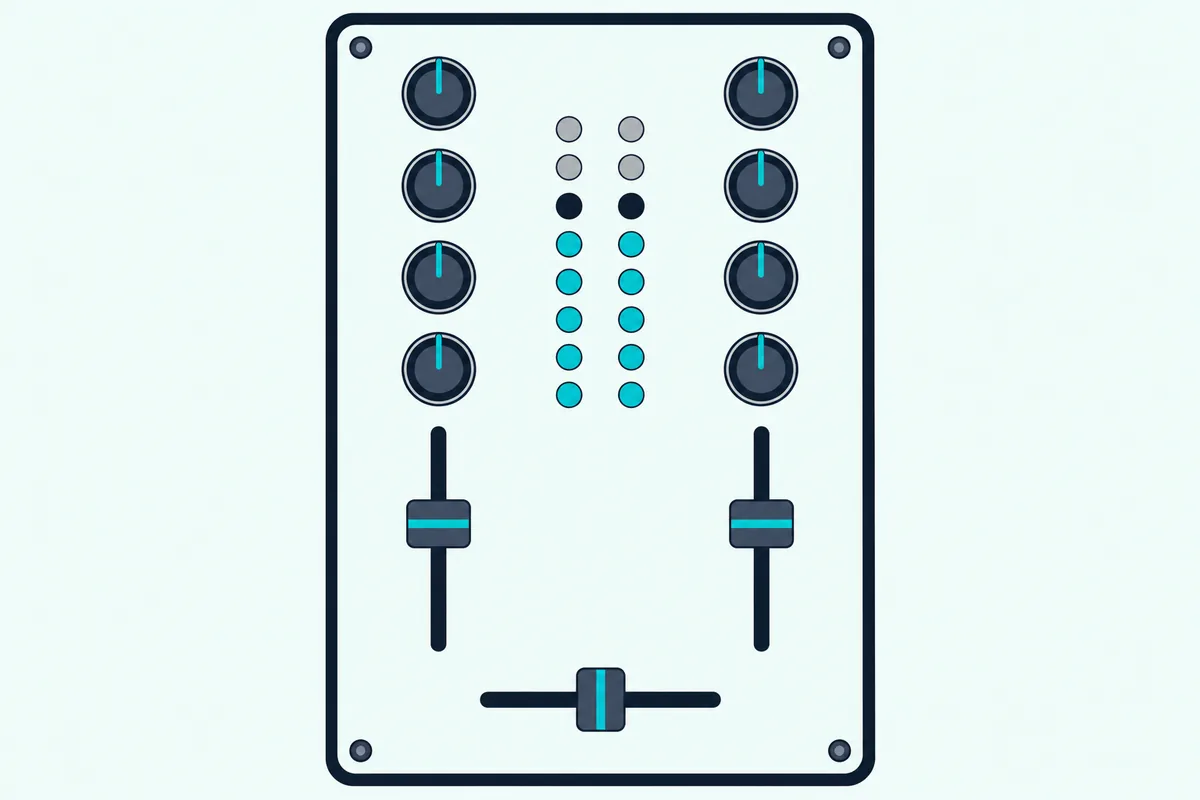
The master meter gets the same treatment at the end of the path. Set the master level so its meter peaks around 0 dB, and watch the CLIP light: on the DJM-250MK2 it flashes slowly when the sound is about to distort and quickly when it already is.
If the clip light keeps flashing, Pioneer DJ’s table lists two checks for distortion: the master level and each channel’s trim. The same table offers a third fix on the DJM-250MK2, a MASTER OUT ATT. setting that lowers the master output by 6 or 12 dB.
Our guide to how trim works on a DJ controller goes further into the meter colors and what happens when the trim sits too high. Those rules carry straight over to a standalone mixer.
What Do the Three EQ Knobs Actually Change?
With both tracks entering at matching levels, the EQ shapes what each one sounds like. The three knobs cut or boost the highs, mids and lows of one channel, and Pioneer DJ lists each DJM-250MK2 knob’s range with a frequency beside it: 20 kHz for HI, 1 kHz for MID and 20 Hz for LOW, each from minus infinity to +6 dB.
The range is lopsided on purpose. You get only 6 dB of boost but a cut that goes all the way to silence, so most EQ moves in a mix are cuts.
Allen & Heath names the main one on its Xone:24C page: its 3-band isolator EQ is for “swapping bass lines” as well as expressive transitions. Two kick drums and two bass lines at full level tend to blur into one heavy rumble, which is why the low end usually belongs to one track at a time.
Here’s the swap in practice. Bring the incoming track in with its LOW knob turned well down, and when the moment comes, raise its LOW as you lower the outgoing track’s LOW, so the bass line hands over in one move.
The highs and mids do quieter work. Cutting the incoming track’s HI a little at first keeps its hi-hats from cluttering the outgoing track, and the MID knob is where vocals and leads sit, so it’s the one to drop when two vocals would clash.
Controllers carry the same three knobs. The DDJ-FLX4 manual describes its EQ (HI, MID, LOW) knobs as boosting or reducing the relevant frequency for each channel, and starts a first track with all three at 12 o’clock.
Is an EQ Kill the Same as Turning the Knob Down?
Those range figures answer this one. On an isolator such as the DJM-250MK2’s, turning a knob all the way to the left mutes that band, as Pioneer DJ’s operating instructions put it, while an ordinary EQ only turns the band down.
Pioneer DJ’s DJM-250MK2 operating instructions call this its 3-band isolator, and list the range as minus infinity to +6 dB. The larger DJM-450 and DJM-750MK2 put the choice on a switch: EQ CURVE, with ISOLATOR and EQ positions, and both quick starts list their knobs at -26 dB to +6 dB.
Pioneer DJ’s quick starts don’t say how the two switch positions differ beyond their names, so treat the switch as a choice of character and try both. On the DJM-250MK2 the answer is fixed: fully left is a kill.
A full kill lets you drop the bass out of a track for a breakdown and bring it back on the downbeat. Even so, a first blend doesn’t need one, because a LOW knob turned most of the way down already keeps two bass lines from stacking.
Try this: cue one track alone in your headphones, turn its LOW and MID fully left, and listen to what’s left. On an isolator you’ll hear only the top of the track, mostly hi-hats and cymbals, which shows you exactly what each band holds.
Why Use Channel Faders When There’s a Crossfader?
Once the EQ has shaped each track, the faders decide how much of it the audience hears. Channel faders set each channel’s own volume and the crossfader sets the balance between channel 1 and channel 2, so you can run a whole mix on either one.
That’s why the crossfader can be switched out of the path. Pioneer DJ’s THRU setting on the curve switch is for when you’re not using the crossfader, and the whole blend then happens on the two channel faders.
Pioneer DJ also tunes the DJM-250MK2’s channel faders for that job. Its operating instructions say the channel fader curve is the same as on the club DJM-900NXS2 and “enables you to mix a smooth and long mix.”
The DJM-750MK2 goes a step further. Its CH FADER switch changes the curve of the channel faders themselves, so you can pick how quickly a channel rises as you push it.
Scratch DJs work the other way round, keeping the channel faders up and cutting with the crossfader. Pioneer DJ rates the DJM-250MK2’s Magvel crossfader for more than 10 million operations and calls it good for powerful scratching, and Numark makes the M2’s crossfader user-replaceable.
Think of the two channel faders as separate dimmers on two lamps, and the crossfader as one slider that moves the light from one lamp to the other. Both get you from track A to track B, but the dimmers let you hold both lamps half lit for as long as you like.
Which Crossfader Curve Should a Beginner Pick?
That split between long blends and quick cuts is exactly what the curve switch sets. Pick the slow, gradual curve for blends and the steep one for cuts and scratching, which is how both Pioneer DJ and Numark describe their settings.
Pioneer DJ’s DJM-250MK2 gives you three positions. THRU takes the crossfader out of the path, the gradual curve rises slowly, and the steep curve switches the sound to the other side as soon as the fader leaves either end.
Numark’s M2 does the same with a two-way CF Slope switch. Flip it left for a smooth fade for mixing, or right for a sharp cut for scratching.
The reverse switch swaps which side plays which channel. Numark’s Scratch guide spells it out: with X-Fader Reverse off, deck 1 sits on the left of the crossfader, and with it on, deck 1 moves to the right.
Larger mixers add an assign switch on each channel. The DJM-750MK2’s CROSS FADER ASSIGN sends a channel to side A or side B, or past the crossfader altogether on THRU.
Here’s a real scenario. If you nudge the crossfader a hair off the left and channel 2 blasts in at full volume, the curve is on the steep setting, not broken.
The opposite fault has a cause too. Pioneer DJ’s troubleshooting table lists a crossfader that “does not work” and gives the reason: the curve switch is on THRU.
How Do Cue Buttons Let You Hear the Next Track First?
Everything so far shapes what the room hears, and the cue section is the private channel that runs alongside it. Press a channel’s cue button and that channel plays in your headphones, even with its fader down, then use the headphone mixing knob to blend it with the master and the headphone level knob to set the volume.
Pioneer DJ’s DJM-250MK2 quick start lists the steps in that order. Connect headphones to PHONES, press the CUE button for the channel, turn HEADPHONES MIXING to balance the cued channel against the master, then turn HEADPHONES LEVEL.
The mixing knob is easier to judge at its two ends. Numark’s Scratch guide says its Cue Mix knob plays only the cue channel when turned fully left and only the program mix when turned fully right.
Pioneer DJ’s DJM-450 and DJM-750MK2 add a MONO SPLIT setting. It puts the cued channel in your left ear and the master in your right, so the two tracks stay apart.
Numark’s M2 does cueing its own way. A Cue Mode switch picks Master or CH1 CH2, and a cue slider blends channel 1 and channel 2 in your headphones, which Numark calls crossfader-style cueing.
Try this: with the headphone mix halfway, cue the incoming track and listen for its kick drum against the master’s kick drum. If the two kicks gallop instead of landing together, the tempo still needs work.
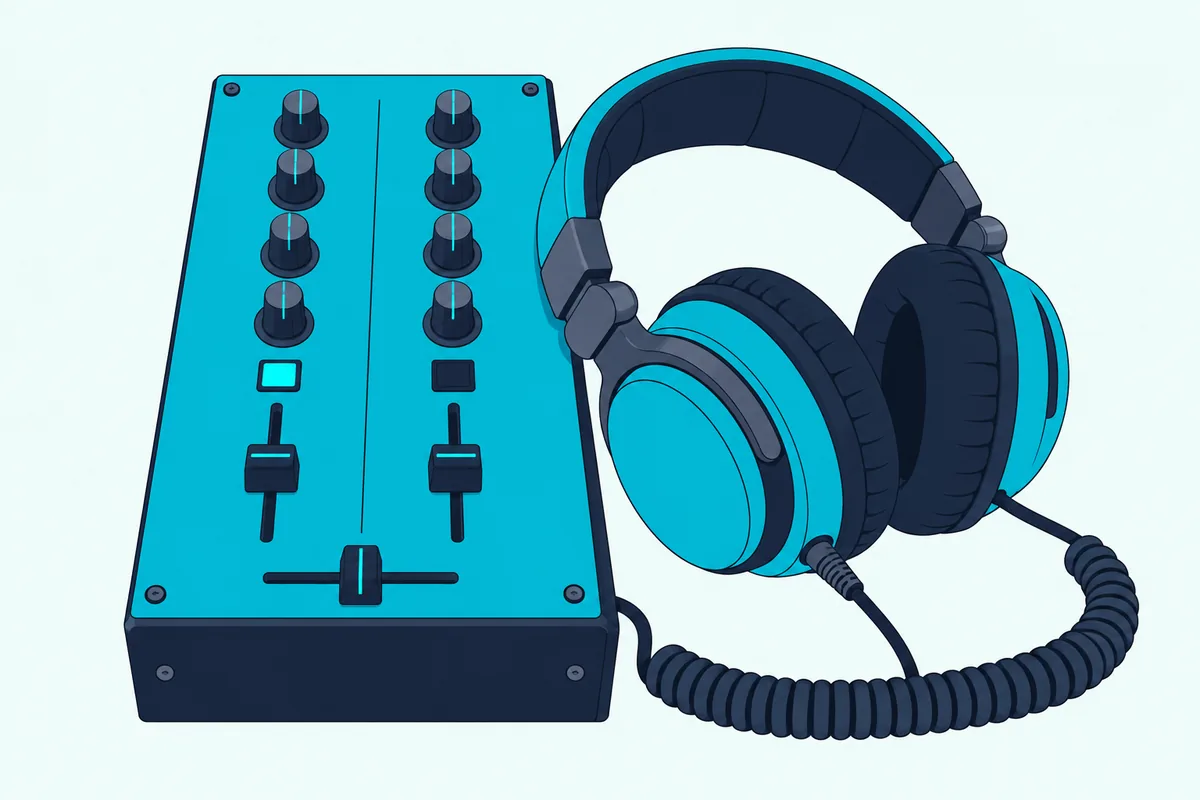
The headphones themselves matter here, because the room is loud and the cued track is not. Pioneer DJ’s guide says good DJ headphones block out ambient noise, and describes wearing one ear cup on and one off to hear the cued track and the room at once.
Closed headphones built for that one-ear style make the job easier, and the Sennheiser HD 25 has been a fixture in DJ booths for more than 30 years, by Sennheiser’s account. Its rotating ear cup is made for exactly that single-ear cueing.
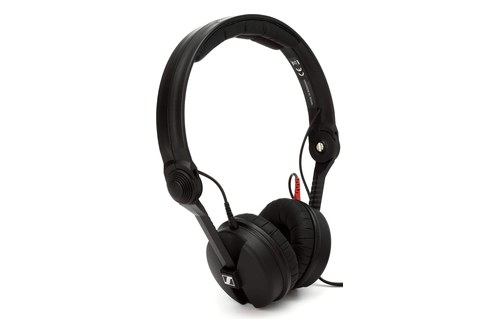
the Sennheiser HD 25
Where Do the Master and Booth Outputs Go?
Once a blend sounds right in your headphones, the master output carries it to the speakers. Connect the master to powered speakers or an amplifier, then raise the master level until the master meter peaks around 0 dB, as Pioneer DJ’s quick start advises.
The DJM-250MK2 has two master outputs. MASTER1 uses balanced XLR jacks, MASTER2 uses RCA, and Pioneer DJ warns that feeding MASTER1 into an unbalanced RCA input through an adapter may lower the sound quality or add noise, so RCA speakers belong on MASTER2.
A booth output feeds a separate monitor speaker for the DJ, with its own level. Pioneer DJ’s DJM-750MK2 has balanced BOOTH outputs and a BOOTH MONITOR knob, while the connection lists for the DJM-250MK2 and Numark’s M2 include no booth output.
Even without a booth output, the reason for a monitor stays the same. Pioneer DJ’s beginner’s guide says monitor speakers let you hear what your audience is hearing.
Numark’s M2 adds a Record output for a recorder. Numark says its level is based on pre-master levels, so the master knob doesn’t set what gets recorded.
The order you switch things on matters as well. Numark’s guide says to power on the sources first, then the mixer, then the amplifiers and speakers, and to power off in the reverse order, and Pioneer DJ says to connect the mixer’s power cord only after every other connection is made.
Here’s a real scenario. If the speakers still sound distorted with the master meter out of the red, try the MASTER OUT ATT. setting, which Pioneer DJ’s troubleshooting table lists for distorted sound alongside the master level.
What Does the Mic Channel Do on a DJ Mixer?
Those outputs carry more than music, because most two-channel mixers also take a microphone. The mic channel has its own level and tone controls, separate from the two music channels, so you can talk over a track without touching the blend.
On Pioneer DJ’s DJM-250MK2, you plug the mic into the MIC jack on the rear panel and set it with two knobs. MIC LEVEL sets the volume, and Pioneer DJ warns that the sound will be too loud with the knob turned to the extreme right.
MIC TONE is a single tilt knob. Turned toward LOW it cuts the highs by up to 12 dB at 10 kHz, and turned toward HI it cuts the lows by up to 12 dB at 100 Hz.
Numark’s M2 splits the same job into Mic Gain, Mic Bass and Mic Treble. Its guide adds a practical tip: if you get feedback with the mic at loud levels, try turning down the treble.
Bigger mixers lower the music for you. The DJM-750MK2’s TALK OVER setting turns the other channels down by 18 dB by default whenever the mic picks up a signal of -10 dB or more, and Pioneer DJ notes that its MIC input doesn’t supply phantom power.
The DJM-250MK2 also has an extra input, AUX, for a sampler or a computer. You pick USB or LINE on its input selector and set its level with AUX TRIM, the same trim idea as on the main channels, now applied to the extra source.
Try this: set the mic level with the music playing at its usual volume, not in silence. A level that sounds right in a quiet room is usually buried once the master comes up.
What Do Filter and Effects Controls Add?
Beyond levels and EQ, many mixers add a filter, and it’s the easiest effect to learn because it’s one knob per channel. On the DJM-250MK2 you press FILTER, then turn a channel’s COLOR knob left for a low-pass filter that darkens the sound or right for a high-pass filter that thins it, with the PARAMETER knob adding resonance.
Numark’s Scratch works the same way with its Deck Filter knob. Turned counterclockwise it applies a low-pass filter, turned clockwise a high-pass filter, and at 12 o’clock it does nothing.
Allen & Heath gives its compact Xone:24C a filter design inspired by its flagship Xone mixers. Allen & Heath’s Xone:24C page lists its Xone:VCF with low-pass and high-pass modes, a frequency sweep and what it calls a “mild-to-wild” resonance control.
Step up to Pioneer DJ’s DJM-450 and you also get Beat FX. A selector picks the effect, a channel selector picks where it goes, TIME and LEVEL/DEPTH set it, and a TAP button lets you enter the BPM.
Both the DJM-450 and DJM-750MK2 add SEND/RETURN as well. It routes a channel through an outside effects device, connected either to jacks on the rear panel or, on the DJM-750MK2, to a mobile device plugged into the top panel.
None of this is needed for a first mix, so leave the filter at center until the basic blend feels steady. After that, a slow low-pass sweep on the outgoing track is a gentle way to make room for the incoming one.
How Is a Controller’s Mixer Section Different?
If you’re learning on a DJ controller rather than a standalone mixer, the same controls sit in its center strip and do the same jobs. Pioneer DJ’s DDJ-FLX4 manual lists TRIM knobs, channel level indicators that read the sound before the channel faders, EQ (HI, MID, LOW) knobs, CFX knobs for Sound Color FX, headphone CUE buttons, HEADPHONES MIX and HEADPHONES LEVEL knobs, channel faders, a crossfader and a MASTER LEVEL knob.
The difference is where the music plays. Pioneer DJ’s guide says controllers don’t play music from USB drives, CDs or SD cards, but control DJ software running on a laptop or mobile device where the music is stored.
That software can also do some of the mixing for you. With rekordbox, the FLX4’s Smart Fader adjusts the BPM, adjusts EQ LOW and applies an echo automatically as you move the faders, and switching it on also turns on Beat Sync.
Leave Smart Fader off while you learn the controls. Otherwise the software makes the EQ and tempo moves this guide teaches, and you won’t hear what your own hands are doing.
The FLX4 adds one shortcut a standalone mixer can’t offer. Hold SHIFT and tap a channel’s headphone CUE button in time with the music, and the deck’s tempo follows your tapping.
If you haven’t yet chosen between a DJ controller or a standalone mixer, our comparison walks through the inputs, outputs and software for each. Everything else on this page applies to both.
How Do You Mix Two Tracks on a DJ Mixer, Step by Step?
With every control in place, here’s how they work together in one plain blend of two tracks. Zero the mixer, start track A and bring it to the room, cue track B in your headphones, match its tempo on the player, set its trim, then bring it in with the faders and EQ as you take track A out.
| Step | What you do | Controls |
|---|---|---|
| 1. Zero the mixer | Trims and master fully down, faders down, EQ at 12 o’clock, crossfader centered | Every knob and fader |
| 2. Play track A | Trim it to peak near 0 dB, raise its fader, then the master | Trim, channel fader, master |
| 3. Cue track B | Press channel 2’s cue button and set the headphone mix | Cue, headphone mixing and level |
| 4. Start B on the beat | Start it on a downbeat, in time with A | The player’s play button |
| 5. Match the tempo | Move B’s tempo slider until the kicks stop drifting | The player’s tempo control |
| 6. Set B’s level | Trim B so its peaks match A’s on the meters | Trim, channel meter |
| 7. Blend | Raise B’s fader with its LOW down, then swap the lows | Channel faders, EQ |
| 8. Finish | Fade A out, reset its EQ, cue the next track | Channel fader, EQ, cue |
The first two steps come straight from the makers. The DDJ-FLX4 manual starts every first track with the trim fully counterclockwise, the EQ at center, the channel fader at the bottom, the master fully counterclockwise and the crossfader in the middle, then has you raise the trim, then the fader, then the master.
Step 3 is where the cue section earns its place. Press channel 2’s cue button, turn the headphone mixing knob toward the cue side, and listen to track B alone while track A plays to the room.
Steps 4 and 5 happen on the players, not the mixer. Start track B on a downbeat as close as you can to one of track A’s, then bring its tempo in line, which the next section covers.
Step 6 uses the meter test from the trim section. With B still cued and its fader down, set its trim so its loudest part peaks where A’s does.
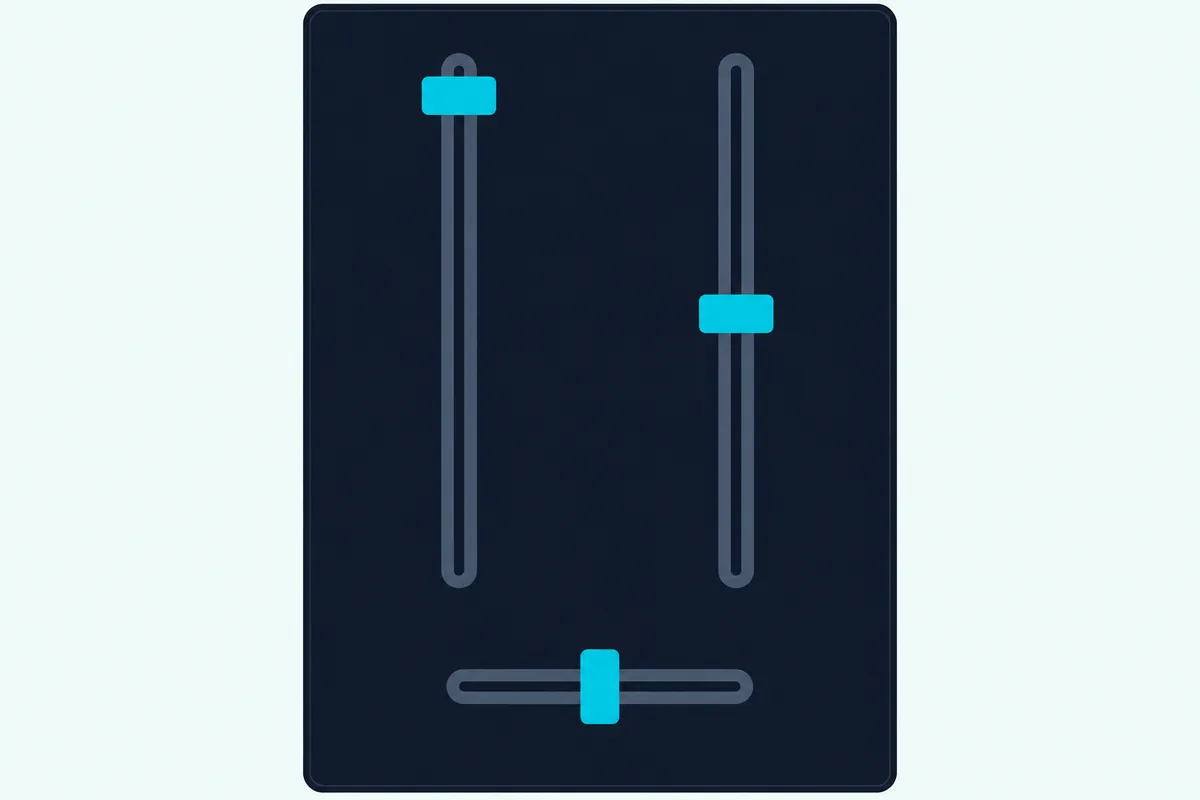
Step 7 is the blend itself. Turn B’s LOW well down, raise its channel fader over a few bars, then swap the lows so B’s bass comes up as A’s goes down.
Step 8 tidies up for the next blend. Pull A’s fader down, return its EQ to 12 o’clock, and load and cue the next track on that player.
Then run the same eight steps with the roles swapped. Track B becomes the outgoing track, a third track comes in on channel 1, and a few blends in a row are already the start of a mix.
Our step-by-step guide to mixing two tracks goes deeper into choosing the first tracks, timing the transition and the mistakes that give a beginner away. The mixer steps above are the part it assumes you already know.
Where Do You Match the Tempo, on the Mixer or the Players?
That fifth step happens off the mixer entirely. Neither the DJM-250MK2’s nor the Numark M2’s list of controls includes a tempo control, so you match tempo on the players, where a tempo slider changes each track’s playing speed.
On a controller, the deck sections are the players. The DDJ-FLX4 manual says its TEMPO slider adjusts the playing speed of the track, and SHIFT plus BEAT SYNC switches the slider’s range between ±6%, ±10%, ±16% and WIDE.
A narrower range spreads the same slider travel over fewer percent, so small moves make smaller changes. Start with ±6% when the two tracks are already close in tempo.
The FLX4’s BEAT SYNC button does the job for you. Pioneer DJ says it automatically synchronizes the tempo and beatgrid with the deck set as the master.
Sync is a useful way to hear what a matched blend sounds like. Matching by ear on the tempo slider is the skill that carries over to turntables and CD players, so practice both.
Here’s how to listen for it. With both tracks in your headphones, a kick drum that flams like a gallop means the tempos are apart, and the fix is a small move of the slider toward the side that brings the two kicks back together.
Even with the tempo matched, the beats can drift over a long blend. On the FLX4, turning the outer section of the jog wheel bends the pitch, slowing down or speeding up the track, which nudges the beats back together while the mixer’s job stays the same.
Which Mistakes Make a First Mix Sound Wrong?
Most first-mix problems trace back to one control on the path above. Pioneer DJ’s DJM-250MK2 troubleshooting table names the usual causes, and Numark’s M2 guide adds one more for turntables.
| What you hear | Check first | Fix |
|---|---|---|
| No sound from a channel | The input selector | Set it to the source you plugged in |
| Distortion on loud parts | Channel meters and master meter | Trim to about 0 dB at peak, master to about 0 dB, or MASTER OUT ATT. at -6 or -12 dB |
| Crossfader does nothing | The curve switch | Move it off THRU |
| Turntable distorts, or trim doesn’t move the meter | A built-in preamp on the PHONO jacks | Use LINE, or set the turntable’s switch to PHONO |
| Low hum or buzz with turntables | The ground wire | Connect it to the mixer’s ground terminal |
| Volume jumps at the swap | The two trims | Match the peaks on the channel meters |
The last row is a judgment, not a maker’s rule, but it follows from the meter test. Two tracks trimmed to the same peak swap without a jump, while two tracks trimmed by ear rarely do.
Two more mistakes don’t show on any meter. Leaving both LOW knobs up through a long blend stacks two bass lines, and pushing the master to make up for a quiet trim drives the master meter into the red.
A third habit to avoid is changing cables with the power on. Pioneer DJ asks you to turn off the power and unplug the power cord whenever you make or change connections.
Do You Need to Buy a DJ Mixer to Learn This?
Not if you already own a controller, because its center strip is a mixer with the same controls in the same order. A standalone two-channel mixer earns its place when you’re mixing turntables or CD players, which need a mixer to plug into, as Pioneer DJ’s guide to DJ gear explains.
For a first standalone mixer, the Numark M2 has the whole two-channel layout this guide walks through. Numark lists switchable phono/line inputs, three-band EQ and gain on each channel, a replaceable crossfader with reverse and slope controls, and crossfader-style cueing.
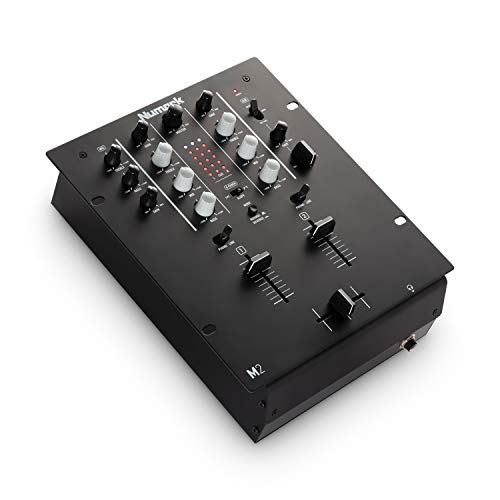
the Numark M2
If you want a laptop in the setup as well, the Pioneer DJ DJM-250MK2 adds a built-in sound card and comes with license keys for rekordbox dj and rekordbox dvs. Its isolator EQ, COLOR filter and cue section are the ones described above, so every step on this page maps onto its panel in the same two-channel format.
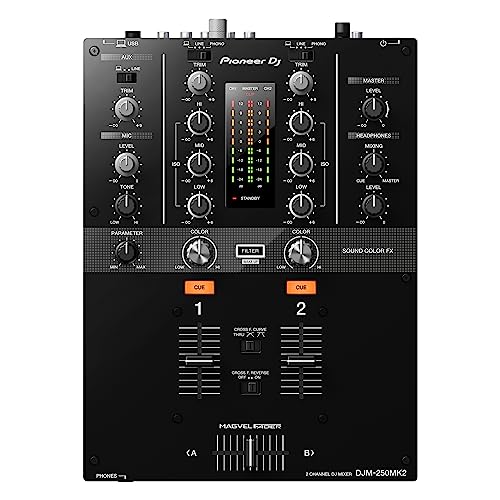
the Pioneer DJ DJM-250MK2
Our list of best DJ mixers for beginners compares more starter mixers and covers who needs one at all. If you’re starting from scratch, that page is the place to pick the hardware.
The Bottom Line
That’s the whole answer to how DJ mixing works on the hardware. Each track gets a channel, the input switch and trim set how it arrives, the EQ shapes it, the faders decide how much of it the room hears, and the cue section lets you prepare the next track in private.
Set the controls in the order the sound meets them, from the input selector to the master, and most first-mix faults never happen. Trim to about 0 dB at peak, keep one bass line at a time, and match tempo on the players rather than looking for it on the mixer.
Then build the skill in small steps. Practice one blend of two tracks until the swap is smooth, watch the meters as you go, and add the filter and effects only once the basic mix sounds steady.
Frequently Asked Questions
How do DJ mixing boards work?
A DJ mixing board gives each player its own channel. Each channel has an input selector, a trim to set how loud the source arrives, an EQ to shape it, a cue button to hear it in headphones and a channel fader to set how much of it reaches the master output. A crossfader between the channels blends from one to the other, and a master level sets how loud the mix leaves for the speakers. Pioneer DJ’s DJM-250MK2 and Numark’s M2 both follow that layout on two channels.
What do you need to use a DJ mixer?
You need two sources to mix, such as turntables, CD or media players, or a computer through a mixer with a sound card. You also need DJ headphones to cue the next track and speakers or an amplifier on the master output. Pioneer DJ’s beginner’s guide adds monitor speakers, so you hear what the audience hears. If the sources are turntables, check whether each one needs the mixer’s PHONO input or its LINE input before you plug in.
Is DJ mixing easy to learn?
The controls are quick to learn, because a two-channel mixer repeats the same handful of knobs and faders on each side. The timing takes longer: matching tempos by ear and judging when to swap the bass are skills you build with practice. Software sync and features like Smart Fader on Pioneer DJ’s DDJ-FLX4 can handle the tempo for you while you learn, though turning them off helps you hear what your own moves do.
How do DJ mixers connect to speakers?
Run cables from the mixer’s master output to powered speakers or to an amplifier. On Pioneer DJ’s DJM-250MK2, MASTER1 is a balanced XLR output and MASTER2 is RCA, and Pioneer DJ advises using MASTER2 for RCA inputs rather than an XLR-to-RCA adapter. Numark’s M2 has a master RCA output. Power on the sources first, then the mixer, then the speakers, and power off in reverse, as Numark’s guide advises.
What do DJs actually do on stage?
On stage, a DJ’s tools are the ones in this guide: players to start each track and match its tempo, and a mixer to set levels, shape the tone with the EQ and blend one track into the next while the following one plays in the headphones. Mixing isn’t remixing, because the tracks play as released and the mixer only decides how they overlap. Some DJs add techniques such as scratching, filter sweeps and effects, and DJ software on a laptop adds loops and hot cues. The equipment changes from booth to booth, but the job of choosing and blending tracks for the audience stays the same.
Can you DJ with a laptop and a mixer?
Yes, if the mixer has a USB sound card, or if you feed its LINE inputs from an audio interface, which Numark lists among the line-level devices for the M2’s line inputs. Pioneer DJ’s DJM-250MK2 has a USB position on each channel’s input selector and comes with license keys for rekordbox dj and rekordbox dvs, which lets turntables or CDJs control the software with control vinyl. Pioneer DJ asks you to connect the computer directly with a USB 2.0 cable, because USB hubs can’t be used.