Do You Need a DJ Controller? (Honest Answer From a Working DJ)
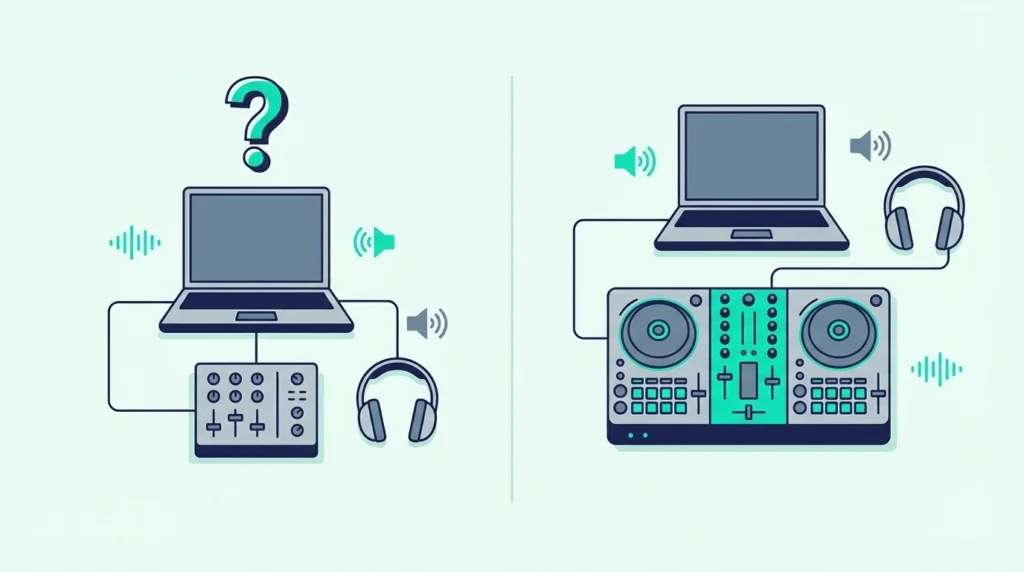
Do you need a DJ controller to start DJing — or can you get away with just a laptop and software? The short answer is no, you don’t technically need one.
But the longer answer involves understanding why every serious DJ eventually buys one, and why starting without hardware creates habits that are harder to break than they are to build.
DJ software like Virtual DJ, Rekordbox, and Serato all support mouse-and-keyboard mixing. You can load tracks, set cue points, adjust EQ, and crossfade using only your trackpad.
It works — the problem is that it works badly enough to teach you the wrong reflexes.
The cause is the gap between visual mixing (watching waveforms on screen) and audio mixing (training your ears to hear beat alignment). A controller with physical jog wheels and a headphone output forces you to develop ear-based skills from day one.
A laptop-only setup lets you skip that step entirely, which feels easier but creates a ceiling you hit hard once you try to perform live.
Below, you will find the honest breakdown of when a controller is necessary, when you can skip it, and how much you actually need to spend to get started.
You do not technically need a DJ controller to mix music — laptop software handles basic mixing with a mouse. But a controller with physical jog wheels, a crossfader, and a built-in sound card develops real DJ skills (especially ear-based cueing) that laptop-only mixing cannot teach. Budget controllers start under a hundred.
What You Can Do Without a Controller
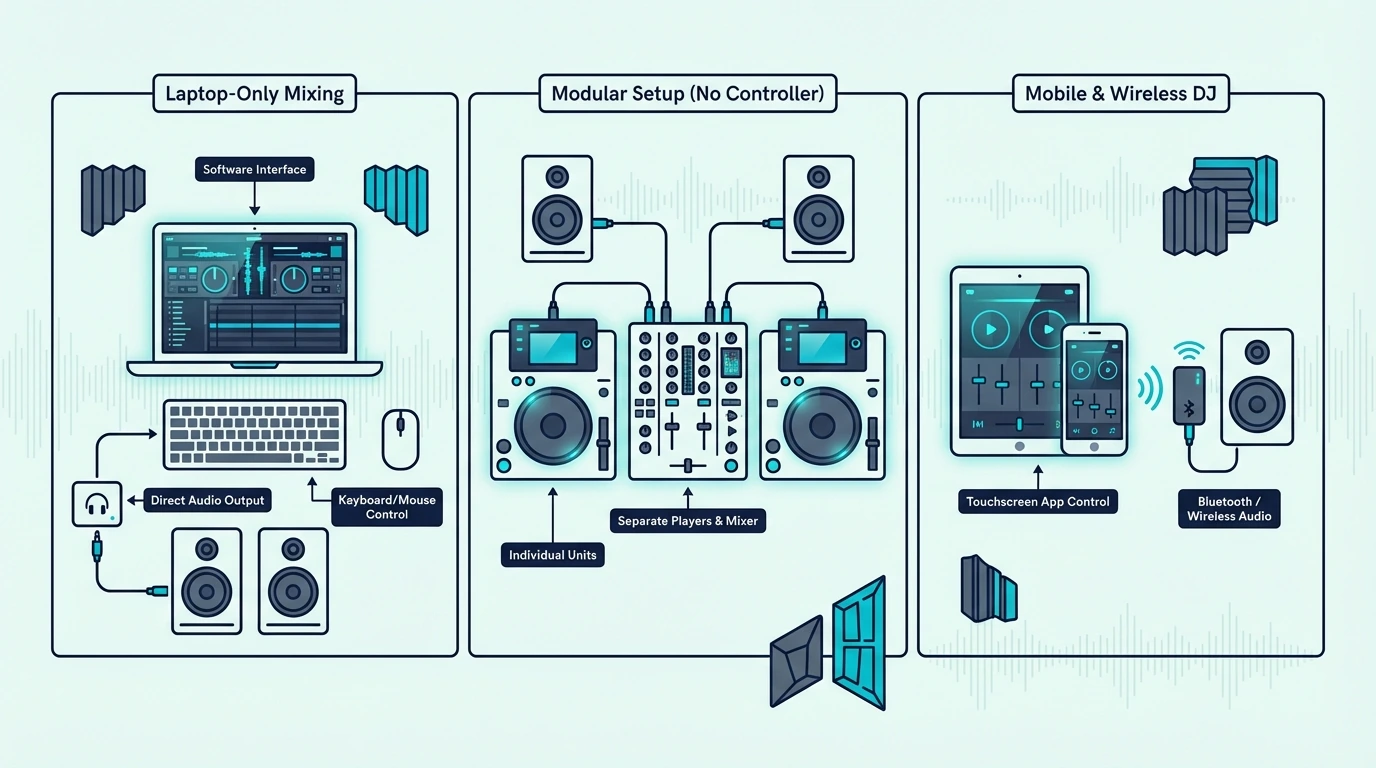
Software-Only Mixing
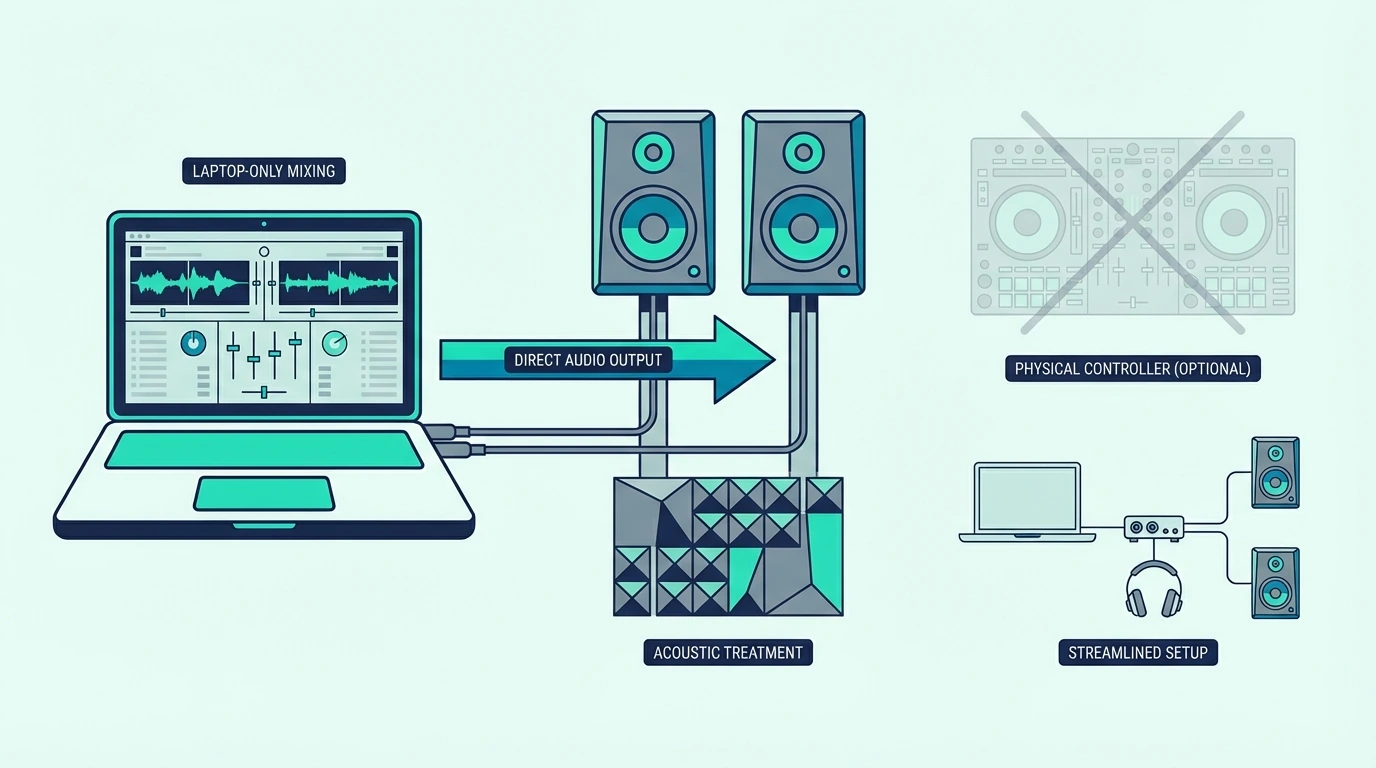
Every major DJ platform supports mouse-and-keyboard operation. Virtual DJ Home (free) gives you two decks, effects, a sampler, and stem separation — all controllable with your trackpad.
You can build a 30-minute mix without touching any hardware.
Rekordbox and Serato DJ Lite also work without a controller for library management, track analysis, and basic playback. The software runs, the tracks play, and the crossfader moves when you click it.
Phone and Tablet Apps
Apps like djay by Algoriddim turn your phone or iPad into a touchscreen DJ setup. Swipe to scratch, tap to trigger hot cues, and drag to crossfade.
The AI-powered automix even handles transitions for you.
For casual playlist blending at house parties, these apps are surprisingly capable. They remove every barrier to getting started — no hardware, no laptop, no cost beyond the app itself.
The Ceiling You Hit
Laptop and phone mixing works until you need to do two things simultaneously: listen to the next track in your headphones while the audience hears the current one. That split monitoring requires a sound card with separate headphone and main outputs — which is exactly what a controller provides.
Without that split, you cannot cue by ear. You are forced to rely on visual waveform matching, which works in a bedroom but falls apart in a loud venue where you cannot hear the speakers clearly enough to judge your mix.
When You Actually Need a Controller
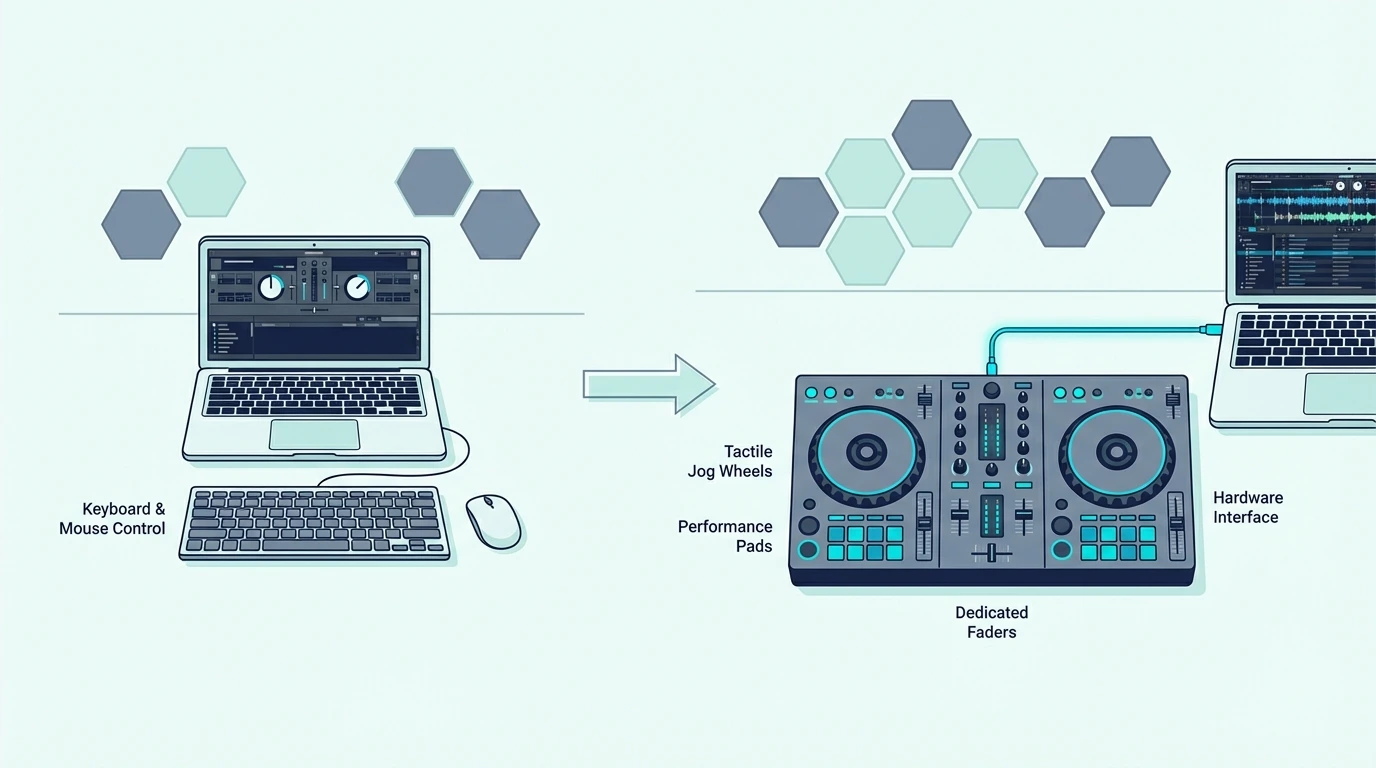
For Headphone Cueing
The single most important reason to buy a controller is the built-in sound card. It lets you preview the next track in your headphones at a different volume and position than what plays through the speakers.
That split monitoring is the foundation of every live DJ performance.
Controllers as cheap as the Numark DJ2GO2 Touch include a sound card that handles headphone cueing. The hardware investment is minimal compared to the skill development it unlocks.
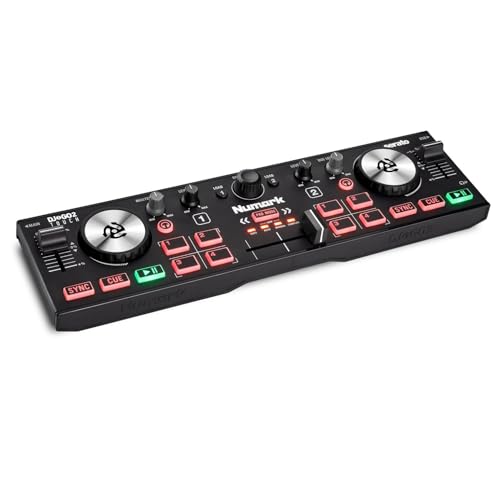
Numark DJ2GO2 Touch
For Muscle Memory
Physical controls develop muscle memory that mouse clicks cannot build. After a few weeks with a real jog wheel, your hands learn where every button sits without looking.
That spatial awareness is what separates a DJ who reacts to the music from one who stares at a screen.
The Pioneer DJ DDJ-FLX4 mirrors the layout of professional CDJ setups, which means the muscle memory you build at home transfers directly to club gear.
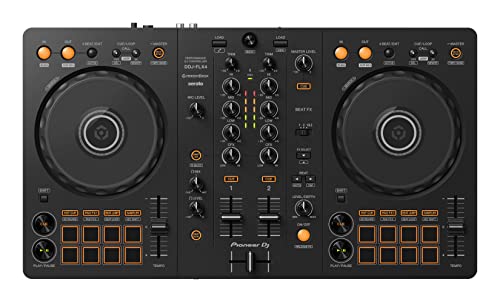
Pioneer DJ DDJ-FLX4
For Live Performance
Any gig — house party, wedding, bar, club — requires reliable audio output and headphone monitoring. A controller provides both through a single USB connection.
Laptop-only setups cannot deliver the split monitoring that live mixing demands.
Even casual DJs who play at friends’ parties benefit from a controller. The physical crossfader, volume controls, and jog wheels let you respond to the room in real time instead of clicking through software menus.
Get Studio Tips Weekly
Join 5,000+ creators getting acoustic treatment advice every week.
No spam. Unsubscribe anytime.When You Can Skip a Controller
Casual Playlist Curators
If your goal is creating playlists and letting them play in sequence with automated transitions, you do not need a controller. Spotify, Apple Music, and even Virtual DJ’s automix feature handle this without any hardware.
The distinction is between DJing (actively mixing and performing) and playlist curation (selecting songs in sequence). Controllers serve the first use case.
Streaming apps serve the second.
If you discover that you enjoy the active mixing process during your software-only experiments, a controller will amplify that enjoyment by giving you physical controls that respond to your instincts rather than forcing you to click through menus.
Music Producers Using Ableton
DJs who perform in Ableton Live use pad-grid controllers (like the Akai APC Mini or Novation Launchpad) instead of traditional DJ controllers. The session view workflow does not need jog wheels or a crossfader — it needs clip-launching pads and faders.
If your “DJing” happens inside a DAW, a traditional DJ controller is the wrong tool. A MIDI pad controller serves the Ableton workflow better.
Testing the Waters
If you are not sure DJing is for you, start with free software (Virtual DJ Home) and your laptop. Mix a few tracks, try beatmatching by waveform, and see if the process excites you.
If it does, buy a budget controller under two hundred and experience the difference that physical hardware makes.
That try-before-you-buy approach prevents the most common beginner mistake: spending hundreds on gear for a hobby that might not stick.
If the free software hooks you, the Pioneer DJ DDJ-FLX2 is the most affordable Pioneer controller that supports both Rekordbox and Serato — giving you a real hardware upgrade path without switching software.
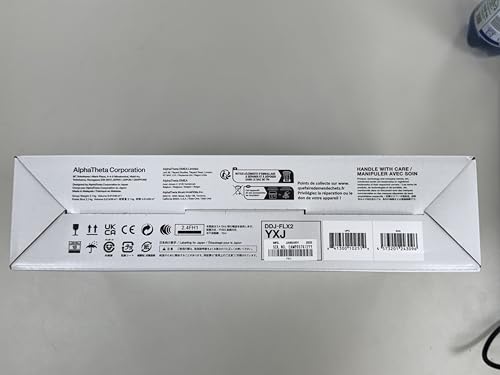
Pioneer DJ DDJ-FLX2
How Much Do You Need to Spend
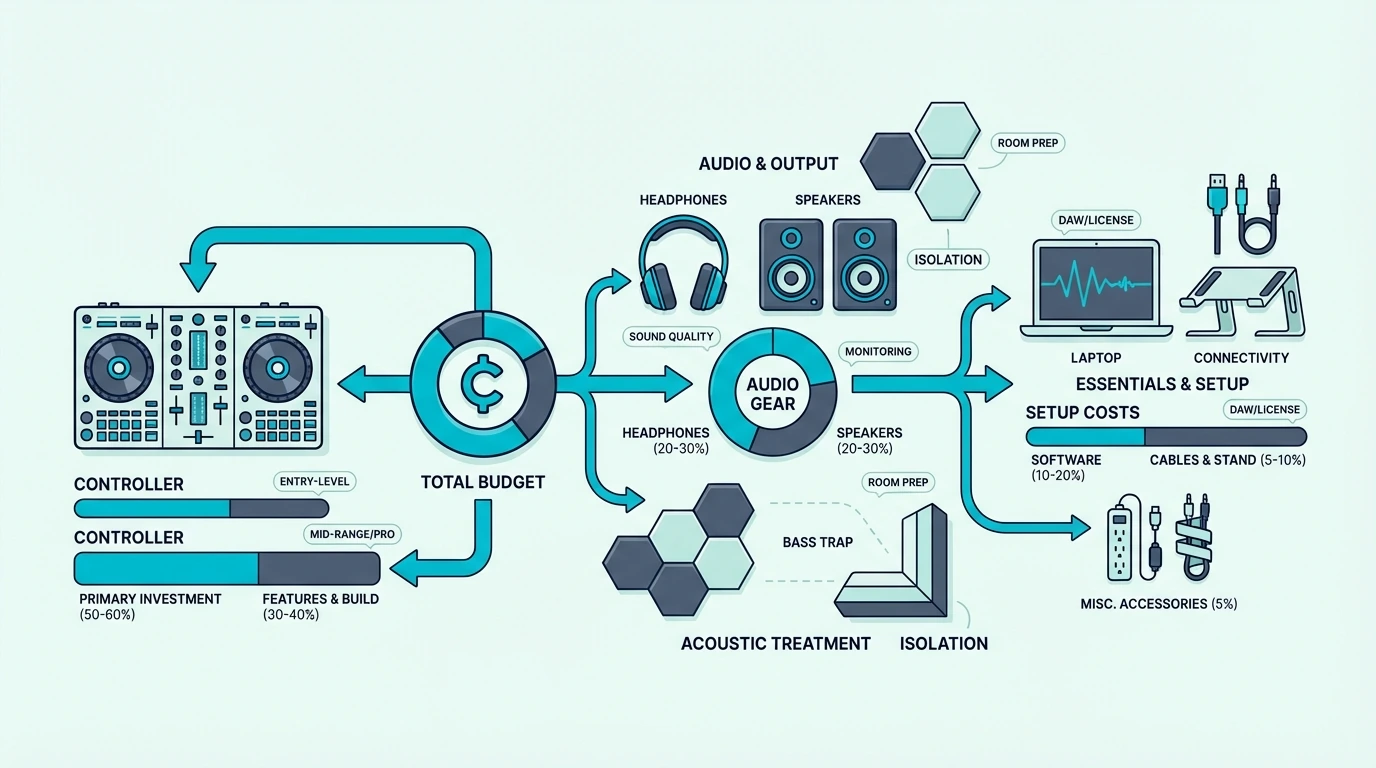
Under 100
The Numark DJ2GO2 Touch and Hercules DJControl Starlight both include built-in sound cards and Serato DJ Lite at prices under 110. These ultra-compact controllers teach every fundamental DJ skill — beatmatching, EQ blending, crossfader technique — without a large investment.
100 to 200
The Hercules DJControl Inpulse 200 MK2 and Pioneer DJ DDJ-FLX2 add larger jog wheels, more performance pads, and multi-software support. This tier is the sweet spot for beginners who plan to practice regularly and want hardware that lasts two or more years.
200 to 350
The Pioneer DJ DDJ-FLX4 and Hercules DJControl Inpulse 500 offer the best balance of features, build quality, and software compatibility. Controllers in this range are used by both beginners and intermediate DJs — you will not outgrow them quickly.
Over 350
Four-channel controllers, scratch-focused units, and standalone systems live above this line. Only buy here if you have specific needs (4-deck mixing, battle-style layout, laptop-free operation) that cheaper controllers cannot address.
The Bottom Line
You do not need a DJ controller to try DJing — free software and a laptop get you started. You need a controller to learn DJing properly, because headphone cueing and physical controls develop skills that laptop-only mixing cannot teach.
The entry cost is lower than most people expect. A controller under a hundred with a built-in sound card teaches every fundamental skill, and the muscle memory you build transfers to any DJ setup you encounter in the future.
Frequently Asked Questions
Can I DJ with just a laptop?
Yes — DJ software supports mouse-and-keyboard mixing. You can load tracks, crossfade, and apply effects without hardware.
The limitation is that you cannot preview tracks in headphones (no split monitoring) and you cannot develop the physical muscle memory that live DJing requires.
What is the cheapest way to start DJing?
Download Virtual DJ Home (free) and mix with your laptop. When you want hardware, the Numark DJ2GO2 Touch at under ninety is the cheapest controller with a built-in sound card and Serato DJ Lite.
Do professional DJs use controllers?
Yes — many professional mobile, wedding, and club-adjacent DJs perform on controllers. The Pioneer DDJ-FLX10 and Rane controllers are professional-grade units used at festivals and residencies.
Club booths typically use CDJs with a standalone mixer, but controllers are equally professional in mobile contexts.
How long before I need to upgrade my first controller?
Most beginners use their first controller for one to two years before feeling genuinely limited. Upgrade when you consistently need four channels, larger jog wheels, or software features your current controller cannot unlock.
The skills you build on any controller — even the cheapest one — transfer directly to every setup you touch in the future. The hardware changes, but the ear training and muscle memory stay with you permanently.