What Is a DJ Mixer? (And Do You Actually Need One)
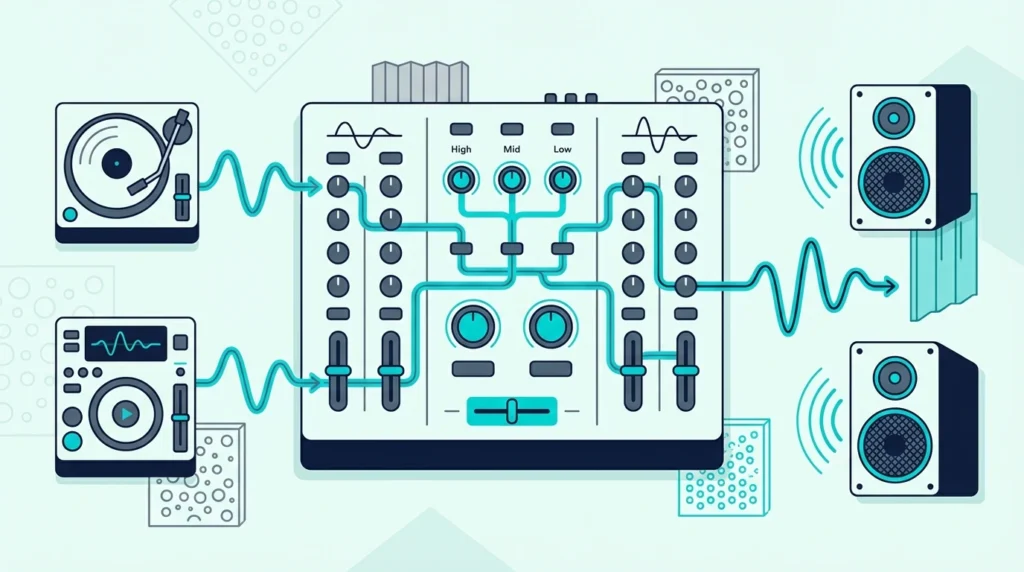
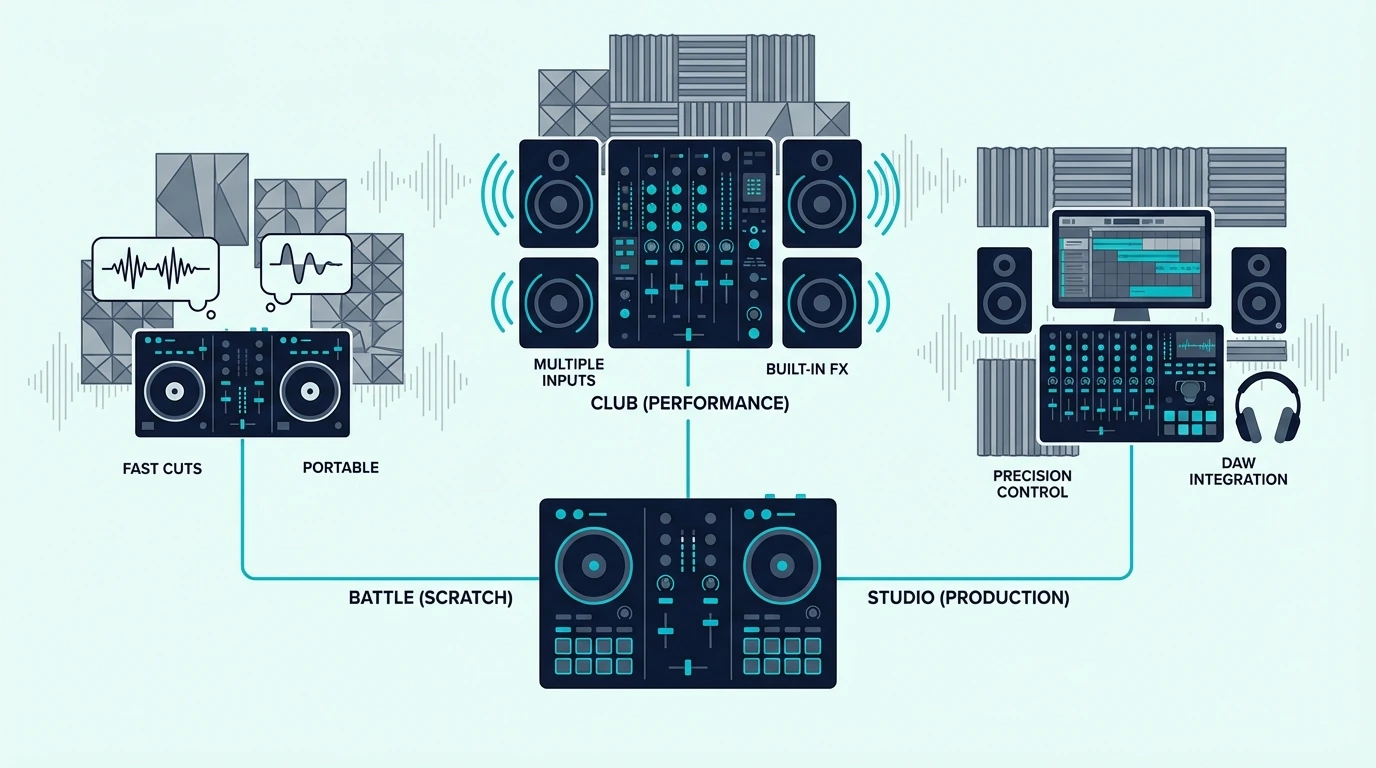
What is a DJ mixer — and why does every DJ setup seem to include one? A DJ mixer is a standalone audio device that takes multiple audio inputs (turntables, CDJs, phones, microphones) and blends them into a single output signal sent to your speakers.
But most beginners searching for a “DJ mixer” actually need a DJ controller with a built-in mixer section instead.
The problem is that these two devices solve different problems, and buying the wrong one wastes money on gear that doesn’t fit your workflow.
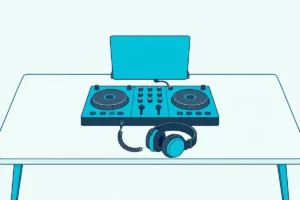
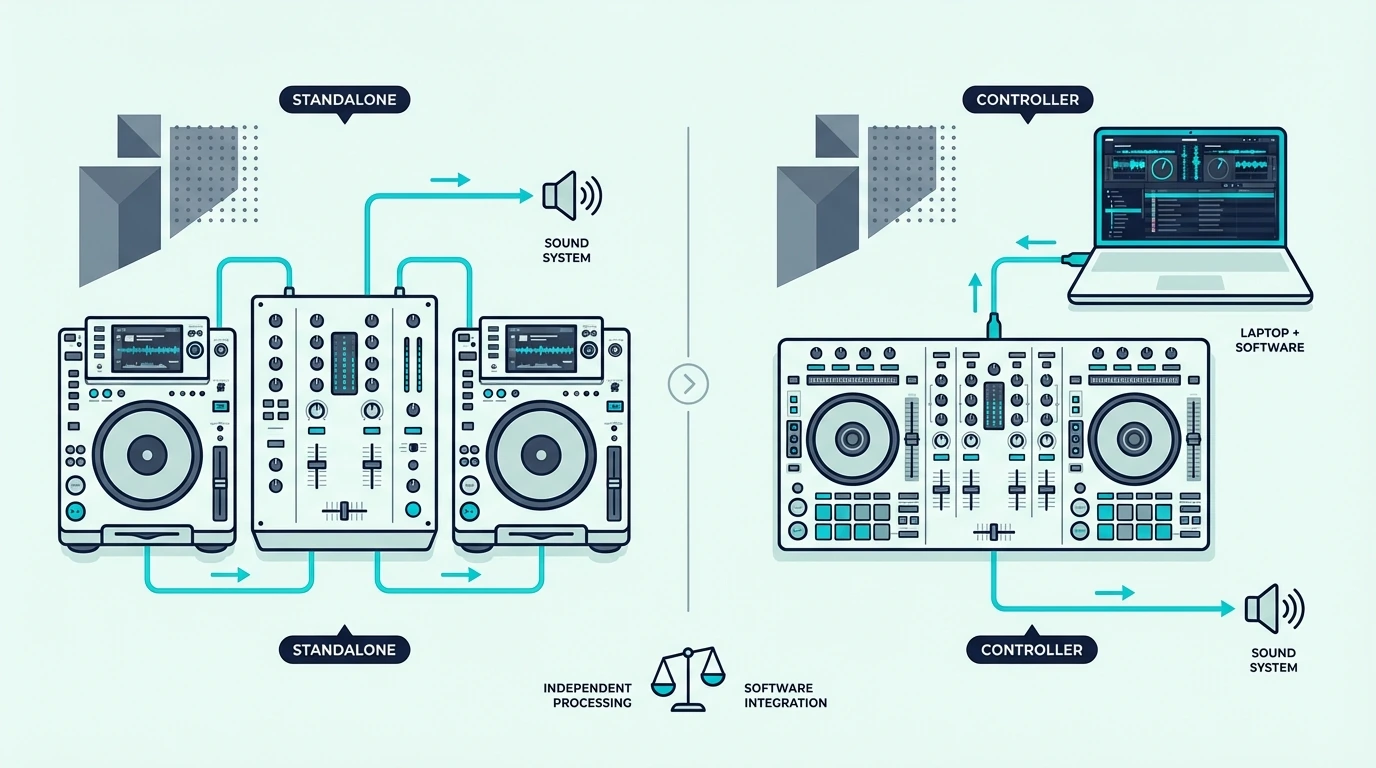
A standalone mixer processes real analog audio signals — it works without a laptop, without software, and without USB connections. A controller-mixer sends digital commands to DJ software on your laptop while its built-in mixer section handles the blending.
The distinction matters because your entire setup architecture depends on which type you choose.
That confusion between standalone mixers and controller-mixers is the root cause of most beginner gear regret in the DJ community. Below, you will find a clear breakdown of what a DJ mixer actually does, when you need one, and when a controller-mixer is the smarter choice.
A DJ mixer is a standalone audio device that blends multiple audio sources (turntables, CDJs) into one output signal. Most beginners should start with a DJ controller that includes a built-in mixer section instead, because it combines the mixer, decks, and sound card into one USB device that works with laptop software.
How a DJ Mixer Works
The Signal Chain
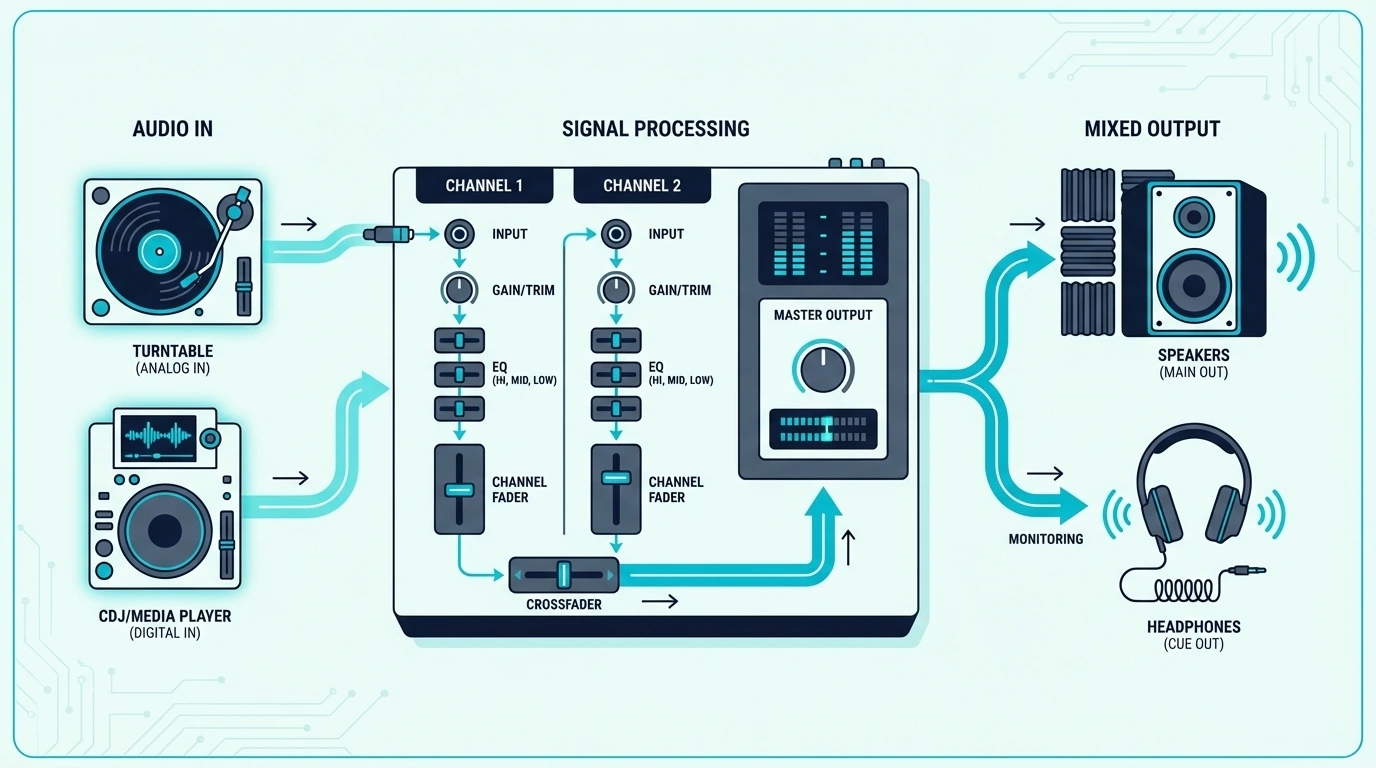
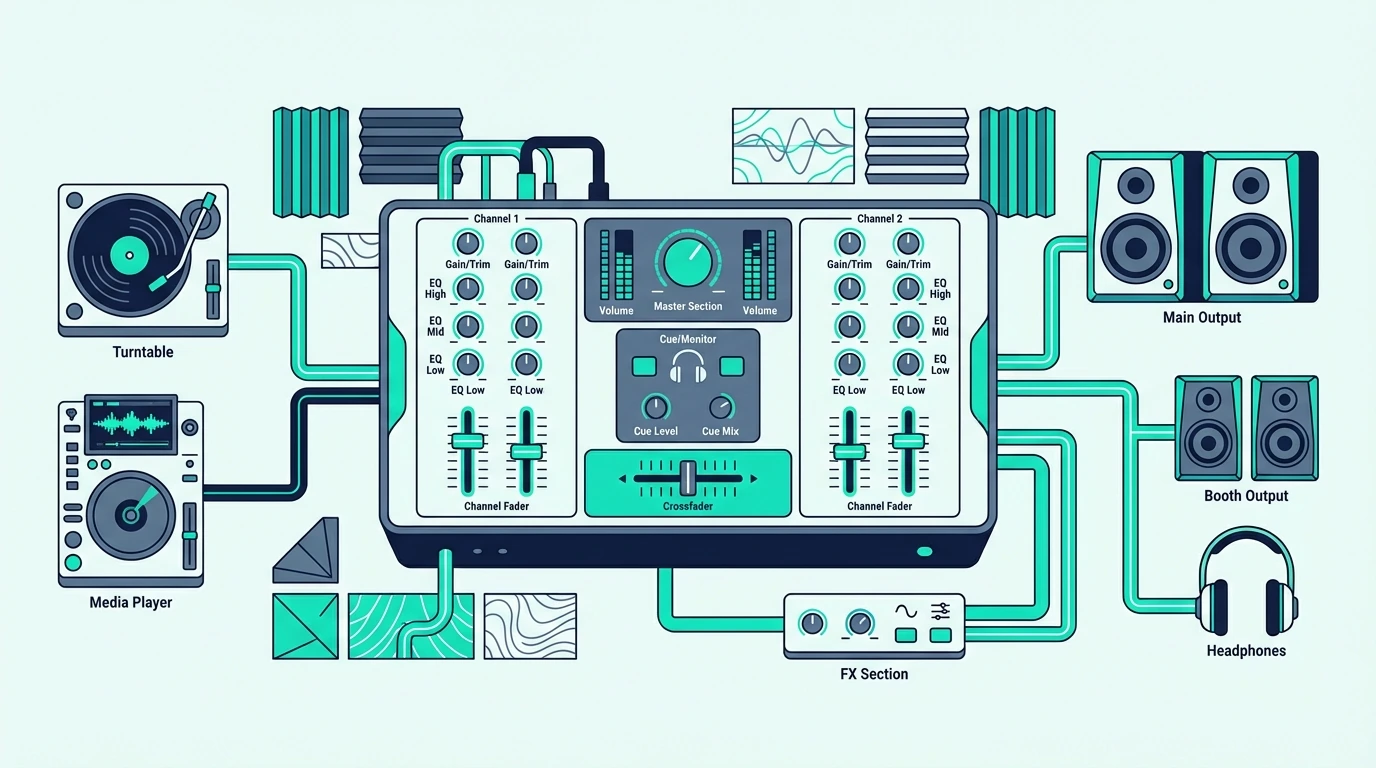
A standalone DJ mixer sits between your audio sources and your speakers. Turntables or CDJs plug into the mixer’s input channels.
Each channel has its own volume fader, 3-band EQ (high, mid, low), and sometimes a dedicated filter knob.
The crossfader in the center blends between channels. Slide it left, and Channel A plays.
Slide it right, and Channel B takes over. The mixed signal exits through the main output to your speakers or amplifier.
What Each Control Does
The volume faders set the level for each channel independently. The 3-band EQ lets you cut or boost specific frequency ranges — cutting the bass on the incoming track while boosting it on the outgoing track is the foundation of smooth EQ mixing.
The crossfader handles quick cuts and blends between channels. Scratch DJs use a sharp crossfader curve for rapid open-close patterns.
Blend DJs use a smooth curve for gradual transitions.
Headphone Cueing
Every DJ mixer includes a headphone section with a cue/master blend knob. This lets you preview the next track in your headphones while the audience hears the current mix through the speakers.
That split monitoring — hearing something different in your headphones than what plays through the speakers — is what makes live DJ mixing possible. Without it, you cannot prepare and align the next track before the audience hears it.
Standalone Mixer vs Controller-Mixer
When You Need a Standalone Mixer
A standalone mixer is essential if you use turntables or CDJs as your audio sources. Two turntables plus a mixer is the classic DJ setup that has powered clubs since the 1970s.
Standalone mixers also make sense in multi-DJ environments where different DJs bring their own gear and plug into a house mixer. Clubs install a mixer permanently, and visiting DJs connect their own media players to it.
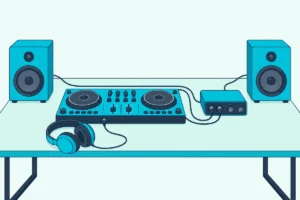
A laptop DJ can plug into a house mixer too, and plugging a controller into a club mixer shows how it’s done.
When a Controller-Mixer Is Better
If you DJ with a laptop and software, a controller with a built-in mixer section replaces the standalone mixer entirely. One USB device gives you two decks, a mixer, a sound card, and software control — everything a standalone mixer plus turntables would provide, at a fraction of the cost.
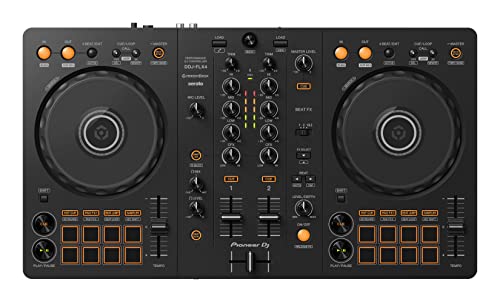
The Pioneer DJ DDJ-FLX4 is the most popular controller-mixer because it supports both Rekordbox and Serato with a full mixer section including 3-band EQ, crossfader, and dedicated filter knob.
Pioneer DJ DDJ-FLX4
The Cost Difference
A pair of entry-level turntables plus a standalone mixer runs several times the cost of a single controller-mixer. The controller eliminates the turntables, the mixer, and the separate sound card — replacing all three with one USB device.
For beginners, the controller path is almost always more cost-effective. The standalone path only makes sense if you already own turntables or plan to spin vinyl as your primary format.
Get Studio Tips Weekly
Join 5,000+ creators getting acoustic treatment advice every week.
No spam. Unsubscribe anytime.Key Features of a DJ Mixer
Channels
A 2-channel mixer handles two audio sources — the minimum for DJ mixing. A 4-channel mixer handles four sources, which lets you layer samples, run acapellas, or mix between four tracks simultaneously.
Most home and mobile DJs use 2-channel setups. Club installations typically run 4-channel mixers to accommodate multiple media players and microphones.
EQ Section
The 3-band EQ (high, mid, low) on each channel is the most important creative tool on any mixer. Cutting the bass on Track A while bringing in the bass from Track B creates smooth transitions that the audience feels rather than hears.
Some mixers add a 4-band EQ with a separate low-mid control. Others include isolator-style EQ that can completely kill a frequency band rather than just reducing it.
Effects
Modern standalone mixers include built-in effects (reverb, delay, echo, flanger) that process the audio signal without any software. Pioneer’s DJM series features Beat FX that sync effects to the track’s tempo automatically.
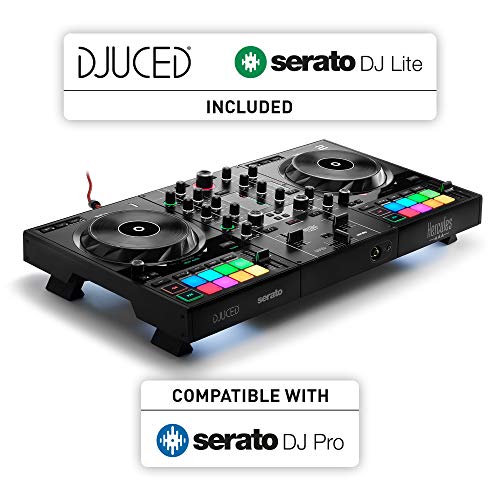
Controller-mixers handle effects inside the software instead. The Hercules DJControl Inpulse 500 triggers software effects through dedicated hardware buttons — a hybrid approach that gives you physical control over digital processing.
Hercules DJControl Inpulse 500
Send/Return
Professional mixers include send/return loops that route audio through external effects processors. This lets you add hardware reverb units, analog delays, or custom effects chains to your mix.
Consumer and entry-level mixers skip send/return to reduce cost and complexity. For most DJs, the built-in effects or software effects cover every creative need without the added signal routing.
The distinction between hardware effects (on standalone mixers) and software effects (on controller-mixers) is mostly academic at the beginner level. Both produce the same audible result — the difference is where the processing happens.
Popular DJ Mixer Brands
Pioneer DJ (DJM Series)
Pioneer’s DJM mixers are the industry standard in clubs worldwide. The DJM-900NXS2 sits in nearly every professional DJ booth.
If you plan to DJ at clubs, practicing on Pioneer gear — or at least on Rekordbox-compatible controllers — prepares you for that specific hardware.
The DJM line ranges from the entry-level DJM-250MK2 to the flagship DJM-V10. All feature Pioneer’s Beat FX engine and tight Rekordbox integration.
Allen and Heath (Xone Series)
Allen and Heath’s Xone mixers are the choice of techno, house, and underground DJs who prioritize analog sound quality over digital effects. The Xone:92 and Xone:96 deliver warm, musical EQ curves that many DJs prefer over Pioneer’s more clinical sound.
Xone mixers pair with any turntable or CDJ setup. They do not integrate with specific DJ software — they are pure audio devices.
Budget Options
The Pioneer DJ DDJ-FLX2 gives you a full mixer section with Rekordbox and Serato support at the lowest Pioneer price point. For beginners who want to learn mixer fundamentals without the cost of a standalone unit, controller-mixers in the under-200 range cover every essential technique.
Pioneer DJ DDJ-FLX2
The Bottom Line
A DJ mixer is a standalone audio device that blends multiple audio sources into one output. For DJs using turntables or CDJs, a standalone mixer is essential.
For everyone else, a controller with a built-in mixer section delivers the same mixing functionality at a lower total cost with less gear to manage.
The mixer — whether standalone or built into a controller — is where the creative work happens. Every EQ cut, crossfader move, and filter sweep passes through it, which makes understanding mixer fundamentals the single most valuable skill any DJ can develop.
Frequently Asked Questions
What is the difference between a DJ mixer and a DJ controller?
A DJ mixer is a standalone audio device that blends physical audio inputs (turntables, CDJs). A DJ controller is a MIDI device that controls DJ software on a laptop, with a built-in mixer section that handles the blending digitally.
Controllers include decks and a mixer in one unit; standalone mixers need separate audio sources.
Do I need a DJ mixer if I have a controller?
No — most DJ controllers include a built-in mixer section with crossfader, volume faders, and EQ knobs. A separate standalone mixer is only needed if you use turntables or CDJs as your audio sources.
How much does a DJ mixer cost?
Entry-level standalone mixers start around two to three hundred. Professional club mixers like the Pioneer DJM-900NXS2 cost over two thousand.
Controller-mixers that include a mixer section start under a hundred, making them the most affordable path to learning mixer fundamentals.
Can I use a DJ mixer without turntables?
A standalone mixer needs audio sources plugged into its inputs — turntables, CDJs, media players, or phones. Without audio sources, a standalone mixer has nothing to mix.
If you want to mix without turntables, a controller-mixer that works with laptop software is the right choice.