How to Mix Music DJ Style — A Step-by-Step Guide for Complete Beginners
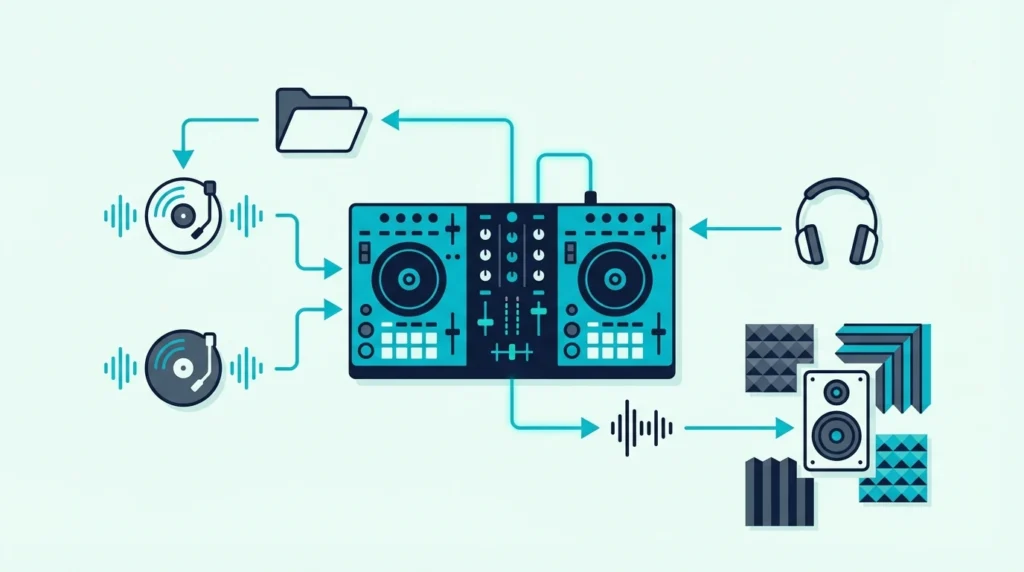
How to mix music DJ style sounds intimidating — but the core technique is simpler than most beginners expect. You play one track through the speakers, preview a second track in your headphones, match the tempos, align the beats, and blend the second track in while the first fades out.
That four-step sequence is the foundation of every DJ mix ever performed.
The problem is that most tutorials skip the ear-training step and jump straight to visual waveform matching. You end up watching your laptop screen instead of listening to the music, which creates a dependency that collapses the moment you play on unfamiliar gear without a visual display.
That visual crutch is caused by how DJ software presents information — colorful waveforms make it easy to align beats by eye, which feels faster than training your ears. But ear-based mixing produces smoother transitions and develops the instinct you need to read a crowd and react to the room.
Below, you will find a step-by-step mixing guide that teaches you to mix by ear first, with waveforms as a backup — so you build real skills that transfer to any DJ setup, any venue, and any software platform.
To DJ mix, you need a controller with a sound card (for headphone cueing), DJ software (Rekordbox, Serato, or Virtual DJ), and two tracks with similar tempos. Load Track A on Deck 1 and play it. Preview Track B in your headphones on Deck 2. Match the tempo using the pitch fader. Align the beats by ear. Blend Track B in using the crossfader or volume fader while cutting Track A’s bass.
What You Need to Start Mixing
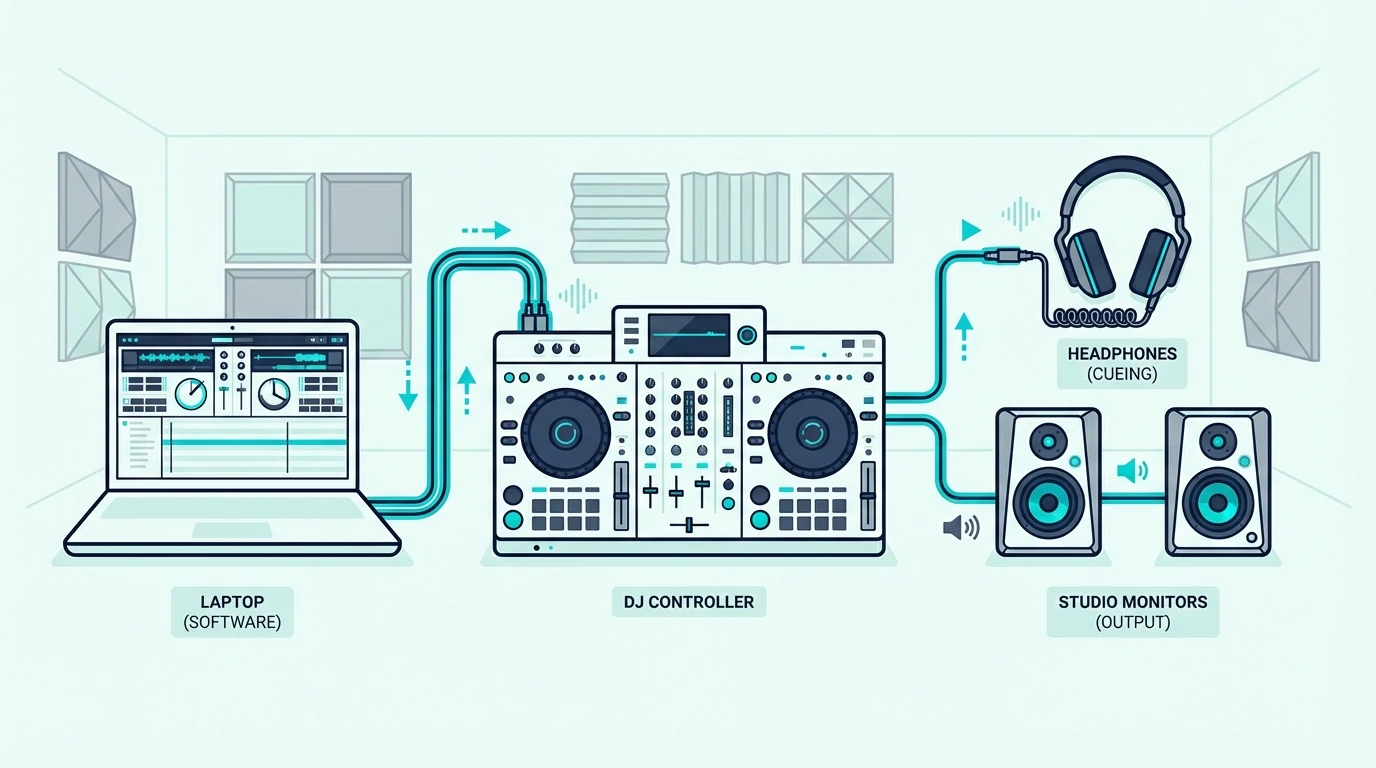
Hardware
A DJ controller with a built-in sound card is the minimum requirement. The sound card lets you hear Track B in your headphones while Track A plays through the speakers — that split monitoring is what makes live mixing possible.
The Pioneer DJ DDJ-FLX4 works with both Rekordbox and Serato DJ Lite, and Pioneer DJ says its built-in sound card connects straight to your speakers or amplifier through a single RCA cable, with a headphone output on the controller for cueing (Pioneer DJ).
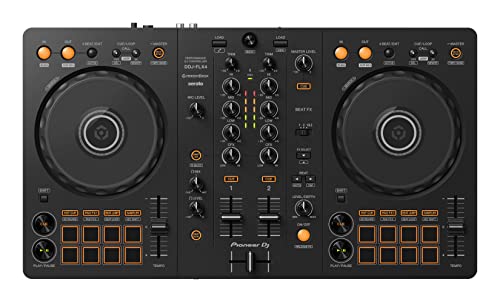
Pioneer DJ DDJ-FLX4
Software
Rekordbox, Serato DJ Lite, and VirtualDJ all support the mixing workflow described in this guide. The software analyzes your tracks, detects BPM (beats per minute), and displays waveforms — but you should learn to mix by ear before relying on these visual aids.
The same steps work from a mouse and keyboard, and our page on mixing from a laptop alone lists which programs allow it.
Your controller determines which software you use. Pioneer bundles Rekordbox.
Numark includes Serato DJ Lite with controllers such as the Party Mix and Mixtrack Go, and Hercules ships both DJUCED and Serato DJ Lite. Virtual DJ works with most controllers through native or MIDI mapping.
Headphones
Any over-ear headphones with decent isolation work for mixing practice. You do not need DJ-specific headphones to start — but they should cover your ears fully so you can hear Track B clearly while Track A plays through your speakers at room volume.
No speakers yet? Practicing DJing with just headphones works too, with the cue/master blend knob doing the switching.
Step 1 — Load and Play Track A
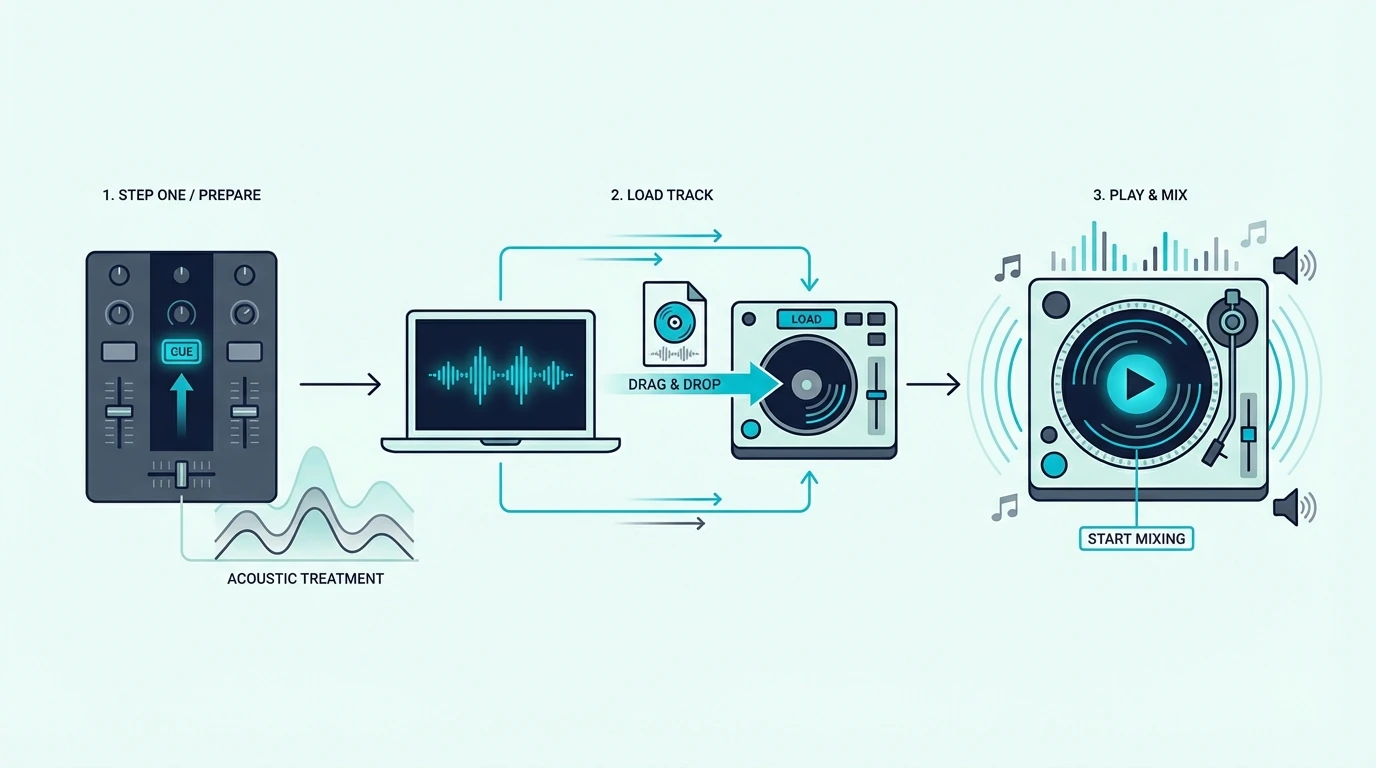
Choose Your First Track
Pick a track with a clear, steady beat — house, techno, pop, or hip-hop with a consistent 4/4 rhythm. Avoid tracks with tempo changes, long ambient intros, or irregular beat patterns until you master the basics.
Load the track onto Deck 1 in your DJ software. The waveform appears on screen showing the beat structure visually.
Set It Playing
Press play on Deck 1. The track plays through your main speakers.
This is what your audience hears — it stays playing until you blend in the next track.
Adjust the main volume so the track plays at a comfortable listening level. You will match Track B to this level in your headphones.
Step 2 — Cue Track B in Headphones
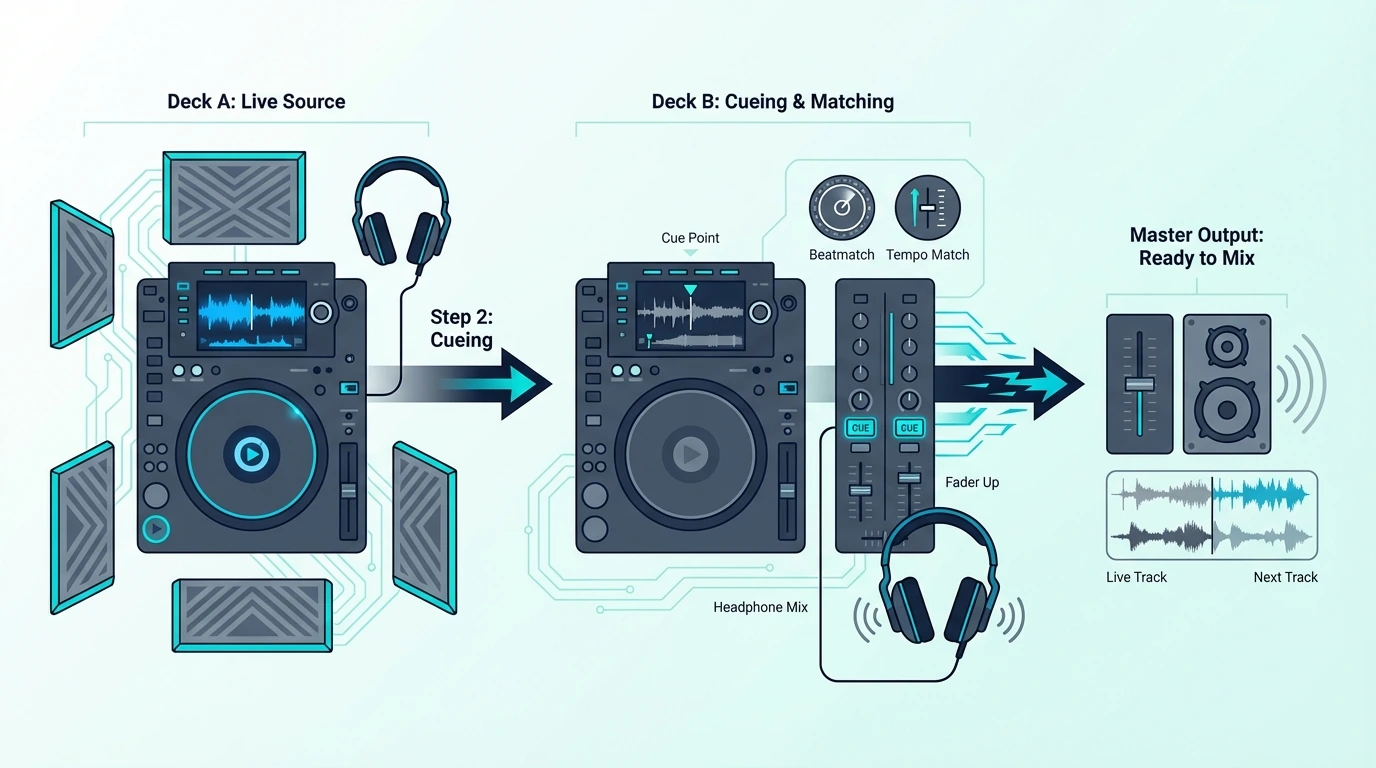
Load the Second Track
Load a second track onto Deck 2. Choose something with a similar BPM — within 5 BPM of Track A for your first attempts.
The software displays the BPM of both tracks, making tempo matching easier.
Preview in Headphones
Press the cue button for Deck 2 on your controller. Track B now plays in your headphones while Track A continues through the speakers.
You hear both — Track A faintly through the room, Track B clearly in your headphones.
Use the cue/master blend knob on your controller to adjust the balance between what you hear in headphones (Track B) and what plays through speakers (Track A). Start with 100 percent cue so you hear only Track B in your headphones.
On a standalone mixer the same job falls to the CUE buttons and the headphone mixing knob, and this control-by-control mixer guide shows where each one sits.
Step 3 — Match the Tempo
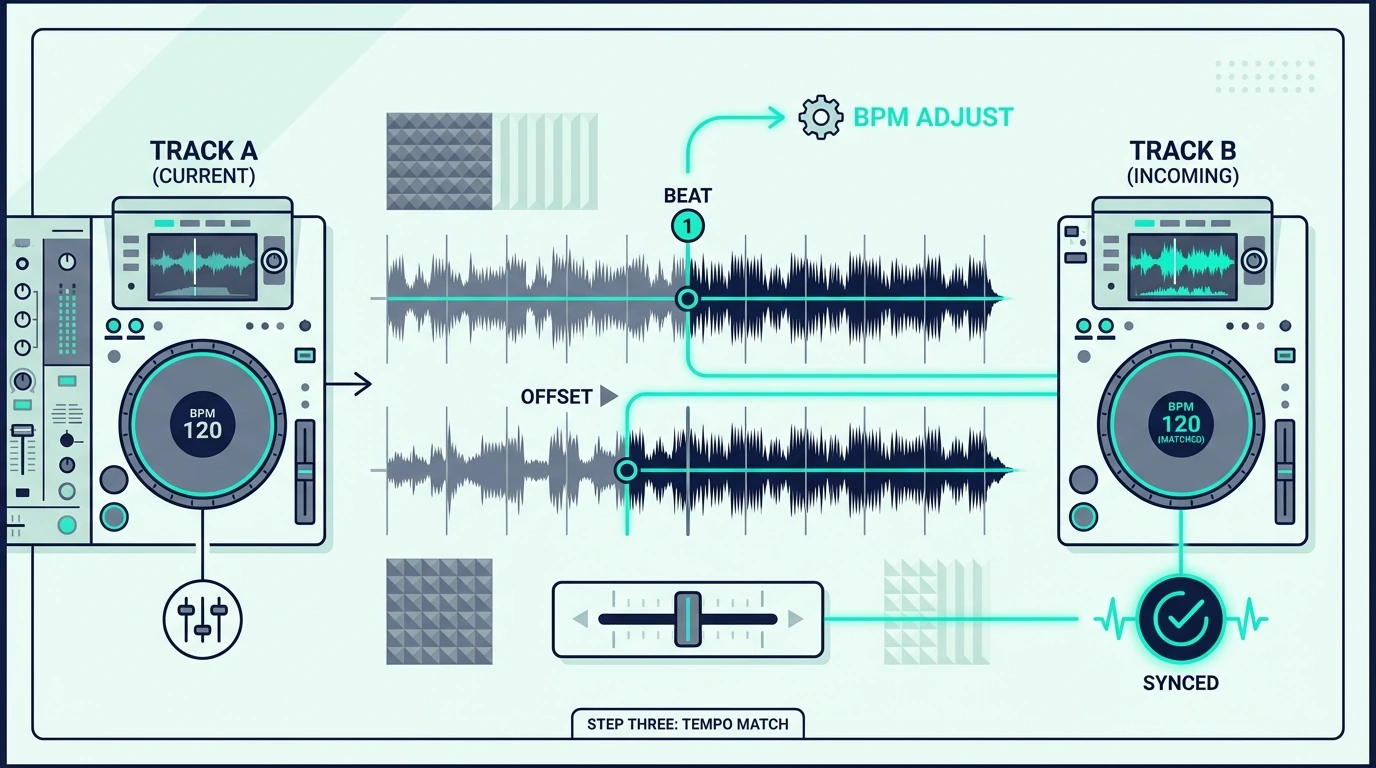
Use the Pitch Fader
The pitch fader on Deck 2 adjusts the track’s playback speed. If Track B is slower than Track A, push the pitch fader up to speed it.
If Track B is faster, pull the pitch fader down to slow it.
The goal is matching Track B’s tempo exactly to Track A’s tempo. When both tracks play at the same BPM, the beats align naturally.
Listen for the Drift
Even with matched BPMs, the beats may drift out of alignment over time. You hear this as a “flamming” sound — two kick drums hitting slightly apart instead of together.
That flam tells you the tracks are close but not locked.
Nudge the jog wheel on Deck 2 forward (to push the beat earlier) or backward (to pull it later) until the flam disappears and both kicks land as one. The Hercules DJControl Inpulse 500 makes this step easier with its Beatmatch Guides: Hercules puts a light guide beside each tempo fader and another under each jog wheel to help you match the tracks by hand (Hercules).
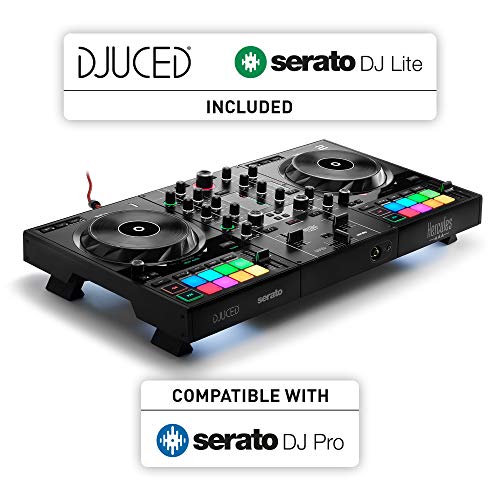
Hercules DJControl Inpulse 500
Step 4 — Blend the Tracks Together
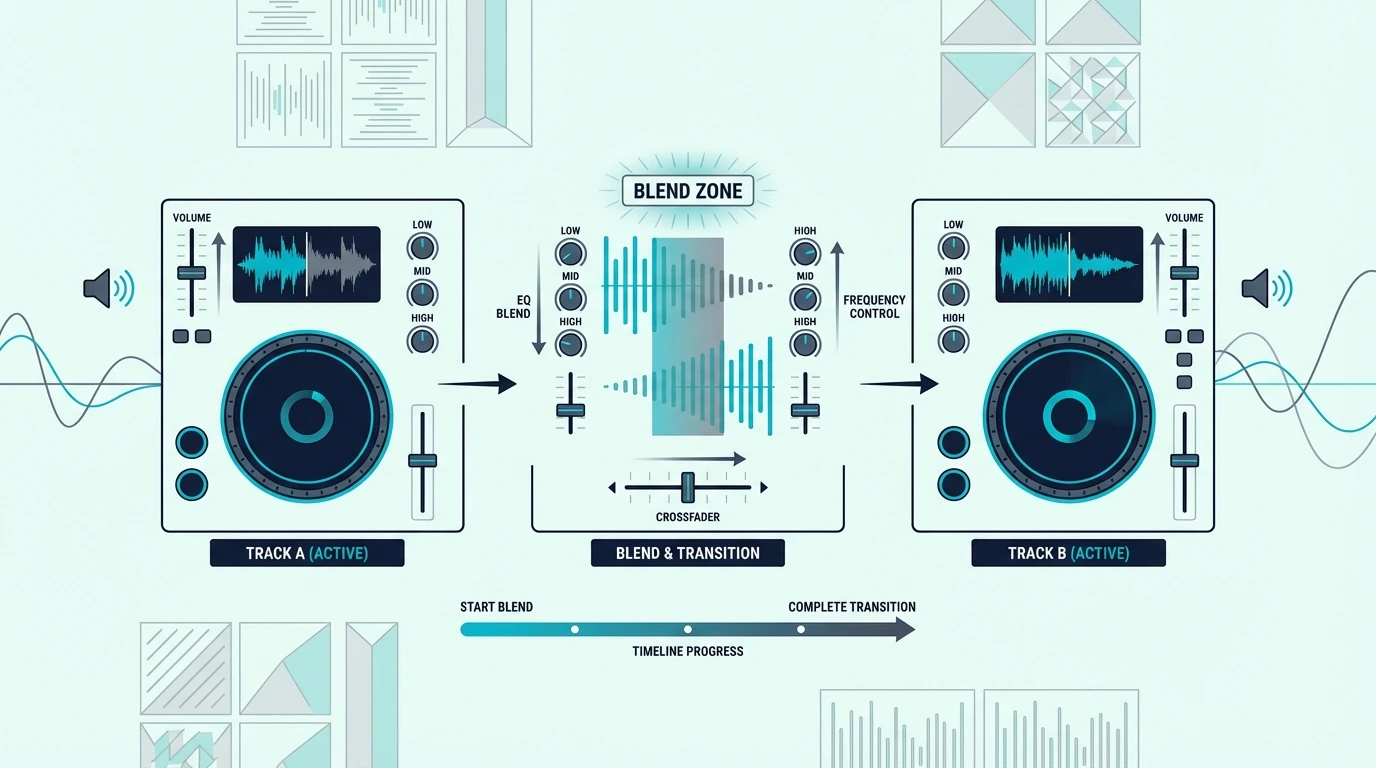
The EQ Mixing Technique
Once the beats are aligned, bring Track B into the mix gradually. The cleanest method is EQ mixing: cut the bass (low EQ) on Track B completely, then slowly bring up Track B’s volume fader while simultaneously cutting Track A’s bass.
That bass swap prevents two kick drums from competing for the same frequency space — which would sound muddy and boomy. One track’s bass exits as the other’s enters, creating a smooth handoff that the audience feels rather than hears.
The Crossfader Method
Alternatively, use the crossfader to blend. Start with the crossfader fully on Track A’s side.
Slowly move it toward the center (both tracks play equally) and then fully to Track B’s side (Track A fades out completely).
The crossfader method is simpler but less nuanced than EQ mixing. Most beginner DJs start with the crossfader and graduate to EQ mixing as their ears develop.
For scratch DJs, the crossfader serves a completely different purpose — rapid open-close patterns that create rhythmic effects.
Timing the Transition
Start your blend at a musically logical point — the beginning of a new 8-bar or 16-bar phrase.
Starting your transition at a phrase boundary makes the blend feel intentional and musical.
Counting phrases becomes automatic after a few weeks of practice. Listen for the moments when the track’s energy shifts — that is where transitions sound most natural.
Common Mixing Mistakes
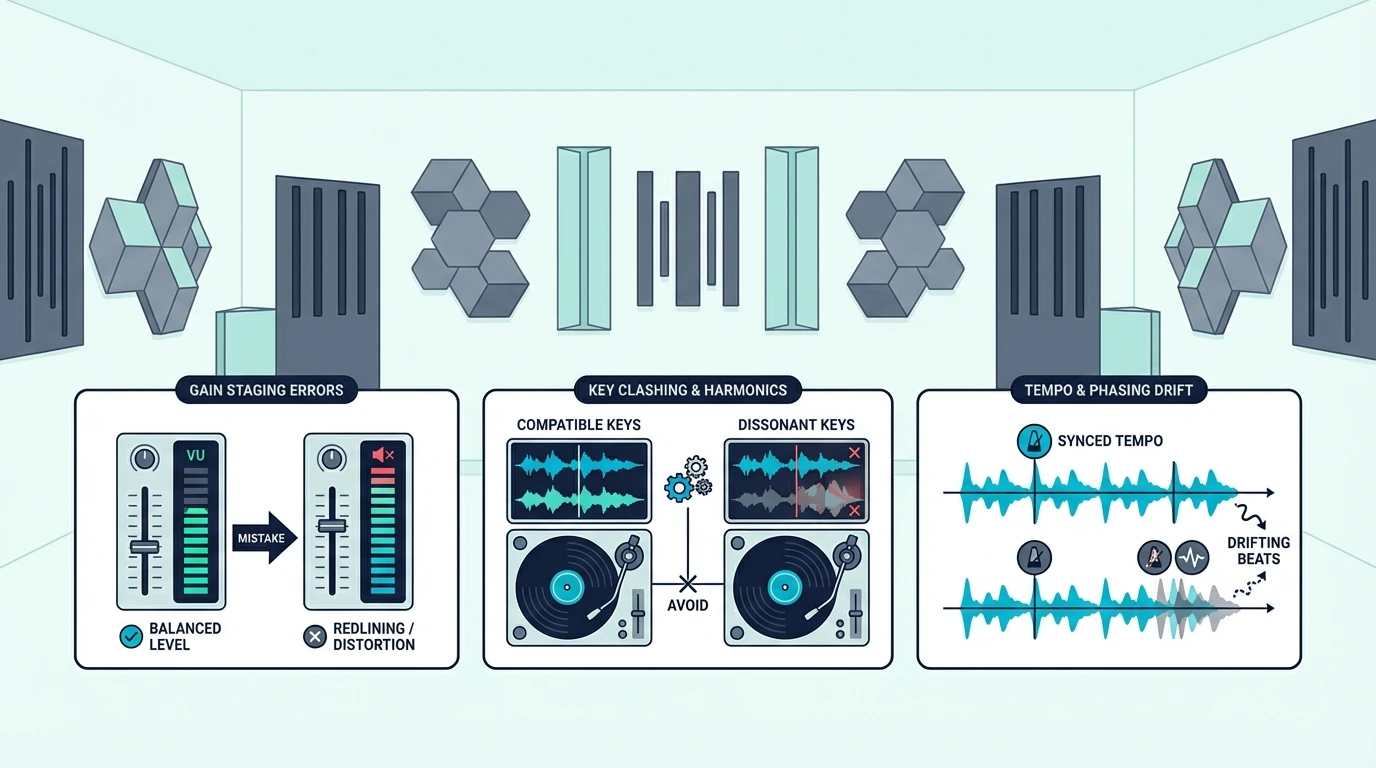
Mixing Mismatched Tempos
Blending a 128 BPM house track into a 90 BPM hip-hop track sounds terrible because the beat patterns conflict. Stay within 5 BPM for your first transitions, and expand the range as your pitch-matching improves.
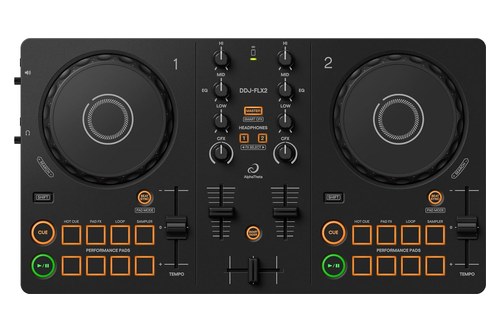
The Pioneer DJ DDJ-FLX2 displays BPM for both decks on screen, making tempo matching straightforward even for complete beginners.
Transitioning Too Fast
Rushing the blend is the most common beginner mistake. A smooth transition takes 16 to 32 bars — roughly 30 to 60 seconds at 128 BPM.
Cutting from one track to another in 4 bars sounds abrupt and jolting.
Give the audience time to hear both tracks coexist before fully committing to Track B. That overlap period is where the magic of DJ mixing lives.
Ignoring Key Compatibility
Tracks in clashing musical keys sound dissonant when layered together. DJ software displays the key of each track — match tracks with the same or compatible keys for harmonically pleasing transitions.
Key matching is not mandatory for beginners, but it separates good transitions from great ones. Start by matching tempos, then add key awareness as your library knowledge grows.
The Bottom Line
DJ mixing is a four-step process: load, cue, match, blend. Master those four steps with two tracks, and every mixing technique you learn from that point forward builds on the same foundation.
Once two-track blends feel steady, the next step is a whole set, and our walkthrough on how to make your first DJ mix covers choosing, ordering and recording one.
Practice 15 minutes per day with your controller and headphones. Within two weeks, you will match tempos by ear.
Within a month, your transitions will sound clean enough to play at a house party. Within three months, you will start developing your own mixing style.
Frequently Asked Questions
How long does it take to learn DJ mixing?
Most beginners can beatmatch two tracks manually within two to four weeks of daily 15-minute practice. Clean EQ transitions take one to two months.
Developing a personal mixing style and reading a crowd takes six months to a year.
Do I need to learn to beatmatch manually?
Manual beatmatching trains your ears to hear tempo differences — a skill that transfers to every DJ setup and situation. The sync button handles tempo matching automatically, but relying on it creates a dependency that fails on unfamiliar gear.
What genre is easiest to learn mixing with?
House music (around 124-128 BPM) and techno (128-135 BPM) are the easiest genres to start with because they have consistent 4/4 beats, predictable phrase structures, and minimal tempo variation within tracks.
Can I learn to DJ mix without a controller?
You can practice basic mixing with mouse-and-keyboard using free software like VirtualDJ’s free version. The limitation is that you cannot cue by ear without a sound card — which means you will rely on visual waveform matching instead of developing real listening skills.