What Is A MIDI Controller? Here Is What Actually Matters
What is a MIDI controller? It is any device that sends performance data to software or hardware, but the term sounds simpler than the category really is.
That confusion starts because people use “MIDI controller” as if it means keyboard, even though the same label also covers pads, knobs, foot switches, and other control surfaces. Beginners then buy the wrong form factor for their workflow and end up with gear that technically works but feels wrong on the desk.
The good news is that the category gets much easier once you separate the protocol from the hardware shapes and the setup choices.
Start with what MIDI itself is, then the controller families it creates, then how those controllers connect to a real rig, and finally how to choose the right one for the way you write music.
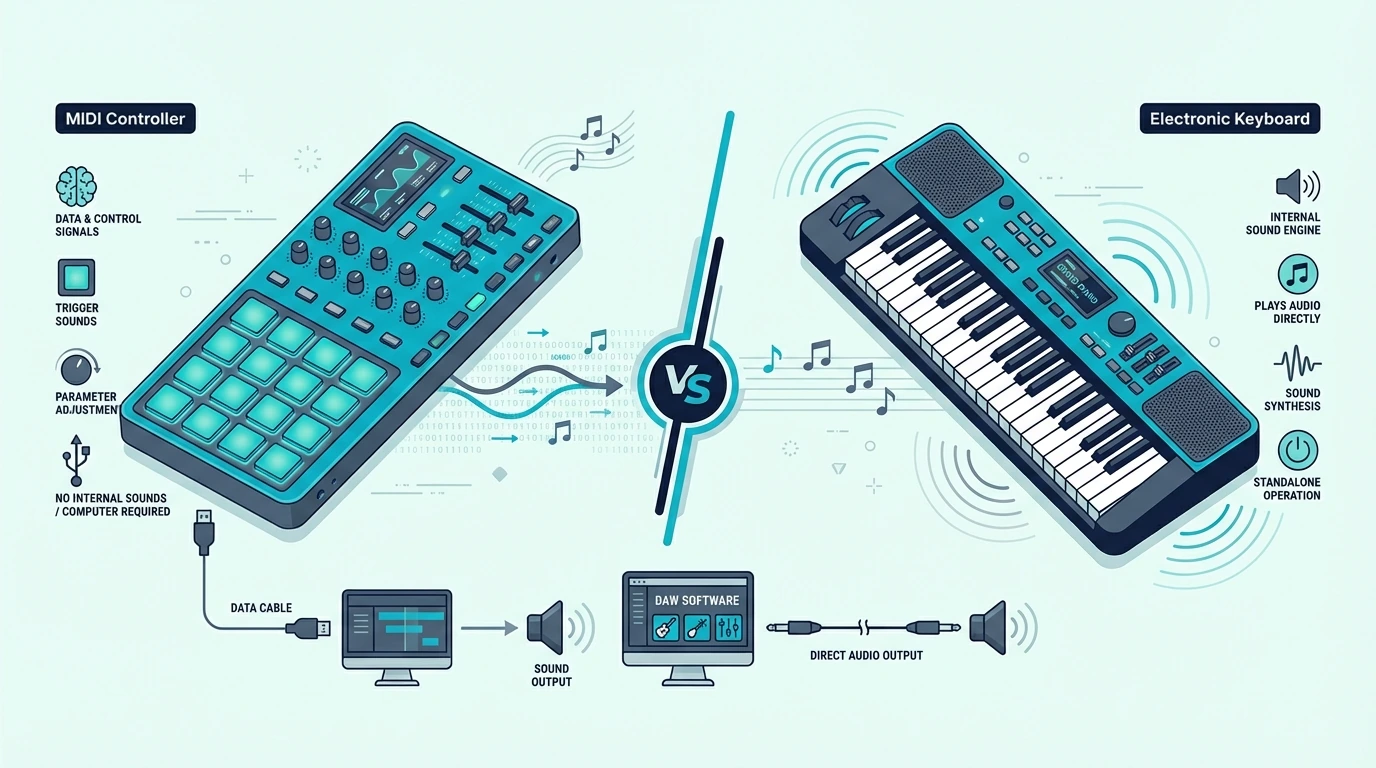
A MIDI controller is any hardware device that sends Musical Instrument Digital Interface data to software or other hardware. The category includes keyboard controllers, pad controllers, knob/fader units, foot controllers, and wind controllers. None of them produce sound on their own — they all depend on a connected DAW, sound module, or app to generate audio. Choose the type that matches your primary input method: keys for melodies, pads for beats, knobs for mixing, or foot switches for hands-free control.
MIDI Is The Shared Language Behind Every Controller Type
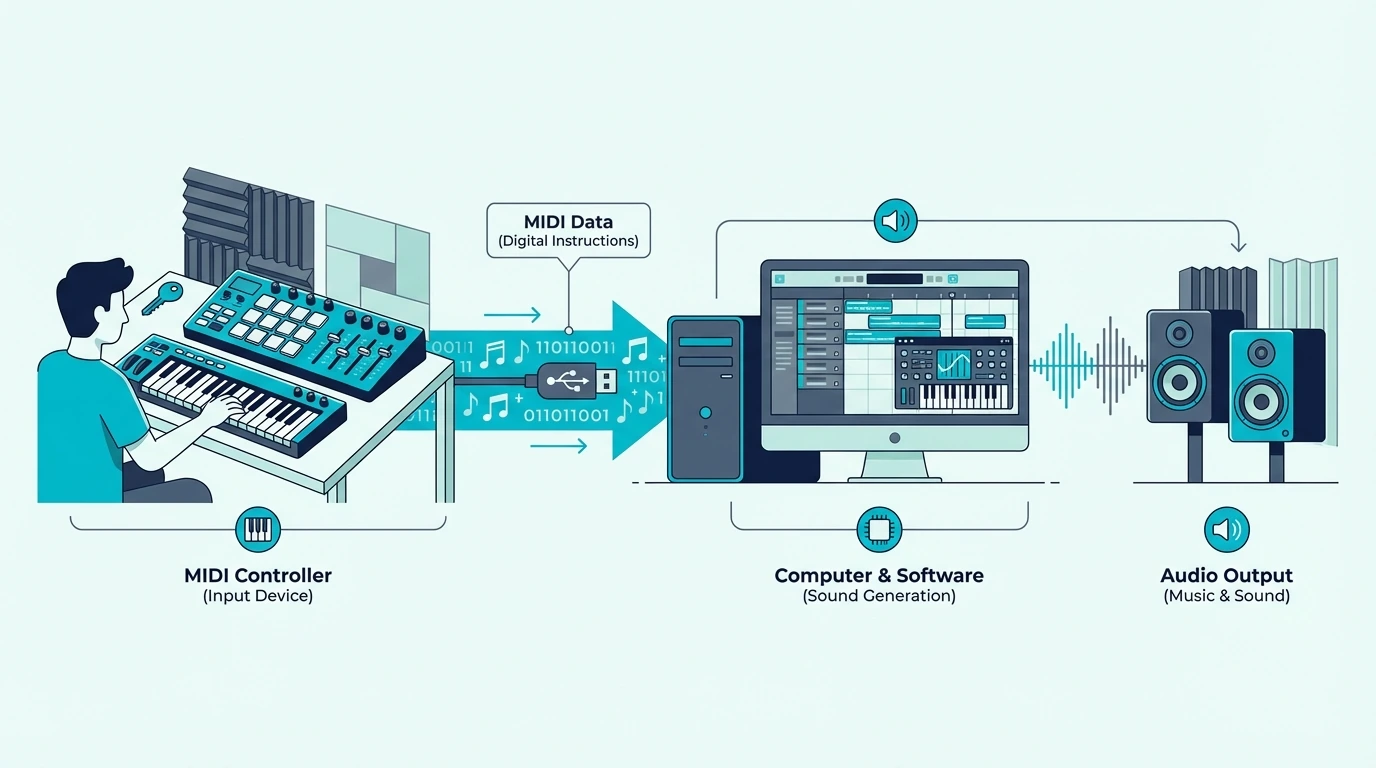
MIDI stands for Musical Instrument Digital Interface — a universal communication protocol created in 1983 that lets electronic music devices talk to each other. Every MIDI controller, regardless of its physical form, speaks this same language.
The protocol defines how performance data is encoded and transmitted. When you interact with any MIDI controller — pressing a key, hitting a pad, turning a knob, pressing a foot switch — the device translates your physical gesture into a standardized digital message.
Different MIDI Messages Describe Different Musical Actions
A MIDI “Note On” message carries three values: note number (which pitch, 0-127), velocity (how hard you struck it, 0-127), and channel (which of 16 possible instrument lanes should respond). Release the note and a “Note Off” message follows.
Control Change (CC) messages handle everything that is not a note — knob positions, fader levels, pedal states, mod wheel positions. Each CC message targets a specific parameter number (0-127) with a value (0-127).
Program Change messages switch between presets or patches on the receiving device. Press a button on a foot controller and it sends a Program Change that loads a different guitar amp preset or synth patch instantly.
MIDI Stays Powerful Because It Sends Instructions Instead Of Audio
That message-based design is the reason the format is still so useful decades later.
MIDI messages are tiny — a few bytes per event. That means zero latency over USB, minimal bandwidth requirements, and the ability to edit every aspect of a performance after recording.
Change the velocity of a single drum hit, move a note to a different beat, swap the responding instrument entirely — all without re-recording.
Audio recordings lock you into the sound captured at the moment of recording. MIDI recordings are instructions that can be reinterpreted endlessly through different virtual instruments and settings.
The Category Makes Sense Once You Group Controllers By Input Method
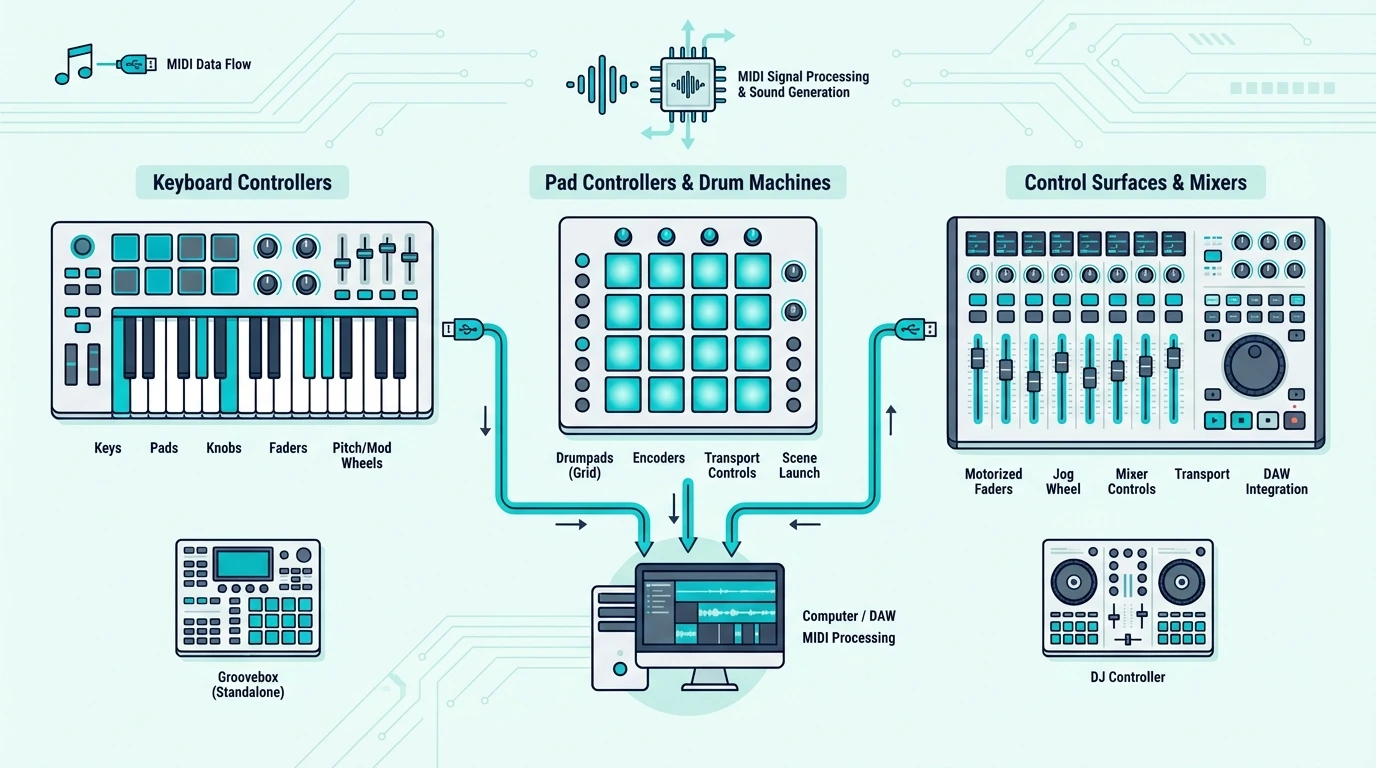
Once MIDI itself is clear, the huge product range stops looking random.
The market splits into controller families based on how you prefer to input musical ideas, and each family fits a different workflow better.
Keyboard Controllers Fit Melody, Harmony, And Traditional Playing Best
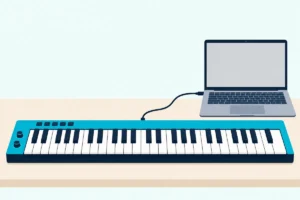
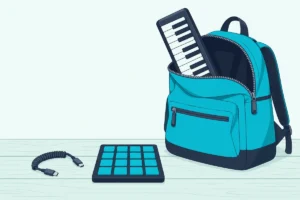
Keyboard-style MIDI controllers use piano keys as the primary input. They range from 25 mini-keys that fit in a backpack to full 88-key weighted models that simulate an acoustic piano.
Keyboard controllers are the most popular MIDI controller type because piano-style input maps naturally to melody writing, chord progressions, bass lines, and orchestral composition. A controller like the M-AUDIO Keystation 49 MK3 gives you 49 full-size keys with transport controls.
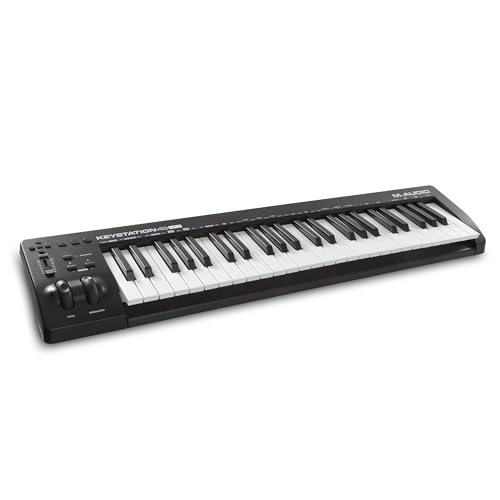
M-AUDIO Keystation 49 MK3
For a deeper look at key counts, key action types, and keyboard-specific features, see our dedicated MIDI keyboard guide.
Pad Controllers Make More Sense For Beats, Samples, And Clip Launching
Not everyone writes music through piano technique, which is why the next category exists.
Pad controllers replace keys with velocity-sensitive rubber pads arranged in a grid — typically 8 or 16 pads. Finger drummers tap out beats with their fingertips rather than pressing piano keys.
The pad format excels at three specific workflows: finger drumming (tapping kick, snare, and hi-hat patterns in real time), sample triggering (chopping audio and playing slices rhythmically), and clip launching (triggering loops and scenes in DAWs like Ableton Live).
The Akai Professional MPK Mini MK3 bridges both categories — 25 mini keys for melodies alongside 8 MPC-style pads for beats. That dual-input design explains its popularity.
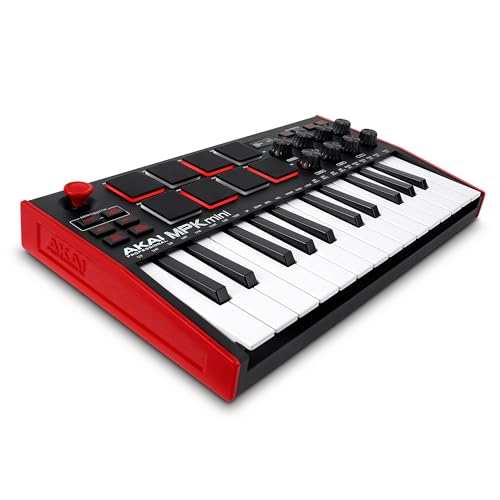
Akai Professional MPK Mini MK3
Knob And Fader Controllers Put Parameters Under Your Hands
Other producers already have notes covered and care more about control after the notes are recorded.
Not every MIDI controller has keys or pads. Dedicated knob and fader units send Control Change messages for hands-on mixing, sound design, and parameter control.
The fader units built for mixing are what shops call DAW controllers, and what a DAW controller does and which ones are worth buying compares six of them.
Producers map physical faders to DAW mixer channels for volume riding across multiple tracks. Sound designers assign knobs to synth parameters — filter cutoff, resonance, envelope attack — then sculpt sounds with both hands simultaneously instead of clicking tiny on-screen sliders.
Transport controllers add play, stop, record, and navigation buttons for DAW control without touching the mouse. Many keyboard controllers bundle transport controls as an added feature.
Foot Controllers Free Your Hands During Performance
That same logic applies to live players who cannot spare their hands for patch changes.
Foot controllers send MIDI messages through floor-mounted switches and expression pedals, freeing your hands for playing an instrument.
Guitarists use MIDI foot switches to change amp presets and effects patches mid-song. Keyboardists use them to switch between piano, organ, and synth sounds between songs during live performance.
Expression pedals send continuous CC data for foot-controlled volume swells, filter sweeps, and wah effects.
Specialized Controllers Extend MIDI To Other Instrument Families
And MIDI does not stop at the obvious controller shapes.
MIDI extends to virtually every instrument type. Wind controllers (Akai EWI, Roland Aerophone) translate breath pressure and fingering into MIDI, giving woodwind players access to every virtual instrument.
Electronic drum pads convert stick hits into MIDI note data, letting acoustic drummers trigger electronic sounds. String-to-MIDI converters use hex pickups to translate guitar playing into MIDI, though latency remains a challenge compared to dedicated keyboard or pad input.
Some controllers aren’t bought at all, and building one from an Arduino board turns buttons and knobs into the same Note On and Control Change messages described above.
Get Studio Tips Weekly
Join 5,000+ creators getting acoustic treatment advice every week.
No spam. Unsubscribe anytime.Connection Choice Shapes How Easy The Setup Feels In Practice
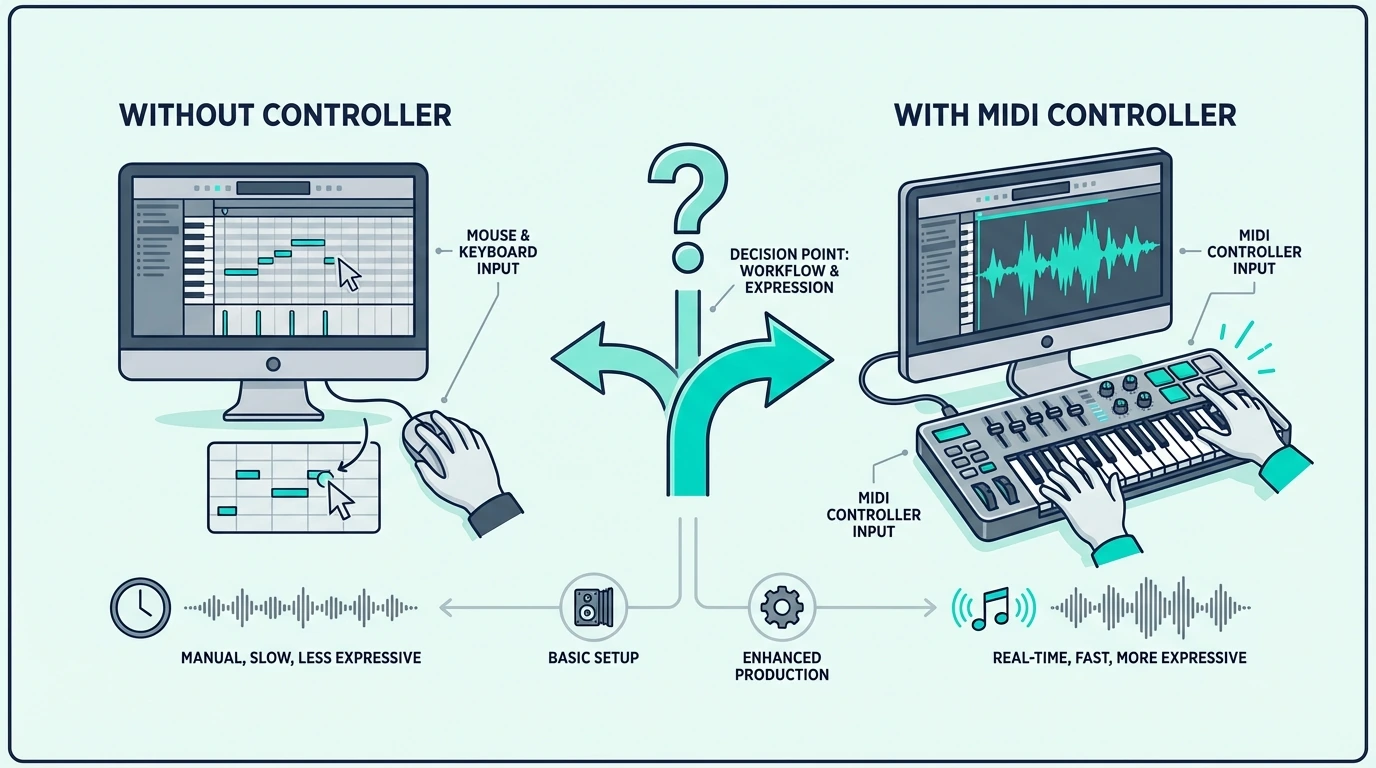
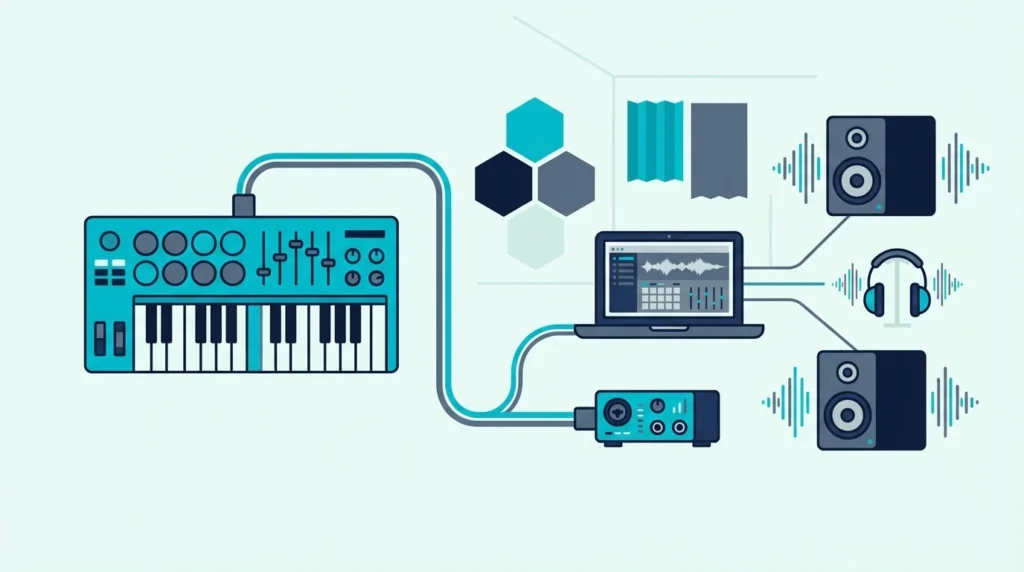
Every MIDI controller needs a receiving device to generate sound. The connection method determines compatibility, latency, and setup complexity.
USB Keeps Computer-Based Music Making The Simplest
The vast majority of modern MIDI controllers connect via USB, which handles both data and power through a single cable. Plug into your computer, open your DAW, and the controller works immediately — no drivers, no external power supply, no configuration on Mac or Windows.
USB is the default connection for computer-based production. Every controller recommended on this site uses USB as its primary connection.
Bluetooth Trades Cable Freedom For Some Added Latency
Wireless convenience sounds great until timing matters.
Bluetooth MIDI eliminates cables entirely, pairing wirelessly with computers, iPads, and phones. The tradeoff is 5-15 milliseconds of added latency — imperceptible for casual playing but noticeable during precision recording.
Bluetooth controllers are ideal for mobile production on tablets and phones where USB adapters add clutter.
5-Pin DIN Still Matters In Hardware-Focused Rigs
Older does not mean obsolete here.
The original MIDI connection from 1983 uses round 5-pin DIN cables. These appear on hardware synthesizers, rack-mounted sound modules, guitar processors, and professional studio equipment.
If you’re weighing a synth against a controller, how a synthesizer differs from a MIDI keyboard is spelled out in a separate guide.
5-Pin connections carry MIDI data only — no power. A USB-to-MIDI interface bridges legacy hardware with modern computer setups for under twenty dollars.
A Controller Still Needs Software Or Hardware To Make Sound
And this is the part beginners need to hear clearly.
A MIDI controller requires two software components to produce sound: a DAW (digital audio workstation) for recording and routing, and at least one virtual instrument plugin for sound generation.
Free options exist for both. GarageBand (Mac) and Cakewalk (Windows) are full-featured free DAWs.
Most controllers bundle lite DAW versions — the MPK Mini MK3 includes MPC Beats, and M-AUDIO controllers include Ableton Live Lite.
For a complete guide to software options, see our best software for MIDI keyboard article.
The Right First Controller Depends On How You Capture Ideas
At this point the buying decision becomes much simpler.
If you play melodies, chords, and piano-style parts, start with a keyboard controller. If you make beats and trigger samples, start with a pad controller or an all-in-one that includes both keys and pads.
If you perform live and need hands-free patch switching, add a foot controller. If you already own a keyboard and want hands-on mixing, add a knob/fader unit.
Most beginners start with an all-in-one controller (keys + pads + knobs) under a hundred dollars because it covers every workflow type in a single purchase. The midiplus AKM320 lets you test whether MIDI production fits your creative process with minimal financial risk.
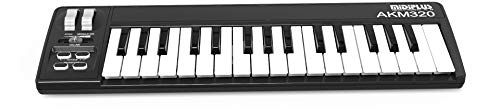
midiplus AKM320
For a detailed guide on choosing the right controller based on key count, DAW, and budget, check our decision framework article.
The Bottom Line
A MIDI controller is any hardware device that turns physical gestures into MIDI data for software or hardware to interpret as music. The category spans keyboards, pads, knobs, foot switches, and specialized instruments for different kinds of players.
No MIDI controller produces sound on its own. They all depend on a connected DAW, sound module, or app.
A few portable keyboards and pocket controllers do carry speakers, though, and whether MIDI controllers have speakers explains which ones and why the rest stay silent.
That dependency is the core strength — one controller plays unlimited virtual instruments through software, while a standalone keyboard limits you to its factory sounds. Start with the controller type that matches how you create, then expand your setup as your workflow evolves.
Frequently Asked Questions
Is a MIDI controller the same as a MIDI keyboard?
No — a MIDI keyboard is one type of MIDI controller. The “MIDI controller” category also includes pad controllers, foot controllers, knob/fader units, wind controllers, and drum controllers.
A MIDI keyboard specifically uses piano-style keys as its primary input method.
Can a MIDI controller work without a computer?
A MIDI controller needs something to receive its data and generate sound. That can be a computer running a DAW, a hardware synthesizer with MIDI input, a standalone sound module, or a tablet/phone running a music app.
Do I need to know how to play piano to use a MIDI controller?
No. Pad controllers require no keyboard skills.
Even keyboard-style controllers benefit producers who play single-note melodies, tap out bass lines, or program one chord at a time. Piano proficiency helps but is not a prerequisite for making music with MIDI.
How much does a MIDI controller cost?
MIDI controllers range from under forty dollars for a basic budget keyboard to several hundred dollars for premium 61 or 88-key models with weighted keys and deep DAW integration. Most producers spend between eighty and one hundred twenty dollars on their first controller.