How To Use HDMI ARC With Soundbar — The Setup Path That Actually Works

How to use HDMI ARC with soundbar is easier than it looks, but most setups fail because the TV, the soundbar, and the HDMI path are not all using the same return-audio settings.
The problem is that people plug the cable into any open HDMI port, leave the TV on internal speakers, or expect ARC to work without HDMI control and external-audio settings turned on.
Get those pieces lined up and the payoff is immediate: TV apps, streaming boxes, and everyday volume control all move through one cleaner path instead of forcing you into silent menus or flaky Bluetooth workarounds.
Start by finding the actual ARC or eARC port, then match the soundbar input and TV audio output, and only after that worry about cable quality or brand-specific quirks.
Below, we’ll walk through how HDMI ARC works, how to make it behave on LG and Samsung gear, why it fails, and when optical is the smarter fallback.
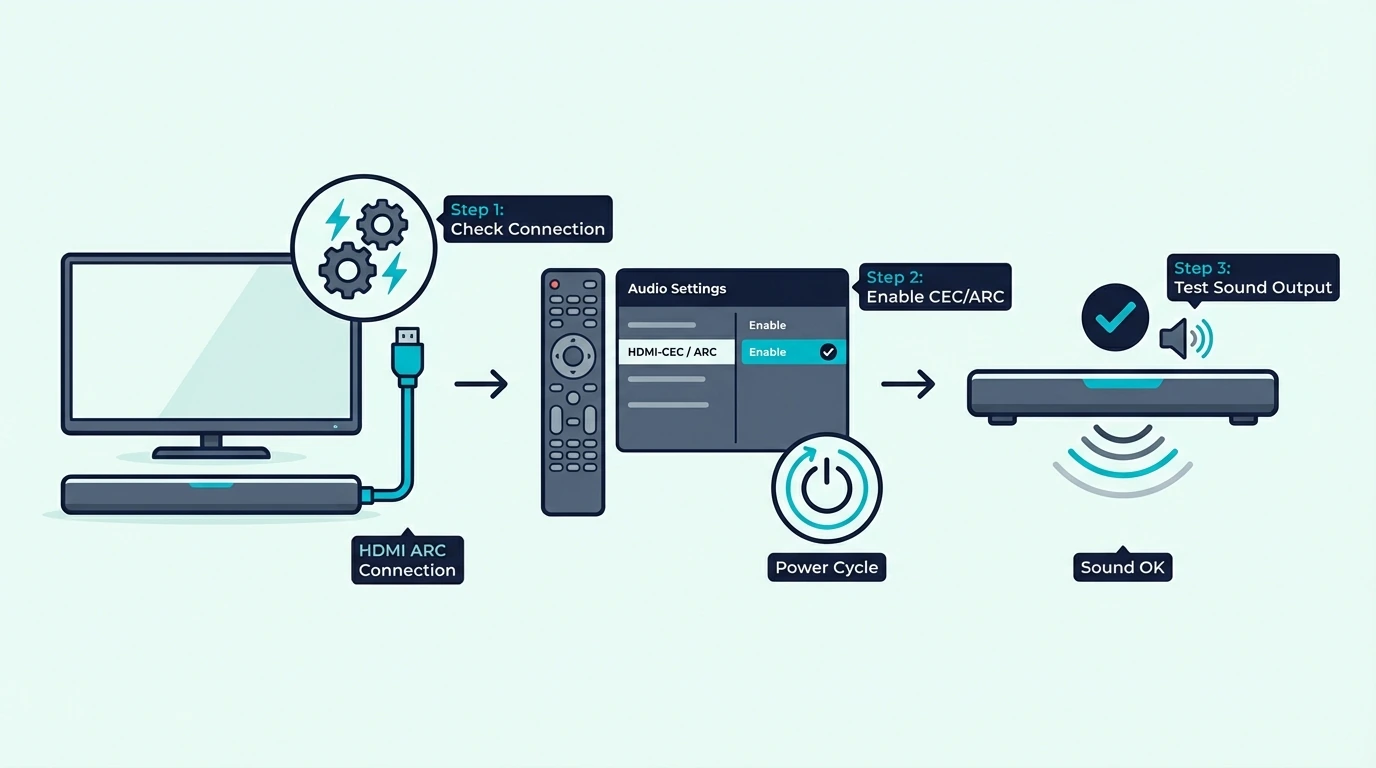
To use HDMI ARC with a soundbar, connect the TV ARC or eARC port to the soundbar ARC port, switch the TV audio output to the external audio system, and make sure HDMI control is enabled on both devices. If that does not work, the real fix is usually the right port, the right input, or a clean power-cycle order, not some secret menu trick.
How Does HDMI ARC Actually Work With a Soundbar?
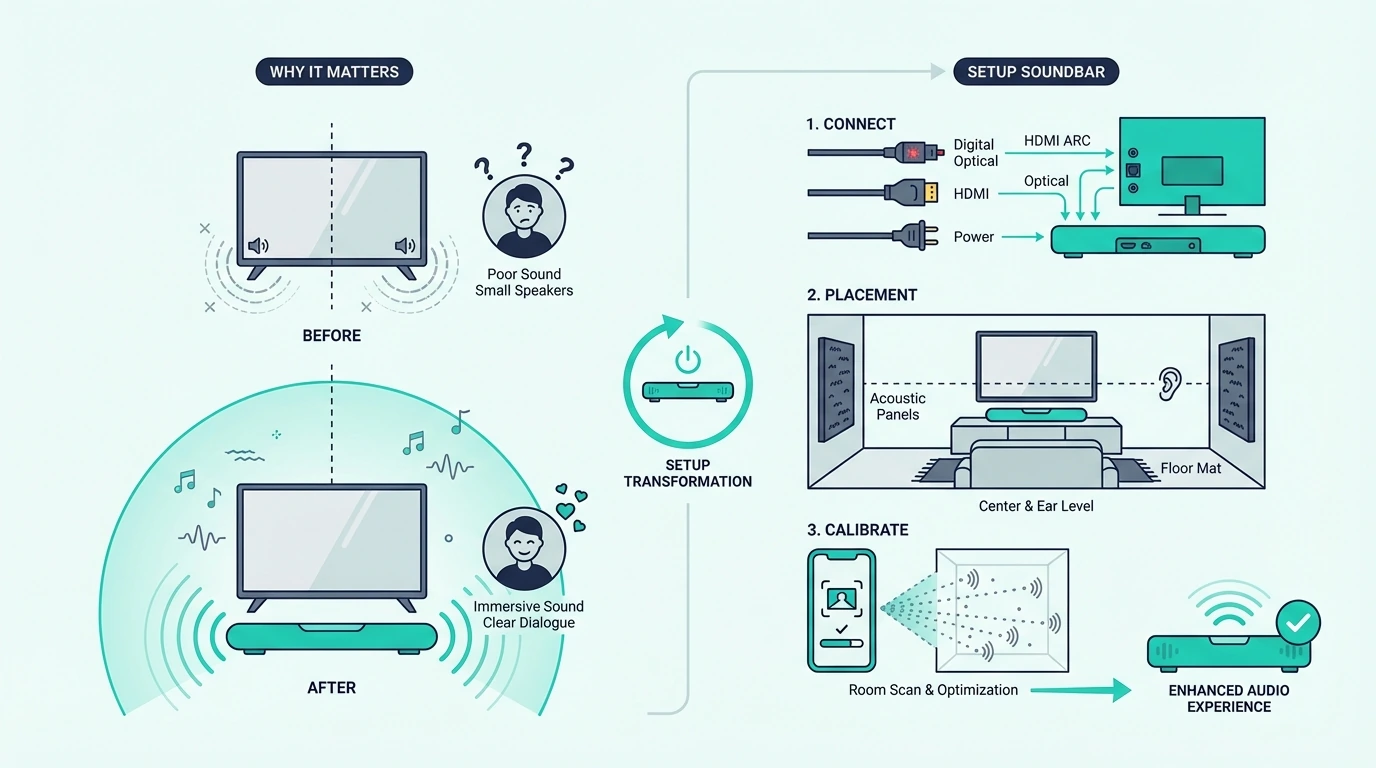
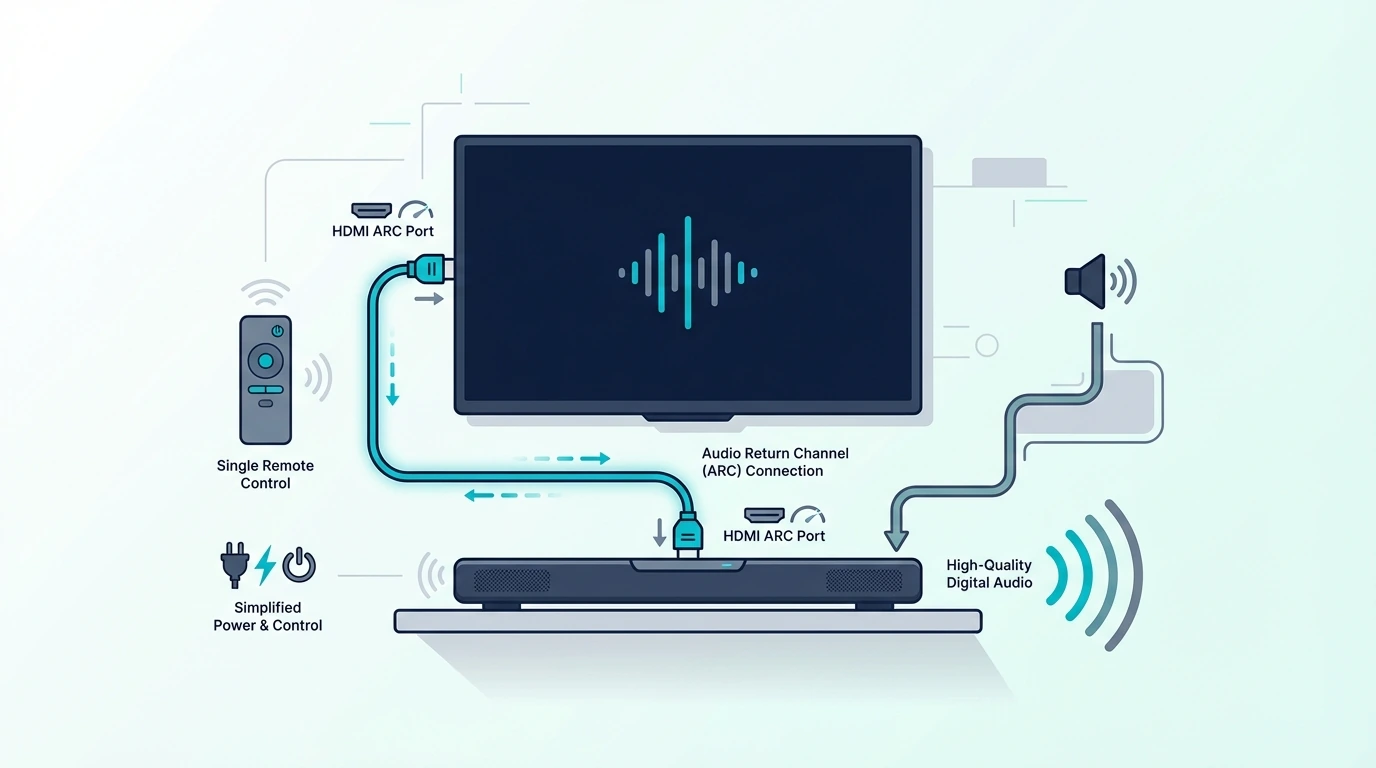
Now that the setup path is visible, the first thing to understand is that ARC is not just a cable connection. It is the return-audio part of HDMI that lets the TV send audio back to the soundbar over the same cable that already carries video in the other direction.
That matters because a normal TV HDMI input is mostly a one-way street for video sources like streamers, consoles, and cable boxes. ARC adds the return lane, which is why built-in TV apps can send sound back to the bar without needing a separate optical cable.
In real rooms, that single-cable behavior does more than reduce clutter. It also makes volume control, power syncing, and source switching much easier when the TV and soundbar are both cooperating over HDMI control instead of acting like separate islands.
The cleaner logic here is simple: if both devices support ARC or eARC, that is your first connection to test. If the TV does not support ARC, or if the handshake keeps failing and you need same-day stable audio, optical is the fallback that usually gets the room working again.
That also explains why HDMI ARC belongs in the same conversation as the broader soundbar hub, the best soundbar guide, and the best Dolby Atmos soundbar guide. Once you understand the audio path, the rest of the setup and buying decisions stop feeling random.
How Do You Get ARC Working From the Port to the TV Menu?
With the basics in place, the next step is turning ARC from a feature on the box into something that actually works in your room. The fastest way to do that is to treat the connection, the TV menu, and the soundbar input as one sequence instead of three unrelated checks.
How Do LG TVs Handle Simplink and Sound Out for ARC?
A concrete LG example makes the general method easier to see. On most LG sets, you want the HDMI port labeled ARC or eARC on the TV connected to the soundbar port labeled TV ARC, HDMI OUT, or eARC/ARC, not to one of the soundbar HDMI input ports that are meant for source devices.
Once the cable is in the right place, go into the LG TV audio menu and switch Sound Out to the external audio device over HDMI ARC. If the TV has Simplink or an eARC Support toggle, turn those on before you test anything, because ARC on LG often breaks when control features are disabled even though the port choice is correct.
The cleanest way to test the setup is with a built-in TV app instead of a game console or streaming box. If Netflix or YouTube inside the TV sends sound to the bar, the ARC path is working and any remaining issue probably lives with a source device, input assignment, or passthrough setting higher up the chain.
That same logic is why readers often bounce between this guide and the broader soundbar hub or a brand-fit roundup like the best soundbars for LG TVs. The hardware only feels complicated when the TV port and the soundbar port are doing different jobs than you think they are.
What Cable Do You Need for HDMI ARC?
This is where a lot of bad advice starts. HDMI ARC does not require a magical ARC-only cable in normal setups, and many good High Speed HDMI cables work perfectly well for basic ARC if the ports and settings are correct.
What you do need is a cable that is reliable enough to remove doubt from the chain. A known-good lead like the UGREEN 8K HDMI 2.1 Cable helps because it takes one common variable off the table before you go hunting through menus that may not be the real problem.
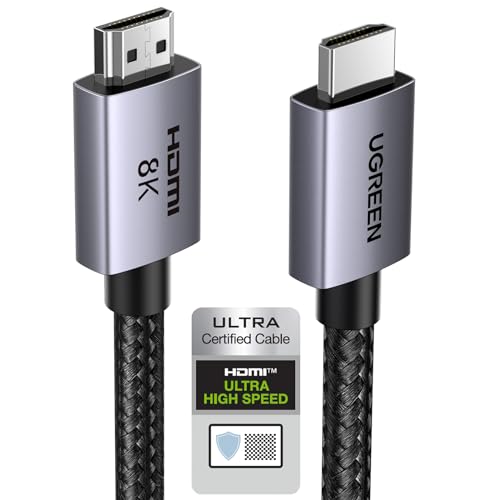
UGREEN 8K HDMI 2.1 Cable
That matters even more when the TV is wall-mounted or tucked into furniture where you do not want to reseat cables three times. If you are already fighting an unstable connection, a fresh certified cable is usually a better first test than factory-resetting the whole system.
The cable question also overlaps with the buying context in the TV-to-soundbar cable guide and the broader best overall soundbar guide. Good setup is usually about removing variables in the right order, not about buying something exotic.
What Is the Real Difference Between ARC and eARC?
Now that the cable myth is out of the way, the feature itself gets much easier to understand. HDMI ARC stands for Audio Return Channel, which means the TV can send audio back to the soundbar through HDMI instead of forcing you to run a second audio cable.
That is especially useful when the sound starts inside the TV instead of inside an external box. Smart TV apps, over-the-air channels, and devices plugged into the TV can all send audio back to the bar through ARC when the whole chain is configured correctly.
The important limitation is that ARC is still the older version of the idea. It is good for everyday TV audio and many compressed surround formats, but it is not as capable as eARC when you want higher-bandwidth audio or the cleanest Atmos path from newer gear.
That is why ARC sits between the simpler optical world and the more capable eARC world. If you are shopping for a bar where that upgrade matters, the best Dolby Atmos soundbar guide and the best overall soundbar guide help show when the jump is worth it.
Get Studio Tips Weekly
Join 5,000+ creators getting acoustic treatment advice every week.
No spam. Unsubscribe anytime.Why Is the Soundbar Still Not Working With HDMI ARC?
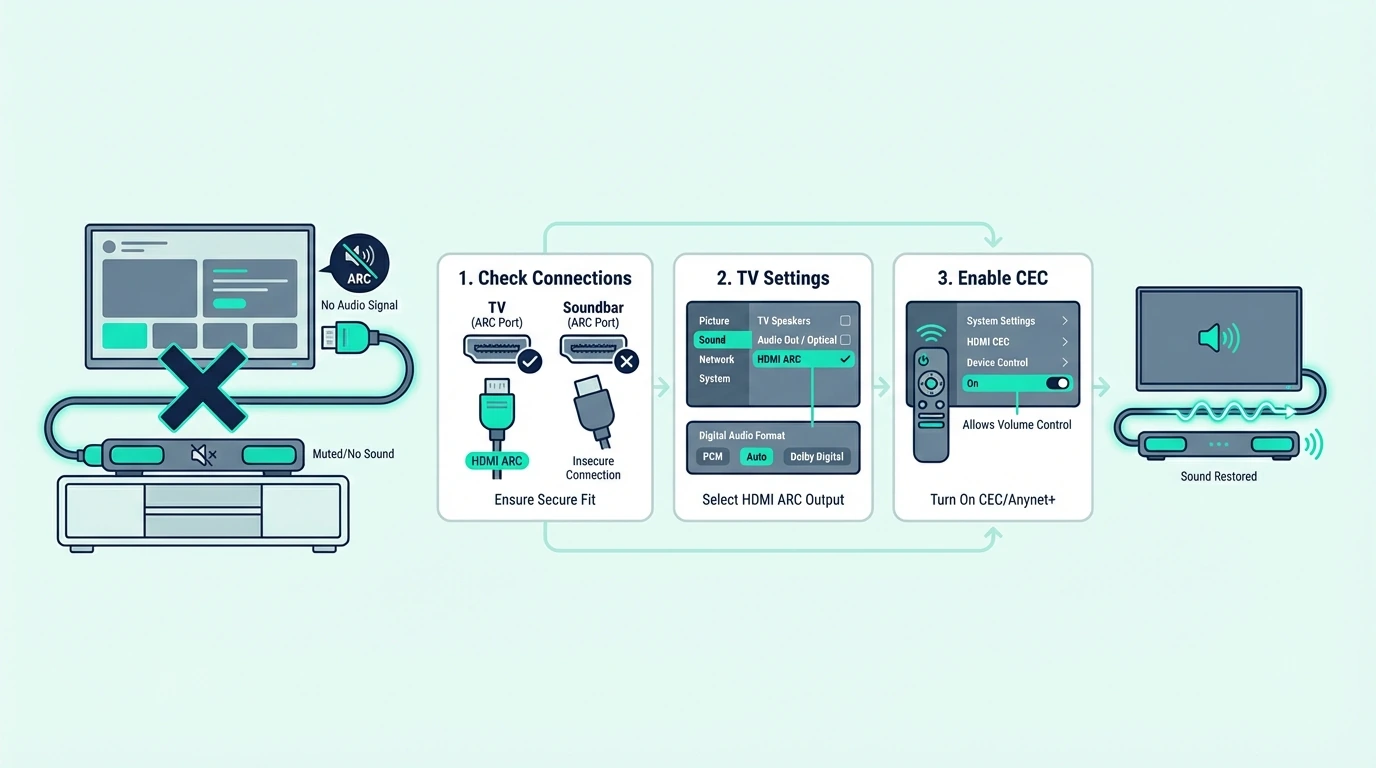
Once you know what ARC is supposed to do, failures stop looking mysterious. Most of the time, the soundbar is not working with HDMI because the TV is using the wrong HDMI port, the TV audio output is still pointed at internal speakers, or HDMI control is off even though the cable is physically connected.
Why Does the Port Label Matter for HDMI ARC?
HDMI itself is just the digital pipe that moves audio and video between devices. The reason people get tripped up is that standard HDMI behavior and HDMI ARC behavior are not exactly the same thing, so a cable plugged into any random HDMI port can look correct while still being useless for TV-to-soundbar audio return.
That is why the first troubleshooting question is not “Is the cable plugged in?” but “Is it plugged into the right labeled port on both sides?” A TV HDMI input that is not marked ARC or eARC usually will not send TV audio back to the soundbar, even though it works fine for a streaming stick or console.
The second check is the soundbar input. Many bars stay on Bluetooth, Optical, or a regular HDMI input after the last session, so the TV can be set perfectly and still send audio into a soundbar that is listening to the wrong source.
Then look at the TV audio menu and the control settings. If External Speaker, Receiver, Audio System, HDMI Control, CEC, Anynet+, or Simplink are off, the handshake can break even though nothing looks physically disconnected.
A very practical test is to switch to optical for five minutes. If a fallback cable like the KabelDirekt TOSLINK Optical Audio Cable restores sound immediately, you just learned something important: the soundbar hardware probably is not dead, and the real failure point is the ARC path, the control layer, or the TV settings.
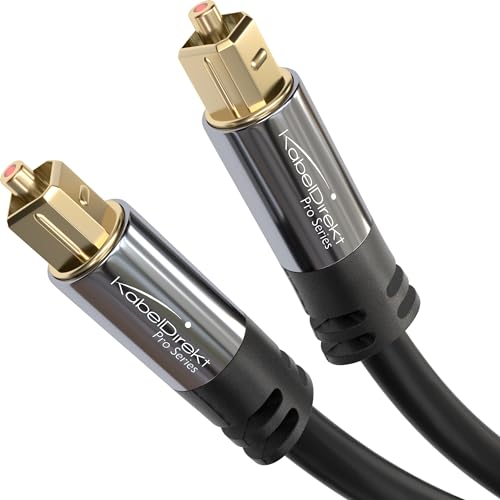
KabelDirekt TOSLINK Optical Audio Cable
That kind of separation is also what helps when you are deciding whether the issue is setup-related or whether the bar is actually failing.
The next useful cross-checks are the best budget soundbar roundup and the broader soundbar hub. Those pages make it easier to judge whether you need a replacement or just a cleaner connection path. If the TV is specifically a Hisense and ARC keeps disconnecting, the optical-cable fallback with the exact Hisense Digital Audio Out menu sequence is the stable path while you decide whether ARC is worth more debugging.
What Samsung-Specific ARC Problems Usually Break the Setup?
With the generic failure points clear, Samsung is a good brand-specific example because its ARC problems are usually predictable. The cable is rarely the only problem; the bigger culprits are Anynet+, the TV sound-output setting, the soundbar input mode, and eARC settings that do not match the hardware on both ends.
What Cable Baseline Should You Use for Samsung ARC?
For Samsung ARC, the safest answer is still a known-good HDMI cable before you start blaming firmware. If the existing cable is old, kinked, loose, or unlabeled, replace it first so you are troubleshooting the setup and not an unknown physical link.
A cable aimed specifically at ARC and eARC use cases like the Silkland 8K HDMI ARC/eARC Cable is useful here because it gives you a clean baseline while you recheck Anynet+, Sound Output, and the soundbar input mode.
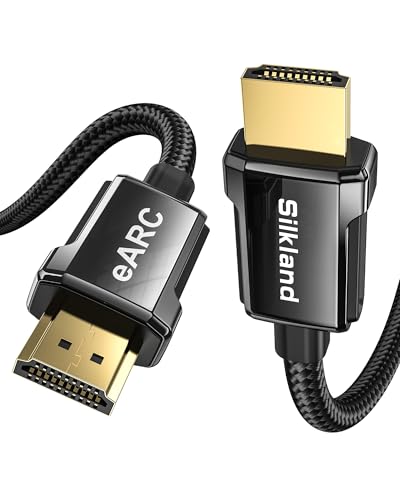
Silkland 8K HDMI ARC/eARC Cable
On Samsung TVs, ARC often hides behind simple labels that people skip past too quickly. Make sure the TV is set to the receiver or soundbar, not TV speakers, and make sure the soundbar display is actually on the TV ARC or D.IN input that Samsung bars often use for ARC operation.
That is also why Samsung buyers usually get more value from the best soundbars for Samsung TVs and best Samsung soundbars pages than from brand loyalty alone. Compatibility is as much about ARC behavior and control logic as it is about raw sound.
When Does eARC Actually Help on Samsung?
eARC is the newer, more capable version of ARC. It is built to carry higher-bandwidth audio formats more reliably, which matters if you are using a newer TV, Atmos-capable soundbar, or lossless audio source and you do not want the connection itself to become the bottleneck.
In plain terms, ARC is usually enough for everyday streaming and TV watching, while eARC is the better path when you want the system to pass more demanding audio formats cleanly. That does not mean every room needs eARC, but it does mean newer premium soundbars have more to gain from it.
Samsung adds one extra wrinkle here because the TV and the soundbar both need to agree on the mode. If the TV has an eARC Mode toggle, set it appropriately for the soundbar you are using instead of assuming Auto always fixes everything.
This is where the jump from everyday bars to Atmos models becomes relevant. If you are comparing that upgrade path, the best next references are the best Dolby Atmos soundbars and the main soundbar buying guide, because eARC matters most when the rest of the hardware can actually benefit from it.
What Cable Do You Need for eARC Troubleshooting?
The eARC cable answer is slightly stricter than the ARC answer because the connection has less room for sloppy hardware. A modern certified cable is the safest move when you are chasing intermittent dropouts, audio delays, or a setup where ARC works some days and then falls apart after a restart.
That is also why a two-cable troubleshooting option can be more useful than a single replacement. The JSAUX 8K HDMI Cable 2.1 2-Pack makes sense when you want to isolate whether the weak point is the main ARC line or another HDMI hop in the chain.
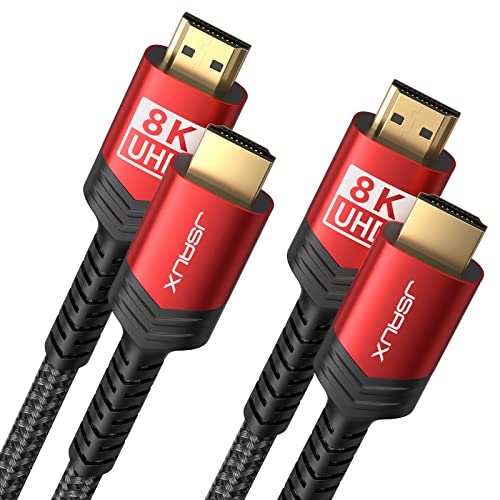
JSAUX 8K HDMI Cable 2.1 2-Pack
The more advanced the room gets, the more useful that whole-chain test becomes. A TV, an external streamer, and a modern soundbar can all be technically compatible and still misbehave because only one cable in the path is marginal.
That same full-chain logic is a big reason readers comparing home-theater-friendly bars often move next to the best soundbars for projectors or the more flexible best all-in-one soundbar guide. Once you add more devices, connection quality matters more, not less.
How Do You Set Up Samsung HDMI ARC the Clean Way?
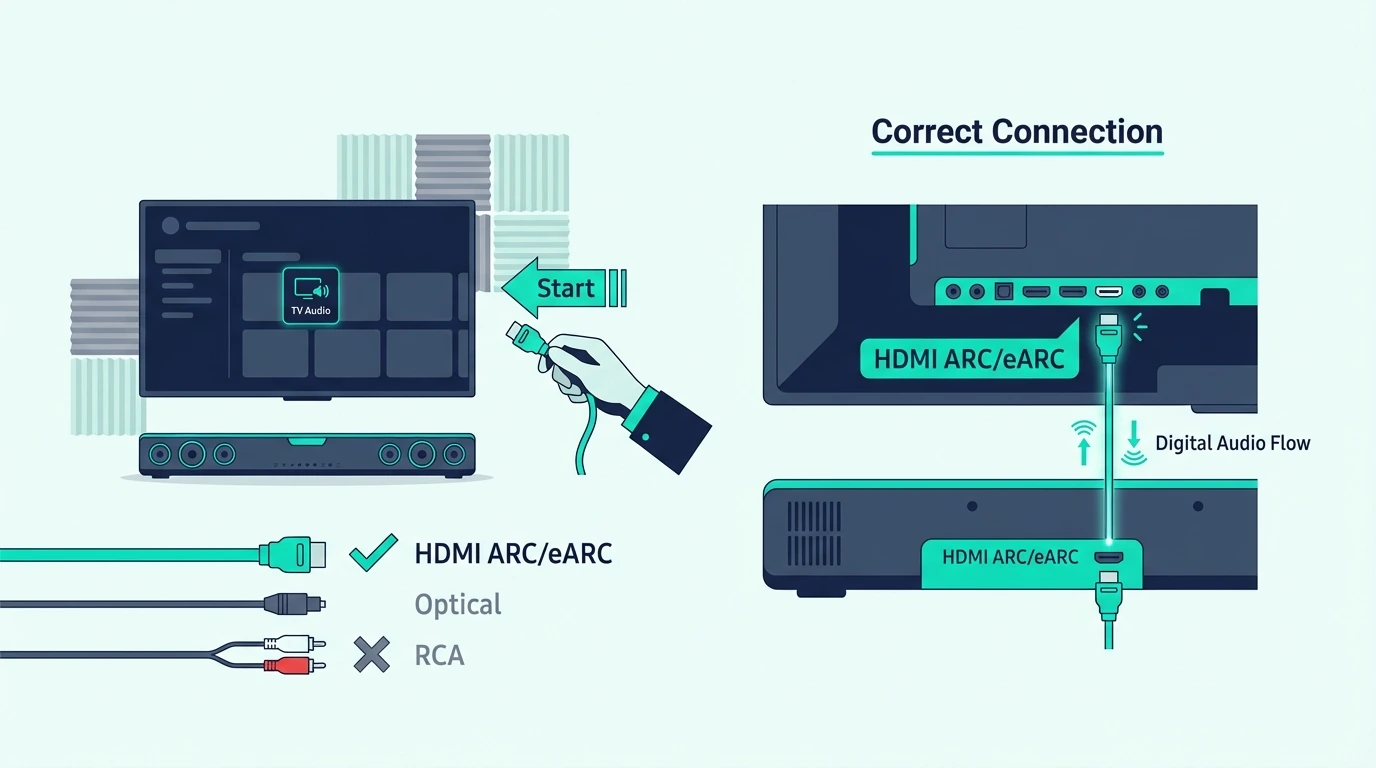
Now that the failure points are clear, the clean Samsung setup process is much easier to follow. The right move is to build the path in the order Samsung expects instead of connecting everything at once and hoping the TV sorts it out.
Start by running the HDMI cable from the Samsung TV port labeled ARC or eARC to the soundbar port labeled TV ARC, HDMI OUT, or eARC/ARC. Then power on the TV and soundbar, switch the soundbar to the correct TV audio input, and test with a built-in TV app so you are checking the return path directly.
Next, go into the Samsung TV sound menu and set Sound Output to the external audio device. After that, enable Anynet+ in the external device manager, because Samsung ARC behavior often depends on that control layer even when the cable and ports are correct.
If the TV and soundbar both support eARC, turn eARC Mode on or to Auto and then fully power-cycle both devices for about 30 seconds. That restart matters because ARC and eARC handshakes often do not rebuild cleanly when settings are changed while everything is still half awake.
If the TV stand or mounting position is making the cable path awkward, fix the physical routing instead of forcing the connector into a bad angle. That is where the broader soundbar hub and the best soundbars for small rooms guide become surprisingly relevant, because cramped furniture and short cable runs cause the same instability people often blame on software.
If Samsung ARC still refuses to stay stable, do not keep looping the same failed reset. Move to optical for a quick proof test, compare the setup against the TV-to-soundbar cable guide and the broader soundbar hub, and then decide whether the real issue is the TV settings, the cable chain, or the bar itself.
The Bottom Line
How to use HDMI ARC with soundbar gets much easier when you stop treating ARC as a magic feature and start treating it as a return-audio path that depends on the right port, the right input, and the right control settings working together.
The practical rule is simple: connect the labeled ARC or eARC ports first, switch the TV audio output to the external audio system second, and only then troubleshoot cable quality, CEC, or eARC settings. When you work in that order, most silent setups stop being mysterious.
If you want the next layer after this guide, the best follow-up reads are the TV-to-soundbar cable guide, the best soundbar guide, and the broader soundbar hub. Those pages help you separate everyday setup problems from real hardware limits.
Frequently Asked Questions
Does it matter which HDMI port I use for a soundbar?
Yes. If you want TV audio to return to the soundbar over HDMI, the cable has to use the TV port labeled ARC or eARC, not just any open HDMI input.
Is it better to use HDMI ARC or Optical?
HDMI ARC is usually better when both devices support it because it keeps TV audio and control in one path. Optical is the cleaner fallback when ARC refuses to handshake or the TV does not support audio return at all.
How To Connect Soundbar To TV With HDMI Without Arc?
If the TV has HDMI but no ARC, a normal HDMI connection from the TV to the soundbar usually will not send TV audio back. The better options are optical from the TV to the soundbar, or routing a source device into the soundbar first if the bar has a real HDMI input.