How to Control a Soundbar With a Firestick Remote
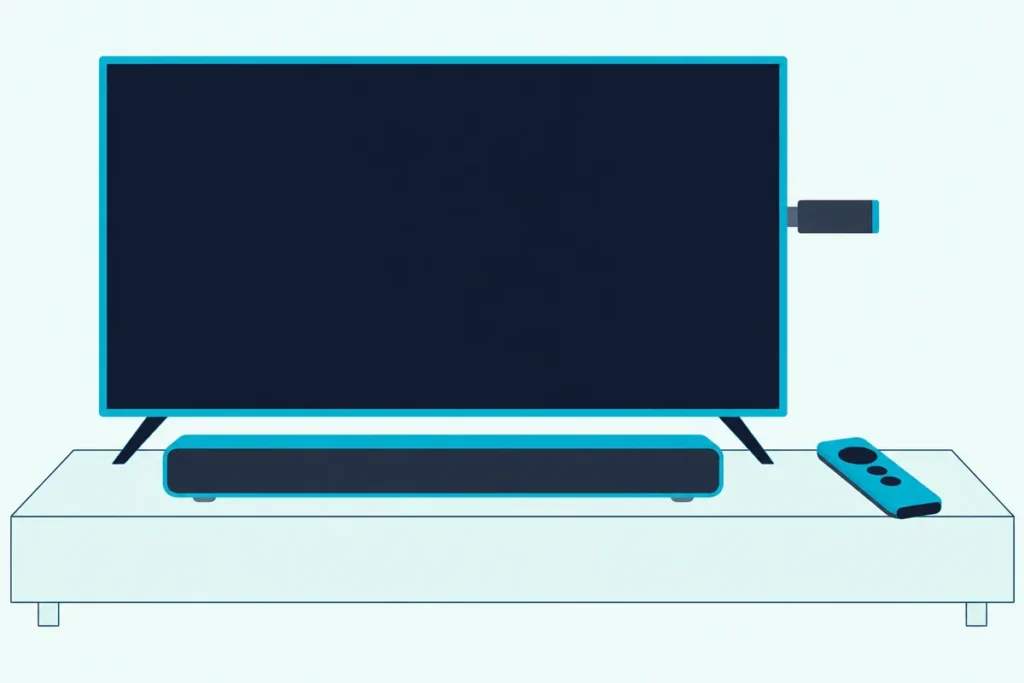
To control a soundbar with a Firestick remote, go to Settings, then Equipment Control, Manage Equipment and Add Equipment, pick Soundbar and follow the on-screen steps for your bar’s brand.
Skip that menu and the remote’s volume button can keep changing the television, or nothing at all, while the bar plays the sound.
Once the bar is added, the same remote switches it on and off, turns it up and down and mutes it, and the Alexa Voice button takes spoken commands such as “Turn up the volume.”
Amazon’s help pages give a slightly different route for a bar on HDMI ARC, one on an optical cable and Amazon’s own Fire TV Soundbar, and each is below.
Start with the remote in your hand, because Amazon’s equipment control needs one with volume and power buttons.
Can a Fire TV Remote Control a Soundbar?
That remote check comes first because the buttons decide everything else. Yes, a Fire TV remote can control a soundbar if it has volume and power buttons and an Alexa Voice button, which is what Amazon’s page on equipment control asks you to pair with the device (Amazon).
Amazon’s remote compatibility page lists the Fire TV Remote (2026 Release), the Alexa Voice Remote Pro, the Alexa Voice Remote (2024 Release), the Alexa Voice Remote (3rd Generation) and the Alexa Voice Remote Enhanced. Amazon’s button guides for the 3rd Generation and the 2024 Release put Power at the top left and Mute and Volume Up and Down in one row, and the Enhanced adds a Channel Up and Down bar across from its volume bar.
A remote with a navigation ring and playback buttons but no power or volume button has nothing to press for the bar, so the fix there is a compatible remote, not a setting; an Apple TV remote running a soundbar has the opposite problem, every button present and a six-option setting to pick.
Check the match first: Amazon lists the Alexa Voice Remote Pro for everything from the Fire TV Stick Lite to every Cube, but not for Element and Westinghouse Fire TV sets (Amazon). Its listing also rules out the Fire TV (1st and 2nd Gen) and the first stick.
For a device whose remote lacks those buttons, Amazon’s Alexa Voice Remote Pro brings them, and Amazon says its finder rings for up to five minutes or until you press a button. The remote on this page met Burton Acoustix’s rating, review and stock checks on 29 October 2026.
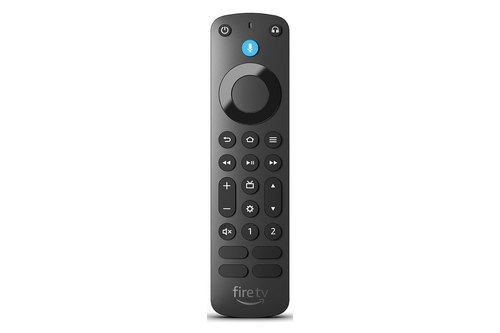
Amazon’s Alexa Voice Remote Pro
How Do You Control a Soundbar With a Firestick Remote?
With a remote that has those buttons, the whole setup sits in one menu. Go to Settings > Equipment Control > Manage Equipment > Add Equipment, choose Soundbar and follow the on-screen instructions, the manual route Amazon gives for a bar the device doesn’t detect or one on an optical cable (Amazon).
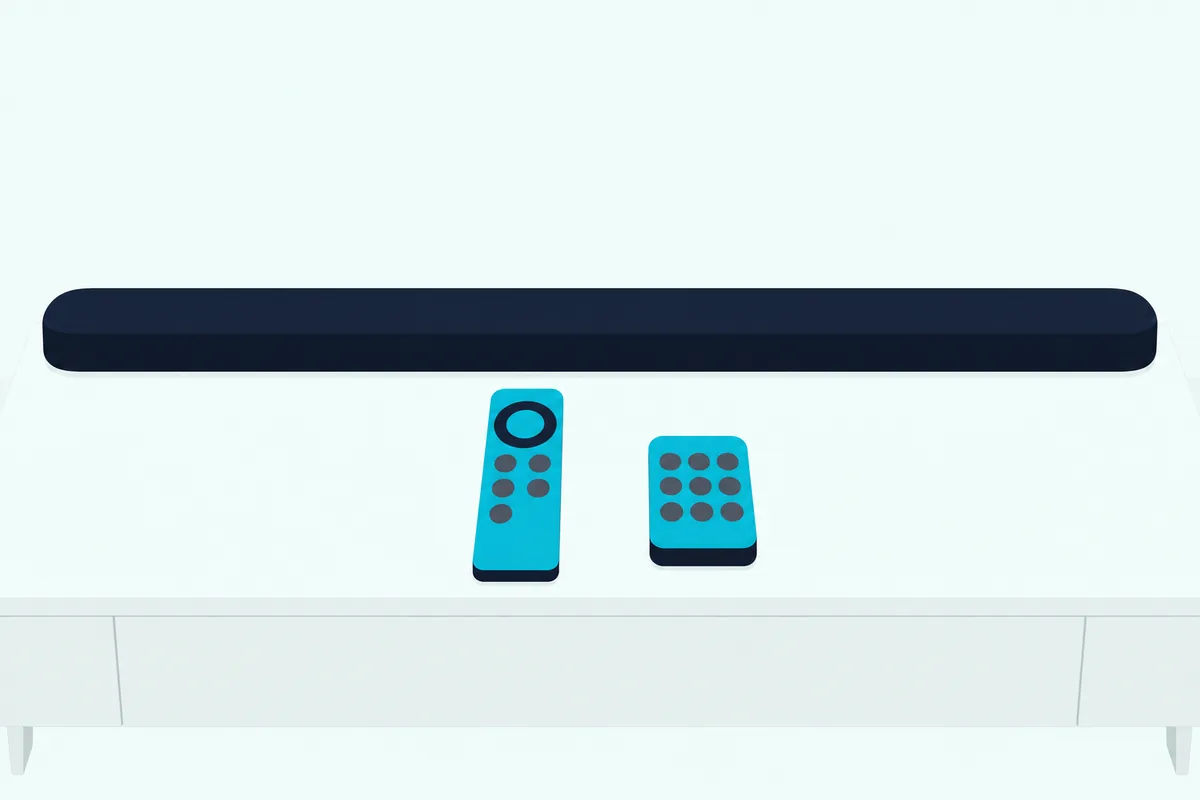
Amazon’s help page lists the same four steps:
- Go to Settings from the main menu.
- Select Equipment Control.
- Select Manage Equipment.
- Select Add Equipment, then Soundbar, and follow the on-screen instructions.
Amazon says its devices detect compatible equipment on their own and put the steps on screen, so this menu is for a bar they miss. Keep the soundbar’s own remote nearby, as Amazon’s guide to third-party devices asks, and note that Advanced Settings on the Manage Equipment screen turns Automated Device Discovery on or off.
That’s how you connect a soundbar to a Firestick remote: the bar’s brand is picked on screen, the way Amazon’s own optical setup has you select Soundbar and then Amazon Fire TV Soundbar. Amazon’s list of supported equipment names soundbars and AV receivers, but it adds that not all third-party devices are supported.
After setup, the Alexa Voice button runs the same jobs by voice, with commands such as “Turn off the TV.” Echo speakers and bars with Alexa built in are a separate setup, covered in Burton Acoustix’s look at whether Alexa can connect to a soundbar.
Does It Matter Whether the Soundbar Uses HDMI ARC or Optical?
That optical case in the steps above is where the two cables split. Yes: over HDMI ARC the television can run the bar through HDMI-CEC, which LG’s S60T manual describes as one remote handling an audio device’s power, volume and mute, while a bar on an optical cable has to be added under Equipment Control, Amazon says.
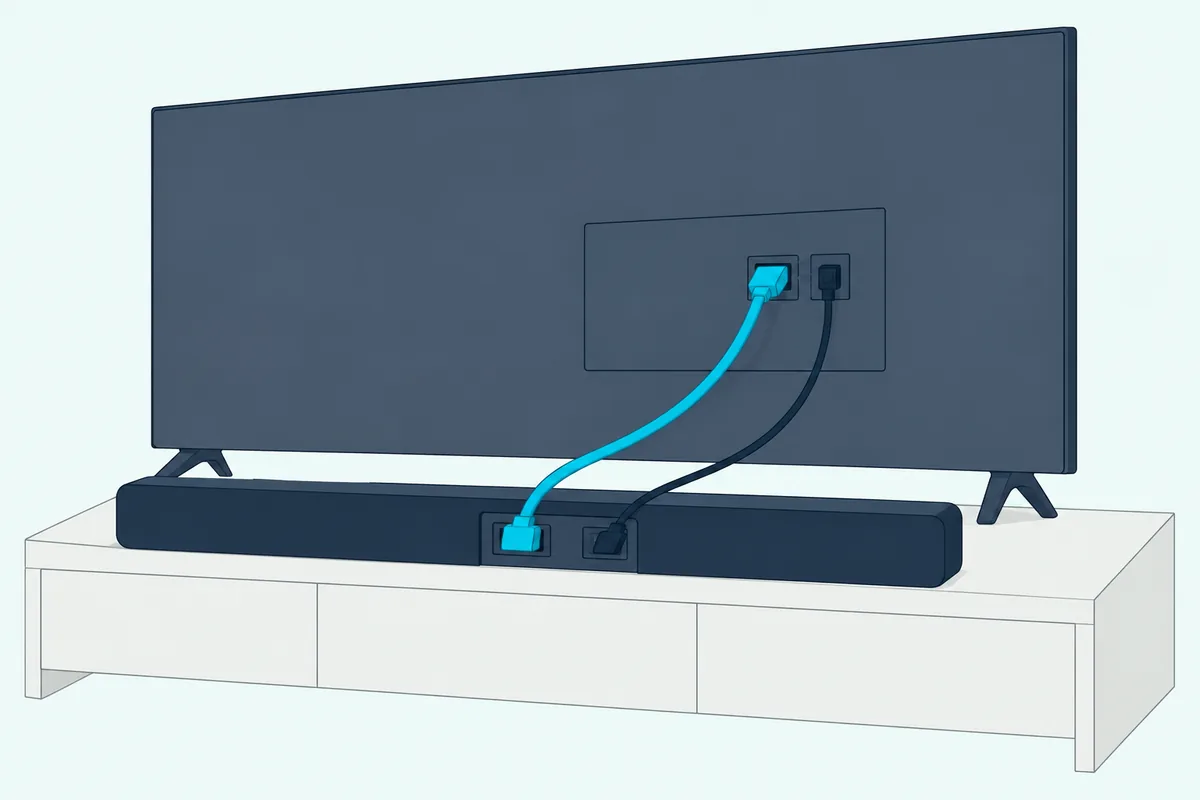
On the stick itself, the CEC switch is Settings > Display & Sounds > HDMI CEC Device Control, per Nakamichi’s setup pages for the Stick 4K Max and Fire TV 4K. On the television it goes by the maker’s name: Amazon’s guide to the setting lists Anynet+ on Samsung, SIMPLINK on LG, BRAVIA Sync on Sony, AQUOS Link on Sharp, EasyLink on Philips and plain CEC on Roku and VIZIO sets (Amazon).
Turning CEC on can bring ARC with it: Amazon says Samsung sets turn ARC on automatically once Anynet+ (HDMI-CEC) is on, and LG’s SIMPLINK has to be on before HDMI ARC works. Each brand’s menu path, and the setting that hands the remote’s volume to the bar, is in the guide to how you control a soundbar with a TV remote.
Optical is the setup that needs the extra work, and Sonos lists its Ray, Playbar and Playbase as needing a TV’s optical output. Sonos says its home theater speakers on an optical cable need the television’s remote set up by hand in the Sonos app, while on HDMI-ARC that remote works with no setup at all (Sonos).
Amazon’s own bar shows both routes: on the television’s ARC or eARC input, the set’s remote controls its volume and power, and on optical, Add Equipment > Soundbar > Amazon Fire TV Soundbar sets it up for Amazon’s remote. Where the stick and the cables go is in our guide on how to connect a Fire TV soundbar.
If you’re still choosing between the two cables, the optical connection walkthrough compares them.
Does the Soundbar Need a Setting of Its Own?
Those brand names have counterparts on the bar, and the HDMI route stalls if the bar’s side is off. Often, yes: Samsung’s HW-Q70R manual says Anynet+ must be turned on for its HDMI ARC hookup, while Sony’s BRAVIA Theatre Bar 6 guide says its Control for HDMI setting is on by default.
Here’s what each maker’s own document says the bar needs:
| Soundbar maker (document) | What runs the bar over HDMI | What it says about other remotes |
|---|---|---|
| Samsung (HW-Q70R manual) | Anynet+ must be on; a hidden button switches it on or off | Follows a Samsung set’s remote by default; ALL-TV REMOTE mode for other brands’ remotes |
| LG (S60T manual) | SIMPLINK, LG’s HDMI-CEC: power, level and mute from an LG set’s remote | Set up from the LG television’s manual |
| Sony (BRAVIA Theatre Bar 6 guide) | Control for HDMI, on by default and switched on by BRAVIA Sync on a Sony set | May not work with other makers’ devices |
| VIZIO (V51x-J6 manual) | CEC and ARC (SAC) on the television, then Device Discovery | Prg Remote learns a TV remote’s Volume Down, Volume Up and Mute |
| Bose (TV Speaker owner’s guide) | CEC on in the television’s menu, under whatever name the set uses | A third-party remote must send IR signals |
| Sonos (support page) | On HDMI-ARC the set’s remote works with no setup | On optical, Remote Control Setup in the Sonos app |
| JBL (Bar 300 owner’s manual) | HDMI-CEC: level, mute and power on or standby from the set’s remote | IR learning when the set has no HDMI-CEC |
The HDMI column is the one that matters for a bar on the set’s ARC input. The learning modes in the last column are written for a television’s own remote, and programming a soundbar to your TV remote walks through them maker by maker.
JBL’s manual adds that full compatibility with all HDMI-CEC devices isn’t guaranteed. Check both manuals when the set and the bar come from different brands.
Why Is My Firestick Remote Not Controlling the Soundbar?
When the menu and the bar’s settings are both in place, Amazon’s troubleshooting pages work through a short list. Check the remote first: Amazon’s remote guide says to replace the batteries, stay within 10 feet (3 m) of the device, restart it and hold Home for 10 seconds, then reset the remote if it still won’t respond.
If the remote works but volume, power or mute don’t, go to Settings > Equipment Control > Manage Equipment > TV and check that the brand under Change TV matches your actual set (Amazon). If it doesn’t, select that option and follow the on-screen instructions; Amazon notes these steps don’t apply to Fire TV smart TVs.
If the bar never showed up, run Add Equipment again, since that “not all third-party devices” caveat from the setup applies here too, and if it still won’t, the clip-on Sideclick in Burton Acoustix’s universal remote picks can learn the bar’s volume keys. For a bar on HDMI ARC, the setup page for Amazon’s own bar says to make sure the television’s HDMI ARC or HDMI CEC settings are right, and Amazon’s guide to the setting gives the menus for common brands.
Why Does the Volume Button Change the TV Instead of the Soundbar?
That Change TV check has a twin problem: the button reaching the set when you want the bar. Two settings decide it: the television’s speaker or audio output choice, and whether the soundbar is on the Manage Equipment list at all.
Amazon’s setup page for its own bar says to check the Speakers or Audio Output setting on the television and make sure the soundbar is selected. LG’s S60T manual has you choose HDMI ARC as the television’s output speaker, and Samsung’s HW-Q70R manual says to switch a Samsung set’s audio to external speakers.
VIZIO’s V51x-J6 manual gives a related tip for its learning mode: turn off the television’s speakers while programming the bar. Once the sound goes to the bar, add the soundbar under Add Equipment if it isn’t listed, the same route as the setup section.
What Changes on a Fire TV Cube or Smart TV?
Everything so far assumes a stick and its remote, and the Cube and Fire TV smart TVs handle equipment differently. The Cube controls equipment from its own internal IR blaster, which Amazon says works as long as the devices aren’t out of sight, and Amazon’s compatibility list pairs the smart TVs, apart from the Mini-LED series, with a supported IR emitter cable, sold separately.
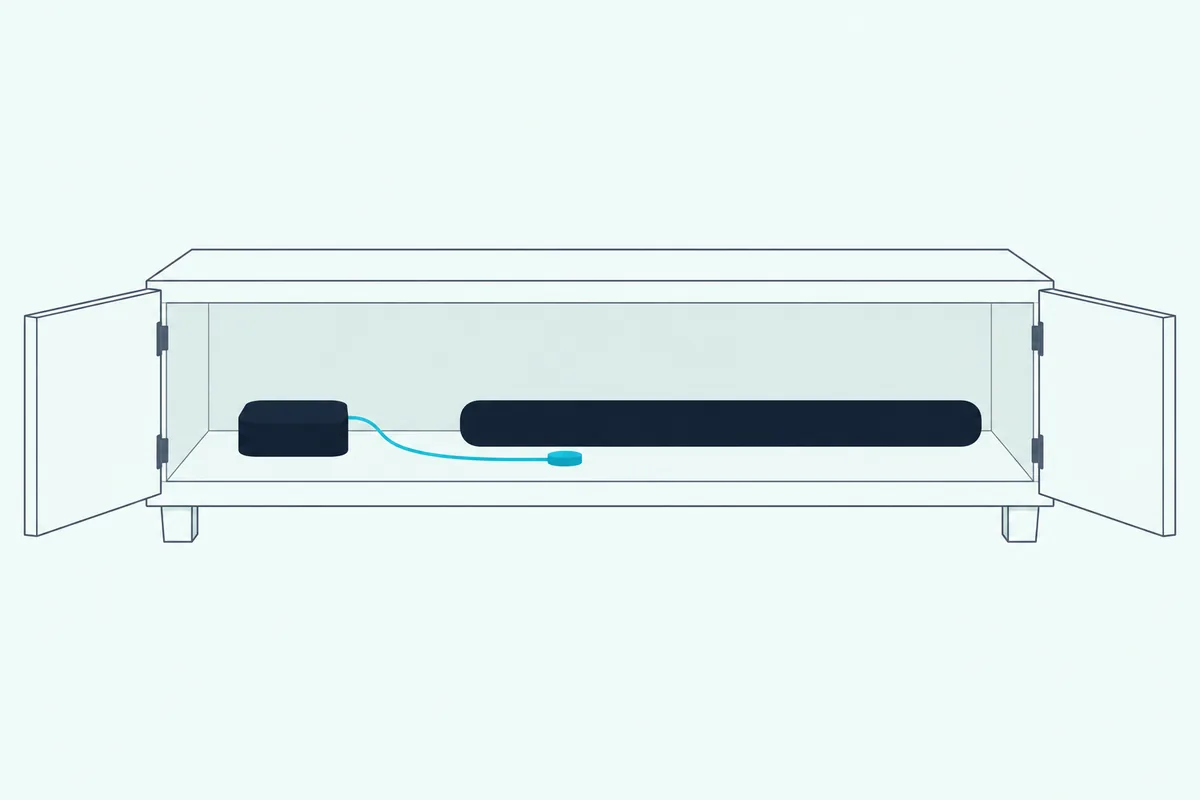
For a bar behind a closed cabinet door, Amazon suggests an IR extension cable that’s an IR transmitter with a 3.5mm jack, plugged into the IR port on the back of the Cube (Amazon). Put the emitter on the same shelf as the equipment, or the lowest shelf if it’s spread over several, then select Fire TV Cube under Settings > Equipment Control > Manage Equipment > Advanced Settings > Volume & Power Buttons.
On those smart TVs, Settings > Display & Sounds holds a TV Speakers switch for the built-in speakers. A bar on the set’s 3.5mm audio output follows Amazon’s remote only when that jack is set to Variable rather than Fixed, per Amazon’s audio settings page.
The Bottom Line
To control a soundbar with a Firestick remote, you need a Fire TV remote with volume and power buttons and one pass through Settings > Equipment Control > Manage Equipment > Add Equipment > Soundbar.
On HDMI ARC, turn CEC on at the stick, the television and the bar; on optical, the Equipment Control route is the one Amazon gives. The menus and settings here come from Amazon’s help pages and the soundbar makers’ own manuals, not from a hands-on setup.
Frequently Asked Questions
Do you need to put the soundbar in pairing mode?
Not for equipment control: Amazon’s steps add the bar through Settings > Equipment Control and list no pairing step on the soundbar. Pairing mode is for Bluetooth, such as Amazon’s own soundbar, which enters discovery mode when you hold its Bluetooth button until it blinks blue, or Samsung’s HW-Q70R, whose PAIR button brings up “BT PAIRING” on the display.
Can one Firestick remote control both the TV and the soundbar?
Yes. Amazon describes equipment control as running compatible TVs, A/V receivers and soundbars, and the Manage Equipment screen lists the television alongside the equipment you add. With Amazon’s own bar on the set’s HDMI ARC input, the set’s remote can run it too, Amazon says.
Will the Firestick remote turn the soundbar on?
Over HDMI it can. Nakamichi’s setup page for the Fire TV 4K says pressing any button on its remote wakes the device, which sends the HDMI-CEC signal that powers a Nakamichi bar on, followed by the television, with HDMI CEC Device Control set to On. On optical, power comes from equipment control, the way Amazon’s optical setup configures its own bar for volume and power control. A bar that stays dark when the set wakes is covered in Burton Acoustix’s guide to a soundbar that wakes with the television.
Can a Firestick remote control a Bluetooth soundbar?
Amazon’s help pages pair its own bar with a stick or Cube through Settings > Controllers & Bluetooth Devices > Other Bluetooth Devices > Add Bluetooth Devices, after unplugging the bar’s HDMI or optical cable, because using Bluetooth and HDMI together may cause connection issues. Equipment control is described for bars the device detects or bars on an optical cable, so for volume over Bluetooth, check your bar’s manual.
Can the Fire TV app control the soundbar’s volume?
Only on some setups. Amazon says the app’s volume and power controls rely on the CEC protocol, which not all TVs support, and aren’t available on every Fire TV device. If the app can’t change an external speaker, Amazon’s fix is to set up equipment control for it under Settings > Equipment Control.