Can I Learn Piano on a MIDI Keyboard? What It Can and Can’t Teach
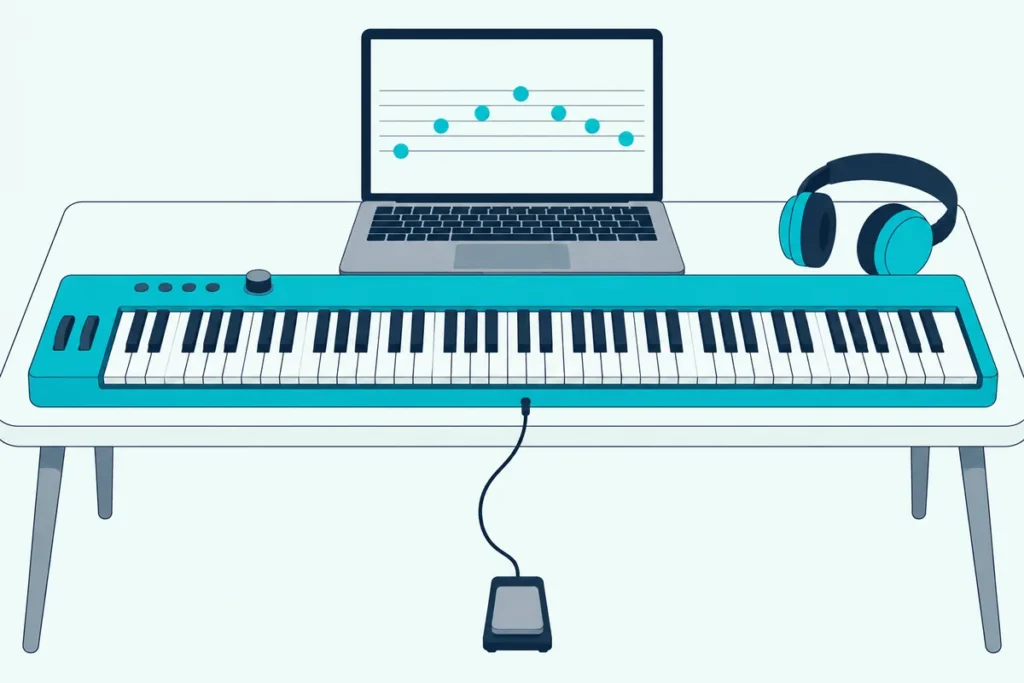
Can I learn piano on a MIDI keyboard? Yes, as long as it has enough keys, keys that respond to how hard you press, and an app or program that makes the sound.
A MIDI keyboard is silent by itself, and the wrong one can teach habits that a real piano won’t forgive.
Choosing the key action, the size and the software up front means the practice you do carries over to any piano you sit down at later.
Below, you’ll see what a MIDI keyboard can and can’t teach, which specs matter, how to connect it to learning apps, and when a digital piano is the better buy.
Start with what you get on day one.
Can I Learn Piano on a MIDI Keyboard?
Yes, and the makers of the learning apps say so themselves. Piano Marvel calls a MIDI keyboard a great way to start learning piano, and its software works when you plug a MIDI or USB cable from the keyboard into your computer (Piano Marvel).
Four things decide whether it works well, and the table shows what to check for each:
| You need | What to check |
|---|---|
| Enough keys for both hands | 61 is a comfortable start, and 88 is the full piano |
| Keys that respond to touch | Velocity-sensitive keys, ideally semi-weighted or better |
| A sound source | An app, DAW or virtual piano, since the keyboard itself is silent |
| A way to connect | A USB To Host port, or a 5-pin MIDI port with an adapter |
Each of those rows has a catch, and the next sections take them in turn.
What Does a MIDI Keyboard Lack That a Piano Has?
The catches start with sound. Akai says its MPK Mini MK3 sends MIDI messages to software on your computer to generate sound (Akai), and the same is true of any MIDI keyboard without built-in sounds.
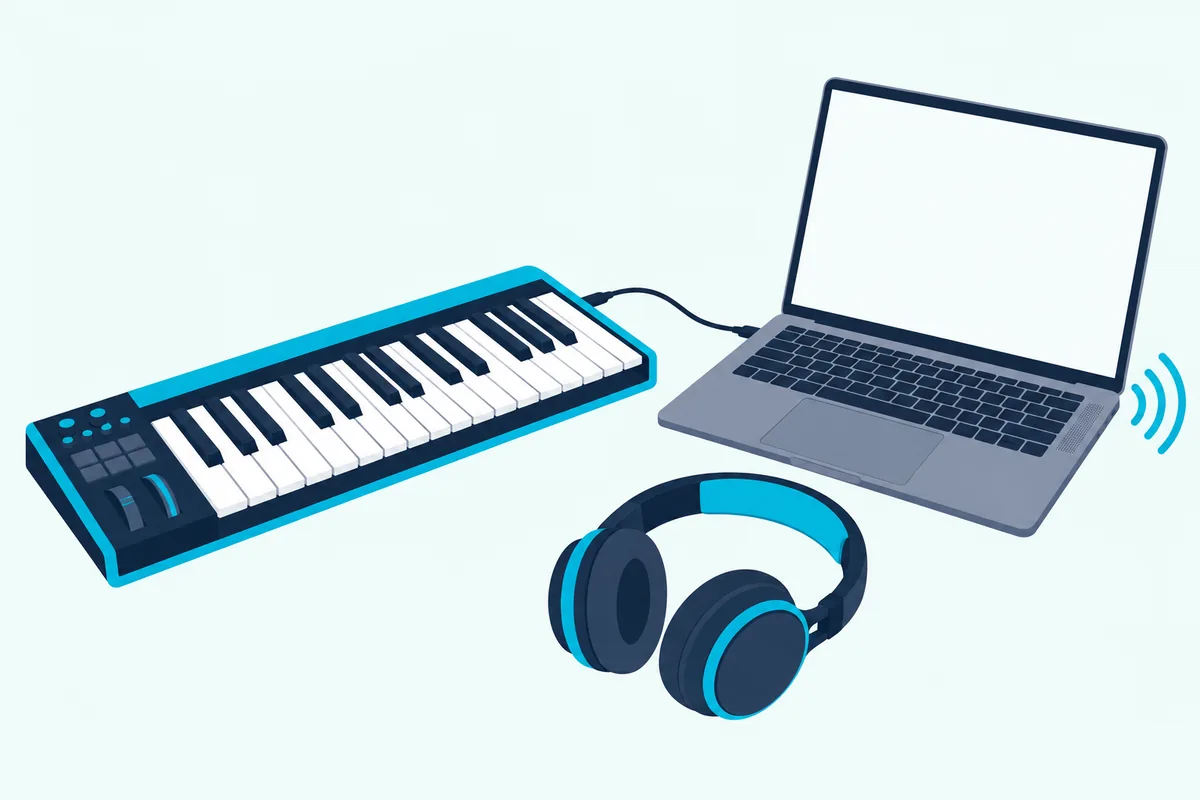
The other gaps are touch and pedals. A digital piano has built-in sounds, speakers and usually weighted keys, while a MIDI keyboard trades those for size and a lower cost.
None of that stops you learning the notes, the rhythm and the fingering. It does mean you’ll add a computer, tablet or phone to your setup, plus headphones or speakers.
Get Studio Tips Weekly
Join 5,000+ creators getting acoustic treatment advice every week.
No spam. Unsubscribe anytime.What Can a MIDI Keyboard Teach You Well?
Those gaps are real, but they sit in one narrow part of piano playing. The first months are about notes, rhythm, hand position and reading, and a MIDI keyboard handles all of that.
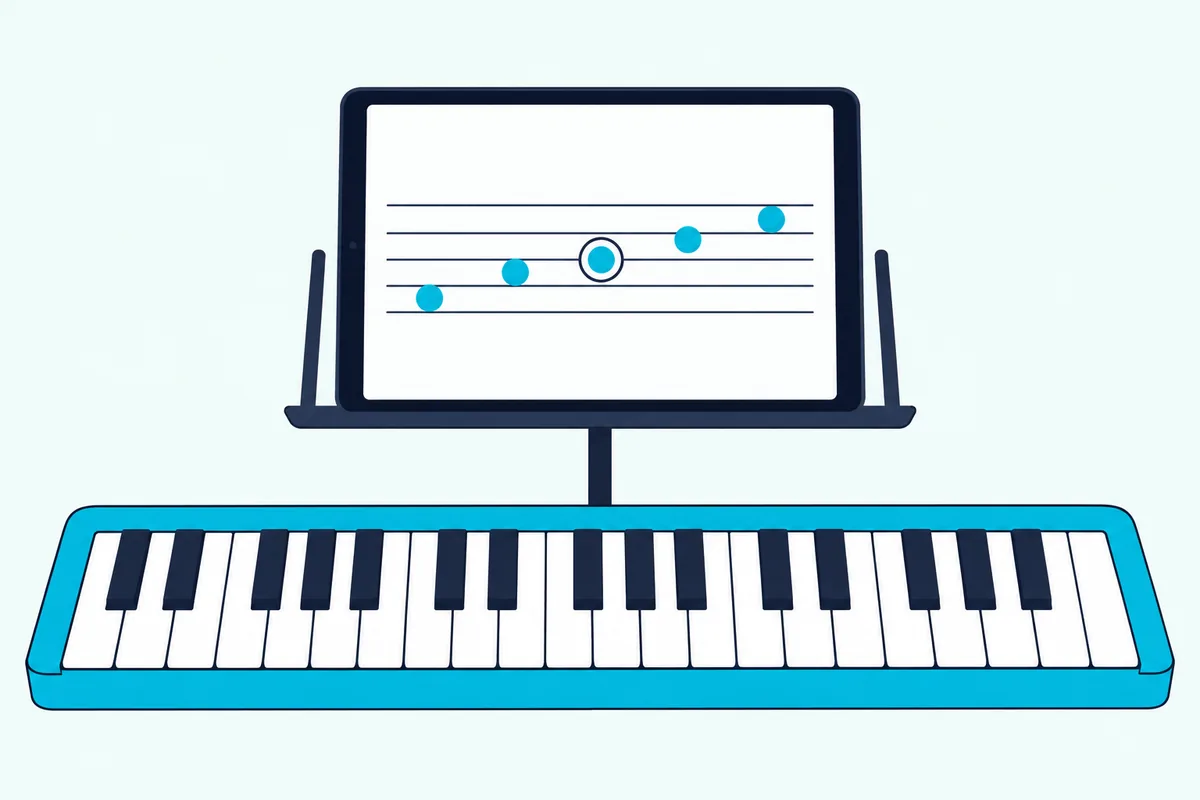
Apps add something an acoustic piano can’t. Melodics says that when you connect a MIDI keyboard, every note you play is tracked, so you see right away when you’ve hit a wrong key or come in late and can correct it in the moment instead of repeating it all week (Melodics).
Dynamics come from the keys themselves, which is why velocity sensitivity matters. M-Audio lists its keys as velocity-sensitive, so a soft press sounds soft and a hard press sounds loud.
What a MIDI keyboard teaches less well is touch. Heavier actions like hammer action build the resistance an acoustic piano has, and lighter synth-style keys don’t, so the more you plan to play acoustic pianos, the more the action matters.
What Key Action Do You Need to Learn Piano?
Touch is the biggest difference between a MIDI keyboard and an acoustic piano, so the key action deserves a closer look. Novation describes its 25 and 37-key Launchkey boards as synth-style and its 49, 61 and 88-key boards as semi-weighted piano-style (Novation).
M-Audio lists its Keystation 88 MK3 at 88 full-size velocity-sensitive semi-weighted keys (M-Audio). At the top end, Roland’s A-88MKII uses a PHA-4 Standard keyboard with escapement and ivory feel, which Roland calls hammer action (Roland).
The choice comes down to how far you plan to go. Synth-style keys are light and quick and teach the notes, semi-weighted keys add some resistance for chords, and hammer action is the closest to an acoustic piano’s touch.
Hammer action comes with weight, though. M-Audio lists the Keystation 88 MK3 at 13.75 pounds, Novation lists the Launchkey 88 MK4 at 17.73 pounds, and Roland lists the A-88MKII at 38 pounds 10 ounces.
Whatever the action, look for velocity sensitivity. Without it every note sounds equally loud, and you can’t practice playing softly or firmly.
How Many Keys Do You Need to Learn Piano?
Weight is one trade-off, and size is the other. Piano Marvel suggests 61 keys for a beginner who doesn’t want a full-size board yet, and says most of your lessons will focus on the middle of the keyboard.
Melodics, another learning app, says 49 keys is the minimum and 61 or 88 is better (Melodics). Our guide to how many keys suit two-handed playing shows what each size covers in octaves.
The numbers behind that advice are simple. A piano has 88 keys, and 61 keys give you five octaves, which covers most beginner pieces without the 88-key board’s width of about four feet.
A 25-key board is the outlier. It suits beats and single-line melodies, and it’s too narrow for the two-handed playing that piano lessons ask of you.
Do Mini Keys Work for Learning Piano?
The size question has a second half, which is how wide each key is. Novation’s lineup shows it clearly: the Launchkey Mini 25 MK4 has synth-style mini-keys and is 338.5 millimeters wide, while the Launchkey 25 MK4 has synth-style full-size keys and is 461 millimeters wide (Novation, Novation).
Both have 25 keys, and the full-size board is 122.5 millimeters wider. Mini keys save desk space and suit travel and pad work.
For learning piano, full-size keys are the safer choice, because your fingers get used to spacing closer to a real piano’s. Mini keys are fine for a second keyboard you carry around.
Will It Fit Your Desk or Stand?
Key count turns into width fast, so measure before you buy. On Novation’s Launchkey MK4 line the 49-key board is 730 millimeters wide, the 61-key is 895, and the 88-key is 1274 (Novation).
Other makers land in the same range. M-Audio lists the Keystation 88 MK3 at 54.24 inches wide, and Roland lists the A-88MKII at 56 5/16 inches (M-Audio, Roland).
That’s more than four feet for an 88-key board, which is wider than many desks and keyboard stands. A 61-key board at 35.2 inches fits most setups, which is one more reason it works as a first size.
Power is simpler than width. M-Audio says the Keystation 88 MK3 needs no power supply when it’s plugged into a Mac or PC, and Novation lists the Launchkey 61 MK4 as USB bus powered with no power supply included (M-Audio, Novation).
M-Audio also lists an optional 9-volt DC supply for the Keystation 88 MK3, sold separately.
Do You Need a Sustain Pedal?
A sustain pedal keeps notes sounding after you lift your fingers, and an acoustic piano has one built in.
Check the back of the keyboard before you buy. M-Audio’s Keystation 88 MK3 has a 1/4-inch sustain pedal input, and Novation’s Launchkey MK4 boards have a 1/4-inch sustain pedal jack (M-Audio, Novation).
For a pedal that behaves like the real thing, the M-Audio SP-2 is designed to work and feel like an acoustic piano’s sustain pedal, with a rubber bottom that grips the floor (M-Audio). Its polarity switch is there so it works across different keyboards, and M-Audio names it as the pedal to pair with the Keystation 88 MK3.
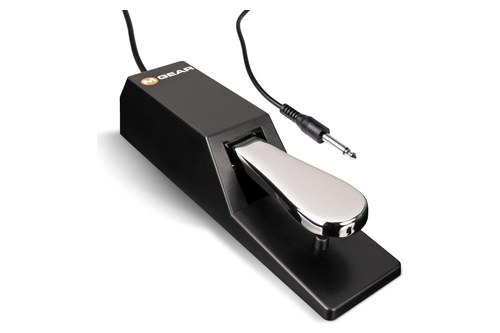
the M-Audio SP-2
What Software Makes the Sound?
The pedal is only useful once you can hear something, so the software matters as much as the keyboard. You have two choices: a learning app that supplies sounds and lessons, or a general program such as a DAW or a virtual piano.
Learning apps combine the two jobs. Melodics says you connect a MIDI keyboard and every note is tracked as you play, which shows you right away when you’ve hit a wrong key or come in late.
GarageBand is the free Mac option. Apple says it includes Learn to Play lessons for guitar and piano, with one lesson of each pre-installed and more in its Lesson Store (Apple).
A plain virtual piano works too, but it gives you no feedback on what you played. That makes an app with lessons the better first choice for a beginner.
Which Learning Apps Work With a MIDI Keyboard?
Each app has its own connection rules, so check yours before you pick a keyboard. This table sums up what the makers say:
| App | How it connects | What the maker says |
|---|---|---|
| Skoove | USB To Host, 5-pin MIDI with an adapter, or Bluetooth | Its help center lists cable, MIDI and Bluetooth setups |
| Simply Piano | MIDI or USB To Host; Bluetooth MIDI on iPhone and iPad | Needs a keyboard with Bluetooth MIDI built in for wireless |
| Piano Marvel | A MIDI or USB cable into a computer | Recommends a MIDI piano to use everything it offers |
| Melodics | USB into a Mac, PC, iPad or iPhone | Says it works with any MIDI keyboard |
| GarageBand | Any USB MIDI keyboard on a Mac | One piano lesson comes installed |
Two of the keyboards in this guide come with lessons. M-Audio lists Skoove lessons and 40 free Melodics lessons with the Keystation 88 MK3 once you register it, and Novation lists lessons from Melodics with the Launchkey 61 MK4.
The apps differ in how much they give you. Piano Marvel’s site advertises over 25,000 popular songs and exercises, and Melodics advertises hundreds of interactive lessons and popular songs.
Free options exist too, since GarageBand’s Learn to Play lessons come with the software. Try a free trial or a free lesson before you commit, and check that the app sees your keyboard first.
How Do You Connect a MIDI Keyboard to a Learning App?
That table is easier to follow with an example, so here’s Skoove’s own setup. Skoove says to check first whether your keyboard has a MIDI port, a USB To Host port or both (Skoove).
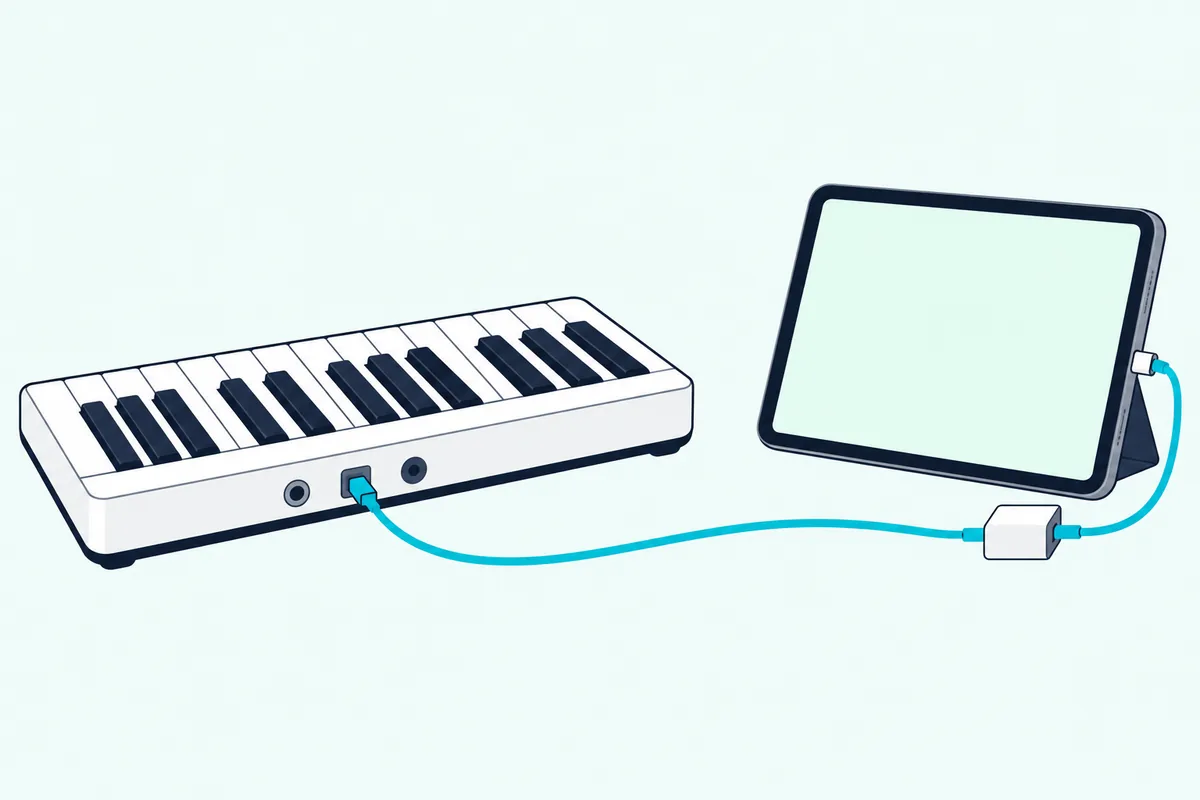
The steps are short:
- Find the port. A USB To Host port needs a USB A-to-B cable, and a MIDI-only keyboard needs a MIDI-to-USB adapter.
- Add an adapter if needed. A phone or tablet with a USB-C or Lightning connector needs the matching adapter.
- Open the app’s settings. In Skoove it’s menu, Settings, Piano / Keyboard, then Cable (MIDI).
- Set the key range. Press the leftmost key first and the rightmost key second, then save.
- Choose the sound output. Pick the speaker or headphone output, and you’re set.
Simply Piano’s wireless route is different. Its help center says you need a keyboard with Bluetooth MIDI built in and Simply Piano version 9.4.35 or higher, then you turn on MIDI Bluetooth in Menu, Settings, MIDI Settings on an iPhone or iPad (Simply Piano).
If an app doesn’t see your keyboard, Skoove’s advice is to look for the latest drivers and updates from the keyboard’s maker (Skoove).
How Do You Set Up GarageBand With a MIDI Keyboard?
GarageBand asks for the same driver check, and Apple’s own steps for a Mac are short. If the keyboard has a USB port, connect the USB cable from the keyboard to your computer (Apple).
A keyboard with only 5-pin MIDI ports needs a MIDI interface. Apple’s steps run the keyboard’s MIDI Out to the interface’s MIDI In, its MIDI In to the interface’s MIDI Out, and the interface to the computer.
Apple also says to follow the instructions that came with the keyboard, which may include installing a driver, and to check the maker’s website for the latest one. GarageBand lets you set the keyboard sensitivity too, which controls how the keyboard responds to your playing.
How Can You Test the Keys and Pedal Before Your First Lesson?
Whichever app you pick, a short test tells you whether the keys and pedal are registering. Melodics suggests playing a few notes softly, then firmly, and checking the keyboard’s velocity setting if every note comes out at the same volume (Melodics).
Next, press the sustain pedal if you have one and check that your app registers it. If the app asks for the key range, press the leftmost key and then the rightmost, as Skoove’s steps describe.
If nothing registers at all, go back to the cable and adapter steps above, and check the maker’s site for a newer driver, as Skoove and Apple both advise.
What if You Already Own a Keyboard or Digital Piano?
Then you may not need to buy anything. Look at the back or side for a USB To Host port, a micro USB port or 5-pin MIDI sockets, because Skoove says a keyboard with only a MIDI port needs an adapter while one with USB To Host needs just a USB A-to-B cable (Skoove).
Newer portable keyboards make it simple. Casio says the microUSB port on its 61-key CT-S1 connects to any PC, Mac, iOS or Android device with no drivers or installation needed, and that its USB-MIDI is class-compliant (Casio).
Yamaha’s P-525 lists USB To HOST carrying MIDI and audio (Yamaha). If the app still can’t see your instrument, look for the maker’s latest driver, as Skoove advises.
Can You Learn Piano on an iPad or Phone?
Yes, since a phone or tablet can be the device that makes the sound. The catch is the connector: Skoove says a device with a USB-C connector needs a USB-C adapter and one with a Lightning connector needs a Lightning adapter (Skoove).
M-Audio says its Keystation 88 MK3 works with iOS devices through Apple’s USB to Camera Adapter, which is sold separately (M-Audio).
Wireless is possible too. Simply Piano supports Bluetooth MIDI on iPhones and iPads, provided the keyboard has Bluetooth MIDI built in.
Our guide to MIDI keyboards for iPad covers the adapters and power draw. Keep the connection wired if you can, since Bluetooth adds delay.
Why Does the Delay Matter When You’re Learning?
Connecting is one thing, and hearing each note without lag is another. A delay between pressing a key and hearing it makes timing practice harder, because your ear and your fingers disagree.
Wired USB is the safer choice for timing. Our guide to the delay you hear on a computer-only setup explains where the lag comes from and how to shrink it.
Headphones help in two ways: they let you practice without disturbing anyone, and they usually beat laptop speakers for piano sounds. A pair of wired headphones also avoids the extra delay Bluetooth adds.
How Should You Practice on a MIDI Keyboard?
Melodics suggests ten to fifteen minutes a day of focused practice over one long weekend session, and using both hands early because two-handed coordination is the real skill (Melodics). It also suggests recording yourself, because hearing your playing from the outside shows uneven timing.
Piano Marvel adds that most of your lessons will focus on the middle of the keyboard, so you won’t use the full width at first. That’s why a 61-key board is enough to start.
Short, regular sessions with an app that shows your mistakes are the setup those makers describe. A keyboard that stays plugged in and ready makes that habit easier.
Will Your Skills Transfer to an Acoustic Piano?
Most of what you learn carries over: notes, rhythm, fingering and reading. What changes is touch, and Melodics says even a good MIDI keyboard can’t fully copy an acoustic piano’s, which advanced pianists may find limiting.
If you expect to move to an acoustic piano soon, choose the heaviest action you can. Hammer action like Roland’s A-88MKII is the closest match, though it comes with the weight noted above.
Piano Marvel makes a related point about apps. It says using an acoustic piano in its Book Mode doesn’t completely ensure note accuracy, which is why it recommends a MIDI piano to get everything the app offers.
What Mistakes Do Beginners Make With a MIDI Keyboard?
A few come up again and again, and each one traces back to a spec above. The first is buying too few keys: a 25-key board is fine for beats but too narrow for two hands, and the makers of learning apps suggest 49 at least and 61 ideally.
The second is ignoring touch. Keys without velocity sensitivity make every note the same volume, and very light keys don’t prepare your hands for a heavier piano later.
The third is skipping the pedal. An acoustic piano has one, and checking for a pedal jack costs nothing before you buy.
The fourth is putting up with delay. Laptop speakers and wireless connections both make timing harder, so use wired USB and headphones while you learn.
The last is buying before checking the app. Look at the app’s connection rules first, since a keyboard with only a 5-pin MIDI port needs an adapter.
How Is a MIDI Keyboard Different From a Digital Piano or a Portable Keyboard?
Some of those mistakes start with the names, because people use “keyboard” for three different instruments. Melodics separates them, and the table follows its definitions (Melodics):
| MIDI keyboard | Digital piano | Portable keyboard | |
|---|---|---|---|
| Built-in sounds and speakers | None | Yes | Yes, with a large bank of sounds |
| Typical keys | Usually 25 to 61 | Normally 88 weighted | Typically 61 unweighted |
| Output to an app | USB or MIDI | Most have USB or MIDI | Most recent models have USB-MIDI |
A MIDI keyboard, also called a MIDI controller, only sends note information to a computer, tablet or phone. Melodics says it’s lighter to play and the most affordable and compact of the three.
You can learn piano on all three, and any of them with a USB or MIDI output works with learning apps. That’s why a digital piano can double as a MIDI keyboard, and why an older portable keyboard you already own might do the job.
When Is a Digital Piano the Better Buy?
The digital piano in that table is the one that makes its own sound, so sometimes you’d learn faster on it. A digital piano has built-in speakers and weighted keys, and many connect to learning apps by USB.
Yamaha’s portable digital piano line lists models with USB To Host carrying MIDI and audio, such as the P-525 (Yamaha). That means one instrument can serve as your practice piano and your MIDI keyboard.
Choose a digital piano if you’re aiming at classical repertoire or plan to play acoustic pianos, since hammer action is the closest match. Choose a MIDI keyboard if you also want to make music on a computer, since it’s smaller and often bundles production software.
For the details behind that choice, see how the two compare on sound, size and setup.
Which MIDI Keyboards Suit a Piano Beginner?
Two boards from this guide fit two different beginners. The M-Audio Keystation 88 MK3 gives you the full range for piano-first learning.
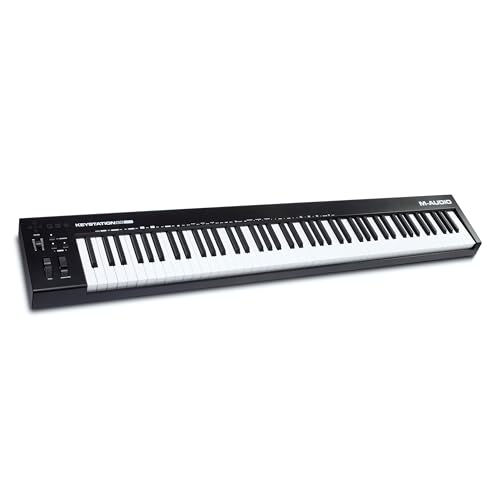
The M-Audio Keystation 88 MK3
If you’d rather learn on 61 keys and make music too, the Novation Launchkey 61 MK4 adds pads and faders. Our list of beginner MIDI keyboards has more choices.
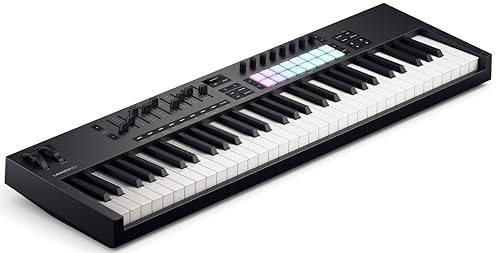
the Novation Launchkey 61 MK4
The Bottom Line
You can learn piano on a MIDI keyboard: pick semi-weighted keys, 61 or 88 of them, add a sustain pedal and a learning app, and connect it by USB. Choose hammer action or a digital piano if classical piano is the goal.
Before you pay for anything, check the app’s connection rules and the keyboard’s ports. Those two checks prevent most setup problems.
Frequently Asked Questions
Can you learn piano on a 49-key MIDI keyboard?
Yes for beginner pieces and simple two-handed playing. Melodics says 49 keys is its minimum, and Piano Marvel suggests 61 keys if you don’t want a full-size board yet.
Do you need weighted keys to learn piano?
Not to start, but they help if you’re aiming for an acoustic piano. Novation and M-Audio describe their bigger boards as semi-weighted, while Roland’s A-88MKII uses hammer action.
Can a MIDI keyboard be used as a piano?
Yes, once it’s connected to a device that makes the sound. On its own it makes none, because it only sends MIDI messages to software.
What do you need to learn piano on a MIDI keyboard?
A MIDI keyboard, a computer, tablet or phone, an app or program that makes sound, and headphones or speakers. A sustain pedal is a useful extra.
Does Simply Piano work with a MIDI keyboard?
Yes. Its help center says you need a keyboard with a MIDI or USB To Host connection, or Bluetooth MIDI on an iPhone or iPad with a Bluetooth-MIDI keyboard.