Bluetooth DJ Controllers: What the Wireless Link Really Carries
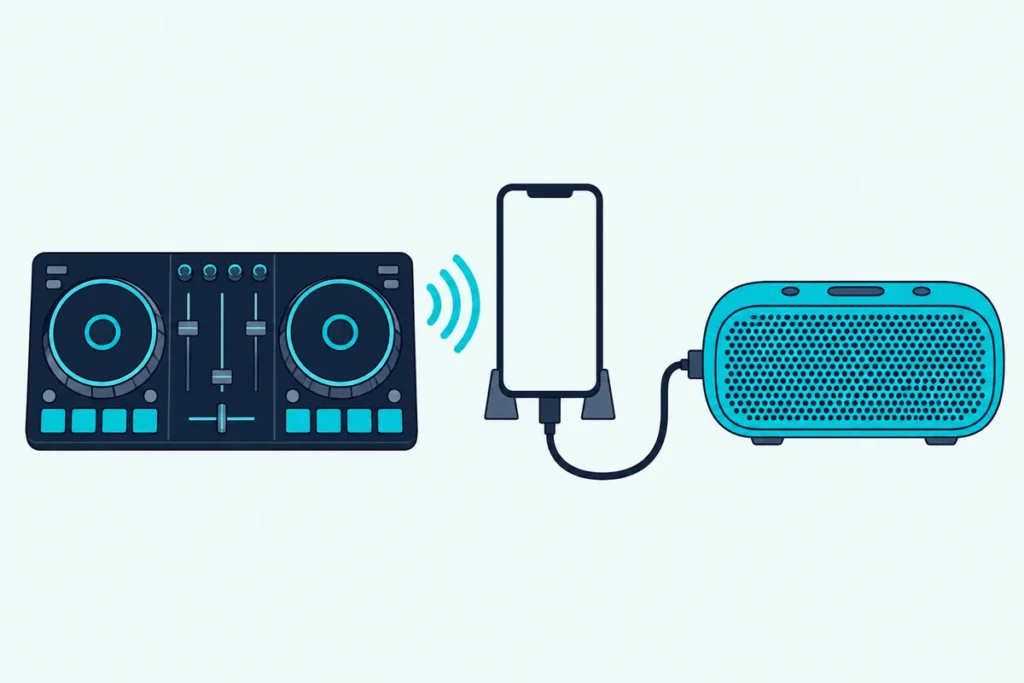
You pair a Bluetooth DJ controller with your phone, press play, and the music still comes out of the phone instead of the speaker you were counting on.
That’s how these controllers are built: AlphaTheta says the DDJ-FLX2’s Bluetooth sends no audio out of its speaker terminals or headphone jack, because the audio plays from the phone.
This guide uses AlphaTheta’s and Hercules’ own support pages, Algoriddim’s latency advice, Reloop’s mixer pages and RTINGS’ measurements to sort out what goes wireless.
You’ll see which models connect over Bluetooth, how to pair them, how much delay Bluetooth speakers add, and the wired trick that avoids it.
Start with what the label really means, because that decides what you should buy.
What Is a Bluetooth DJ Controller?
That phone-speaker surprise comes from how the label gets used. A Bluetooth DJ controller is a controller whose wireless link carries your knob and jog-wheel moves to a DJ app while the music keeps playing from the phone: Hercules says its DJControl Mix connects to the djay app over Bluetooth Low Energy, and AlphaTheta says the audio is then output from the phone, not from the unit (Hercules, AlphaTheta).
| What people call it | What goes over Bluetooth | Example from the makers | What it can’t do |
|---|---|---|---|
| A Bluetooth DJ controller | Your control moves, as Bluetooth MIDI to a phone or tablet app | Hercules DJControl Mix, AlphaTheta DDJ-FLX2 | Send audio from its own jacks |
| A DJ mixer with Bluetooth | Music streamed from a phone into the mixer | Reloop RMX-10 BT, RMX-30 BT, RMX-44 BT, PTB-2 | Control a DJ app |
| A Bluetooth speaker in a DJ setup | Audio from the phone | Any Bluetooth speaker | Stay in sync, since Algoriddim says it always adds noticeable latency |
The phrase gets used for all three, so the sections below take them in turn.
Which DJ Controllers Have Bluetooth?
That table’s first row is a short list, and the makers’ own pages document three: Hercules’ DJControl Mix and DJControl Mix Ultra and AlphaTheta’s DDJ-FLX2, all over Bluetooth Low Energy (Hercules, AlphaTheta).
| Controller | Bluetooth link | Power | What the maker says about audio |
|---|---|---|---|
| Hercules DJControl Mix | Bluetooth Low Energy to the djay app | External battery or USB power supply | Lists four speaker setups, all through the phone |
| Hercules DJControl Mix Ultra | Bluetooth Low Energy to phones and tablets | Built-in battery, up to 10 hours | Lists the same four phone-based speaker setups |
| AlphaTheta DDJ-FLX2 | Bluetooth Low Energy, about 10 m in the open | USB bus power | Over Bluetooth, audio comes from the phone; over USB, from its 3.5 mm MASTER and PHONES jacks |
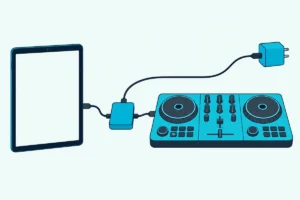
AlphaTheta says the DDJ-FLX2 still needs power in Bluetooth mode, from a USB Type-C adapter or a mobile battery.
Hercules says the DJControl Mix needs Android 8.1 or newer or iOS 12.2 or newer, on a device with Bluetooth 4.1 or newer (Hercules), and its page says the Mix Ultra needs Android 10 or iOS 15 or newer.
If you’d rather use a cable to a tablet, our guide to adapters, power and apps for an iPad setup covers it step by step.
Get Studio Tips Weekly
Join 5,000+ creators getting acoustic treatment advice every week.
No spam. Unsubscribe anytime.How Do You Pair a DJ Controller Over Bluetooth?
Those controllers pair inside the DJ app, not in your phone’s Bluetooth list. For the DJControl Mix, Hercules says to install djay, switch on Bluetooth (and location on Android), power the controller until its pairing LED flashes white, then open djay, go to Settings, MIDI, Scan for Bluetooth MIDI Devices and pick the DJControl Mix (Hercules).
The LED goes off once the controller is connected.
For the DDJ-FLX2, AlphaTheta says to connect the power to the unit and use the app to connect, and that it works with any iPhone, iPad or Android device that supports Bluetooth (AlphaTheta).
Why Won’t a DJ Controller Pair Over Bluetooth?
That pairing rule is the usual cause. Hercules says an iPhone or iPad can’t find the DJControl Mix in its Bluetooth settings at all, so pairing has to start in djay, and the pairing is intended only for the djay app (Hercules).
On Android, pairing from the phone’s Bluetooth settings stops djay from seeing the controller, and Hercules says to remove the DJControl Mix from the connected devices list, unplug and replug its USB power, then pair again from djay.
Can You Play DJ Sound Through Bluetooth Speakers?
Pairing only links the controls, so the speaker answer depends on where the audio comes from. Only from the phone, and the app’s maker advises against it: Hercules lists a Bluetooth speaker paired to the phone as one of four speaker setups for the DJControl Mix, but Algoriddim says to avoid Bluetooth speakers and headphones because they always introduce noticeable latency (Hercules, Algoriddim).
AlphaTheta is blunter about its own controller: you can’t listen to sound from the DDJ-FLX2 through Bluetooth headphones or speakers (AlphaTheta).
| Hercules’ four speaker setups for the DJControl Mix | Where the sound comes from |
|---|---|
| Speaker built into the phone or tablet | The phone |
| Bluetooth speaker with the phone or tablet | The Bluetooth speaker |
| Wired speaker on the phone’s headphone jack | The wired speaker |
| Included splitter cable on the phone’s headphone jack | A wired speaker on the master output and headphones on the monitoring output |
Only the splitter cable setup lists headphones on a monitoring output, and the Bluetooth speaker setup lists no way to cue.
How Much Delay Does Bluetooth Add?
Those warnings rest on measurable lag. RTINGS measured 173 ms through the default SBC codec against 7 ms wired on one headset, and says an SBC connection typically has more than 100 ms of latency (RTINGS).
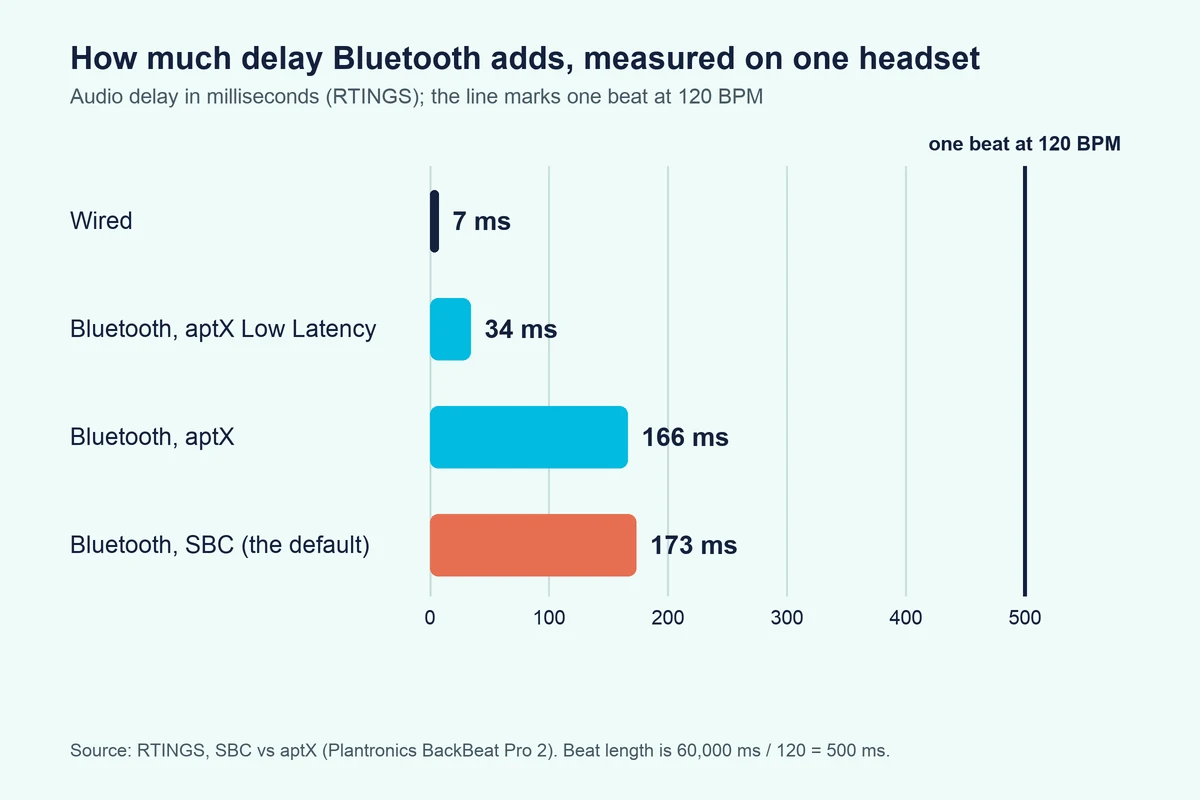
The same test measured 34 ms for aptX Low Latency, but RTINGS says both the transmitter and the receiver must support it, which few devices do.
At 120 BPM a beat lasts 500 ms, so 173 ms is about a third of a beat (173 ÷ 500 = 0.35), which is easy to notice when you cue or scratch.
Hercules says the controller’s own Bluetooth link has imperceptible latency for control moves, and Algoriddim treats that MIDI latency separately from audio latency.
What Is the Best Way to Use a Bluetooth Speaker With a DJ Controller?
If the delay is the problem, the way around it is a cable. Plug the controller into the speaker’s wired input and Bluetooth drops out of the audio path: AlphaTheta’s DDJ-FLX2 setups play the mix through speakers connected by an audio cable, its output being a 3.5 mm MASTER jack, and Algoriddim says to use wired audio or a controller with built-in audio outputs (AlphaTheta, Algoriddim).
That only works if the speaker has an aux or line input, so look for an AUX IN jack on the speaker before you buy a cable.
A controller with RCA outputs needs an RCA to 3.5 mm cable for that jack, and our guide to how to connect a DJ controller to powered speakers covers the outputs, levels and cables.
Do DJ Mixers Have Bluetooth?
Some do, but their Bluetooth works the other way round, which is the second row of the first table. Reloop’s RMX-10 BT, RMX-30 BT, RMX-44 BT and PTB-2 mixers take music streamed from a phone, and Reloop calls them receiver components because the phone is only needed for playback (Reloop).
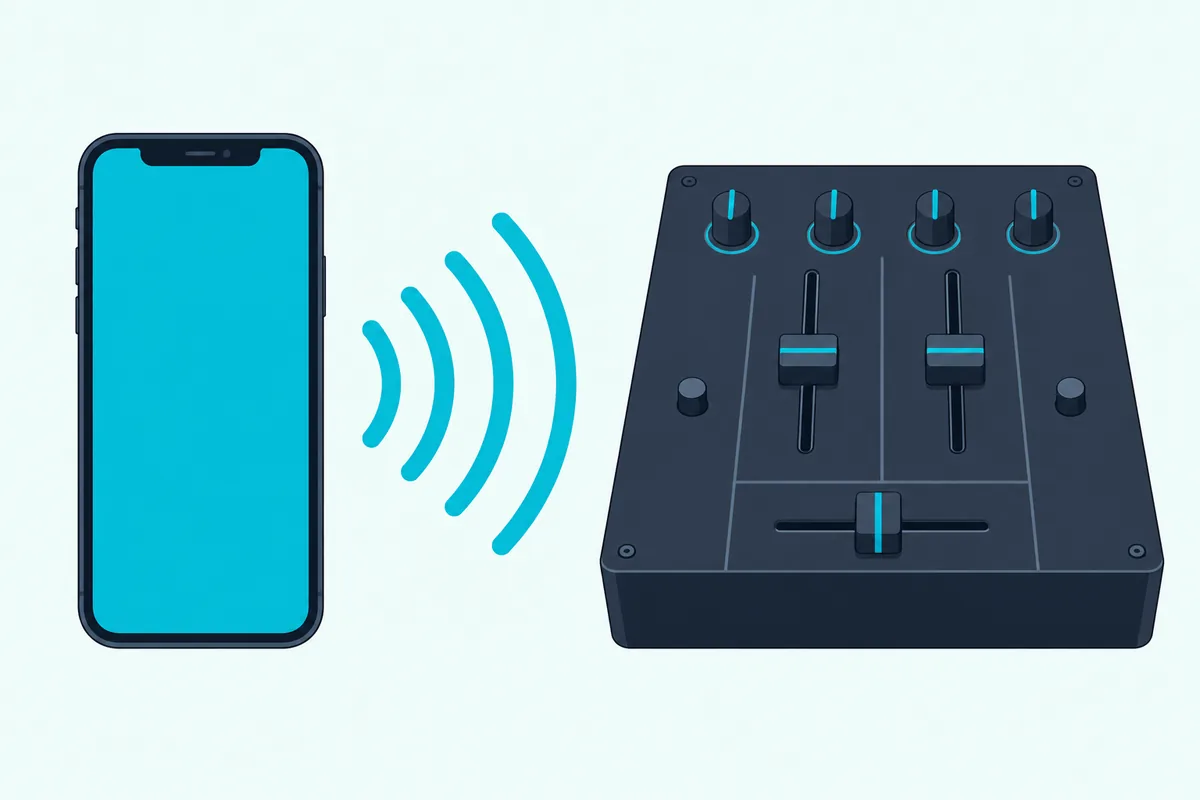
That makes a Bluetooth mixer a tool for requests and background playlists, as Reloop describes the RMX-44 BT, not for controlling DJ software, and our guide to DJ controllers versus mixers explains the difference.
What If You Want to DJ Without Any Cables?
If wires are the real complaint, power is the first cable to lose. The DJControl Mix Ultra has a built-in battery for up to 10 hours, while the DJControl Mix and the DDJ-FLX2 can run from a mobile battery (Hercules, AlphaTheta).
Then play through the phone’s own speaker or a wired speaker rather than a Bluetooth one: AlphaTheta notes that a USB-C iPhone or iPad running rekordbox for iOS can DJ with low latency without external speakers, by playing from the phone’s speaker only (AlphaTheta).
For a setup with no phone at all, our guide to controllers that run without a computer covers systems with the computer built in.
Which Bluetooth DJ Controller Should You Buy?
Those options boil the choice down to two questions: will you mix from a phone only, and do you also want a wired speaker output? For phone-only mixing, the Hercules DJControl Mix is the controller built for exactly that, and it ships with the cable that splits a phone’s headphone jack into speaker and headphone outputs.
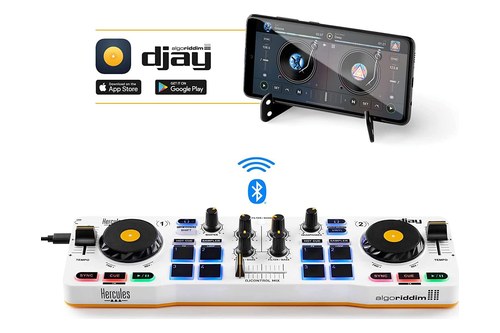
the Hercules DJControl Mix
If you want a wired speaker output as well, the AlphaTheta DDJ-FLX2 offers Bluetooth as a fallback, and over USB-C its own jacks carry the sound.
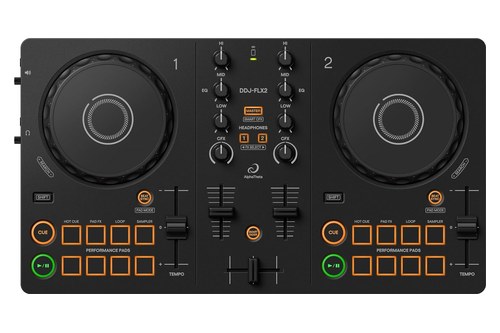
the AlphaTheta DDJ-FLX2
For cable-free power, the Hercules DJControl Mix Ultra runs from a built-in battery instead of a power bank.
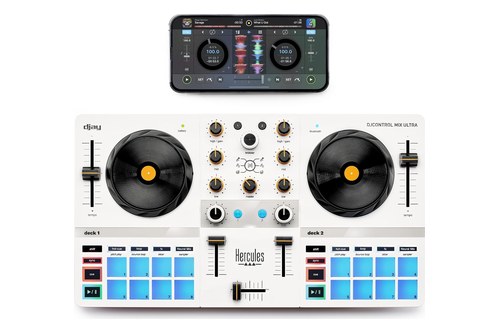
the Hercules DJControl Mix Ultra
The Bottom Line
Bluetooth on a DJ controller moves the controls, not the sound, so plan on the phone’s speaker or a wired connection to your speakers.
Pair inside the DJ app, power the controller from a battery or adapter, and use a Bluetooth speaker only through its aux input unless you can live with the delay.
Frequently Asked Questions
Do DJ controllers have Bluetooth?
Some do, over Bluetooth Low Energy: Hercules’ DJControl Mix and Mix Ultra and AlphaTheta’s DDJ-FLX2 are documented examples, and the link carries your controls to a phone app, not the sound.
Can you connect a DJ controller to a Bluetooth speaker?
Not through the controller: AlphaTheta says you can’t listen to the DDJ-FLX2 through Bluetooth speakers. Use a cable to the speaker’s aux input, or play from the phone and accept the delay Algoriddim warns about.
How far does a Bluetooth DJ controller reach?
AlphaTheta lists about 10 m in unobstructed conditions for the DDJ-FLX2.
Is Bluetooth good enough for DJing?
For controls, Hercules says its link has imperceptible latency, but for audio Algoriddim says Bluetooth always adds noticeable latency, so use wired audio.
Does a Bluetooth DJ controller need power?
Yes. The DJControl Mix runs from an external battery or USB power supply, the Mix Ultra has a built-in battery, and the DDJ-FLX2 needs USB power even in Bluetooth mode.
Can you use a Bluetooth DJ controller with a laptop?
The DDJ-FLX2 can, over USB-C: AlphaTheta lists rekordbox, djay Pro and Serato DJ Lite for Mac and Windows. The Hercules DJControl Mix’s Bluetooth pairing is intended only for the djay app on a phone or tablet.