How to Soundproof a 3D Printer Without Trapping Heat and Fumes
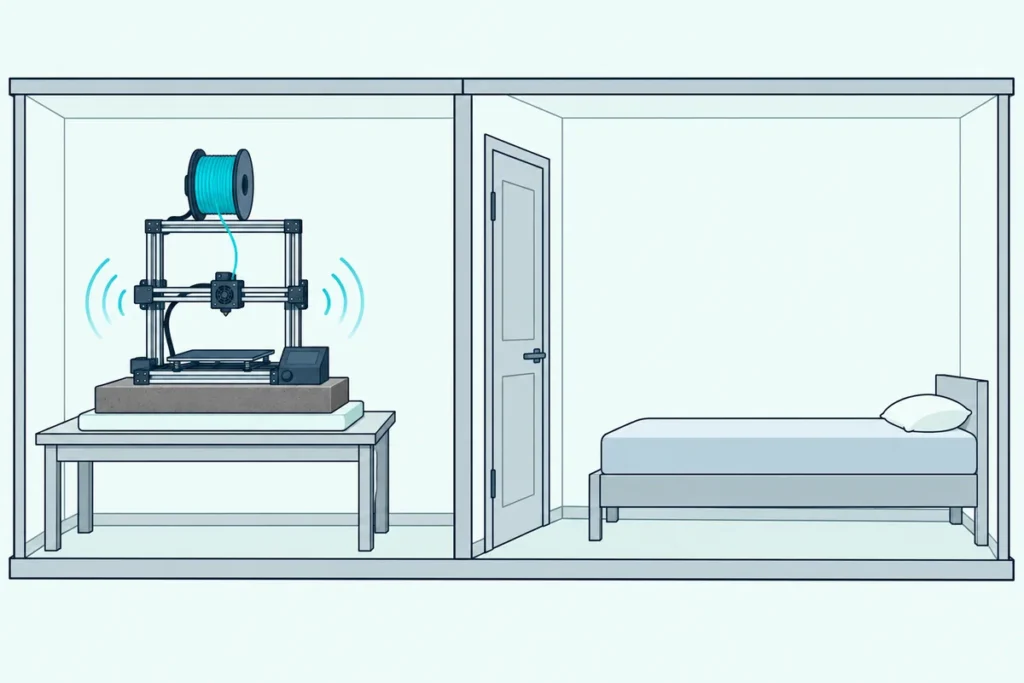
If you’re working out how to soundproof a 3D printer, a sealed box is the obvious idea, but much of the noise reaches you through the desk the printer stands on.
Stepper motors buzz, the bed and frame resonate, and the tabletop amplifies all of it, which is how an overnight print ends up heard in the next room.
Deal with that path first and the cheap moves (a quiet mode, a heavy slab and some soft padding) can take a real bite out of the noise before you build anything.
Prusa, Bambu Lab and Elegoo all build quieter settings into their printers, so that’s the first thing to switch on.
The steps below run from free to most involved, and they end with the heat and fume rules that decide whether your printer can live in a box at all.
How to Soundproof a 3D Printer in Seven Steps
Those quiet settings sit near the top of the list, which runs from free fixes to building work. To soundproof a 3D printer, find what’s making the noise, switch on its quiet mode, tighten what rattles, set it on a heavy slab over soft padding, move it away from where you sleep or work, and enclose it only if your filament and its heat limits allow.
| Step | What to do | Why it helps |
|---|---|---|
| 1 | Run each axis on its own to find the noise | Prusa’s help pages narrow a noise down this way |
| 2 | Switch on stealth or silent mode | Prusa caps acceleration, feedrate and jerk; Bambu Lab’s Silent mode runs at 50% speed |
| 3 | Tighten, tension and lubricate | Loose screws, slack belts and dry rods add noise (Prusa, Elegoo) |
| 4 | Set it on a paver over soft padding | CNC Kitchen measured 67.7 dB bare and under 56 dB on a paver and foam |
| 5 | Move it away or behind a closed door | A point source drops about 6 dB per doubling of distance (FHWA) |
| 6 | Enclose it, if the filament allows | Bambu Lab recommends opening up for PLA once the bed runs above 45°C |
| 7 | Vent the enclosure | UL’s Chemical Insights team calls good ventilation critical |
Steps 1 to 5 cost little or nothing, and in CNC Kitchen’s test the biggest single drop came from simply getting the printer off bare contact with the table. Steps 6 and 7 are where heat, fumes and your choice of filament start to decide things.
Where Does 3D Printer Noise Come From?
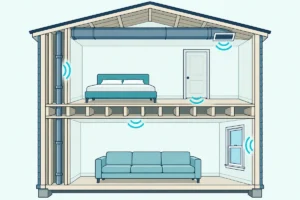
That first step matters because a printer makes several kinds of noise, and each fix only reaches some of them. The vibration starts in the stepper motors, but Stefan Hermann of CNC Kitchen found that most of what you hear comes from the bed and frame resonating, with the desk acting like a loudspeaker.
He compares it to a music box, which plays quietly in your hand and gets much louder the moment you set it on a table. The table also passes the vibration into the floor, so even a bedroom floor can become a speaker.
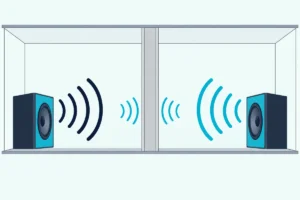
Decoupling is the cure for that path, and how soundproofing works, from mass to decoupling explains why breaking that structural bridge quiets walls and floors too. For a printer, it simply means a soft, damping layer between the printer and the furniture.
The motors move in steps rather than turning smoothly: most have a 1.8° step angle, or 200 steps per revolution, and their drivers chop those into smaller microsteps. Direction changes add lower-frequency shaking as the moving parts push and pull on the frame.
Fans are the other source, and once the motors are quiet they’re what’s left. Prusa says its MK3-series printers are almost inaudible in Stealth mode, with the print cooling fan as the noisiest part.
Prusa’s help pages give a simple test for finding the source. Move the X and Y axes one at a time from the printer’s menu, then rest a hand on the heatbed, motors, display or power supply while it runs and listen for the part that goes quiet.
Try that before you spend anything. If the noise drops when your hand is on the display, Prusa’s checklist points to loose screws on the display assembly, and that’s a screwdriver job, not a box.
Get Studio Tips Weekly
Join 5,000+ creators getting acoustic treatment advice every week.
No spam. Unsubscribe anytime.Does Stealth Mode Make a 3D Printer Quieter?
Once you know which noise you’re fighting, the printer’s own quiet setting is the cheapest fix. Yes, stealth or silent mode reduces noise by slowing the printer’s moves: on current Prusa printers it caps acceleration, feedrate and jerk, and Prusa says the trade-off is a longer print.
Prusa’s power modes guide puts the switch under Settings when the printer is idle and under Tune during a print, and a change mid-print takes effect once several buffered G-code commands have run. On its MK3-series printers, Stealth mode uses Trinamic’s StealthChop driver technology and gives up crash detection, so lost steps can’t be detected.
Bambu Lab’s P1 printers offer four speed modes on the screen, and Silent runs at 50% of normal print speed and acceleration, according to Bambu Lab’s P1 screen guide. Bambu Lab’s A1 mini adds what the company calls Active Motor Noise Canceling, and Bambu Lab says that with Silent mode it brings the noise level under 48 dB.
That 48 dB comes with no measuring distance, so it can’t be held up against another brand’s figure. Bambu Lab’s P1 printers also list motor noise cancellation among their calibration routines, alongside vibration compensation.
Elegoo’s Neptune 4 Pro manual gives its rear cooling fan Silent, Normal and Sport modes, picked from the fan icon during a print. Prusa’s and Bambu Lab’s slower modes trade time for quiet, so they suit overnight prints where a longer job doesn’t matter.
Can an Older Printer Get Quieter Stepper Drivers?
Those quiet modes lean on the stepper drivers, and older printers often have louder ones. Some can, by swapping the mainboard: CNC Kitchen notes that older drivers such as the Allegro A4988 make the well-known stepping noise, while more recent drivers eliminate it very well, apart from some vibration on fast travel moves.
Prusa says its i3 printers have had silent stepper drivers since the Original Prusa MK3. Creality’s store sells a V4.2.7 silent mainboard for Ender-3 and Ender-5 models with built-in TMC2225 drivers, and lists lower noise among its differences from the older V1.1.5 board.
A board swap means rewiring and new firmware. Creality says to copy the firmware file onto a formatted SD card with no other files on it, switch the printer on with the card inserted and wait 10 seconds, and it warns that the power supply and hotend fan leads must match the board’s plus and minus markings.
That’s a bigger job than flipping a menu setting. Save it for an older printer whose motors still sing after the other fixes.
Can Maintenance Make a 3D Printer Quieter?
New hardware isn’t the only route, because a printer that’s gotten louder over time usually needs attention rather than upgrades. It often can: Prusa says new noises after many hours of use likely mean the rods and bearings need some attention, and its checklist then works through the loose parts that rattle.
On the MK3S+, that list covers the nine heatbed screws, the pulleys on the X and Y motors, the display’s screws and the power supply’s four screws. Prusa also says the four rubber feet belong 2 to 3 cm from the end of each frame extrusion, and the MINI’s foam pads go on the extrusions themselves.
Elegoo’s Neptune 4 Pro manual says a loose timing belt can cause rough motion or abnormal noise on the X and Y axes, fixed by turning the belt’s tension knob. It also asks owners to lubricate the X and Y axes regularly to keep the movement smooth.
Check your own model’s manual for the lubricant and belt tension it wants. A rattle a screwdriver can fix is cheaper than any enclosure.
What Should You Put Under a 3D Printer?
Once the printer itself is tight, the next job is stopping the desk from amplifying it, as the music box comparison suggested. The best result in CNC Kitchen’s paver test came from a concrete paver on soft packing foam, which took an old Prusa MK2 from 67.7 dB standing bare on the table to under 56 dB, averaged peaks measured at 1 meter.
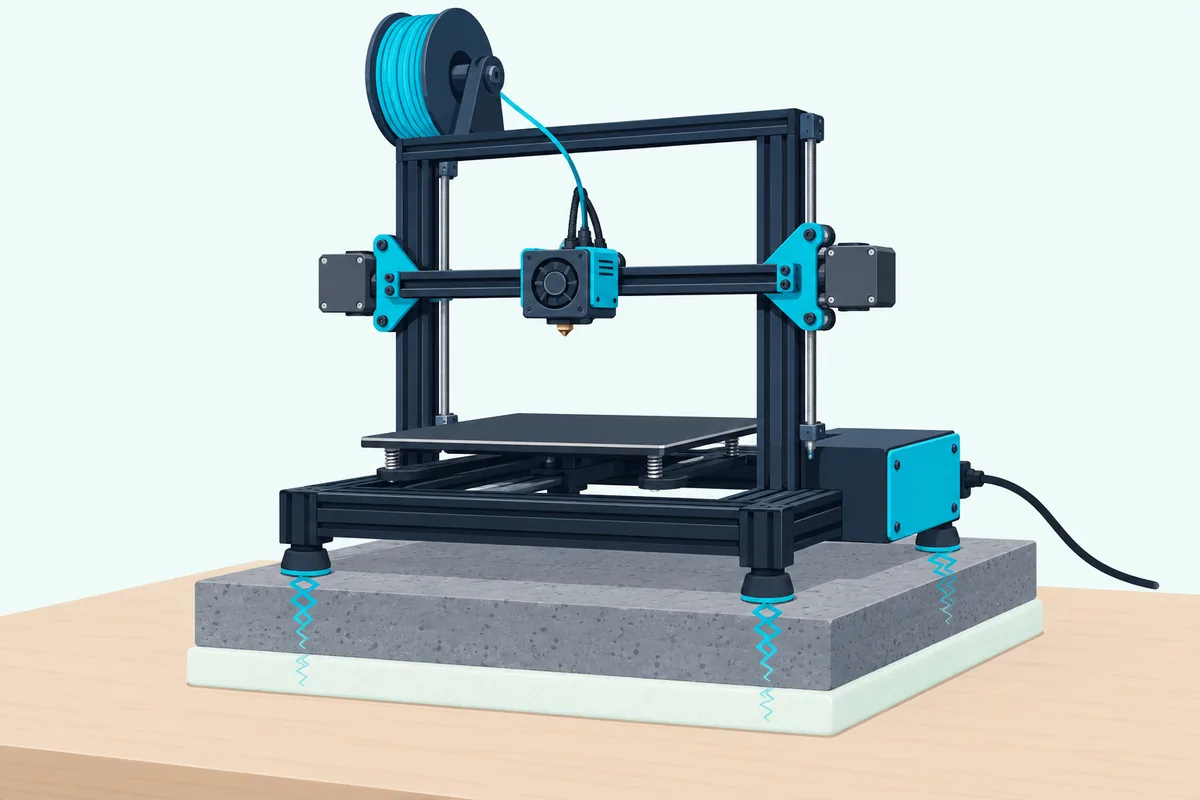
The steps in between show where the gain comes from: the MK2’s stock felt pads alone measured 59.6 dB, printed spring feet 57.5, rubber washing machine pads about 57 and the paver on thick felt feet 56.5. By the FHWA’s rule that 10 dB sounds half as loud, the whole change is a little more than halving the noise, on that printer in that room.
Hermann’s reason for the paver is mechanical: a heavy, level slab lets you use something really soft underneath without the frame warping or the foam squashing flat. He also warns that a big block of foam on its own is a fire hazard, and that no cable should keep rubbing on the paver’s rough surface.
Prusa gives the same advice in its own words. It wants a steady, firm surface such as a hardwood table, says a concrete slab or tile stops vibration traveling into the desk, and suggests padding as simple as a folded towel or play-mat foam.
Soft has a limit, though: Prusa says very soft padding isn’t ideal under its MINI because the printer can wobble while it prints. Hermann makes a related point, that spring feet isolate but barely damp, so the whole printer can sway and resonate, while squash balls combine some spring with a lot of dampening.
Bambu Lab sells its own anti-vibration feet for X1 and P1 printers, eight silica gel feet that it says reduce desktop shaking. It’s candid about the downsides: the printer can oscillate, which Bambu Lab says has no effect on printing, and the metal plate inside the purge chute may shake and make some noise.
Whatever you put under a Bambu Lab printer, run its calibration again afterward. Bambu Lab says the printer maps vibration patterns on a new surface and uses them to cancel vibration during fast moves.
As a bonus, Hermann’s test prints showed fewer ringing marks on a flexible base, a small difference on the Prusa that he puts down to the printer moving as one unit instead of its frame flexing. For the layer under the paver, this 4-pack of UPE Group rubber pads gives you four 4-inch squares, 3/8 inch thick and ribbed on both faces, according to its listing.
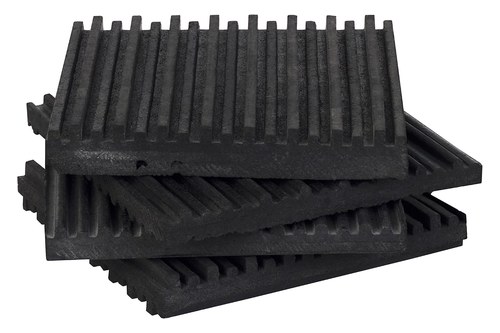
this 4-pack of UPE Group rubber pads
Hermann’s rubber washing machine pads did about as well as the paver on felt, around 57 dB whether they sat under the printer or under the paver. He adds that rubber is probably a bit too hard to decouple a light printer well, and the soft foam came out slightly ahead.
Is Moving the Printer the Easiest Fix?
A paver deals with the desk, while distance and walls deal with the air. Moving the printer is often the easiest fix: the FHWA’s noise primer says a point source drops about 6 dB with each doubling of distance, though OSHA’s technical manual notes the drop is smaller than that inside a room, where sound reflects.
So a closed door between you and the printer usually does more than a few extra feet in the same room. UL’s Chemical Insights handout gives the same advice for a different reason: put the printer away from busy areas such as hallways, and if its room has a door, close it.
It also tells owners not to hover over a running printer and to watch through a camera or viewing window instead. A spare room with a closed door keeps the noise and the fumes away from you at once.
If the printer ends up in the garage, this garage workshop guide covers the walls, the insulation and the door into the house. Mind the temperature out there, a point the enclosure sections below come back to.
Does an Enclosure Make a 3D Printer Quieter?
Distance runs out quickly in a small home, which is where an enclosure comes in. An enclosure can make a 3D printer quieter, and Prusa says one can help you reduce the noise so you can sit next to your printer and not hear it, but Prusa’s enclosure pages and Creality’s store page don’t give a decibel figure.
Creality lists thermal insulation, flame-retardant material and reduced printing noise for its multifunction enclosures, while Prusa’s own metal-framed enclosure, with PETG side panels, is sold as one that lowers noise. How much any enclosure helps depends on what it’s made of and how well it seals.
WorkSafe Victoria’s enclosure guidance says a full enclosure has to be relatively airtight and lined with dense sound-absorbing material to cut noise by as much as 30 to 40 dB, while partial enclosures manage about 10 dB. Gaps undo most of that, because WorkSafe says a 10% opening can limit an unlined enclosure to about 9 dB, and a 5% opening to about 19 dB.
OSHA’s technical manual gives 20 to 40 dB for solid enclosures with no acoustic leaks and lists heat buildup among their drawbacks. Even a well-built box will muffle the printer rather than silence it if its door or cable holes leak.
Wall material matters too. In WorkSafe’s noise reduction table, 6 mm plywood blocks 20 to 28 dB between 500 and 4,000 Hz and 6 mm Perspex, an acrylic sheet, 22 to 35 dB, and WorkSafe says compact, dense, heavy materials are typically more effective.
A fabric tent sits at the light end of that scale. Prusa suggests a photo studio tent, about 80 by 80 cm, if you only occasionally print filaments that need an enclosure or mostly print PLA, because its porous walls won’t let the inside get too hot.
Our reading of WorkSafe’s numbers is that walls porous enough to let heat out let sound out too, so a tent takes the edge off rather than silencing anything. For an Ender 3-size printer, this Creality enclosure tent is listed as fireproof and dustproof and measures about 23.6 by 18.9 by 28.4 inches, according to its listing.
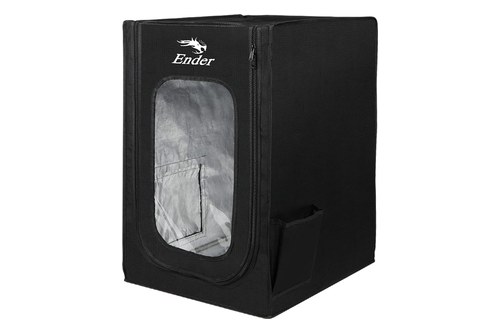
this Creality enclosure tent
Can You Enclose a Printer That Prints PLA?
The heat a tent lets out is exactly what a solid box keeps in, and PLA is the filament that minds it most. You can, but only if the heat gets out: Bambu Lab’s filament guide recommends opening the front door or removing the top glass for filaments that soften below 60°C, such as PLA, PVA and TPU, once the bed is set above 45°C.
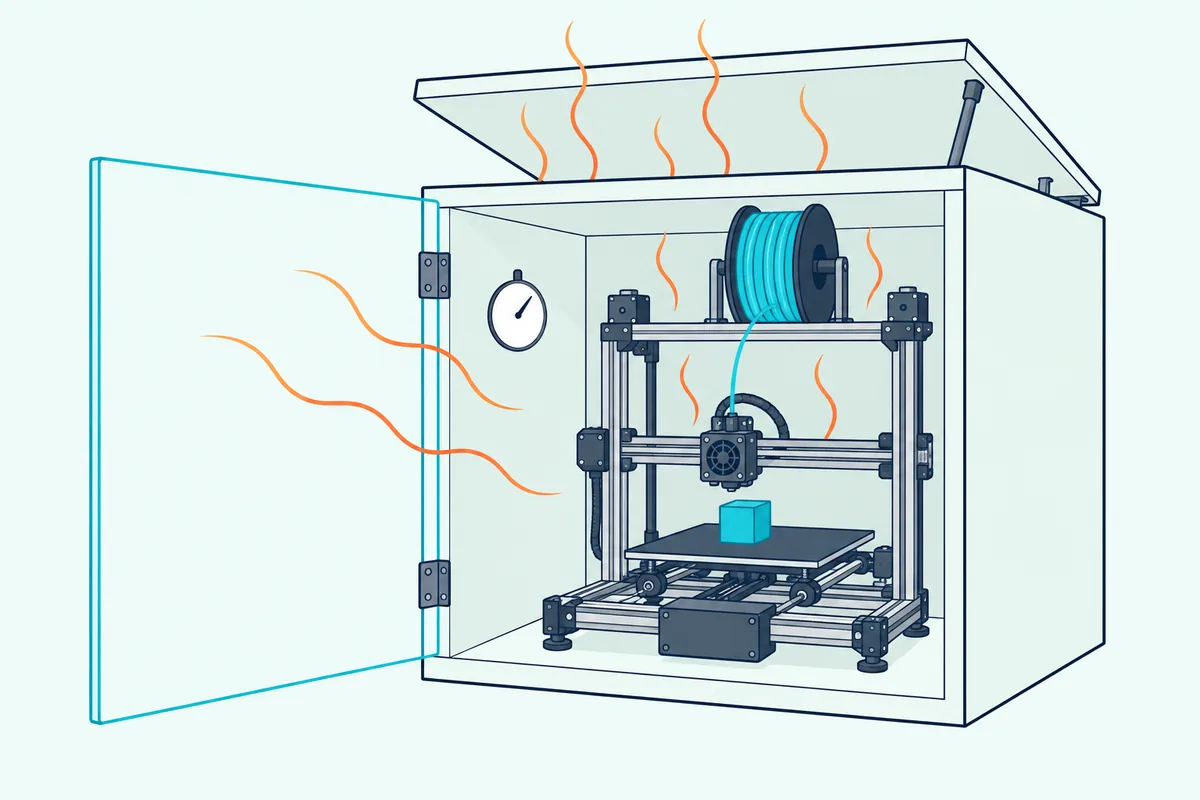
The risk is a clog: heat softens the filament inside the extruder before it reaches the melt zone. Bambu Lab says opening up matters more when the room is warm and less when it’s cool, and gives the same advice for PETG once the bed runs above 60°C.
Prusa calls the problem heat creep. Its heat creep troubleshooting page lists a room above 35°C (30°C for some filaments) or an enclosure among the most common causes, and says printing PLA in a fully closed, unventilated enclosure is very likely to cause problems.
Some enclosed printers are built for it. Prusa says its CORE One can print PLA with the door closed because of its active cooling, while Bambu Lab’s guide still recommends that owners of its enclosed printers open up for PLA on a hot bed.
A homemade box around an open-frame printer has no active cooling at all. For PLA, leave the box open at the front or top, or give it real airflow, and accept that both let some sound out.
High-temperature filaments are the opposite case. Prusa says ASA, ABS, PC, nylon and PP may need an enclosure to stop warping, Bambu Lab lists ABS, ASA, PC and PA for enclosed printers, and it says PLA, PETG and TPU work open or enclosed.
How Hot Does It Get Inside the Box?
Filament isn’t the only thing with a temperature limit, which is why the inside of a box needs watching. It rises with the bed, because in a passive enclosure the heated bed is the main heat source: Bambu Lab says the P1S chamber climbs with the bed setting and can’t be precisely controlled, and Prusa describes its own enclosure as passive, heated only by the printer’s bed.
Compare that with what the printers themselves want. Bambu Lab recommends an ambient temperature of 10 to 30°C (50 to 86°F) for its P1 series, and Elegoo’s Neptune 4 Pro manual lists 5 to 40°C (41 to 104°F), and for a printer inside a box, the box’s air is its ambient.
The power supply is one weak point Prusa names. For its IKEA Lack enclosure design, Prusa says the power supply has to go outside, because the acrylic walls make it hotter inside than the supply’s recommended operating temperature.
Prusa ships a temperature sensor with its own enclosure, and a simple thermometer does the same job in a homemade box. Read it on a long print with the door shut, and if it climbs past your printer’s ambient limit, the box needs more airflow.
Does a 3D Printer Enclosure Need Ventilation?
Airflow matters for a second reason besides heat: what the printer gives off while it melts plastic. Yes, and UL’s Chemical Insights handout explains why: printers release volatile organic compounds and ultrafine particles small enough to be inhaled like a gas, and good ventilation is critical.
Its advice is to use a room with good air distribution or windows that open, put a local exhaust fan above the printer if you can, and keep the printer away from return air vents. It also says ABS typically emits more than nylon, and nylon more than PLA, so it suggests PLA where possible, while always using the filament type and brand the printer maker specifies.
Two more of its tips apply to any setup. Print at the lowest nozzle and bed temperatures your maker’s instructions allow, and don’t count on a basic dust mask, which UL says doesn’t stop VOCs or ultrafine particles.
Prusa and Bambu Lab add filters to their own enclosures. Prusa’s Advanced Filtration System pairs a HEPA filter for ultrafine particles with activated carbon for chemical vapors, aimed at ASA, ABS and nylon, and Bambu Lab fits the P1S with an activated carbon filter for odor-prone filaments such as ABS.
UL adds that filtration features should come with information showing they work, and it points to printers certified to ANSI/CAN/UL 2904 for lower emissions. For a homemade box, that leaves a vent path, and every vent is a hole for sound, just like the gaps in WorkSafe’s figures.
WorkSafe’s answer is a lined duct. It says lining a silencer or duct for at least 3 times its widest diameter, and preferably up to 6 times, cuts noise by 15 to 30 dB, and it recommends a quiet fan where ventilation has to be mechanical.
How Do You Build a Soundproof Box for a 3D Printer?
Put the last three sections together and a soundproof box for a 3D printer becomes a ventilated cabinet, not a sealed one. Build it from solid panels such as plywood or MDF, as large as the space allows, with a sealed door, an absorbent lining inside, the printer on its paver, the power supply outside and a lined vent path with a quiet fan.
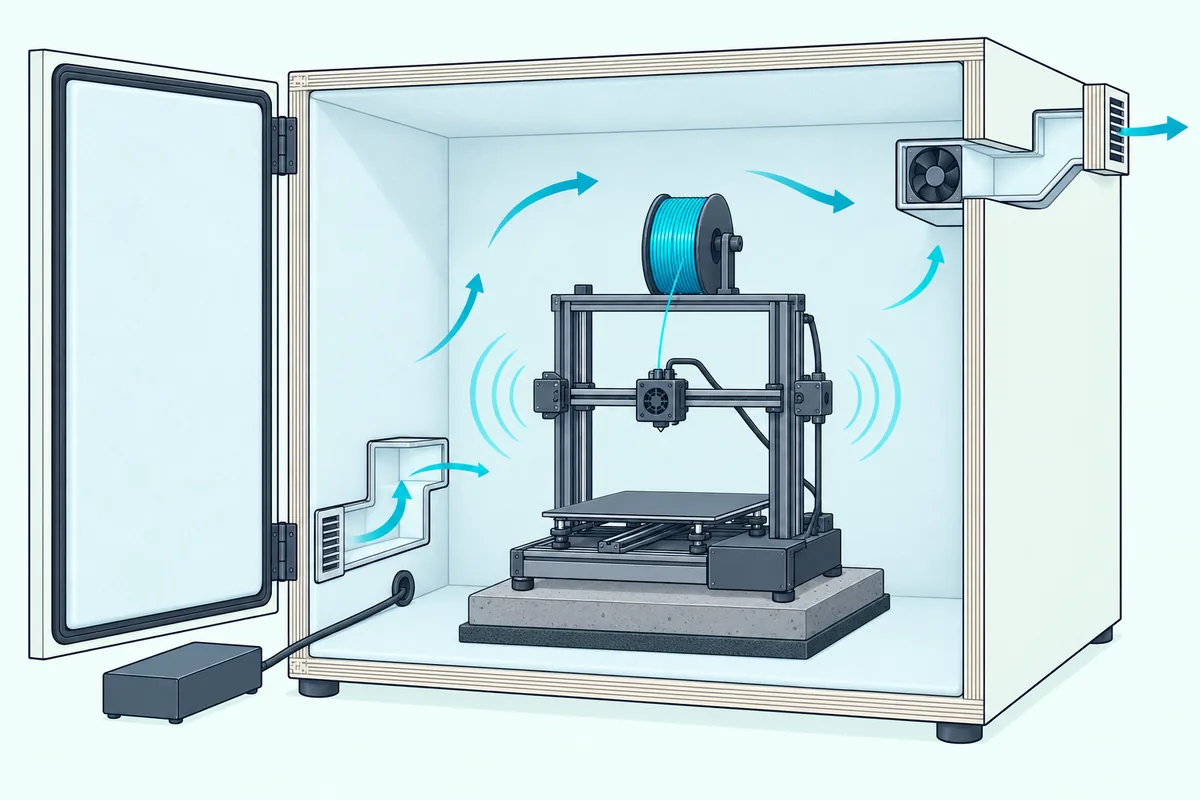
Size it with room to spare. WorkSafe says noise builds up in close-fitting enclosures, so it advises building as large as possible and lining the inside with sound-absorbing material to make up for a tight fit.
Keep the printer from touching the walls. WorkSafe warns against rigid connections between a machine and its enclosure, and the paver-and-foam base from earlier carries over inside the box.
Put the lining on the inside, facing the printer. OSHA’s manual says acoustic foam fixed to the outside of a metal enclosure doesn’t reduce noise, because the material has to face the source.
Seal the door and every cable hole, since WorkSafe wants doors and hatches tightly sealed and its gap figures apply to them too. Leave the power supply outside, as Prusa does in its Lack design, and run the vent through a lined, bent path so there’s no straight line out.
Then check the temperature on a long print and open the door for PLA if it climbs, as Bambu Lab and Prusa advise. For wall materials, seals and the numbers behind them, Burton Acoustix’s soundproof box guide goes deeper, and the same airflow-first rule runs through how to build a soundproof box for a noisy machine.
How Much Quieter Can a 3D Printer Get?
Every fix above has its own size, and the numbers help you pick. Decoupling took about 12 dB off a loud old printer in CNC Kitchen’s test, a partial enclosure is worth about 10 dB by WorkSafe’s figure, and a sealed, lined box can do far more, but only if the heat lets it stay sealed.
Judge those with the FHWA’s scale: a 3 dB change is barely perceptible, 5 dB is readily perceptible and 10 dB sounds half as loud. The FHWA also says two equal sources measure 3 dB louder than one, so by that rule, if the fan is as loud as the motors, silencing the motors alone takes just 3 dB off.
That’s why the fan matters once the motors are quiet, as Prusa’s note about Stealth mode suggested. By the FHWA’s decibel-addition table, a source 10 dB quieter than the loudest one adds nothing to the total, so always work on the loudest part first.
To check a fix, measure the same print from the same spot with the same phone app, before and after. Only compare readings you took yourself, since the makers’ figures, like Bambu Lab’s under 48 dB, don’t say how far away they were taken.
The Bottom Line
Start where the noise really travels: switch on the quiet mode, fix what rattles and set the printer on a paver over soft padding. Then move it behind a closed door if you can.
Build a box only if your filament and your printer’s heat limits allow it, keep the power supply outside and give it a lined vent. For PLA, Bambu Lab and Prusa both want the heat let out, so plan for an open door or real airflow from the start.
Frequently Asked Questions
Does acoustic foam inside a 3D printer enclosure help?
It helps a solid box, not a thin one. OSHA’s technical manual says absorbent material cuts the sound that builds up between hard surfaces and has to face the source, so it belongs on the inside, and WorkSafe Victoria recommends lining tight enclosures because noise builds up in them. Foam doesn’t block sound on its own, though, since OSHA says that job takes heavy, dense materials, so foam stuck to a fabric tent or a thin panel won’t stop much. Keep it clear of the hot parts as well: CNC Kitchen warns that a big block of foam is a fire hazard.
Can you put a 3D printer in a closet?
Only if the closet stays inside the printer’s temperature range and gets fresh air. Bambu Lab recommends 10 to 30°C around its P1 printers and Elegoo lists 5 to 40°C for the Neptune 4 Pro, while UL’s Chemical Insights team calls good ventilation critical because printers release VOCs and ultrafine particles. A small closed space with no air exchange can fail on both counts during a long print, and Prusa lists an enclosure among the common causes of heat creep with PLA. If you use a closet, leave the door open or add an exhaust fan, and keep an eye on the temperature.
Do anti-vibration feet hurt print quality?
Not on the evidence so far, though very soft feet can let a light printer sway. Bambu Lab says its own feet can make the printer oscillate with no effect on printing, and CNC Kitchen’s test parts came out with fewer ringing marks on a flexible base. Prusa says very soft padding isn’t ideal under its MINI because the printer can wobble. A paver between the printer and the soft layer keeps the frame on one plane while still decoupling it, and on a Bambu Lab printer it’s worth rerunning the calibration after the change.
Is 3D printer noise loud enough to damage your hearing?
Not at the levels in this guide. OSHA’s technical manual says employers need a hearing conservation program once workers average 85 dBA or more over 8 hours, and it notes that NIOSH recommended an 85 dBA limit too. CNC Kitchen’s loud old MK2 peaked at 67.7 dB at 1 meter, and Bambu Lab quotes under 48 dB for the A1 mini in Silent mode. The real cost of a noisy printer is annoyance and lost sleep, which is what the fixes above are for.
Is a homemade 3D printer enclosure a fire risk?
Treat it as one. Prusa sells a fire suppression system as an add-on for its own enclosure, OSHA’s manual lists fire suppression among the things an enclosure design may need, and CNC Kitchen warns that a big block of foam is a fire hazard. Keep foam and fabric away from the hot end and the bed, choose materials listed as flame retardant where you can, and read your printer maker’s safety guidance before you box it in.