How to Reset an LG Sound Bar (S95QR, SL10YG, SN6Y and More)
Here’s how to reset an LG sound bar: hold the Wi-Fi button until the bar sounds a tone or shows RESET, or, on a bar without Wi-Fi, whose manual lists no reset, unplug it and its connected devices.
Hold Power instead and nothing resets, since on LG’s Wi-Fi bars 3 seconds on Power just switches the bar off and drops its wireless links.
Use the button your manual names and the bar forgets its stored network, ready to rejoin your Wi-Fi in LG’s app or Google Home.
The table below matches LG’s Wi-Fi, Google Assistant and non-Wi-Fi bars, from the S95QR to the SL10YG and SN6Y, with the reset each manual documents.
Then come the subwoofer re-pair, the remote and Bluetooth questions, what a reset erases and what to try when it doesn’t fix the bar.
How to Reset an LG Sound Bar: Which Reset Does Your Model Have?
LG uses different resets across its range, so check which bar you own before pressing anything; the model appears in the bar’s Bluetooth name, such as LG_Speaker_S90QY_XXXX on a Wi-Fi bar or LG S70TY(XX) on the S70TY. To reset an LG sound bar, find its line here and use exactly the button and signal listed:
| LG model | Reset in LG’s manual | What you’ll hear or see | What it clears | Set up again in |
|---|---|---|---|---|
| SP9YA | Hold the Wi-Fi button on top | A sound signal, then RESET on the display | All wireless network settings | LG Wi-Fi Speaker app |
| S90QY, S95QR, S80QR, DS80QY | Hold the Wi-Fi button on top | A sound signal, then RESET | All wireless network settings | LG Sound Bar app |
| SC9S | Hold the Wi-Fi button on top | A sound signal; all LEDs blink white | All wireless network settings | LG Sound Bar app |
| S80TR, DS80TR | Hold the Wi-Fi button on the side | A sound signal, then RESET | All wireless network settings | LG ThinQ app (one of the S80TR’s two manuals says LG Soundbar app) |
| S95TR | Hold the Wi-Fi button on top | A sound signal; all LEDs blink white | All wireless network settings | LG ThinQ app |
| Sound Suite AI H7 | Hold the Wi-Fi button on top | [RESET] on the display; the light blinks white | All wireless network settings | LG ThinQ app |
| SL10YG, SN11RG | Hold the Mic mute key on the bar | One beep; RESET on the SL10YG | Stored wireless network information (SL10YG) | Google Home app |
| S60T, S60TR, S70TY, S77TY, SQ75TR, S65Q, S75QR, S20A, S30A, SN6Y, SL4Y, SK5Y, SH2 | None in the manual | Nothing | Nothing documented | No network to rejoin |
| SH3C, LAS551H | No full reset; Mute on the remote resets the wireless link | A blinking red LED (SH3C) or WL RESET (LAS551H) | The subwoofer link | Re-pair the subwoofer |
Every row comes from LG’s own manuals, the newer ones from LG’s online manual site, such as the S95QR’s ‘Resetting the Product’ page. No manual read for this guide prints a full factory reset for any LG bar, and the NB3530A, SN8YG, SN9YG, SL8YG, GX and SK1 manuals couldn’t be read, so those bars aren’t in the table.
Sold as a Meridian bar? Go by the model number, since MERIDIAN names a sound mode on bars as different as the SL10YG (Mic mute reset), the S90QY (Wi-Fi button) and the S75QR (no reset).
LG’s troubleshooting tables also put settings before any reset, as the issues “may not be malfunctions,” so a bar that has simply gone quiet belongs with our fixes for an LG sound bar not working.
How Do You Reset an LG Wi-Fi Sound Bar?
The first six rows of that table share one procedure, the network reset LG documents for its Wi-Fi bars. To reset an LG Wi-Fi sound bar, press and hold the Wi-Fi button on the bar until you hear a sound signal or see RESET; the display shows RESET or the LEDs blink white, and every wireless network setting is cleared.
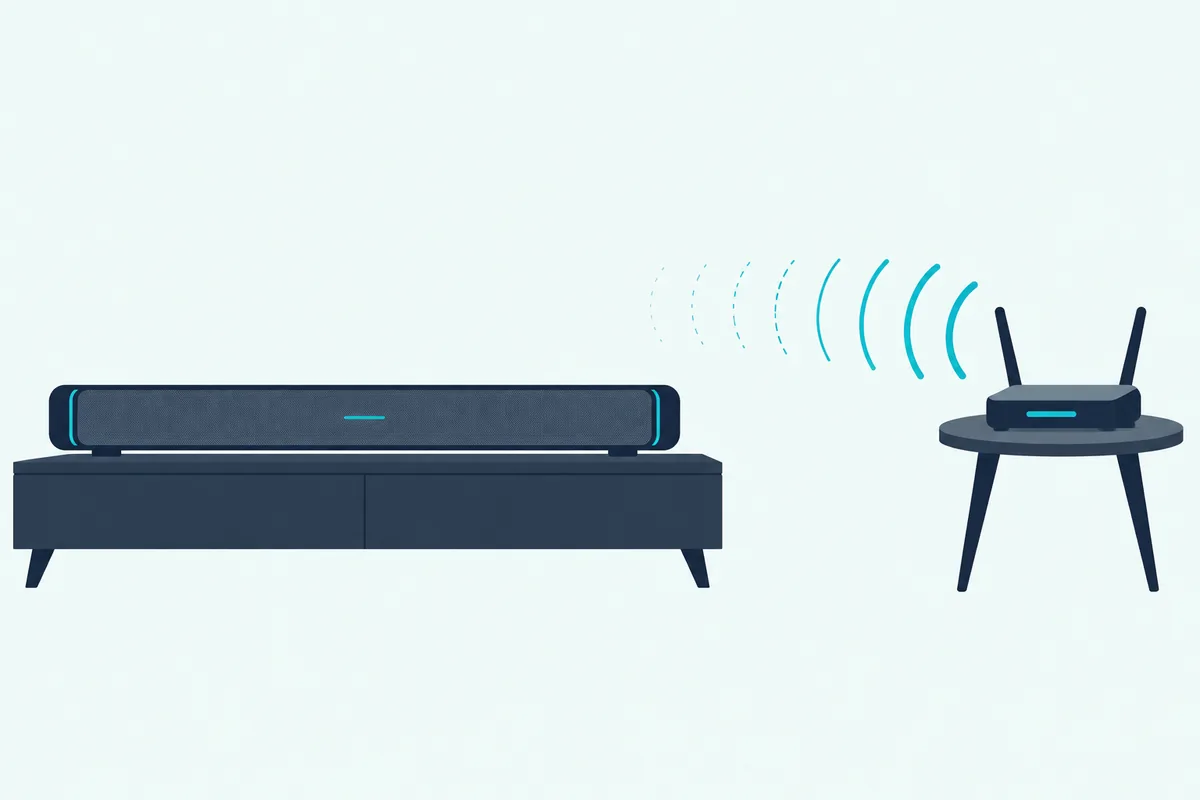
- Find the Wi-Fi button: it’s on top of most bars and on the side of the S80TR and DS80TR.
- Press and hold it until the bar sounds its tone (on the Sound Suite H7, until [RESET] appears).
- Check the signal: RESET on display models such as the S95QR and S80TR, all LEDs blinking white on the SC9S and S95TR, or [RESET] with a white blinking light on the Sound Suite H7.
- Reconnect the bar to your phone over Wi-Fi in its app, as the setup section below describes.
LG prescribes this reset when the network connection is unstable or your Wi-Fi network has changed. The S95QR, S90QY, S80QR, DS80QY and SP9YA manuals add a third case: a bar that is frozen and does not work.
A new router counts as a changed network, too, since the troubleshooting tables say you’ll need to reconfigure the bar’s network settings. The S80TR’s reset page shows the side-button version of the same steps.
Keep your thumb off Power while you do it. Every one of these manuals says holding Power for 3 seconds or longer turns the bar off and drops its wireless connections, and the S95TR’s adds that the bar then stops making sound, so tap Power quickly when you only want it on or off.
Get Studio Tips Weekly
Join 5,000+ creators getting acoustic treatment advice every week.
No spam. Unsubscribe anytime.Which Button Resets an LG Sound Bar With Google Assistant?
LG’s Wi-Fi bars with Google Assistant built in, the SL10YG and SN11RG among them, use a different key for the same job. On those two, press and hold the Mic mute key on the bar until you hear one beep; the SL10YG then shows RESET on its display and deletes all its stored wireless network information.
LG’s SL10YG owner’s manual (a copy on the retailer Abt’s site) calls for this reset when the speaker doesn’t respond. The SN11RG’s quick guide prints the same long press under ‘Reset the Unit.’
Mic mute is the key marked with a crossed-out microphone, and a short press only mutes the microphones, turning the Google Assistant LEDs amber. Keep holding past that until the beep.
The SL10YG’s troubleshooting table also says a new router means performing a “factory set” and setting up the network again. The only reset that manual prints is this Mic mute one.
The SL9YG’s quick guide shows the same Mic mute key but prints no reset, and the SL8YG, SN8YG and SN9YG manuals couldn’t be read. Check yours before borrowing the long press for those bars.
Which LG Sound Bars Have No Reset at All?
Every bar so far has a network to clear, and LG’s bars without Wi-Fi have nothing comparable in their manuals. The S60T, S60TR, S70TY, S77TY, SQ75TR, S65Q, S75QR, S20A and S30A manuals list no reset, and their troubleshooting tables start with unplugging the power cables and devices such as your TV, subwoofer or amplifier from the bar, then plugging them back in.
The SK5Y, SH2 and SL10YG manuals give the same advice in longer form: turn the bar and the connected devices off and on, or disconnect their power cords and connect them again. They add that previous settings may not be saved when the power is shut off.
LG’s quick guides for the SN6Y and SL4Y print no reset either. They cover the subwoofer link, which the next section explains, and send you to the full owner’s manual on LG’s website for advanced features.
The NB3530A’s manual couldn’t be read for this guide, so it gives no NB3530A reset. A replacement remote listed for the NB3530A is in the section on resetting without the remote.
How Do You Re-Pair the Subwoofer After a Reset?
Unplugging the bar and its subwoofer, or resetting the bar’s network, is the moment to look at the light on the sub, since LG’s manuals don’t say whether either step keeps the link. If the light on an LG wireless subwoofer isn’t solid green, re-pair it: turn the bar off with Power, press PAIRING on the back of the subwoofer until its light blinks green, then turn the bar on and wait for solid green.
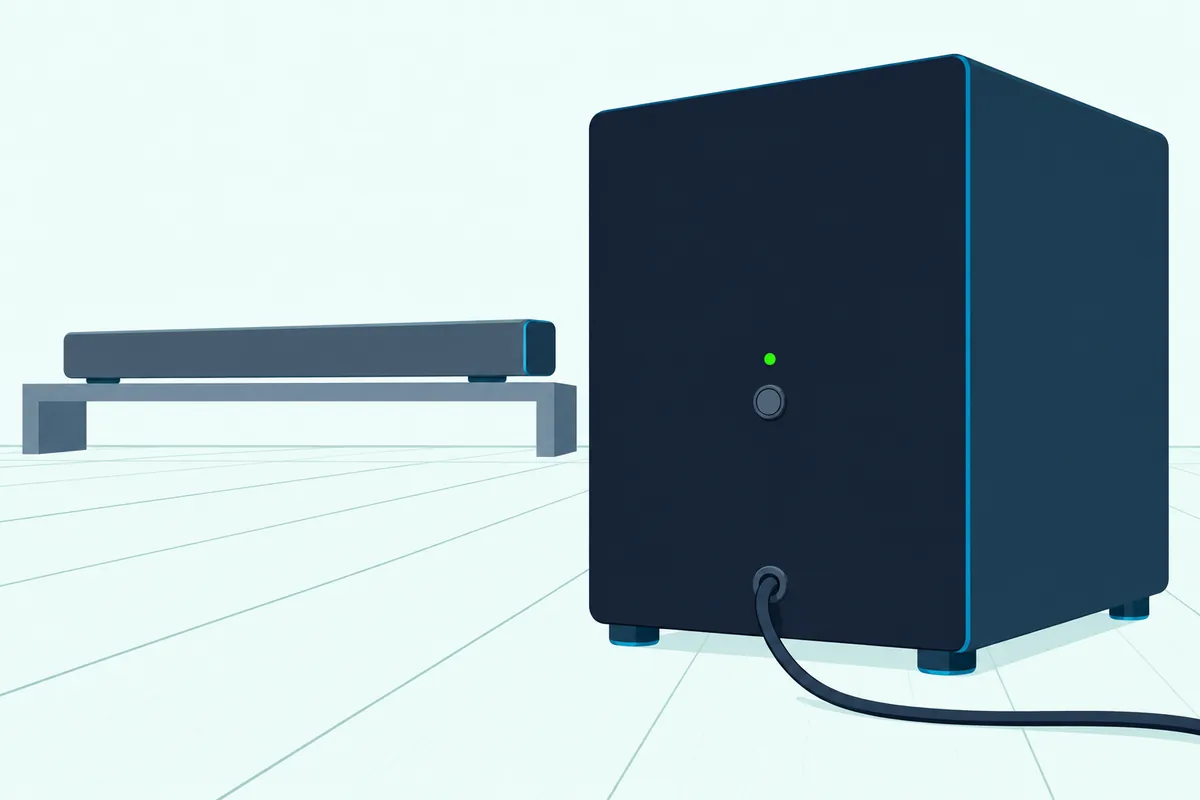
If the light stays red after that first press, LG says to press and hold PAIRING again. The S90QY’s ‘Connecting the Product’ page reads the light this way:
| Subwoofer light | What it means |
|---|---|
| Blinking green | Connecting |
| Green | Connected |
| Red | Bad connection, or the subwoofer is in standby |
| Off | Power cable not connected |
For automatic pairing, LG’s newer manuals plug the subwoofer in first: power cable into the sub, then into the outlet, then the same for the bar. The SN6Y and SK5Y manuals use the same PAIRING press and green light, and the SL4Y’s quick guide uses a yellow-green light on the front of the sub that blinks quickly while pairing, then stays lit.
Older bars such as the SH3C reset both ends of the link. LG’s SH3C quick guide runs it in five steps:
- Hold PAIRING on the subwoofer for 5 seconds, until its light alternates red and yellow-green (skip this if it already blinks yellow-green quickly).
- Unplug the subwoofer, wait until the light is completely off and plug it back in; it blinks yellow-green quickly when its reset is done.
- Turn the bar’s volume down to minimum, until its red LED lights for a while.
- Hold Mute on the remote for 3 seconds; the bar’s red LED blinks quickly.
- Turn the bar off and on while the subwoofer’s light blinks, and a steady yellow-green light means they’re connected.
The LAS551H uses its display instead: volume to minimum until VOL MIN shows, Mute held on the remote for about 3 seconds until WL RESET appears, and PAIRING held for more than 5 seconds if the subwoofer’s light isn’t already blinking yellow-green. Then unplug both, plug them back in once their lights are fully off, and they pair by themselves when the bar comes on.
Wherever the pair sits, keep both at least 1 m (3.3 ft) from wireless routers and microwave ovens, which LG names as sources of interference. Rear speakers and every other pairing case are in our LG subwoofer pairing steps.
Can You Reset an LG Sound Bar Without the Remote?
That Mute step is the one place an LG reset needs the remote. Yes, you can reset an LG sound bar without the remote: the Wi-Fi network reset, the Mic mute reset and the unplug all happen on the bar itself, and only the SH3C and LAS551H subwoofer re-pairs call for the remote’s Mute button.
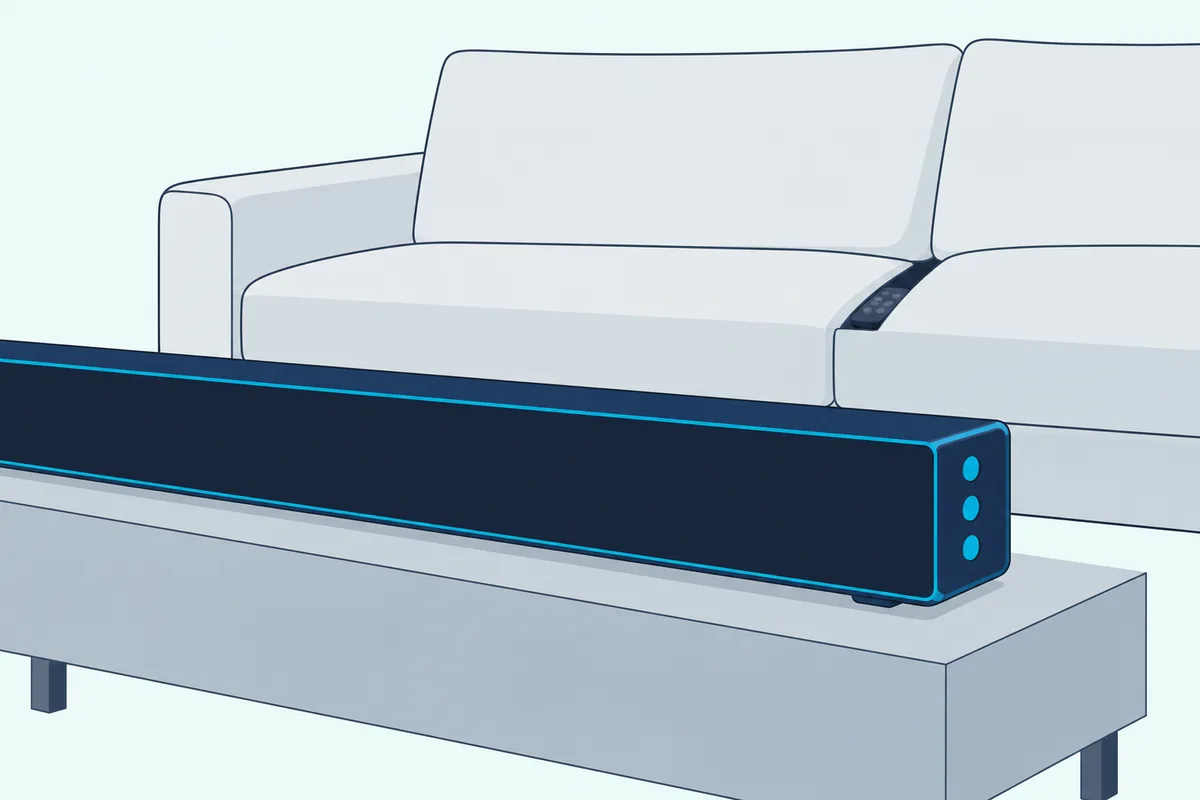
The newer re-pair needs no remote either, because it uses Power on the bar and PAIRING on the sub. A lost remote still locks you out of some settings, though, since on the SL4Y and SN6Y BT LOCK, the TV remote function, Auto Power on and off and surround sound are all switched with long presses on the remote, while the bar’s side buttons cover only power, function and volume.
Try LG’s checks for a remote that doesn’t work before replacing it: point it at the front of the bar, stay within 7 m (23 ft) and fit new batteries. If it’s gone for good, the AKB75595331-style replacement remote is listed for the SL4Y, SL5Y, SL6Y, SL7Y and SN6Y, with two AAA batteries in the box.
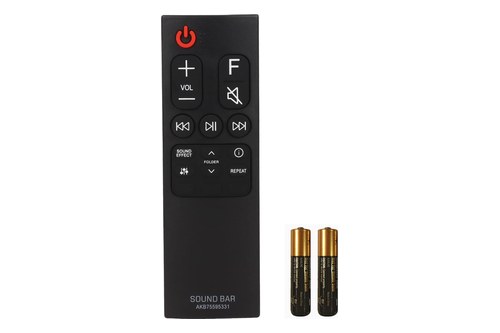
AKB75595331-style replacement remote
For NB-series bars, the AKB73575402-style remote for the NB3530A lists that bar among 17 NB models and needs two AAA batteries of your own.
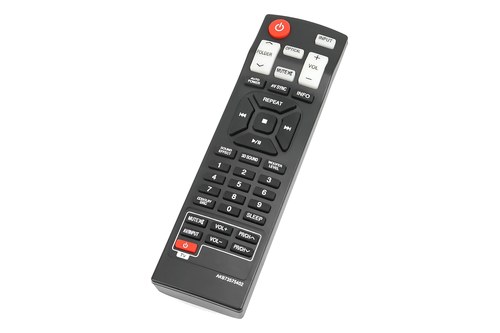
AKB73575402-style remote for the NB3530A
Is There a Bluetooth Reset on an LG Sound Bar?
Those remote-only settings include BT LOCK, which leads to the other reset people search for, Bluetooth. No LG manual read for this guide has a separate Bluetooth reset; to connect a phone again, press the bar’s Bluetooth pair button, which keeps pairing open for three minutes on the S95TR, and pick the bar from the phone’s Bluetooth list.
Display models show BT READY while they wait and PAIRED once connected, and bars with status lights, such as the S70TY, blink LED1 and LED2 white. The bar’s name carries its model, as in LG_Speaker_S90QY_XXXX, where the last four characters are random.
If it won’t pair, LG’s tables say to turn the phone’s Bluetooth off and on and clear any obstacles. On the SL4Y and SN6Y, check BT LOCK too, because it limits Bluetooth to the BT input and an LG TV.
LG doesn’t say whether the Wi-Fi reset also forgets paired phones. If the bar is still listed but won’t connect, LG’s SK5Y manual simply says to try pairing again.
What Does Resetting an LG Sound Bar Erase?
That silence on Bluetooth is typical, because LG describes its resets narrowly. The Wi-Fi reset clears all wireless network settings and the SL10YG’s Mic mute reset deletes its stored wireless network information, while the Wi-Fi manuals’ troubleshooting tables add that previous product settings may be lost.
None of them says whether paired Bluetooth devices, the subwoofer link or sound settings such as Night Time survive. Plan to check each one after a reset, starting with that green light on the sub.
The unplug fix on bars without Wi-Fi isn’t called a reset at all. The SK5Y, SH2 and SL10YG manuals only warn that previous settings may not be saved when the power is shut off.
Setting an LG Sound Bar Up Again After a Reset
Those lost settings come back in the app named in your manual, and the app depends on the model. The SP9YA uses the LG Wi-Fi Speaker app, the S90QY, S95QR, S80QR, DS80QY and SC9S the LG Sound Bar app, the S95TR, DS80TR, Sound Suite H7 and one of the two S80TR manuals the LG ThinQ app, and the SL10YG and SN11RG join Wi-Fi through the Google Home app.
The S90QY’s manual adds that it can’t be set up or controlled in the LG ThinQ app, so match the app to the manual. In the LG Sound Bar app the steps run like this:
- Turn on your phone’s Wi-Fi and Bluetooth and join the network the bar should use; LG says the bar may not register with Bluetooth off.
- Open the app, accept its prompts and select the bar, listed as LG_Speaker_ plus the model.
- Choose your Wi-Fi network and enter its password.
- Wait for CONNECTED on the bar’s display.
In the LG ThinQ app, log in, tap the add button and follow the prompts, or scan the QR code on the bottom of the bar if it has one. If the bar won’t join, the S95TR’s manual recommends a router password of plain letters and numbers, without characters such as quotes, slashes or ampersands, and WPA2 security.
If the TV no longer plays through the bar over HDMI ARC or optical, choose the bar as the TV’s speaker again, as the S60T’s manual does with HDMI ARC in the TV’s [Speaker] menu. Burton Acoustix’s LG TV connection guide gives that menu path for each LG TV year.
If the subwoofer or rear speakers dropped off too, our walkthrough of LG’s power-up order for the subwoofer and rears shows what each light should do.
Why Won’t Your LG Sound Bar Reset?
If the bar never shows up in the app, go back over the reset itself. Check three things: Power held for 3 seconds only switches a Wi-Fi bar off, the Wi-Fi or Mic mute key has to stay down until the tone, beep or RESET, and the non-Wi-Fi models’ manuals give nothing to hold at all.
A bar stuck in demo mode can look frozen as well. If the display shows only DEMO, or the lights loop and pressing Function changes nothing, LG’s first fix is to unplug the bar and plug it back in.
If DEMO stays, the S90QY and S95QR manuals have you set the volume to 2 on the bar and hold Function for about 5 seconds. The exits for other models are in the LG troubleshooting guide linked above.
If none of that works, LG’s sound bar manuals list its US customer line, 1-800-243-0000.
What If a Reset Doesn’t Fix Your LG Sound Bar?
A reset only touches settings, so a fault that comes back after one points somewhere else. Work through the symptom instead: LG’s tables check the volume, mute and input first, then the subwoofer light, the remote and the TV’s Digital Sound Output, which they move from PCM to AUTO or BITSTREAM for a quiet bar.
If the bar is out of warranty and failing, the LG S60T with its wireless subwoofer is a 3.1-channel replacement that runs WOW Orchestra with LG TVs over an HDMI cable. Its manual lists no reset, so its fix for a bar that misbehaves is the same unplug.
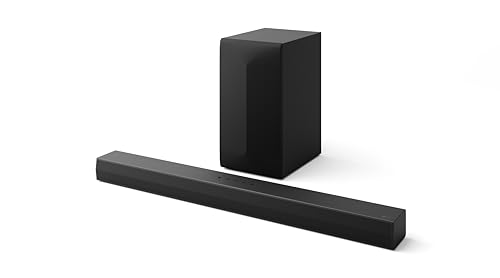
the LG S60T with its wireless subwoofer
Resetting a different brand? Burton’s reset steps for other soundbar brands walk through soft reboots and factory resets beyond LG.
Frequently Asked Questions
How do you hard reset an LG sound bar?
LG’s manuals don’t use the term. The nearest documented steps are the unplug every troubleshooting table starts with, disconnecting the bar’s power cable and connected devices such as the TV, subwoofer or amplifier, then plugging them back in, and on Wi-Fi bars the network reset: hold the Wi-Fi button until the sound signal, and RESET or white blinking lights confirm it. On the SL10YG and SN11RG, hold Mic mute until one beep instead.
How do you force a factory reset on an LG sound bar?
None of the LG manuals read for this guide prints a full factory reset. The deepest documented reset clears the network: the Wi-Fi button on Wi-Fi bars, which LG also prescribes for a frozen S95QR, S90QY, S80QR, DS80QY or SP9YA, and the Mic mute key on the SL10YG and SN11RG. For anything beyond that, the manuals point you to LG’s US customer line, 1-800-243-0000.
How do I reset my LG sound bar and subwoofer?
Reset the bar the way its line does, with the Wi-Fi button, the Mic mute key or the unplug, then look at the light on the subwoofer. If it isn’t solid green, turn the bar off, press PAIRING on the back of the subwoofer until the light blinks green, and turn the bar back on. Older SH3C and LAS551H systems reset the wireless link with Mute held on the remote at minimum volume, as the re-pair section shows.
How do I reset my LG sound bar remote?
LG’s manuals give no reset for the remote itself. Their fixes for a remote that doesn’t work are to point it at the front of the bar, use it within 7 m (23 ft) and fit new batteries. If the display shows only DEMO, demo mode is the cause: unplug the bar, plug it back in, and use your model’s exit if DEMO stays.
Does resetting an LG sound bar delete Bluetooth pairings?
LG doesn’t say. The Wi-Fi reset clears all wireless network settings, and the troubleshooting tables warn that previous product settings may be lost, but no manual lists paired phones among them. If your phone still shows the bar but won’t connect, press the bar’s Bluetooth pair button and pair it again.