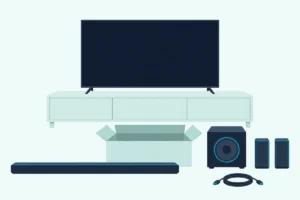
How to Connect a Soundbar to Your Samsung TV Using an Optical Cable

Here’s how to connect a soundbar to a Samsung TV using an optical cable: run it from the TV’s DIGITAL AUDIO OUT (OPTICAL) port to the bar’s optical input, select that input on the bar, then choose optical under the TV’s Sound Output.
Plug it in with the bar switched off, though, and the TV may keep playing through its own speakers, because Samsung’s guides say it only switches by itself when the bar is on first.
Get that order and one menu right, and Samsung says its TV remote can even run a Samsung bar’s volume over the optical link.
Below are the Samsung menu paths for every year from 2016 to 2026, plus the input to choose on Samsung and other soundbars.
You’ll also see what optical can’t carry, from Dolby Atmos to lossless soundtracks, and when HDMI is worth the swap.
How to Connect a Soundbar to a Samsung TV Using an Optical Cable
That power order matters because Samsung’s soundbar manuals and its TV guides start from opposite ends. Samsung’s HW-Q990C manual (Syndigo’s copy) and its HW-Q990D manual have you connect the cable with both units off and then pick the bar’s input, and the TV’s guides add the Sound Output step:
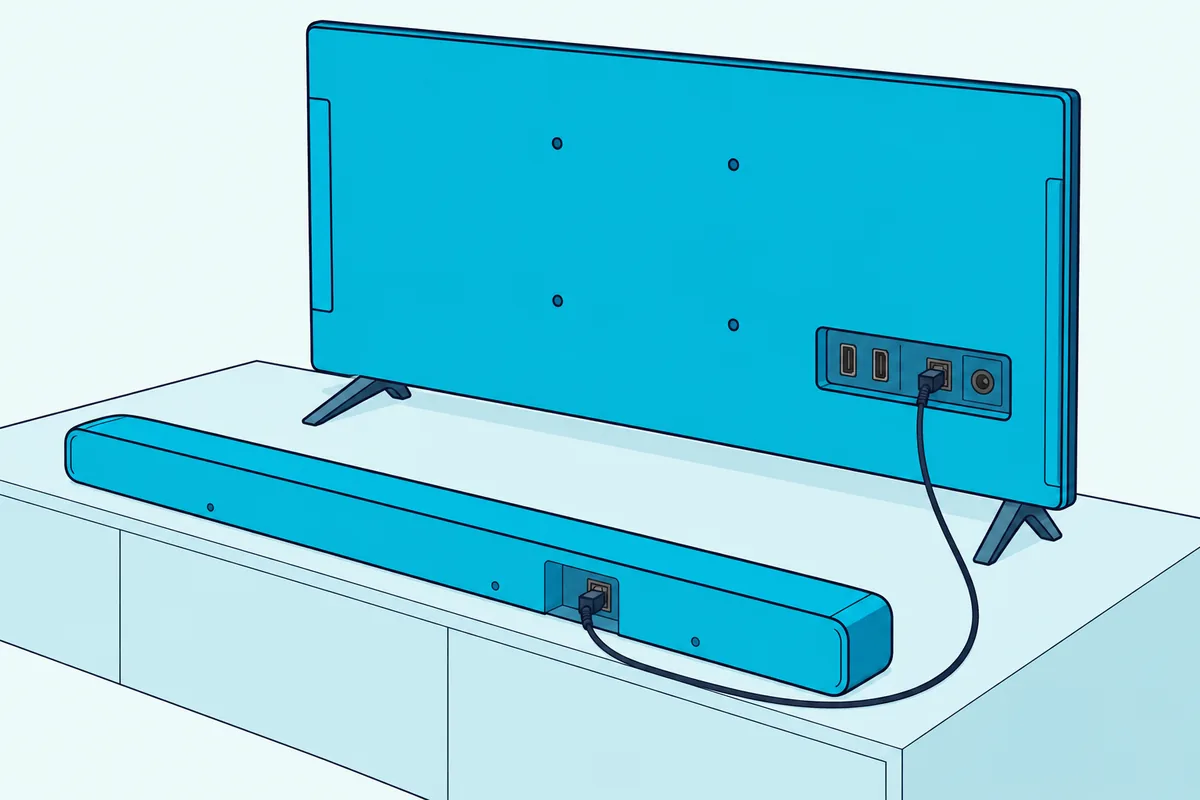
- Remove any covers from the cable’s ends, then plug one end into the TV’s DIGITAL AUDIO OUT (OPTICAL) port and the other into the bar’s DIGITAL AUDIO IN (OPTICAL) port.
- Turn on the soundbar and the TV.
- Press Source on the bar’s remote, or the bar’s own Source or Multi Function button, until the bar shows D.IN (the HW-S60D and HW-B400F name this input Digital Audio In).
- On the TV, open Sound Output and choose the optical option, which current Samsung TVs call Receiver (Optical); Samsung’s US help has you pick a Samsung soundbar by its name there.
The shortcut comes from the TV side: Samsung’s guides for 2018 and later sets say Sound Output switches to the bar by itself if the bar is on before the cable goes in, on models that support it. The 2016 and 2017 guides say an optical cable doesn’t change the output on its own, so on those sets step 4 is the only way.
Several Samsung bars leave the cable out of the box: the HW-Q990D, HW-S60D and HW-B400F manuals mark it “not supplied,” while the HW-C450 and HW-T450 list an optical cable among their components. If you need one, Amazon Basics’ 6 ft TOSLINK optical cable is a TOSLINK cable with gold-plated connectors, per its listing.
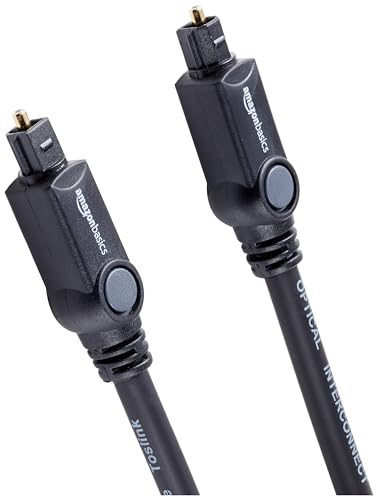
Amazon Basics’ 6 ft TOSLINK optical cable
If the TV’s speakers keep playing along with the bar, the HW-Q990D manual says to set the TV speaker to External Speaker in the TV’s audio settings. On a Samsung TV, that’s the optical option in Sound Output that step 4 picks.
Where Is the Optical Port on a Samsung TV?
Those steps start at a port that’s easy to miss among the HDMI sockets, so it helps to know its name. Samsung’s TV guides label it DIGITAL AUDIO OUT (OPTICAL), its help pages and soundbar manuals call it OPTICAL OUT, and the TV’s own Connection Guide shows how to connect an audio device by optical, with pictures on the screen.
Open that guide from Source > Connection Guide on 2016 to 2021 sets, or from Connected Devices > Connection Guide on 2022 and later ones, where Audio Device lists Optical among its connections. Check before you buy a cable, because Samsung’s guides note that the DIGITAL AUDIO OUT (OPTICAL) port may not be supported, depending on the model.
The bar needs the matching DIGITAL AUDIO IN (OPTICAL) socket, which sits on the bottom panel of the HW-Q990D. Not every Samsung bar has one: the HW-S800D and HW-S700D manual shows an HDMI (eARC) port as the bar’s only cable link to a TV, alongside Wi-Fi and Bluetooth.
Get Studio Tips Weekly
Join 5,000+ creators getting acoustic treatment advice every week.
No spam. Unsubscribe anytime.Which Samsung TV Menu Sends the Sound to the Optical Cable?
Once the cable is in, the TV still decides where its sound goes, and on every Samsung set since 2017 that choice lives in Sound Output. Samsung has renamed the optical option twice since then, so match your TV’s year to its row:
| Samsung TV year | Where the setting is | The optical option |
|---|---|---|
| 2023 to 2026 | Settings > All Settings > Sound > Sound Output | Receiver (Optical) |
| 2022 | Menu > Settings > All Settings > Sound > Sound Output | Optical |
| 2019 to 2021 | Settings > Sound > Sound Output | Optical |
| 2017 and 2018 | Settings > Sound > Sound Output | Audio Out/Optical |
| 2016 | Settings > Sound > Select Speaker | Audio Out/Optical |
Each row comes from Samsung’s own e-Manuals for that year, among them Best Buy’s copy of a 2018 US e-Manual and Syndigo’s copy of the 2025 US user guide. The 2023 row comes from the edition Samsung now publishes for the 2023 QN90C, written for that set’s upgraded software.
On 2024 to 2026 sets, the Quick Settings screen under Settings also has Sound Output, where the Select button toggles between output modes, and those guides reach Settings with the left directional button. Other TV makers bury the same choice under other names, as Burton Acoustix’s guide to the same setup on a Hisense TV shows for Hisense’s four TV systems.
Should a Samsung TV Send PCM or Dolby Digital Over Optical?
That Sound Output choice decides where the sound goes, and a second setting, Digital Output Audio Format, decides what kind of signal travels down the cable. Choose Dolby Digital if your bar decodes it, as Samsung’s soundbar manuals recommend for Dolby Digital broadcasts, and PCM when the bar can’t play what the TV sends.
You’ll find it under Expert Settings: Settings > Sound > Expert Settings on 2017 to 2021 sets, and Settings > All Settings > Sound > Expert Settings from 2022, where 2022 sets open Menu first. The 2016 guide lists Audio Format in the same Expert Settings menu instead.
Sets from 2020 on add Auto, which Samsung says changes the output to the mode the connected soundbar supports, and Pass-through, which sends the audio with no processing. Dolby Digital Plus never comes into it over optical, because every Samsung guide from 2017 to 2026 offers the Dolby Digital+ option only over HDMI, for devices that support it.
Other makers give the same PCM fallback: Vizio’s M51a-H6 manual says that if its optical input gets no audio, set the TV’s output to PCM. TCL’s optical troubleshooting goes further, saying many soundbars, its own included, don’t support Dolby Digital or DTS over optical.
How Do You Fix Lip Sync When a Samsung TV Uses Optical?
Once the format is set, timing is the last thing to tune, for when voices land a beat before or after the lips. On 2019 to 2022 sets, Digital Output Audio Delay under Expert Settings adjusts the delay for devices on HDMI or SPDIF, the signal an optical cable carries, but Samsung’s guides for 2023 to 2026 sets describe it only for an HDMI source and an HDMI ARC or eARC receiver.
Older sets call the setting Audio Delay, and it sits in Expert Settings in the 2016, 2017 and 2018 guides. On the newest sets, use the soundbar’s own delay instead.
Samsung’s HW-Q990C, HW-Q990D, HW-S60D and HW-B400F manuals put Sync in the Sound Control menu, where the Up/Down buttons set the audio delay from 0 to 300 milliseconds. Samsung adds that Sync is only supported for some functions.

The HW-B550 and HW-C450 call it AUDIO SYNC and reach it with the remote’s Sound Control button, with the same 0 to 300 millisecond range. Neither offers it in USB or BT mode, which doesn’t matter on optical.
Which Input Should the Soundbar Be Set To?
That delay only helps once the bar is listening on the right input, and every maker names its optical input differently. On a Samsung bar it’s D.IN, shown on the display of models such as the HW-Q990D, while the HW-S60D and HW-B400F call it Digital Audio In, and the S60D says the name aloud when you select it.
Samsung’s bars also give HDMI the right of way: when an HDMI cable and an optical cable are both connected, the manuals say the bar receives the HDMI signal first. So unplug the HDMI cable if you mean to use optical, or use HDMI instead.
Other brands use other names for the same socket. LG’s S75QR manual has you press Function until OPT/HDMI ARC appears, and Vizio’s M51a-H6 lights its input LED red for Digital Optical.
Nothing in Samsung’s TV steps depends on the bar’s maker, since its guides simply say to refer to the soundbar’s user manual, so a Bose, LG, Polk or Vizio bar takes the same Sound Output step as a Samsung one. The input names other bars use are gathered in our steps to connect a soundbar to any TV with an optical cable.
Will the Samsung TV Remote Control the Soundbar Over Optical?
Once the bar is on the right input, the remaining question is which remote runs it. With a Samsung bar it can: Samsung’s US help says a Samsung TV’s remote sets a Samsung soundbar’s volume and mute over an optical cable as well as HDMI ARC, and that this should work by default.
How it works depends on the bar. The HW-T450, HW-B550 and HW-C450 manuals say selected Samsung Smart TVs from 2017 on that support Bluetooth can control the bar over an optical connection, volume and mute included, from the TV remote and the TV menu.
Newer manuals rely on an infrared mode that starts out off. On the HW-Q990D, HW-S60D and HW-B400F, turn the bar off and hold the remote’s WOOFER button up for 5 seconds to step from OFF-TV REMOTE to SAMSUNG-TV REMOTE, or again to ALL-TV REMOTE for other brands’ remotes.
Samsung lists Samsung, VIZIO, LG, Sony, Sharp, PHILIPS, PANASONIC, TOSHIBA, Hisense and RCA remotes for that mode. It needs the TV speaker set to External Speaker and works with infrared remotes only, not ones that need pairing.
Samsung’s TV guides add two cautions: external speakers may not be controlled with the Samsung Smart Remote, and over optical, volume control may not be possible, depending on the device. For a speaker whose volume won’t adjust, Samsung’s 2025 guide points to the HDMI (eARC/ARC) port with Anynet+ (HDMI-CEC) active, the route covered step by step when you connect a Samsung soundbar to a TV over HDMI.
For a bar from another maker, plan on its own remote or HDMI. Samsung’s US help says the TV remote’s Volume and Mute buttons are disabled when Sound Output is set to external speakers only.
What Can’t an Optical Cable Carry From a Samsung TV?
The remote isn’t the only thing optical gives up, and the bigger loss is in formats. Samsung’s optical guide says an optical cable supports 5.1 Dolby Digital and DTS, while HDMI adds Dolby Digital Plus, Dolby TrueHD, DTS-HD Master Audio, Dolby Atmos and DTS:X.
Roku’s surround guide puts numbers on it: an S/PDIF link carries 2 channels of uncompressed PCM or 5.1 channels of compressed Dolby Digital or DTS. It adds that full-resolution formats such as DTS-HD Master Audio and Dolby TrueHD need HDMI eARC, and that ARC carries Dolby Atmos only in compressed form.
So no Samsung setting puts Dolby Atmos on the optical cable, since Samsung’s TV guides offer Dolby Digital+ only over HDMI and the HW-Q990D manual says the ARC and eARC protocols support Dolby Atmos. HDMI.org lists eARC’s reach as uncompressed 5.1 and 7.1, 32-channel uncompressed audio and formats up to 192 kHz and 24-bit.
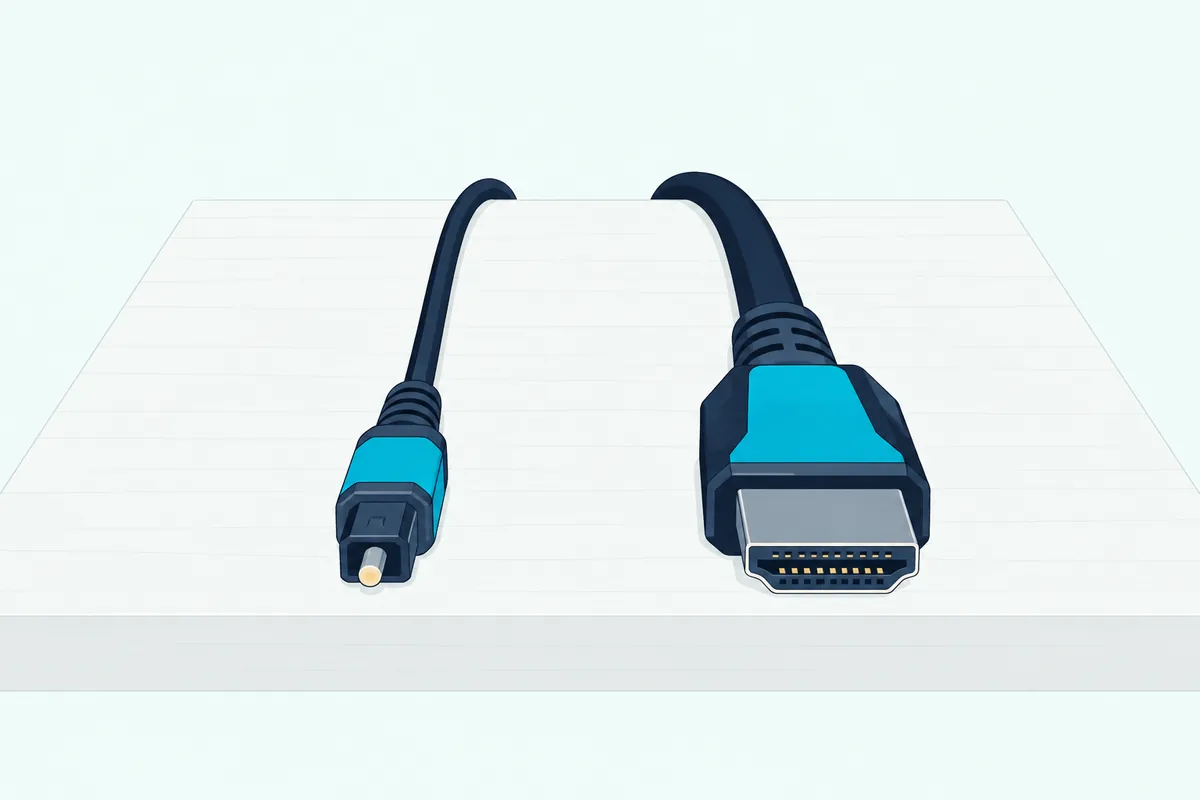
Remote control leans on HDMI too, as the remote section showed. If those things matter, weigh whether HDMI or optical suits your soundbar before you settle on a cable.
Why Is the Soundbar Silent on a Samsung TV’s Optical Output?
A silent bar sends you back through those same steps, and Samsung’s guides and manuals name these checks. Start with the TV’s Sound Output, then the bar’s input, the cable and the format:
| Check | Where | What to do |
|---|---|---|
| Sound Output | TV | Pick the optical option for your TV’s year, not TV Speaker |
| Input | Soundbar | Select D.IN or Digital Audio In |
| Cable | Both ends | Take any covers off, then check and reconnect both plugs |
| A second cable | Soundbar and TV | Unplug the HDMI cable, since the bar takes HDMI first |
| Format | TV, Expert Settings | Set Digital Output Audio Format to PCM or Dolby Digital |
| Simultaneous Optical Output | TV, 2022 and later | Turn it on under Expert Settings |
| Volume | TV and soundbar | Check the TV’s volume, then the bar’s |
The Simultaneous Optical Output row comes from Samsung Canada’s set-up guide, which suggests it for 2022 and newer TVs when the optical cable gives no sound. Samsung’s guides describe the setting as making the device connected via optical always output sound.
TCL’s optical troubleshooting adds a quick test: with the source switched on, a faint red light should show at the end of the cable connected to it. If nothing helps, Samsung’s 2025 guide says to reboot the connected device by unplugging its power cord and plugging it back in.
Samsung also warns that some S/PDIF receivers may not be compatible with HD audio, which its TVs sample at 96 kHz against 48 kHz for standard audio. And once the bar takes over, expect many of the TV’s Expert Settings to be grayed out, which Samsung’s US help says happens when the TV uses external speakers.
Frequently Asked Questions
Is it better to connect a soundbar to a Samsung TV with HDMI or optical?
HDMI, when both the TV and the bar have an HDMI ARC or eARC port. Samsung’s set-up guides say HDMI gives the best audio, and only HDMI carries Dolby Digital Plus, Dolby Atmos and the lossless formats from a Samsung TV, along with Anynet+ volume control. Optical is the cable for a bar without HDMI, such as the HW-C450, or a TV without an ARC port, and it still carries 5.1 Dolby Digital. Wireless links exist too, though Samsung says Bluetooth doesn’t match HDMI’s sound quality.
Can you use HDMI and optical at the same time on a Samsung TV?
You can connect both, but expect one to win. Samsung’s soundbars receive the HDMI signal first when both cables are connected, and Samsung’s 2022 to 2026 TV guides warn that HDMI may be selected first even if you select Optical. On those sets, Simultaneous Optical Output under Expert Settings keeps the device on the optical port always playing, per Samsung’s description of the setting.
Can you connect a soundbar to a Samsung TV with AUX or USB instead?
AUX needs a TV with an analog audio output, and Samsung’s 2025 guide treats a headphone jack as something only some TVs have. Samsung’s set-up guide also says an AUX cable’s analog connection won’t sound as good as HDMI or optical. USB isn’t a TV link on the Samsung bars read for this guide: the HW-Q990D’s USB port is a SERVICE port for software updates, and none of the ten manuals lists USB as a way to connect a TV, even though Samsung’s 2023 to 2026 TV guides support USB sound devices.
Will the soundbar turn on and off with the Samsung TV over optical?
It can, depending on the bar. Samsung’s US help says Auto Power Link, which is on by default and works only over optical, turns a Samsung soundbar on and off with the TV, and you toggle it by holding left on the bar remote’s directional pad. Samsung’s newer TV guides tie power sync to Bluetooth and HDMI eARC links instead, and the HW-Q990D switches itself off after 18 minutes with no audio signal, D.IN included. If you switch the HW-Q990D off while watching, its power sync stops until you turn the TV off first.