How to Create a DJ Mix, From First Cue Point to Upload
Learning how to create a DJ mix is mostly about the work you do before the take: choosing tracks, marking where each one starts and ends, and putting them in an order that builds.
Skip that work and the problems show up later, as a key clash in the third blend, a file that clips or cuts out, or an upload a platform pulls for breaking its music rules.
Get the preparation right and the take itself becomes the fun part, because every transition has already been chosen and practiced.
This guide follows the job in the order you’ll do it, with steps taken from the manuals and help pages of rekordbox, Serato DJ, VirtualDJ, djay and DJUCED.
It ends with what Mixcloud, SoundCloud, YouTube and Twitch each say about posting a mix, so the finished file has somewhere to go.
How to Create a DJ Mix in Seven Steps
That preparation breaks down into seven steps, and each one feeds the next. You choose and analyze the tracks, mark cue points, set the order, plan the transitions, practice, capture the take with the level in check, then listen back and share the file where the platform’s rules allow it.
| Step | What you do | Where it happens |
|---|---|---|
| 1. Choose | Pick more tracks than the mix needs | Your music library |
| 2. Prepare | Analyze BPM, key and beatgrid, then fix anything misread | The DJ software’s analysis |
| 3. Mark | Set cue points at the first beat and where each blend starts and ends | Hot cues and memory cues |
| 4. Order | Arrange the tracks by energy, tempo and key | A playlist or crate |
| 5. Plan | Decide where each transition starts and how long it lasts | A line of notes per pair |
| 6. Practice | Play every pair, then the whole mix once without stopping | Practice Mode or your controller |
| 7. Capture and share | Take the mix with peaks out of the red, listen back, then upload | The software’s REC button, then the platform |
The table hides one catch: the free versions of most DJ programs cover steps one to six, but not all of them can save the finished mix to a file. That decides the software, and sometimes the controller, before you buy anything.
What Do You Need Before You Start?
That catch shapes the shopping list, so start from the software. You need DJ software that can capture the mix on your computer, a way to play two tracks at once (a controller, or the software’s own mouse and keyboard controls), and closed headphones to hear the next track before anyone else does.
Serato DJ Lite is free and comes with Practice Mode for mixing without hardware, but Serato says Lite can’t record a set; that takes a Serato DJ Pro license or subscription and hardware that supports recording. rekordbox lets every plan, Free included, run its decks with a mouse and keyboard, yet its plan table lists “Record and share DJ mixes” only for the Core plan and above.
VirtualDJ is free at home as long as you don’t connect a DJ controller or mixer, and its comparison chart lets every license, the free one included, capture audio or video to a file. With a controller, though, the free version runs it 10 minutes at a time, and the Home license made for entry-level controllers keeps VirtualDJ’s branding, including the audio drop that Pro removes.
DJUCED, the software Hercules includes with the Inpulse 200 MK2, lists recording among the features of its standard edition, which runs with a Hercules controller. djay Pro captures mixes too, and Algoriddim says one Pro subscription covers djay on Mac, iPhone, iPad, Windows and Android.
If you’re buying a first controller with a finished mix file in mind, the Hercules DJControl Inpulse 200 MK2 is the most direct route on this page, because it ships with licenses for both DJUCED and Serato DJ Lite. Its Beatmatch Guide lights show where to move the tempo fader and which way to turn the jog wheel, and Burton Acoustix’s beginner controller picks compare more options.
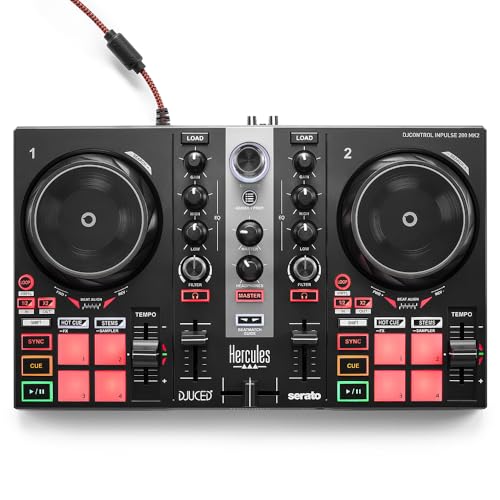
the Hercules DJControl Inpulse 200 MK2
If you’d rather learn on rekordbox or Serato, the Pioneer DJ DDJ-FLX4 works free with rekordbox, Serato DJ Lite, djay and Traktor Play, per Pioneer DJ’s FLX4 page. Pioneer DJ also says you can record to rekordbox over the same USB connection, so check which rekordbox plan you’re on before counting on the REC button.
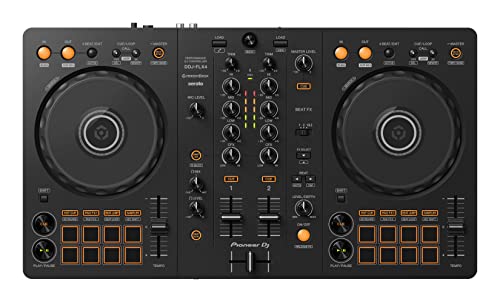
the Pioneer DJ DDJ-FLX4
Whatever the controller, closed headphones let you hear the incoming track over the room, and the Sennheiser HD 25 has been a fixture in DJ booths for more than 30 years, by Sennheiser’s account. Its rotating ear cup lets you keep one ear on the room while the other cues.
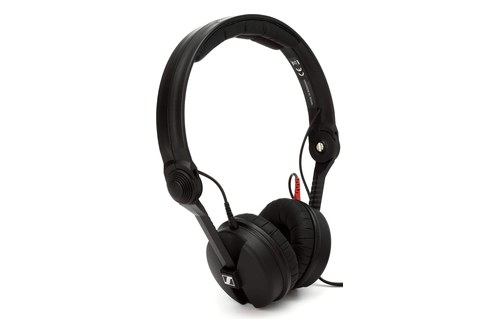
the Sennheiser HD 25
No controller yet? You can still prepare and practice most of a mix, and our guide to practice mixing without a controller lists the programs that allow it.
Get Studio Tips Weekly
Join 5,000+ creators getting acoustic treatment advice every week.
No spam. Unsubscribe anytime.How Many Tracks Should Your First Mix Have?
Once the gear is sorted, the length of the mix decides how many tracks to pull. For a 30-minute first mix, plan on eight to ten tracks if each one plays for three to four minutes before the next takes over.
Pull about half as many again as backups, because a track that sounds right on its own can clash once it sits next to another. A 30-minute mix you finish and replay teaches more than a two-hour plan you abandon halfway.
If the mix is heading for Mixcloud, plan the list around its rules now. Mixcloud’s user agreement allows no more than four songs by one artist in an upload (and no more than three in a row), and no more than three from one album (two in a row).
Those limits are easy to break by accident with a favorite artist, and the agreement says breaking them can get an upload removed. Keep a running tracklist with exact titles and artists as you pick, because the same agreement asks for accurate track names and metadata.
What Should DJ Software Analyze Before You Mix?
Those tracks now need measuring, and DJ software does the measuring for you. Analysis gives each track its BPM, its key and a beatgrid, the map of beats the software uses to display and sync the music, and it’s the first thing to run on any new track.
rekordbox analyzes tracks as you add them to its Collection when Auto Analysis is on; otherwise you choose Analyze Track from the Track menu or a right-click. Its preferences decide what gets measured: BPM and grid, key, phrase and vocal parts, per the rekordbox 7 manual.
VirtualDJ leaves BPM, length and key empty until a track is analyzed, and its manual strongly advises analyzing everything. Right-click a file and choose Analyze for BPM, or right-click a folder and choose Batch Analyze for BPM etc.
Serato lists Key Analysis among the features Serato DJ Pro adds to Lite, so check which version you’re running before you count on key readings. djay puts key and tempo to work in its Match tab, which suggests the next track from both.
Analysis is good but not perfect, so spot-check the grid on anything with a live drummer or a tempo that drifts. VirtualDJ’s BPM Editor has a metronome for that check, halve and double buttons for a reading that came out at half or twice the real tempo, and a Tap button.
On tracks with a variable tempo, VirtualDJ’s editor also marks the sections where the BPM swings and warns against mixing in them. rekordbox’s grid tools double or halve the BPM and nudge the grid a millisecond at a time, and its high-precision beatgrid setting trades slower analysis for a more accurate result.
Where Should You Set Cue Points?
Once the grid is right, cue points mark the moments you’ll jump to. Set one on the first beat of each track, one where you plan to start bringing it in and one where you plan to start taking it out, so every transition on the list has a marker on both sides.
rekordbox can place the first-beat cue for you: tick Set to 1.1Bars under CUE Setting in its analysis preferences, and it sets one whenever tracks are imported or re-analyzed. VirtualDJ also creates a First Beat anchor and mix point markers during its first analysis, but it never makes hot cues for you, so those are yours to set.
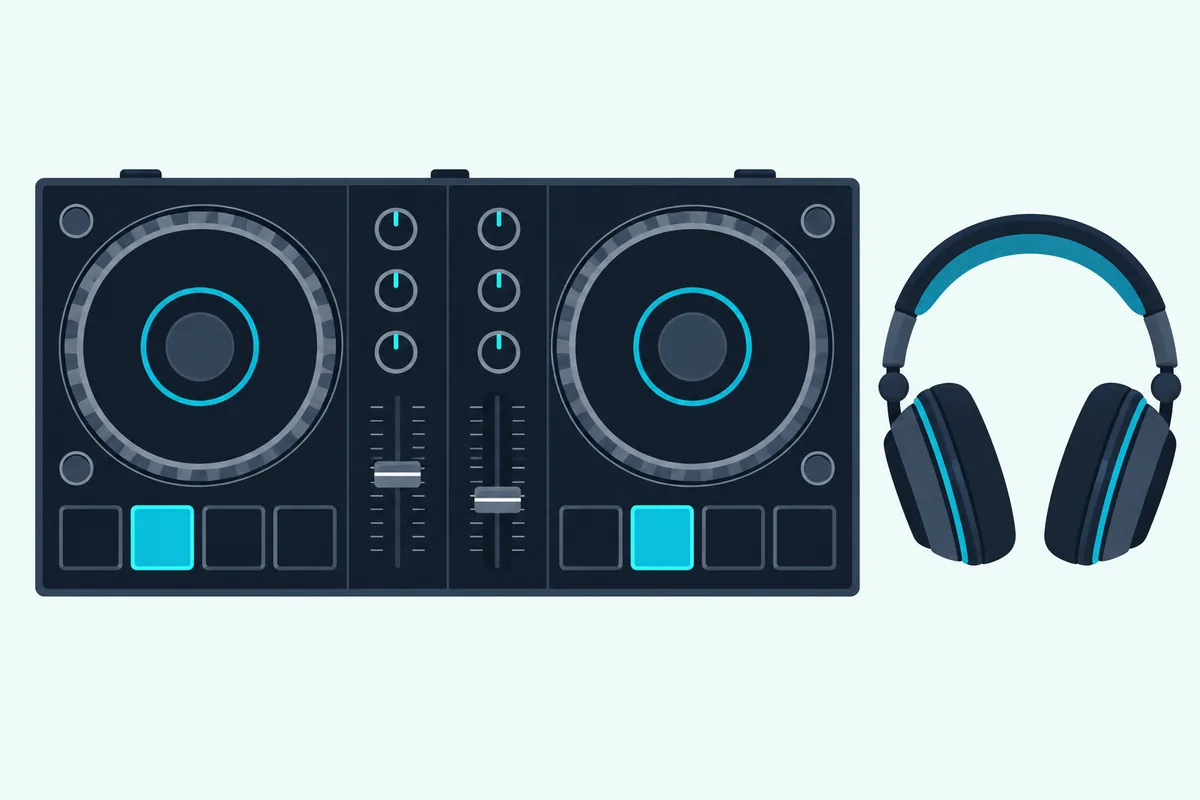
How many you can save depends on the program. rekordbox’s Export mode saves up to eight hot cues per track, lettered A to H, plus up to 10 saved cue and loop points in its memory list, while VirtualDJ shows eight hot cue pads by default but stores an unlimited number.
djay saves up to 16 cue points per track, and DJUCED’s standard edition lists eight hot cues. Serato says Pro gives you up to eight cue points, more than Lite, and rekordbox’s paid plans add Intelligent Cue Creation, which sets hot cues or memory cues from phrase analysis and from where you usually put your own.
Try this on your first two tracks: play the outgoing track’s mix-out cue in the room and the incoming track’s mix-in cue in your headphones. If the two don’t land together, move the cue rather than the plan.
What Order Should the Tracks Go In?
Those markers make the order the next job, and it’s where the mix becomes yours rather than a playlist. Put the tracks in an order that moves the energy in a deliberate direction, keeps neighboring tempos close enough to blend, and puts compatible keys side by side wherever you can.
A simple shape for a first mix is a slow build: start below your peak, climb through the middle third, then ease off for the last two or three tracks. A recorded mix has no crowd to read, so the order you plan is exactly the order listeners hear.
That shape also gives you somewhere to put the backups from the track-count step, since a spare can fill any gap in the climb.
The software can shortlist the next track. rekordbox’s Related Tracks lists tracks that relate to the one on the deck by BPM, key, genre, rating or your own tags, and djay’s Match suggests tracks by key and tempo, with Algoriddim’s own reminder to treat it as a starting point and trust your ears.
| Software | Key tools | Help with the order |
|---|---|---|
| rekordbox | Key names (Classic) or Alphanumeric codes such as 1A and 2A, set in Preferences | Related Tracks by BPM, key, genre, rating or tags |
| VirtualDJ | Click the key to switch between its name (G#) and its harmonic value | Automatic Key Match shifts a track by up to one semitone |
| djay | Key Lock, and a manual key shift up or down | Match suggests tracks by key and tempo |
| Serato DJ Pro | Key Analysis, a Pro feature | Smart Crates and Crate Search, also Pro |
That table covers the key, and the tempo needs one setting. Turn on Key Lock in djay, or Master Tempo in rekordbox and VirtualDJ, before you stretch a track to meet its neighbor, because djay’s Key Lock exists to change the tempo without changing the pitch.
rekordbox’s manual makes the same point from the other side: with master tempo off, a tempo change through Beat Sync changes the displayed key as well. VirtualDJ’s key menu can then shift a clashing track up or down by semitones if two neighbors still sit badly.

Once the order feels right, save it as a playlist or crate. rekordbox can export a playlist to a .txt file, which doubles as the tracklist for the upload, and it’s also the moment to recheck those Mixcloud limits, since three songs by one artist in a row is the most its agreement allows.
How Do You Plan Each Transition?
That order gives you a list of pairs, and each pair needs a plan. Decide where the incoming track starts, how long both play together and how the outgoing one leaves, then write it in a line such as “bring B in at its mix-in cue, swap the bass after 16 bars, fade A out by its last cue.”
Start blends at the start of a musical phrase rather than in the middle of one, and let each track’s structure, from intro to outro, decide where the overlap sits. rekordbox can analyze phrases and display them with the track, which helps if you’d rather see a section change than count it.
Tracks with long, steady intros and outros leave room for a longer overlap, and a track that opens on a vocal leaves less. The cue points from the earlier step are the anchors here: each line of the plan should start and end on one.
Pioneer DJ’s DDJ-FLX4 has a shortcut for beginners in its Smart Fader, which Pioneer DJ says adjusts the volume, bass and BPM automatically as you move the channel faders or crossfader. It’s a fine way to hear a plan before your hands can play it.
The blending techniques themselves, tempo matching, EQ swaps and the crossfader, are their own skill, and our step-by-step guide to mix music like a DJ covers them. Keep the plan short enough to remember mid-mix, since one line per transition is plenty.
Should You Practice the Whole Mix First?
Those written transitions only become reliable once your hands know them. Yes: practice each pair until it works three times in a row, then play the whole mix once from start to finish without stopping, exactly as you’ll play it for the take.
Serato DJ Lite and Pro both include Practice Mode, which runs the software without hardware connected, though Serato notes that recording isn’t available in Practice Mode. rekordbox lets every plan run its decks from a mouse and keyboard, and VirtualDJ’s free version needs no license until a controller or mixer is connected.
Time the full run with the software’s elapsed-time display, because the real length depends on where your transitions actually land. Long overlaps shorten a mix, while late mix-ins stretch it.
If a transition fails twice during the run-through, swap in one of your backups instead of forcing it. Capture a practice run anyway if your software allows it, since listening back is the quickest way to hear what your hands miss.
Which DJ Software Can Record Your Mix?
Once the run-through holds together, the take comes down to the right button in the right version. rekordbox on the Core plan and above, Serato DJ Pro, every VirtualDJ license including the free one, djay Pro and DJUCED’s standard edition can all record a mix, while Serato DJ Lite can’t.
| Software | How to start | Format | Catch |
|---|---|---|---|
| rekordbox | REC in the global section, source Master Out | WAV | Core plan or above; stops after more than 20 seconds of silence unless you change the setting |
| Serato DJ Pro | Set recording is a Pro feature | Not listed on Serato’s product pages | Needs Pro hardware, a license or a subscription; not with streamed tracks or in Practice Mode |
| VirtualDJ | REC in the master panel, set up under Settings, Record | MP3 by default, plus OGG, FLAC and WAV | With a controller, the free version runs 10 minutes at a time |
| djay Pro | Red record button, then Start New Audio Recording | AAC or WAV | Streamed tracks can’t be captured |
| DJUCED | Listed among standard-edition features | Not listed on DJUCED’s page | Standard edition runs with a Hercules controller |
The table’s last column matters most. rekordbox captures its Master Out once you pick it as the source, and VirtualDJ records the master output by default, as an MP3 at 192 kbps unless you raise the recordQuality option to high for 320 kbps.
One rule cuts across programs: djay can’t record mixes that include streamed tracks from Spotify, Apple Music, TIDAL, Beatport, Beatsource or SoundCloud, and Serato says the same about music from a streaming service. A mix you plan to keep, share or post online should be built from downloaded files.
VirtualDJ’s Home license brings one more catch for the finished file: VirtualDJ says it keeps the branding, a video logo and audio drops, which a Pro license removes. Our guide on how to record a DJ mix walks through each program’s REC settings and capturing a mix from external gear.
How Loud Should the Recording Be?
That REC button captures whatever level you send it, so set the level before the take. Aim for the loudest moments to sit just under the red: rekordbox’s manual says a level that’s too low leaves noise and a quiet file, a level that’s too high clips and distorts, and the best quality comes from raising the recording level until not all the indicators hit the red zone.
Try this before the real take: play the loudest 30 seconds of your two loudest tracks together, the way they’ll overlap in the mix, and watch the meter. Two tracks playing at once add up, so the overlap is where a level that looked safe on one track tips into the red.
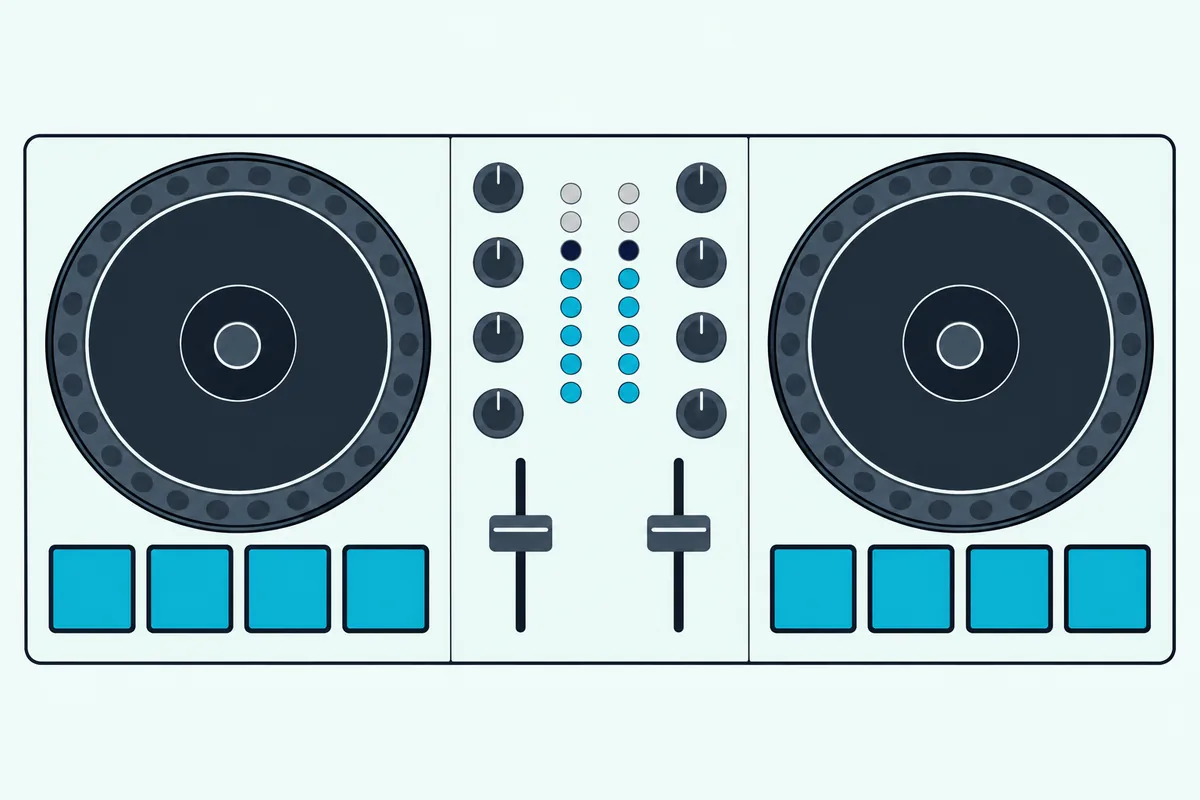
Set each channel’s trim so the tracks hit the same level before they reach the master, and our guide to set trim on a DJ controller explains why the mix gets louder when two tracks play. VirtualDJ keeps a limiter on its master output that can’t be switched off, so treat it as a safety net for stray peaks rather than a volume control.
Leave the EQs and master level where they’ll sit during the take, since moving them afterward changes the level you just set.
What Should You Check When You Listen Back?
Once the take is done, listen to the whole file before any listeners do. Check the start and the end, every transition, the overall level and anything the software added, such as VirtualDJ’s audio drops on a Home license, then fix what you can or do another take.
Listen on headphones and on speakers, because a bass clash that hides on one often shows on the other. Then check the length, since rekordbox stops capturing by itself when no sound continues for more than 20 seconds.
That silence rule can end a file early during a long pause, so set it to start and stop only when you press REC if your mix has one. djay has a similar warning: close the app before you stop the recording and the file may become corrupted.
Write the tracklist with start times now. VirtualDJ’s History lists each track you played for at least 45 seconds (its default) with the time it played, and rekordbox’s Histories lists the tracks you played for a minute or more.
Keep a lossless master, WAV or FLAC, and make any MP3 or AAC copy from it, so you never compress a file that’s already compressed. rekordbox’s Share Mix makes its own upload copy, converting to 192 kbps M4A for Mixcloud and MP4 for YouTube at 16-bit and 44.1 kHz.
Where Can You Upload a DJ Mix?
With a finished file, the last question is where it can live, and each platform sets its own rules. Mixcloud, SoundCloud and YouTube all take uploads, Twitch’s DJ Program covers live streams only, and YouTube says outright that buying a song doesn’t give you the right to upload it.
| Platform | What its own rules say | Where it says so |
|---|---|---|
| Mixcloud | No more than 4 songs by one artist (3 in a row), 3 from one album (2 in a row) or 4 from one compilation (3 in a row); accurate track names; no song titles in the title or description; only recordings already released with the owners’ permission | User agreement, clause 6.4 |
| SoundCloud | You promise that everything you upload is yours and infringes no one’s rights; SoundCloud may block or remove content, and repeat infringers risk suspension | Terms of use |
| YouTube | Content ID scans each upload; a match can block the video, run ads on it or track its views, and the result can differ by country | YouTube Help |
| Twitch | The DJ Program is for live streams only: no VODs, clips or recordings with catalog tracks, no full albums and not just one artist | DJ Program Terms |
That Mixcloud row is why the tracklist came first. The agreement says breaking its programming limits can get a show removed from public view, and it asks that every track in an upload is lawfully sourced and already officially released, which rules out bootlegs and unauthorized remixes.
YouTube’s help pages add that “monetize” is the most common policy on music claims, which keeps the video up with ads, and that claims are separate from copyright strikes. If a claim lands on one song, YouTube offers to erase the song or trim out the segment instead of taking the whole video down.
YouTube’s copyright myths page also says giving credit to the copyright owner doesn’t give you the right to use their music. SoundCloud’s terms put the same weight on you, since you’re the one promising the upload infringes nobody’s rights.
Twitch is the odd one out. Its DJ Program lets you stream catalog tracks live with a video performance, but it bans uploading recordings that contain catalog tracks to Twitch, and it bans audio-only streams.
rekordbox can upload straight to Mixcloud and YouTube from its Recordings list, and its manual points you to each site’s own terms. Read them before the first upload, because the platform, not your DJ software, decides what stays up.
The Bottom Line
All of that adds up to a chain of small jobs: analyze, mark, order, plan, practice, capture, check and share. Most of the effort, and most of the craft, sits before the REC button, and that’s what makes the take itself feel easy.
The two decisions that catch beginners out sit at either end. Pick software that can actually capture your setup, whether that’s DJUCED with a Hercules controller, VirtualDJ on the license your controller needs, rekordbox on the Core plan or Serato DJ Pro, and build the tracklist with the upload rules of your chosen platform in mind.
Everything in between rewards patience. A 30-minute mix of eight to ten well-prepared tracks, captured with peaks under the red and checked from start to finish, is a better first upload, whether it’s for friends or for gigs, than a longer one rushed out the door.
Frequently Asked Questions
Is there an app to make a DJ mix?
Yes. djay runs on Mac, iPhone, iPad, Windows and Android, and Algoriddim says one Pro subscription covers all of them. rekordbox also has iOS and Android versions, and Pioneer DJ’s DDJ-FLX4 connects to them by Bluetooth or USB. A phone or tablet is fine for practice and for short mixes. Just remember djay’s rule that mixes with tracks streamed from services such as Spotify or Apple Music can’t be recorded, so load downloaded files if you want to keep the result.
What do DJs use to make mixes?
Most use DJ software such as rekordbox, Serato DJ, VirtualDJ, djay or DJUCED, a controller with two decks and a mixer section, and closed headphones for cueing. In most setups the software analyzes each track’s tempo and key, stores cue points and saves the finished mix, while the controller turns blends into hand movements. A library of downloaded files matters as much as the gear, because tracks streamed from services such as Spotify can’t be recorded in djay or Serato. A controller isn’t strictly required, since Serato, rekordbox and VirtualDJ can all be run from a mouse and keyboard.
What is the rule of 32 in DJing?
It’s DJ shorthand for counting music in blocks of 32 beats, which is eight bars of four beats each. When a dance track’s sections arrive in steady blocks like that, starting a blend at the beginning of one, rather than halfway through, keeps the sections of both tracks changing together, so the transition sounds planned. rekordbox can analyze phrases and display them with the track if you’d rather see the sections than count them. Treat it as a counting habit rather than a law, because some tracks don’t follow the pattern and your ears get the final say.
Can you make a DJ mix with Spotify?
You can mix Spotify tracks in some DJ software: djay works with Spotify on a Premium account, and Serato DJ Lite and Pro list Spotify among their streaming services. You can’t record that mix, though. djay can’t record mixes that include tracks streamed from Spotify, Apple Music, TIDAL, Beatport, Beatsource or SoundCloud, and Serato says recording isn’t available when you play music from a streaming service. For a mix you want to keep, post or send to someone, build it from downloaded files instead.
Do you need a controller to make a DJ mix?
No, not to prepare and practice one. Serato’s Practice Mode runs without hardware, rekordbox lets every plan run its decks from a mouse and keyboard, and VirtualDJ is free at home as long as no controller or mixer is connected. A controller makes transitions far easier to play by hand, and it’s what most beginners use for the take itself. With a controller, check the software’s rules first: VirtualDJ’s free version runs one 10 minutes at a time, and Serato DJ Lite can’t record a set.