What Does Trim Do on a DJ Controller? Levels Without Clipping
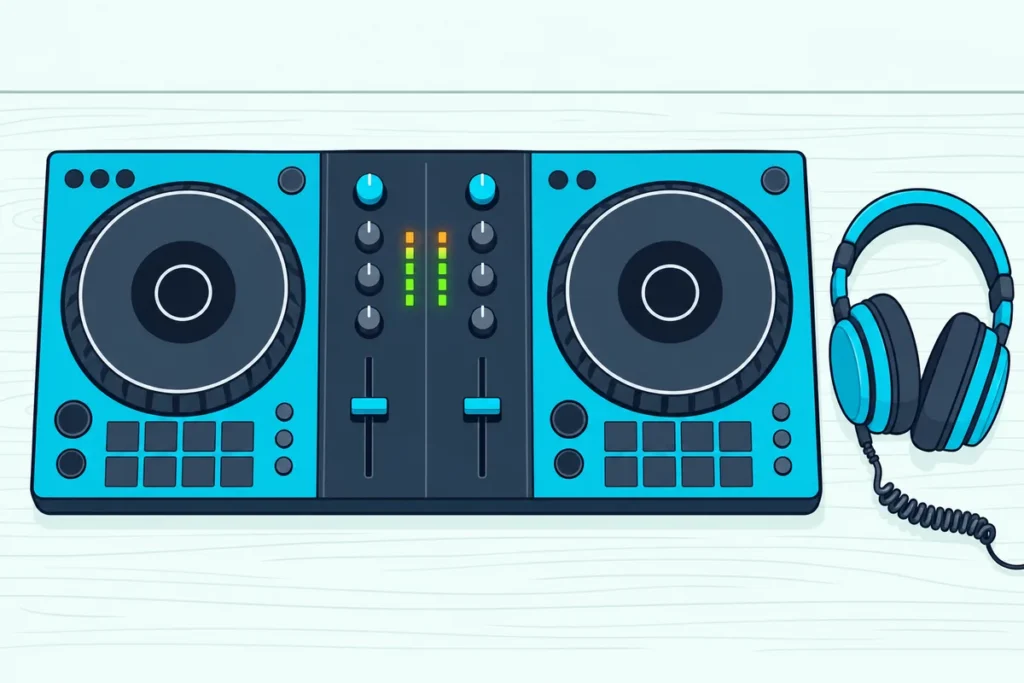
What does trim do on a DJ controller when the channel fader and the master knob already turn the music up and down?
Leave it in the wrong place and the next track lands much louder than the last, or the meters push into the red and the mix starts to distort.
Trim fixes that at the source: it sets how much of each track enters its channel, so every song reaches the fader at a similar level.
AlphaTheta’s manual for the Pioneer DJ DDJ-FLX4 sets it with one light, turning the knob until the channel level indicator glows orange at the loudest part of the track.
Below, you’ll see how trim differs from the fader and the master, what the meter colors mean, where the knob should sit and when auto gain can do the job for you.
What Does Trim Do on a DJ Controller?
That orange light makes sense once you know where trim sits in the signal. Trim sets the level of the audio coming into a channel from the DJ software’s deck, AlphaTheta’s help pages for Pioneer DJ controllers explain, and the channel fader and the master come after it (AlphaTheta).
Numark, Denon DJ and Rane describe the same control as setting the channel’s pre-fader, pre-EQ level. In other words, it acts on each track before the EQ or the fader shape the sound.
Its everyday job is matching songs that were recorded at different volumes. Native Instruments says each Traktor channel’s gain control is there to match the levels of your tracks, and AlphaTheta suggests adjusting trim when one track’s volume differs from the others.
On the DDJ-FLX4, the TRIM knob sits at the top of each channel above the HI, MID and LOW knobs, and its printed scale runs from -∞ to +9. Think of it as setting the water pressure before you open the tap: the fader then controls a flow that’s already right.
How Is Trim Different From the Channel Fader and Master Level?
That water-pressure job is what separates trim from the other two volume controls. AlphaTheta lays them out in order: trim sets the audio coming into the channel, the channel fader sets the audio going out of it, and MASTER LEVEL sets the final volume leaving the unit for the speakers.
Each control also has a usual position. The fader for the track you’re playing sits at the top, the next track’s fader waits at the bottom and you slide them during a blend, while both faders stay at the top if you mix on the crossfader.
The master gets set once for the room. AlphaTheta says that once it’s at a level you’re happy with, you’re unlikely to need to change it during a performance.
So a track that’s too loud is a trim fix, not a fader or master fix. If you’re a beginner and the rest of the layout is still new, Burton Acoustix’s DJ controller explainer shows how the hardware drives the software.
Get Studio Tips Weekly
Join 5,000+ creators getting acoustic treatment advice every week.
No spam. Unsubscribe anytime.Is Trim the Same as Gain?
Those three controls go by different names from brand to brand, and the trim knob’s names are where the gain question starts. On a DJ controller, trim and gain are two labels for the same per-channel control, and Hercules, for one, prints GAIN on it and says it adjusts the volume level before the volume fader.
| Controller or mixer | Label on the knob | What the maker’s guide says it sets |
|---|---|---|
| Pioneer DJ DDJ-FLX4 | TRIM | The volume of each channel’s sound |
| Hercules DJControl Inpulse 300 MK2 | GAIN | The volume level before the volume fader |
| Numark Mixtrack Pro FX | Level | The channel’s pre-fader, pre-EQ audio level |
| Denon DJ Prime and SC Live units | Channel Level | The level of the channel’s pre-fader, pre-EQ signal |
| Rane Seventy-Two | Deck Level | The channel’s pre-fader, pre-EQ audio level |
Five makers, five names, one job. Digital mixing consoles can split the two, though: Mackie’s DL digital mixers use Gain for the analog preamp and a separate digital Trim after the analog-to-digital conversion (Mackie).
Mackie also warns that trim can’t fix an input that’s already clipping at the gain stage. So on a console with both knobs, gain goes first and trim fine-tunes, while on a DJ controller the label is the only difference.
How Do You Set Trim on a DJ Controller?
Whatever the label, the knob is set against the channel meter, and AlphaTheta’s DDJ-FLX4 manual spells out the routine. Start with TRIM and MASTER LEVEL turned fully counterclockwise, the EQ and CFX knobs and the crossfader centered and the channel fader at the bottom (DDJ-FLX4 manual).
- Press play on the deck.
- Turn TRIM up until the channel level indicator lights orange at the loudest part of the track.
- Push the channel fader to the top.
- Turn MASTER LEVEL up until the speakers play at a level you’re happy with.
Use the loudest chorus or drop for step 2, not a quiet intro, because the light is set by the track’s peak. If the sound comes from the laptop’s own speakers, the manual says to adjust the computer’s volume instead of MASTER LEVEL.
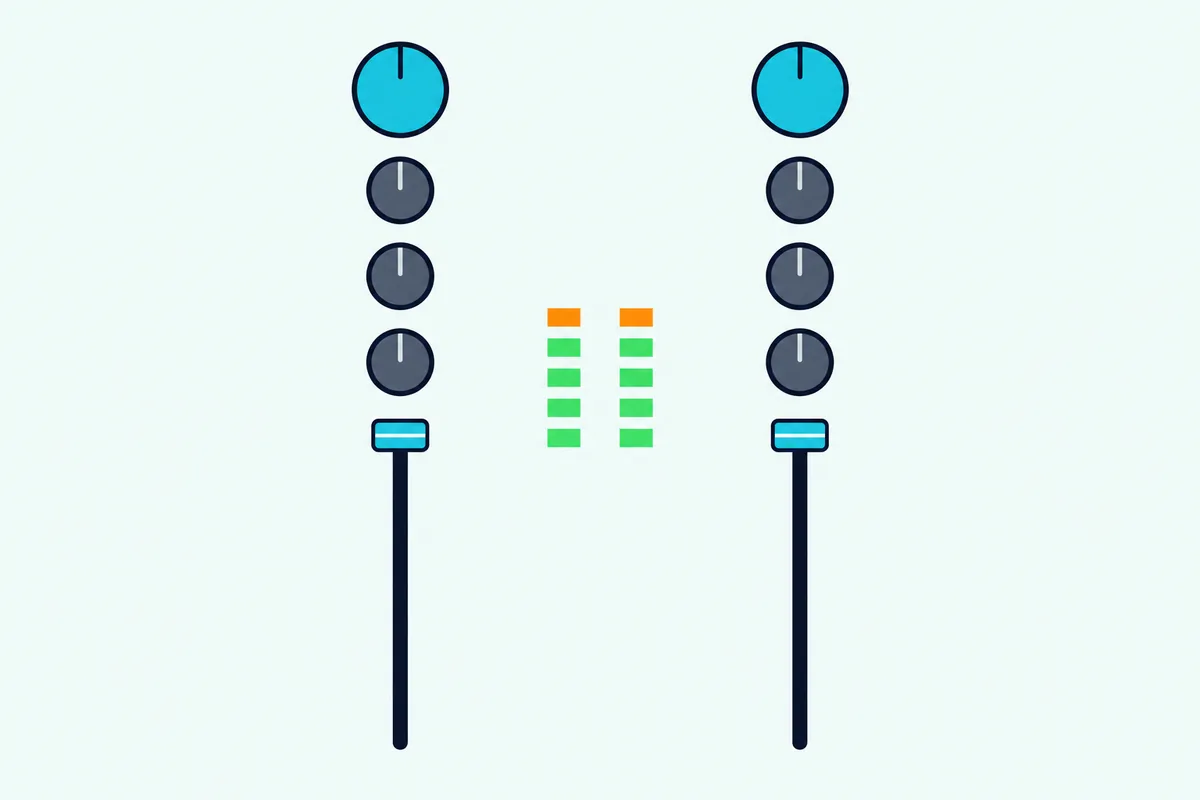
If nothing plays at all, the manual’s troubleshooting list starts with these same knobs, the crossfader included. Our guide to fix a DJ controller with no sound covers the cables, drivers and software settings after that.
What Do the Colors on the Level Meter Mean?
That orange target only works if you know what the red above it warns about. Red means clipping: Rane’s Seventy-Two guide says to turn the level down if the meter begins clipping, reaching its red part.
Native Instruments sets the same rule for Traktor: peaks on its MAIN level meter may reach the orange area, which it calls the headroom range, but never the red area, where clipping occurs. Denon DJ’s peak lights for microphone and aux inputs follow the same order, with green for low, amber for normal or optimal and red for maximum or peak.
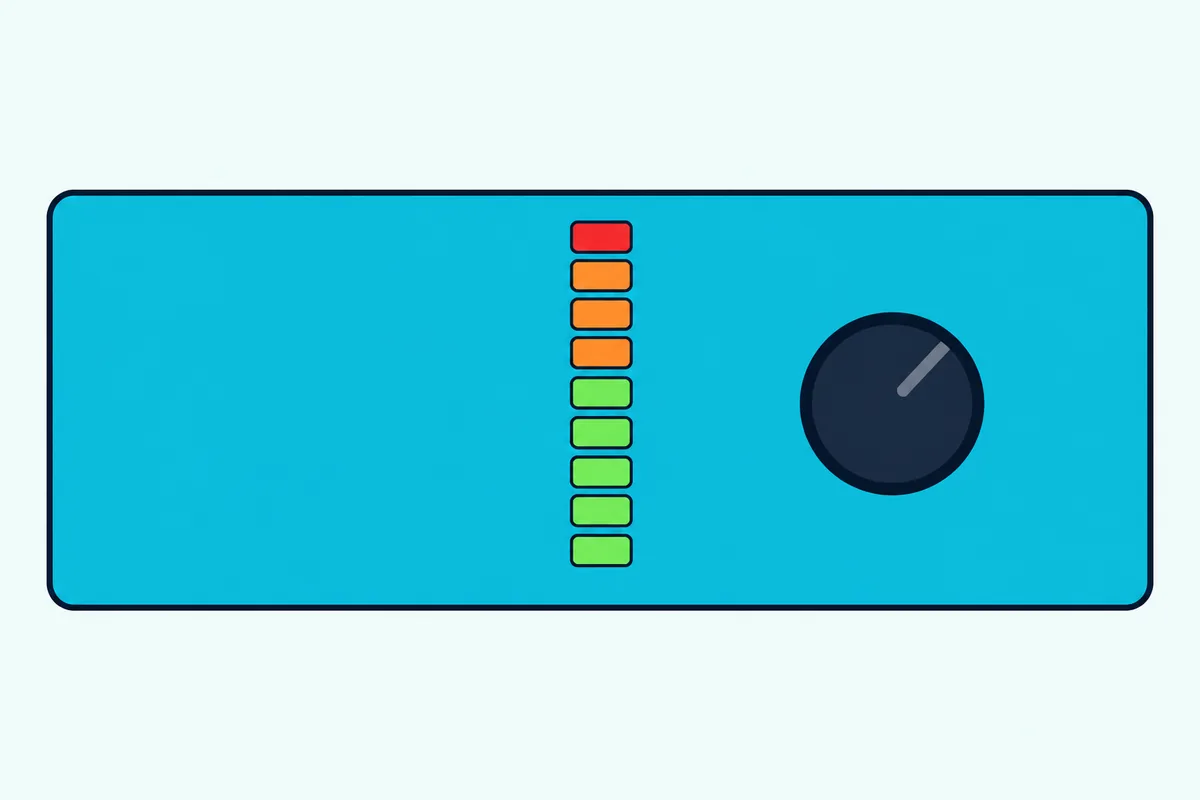
On the DDJ-FLX4, the channel level indicators read the sound before it reaches the channel fader. So pulling the fader down won’t calm a red channel meter, while turning the trim down will, which is exactly how the manual uses it.
Check which signal a meter shows, too: the DDJ-FLX4 shows channel levels by default, and rekordbox’s Level Meter setting can switch it to the master level on a computer or a mobile device. Hercules’s DJControl Inpulse 300 MK2 shows both decks and the master output on its VU meter instead.
What Happens if the Trim Is Too High?
Those red lights matter more in software than on an analog mixer. Native Instruments describes clipping as unwanted distortion when the signal is pushed past what the audio system can handle, and says software clipping overdrives the signal more noticeably than analog clipping (Native Instruments).
DJ software such as rekordbox, Traktor and VirtualDJ has a limiter to catch the worst of it, but that safety net has a cost. The rekordbox manual says clipping switches on its limiter to prevent distortion while spoiling the attack of a sound, and Native Instruments describes a limited Traktor output as losing dynamic range, heard as a lack of punch.
VirtualDJ’s limiter is always on, and its wiki calls a light, brief limit during a two-track mix normal but says constant limiting affects the sound negatively. The DDJ-FLX4 also has a Peak Limiter setting for its master output in rekordbox’s preferences, meant to prevent sudden, unpleasant digital clipping.
So treat the limiter as a net for stray peaks, not as permission to run the trim hot.
Should Trim Sit at 12 O’Clock?
That limiter cost is one reason to keep the knob near the middle. AlphaTheta’s general advice is to set trim at the center, 12 o’clock, and adjust it when one track’s volume differs from the rest.
VirtualDJ builds its auto gain around the same spot: with its default settings, the knob at 12 o’clock applies the loudness correction worked out for that track (VirtualDJ). Its wiki adds that the gain shouldn’t sit above 12 o’clock as a habit, because that will only make the limiter kick in rather than add real volume.
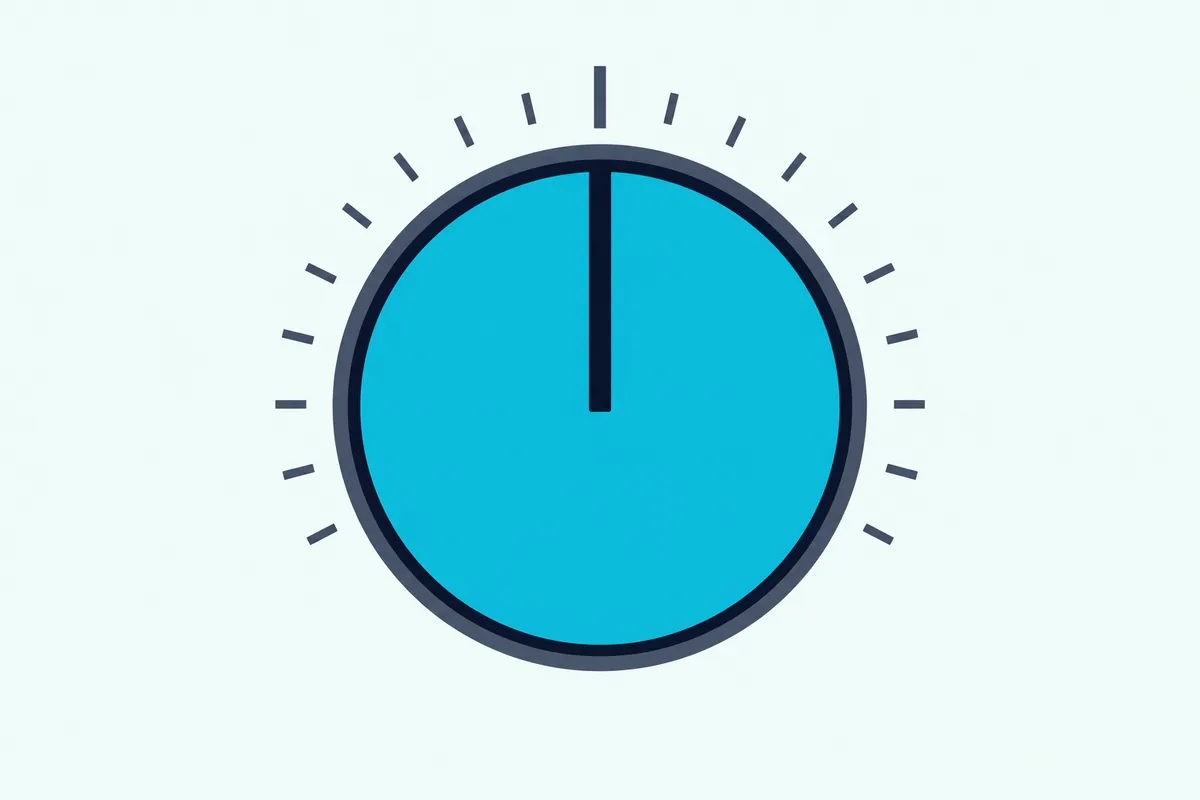
If the room needs more volume, VirtualDJ points to the master volume or the amplifier and speakers instead. The DDJ-FLX4 manual takes a different starting point, fully counterclockwise, and raises the knob to the orange light, so the meter has the final say over the knob’s angle.
Does Auto Gain Replace the Trim Knob?
That loudness correction is auto gain, and it does a lot of trim’s work before you touch anything. It replaces the knob only partly: rekordbox, Serato DJ, Traktor and VirtualDJ each work out a gain value when they analyze a track and can apply it when the track loads, while the trim or gain knob still adjusts from there.
In rekordbox, Auto Gain is enabled under Preferences, Controller, Mixer, and its analyzed value can be changed by hand in the GRID EDIT panel. Serato’s own 2013 explainer describes matching each track’s perceived loudness to a reference level you choose from 89 dB to 98 dB, with 92 dB the default.
The makers don’t agree on leaving it on. VirtualDJ recommends its autoGain setting at auto, while Native Instruments recommends switching Traktor’s Autogain off and setting levels with the gain knobs, since it can cause clipping or limiting under unfavorable conditions.
Either way, the knob still counts. Native Instruments’ support page on channel gain explains that Traktor adds your channel gain to the Autogain value, so 2 dB on the knob plus 1 dB of Autogain boosts the deck by 3 dB in total.
Why Does the Mix Get Louder When Two Tracks Play?
Those per-track settings cover one song at a time, and a blend stacks two of them. VirtualDJ’s wiki points out that two songs at full volume can potentially come out twice as loud as one, and with no headroom set, the limiter typically kicks in and may cause a pumping sound.
Its fix is the EQ rather than the trim: cut the bass on the incoming track, then swap the bass over as the outgoing track leaves, which keeps the output more even. Our step-by-step mixing walkthrough covers that EQ blend.
Native Instruments puts numbers on managing that, since every extra deck, EQ move and effect eats into Traktor’s headroom. It suggests a headroom setting of -3 dB for a simple two-deck mix, -6 dB with frequent effects or EQ, and -9 dB for more than two decks or -13 dB for four decks including Remix Decks, both with frequent effects or EQ.
Does Trim Work the Same on a DJ Mixer?
That headroom also matters when a controller’s output feeds a club mixer, which has trims of its own. Trim does the same job on a DJ mixer: AlphaTheta’s help pages for its DJM-A9 and DJM-S9 describe it as adjusting the sound coming into each channel, with the same orange-at-the-peak routine.
Native Instruments adds one detail for that setup. If Traktor’s master output runs into a club mixer channel with a -6 dB headroom setting, boost that channel’s gain or trim by 6 dB to make up the difference.
Our walkthrough on how to connect a DJ controller to an external mixer covers the cables and software modes for that rig.
Why Does It Still Distort With the Meters in Range?
Even with every meter in range, the sound can still distort, and that points away from the trim. The DDJ-FLX4 manual’s answer for distorted sound, after the knob positions, the cable and clean plugs, is to change the buffer size in your DJ software.
Hercules’s manual, in its Windows ASIO settings, says to close the DJ software and change the buffer one value at a time: larger if you hear glitches or artifacts, smaller to cut latency, until you find the best size for your system.
The Bottom Line
Set each track’s trim so its channel meter peaks in the orange and never the red, then keep the fader for the blend and the master for the room. That one routine covers the trim, gain, Level or Channel Level knob, whatever your controller calls it.
Let auto gain do the rough matching if your software’s maker recommends it, and leave the knob near 12 o’clock unless a track really is quieter or louder than the rest. When the whole mix needs more volume, turn up the master or the speakers, not the trims.
Frequently Asked Questions
What is the trim button on a DJ controller?
It’s usually a knob rather than a button: on Pioneer DJ’s DDJ-FLX4, the TRIM knob sits at the top of each channel, above the EQ. It sets each deck’s level as the audio enters the channel, which Numark and Denon DJ describe as pre-fader and pre-EQ. Hercules prints GAIN on the same control, Numark prints Level and Denon DJ prints Channel Level.
Can you use the trim knob instead of the channel fader?
You can, but the makers give them different jobs. AlphaTheta treats trim as the knob you set, and adjust when one track is louder than another, and the channel fader as the control you slide up and down while mixing two tracks. On the DDJ-FLX4 the channel meter reads the sound before the fader, so riding the trim during a blend also moves the level you matched on the meter.
Do you need to adjust trim for every track?
Not always. With auto gain on, rekordbox, Serato DJ, Traktor and VirtualDJ set a starting gain for each analyzed track, and AlphaTheta’s general advice is to leave trim at 12 o’clock and adjust only when volumes differ. Watch the channel meter as each new track comes in, and correct any track that peaks in the red or never reaches the orange.
Why doesn’t turning up the trim make the mix louder?
Past a point, the software’s limiter holds the level down instead. VirtualDJ says running the gain above 12 o’clock as a habit only makes its limiter kick in rather than adding volume, and the rekordbox manual says clipping engages its limiter at the cost of a sound’s attack. For a louder room, VirtualDJ’s advice is to raise the master volume or the amplifier and speakers.