Best LG Soundbar Settings for Dialogue, Movies, Music and Night
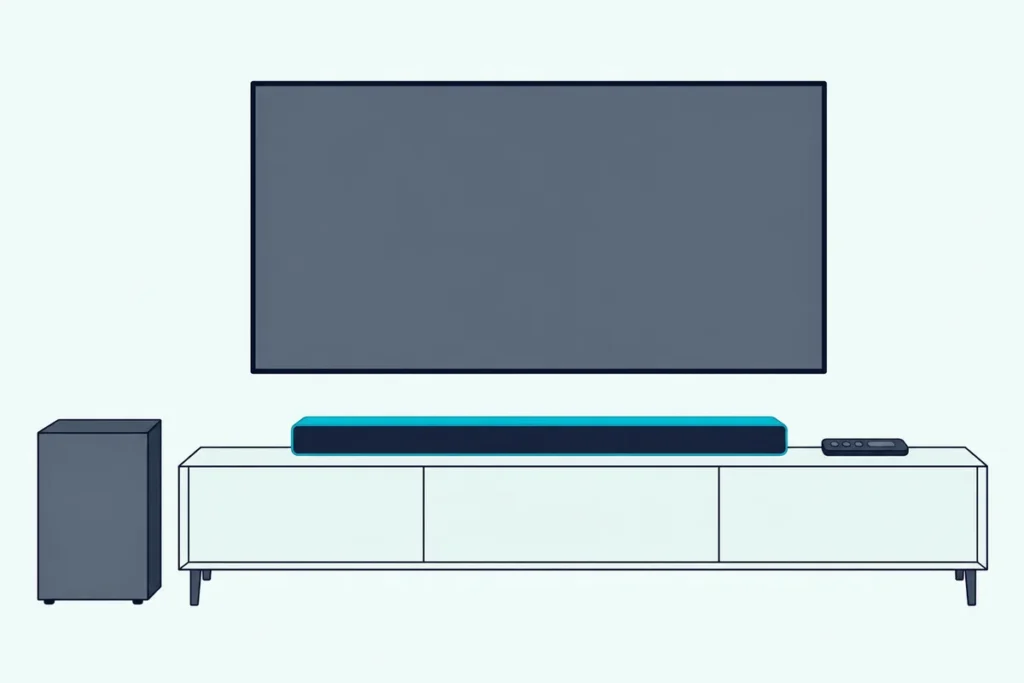
For the best LG soundbar settings, LG’s own manuals point to three controls: a sound effect such as AI Sound Pro, Standard or Cinema, the Sound Tuning levels, and switches like Night Time.
Pick the wrong mix and the evening news turns boomy, a late film wakes the house, or the TV quietly takes over the bar’s sound mode.
Set each one by what you’re watching instead, and the same bar can keep speech clear, open up for movies and stay low after midnight.
Start with the Sound Effects button, run AI Room Calibration if your bar has it, then fine-tune the Sound Tuning levels (WF, TRE and BAS on display models).
Below, each goal gets its starting points from LG’s manuals, followed by the TV menus that can override the bar and the way back to neutral levels.
What Are the Best LG Soundbar Settings to Start With?
That order is the whole method, and it begins with one everyday mode. The best LG soundbar settings to start with are AI Sound Pro or Standard as the everyday sound effect, every Sound Tuning level at 0, and Night Time off until late evening, then one change per goal from the table below.
LG’s manuals describe what each setting does but don’t call any one of them best, so treat the table as starting points built from LG’s descriptions. The “Then adjust” column is our suggestion, not LG’s.
| Goal | Sound effect to try first | Then adjust |
|---|---|---|
| Everyday TV | AI Sound Pro or Standard | Nothing yet; levels at 0 |
| Dialogue | Clear Voice Pro | Center (C) up a step, or WF down |
| Movies | Cinema | Surround on if you have rear speakers |
| Music | Music | Surround off for stereo albums |
| Late night | Your usual mode | Night Time on, WF down |
| Gaming | Game | TV audio format to PCM if sound lags |
Each row gets its own section below, with the model differences LG lists. If you’d like the same goal-by-goal approach for a bar from another maker, see Burton Acoustix’s soundbar settings guide for any brand.
Try this first: replay the same two-minute scene after each change, with the volume number fixed, so the setting is the only thing that changed.
What Does Each LG Sound Effect Do?
Those mode names come straight off LG’s remotes, and the list depends on the bar. On the S95TR, S95QR, SC9S, S80TR, S70TY and S60T, the Sound Effects button cycles through eight modes: AI Sound Pro, Standard, Cinema, Clear Voice Pro, Sports, Music, Game and Bass Blast (Bass Blast+).
LG’s S95TR remote control page gives one line for each, and the other five manuals say the same in nearly the same words:
| Sound effect | What LG’s manuals say it does |
|---|---|
| AI Sound Pro | Artificial intelligence chooses the settings that suit the content |
| Standard | Optimized sound |
| Cinema | 3D sound similar to a movie theater |
| Clear Voice Pro | Clearer, better quality voices |
| Sports | Realistic, stadium-like sound |
| Music | Sound optimized for music (Meridian technology, per the S95QR manual) |
| Game | Sound optimized for games |
| Bass Blast (Bass Blast+) | Enhanced bass |
Smaller and newer models trim or rename the set: the S40T, S30A and NS40TR remotes have separate AI Sound Pro, Cinema, Standard and Game buttons instead of one Sound Effects key.
The Sound Suite H7 relabels its modes AI Sound, Bass, Voice and Standard, and adds Custom, a sound effect you build in the LG ThinQ app. Older bars used other names again: the SL10YG offers ASC, Bass Blast, Standard, Movie and Music, and the SK5Y lists ASC, Bass Blast and DTS Virtual:X.

Standard and Cinema are the pair owners compare most, and the LG sound bar Standard vs Cinema comparison covers that choice in depth.
Which Settings Make Dialogue Clearer on an LG Soundbar?
Of those eight modes, one is built for voices. For clearer dialogue, switch to Clear Voice Pro, which LG’s manuals describe as improving the clarity of voices; on the Sound Suite H7 the same job falls to the Voice mode.
If voices still sit low, two more moves are ours rather than LG’s. On bars with a center speaker, such as the S95TR, SC9S, S80TR, S70TY and S60T, raise the Center level (C) one or two steps within its -6 to 6 range; LG doesn’t link that level to dialogue, so keep the change only if the voices come forward.
The second move is to take bass away rather than add voice. Drop WF, the subwoofer level, two or three steps from 0 and replay the same scene.
Try this with a news anchor: switch between Standard and Clear Voice Pro at the same volume, then fine-tune with Center or WF if the music thins out too much.
On an LG TV with TV Sound Mode Share turned on, the TV’s own sound mode plays through a supporting bar, and webOS 2025 lists Clear Voice and Clear Voice Pro among the TV’s modes. The Sound Mode Share section below explains why that can matter more than the bar’s own button.
Should Movies Get Cinema, AI Sound Pro or the Surround Setting?
Movies flip that balance, because now you want the effects around the voices. For movies, LG describes Cinema as 3D sound similar to a movie theater, and the Surround switch under the Settings button spreads sound across all the connected speakers, whatever channels the film was recorded in.
AI Sound Pro is the hands-off alternative, with LG’s AI choosing the settings for whatever is playing. If the household flips between films and shows on the same evening, it saves switching modes by hand each time.
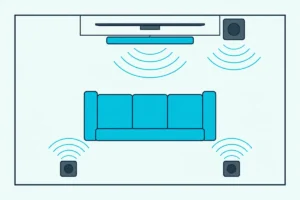
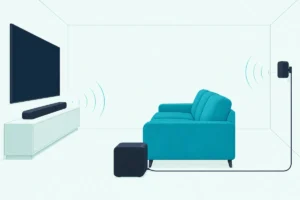
Surround matters most once rear speakers are connected. LG’s SK5Y manual explains the switch plainly: with surround on, every speaker plays, and with it off, the speakers play the original input channels.
To change it on the S95TR, press Settings, choose the surround setting with Left/Right, then press Up/Down. LED1 blinks white when surround is on and LED3 blinks white when it’s off; bars with a status display, such as the S95QR, scroll each setting’s status as text instead.
Leave WF at 0 for the first film and move it only if explosions overwhelm the room or feel thin (our suggestion). Dolby Atmos and DTS:X can also lock the mode: the SL10YG manual says that when the bar detects either stream, it ignores the Sound Effect button and shows NOT SUPPORTED.
Which Mode Suits Music on an LG Soundbar?
That surround switch works the other way round for music. For music, the eight-mode LG bars offer a Music mode that LG describes as sound optimized for music, and the S95QR manual credits it to Meridian technology.
The SL10YG puts Meridian under Standard instead, with Music as a separate mode for music sources, so on that bar try both on the same track.
If you have rear speakers and want a stereo album to sound as it was recorded, switch Surround off. That’s the setting the SK5Y manual describes as playing the original input channels, so a two-channel recording stays two-channel.
Bass Blast fits bass-heavy playlists by LG’s own description of enhanced bass, but for acoustic or vocal tracks a step down on BAS or WF is the gentler change to try (our suggestion). The tone levels are covered in full in the Sound Tuning section below.
How Do You Set an LG Soundbar for Night Listening?
Those tone choices matter less after dark, when the goal shifts from detail to volume control. To set an LG soundbar for night listening, turn on Night Time, which LG’s manuals describe as lowering the general volume while raising soft and delicate sounds, for films or music late at night.
On remotes with a Settings button, the steps are the same on most current models:
- Press Settings on the remote.
- Press Left/Right until the Night Time setting appears (the S95QR’s display scrolls ON-NIGHT TIME or OFF-NIGHT TIME).
- Press Up/Down to switch it on or off.
On LED-only bars such as the S95TR, LED1 blinks white when a setting turns on and LED3 when it turns off. The LG Sound Bar app and LG ThinQ both let you set Night Time along with Sound Effect, so you can switch it from the sofa without the remote.

Older bars put it on a key: the SL10YG has a Night time button that LG says reduces sound intensity for low-volume viewing, and the SH2 has a DRC button instead (more on DRC below).
For a second step at night, drop WF a few notches as well (our suggestion). Then remember to undo both, because LG lists Night Time among the checks for a bar that sounds too quiet.
If the bar does sound quiet the next morning, LG’s S95TR troubleshooting table says to turn Night Time off and to set DRC to Off in the LG ThinQ app’s sound settings. The SC9S and S95QR manuals give the same fix in the LG Sound Bar app, and all three add that a disc player’s own DRC should be off too.
What Helps Gaming Sound on an LG Soundbar?
Games add a timing problem to the tone and volume questions above. For gaming, LG’s soundbar manuals offer Game mode, described only as sound optimized for games, while the timing fix lives on the LG TV.
LG’s webOS 2025 guide warns that with the TV’s Game Optimizer on, audio delays can happen when Sound Out is set to an HDMI (ARC) device. Its fixes are to switch to the TV speaker or to set Select HDMI Input Audio Format to PCM.
That trade has a cost: the same guide says Bitstream lets surround-capable content play as intended, so switch back for movies.
If speech and picture still drift apart, the TV’s Match Screen and Sound setting shifts the sync. LG says that as its value goes up the voice output gets slower, while Bypass adds no audio delay but can let the sound arrive before the picture.
How Do You Adjust Bass, Treble and the WF Level?
Every goal above ends with a level, and LG puts them all under one button. To adjust bass, treble and the WF (subwoofer) level, press Sound Tuning on the remote, pick a speaker or tone with Left/Right and raise or lower it with Up/Down; every LG manual cited here that gives a range puts the subwoofer at -15 to 6.
Here’s what each manual lets you change:
| Model | Subwoofer (WF) | Speaker levels | Tone levels |
|---|---|---|---|
| S95TR | -15 to 6 | Center, overhead, side, rear, rear overhead, rear side: -6 to 6 | Treble, mid, bass: -6 to 6 |
| S95QR | -15 to 6 | C, OVC, S, R, ROV, RS: -6 to 6 | TRE, BAS: -5 to 5 |
| SC9S | -15 to 6 | Center, overhead, rear: -6 to 6 | Treble, bass: -5 to 5 |
| S80TR | -15 to 6 | C, R: -6 to 6 | TRE, MID, BAS: -6 to 6 |
| S70TY | -15 to 6 | Center, rear: -6 to 6 | Treble, mid, bass: -6 to 6 |
| S60T | -15 to 6 | Center: -6 to 6 | Treble, mid, bass: -6 to 6 |
| S40T, S30A | -15 to 6 | None listed | Treble, mid, bass: -6 to 6 |
| SL10YG | -15 to 6 | C, OVC, S, R: -6 to 6 | TRE, BAS: -5 to 5 |
LG adds that rear and subwoofer levels apply only when those speakers are connected. The subwoofer’s range is the odd one out, with 15 steps of cut against 6 of boost, so there’s far more room to tame a sub than to push it.
On bars with a display, the code on screen tells you where you are. The SL10YG shows WF for the subwoofer, C for center, OVC for the overhead speakers, S for side, R for rear, TRE for treble and BAS for bass.
LG’s Sound Suite H7 sound tuning page works the same way through the Settings button: press it until WF appears with the current level, then move on to C, OVC, S, LOW, MID and HIG. LOW, MID and HIG are its bass, mid and treble.
You’ll know you’ve hit a limit when the bar blinks at you. On the SC9S, the current function LED blinks three times at the top or bottom of a range, while the older SK5Y and SH2, which use separate woofer level buttons, light the standby LED for 2 seconds.
Keep the three bass controls apart, because they do different jobs. LG’s S95QR manual labels BAS as the front speakers’ bass and WF as the separate subwoofer, while Bass Blast is a whole sound effect, so try the levels before the mode when one scene sounds thin.
Does the LG App Have an Equalizer?
Those same levels are also on your phone. The LG Sound Bar app (S95QR, SC9S, S90QY) and LG ThinQ (S95TR and the S80TR’s ThinQ edition) let you set Sound Effect and Night Time and adjust the level of each speaker without the remote, but the app pages in LG’s manuals don’t use the word equalizer; the bass, mid and treble levels are the tone controls LG documents.
The Sound Suite H7 goes further with its Custom sound effect, which you set up in LG ThinQ. While Custom EQ is selected, LG says the remote’s Sound Tuning reaches only WF, C, OVC and S.
On a webOS 2025 LG TV, Sound > Advanced Settings > Equalizer works only when the TV’s sound mode is Standard. It reaches the soundbar only on bars that support TV Sound Mode Share, which the TV section below explains.
If your bar isn’t in an app yet, the guide to connecting a phone to an LG soundbar shows which models use the LG Sound Bar app and which use LG ThinQ.
When Should You Run AI Room Calibration?
The app also holds the one setting that listens to your room. LG describes AI Room Calibration as analyzing the sound coming from the bar and fine-tuning the audio settings, and the SN11RG manual says it adjusts them to the room’s acoustics and environment, so run it once the bar is in its final spot and before you fine-tune levels (our suggestion).
In the LG Sound Bar app on the S90QY, tap Settings on the first screen and choose AI Room Calibration from the list. The SN11RG manual places it under the app’s Sound Setting menu.
LG warns that the bar may play louder than expected while it runs, so lowering the volume first is a sensible precaution. On the S95TR, the listening is done by a microphone built into the bar itself, which LG says is used for AI Room Calibration in LG ThinQ.
The Sound Suite H7 calls its version Room Calibration Pro and starts it with two presses of the MY button. LG says it optimizes the speaker sound for your listening space.
LG doesn’t say whether calibration keeps or replaces your Sound Tuning levels, so note your WF, TRE and BAS steps before you run it.
What Do ASC and DRC Mean on Older LG Bars?
Those menus cover the current bars, but owners of older ones meet two abbreviations on the remote. ASC stands for Adaptive Sound Control, which LG’s SK5Y, SH2 and SL10YG manuals describe as analyzing the incoming sound and optimizing it for the content in real time; DRC is Dynamic Range Control, which the SH2 owner’s manual says keeps sound clear when the volume is turned down and prevents sudden increases, for Dolby Digital only.
On the SL10YG, the display shows ASC when that mode is selected. None of the newer manuals cited here list ASC; their automatic mode is AI Sound Pro.
DRC hasn’t gone away, though. On the newer Wi-Fi bars it sits in the app’s sound settings, the same switch the night section turns off when the bar sounds too quiet, and the SL10YG’s Google Assistant voice commands can switch DRC and Auto volume on or off.
How Does TV Sound Mode Share Change the Bar’s Settings?
Everything so far happens on the bar, but an LG TV can take over part of the job. With TV Sound Mode Share on, an LG TV plays the sound mode applied to its own speakers through a supporting LG soundbar, so the mode you choose in the TV’s Sound menu is the one you hear.
In LG’s webOS 2025 user guide the switch sits at Settings > Sound > Advanced Settings > TV Sound Mode Share, and it needs a bar that supports the feature, connected over HDMI. The same guide says the TV’s Equalizer, Reset and Automatic Volume Adjustment apply only to the TV’s speakers or to LG soundbars that support TV Sound Mode Share.
The trade-off shows on the bar. LG’s Sound Suite H7 manual warns that its own remote may not work while Sound Mode Share is active over an HDMI ARC connection, so if the bar ignores its remote, check this TV setting first.
WOW Orchestra is a different switch. In Sound Out > Use External Speakers with TV Speaker, choose HDMI (ARC) Device + TV Speaker and the TV’s speakers play together with the bar; LG’s NS40TR and H7 manuals say it’s available only with some LG TV and soundbar models, the NS40TR adds that it needs an HDMI cable, and the H7 that e-ARC must be on.
If you’re looking for WOW Interface, no LG document cited here uses that name. The closest webOS 2025 item is Sound > Soundbar App, which runs the app of a supporting soundbar on the TV, and this LG TV hookup walkthrough has the Sound Out paths for each LG TV year.
Can You Reset an LG Soundbar’s Sound Levels?
All these changes stack up, so it helps to know the way back. None of the LG soundbar manuals cited here has a single button that returns the Sound Tuning levels to a default, so step each level (WF, C, TRE, BAS and the rest) back to 0, the point where LG’s scales switch from cuts to boosts.
On the TV side, webOS 2025’s Sound > Advanced Settings > Reset returns the current sound mode’s detailed effect settings to their defaults. LG says that applies to the TV’s speakers and to soundbars that support TV Sound Mode Share.
A full reset is narrower than its name suggests. On the S95TR, holding the Wi-Fi button until the tone clears all wireless network settings, and LG’s manual doesn’t say it touches the sound levels; model-by-model steps are in how to reset an LG sound bar by model.
Older bars can lose settings on their own. LG’s SK5Y, SH2 and SL10YG troubleshooting tables warn that previous settings may not be saved when the power is shut off, so check the mode and levels after a power cut.
The Settings to Try First Tonight
That’s the full set, boiled down to an order you can work through tonight with the same test scene:
- Sound Effects: AI Sound Pro or Standard for TV, Clear Voice Pro for talk, Cinema for films, Music for albums.
- Calibration and levels: run AI Room Calibration if your bar has it, then start Sound Tuning at 0 and move WF first, then TRE or BAS, one step at a time.
- Settings: Night Time on after dark, Surround on for films if you have rear speakers.
- TV: check whether TV Sound Mode Share is on before blaming the bar’s remote.
None of those changes is permanent, and every one can be stepped back. If the bar still sounds wrong at neutral settings, the connection and the bar’s placement are the next things to check.
Frequently Asked Questions
Why can’t I change the sound effect on my LG soundbar?
Two causes appear in LG’s manuals. The SL10YG ignores the Sound Effect button and shows NOT SUPPORTED when it detects a Dolby Atmos or DTS:X stream, so the mode can’t be changed while that stream plays. On the Sound Suite H7, LG warns that the bar’s remote may not work while the TV’s Sound Mode Share is active over HDMI ARC; in that case choose the mode in the TV’s Sound menu instead. On the S95TR and NS40TR, a single red blink from LED2 when you press Sound Effects is the response LG lists for that button, not a fault.
How do I get more bass from my LG soundbar?
You have three bass controls. Raise WF, the subwoofer level, toward its maximum of 6; raise BAS, the bar’s own bass, within its range; or choose the Bass Blast (Bass Blast+) sound effect, which LG describes as enhancing bass. Placement matters too: LG’s NS40TR manual says to install the soundbar as close to the wireless subwoofer as possible, because a shorter distance gives better sound quality, and to keep obstacles out from between them. If the subwoofer makes no sound at all, check its pairing light before you change any setting.
Is AI Sound Pro better than Standard on an LG soundbar?
LG doesn’t rank them. Its manuals say AI Sound Pro uses artificial intelligence to choose the settings that suit the content, while Standard is described simply as optimized sound. AI Sound Pro suits a household that won’t switch modes, and Standard gives a fixed baseline, which makes it the easier mode to fine-tune with the Sound Tuning levels (our suggestion). Try each on the same scene at the same volume and keep the one that sounds better to you.
Do LG soundbar settings stay the same on every input?
Not always. LG’s older manuals say you may need to choose the sound effect again after switching inputs, and sometimes after the audio file changes. On the TV side, webOS 2025 applies sound settings only to the current input until you choose Apply to All Inputs under Sound > Advanced Settings.