How to Connect a TCL Soundbar to a Roku TV
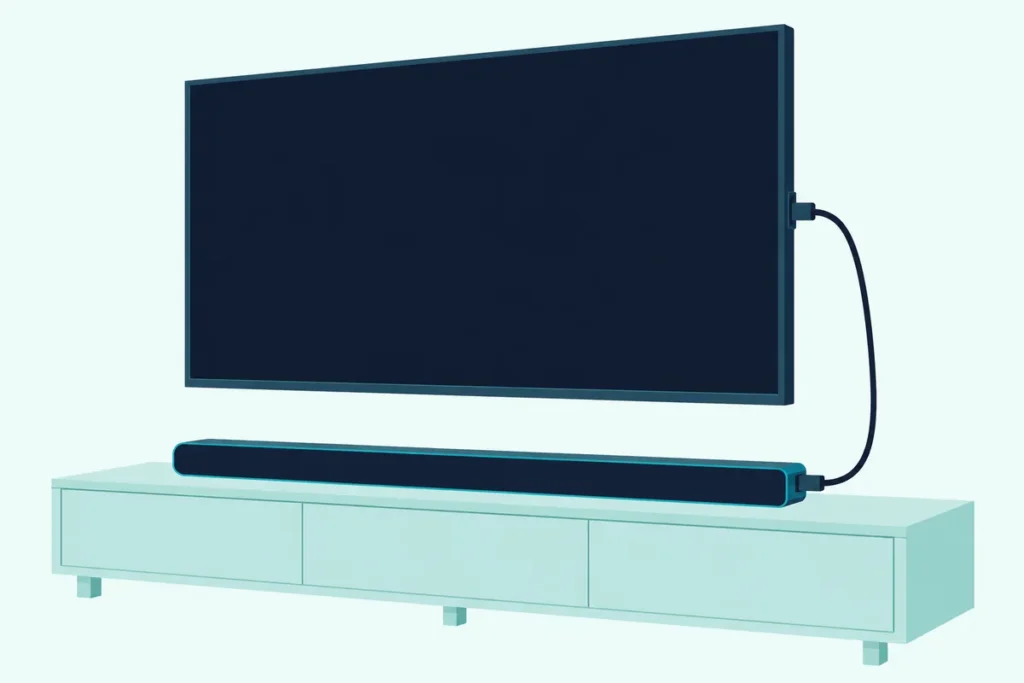
Here’s how to connect a TCL soundbar to a Roku TV: plug the HDMI cable from the bar’s box into the TV’s HDMI ARC or eARC port, and the TV starts a Roku TV Ready bar’s setup on screen.
Put that cable in an ordinary HDMI input and Roku’s setup flags the wrong port, while TCL notes that HDMI ARC starts out switched off on its Roku TVs.
Get the port right and the Roku TV remote runs the bar’s volume, with the bar’s own sound modes under its Star button.
Below are the steps for TCL’s current Roku TV Ready bars and for its wireless TSR1, which pairs with nothing but a power cord.
Then come the optical fallback, what changes on an Onn or Hisense Roku TV, and the checks that bring a silent bar back.
How to Connect a TCL Soundbar to a Roku TV
That HDMI port is where TCL’s own quick start guides begin. TCL’s S45H quick start guide lists two ways to connect, HDMI eARC first and optical second, and its HDMI step for a TCL Roku TV is to plug the cable into the eARC/ARC port and follow the Roku TV Ready on-screen instructions.
Here’s that setup step by step, from Roku’s article on Roku TV Ready soundbars and TCL’s guides:
- Find the TV’s HDMI port labeled HDMI ARC or ARC (HDMI eARC or eARC on select Roku TV models).
- Connect the bar’s HDMI (eARC) port to it with the HDMI cable from the box.
- Power on the TV and the bar.
- Wait for the TV to detect the bar and start the setup, then follow the on-screen instructions.
If another device already sits in the ARC port, Roku suggests moving it to another HDMI input; an eARC bar still works on a plain ARC port, with standard ARC features.
If no setup screen appears, check that ARC and CEC are on. TCL says HDMI ARC is disabled by default on its Roku TVs, and Roku’s path is Home > Settings > System > Control other devices (CEC), where you check ARC (or eARC), System audio control and 1-touch play.
Roku’s newer HDMI article, updated on 12 Oct 2026, puts the eARC choice under Settings > Audio > Audio Output instead, so look there if your menu differs. On the bar itself, press Source until it shows HDMI eARC, which lights magenta on the S45H.
Which TCL Soundbars Are Roku TV Ready?
Those on-screen steps belong to Roku’s TV Ready program, and Roku says to look for its logo on the box, in the manual or on the maker’s product page. TCL’s US product pages list it for four current bars:
| TCL bar | Channels | Port for the Roku TV | HDMI cable in the box |
|---|---|---|---|
| S45H | 2.0 | HDMI eARC | Yes, 4 ft 11 in |
| S55H | 2.1, wireless subwoofer | HDMI eARC | Yes (listed as a free HDMI cable) |
| Q65H | 5.1, wireless subwoofer | HDMI eARC, plus an HDMI input | Yes, 1.5 m |
| Q85H | 7.1.4, wireless subwoofer and satellites | HDMI eARC, plus an HDMI input | Yes, 1.5 m |
On the Q65H and Q85H, the TV goes on HDMI (eARC), not the extra HDMI input.
TCL’s Alto 5+ and Alto 7+ manuals don’t mention Roku TV Ready; the Alto 7+ connects over HDMI ARC or optical, and the Alto 5+ over optical or AUX. If you’re still choosing, our soundbars matched to each TCL TV series start from the TV’s own ARC or eARC port.
How Do You Pair the TCL Roku TV Wireless Sound Bar?
Unlike those four, TCL’s Roku TV Wireless Sound Bar, model TSR1, has no audio cable to plug in. You pair it by plugging it into power, holding Home on the Roku TV remote for 5 seconds and choosing Wireless soundbar.
TCL lists it as exclusively for Roku TV in its Alto R series, and Cord Cutters News covered its 2021 launch as the Alto R1. TCL’s TSR1 quick start guide asks for a Roku TV connected to the internet and its Roku TV remote, then these steps:
- Plug the bar into power.
- Press and hold Home on the Roku TV remote for 5 seconds to open the setup menu.
- Choose Wireless soundbar and select Continue to start pairing.
- Wait while the TV searches for the bar and updates it, then finish the on-screen steps.
If holding Home doesn’t open the menu, Roku’s route is Settings > Remotes & devices > Set up a new device > Wireless soundbar. Roku’s setup article adds one more requirement, Roku OS 10.0 or higher, which you can check under Settings > System > System update.
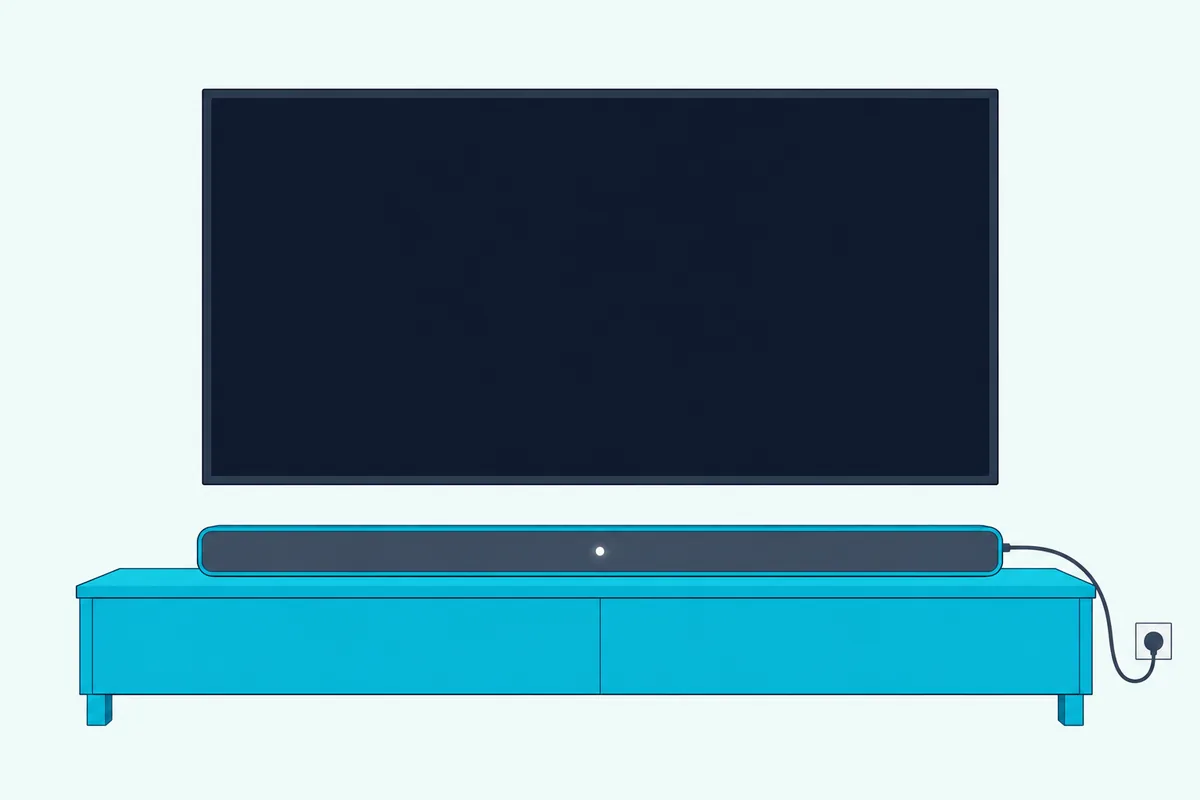
Once it’s paired, Roku says the TV’s built-in speakers turn off, and the guide’s last screen switches on Fast TV Start, which uses more power but lets music and Bluetooth audio play with the screen off.
Why Won’t the Roku TV Find the Wireless Sound Bar?
Those pairing steps can stall, and Roku’s guide to pairing issues with the Roku TV Wireless Soundbar, a name its surround-sound page also gives TCL’s TSR1, covers each sticking point. Its fixes come down to the remote, the distance, an old pairing and the internet connection:
| What happens | What Roku says to do |
|---|---|
| The TV won’t enter pairing mode | Use the TV’s own Roku remote with fresh batteries, pointed at the screen, or start from Settings > Remotes & devices |
| The bar isn’t found | Keep it within 30 feet of the TV, away from a router or microwave, with a clear line of sight |
| It was paired to another TV | Hold the Reset button on the back for 10 seconds, then pair again |
| The update stalls | Keep the TV online for the whole pairing, and restart pairing if it was exited |
| The TV is on Ethernet | Unplug the cable and use Wi-Fi to pair, then plug it back in |
That Reset button does two jobs in TCL’s guide: a short press restarts the bar, and holding it for about 10 seconds factory resets it. Roku adds that only one wireless soundbar can pair with a TV, so its advice for a replacement is to factory reset the old bar first.
TCL’s guide also gives a quick check that the TV is a Roku TV at all: a Roku TV logo in the lower right corner of the bezel, and Roku TV on the home screen.
What Can the Roku Remote Control on a TCL Soundbar?
Once either kind of TCL bar is set up, the Roku TV remote takes over the everyday controls. Roku says a TV Ready bar’s volume and mute follow that remote, and the volume level shown on the TV matches the bar’s actual level.
For sound modes, press Star on the Roku TV remote, move to Sound settings (Volume modes on some models) and pick the bar’s mode. In apps that use Star for something else, Roku says to set the mode from another app, such as The Roku Channel.
The bar’s own remote keeps working, and Roku says its changes show up in the TV’s sound menu, though its power and input buttons control only the bar.
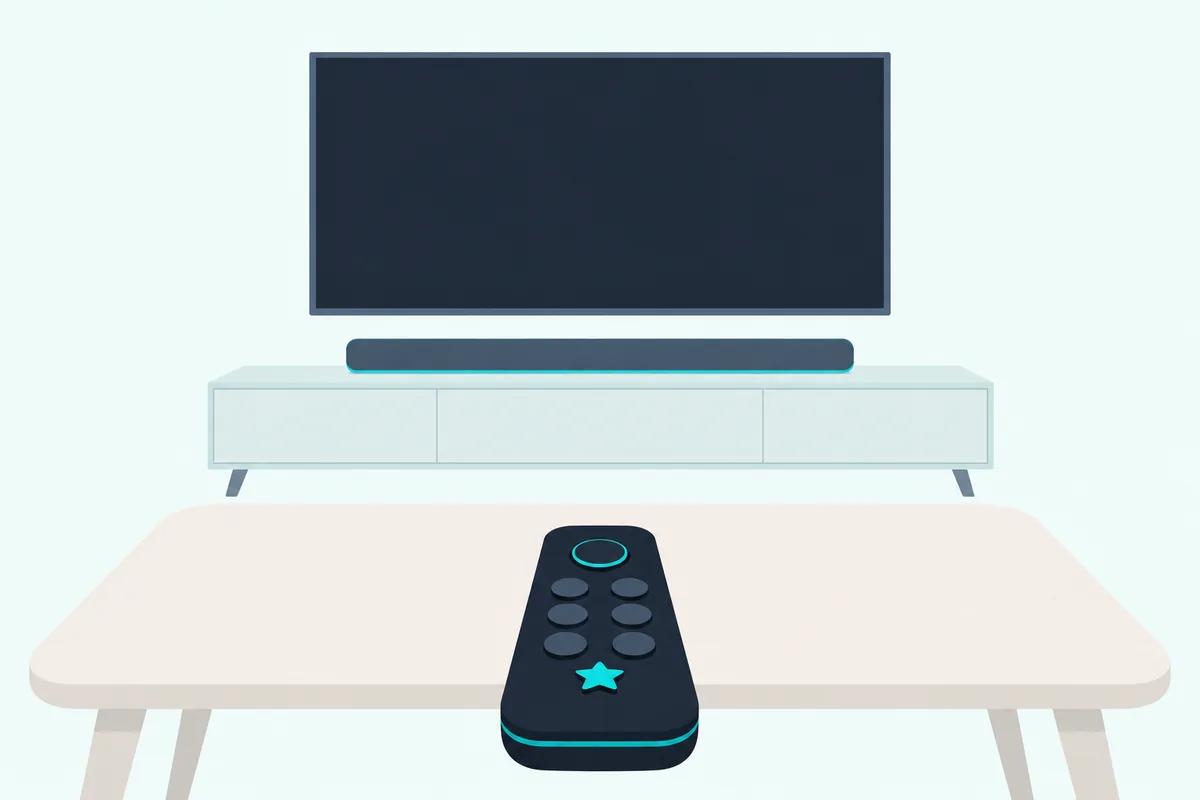
The TSR1 works the same way: TCL says the Roku TV remote controls its sound, streaming and settings, with sound settings under Star while something plays.
Older Alto bars rely on a different link with TCL’s own TVs. TCL USA’s remote table says a standard infrared TCL Roku TV remote turns an Alto bar on and changes its volume even over optical or AUX, and the Alto 5+ and 7+ manuals add that volume up wakes the bar from standby.
For anything else on those bars, TCL points you to the bar’s own remote, and our guide to running a soundbar’s volume from a Roku remote covers other brands.
Does It Work the Same on an Onn or Hisense Roku TV?
Those remote and setup steps don’t depend on who built the TV, because Roku’s articles cover any TV powered by Roku OS. Roku says every Roku TV model has a type of HDMI ARC connection and a digital audio output, while eARC is on select models only.
TCL’s Q85H guide says the same for any Roku TV: use the included cable on the TV’s HDMI ARC port and follow the on-screen instructions. The TSR1 works with any Roku TV on Roku OS 10.0 or higher, and Roku says it won’t work with other TVs, Roku players or streaming sticks.
Two TCL documents do single out TCL’s own Roku TVs: the ARC article and the remote table. That table treats other TV brands separately, so on an Onn or Hisense Roku TV an Alto bar ignores the TV remote over optical, while over HDMI ARC with CEC on (Alto 7 and 7+ only) that remote still powers it on and sets its volume.
How Do You Connect a TCL Soundbar to a Roku TV With Optical?
If the ARC port isn’t an option, every Roku TV still has that digital audio output, which TCL’s guides list as the second way to connect. Roku says the jack is labeled Digital audio out or Digital output and takes an optical cable, also called Toslink.
Here’s the order, from Roku’s and TCL’s guides:
- Pull the protective cap off each end of the optical cable.
- Plug one end into the TV’s digital audio output and the other into the bar’s optical input, without bending or kinking the cable.
- Press Source on the bar until it shows optical, a yellow light on the S45H.
- If the TV speakers keep playing, go to Settings > Audio > Audio output and choose ARC or Optical, which Roku says turns on only the audio outputs.
Optical carries less than HDMI: Roku lists 2-channel PCM or 5.1 Dolby Digital or DTS for its S/PDIF output, while ARC adds Dolby Digital Plus and compressed Dolby Atmos.
Roku also says a TV Ready bar must use the HDMI ARC port to work seamlessly with the TV. If a bar on optical stays silent, TCL USA’s fix is to reseat both plugs and set S/PDIF and ARC to PCM-Stereo in the TV’s audio settings, and on an Alto 7+ the manual’s warning sign is the orange light flashing fast.
TCL’s US pages list no optical cable with the S45H or S55H, and the box lists in the Q65H and Q85H guides don’t include one either. If yours came without one, Cable Matters’ 6-foot Toslink cable covers the short run from the TV’s jack to a bar on the stand below; it met Burton Acoustix’s rating, review and stock checks on 30 October 2026.
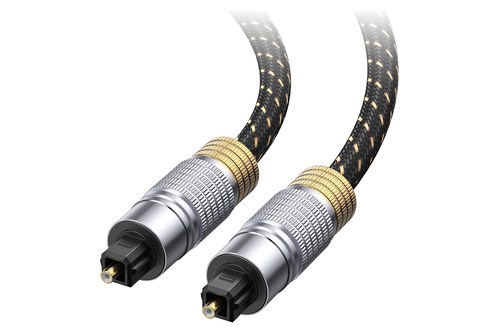
Cable Matters’ 6-foot Toslink cable
Can a TCL Soundbar Pair With a Roku TV Over Bluetooth?
That leaves Bluetooth, and Roku’s Bluetooth article covers phones, tablets and computers playing audio into a Roku TV, not a TV sending its sound out to a soundbar. TCL’s S45H guide gives no TV link either, since it pairs the bar’s Bluetooth with a phone or tablet for music.
TCL USA’s support answer on the question says a wireless connection between the TV and the sound bar isn’t supported. So the wireless TCL option on a Roku TV is the TSR1, and Roku lists a Roku TV paired with TCL’s wireless soundbar among the setups that take Bluetooth audio from a phone.
Why Is There No Sound From the TCL Soundbar on a Roku TV?
Whichever way you connected, a silent bar comes down to the same few settings: the port, ARC and CEC, and the TV’s S/PDIF and ARC choice. Work down this table:
| What you notice | What to check | Whose advice |
|---|---|---|
| A wrong-port message, or no setup screen | The cable is in the port labeled HDMI ARC or eARC, not a plain HDMI input | Roku |
| Picture but no sound over HDMI | ARC (or eARC) and CEC are checked, and the bar’s source is HDMI eARC | Roku, TCL |
| The remote won’t change the volume | CEC controls are on, and S/PDIF and ARC is on Auto Detect | TCL USA |
| No sound over optical | Caps off, plugs firm, S/PDIF and ARC on PCM-Stereo | Roku, TCL USA |
| The bar’s sound modes are missing | The TV’s and the bar’s software are up to date | Roku |
If ARC and CEC are on and nothing changes, Roku’s HDMI article gives a restart order. Unplug the TV and every HDMI device for about a minute, plug in and turn on the TV, then plug in the soundbar, then the other sources.
Roku also suggests checking for a TV firmware update and making sure the HDMI cable is fully inserted and in decent condition. The steps, menu names and box contents on this page come from TCL’s and Roku’s own guides and product pages.
If the bar still won’t play, resetting a TCL Alto or TS sound bar clears its settings, and our HDMI ARC checks for a soundbar with no sound go through the cable and TV settings in more depth.
Frequently Asked Questions
Is a TCL soundbar compatible with a Roku TV?
Yes, as long as it has an HDMI ARC or eARC port or an optical input, because Roku says every Roku TV has an HDMI ARC connection and a digital audio output. TCL’s US pages also list the S45H, S55H, Q65H and Q85H as Roku TV Ready, and the wireless TSR1 works only with Roku TVs.
Do you need to buy an HDMI cable for a TCL soundbar on a Roku TV?
Not for TCL’s current bars: the S45H box includes a 4 ft 11 in HDMI cable, TCL lists a free HDMI cable with the S55H, and the Q65H and Q85H come with a 1.5 m one. If you replace it to use eARC, Roku asks for a High Speed HDMI Cable with Ethernet or an Ultra High Speed HDMI cable, and the TSR1 needs no audio cable at all.
Can you add Roku wireless speakers or a Roku subwoofer to a TCL soundbar?
Not to a TCL Roku TV Ready bar: Roku says its wireless speakers work only with Roku-branded products and its Wireless Bass and Bass Pro can’t connect while a TV Ready bar is in place, and TCL USA says its sound bars don’t work with Roku Wireless Speakers. The TSR1’s documents disagree: Roku’s surround guide lists it with a Roku Wireless Subwoofer, and with two rear speakers on Plus and Pro Series TVs, while TCL’s 2021 guide answers no to using it with other Roku wireless devices at the same time.