Best DJ Mixer Software: 8 Programs, Free Tiers and Unlocks
Picking the best DJ mixer software starts with a question most roundups skip: what will the free version let you do with the controller you own or plan to buy?
Choose on feature lists alone and you can end up with a controller that VirtualDJ’s free version runs for only 10 minutes at a time, or a Serato DJ Lite set you can’t record.
Match the program to its free tier and to what your hardware unlocks, and you can mix, separate stems and stream music without paying for features you’ll never touch.
This guide compares eight programs, rekordbox, Serato DJ, VirtualDJ, Traktor, djay, DJUCED, Mixxx and Engine DJ, using only what each maker says on its own pages.
Start with the table below, then jump to the program your controller already points you toward.
What Is the Best DJ Mixer Software for Your Setup?
That question about your controller has a short answer for most readers. The best DJ mixer software is the one your controller unlocks for free, because all but one program here keep part of their feature set for a paid plan, a license or the right hardware.
The table sums up what each maker states today. Each row gets its own section below, with the controller that does the unlocking where buying one is part of the route.
| Program | Free tier, per the maker | Needs a plan, license or hardware | Controllers | Stems | Streaming | Records a mix |
|---|---|---|---|---|---|---|
| rekordbox | Free plan: mouse and keyboard mixing, STEMS, library and USB export | Core plan or a Hardware Unlock device to play from DJ gear | Listed AlphaTheta and Pioneer DJ units; MIDI Learn on paid plans | Yes, on every plan | Beatport, Beatsource, TIDAL, SoundCloud and others | Core plan and up |
| Serato DJ Lite / Pro | Lite: free, Practice Mode on a laptop, 50+ controllers | Pro: license, subscription or hardware that unlocks it | 50+ for Lite, 150+ for Pro | Yes, free in Lite | Apple Music, Beatport, SoundCloud, Spotify, TIDAL | Pro only, with supported hardware |
| VirtualDJ | Free for home use with no controller | Home license (entry-level controllers) or Pro | Controllers run 10 minutes at a time on Free | Yes, per its download page | Not compared here | Every license, Free included |
| Traktor Play | Free with the DDJ-FLX2 and DDJ-FLX4, per AlphaTheta | Not in AlphaTheta’s note | FLX2 and FLX4 named | Yes, per AlphaTheta | Beatport Streaming preview | Not stated |
| djay | Free app: mixer, effects, cue points, looping | PRO subscription for Automix, hardware integration, FX add-ons | djay Pro: 100+ out of the box, plus MIDI Learn | Neural Mix | Spotify, Apple Music, TIDAL, SoundCloud and more | djay Pro: yes, but never streamed tracks |
| DJUCED | Standard edition, free with a Hercules controller | DJUCED PRO or PRO+ to run without a controller | Hercules controllers | Yes, in the standard edition | Beatport, SoundCloud GO+, TIDAL | Yes, in the standard edition |
| Mixxx | Free and open source; no paid version | Nothing | Built-in mappings plus a programmable mapping engine | Not listed | Not listed | Yes: WAV, FLAC, Ogg Vorbis, MP3 |
| Engine DJ | Desktop prepares the library; OS runs the hardware | Engine DJ standalone hardware to perform | Engine DJ units such as Denon DJ’s SC LIVE and PRIME lines | Pre-rendered on Desktop, played on hardware | Apple Music, Beatport, TIDAL and more, on the hardware | Not covered here |
Read across a row and the pattern is clear: the free tiers are generous with mixing and stems, and stingy with controller use and recording. VirtualDJ and Mixxx record on their free versions, and DJUCED’s free edition does with a Hercules controller, while rekordbox and Serato keep recording behind a plan.
| Product | Link |
|---|---|
Best for rekordbox Without a Subscription 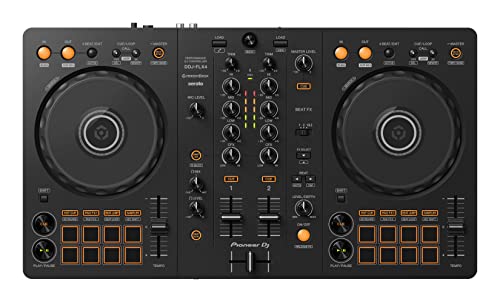 | See ratings |
Best for Serato DJ Pro Included 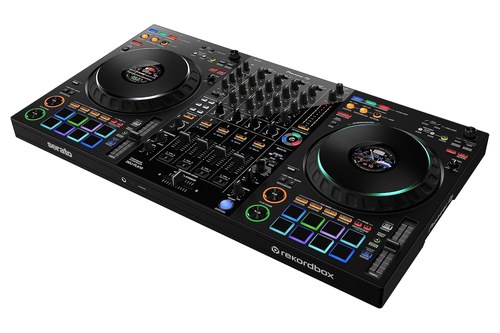 | See ratings |
Best for Trying Traktor Play 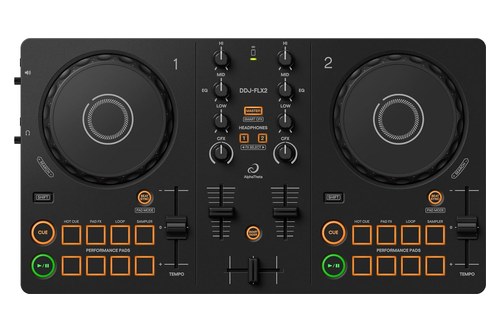 | See ratings |
Best for DJUCED 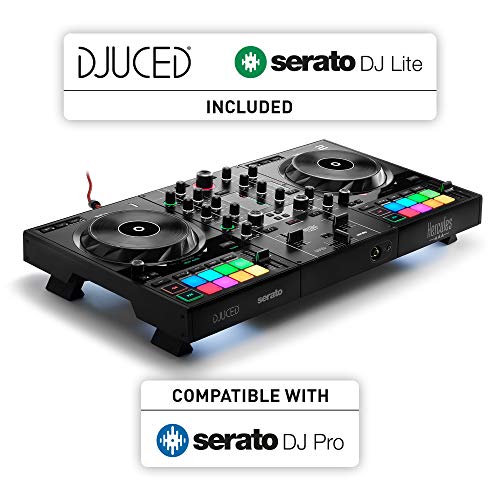 | See ratings |
Best for Engine DJ Without a Laptop 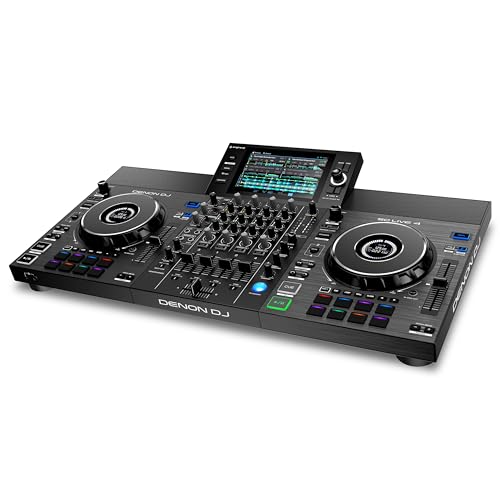 | See ratings |
What Does rekordbox’s Free Plan Let You Do?
That first table row hides the most common rekordbox mix-up. rekordbox’s Free plan lets you mix in PERFORMANCE mode with a mouse, keyboard, trackpad or touchscreen, and split tracks into drums, vocals and instruments with STEMS, but it won’t let you control rekordbox from DJ equipment unless that equipment is a Hardware Unlock device.
AlphaTheta’s rekordbox plan page lists one free plan and three paid ones, Core, Creative and Professional, and its FAQ says a Cloud Option can be added to the Free, Core and Creative plans. The same FAQ is blunt about the Free plan’s limits: recording, sharing mixes, sampler sequence saving and MIDI Learn are shown on screen but can’t be used, or only in limited form.
Which rekordbox features need the Core plan?
Core is the plan that connects DJ equipment, and the comparison table on rekordbox’s plan page puts several things there that the Free plan lacks. Those include “Record and share DJ mixes,” DVS control, MIDI Learn, Intelligent Cue Creation, Merge FX and the DJM effects.
The Creative plan adds video performance, RMX effects, saving edited tracks and Cloud Library Sync. Professional adds collaborative playlists and backups of the libraries on your USB sticks and SD cards.
Think of it as two doors. The Free plan opens the library and the laptop decks, and Core opens the hardware and the REC button.
What does a Hardware Unlock device change?
Hardware Unlock is the exception to that Core requirement for playing from DJ gear. rekordbox’s Hardware Unlock page lists the DJ units that unlock PERFORMANCE mode when connected, including the DDJ-FLX2, DDJ-FLX4, DDJ-FLX6, DDJ-FLX10, DDJ-REV5, DDJ-REV7 and DDJ-GRV6 controllers.
The same page marks extra unlocks for a few models only. The DDJ-FLX10 also unlocks lighting control and the DDJ-XP2 unlocks DVS, while the FLX4 and FLX2 rows unlock PERFORMANCE mode alone.
Recording isn’t one of the columns on that Hardware Unlock table. If a finished mix file matters to you, plan around the Core plan, because a Hardware Unlock controller alone doesn’t put “Record and share DJ mixes” on the list.
If you’re buying a first controller for rekordbox, the Pioneer DJ DDJ-FLX4 is on the Hardware Unlock list, and Pioneer DJ says it works free with rekordbox, Serato DJ Lite, djay and Traktor Play. Pioneer DJ adds that djay Pro is a paid app that needs a subscription.
the Pioneer DJ DDJ-FLX4
Rekordbox controller picks beyond the FLX4, from the compact FLX2 to the four-channel FLX10, are compared in a separate guide.
Does rekordbox need a plan to prepare USB drives?
That hardware question has a simpler cousin, and the answer is no. rekordbox’s FAQ says EXPORT mode needs no subscription, and it lists track management, track import to USB devices and LINK Export among its free features.
The current desktop release on rekordbox’s download page is ver. 7.2.19, dated 24 September 2026. Its plans also include “Compatible with music streaming services” on every tier, naming Beatport, Beatsource, TIDAL and SoundCloud and warning that some services aren’t available in every country.
Is Serato DJ Lite Enough, or Do You Need Serato DJ Pro?
Serato splits its software the way rekordbox splits its plans, with one big difference in where stems sit. Serato DJ Lite is enough for learning, since Serato says it’s free with no license or subscription, runs on a laptop alone in Practice Mode, works with 50+ controllers and includes Serato Stems, but it can’t record a set.
The Serato DJ Lite page lists streaming from Apple Music, Beatport, SoundCloud, Spotify and Tidal, six built-in FX presets, two channel FX and a four-slot Sampler. Lite doesn’t support CDJs or club mixers, which need Serato DJ Pro or a mixer that unlocks it.
What does Serato DJ Pro add?
Those missing club features are most of Pro’s list. Serato names Quantize, up to 8 cue points, saved loops, beat jumping, Stems FX and recording among Pro’s extras, along with 4 Deck Mode on supported hardware and support for 150+ pieces of DJ hardware.
Recording has two more conditions, per Serato’s Lite FAQ. You need DJ hardware that supports recording, and recording is unavailable when you play tracks from a streaming service or mix in Practice Mode on your laptop.
Serato sells Pro as a license or a subscription, and a first-time user can start a 14-day free trial of Serato DJ Suite, which bundles Pro with every Expansion. The Expansions it names include Serato DVS, Serato Video and Serato Pitch ‘n Time DJ.
Which controllers unlock Serato DJ Pro?
Serato’s hardware pages say which software each controller unlocks when plugged in, and every entry-level unit named here unlocks Lite. Serato lists the DDJ-FLX4, DDJ-FLX2, DDJ-REV1, Hercules DJControl Inpulse 500 and Inpulse 200 MK3 as Lite hardware, and says all DJ Lite hardware can be upgraded to DJ Pro.
The DDJ-FLX10 is one of the controllers that unlocks Pro itself. Serato’s FAQ adds that hardware which unlocks Pro needs no license or subscription, though using Pro with any other Lite controller does.
For a reader who wants Pro and rekordbox from one box, the Pioneer DJ DDJ-FLX10 unlocks Serato DJ Pro for free, per Serato, and sits on rekordbox’s Hardware Unlock list for PERFORMANCE mode and lighting. Pioneer DJ describes it as a 4-channel controller with free plug-and-play compatibility with rekordbox and Serato DJ Pro.
the Pioneer DJ DDJ-FLX10
If you’re comparing other Serato-focused setups, our Serato controller guide compares six controllers and the Lite-or-Pro choice.
Why Does VirtualDJ Stop After 10 Minutes With a Controller?
VirtualDJ takes the opposite approach to Serato, giving away nearly everything except controller use. VirtualDJ’s free version stops after 10 minutes with a controller because, per VirtualDJ’s own FAQ, it’s free for non-commercial use at home without professional gear, and advanced features such as USB controllers, DJ mixers and timecode can be tried for 10 minutes at a time before it reverts.
Restarting the software gives you another 10 minutes, VirtualDJ says. That’s fine for checking that a controller is recognized, but not for a practice session.
What does VirtualDJ’s free version include?
Without a controller, the free version is unusually complete. VirtualDJ’s price and license chart marks the Free column with the full player, 2 to 99 decks, library management, every audio effect, video and karaoke playback, recording audio or video to files and broadcasting to other users.
The download page lists VirtualDJ 2026 (build 9644 for Windows and Mac) and describes real-time stem separation on any track, splitting vocals, instruments, kicks and hi-hats. The license chart doesn’t list stems as a separate row, so check the app itself if a stems workflow decides your license.
What do the Home and Pro licenses add?
The Home license is VirtualDJ’s middle step, for entry-level controllers used at home. Its page says Home lets you use a supported controller without the time limit, but it keeps VirtualDJ’s branding and isn’t allowed for professional use.
The Home page’s list of supported entry-level controllers includes the DDJ-FLX4, DDJ-FLX2, DDJ-REV1, Hercules Inpulse 200 and 300 and the Starlight. Pro removes the branding, allows paid gigs and adds every controller, external analog mixers, timecode vinyl and the AI features the chart lists.
VirtualDJ also notes that the VirtualDJ LE edition bundled with some controllers gives a 30-day trial of Pro features. If you’re setting one up, the steps to set up a controller in VirtualDJ cover drivers, sound setup, detection and which license you need.
Can You Get Traktor Without Paying?
Traktor is the program this guide can say least about, and the reason is a gap in sources rather than a verdict. Traktor Play is the free route AlphaTheta describes: its 20 October 2025 note says the DDJ-FLX2 and DDJ-FLX4 work with Traktor Play, Native Instruments’ streamlined DJ app, “at no extra cost.”
AlphaTheta’s note lists EQs, effects, the Stems feature and a streaming preview from Beatport Streaming among Traktor Play’s functions. Pioneer DJ’s FLX4 page lists Traktor Play among the apps you can use for free with that controller.
What about Traktor Pro 4?
Traktor Pro 4’s plans, controller list and recording rules aren’t covered here. Treat any Traktor detail beyond Traktor Play’s FLX pairing as something to confirm on Native Instruments’ site before you buy.
If Traktor Play is the draw, the AlphaTheta DDJ-FLX2 is the other controller AlphaTheta names, a compact two-channel unit with a USB Type-C port. AlphaTheta lists it for rekordbox, djay, Serato DJ Lite and Traktor Play, with Serato DJ Pro marked “license needed.”
the AlphaTheta DDJ-FLX2
Is djay Free on a Laptop?
That Traktor Play pairing has a close parallel in djay, which also starts free and charges for the extras. djay is free on Mac and Windows, since Algoriddim offers a free download and says the free version gives you the mixer, filters and effects, cue points and looping, while a djay Pro subscription unlocks Automix, hardware integration and FX add-ons.
That split comes from Algoriddim’s Spotify page, which answers whether Spotify works with the free version. With a Spotify Premium account it does, and the free version gets full access to your Spotify library.
What does the djay PRO subscription cover?
Algoriddim says one PRO subscription covers djay on Mac, PC, iPhone, iPad, Android and Vision Pro. Its djay Pro for Mac page describes Neural Mix real-time stem separation, a Sequencer and Looper, Automix, a Video mode with HDMI or AirPlay output, and support for more than 100 DJ controllers out of the box, including Pioneer DJ CDJs, plus MIDI Learn.
Recording works in djay Pro in AAC or WAV, per Algoriddim’s Mac manual. The same page says you can’t record mixes that include tracks streamed from Spotify, Apple Music, TIDAL, Beatport, Beatsource or SoundCloud.
Spotify’s own DJ integration page names rekordbox, Serato and djay as its partner apps, and how Spotify fits into DJ software is covered in a separate guide.
Do You Need a Hercules Controller for DJUCED?
djay’s free-then-subscribe model is close to how DJUCED works, except the free key is a piece of hardware. You need a Hercules controller for DJUCED’s free standard edition, which DJUCED describes as the version you get “with an Hercules controller.”
DJUCED’s home page lists what that standard edition includes: a 4-deck view, MIDI control, 8 hot cues, unlimited FX, real-time STEMS, DJ Academy access, the Intelligent Music Assistant, streaming from Beatport, SoundCloud GO+ and TIDAL, recording, Ableton Link, Beatmatch Guides and rekordbox XML import.
What do DJUCED PRO and PRO+ add?
The two paid tiers start with the thing the free one lacks: running without a controller. DJUCED PRO (one fee) and PRO+ (a subscription) both let the software run with no controller connected, per DJUCED’s comparison, and both add controller remapping, AutoHotcue, Day mode, extra FX, video loops, rekordbox XML export and Serato crate import.
PRO+ adds unlimited updates and lyrics, while PRO’s updates run until the next major version. DJUCED offers a 15-day trial of PRO, started from the free desktop app.
Which Hercules controllers does DJUCED support?
DJUCED’s hardware page says every Hercules controller it shows is compatible with DJUCED, from the Inpulse 200 MK2 and MK3 to the Inpulse 300, 500, T7 and the motorized DJControl T10. The Beatmatch Guide lights that DJUCED names are built into several of these controllers, so the coaching sits on the hardware as well as the screen.
If DJUCED’s coaching is the reason you’re shopping, the Hercules DJControl Inpulse 500 is the two-channel controller DJUCED describes as designed for Serato DJ Lite and DJUCED. Serato lists it as Lite hardware, so it opens two programs on day one.
the Hercules DJControl Inpulse 500
Is Mixxx Really Free With No Catches?
DJUCED, djay and VirtualDJ all hold something back for paying users, and Mixxx is the one program here that doesn’t. Mixxx is free with no catches its makers list, since its download page says there’s no official paid or “pro” version and the version you download is the full version.
The Mixxx download page lists 2.5.6 as the current stable release for Windows, macOS and Linux, dated 25 March 2026, with 2.6 in beta and not meant for live use. Mixxx is free and open source, built by a volunteer community, and donations are optional.
What does Mixxx include?
The features page reads like a paid program’s list: four decks, keylock, beat looping, Sync Lock, hotcues, quantization, BPM and key detection, Auto DJ, up to 64 sampler decks and effect chains. Mixxx records to WAV and FLAC, Ogg Vorbis, and MP3 through the separate LAME library, and it can broadcast live through a Shoutcast or Icecast server.
Mixxx also describes free timecode vinyl control from turntables or CDJs, and calls itself the only free timecode vinyl software for Windows, macOS and Linux. Four microphone and four auxiliary inputs let you bring in other sources without a hardware mixer.
Which controllers work with Mixxx?
Mixxx ships with built-in mappings for a long list of controllers and lets you program your own in JavaScript for any MIDI or HID device. Its hardware manual lists the Pioneer DDJ-FLX4, DDJ-400 and DDJ-200, the Hercules Inpulse 200, 300 and 500 and the Starlight among the controllers supported out of the box.
Mixxx’s features page doesn’t list stem separation or streaming services, so it isn’t the pick for either. It’s the pick when you want recording, four decks and timecode vinyl without ever opening a checkout page.
Where Does Engine DJ Fit If You Want No Laptop?
Mixxx lives entirely on your computer, and Engine DJ is built for the opposite case. Engine DJ fits a setup with no laptop at all, because it’s two pieces: Engine DJ Desktop prepares and manages your library on a computer, and Engine DJ OS runs on standalone hardware that you perform on.
The Engine DJ Desktop page says it imports rekordbox, Apple Music and iTunes, Serato DJ and Traktor databases directly, bringing across music, playlists, hot cues and loops for use on Engine DJ OS hardware. Engine DJ Stems are pre-rendered on Desktop, exported to a drive and then played as four-part stems on the hardware.
What does Engine DJ hardware stream?
Streaming happens on the unit itself, over Wi-Fi or a wired connection. Denon DJ’s SC LIVE 4 page lists Apple Music, Amazon Music Unlimited, Beatport, Beatsource, SoundCloud GO+ and TIDAL, plus Dropbox for your own files.
For a standalone that also covers Serato, the Denon DJ SC LIVE 4 runs Engine DJ on its own and, in Computer Mode, works as a Serato DJ controller with a Serato DJ Pro license included, per Denon DJ. VirtualDJ also works in that mode with an additional license.
the Denon DJ SC LIVE 4
Engine DJ’s hardware page lists the units that run Engine DJ OS, from the SC LIVE 2 and SC LIVE 4 to the PRIME and MIXSTREAM lines and RANE’s SYSTEM ONE. Check that list before buying any standalone for Engine DJ, since a unit that isn’t on it won’t run the OS.
Which Programs Separate Stems on the Free Tier?
Engine DJ’s pre-rendered stems are one approach, and the free laptop programs take another. Stems come free in rekordbox’s Free plan, Serato DJ Lite and DJUCED’s standard edition, per each maker, and AlphaTheta lists Stems among Traktor Play’s features.
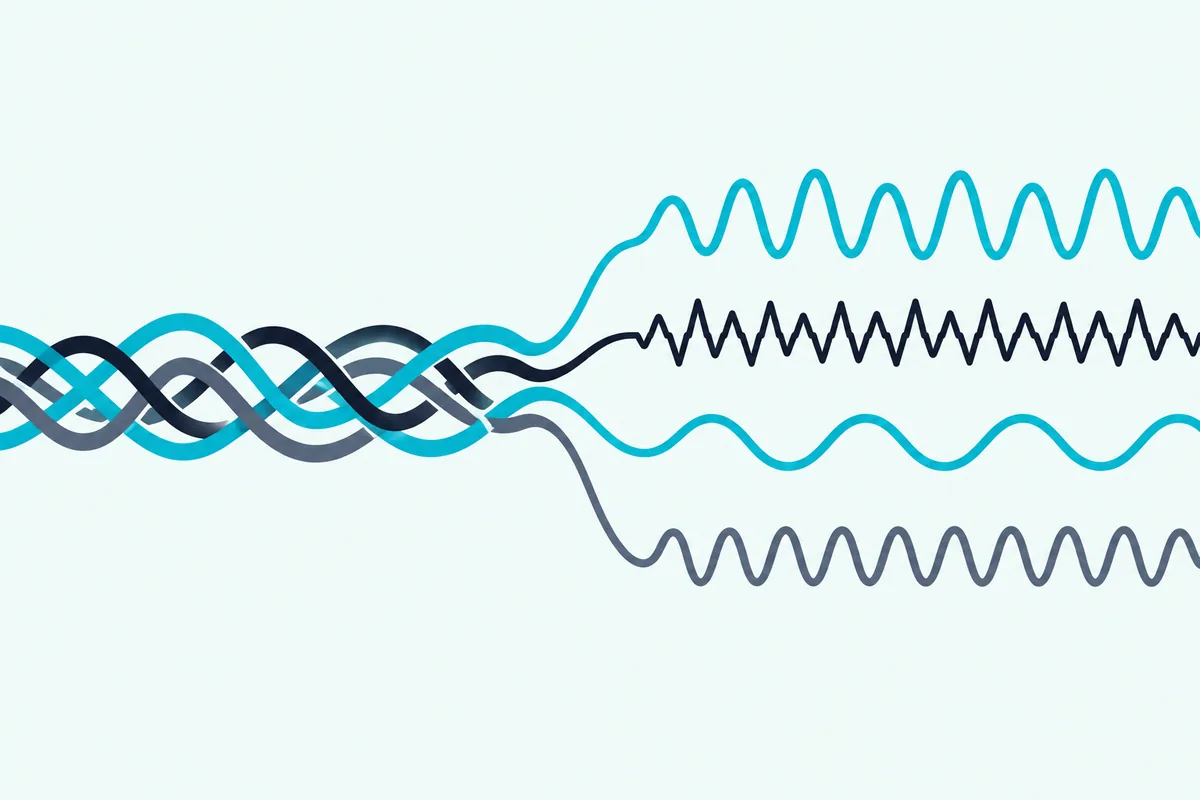
rekordbox’s plan table splits a song into three stems, drums, vocals and instruments, on every plan including Free. Serato calls Stems “free in Lite,” with Stems FX saved for Pro, and DJUCED’s Stems 2.0 can split vocals, melody, bass and drums or just instrumental and vocal parts.
VirtualDJ’s download page describes real-time stems on any track, and djay’s Neural Mix does the same job, though neither page says which tier it belongs to. Mixxx’s features page doesn’t list stems, so a stems-first DJ should look at the other seven.
Try this before you settle on one: load the same vocal track in two free programs and solo the vocal stem in each. The program whose split sounds cleaner on your music is the one to keep, whatever its feature list says.
Which DJ Software Can Record a Mix for Free?
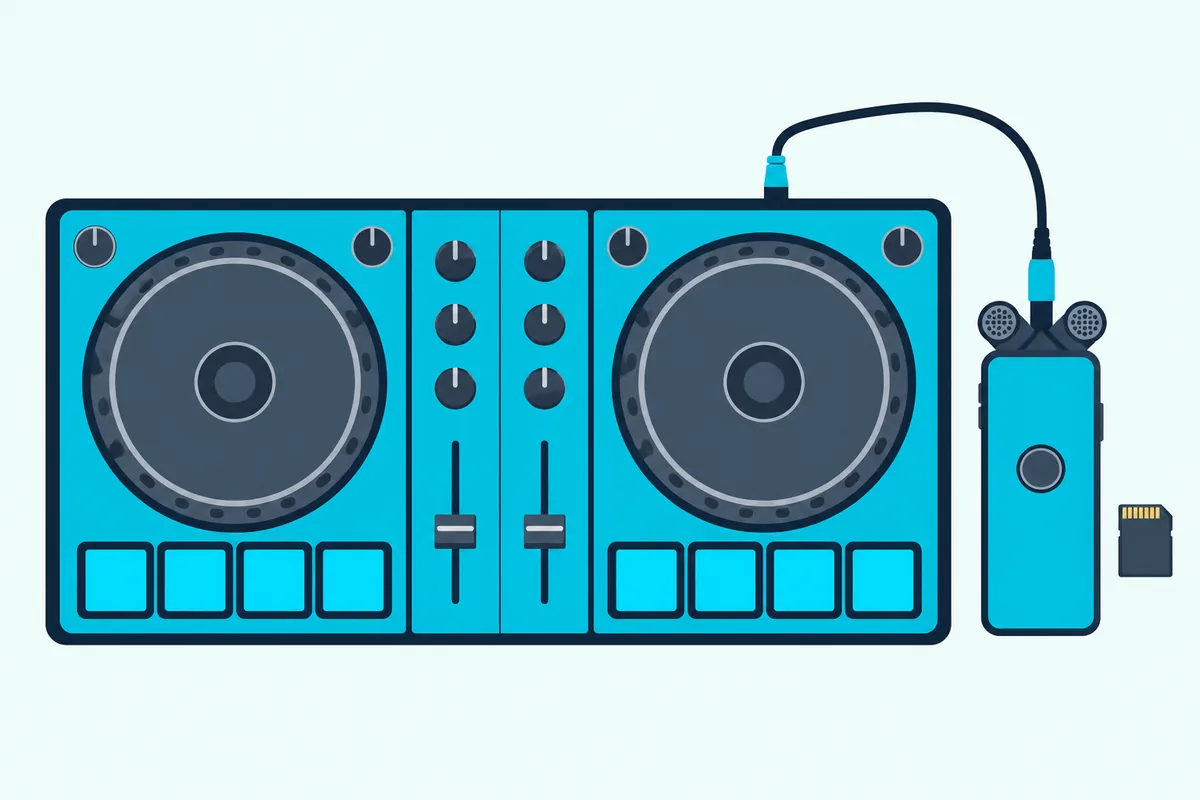
Stems are generous on free tiers, and recording is where that generosity ends. VirtualDJ’s Free version, Mixxx and DJUCED’s standard edition can record a mix without a paid plan, per their makers, while rekordbox puts recording on its Core plan and Serato puts it on DJ Pro.
| Program | Recording, per the maker | Catches |
|---|---|---|
| rekordbox | “Record and share DJ mixes” on Core, Creative and Professional | Not on the Free plan; not listed on the Hardware Unlock table |
| Serato DJ | DJ Pro with recording-capable hardware | Not in Lite, not with streamed tracks, not in Practice Mode |
| VirtualDJ | Every license, Free included, records audio or video to files | Free and Home keep VirtualDJ’s audio and video branding |
| djay | djay Pro records AAC or WAV | Never with streamed tracks |
| DJUCED | Standard edition lists recording | Needs a Hercules controller connected |
| Mixxx | WAV, FLAC, Ogg Vorbis; MP3 through LAME | None listed |
The table shows why one detail matters more than the price. If you plan to share mixes built from a streaming service, check the streaming rule first, because Serato and djay both block recording streamed tracks.
Planning and recording a whole set is its own job, and the full mix walkthrough covers track order, cue points and recording levels step by step.
Which DJ Software Streams Spotify, TIDAL or Beatport?
That streaming rule leads straight to the next choice, because every program here supports a different list. Spotify works in rekordbox, Serato and djay, the three partner apps on Spotify’s DJ integration page, with a Spotify Premium account and in the countries Spotify lists.
Spotify’s rekordbox entry lists DJing with AlphaTheta and Pioneer DJ equipment, marked “performance mode only.” Serato’s entry names both Serato DJ Lite and DJ Pro.
Serato DJ Lite and Pro stream from Apple Music, Beatport, SoundCloud, Spotify and TIDAL. djay names Spotify, Apple Music, TIDAL and SoundCloud, and Algoriddim’s Spotify FAQ says offline mode and lossless playback aren’t available for Spotify inside djay.
rekordbox’s plan table names Beatport, Beatsource, TIDAL and SoundCloud on every plan, and DJUCED’s standard edition lists Beatport, SoundCloud GO+ and TIDAL. Traktor Play’s streaming, per AlphaTheta, is a preview from Beatport Streaming.
Engine DJ streams on the hardware, not the laptop, and Mixxx’s features page lists none. If your music lives in one service, start your shortlist with the programs that list it.
What Computers and Phones Does Each Program Run On?
Streaming lists differ by program, and so do the computers and phones each one runs on. rekordbox, Serato DJ, VirtualDJ, djay, DJUCED and Mixxx all list Windows and macOS, and Pioneer DJ describes Traktor Play running on a PC or Mac; only Mixxx also lists Linux, and djay covers the widest spread of phones and headsets.
Algoriddim lists djay for iPhone, iPad, Mac, Windows, Android, Vision Pro and Meta Quest, and one PRO subscription spans most of them. rekordbox has desktop versions for Mac and Windows plus rekordbox for iOS and Android, which Pioneer DJ says can connect to the DDJ-FLX4 over Bluetooth or a USB cable.
Serato DJ Lite and Pro list macOS and Windows requirements on Serato’s downloads pages, and Serato’s Pro FAQ names Serato DJ for iOS as part of the Suite trial. VirtualDJ’s download page offers Windows and Mac builds of VirtualDJ 2026, and DJUCED says it’s “For macOS and Windows.”
Mixxx’s download page has builds for Windows 10 build 1809 or later, macOS 11 or later and Ubuntu 22.04 or later. That makes it the default answer for anyone mixing on a Linux laptop.
Can DJ Software Mix Video Too?
Those platform lists are one split, and video is another that follows the same paid-feature pattern as recording. VirtualDJ’s Free version plays video and karaoke, rekordbox puts video performance on its Creative and Professional plans, and djay Pro, Serato’s Video expansion and DJUCED PRO’s video loops cover the rest.
VirtualDJ’s license chart lists video playback, karaoke and all video effects on every license, with removing the video logo saved for Pro. rekordbox’s Hardware Unlock page adds that on the Free and Core plans, a caution message appears on the external video output.
djay Pro’s Video mode mixes music with videos and photos and outputs over HDMI or AirPlay, per Algoriddim. DJUCED PRO’s Video Loops sync looping clips to the tempo and phrasing of your tracks, and DJUCED pitches them at shows with a TV or projector.
Can You Use Turntables or CDJs With These Programs?
Video and turntables are both club-adjacent features, and both sit behind paid tiers in most programs. You can use turntables or CDJs with rekordbox, Serato DJ Pro, VirtualDJ and Mixxx, but of the programs whose pages cover it, only Mixxx includes timecode vinyl control free.
rekordbox puts DVS control on its Core plan and up, and its FAQ says REL and ABS modes aren’t available on the Free plan. Serato DJ Lite doesn’t support CDJs or club mixers at all, and Serato sells DVS as an Expansion; even the DDJ-FLX10, which unlocks DJ Pro, needs the Serato DVS expansion pack to use control vinyl or CDs, per Serato.
VirtualDJ’s license chart keeps external analog mixers and timecode vinyl for the Pro license. djay Pro lists CDJs by Pioneer DJ and the RANE Twelve motorized turntable among the hardware it supports out of the box.
Picture a home setup with two turntables and a mixer you already own. Mixxx costs nothing to try on it, while rekordbox, Serato and VirtualDJ each need a paid plan, license or expansion before those decks control anything.
Can You Move Your Library If You Switch Later?
All those plan differences raise a fair worry: what happens to your cue points if you change programs? You can move a library between several of these programs, because Engine DJ Desktop, Mixxx and DJUCED each say they import libraries from other DJ software.
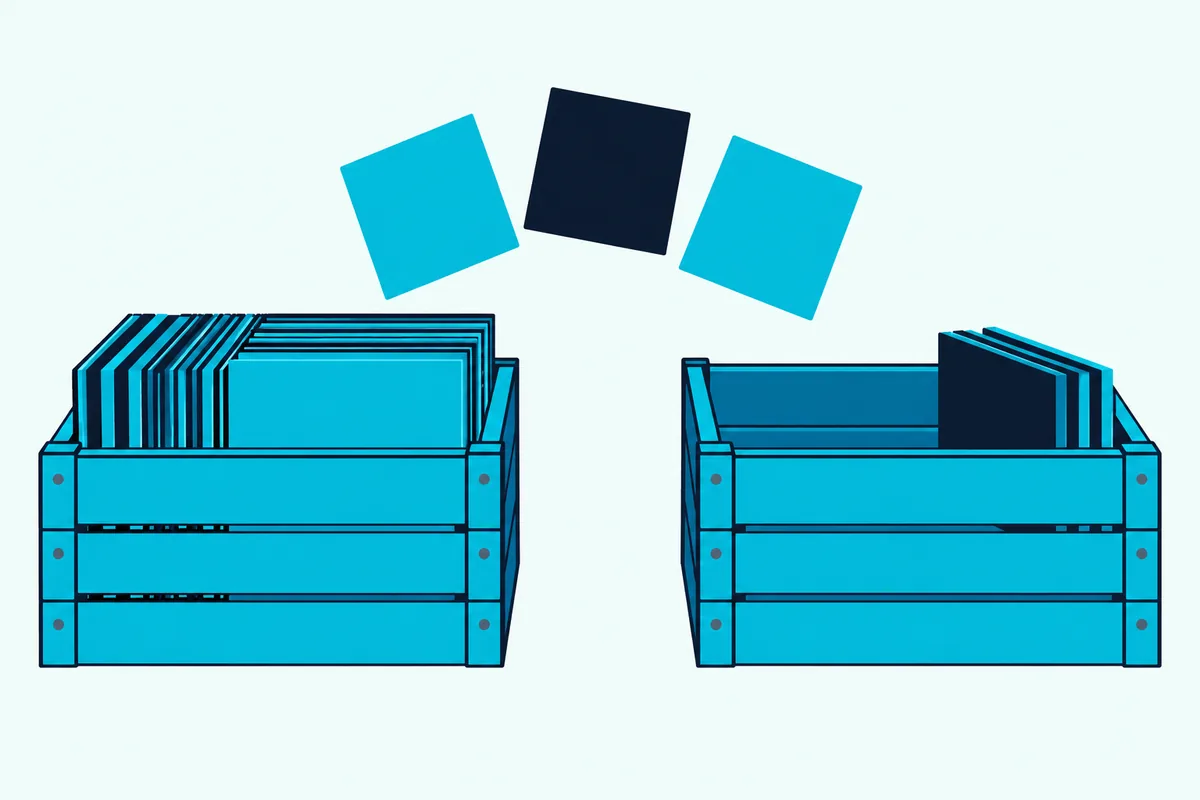
Engine DJ Desktop imports rekordbox, Apple Music and iTunes, Serato DJ and Traktor databases with playlists, hot cues and loops. Mixxx reads iTunes, Traktor, Rekordbox and Serato libraries, and DJUCED’s standard edition imports rekordbox XML, with PRO adding XML export and Serato crate import.
That still leaves gaps. None of the pages cited here describes a direct move from Serato into rekordbox or the other way round, so prepare for some hand work if those two are your start and finish.
A practical test before you commit: export one small playlist with cue points from your current program and import it into the one you’re considering. If the cues land where you set them, the rest of your library will likely follow the same path.
How Do You Choose Between Them in Three Steps?
Library moves, recording rules and streaming lists all point to the same habit: decide on the details before the software. Choose in three steps: check what your controller unlocks, decide whether you need recording or a particular streaming service, then try the paid tier free before you pay for it.
- Check the unlock pages. Look up your controller on Serato’s hardware pages, rekordbox’s Hardware Unlock list, VirtualDJ’s Home license list and DJUCED’s hardware page.
- Match the two rules that matter most. Recording and streaming decide more than feature counts, so check the recording table and the streaming lists above.
- Use the trials. Serato offers a 14-day Serato DJ Suite trial, DJUCED a 15-day PRO trial, and VirtualDJ says its LE editions give 30 days of Pro features.
rekordbox also runs occasional free trials of new paid-plan features, announced in a pop-up when the app starts, per its FAQ. A month of trials across two programs tells you more than any comparison table, this one included.
The Bottom Line
The best DJ mixer software is the one that matches what you already own, or are about to buy. For a controller-free start, VirtualDJ’s free version and Mixxx do the most without a plan, and Serato DJ Lite and rekordbox’s Free plan let you learn on a laptop with stems included.
Once a controller is involved, follow the unlock: rekordbox’s Hardware Unlock list, Serato’s hardware pages for Lite or Pro, a Hercules controller for DJUCED and an Engine DJ unit for laptop-free sets. If you don’t own hardware yet, free software that works without a controller shows where each program’s limits sit.
Check recording and streaming last, because those two rules decide whether your mixes can leave the room.
Frequently Asked Questions
What is the best free DJ software?
Mixxx is the most complete free option, because its makers say there’s no paid version: you get four decks, recording to WAV, FLAC, Ogg Vorbis or MP3, live broadcasting and timecode vinyl control on Windows, macOS and Linux. VirtualDJ’s free version is close behind for laptop-only mixing, with 2 to 99 decks, video and recording, but it runs a controller for only 10 minutes at a time. Serato DJ Lite and rekordbox’s Free plan are the free picks if you want stems; both run on a laptop alone, and hardware takes a Lite controller for Serato or a Hardware Unlock device for rekordbox. DJUCED’s standard edition is free too, but only with a Hercules controller connected.
Is a Traktor or rekordbox better?
The two can’t be compared fully here, because this guide doesn’t cover Traktor Pro 4’s plans. What the makers do say: rekordbox has a Free plan with stems and mouse-and-keyboard mixing, a Core plan for DJ equipment and recording, and a Hardware Unlock list of controllers that skip the subscription. Traktor Play works with the DDJ-FLX2 and DDJ-FLX4 at no extra cost, per AlphaTheta, and includes EQs, effects, stems and a Beatport Streaming preview. If you own an FLX2 or FLX4, you can try both without buying anything else.
What software do most EDM DJs use?
None of the makers publish usage shares by genre, so any “most” figure would be a guess. What the sources show is where each program fits a dance-music workflow: rekordbox’s EXPORT mode prepares USB drives for AlphaTheta and Pioneer DJ players without a subscription, Serato DJ Pro supports 150+ pieces of hardware including club mixers, and Engine DJ runs standalone units that stream over Wi-Fi. Pick by the gear in the booths you expect to play, then by the free tier that lets you practice for it at home.
Can I switch DJ software later?
Yes, and several programs import other programs’ libraries. Engine DJ Desktop imports rekordbox, Serato DJ and Traktor databases with playlists, hot cues and loops. Mixxx reads iTunes, Traktor, Rekordbox and Serato libraries, and DJUCED imports rekordbox XML, with Serato crate import in DJUCED PRO. The pages cited here don’t describe a direct Serato-to-rekordbox move, so test one playlist before moving everything.
Do I need to pay for DJ software?
Not to start. rekordbox, Serato DJ Lite, VirtualDJ, djay and Mixxx all have free versions, and DJUCED’s standard edition is free with a Hercules controller. Paying comes in when you want a specific thing: recording in rekordbox (Core plan) or Serato (DJ Pro), a controller in VirtualDJ beyond 10 minutes (Home or Pro license), djay’s Automix and hardware integration (PRO subscription) or DJUCED without a controller (PRO or PRO+). Some controllers, such as the DDJ-FLX10 for Serato DJ Pro, switch on the paid version for you.