DJ Controller vs Mixer: What’s the Difference and Which to Buy?
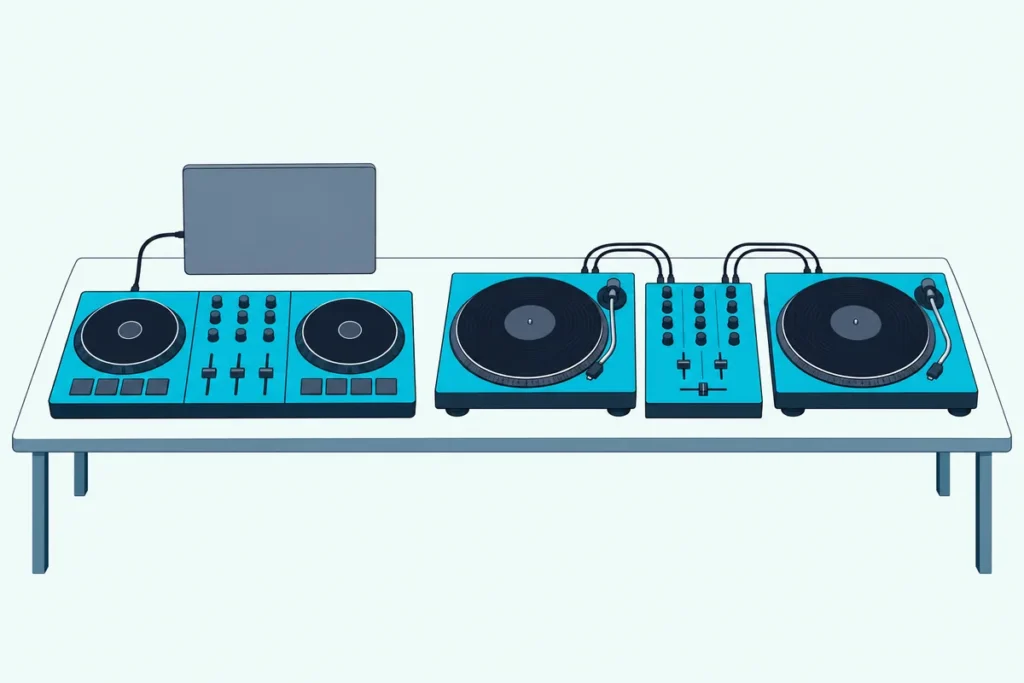
In the DJ controller vs mixer choice, the faders look alike but the jobs don’t: a controller drives DJ software and plays it through its own sound card, while a mixer blends sound from turntables or players plugged into it.
That’s how people end up with a mixer and nothing to play through it, or a controller that goes quiet the moment the laptop closes.
Buy for the gear you already own and the places you want to play, and your first purchase becomes the start of a setup instead of a detour.
Every input, output and software claim below comes from the makers’ pages, from Pioneer DJ, Rane, Numark and Hercules to rekordbox, Serato, djay and VirtualDJ.
The last sections then sort beginners, vinyl DJs and club-bound DJs into one camp or the other, including controllers that can grow into a mixer setup.
What’s the Difference Between a DJ Controller and a Mixer?
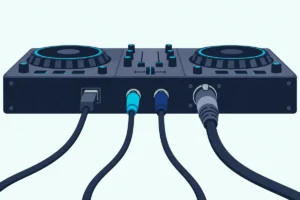
That split shows up the moment you look at the back panels. A DJ controller is a control surface with a built-in sound card that drives DJ software on a laptop, tablet or phone, while a DJ mixer is a standalone audio device that blends whatever sources you plug into its inputs.
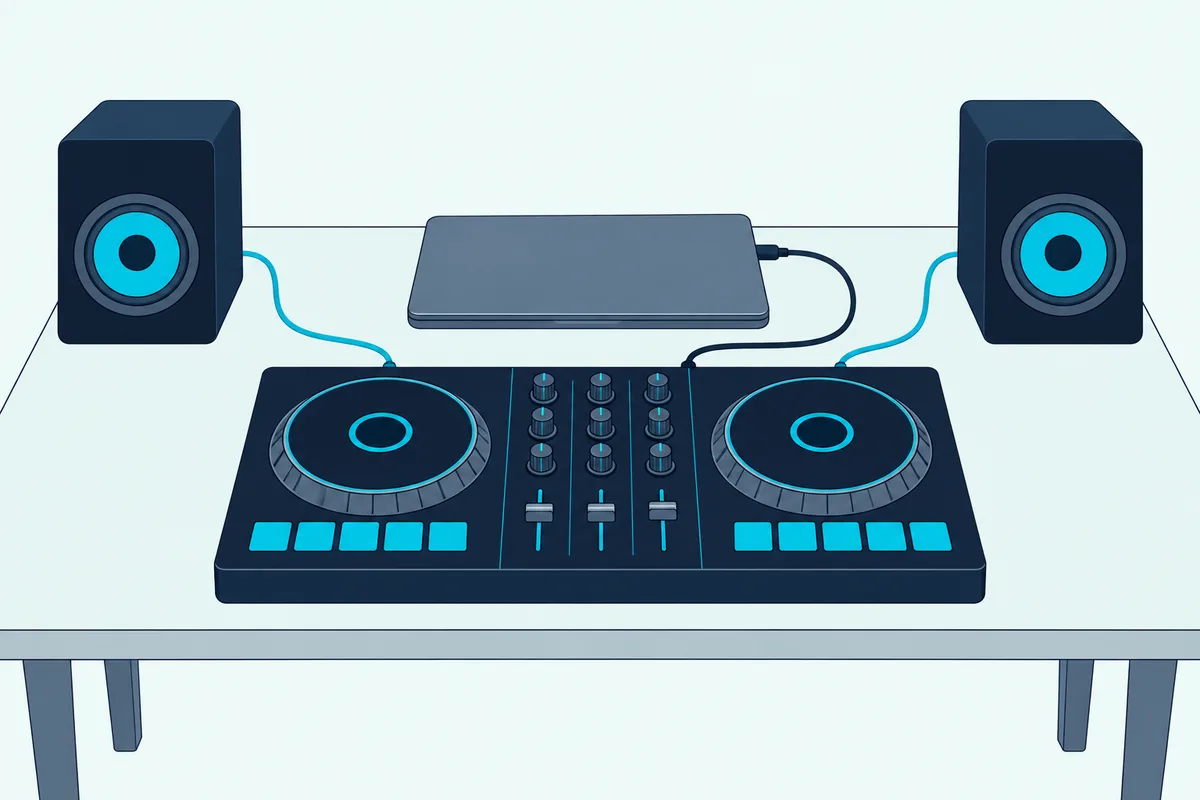
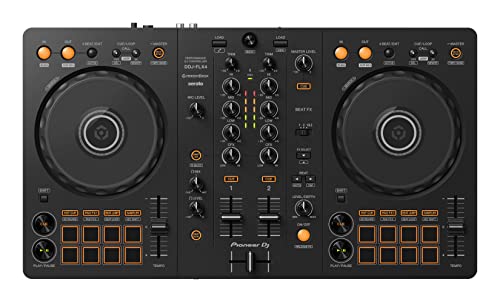
Pioneer DJ’s DDJ-FLX4 is the controller case in point. Your computer supplies both power and sound over one USB-C cable, and the built-in sound card sends the mix to speakers through a single RCA cable, with a microphone input beside it.
Its jog wheels, pads and faders send commands that the DJ software maps to its decks and mixer. Pioneer lists rekordbox, djay, Serato DJ Lite and Traktor Play as free to use with it, and Serato DJ Pro as a paid upgrade.
A mixer works the other way round. Pioneer’s DJM-250MK2 has two channels that each take a phono or a line source, plus an aux line input, a mic input, master outputs on XLR and RCA and two headphone sockets, and nothing to play until you connect turntables or media players.
If the controller side is new to you, our explainer on how a DJ controller drives its software starts from the signal path. The table sets the two Pioneer models side by side, using Pioneer’s own figures.
| DJ controller (Pioneer DDJ-FLX4) | DJ mixer (Pioneer DJM-250MK2) | |
|---|---|---|
| What plays the music | DJ software on a computer, tablet or phone | Turntables or media players you connect |
| Inputs | One microphone | Phono or line on each channel, plus aux and a microphone |
| Outputs | Master RCA and headphones | Master XLR and RCA, two headphone sockets |
| Computer connection | USB-C, which also powers it | USB, for its built-in sound card |
| Power | USB bus power | AC adaptor |
| Weight | 2.1 kg | 3.0 kg |
| Plays with nothing else connected | No: it needs a computer, tablet or phone | No: it needs turntables or players |
Read the last row twice. Neither box makes a sound on its own, which is why the real question is what you’ll connect to it.
Is a DJ Controller the Same as a Mixer?
That last row also explains a question searchers ask in many forms. No, though an all-in-one controller such as the FLX4 carries a mixer section: its channel faders, EQ knobs and crossfader tell the software what to do, and Pioneer says the smaller DDJ-FLX2 works with other MIDI software once you assign its MIDI messages to the software’s functions.
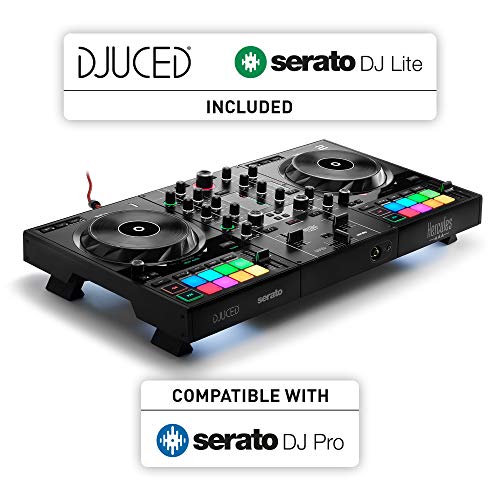
A few controllers blur the line by mixing outside sources in hardware. Hercules says the DJControl Inpulse 500 lets you mix external sources without software through its aux and mic inputs, and Rane’s ONE has line/phono inputs that let it run as a standalone mixer with working EQ and filters.
Reloop goes furthest with the Mixon 8 Pro, which has a standalone mixer inside for two phono and four line sources. The blur runs the other way too, since the Numark Scratch is a mixer whose pads and effect paddles trigger Serato DJ Pro, and the DJM-250MK2 opens rekordbox’s performance features when you plug it into a computer.
So test any unit the simple way: with the computer unplugged, could it still pass music from a turntable or player? The DJM-250MK2, the Numark Scratch and the Rane ONE can, while the FLX4, whose only input is for a microphone, has nothing to pass.
What Else Do You Need With Each One?
Since neither box plays on its own, the shopping list is what really separates them. A controller needs a computer, tablet or phone running compatible DJ software, while a mixer needs two sources, such as a pair of turntables with cartridges or a pair of media players, and both need headphones and something to play the mix through.
Pioneer’s FLX4 runs from a PC or Mac over USB, or from a phone or tablet over USB or Bluetooth with rekordbox for iOS/Android, though a phone setup needs a USB power adapter or a 9V mobile battery for the controller. With an iPhone or iPad running rekordbox for iOS, it can even play the mix through the device’s own speaker.
Headphones belong on both lists. AlphaTheta describes the DDJ-FLX2’s headphone output as the place to monitor the next track while you prepare it, and the DJM-250MK2 has two headphone sockets, a 1/4-inch jack and a 3.5 mm mini jack, so two DJs can listen at once.
The mixer’s sources each bring their own requirements. Pioneer sells its PLX-1000 turntable without a cartridge or stylus, and the rekordbox setup guide says a turntable must go into a channel marked PHONO or PHONO/LINE, with its ground wire on the mixer’s SIGNAL GND terminal.
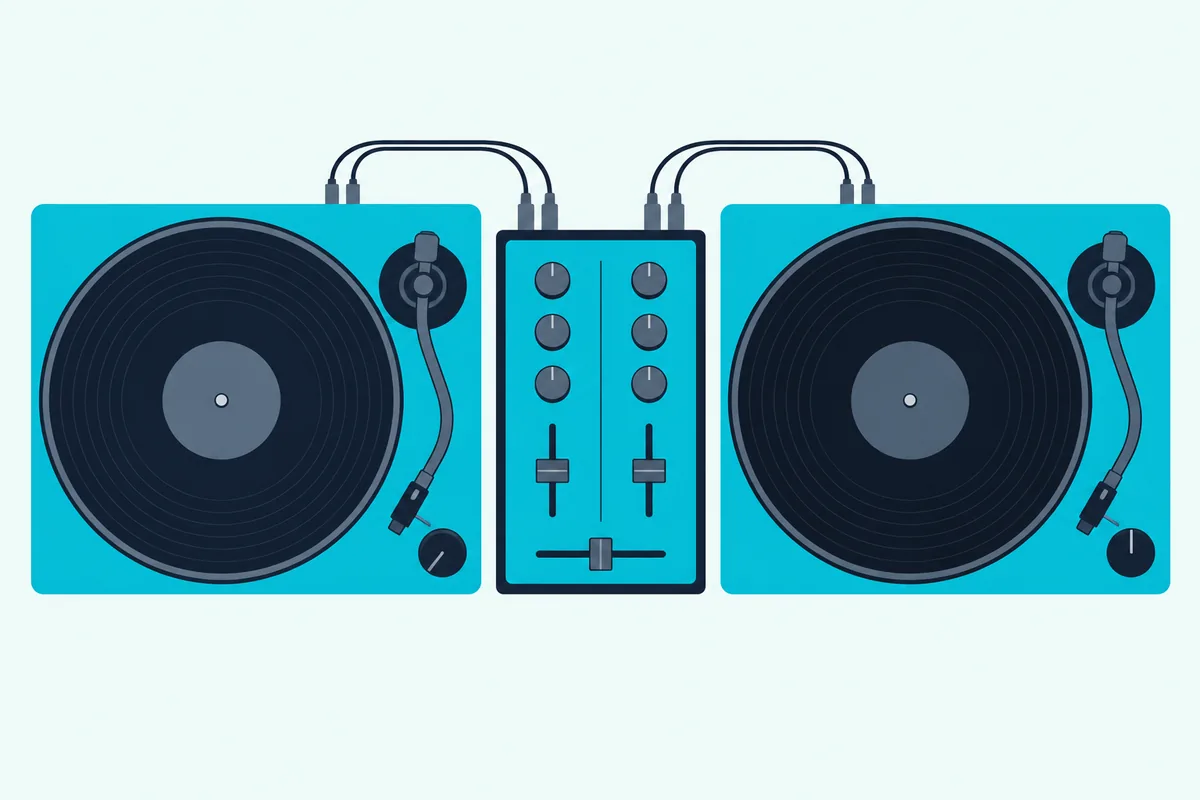
Media players such as Pioneer’s CDJ and XDJ models go into a CD/LINE, LINE or PHONO/LINE channel instead. AlphaTheta’s CDJ-3000X sends its analog output over RCA and plays music from USB drives prepared in rekordbox, so the laptop can stay at home.
That players-and-mixer layout is the one Wired found in Skrillex’s 2014 tour booth, Pioneer CDJ-2000 decks with a Pioneer “900” mixer, and our Skrillex DJ setup timeline dates the rest of the gear he has named.
That modular route weighs more, too. The FLX4 weighs 2.1 kg, while a DJM-250MK2 at 3.0 kg plus two CDJ-3000X players at 6.0 kg each comes to 15 kg before cables, cases or a laptop.
If you’re still weighing whether that route suits you, our list of first DJ mixers for beginners opens with who actually needs one.
How Do the Inputs and Outputs Compare?
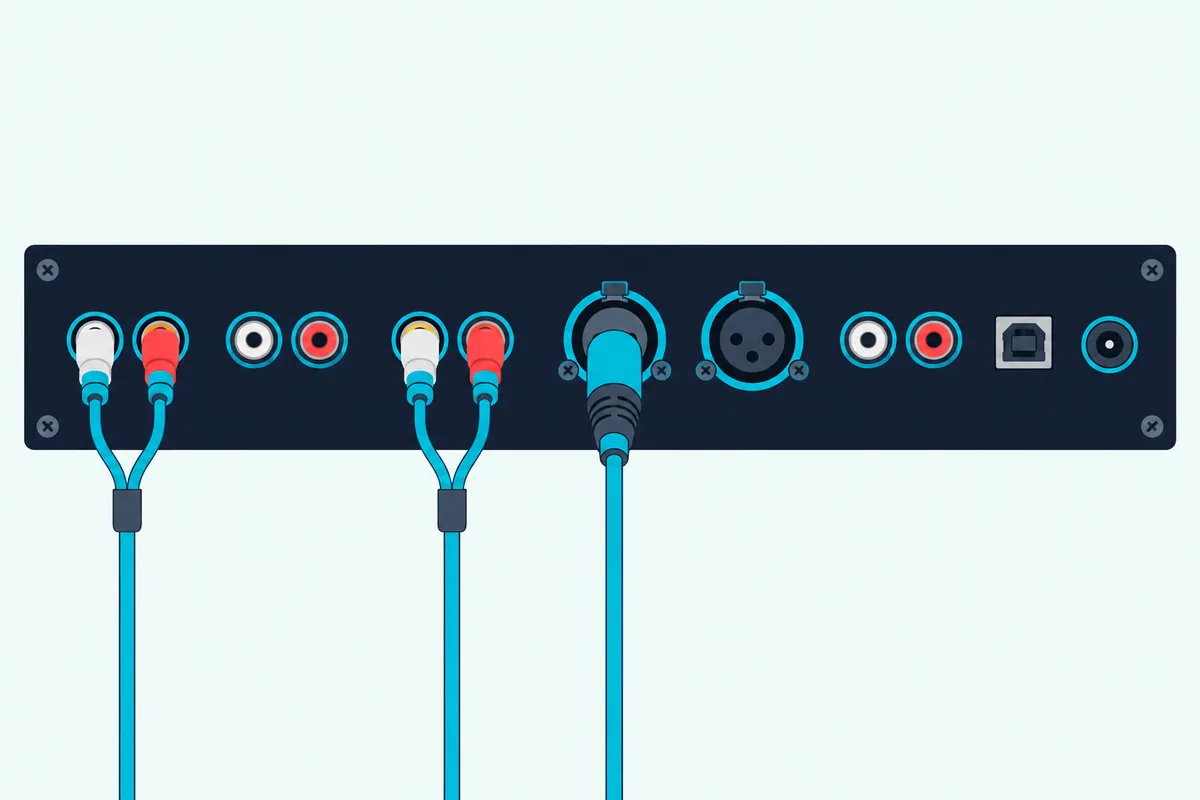
Those cables and channels are where the two kinds differ most once you look past the faders. Entry controllers such as the FLX4 offer a master output, a headphone output and a mic input, while mixers and larger controllers add phono and line inputs for decks, XLR outputs and, on many, a separate booth output for the DJ’s monitor speakers.
| Model | Type | Inputs for decks | Other inputs | Main outputs | Booth output |
|---|---|---|---|---|---|
| Pioneer DDJ-FLX4 | Controller | None | Mic | RCA | None listed |
| Hercules DJControl Inpulse 500 | Controller | None | Aux (RCA or 3.5 mm), mic | 1/4-inch jack and RCA | None listed |
| Reloop Mixon 8 Pro | Controller | 2 phono/line, 2 line | 2 mic | XLR and RCA | 6.3 mm jack |
| Rane ONE | Controller | 2 CD/phono | Aux, 2 mic | XLR and RCA | 2 XLR |
| Pioneer DJM-250MK2 | Mixer | Phono or line on both channels | Aux, mic | XLR and RCA | None listed |
| Numark Scratch | Mixer | Line/phono on both channels | Mic/aux combo | XLR | Unbalanced booth |
Read the deck-input column first. The rekordbox guide’s rule that turntables belong in PHONO or PHONO/LINE channels rules out the FLX4 and the Inpulse 500, whose aux input Hercules pitches at a phone, a media player or a wireless mic receiver.
The output columns matter once you play out. Pioneer pitches the FLX4’s RCA master at a powered speaker or an amplifier, while the Rane ONE adds two XLR main and two XLR booth outputs, and a booth output feeds the monitor system, which Allen & Heath’s Xone:96 even gives its own three-band EQ.
Count channels too. Every model in the table mixes two decks except the Mixon 8 Pro, which Reloop builds for up to four decks at once in Serato DJ Pro or djay Pro.
Mic inputs differ as well. The FLX4’s single 1/4-inch input is mixed into its USB audio, which Pioneer pitches at live-streaming a set from one device, while the Rane ONE has two XLR/1/4-inch combo inputs and the DJM-250MK2 gives its one mic an independent section, so the mic and the aux input work at the same time.
Does a DJ Mixer Need a Laptop or Software?
Those USB sockets on the mixers in the table raise a fair question. No: a mixer blends its inputs with nothing else running, and the computer only comes in through USB, for recording or for software control.
Pioneer says the DJM-250MK2’s USB connection carries sound both ways, so you can record your mixes to the computer, and Numark points out that the Scratch’s low/high-pass filter isn’t software-dependent, so it works the same with turntables. Because the sound never passes through a computer, a frozen laptop can’t silence a pair of turntables.
Recording isn’t a mixer-only trick, though. The FLX4 records to rekordbox over the same USB cable that carries its sound, so both camps can keep a copy of the set.
Plug a mixer into a computer and it can drive DJ software with real records. That’s a digital vinyl system, or DVS: rekordbox’s setup guide describes control vinyl on turntables steering its virtual decks, with playback direction, tempo, scratching and position following the record.
Each mixer ties DVS to particular software. rekordbox’s Hardware Unlock page lists the DJM-250MK2 for both performance mode and DVS control on the free plan, with the RB-VS1-K control vinyl, while the Numark Scratch ships with Serato DJ Pro and its DVS expansion, the control vinyl or CDs sold separately.
Allen & Heath’s Xone:96 does the same for Traktor Scratch Pro 3, and djay’s list of mixers it maps for DVS automatically includes the Xone:96, the Numark Scratch and Pioneer’s DJM-A9. The DJM-250MK2 isn’t on that djay list, which is why the software still matters when you buy a mixer.
Don’t assume a mixer means an analog signal path, either. The DJM-250MK2 runs its sound through a 64-bit digital signal processor, the DJM-A9 converts each channel with a 32-bit A/D converter, and the Xone:96 keeps an analog circuit with a 32-bit USB sound card added.
If that analog sound is the draw, our mixer guide covers the Allen and Heath Xone series alongside Pioneer’s DJM range. Faders are the part both kinds share: Pioneer builds the DJM-250MK2’s around a contact-free magnetic system designed to endure millions of movements, and for regular faders our guide to cleaning DJ controller faders walks through Denon DJ’s steps.
Which DJ Software Works With Each One?
That software tie matters even more on the controller side, because a controller’s decks live in the software. Each of these controllers lists the programs it’s made for: the DDJ-FLX2 works with rekordbox, djay, Serato DJ Lite and Traktor Play, the Inpulse 500 comes with DJUCED and Serato DJ Lite, the Rane ONE unlocks Serato DJ Pro while it’s connected, and the Mixon 8 Pro unlocks either Serato DJ Pro or djay Pro.
Free tiers come with conditions. Serato DJ Lite is free and works with more than 50 supported controllers, and Serato says all DJ Lite hardware can move up to Serato DJ Pro as a paid upgrade.
rekordbox’s free plan runs its performance mode with a Hardware Unlock device such as the FLX4, though rekordbox says not every function is available and that what you get varies with the connected equipment. djay detects a supported controller and maps all its functions automatically, and you can edit that mapping yourself.
VirtualDJ draws its line at the hardware. It’s free only while you play for fun with no controller or mixer attached, its HOME license covers the entry-level controllers on its list, the DDJ-FLX4 and DDJ-FLX2 among them, and VirtualDJ’s license rules call for a PRO license for paid gigs and any other controller.
An external analog DJ mixer needs a Pro license or an Analogue Mixer Plus Controller License in VirtualDJ, too. Our walkthrough of VirtualDJ’s controller licenses and setup covers the steps once you’ve picked a license.
Serato’s own advice for getting a controller detected, including what to do when it isn’t, is in our Serato controller setup walkthrough. Whichever program you choose, the controller’s sound card and the computer’s processing do the work the mixer’s hardware does in the other camp.
Streaming services now reach both camps. Pioneer lists Apple Music, Beatport Streaming, SoundCloud Go+, TIDAL and Spotify in rekordbox for the FLX4, each with its own subscription, while the CDJ-3000X plays Apple Music, Beatport and TIDAL over its own built-in Wi-Fi, logging in with a QR code or a phone running rekordbox.
Support also changes after you buy. Pioneer added official djay support to the FLX4 in March 2023, months after its November 2022 launch, and AlphaTheta announced Traktor Play support for the FLX2 and FLX4 on 20 October 2025, so check the maker’s current list rather than an old review.
Can You Start With a Controller and Move to a Mixer Later?
Those software choices also decide how easily a controller leads to a club setup later. Yes: if you learn on a controller that runs rekordbox, the library exports to a USB drive that AlphaTheta’s players read with your playlists, cue points and beatgrids, so you can play with just the drive and no laptop.
Know which format the venue’s players read. The CDJ-3000X reads only the newer OneLibrary format while older players read the original Device Library, and AlphaTheta says rekordbox 7.2.11 or later writes both when it exports to a USB drive.
rekordbox isn’t the only way in, either. AlphaTheta and Algoriddim said in October 2025 that djay Pro can already export a OneLibrary drive, with Traktor Play and Traktor Pro 4 support scheduled to follow.
A second route is a controller with deck inputs. The Rane ONE can host turntables for DVS through its CD/Phono inputs once you own Serato’s DVS expansion, and the Mixon 8 Pro mixes turntables or media players through its phono and line inputs.
You can also add a mixer to the controller you already have, with the controller’s master output plugged into one of the mixer’s line inputs. Our guide to hooking a controller into an external mixer covers the cables, the levels and the external mixer mode in DJ software.
Whether that extra mixer is worth buying depends on what you’d plug into it, and our answer to do I need a mixer with my DJ controller goes through the five cases where it is.
Traktor users have a version of that hybrid path too, and Traktor mixer and add-on controllers explains how the Z1 and X1 fit beside decks you already own.
Or skip the laptop entirely. Standalone controllers carry their own operating system: Denon DJ’s SC LIVE 4 runs Engine DJ with Wi-Fi streaming, two USB inputs and an SD card slot, and its Computer Mode turns the same unit into a Serato DJ controller with the Pro license included.
Which One Is Easier for a Beginner?
All those paths start with learning to mix, and that’s where the controller usually has the edge. A controller gives you sync and, in software such as rekordbox, on-screen waveforms from day one: the FLX4’s BEAT SYNC button matches a deck’s tempo and beatgrid to the master deck, and its Smart Fader adjusts volume, bass and BPM as you move a fader.
Hercules goes further on the Inpulse 500 with Beatmatch guides, a light beside each tempo fader and another under each jog wheel. Hercules pitches them as guides for easier mixing, and because they sit on the hardware, your eyes can stay on the controller instead of the screen.
A mixer setup means learning by ear only when your sources are ordinary records. AlphaTheta’s CDJ-3000X shows waveforms on its 10.1-inch touchscreen and has its own Beat Sync for analyzed tracks, so a player-based setup gives you similar visual help.
The layout carries over as well. Pioneer says the FLX4’s control layout is inherited from its professional products, so its mixer section should look familiar when you meet a Pioneer club mixer.
DJ Controller vs Mixer: Which Should You Buy?
With the learning curve in view, the choice comes down to what’s already on your desk. Buy a controller if you’re starting with a laptop, tablet or phone and no other gear, and buy a mixer if you already own turntables or media players or want to practice on a club-style mixer.
Every pick met Burton Acoustix’s rating, review and stock checks on 14 October 2026; no prices appear because they change.
If you’re starting from nothing, Pioneer DJ’s DDJ-FLX4 works with the widest choice of free software among these picks. Our beginner controller roundup compares it with the alternatives.
Pioneer DJ’s DDJ-FLX4
If you want a controller that can also mix in a phone or media player without the software, Hercules’ DJControl Inpulse 500 adds a hardware aux input with its own filter. Its light guides also suit the learning stage covered above.
Hercules’ DJControl Inpulse 500
If you already own turntables or media players, Pioneer DJ’s DJM-250MK2 is the two-channel mixer with a direct rekordbox path. It also takes the DVS route covered earlier.
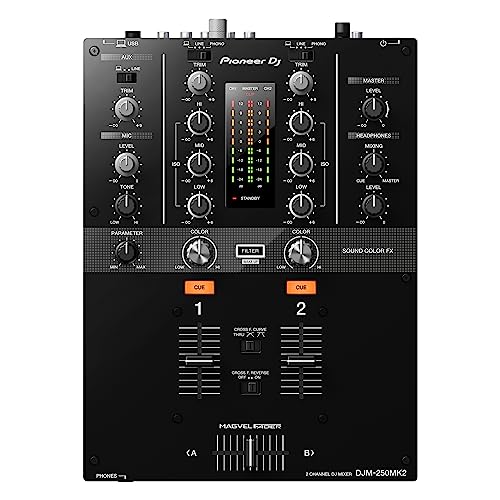
Pioneer DJ’s DJM-250MK2
Vinyl DJs who use Serato can go straight to Numark’s Scratch, a two-channel mixer that comes with Serato DJ Pro and the DVS expansion. Add two turntables, control vinyl and a laptop running Serato DJ Pro, and you have a full DVS setup.
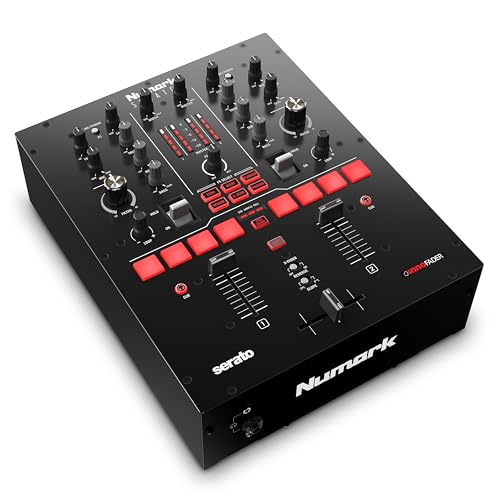
Numark’s Scratch
If you need four channels or a club booth’s outputs, our list of the best DJ mixers for club, home and scratch setups goes past these two.
Two kinds of DJ should look past these four. Mobile and party DJs need outputs and mics, and the Mixon 8 Pro has XLR and RCA masters, a booth output and two mic inputs with talkover, while Denon DJ’s SC LIVE 4 adds built-in speakers that Denon pitches at practice and personal monitoring at gigs.
Scratch DJs should look at the crossfader and the platters. Numark builds the Scratch around an Innofader with reverse and slope switches, and Rane’s ONE is a controller with two motorized 7-inch platters and a user-replaceable MAG 4 crossfader.
Not sure yet? Then start with the controller, since the FLX4 and the DJM-250MK2 share a rekordbox path and the skills carry over when a mixer joins the setup later.
The Bottom Line
So the DJ controller vs mixer question is really about what you’ll plug in: a controller needs software on a computer, tablet or phone, and a mixer needs decks.
Start with the side that matches the gear you have, and look for deck inputs or a rekordbox export path if you expect to cross over later.
Frequently Asked Questions
Can I use a DJ controller as a mixer?
Partly. An all-in-one controller has a mixer section, but on a model like the Pioneer DDJ-FLX4 those faders and EQs control software, and the only input is for a microphone. A few controllers mix outside sources in hardware: the Hercules DJControl Inpulse 500 handles an aux source and a mic without software, and Rane’s ONE works as a standalone mixer for its line/phono inputs. For a full mixer’s job, look for phono and line inputs on the spec sheet.
Is a DJ mixer better than a controller?
Neither is better in general; they suit different setups. A mixer is better when you already own turntables or media players, or want hardware that blends sound with no computer running. A controller is better when you’re starting from scratch with a laptop, tablet or phone, because it puts the deck controls, a mixer section and a sound card in one box, such as the 2.1 kg DDJ-FLX4.
Do professional DJs use controllers?
Yes. Hercules builds the Inpulse 500 for performing in public, and Algoriddim describes Reloop’s Mixon 8 Pro as a controller for demanding DJ professionals. Club booths are a different matter, since Pioneer calls the DJM-A9’s layout a club standard, so a working DJ may practice on a controller and play the club’s mixer and players. For more professional-grade options, see our twelve DJ controllers compared by level and setup, up to the four-channel DDJ-FLX10.
Can I connect turntables to a DJ controller?
Only if it has phono inputs. The Rane ONE takes turntables on its CD/Phono inputs and can host them for DVS once you own Serato’s DVS expansion, and the Reloop Mixon 8 Pro has two phono/line inputs. Entry models such as the Pioneer DDJ-FLX4 have no deck inputs at all, so turntables need a mixer with phono channels, such as the DJM-250MK2.
Do I need a mixer with my DJ controller?
Usually not, because the controller already has a mixer section and its own sound card: the DDJ-FLX4 connects straight to speakers or an amplifier through one RCA cable. Add a mixer when you want more sources than the controller takes, such as turntables or a second DJ’s gear, or when a venue gives you its own mixer to plug into.
Can I DJ with just a mixer and a laptop?
Yes, if the mixer has a USB sound card that your DJ software supports. The DJM-250MK2 lets rekordbox play through it and opens rekordbox’s performance mode on the free plan, and the Numark Scratch comes with Serato DJ Pro; with control vinyl or CDs on turntables or players, either one steers the software’s decks through DVS. Without decks, the mixer’s USB channels still carry the software’s tracks, but starting and cueing them falls to the keyboard and mouse, and VirtualDJ asks for a Pro license or an Analogue Mixer Plus Controller License before it works with an external analog mixer.
Do I need a DJ controller to mix music?
No. Serato DJ Lite has a Practice Mode for mixing with no DJ hardware, VirtualDJ is free when you play for fun without a controller or mixer, and a mixer with two turntables or media players needs no controller at all. Our page on mixing with no controller at all covers the software options, and a controller simply puts those decks and faders under your hands.