Best MIDI Keyboard for Beginners — 6 Controllers That Will Not Overwhelm You [2026]
Best MIDI keyboard for beginners searches return hundreds of options, but most reviews fail to answer the question that actually matters: which controller lets a complete beginner start making music in minutes without drowning in features they do not understand yet?
The mistake most first-time buyers make is grabbing whatever has the most buttons and pads. More controls means more confusion when you have not learned what MIDI even does yet.
We tested controllers specifically through the lens of a beginner — setup speed, bundled software quality, learning curve, and whether you will outgrow it in three months. These 6 picks balance simplicity with enough capability to grow into.
Below you will find our top picks sorted by use case, followed by a guide on what actually matters when choosing your first MIDI keyboard.
The best MIDI keyboard for beginners is the Akai MPK Mini MK3 — it combines keys, pads, and knobs in one affordable unit with bundled software included. If budget is tight, the midiplus AKM320 gets you playing for under forty dollars. Beginners who want to learn piano-style playing should start with a 49-key model like the M-AUDIO Keystation 49 MK3 or Nektar SE49.
How We Chose the Best Beginner MIDI Keyboards
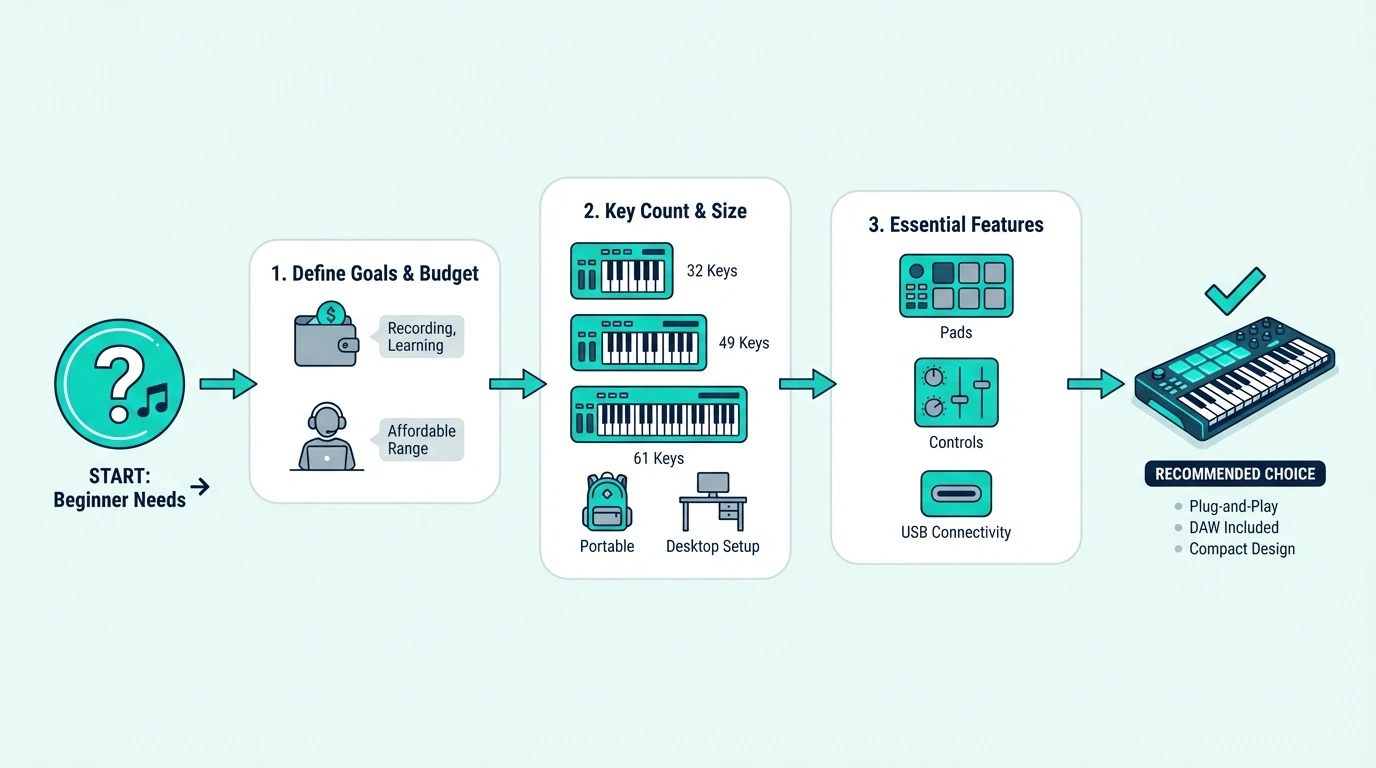
A beginner MIDI keyboard needs to do one thing above all else: get out of your way so you can focus on learning. We scored every controller on four criteria that matter most to someone who has never touched a MIDI device before.
Setup Speed
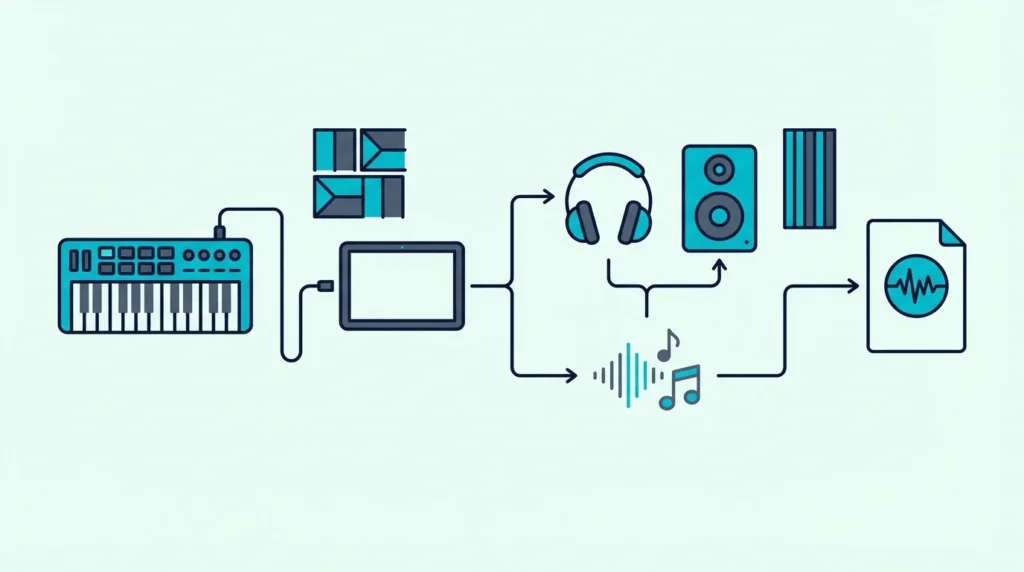
The single biggest barrier for beginners is the gap between unboxing and making sound. Every controller we recommend works over USB plug-and-play — no driver downloads, no MIDI routing configuration, no audio interface required.
We timed each controller from plugging in to hearing the first note through bundled software. Controllers that required more than five minutes of setup lost points immediately.
Bundled Software Quality
A MIDI keyboard without software is like a steering wheel without a car. Beginners who do not already own a DAW need bundled software that works on day one.
We evaluated the included DAW lite versions and virtual instruments for each controller. The best bundles (like Akai’s MPC Beats + plugin suite) give you a complete production environment.
The worst bundles give you a trial version that expires in 30 days.
Room To Grow
A controller you outgrow in two months is a waste of money. We looked for features that beginners will not use immediately but will appreciate as their skills develop — assignable knobs, drum pads, arpeggiators, and DAW-specific integration modes.
The sweet spot is a controller that feels simple on day one but reveals deeper capabilities as you learn. That eliminates both bare-bones keyboards with zero extras and complex studio controllers with 50 buttons.
Price-To-Capability Ratio
Beginners should not spend premium prices on features they cannot use yet. We weighted value heavily — a controller that delivers 80 percent of the functionality at 50 percent of the price wins over a marginally better unit that costs twice as much.
Every pick on this list falls between thirty and one hundred ten dollars. That range covers everything from basic key input to full production controllers with pads, knobs, and professional-grade software bundles.
What Are the Best MIDI Keyboards for Beginners
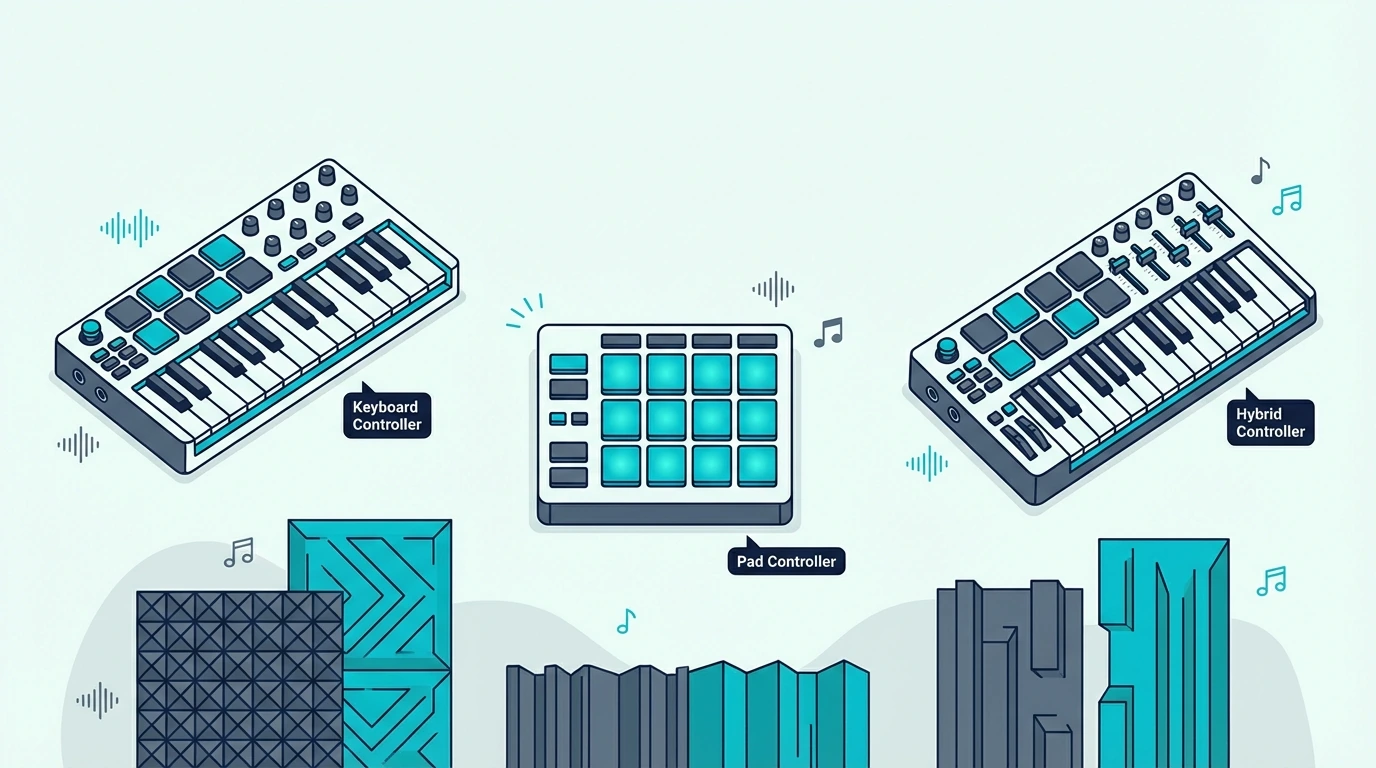
Here are the 6 controllers we recommend for beginners, each serving a different starting point.
The Akai Professional MPK Mini MK3 is the best overall choice for beginners because it covers every production workflow in one compact unit. The 25 mini keys handle melodies, the 8 MPC-style pads handle beats, and the 8 assignable knobs handle mixing — all for under a hundred dollars with MPC Beats software included.
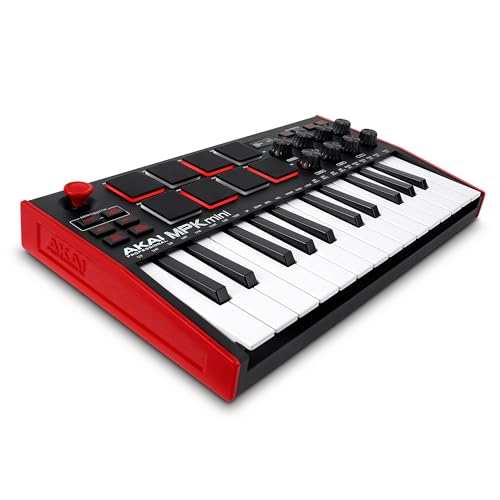
Akai Professional MPK Mini MK3
If you want full-size keys for two-handed playing and eventual piano learning, the M-AUDIO Keystation 49 MK3 gives you 49 synth-action keys with transport controls. The full-size keys let you practice proper finger positioning from day one instead of developing bad habits on cramped mini keys.
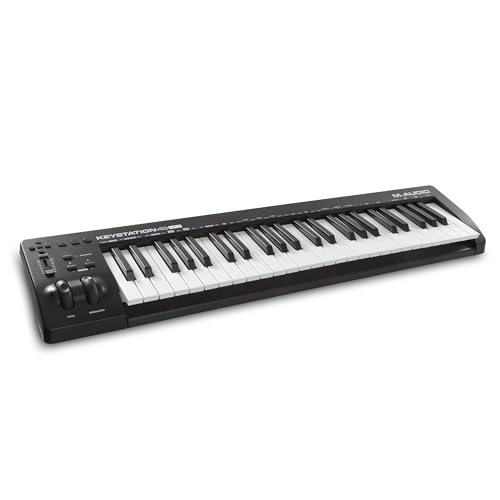
M-AUDIO Keystation 49 MK3
The Nektar SE49 delivers the same 49-key full-size layout for thirty dollars less than the M-AUDIO. You lose transport controls, but you gain automatic DAW integration through Nektar’s software at a price point that is hard to beat.
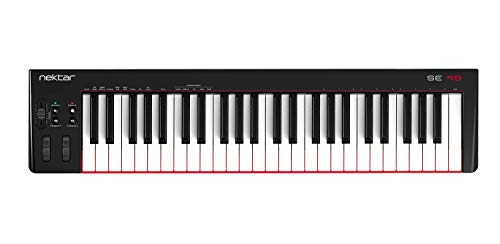
Nektar SE49
For the tightest budgets, the midiplus AKM320 proves you do not need to spend much to start learning. Thirty-two velocity-sensitive keys for under forty dollars — plug it in and play.
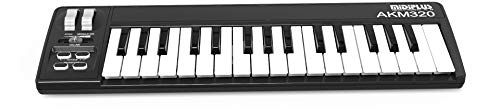
midiplus AKM320
The M-AUDIO Keystation Mini 32 MK3 fits in a backpack and includes Ableton Live Lite — a legitimate DAW that many professionals still use as their primary platform. If portability matters more than key count, this is your pick.
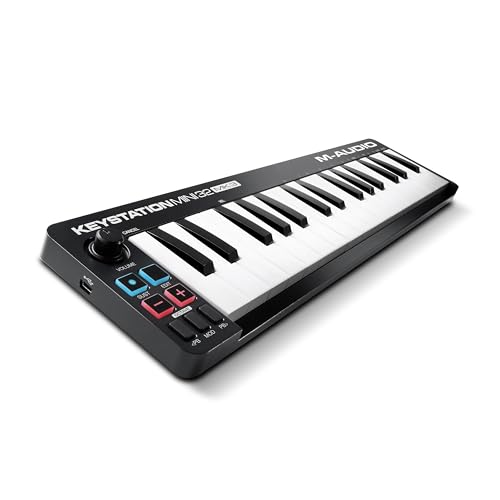
M-AUDIO Keystation Mini 32 MK3
And the Donner N-25 Mini MIDI Keyboard packs keys, pads, and knobs into a sub-fifty-dollar package with Bluetooth connectivity. The build quality cannot match the Akai at twice the price, but the feature set per dollar is exceptional for beginners testing the waters.
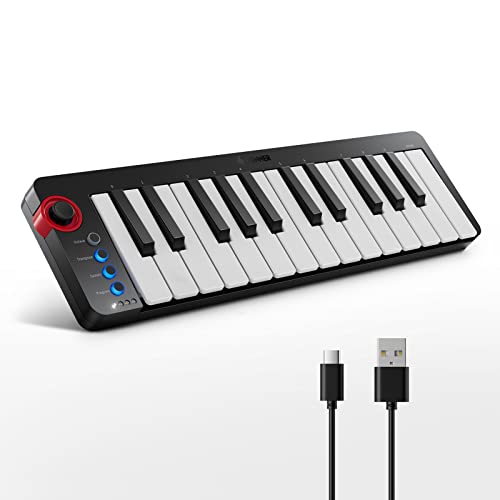
Donner N-25 Mini MIDI Keyboard
Get Studio Tips Weekly
Join 5,000+ creators getting acoustic treatment advice every week.
No spam. Unsubscribe anytime.What Beginners Should Look For
The Top Picks section gives you specific recommendations. This section helps you understand why those picks work, so you can make your own decision if none of them fit your exact situation.
Key Count: Start With 25 Or 49
Twenty-five keys are enough for single-hand melodies, bass lines, and synth parts. Beat makers and electronic producers rarely need more because octave buttons let you shift the range instantly.
Forty-nine keys suit beginners who want to learn piano-style playing alongside production. Two-handed chord progressions require at least four octaves, and 49-key controllers provide that range without taking over your entire desk.
Skip 88-key models as a beginner unless you are specifically studying classical piano. The extra cost and desk space are not justified until you know you need the full range.
Bundled Software Saves Hundreds
A beginner-friendly controller that ships with a DAW lite version and virtual instruments saves you from spending an additional hundred to three hundred dollars on software before you can make any sound.
The best MIDI keyboards include legitimate production software. Akai bundles MPC Beats, M-AUDIO bundles Ableton Live Lite, and Novation bundles both Ableton Live Lite and their own sound packs.
These are not demos — they are full working applications with no expiration date.
Pads And Knobs Are Nice But Not Essential
If you plan to make beats, drum pads add real value from day one. If you plan to play melodies and chords, you can skip pads entirely and save money on a keys-only controller.
Assignable knobs become useful once you start sound design and mixing. As a beginner, you will spend most of your time learning to play notes before you start tweaking filter cutoffs.
Knobs are a “nice to have” that becomes “essential” roughly six months into your production journey.
Avoid These Beginner Mistakes
Buying a weighted keyboard as your first MIDI controller is overkill unless you are specifically learning classical piano. Weighted keys add cost and weight without benefiting beat makers or electronic producers.
Choosing a controller based on the number of buttons is another common trap. A 25-key controller with 8 pads, 8 knobs, and bundled software outperforms a bare 61-key controller with nothing else for most beginner workflows.
The Bottom Line
The Akai MPK Mini MK3 is the safest first purchase because it covers keys, pads, knobs, and software in one unit — and over 30,000 verified buyers agree. If you want full-size keys for piano practice, the Nektar SE49 gives you 49 keys for under eighty dollars.
Start with what fits your budget and workflow. You can always upgrade later — MIDI is a universal standard, so every project file and skill you build transfers to any future controller.
Frequently Asked Questions
Is the Akai MPK Mini good for beginners?
The Akai MPK Mini MK3 is the most recommended beginner controller for good reason. It combines 25 velocity-sensitive keys, 8 MPC-style drum pads, 8 assignable knobs, and bundled MPC Beats software in a compact USB-powered package.
Over 30,000 reviews confirm its reliability.
Can a beginner use a MIDI keyboard without knowing piano?
You do not need piano skills to use a MIDI keyboard productively. Beat makers use single-finger melodies and pad triggers.
Electronic producers use three or four keys at a time for chord stabs. Even basic note input sounds more natural on a MIDI keyboard than mouse-drawn notes because the velocity variation is real.
Is it worth getting a MIDI keyboard or should I use my computer keyboard?
A dedicated MIDI keyboard is worth it even at the lowest price point. Computer keys have no velocity sensitivity — every note hits at the same volume with zero expression.
A forty-dollar MIDI keyboard like the midiplus AKM320 adds dynamics that transform how your music sounds.
What DAW should beginners use with a MIDI keyboard?
Start with whatever comes bundled with your controller. Akai controllers include MPC Beats. M-AUDIO and Novation controllers include Ableton Live Lite. All three are capable enough for years of learning. GarageBand (free on Mac) is another excellent starting point. Upgrade to a full DAW like FL Studio, Ableton, or Logic Pro only when you hit the limits of the lite version.