How To Set Up A Sound Bar — Easy TV Setup, HDMI, Optical & Bluetooth

How to set up a sound bar gets much easier once you stop thinking of it as just plugging in one cable and start treating it like a full audio path from the TV to the soundbar.
The pain is that many first-time setups fail in small but predictable ways: the wrong HDMI port gets used, the TV audio output stays on internal speakers, the soundbar stays on the wrong input, or the bar gets locked into place before anyone checks whether the ports are still reachable.
Handle the setup in the right order and the result is cleaner: the bar sits where it can actually project forward, TV audio reaches it consistently, and the hub choice between TV-first and soundbar-first stops feeling random.
So start with placement and connection method, then confirm the TV audio output, then set the soundbar input and control options, because that sequence solves more setup headaches than random resets ever will.
Now that the setup logic is clear, let us walk through how to set up a sound bar step by step.
To set up a sound bar, connect it to the TV with HDMI ARC or eARC first when available, switch the TV audio output to the soundbar, and make sure the bar is on the matching input. If ARC is not available or pairing keeps failing, use optical as the clean fallback, and only use Bluetooth when convenience matters more than the most stable audio path.
What Is the Right Setup Chain for a Soundbar?
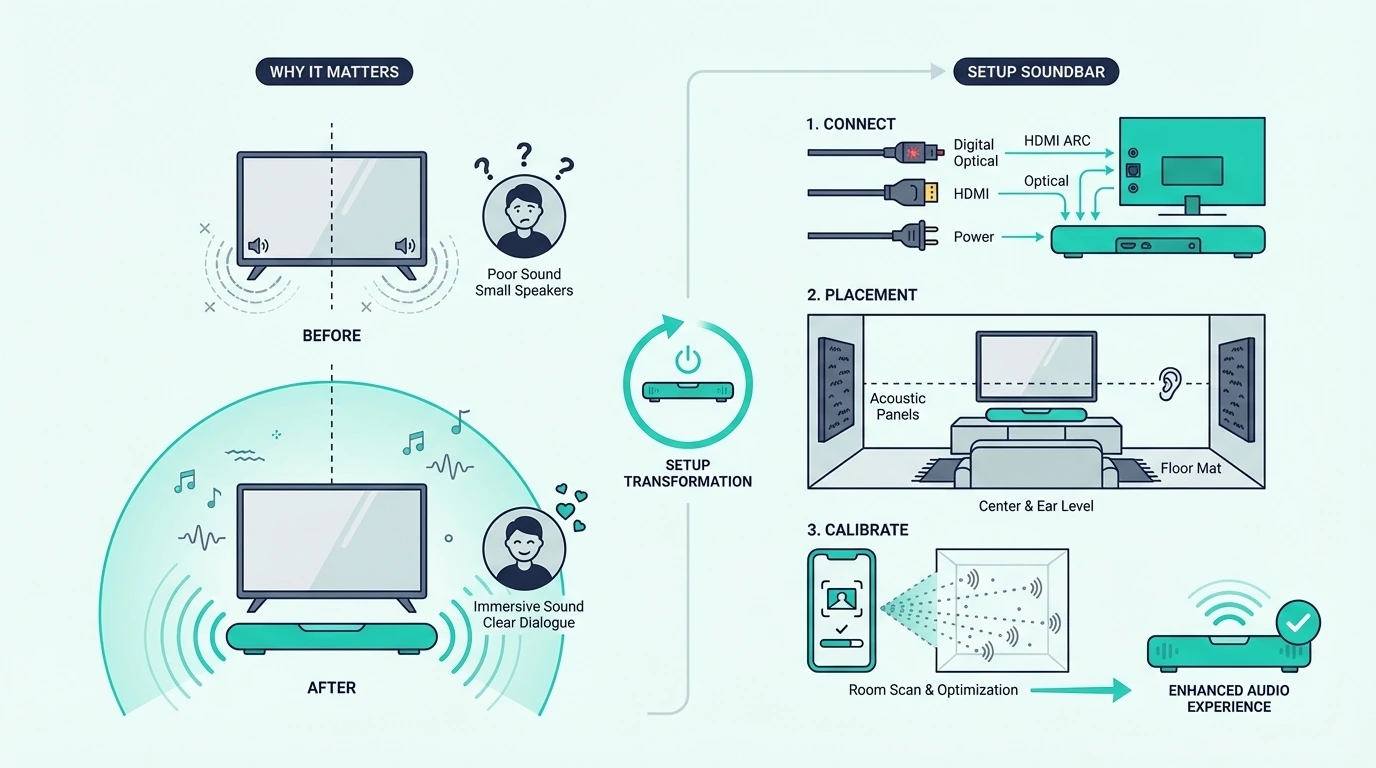
Now that the basic goal is on the table, the biggest mistake is assuming setup ends when the cable is connected. A soundbar setup is really three decisions working together: connection method, audio output selection, and source control.
That matters because a soundbar can be wired correctly and still sound broken if the TV audio stays on internal speakers or the soundbar waits on Bluetooth, Optical, or a different HDMI input. The cable is only part of the chain.
The cleanest first pass is to treat the TV and the soundbar like one system. Check the labeled HDMI ARC or eARC port first, then power on the soundbar, then change the TV audio output so TV audio actually leaves the set.
This is also where install order matters. If the TV has ARC or eARC and enough open inputs, TV-first is usually the cleanest hub, but if it does not, a soundbar-first chain may be the only route that actually works.
If you are setting up more than one cable path at the same time, the JSAUX 8K HDMI Cable 2.1 2-Pack is practical because it lets you build a full setup chain without guessing whether the second cable is the weak point.

JSAUX 8K HDMI Cable 2.1 2-Pack
That full-chain mindset also makes the rest of the category easier to understand, especially if you are still comparing the main best soundbar roundup with the broader soundbar hub before deciding which type of bar actually fits your room and TV.
How Should You Place a Soundbar Before Setup?

With the setup logic in place, the next job is the physical layout. A soundbar should sit centered with the TV, face forward, and stay clear of anything blocking the drivers or the upward-firing channels on Atmos models.
Start by placing the bar directly under the TV when possible. If it sits too far back on a shelf or gets blocked by the TV stand lip, the front channels lose clarity and dialogue takes an unnecessary hit.
Before you lock anything in place, leave room for power and cable slack. If the outlet is awkward, the plug is under strain, or the cabinet forces a sharp bend right behind the bar, fix that now while the setup is still easy to move.
If the soundbar is going inside furniture or onto a wall bracket, keep the front open and the ports reachable. A surprising number of first installs sound weak simply because the bar was boxed in or mounted tight before the first audio test ever happened.
Then connect power and choose the main signal path. For most modern rooms, HDMI ARC or eARC is the best first setup because it keeps TV audio, remote control, and format handling in one route instead of splitting them across different menus and cables.
A reliable default like the UGREEN 8K HDMI 2.1 Cable helps because it removes cable bandwidth as an early setup variable. That is especially useful if you are working with TVs and bars from our best soundbars for LG TV guide or the best Samsung soundbar roundup, where ARC and eARC are usually the cleanest path.
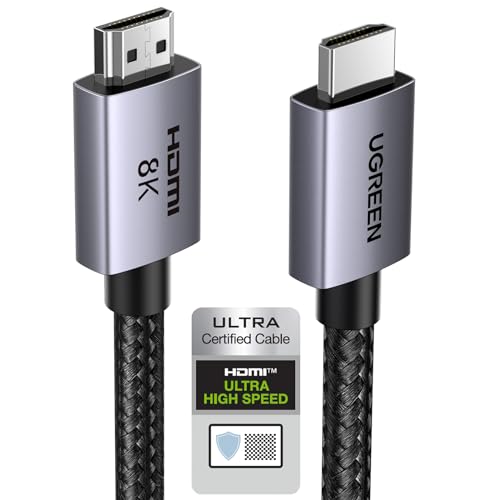
UGREEN 8K HDMI 2.1 Cable
If the bar includes a wireless subwoofer or surrounds, pair those after the main TV-to-bar connection is stable. Same principle applies here: finish the main audio path first, then add the extra speakers, not the other way around.
That order is also why buyers looking for simple everyday setups often lean toward the simpler picks in our best soundbar roundup or the best soundbars for small rooms roundup, because simpler hardware usually means fewer setup variables.
Get Studio Tips Weekly
Join 5,000+ creators getting acoustic treatment advice every week.
No spam. Unsubscribe anytime.How Do You Fix Common Soundbar Pairing Failures?
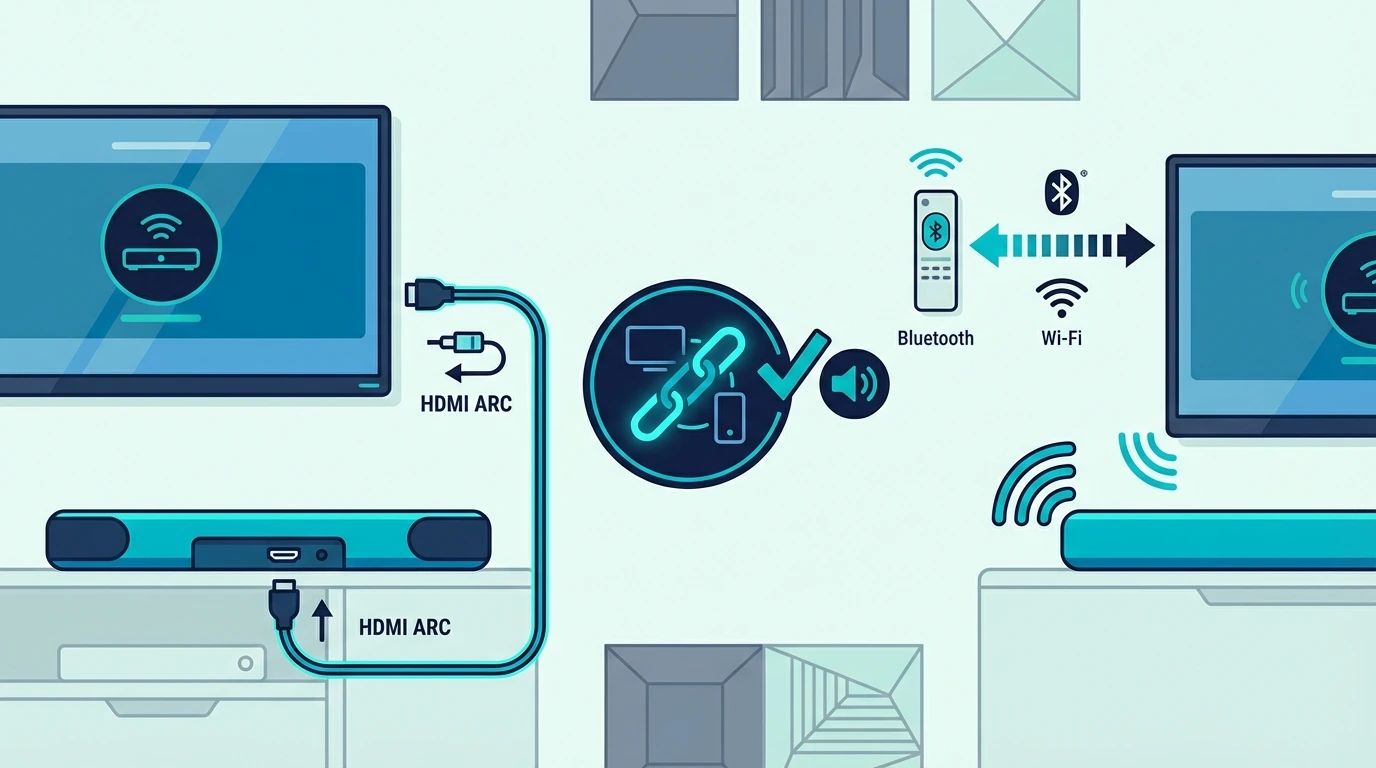
Now that the wired setup is sorted, pairing problems make more sense. Most pairing failures happen because the TV and the soundbar are trying to use different connection methods at the same time.
If you are using HDMI ARC, pairing in the Bluetooth sense is usually not the real goal. You want the TV audio output on the soundbar, the soundbar on the correct input, and CEC or HDMI control enabled so both devices talk to each other properly.
Bluetooth pairing becomes relevant only when you are setting the soundbar up wirelessly. In that case, put the soundbar in pairing mode first, then open the TV Bluetooth audio menu and connect it there instead of expecting the TV to discover the soundbar automatically.
If the TV keeps failing to pair, clear old Bluetooth devices, reboot both units, and move back to HDMI or optical if you care more about stable TV audio than cable-free convenience. Wireless setup can work, but it is usually the least dependable path for everyday movie or gaming use.
This is where brand and room context matter too. People often end up with smoother results after comparing the more user-friendly options in our best Samsung soundbar guide, the best Sony soundbar roundup, or the more flexible picks in our best soundbars for music guide. On budget brands like ONN, where pairing inconsistencies follow from button-layout shifts across the same model year, a factory reset followed by re-pairing the wireless subwoofer and re-doing the TV-to-bar handshake is the brand-specific recovery path before you blame the soundbar.
How Do You Connect a Soundbar If the TV Has No ARC?
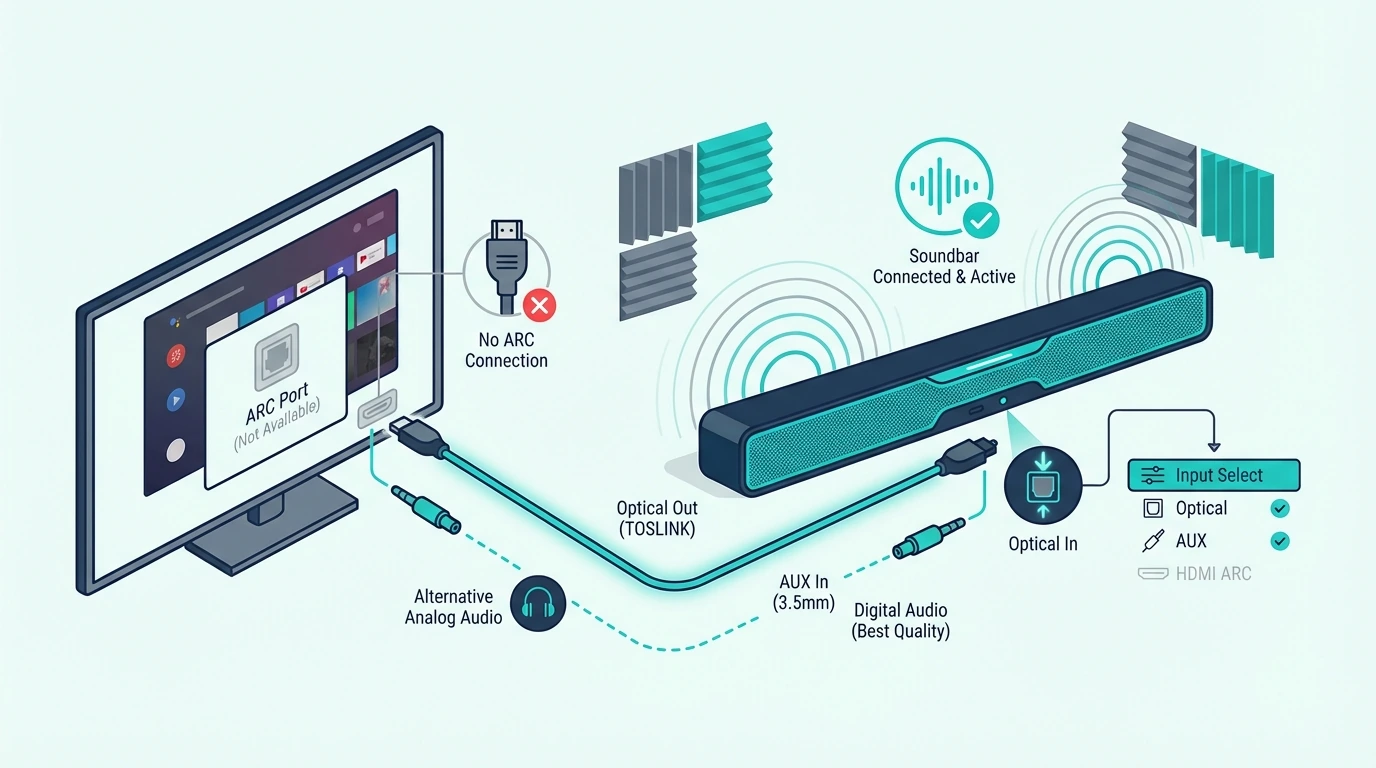
With pairing out of the way, the next common setup question is what to do when the TV has HDMI but no ARC. This is where people assume any HDMI port will behave like ARC, and that is exactly what creates silent setups.
If the TV does not support ARC or eARC, a normal HDMI connection from the TV to the soundbar usually will not send TV audio back. The better workaround is to connect your source device into the soundbar first, then pass video forward to the TV, but only if the soundbar has real HDMI input.
That setup works especially well for streamers, consoles, and movie-focused systems because the soundbar gets audio first and the TV only handles the picture. It is one of the reasons bars in our best Dolby Atmos soundbar guide, gaming soundbar roundup, and best soundbars for projectors guide often feel easier to build around when they include proper HDMI input.
When you need a cable aimed specifically at ARC or eARC-capable gear for the TVs and bars that do support it, the Silkland 8K HDMI ARC/eARC Cable is a solid known-good option. But if the TV truly has no ARC, the better fix is not a different HDMI cable; it is a different connection method.
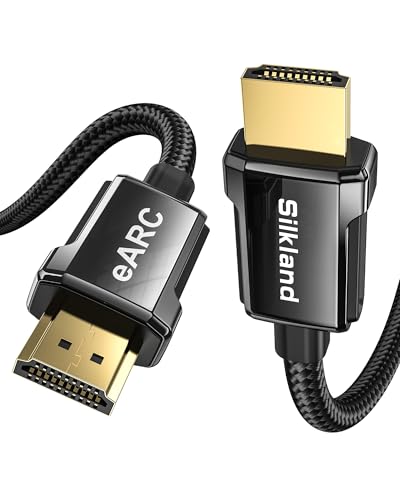
Silkland 8K HDMI ARC/eARC Cable
Once you choose that hub order, run one clean test on that exact path before you add consoles, cable boxes, or Bluetooth back into the mix. That is the fastest way to catch a bad input choice while every cable is still easy to reach.
That linkback to the earlier setup logic is the real key. The port type decides the method, and the method decides whether the rest of the setup even has a chance to work.
When Should You Use Optical for a Soundbar?
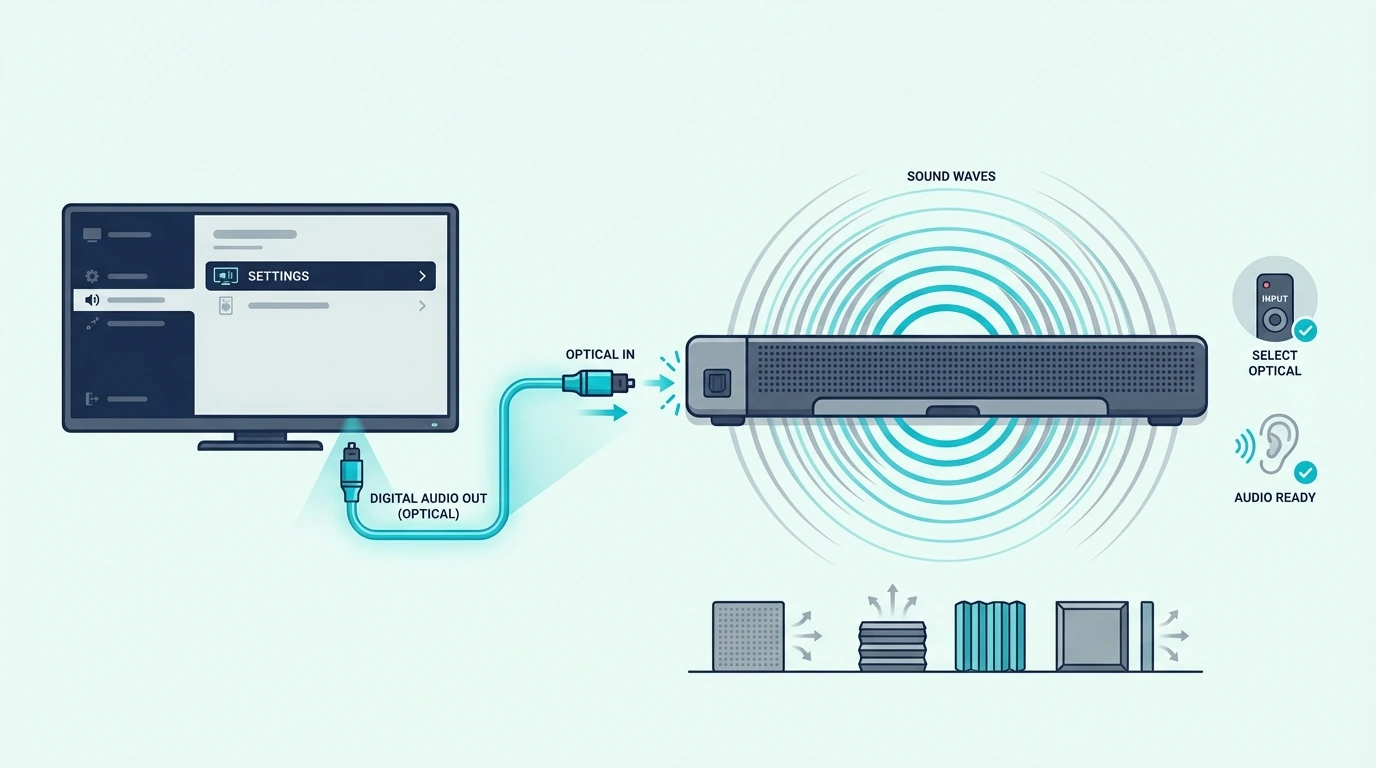
Once you know HDMI without ARC is limited, optical becomes the clean fallback. Optical setup is not flashy, but it works well when the TV does not support ARC, the handshake is unstable, or you simply want a straightforward digital audio path.
Connect the optical cable from the TV’s Digital Audio Out or Optical Out port to the soundbar’s optical input. Then switch the soundbar to the matching optical input instead of leaving it on HDMI or Bluetooth.
Switching the TV Audio Output
The next step is the TV menu. Set the TV audio output to optical, external speaker, or audio system depending on the brand, because the optical cable does nothing if the TV still routes TV audio to its internal speakers.
Then keep your expectations realistic. Optical is great for stable TV audio, but it is not the same as a modern eARC setup for higher-bandwidth formats, so it fits best when reliability matters more than squeezing every surround format out of the chain.
A dependable fallback like the KabelDirekt TOSLINK Optical Audio Cable fits this job well. It is also a natural setup path for bars in the best budget soundbar roundup, the best LG soundbar guide, and the main best soundbar list when the TV side is older than the soundbar itself.
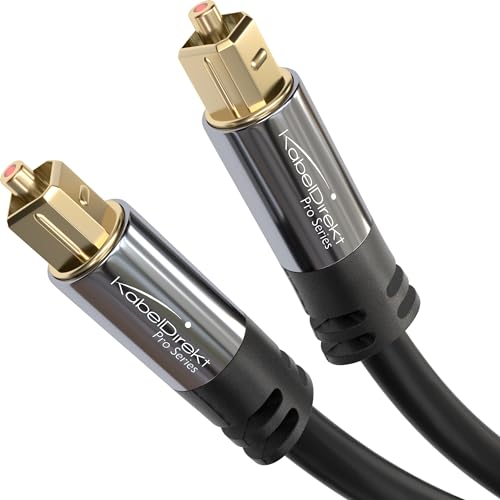
KabelDirekt TOSLINK Optical Audio Cable
That is the real win with optical: it is rarely the fanciest route, but it is often the fastest way to finish the setup and get stable audio output the same day.
The Bottom Line
How to set up a sound bar comes down to choosing the right path first and then finishing the TV and soundbar settings in order. HDMI ARC or eARC should be your first setup option when both devices support it, optical is the best fallback when they do not, and Bluetooth works best as a convenience feature rather than the default answer.
If you remember the setup sequence from above, the whole process gets much easier: place the bar correctly, leave the ports reachable, choose the right connection, switch the TV audio output, confirm the soundbar input, and only then troubleshoot pairing or format issues. Most setup problems are really order-of-operations problems.
If you want help choosing a bar that is easier to live with after setup, the best next pages are the best soundbar roundup, the best soundbars for small rooms roundup, and the broader soundbar hub.
Frequently Asked Questions
Does it matter which HDMI port I use for a soundbar?
Yes. If you want TV audio to return to the soundbar over HDMI, you need the TV port labeled ARC or eARC, not just any HDMI input.
How do I connect my speaker bar to my TV?
The best first method is HDMI ARC or eARC if both devices support it. If they do not, use optical and then change the TV audio output to the soundbar in the settings menu.
Do you connect soundbar to TV or cable box?
If the TV supports ARC or eARC, the simplest setup is usually sources into the TV and one ARC or eARC cable from the TV to the soundbar. If the TV has no ARC but the soundbar has HDMI input, connecting the cable box through the soundbar first can be the better path.
How To Connect Tv To Soundbar Via Bluetooth?
Put the soundbar in pairing mode, open the TV Bluetooth audio menu, and select the soundbar there. Bluetooth works best for convenience, but HDMI or optical is usually more stable for everyday TV use.
What wires do you need for a soundbar?
Most setups use one HDMI cable for ARC or eARC, or one optical cable if ARC is unavailable. Some systems also need a second HDMI cable when a source device connects through the soundbar first instead of through the TV.
Do sound bars need to be plugged in?
Yes — a soundbar still needs power even when the audio signal comes through HDMI, optical, or Bluetooth. The audio cable carries sound, but the power cable is what actually turns the unit on and lets it amplify the signal.