Bitstream vs PCM for Soundbar: Which Setting Preserves Surround? [2026]

The bitstream vs PCM for soundbar question shows up when you dig into your TV’s audio output settings and find two options with no explanation. Pick wrong and nothing breaks — but your soundbar might silently drop from 5.1 surround to plain stereo without any warning on screen.
Bitstream sends the original Dolby or DTS stream to the soundbar, while PCM means something upstream decoded the audio first and is now sending raw audio instead. That sounds harmless until HDMI ARC or optical bandwidth forces the TV to collapse a surround mix into two channels.
Once you match the setting to your connection type, your soundbar can actually receive the format the movie or show was mixed in. That is what keeps dialogue separation, surround effects, and Atmos metadata intact instead of quietly flattened.
Below, we explain what each setting does, when PCM is genuinely fine, and how to confirm your soundbar is getting proper surround audio instead of an accidental stereo downmix.
Use bitstream for most soundbar setups, especially over HDMI ARC or optical. It preserves Dolby Digital, DTS, and most TV-app Atmos streams so the soundbar can decode them itself.
Use PCM only when your full chain supports multi-channel PCM correctly, which usually means HDMI eARC or a source device like a console outputting LPCM. Over standard HDMI ARC, PCM usually means stereo only.
What Do PCM and Bitstream Actually Do on a Soundbar?
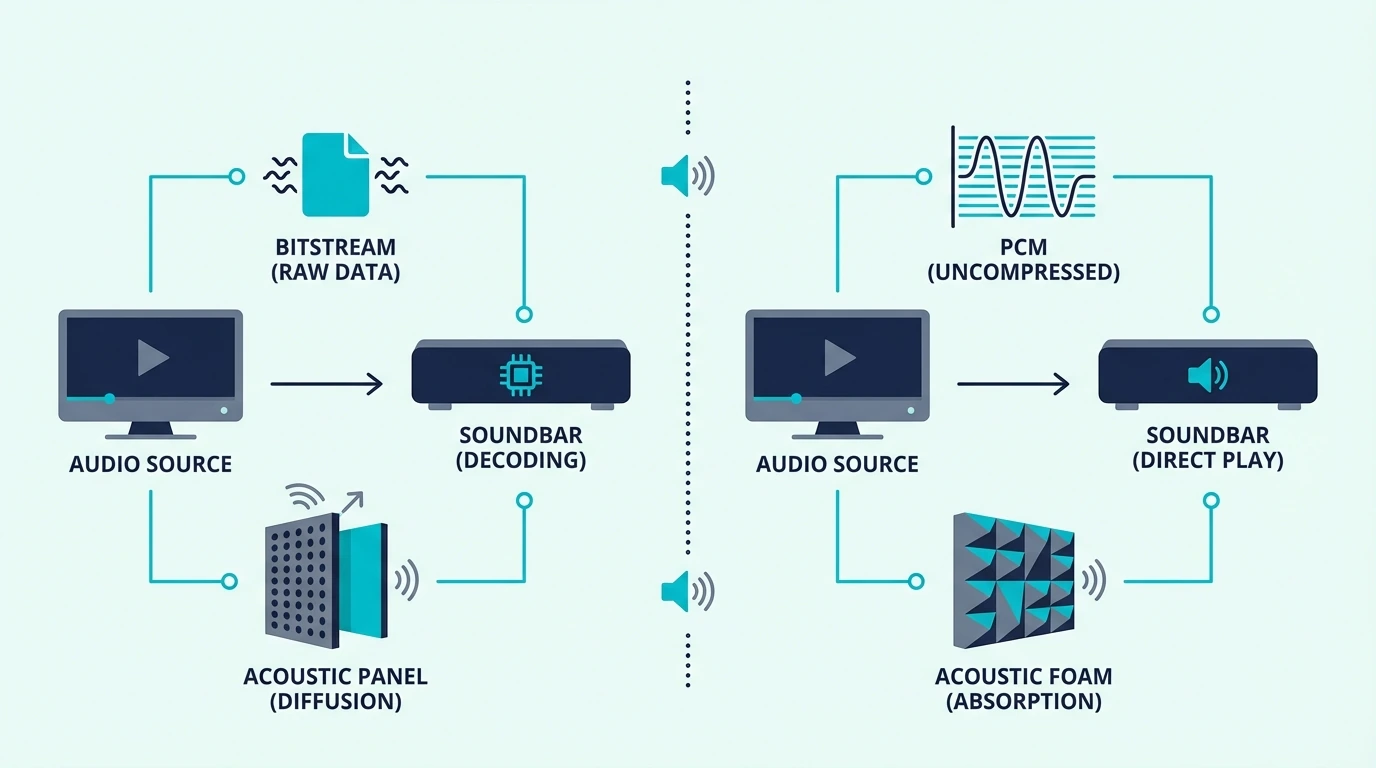
Both settings describe the same handoff point: the audio leaving your TV or source and heading to the soundbar. The real difference is which device decodes the soundtrack before it reaches the bar.
PCM: TV Decodes, Soundbar Receives Raw Audio
When you select PCM, your TV or source decodes the Dolby or DTS soundtrack internally and converts it into raw PCM audio before sending it onward. The soundbar then plays what it receives instead of decoding the original bitstream itself.
PCM is not a bad format by itself. The problem is that uncompressed multi-channel PCM needs more bandwidth than standard HDMI ARC or optical usually provide.
That is where most setups go wrong. A TV can decode a 5.1 soundtrack perfectly, then downmix it to 2-channel PCM because ARC cannot carry all six raw channels.
If your soundbar already shows PCM when you expected surround, our why does my soundbar say PCM guide walks through that symptom from the troubleshooting side. The short version is that the soundbar is only telling you what it received, not what the movie originally contained.
Bitstream: TV Passes Through, Soundbar Decodes
When you select bitstream, the TV sends the original encoded audio stream to the soundbar without decoding it first. The soundbar does the Dolby, DTS, or Atmos decoding with its own hardware.
That approach is usually safer on soundbars because compressed surround formats fit within HDMI ARC and optical bandwidth much more easily than multi-channel PCM. It also preserves the format flags your soundbar uses to switch into Dolby Digital, DTS, or Atmos playback.
If you bought an Atmos-capable bar like the Bose Smart Dolby Atmos Soundbar, bitstream or passthrough is the default that keeps those immersive formats intact. Switch the TV to PCM and the bar may still play audio, but it is much easier for the TV to strip away the metadata the bar needs to identify the incoming format correctly.
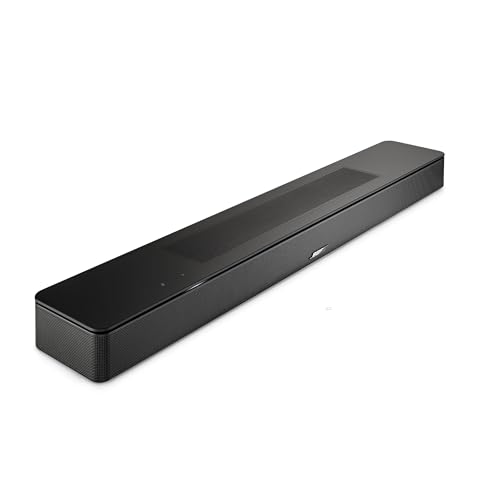
Bose Smart Dolby Atmos Soundbar
How Your Connection Type Changes the Answer
Over HDMI ARC, bitstream is the right default for almost everyone. ARC comfortably carries Dolby Digital 5.1 and similar compressed formats, but it usually cannot carry uncompressed multi-channel PCM from a TV menu setting.
Over HDMI eARC, the answer becomes more nuanced. eARC has enough bandwidth for multi-channel PCM, so PCM can be perfectly valid if both devices support it properly and the source is intentionally outputting LPCM.
That matters most with game consoles and some streaming boxes. Our HDMI vs HDMI ARC guide breaks down why eARC changes the bandwidth limits that make PCM risky on standard ARC.
For streaming apps built into the TV, bitstream is still the safer default. It asks the TV to pass Dolby Digital, Dolby Digital Plus, or Atmos through instead of reprocessing the audio first.
Over optical (TOSLINK), bandwidth is tighter than ARC. Optical supports PCM stereo and compressed Dolby Digital 5.1, but not lossless Atmos, DTS:X, or full multi-channel PCM, which is why our HDMI vs optical guide recommends HDMI whenever you have the option.
When Should You Use Bitstream or PCM?
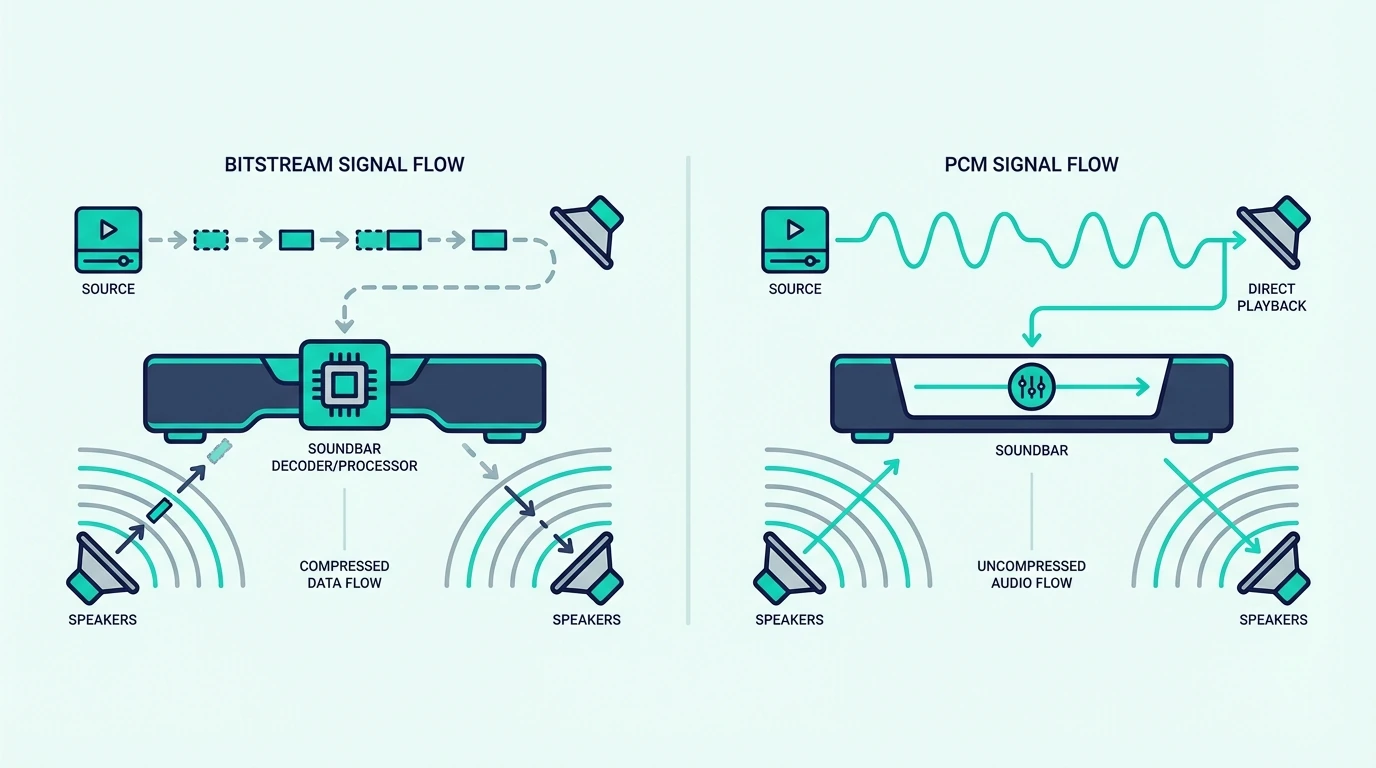
The right choice depends on your hardware, connection type, and the specific device creating the audio signal. The goal is not to choose the better-sounding word in the menu, but the setting that preserves the format your soundbar can actually use.
Use Bitstream If…
You have a standard HDMI ARC or optical connection. That is the most common soundbar setup, and bitstream is what lets Dolby Digital 5.1 survive the trip.
You use TV streaming apps or watch movies where the soundtrack is already encoded in Dolby Digital, Dolby Digital Plus, DTS, or Atmos. In that scenario, passing the original stream through is simpler and usually more reliable than asking the TV to decode first.
A 3.1 bar like the Amazon Fire TV Soundbar Plus depends on receiving a surround-capable signal to do anything useful with its center channel and Atmos processing. Set the chain to PCM over standard ARC and you risk turning that setup into plain stereo at the handoff point.

Amazon Fire TV Soundbar Plus
Your soundbar’s front display or app confirms the format after the switch. If it changes from PCM or Stereo to Dolby Digital, DD+, or Atmos, you fixed the actual signal path instead of guessing.
Use PCM If…
You have HDMI eARC on both devices and you know the source is sending multi-channel PCM correctly. That usually applies to consoles, some media boxes, and a few TVs that handle LPCM passthrough cleanly.
You are troubleshooting a format-handshake issue. If bitstream causes silence on DTS content or weird lip-sync behavior, PCM over eARC can be a valid fallback while you isolate whether the source, TV, or soundbar is rejecting the original format.
On a simple front-stage bar like the Amazon Fire TV Soundbar, the audible difference between PCM and bitstream is smaller for stereo-first use. A bar with no rear channels or height speakers has less to lose than a true surround or Atmos model.
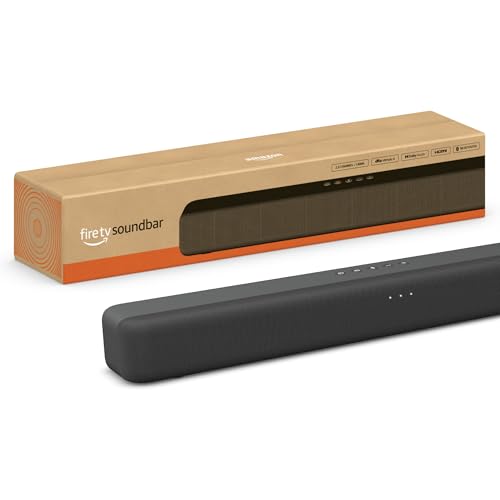
Amazon Fire TV Soundbar
The Quick Decision
For most soundbar owners, choose bitstream or passthrough and leave it there. That is the safest default for ARC, optical, TV apps, and Dolby or Atmos playback.
Use PCM only when eARC is present and you have a specific reason to trust or prefer multi-channel PCM from the source. If your setup is not one of those edge cases, PCM is more likely to hide a downmix than improve quality.
How to verify it’s working: Play a known 5.1 or Atmos title and check the soundbar’s display or companion app. It should show a surround format such as Dolby Digital, Dolby Digital Plus, or Atmos instead of PCM or Stereo.
If you want a quick primer on channel counts, our what soundbar channel numbers mean guide explains the numbering. For setup help, our soundbar to TV connection guide covers the full wiring and menu flow.
If you still need the ARC-specific setup path, our how to use HDMI ARC with a soundbar guide walks through the menu flow device by device.
Get Studio Tips Weekly
Join 5,000+ creators getting acoustic treatment advice every week.
No spam. Unsubscribe anytime.The Bottom Line
Bitstream is the correct default for most soundbar setups because it preserves the original surround format instead of asking the TV to translate it first. That matters most on HDMI ARC, optical, and TV-app playback.
PCM is only the better choice when the entire chain supports multi-channel PCM cleanly, which usually means eARC and a source device that was meant to output LPCM in the first place. In other words, PCM can be right, but it is not the safe blind default.
If you are comparing PCM against Dolby Digital specifically, our PCM vs Dolby Digital guide covers that branch of the decision. If you want the fundamentals before you keep tweaking settings, start with our what is a soundbar guide.
Frequently Asked Questions
Is bitstream or PCM better for sound?
Neither is inherently higher quality in a vacuum. The real question is whether your connection can still carry the signal after decoding.
For most TV-to-soundbar setups on ARC or optical, bitstream is better because it keeps the surround stream compressed until the soundbar decodes it. PCM becomes competitive only when eARC and multi-channel PCM support are both present.
Should I use PCM with my soundbar?
Use PCM only if you have eARC or a source device that is intentionally outputting multi-channel PCM. If your TV is on standard ARC and the bar suddenly shows PCM, you are usually looking at a stereo downmix rather than a premium mode.
Should I set my TV to bitstream or PCM?
Set the TV to bitstream, passthrough, or auto/passthrough for most soundbars. Switch to PCM only when you are solving a known compatibility issue or you have confirmed that your eARC chain is carrying multi-channel PCM correctly.
Can PCM still be surround on a soundbar?
Yes, but usually only when the source, TV, and soundbar all support multi-channel PCM and the link is eARC rather than standard ARC or optical. That is why gamers with eARC sometimes use PCM successfully while TV-app users on ARC usually should not.
What are the disadvantages of bitstream?
Bitstream depends on format compatibility. If the source sends DTS and the soundbar cannot decode DTS, you may get silence, stereo fallback, or a forced format change upstream.
This is most common with Blu-ray discs or older media boxes that default to DTS. The fix is to switch that source to PCM or Dolby Digital, not to assume bitstream is always broken.