Can a Samsung Subwoofer Work Without the Soundbar? What Actually Works

No, a Samsung subwoofer without its soundbar has nothing to play, and no cable or app turns it into a standalone speaker.
The soundbar died, got replaced, or never came in the box you bought secondhand. Now there’s a heavy black box on the floor that powers on, glows blue, and makes no sound.
It’s frustrating because the sub has its own amplifier and a big driver. Everything about it looks like it should play bass on its own.
The catch sits on the back panel, and it explains why TVs, phones and other soundbars can’t talk to it.
Below you’ll see why the link is locked, which replacements can reuse the sub, and the setup that actually gets deep bass to a TV without a soundbar.
Can a Samsung Subwoofer Work Without the Soundbar?
That blue glow is the sub waiting for a partner it can’t find. Samsung’s own setup guide says the subwoofer “is configured to connect with the included soundbar only” (Samsung support).
Turn the sub around and you’ll usually find two things: a power socket and a small ID SET button. There’s no RCA jack, no optical port and no HDMI input for a TV cable.
So the answer doesn’t change with the model year. Without its soundbar, the sub has no way to receive sound.
What the ID SET Button Does
That button only re-links the sub to its own bar. Samsung’s steps have you hold it until the blue LED blinks quickly, then hold Mute on the soundbar remote until “ID SET” shows on the bar’s display.
Nothing in that process pairs the sub with a TV or a phone. If the link drops between the two original units, our guide on how to pair a subwoofer to a soundbar covers the fix step by step.
Why Won’t a Soundbar Subwoofer Take a Signal From Anything Else?
That missing input is deliberate. The soundbar does the thinking, and the sub just follows its orders.
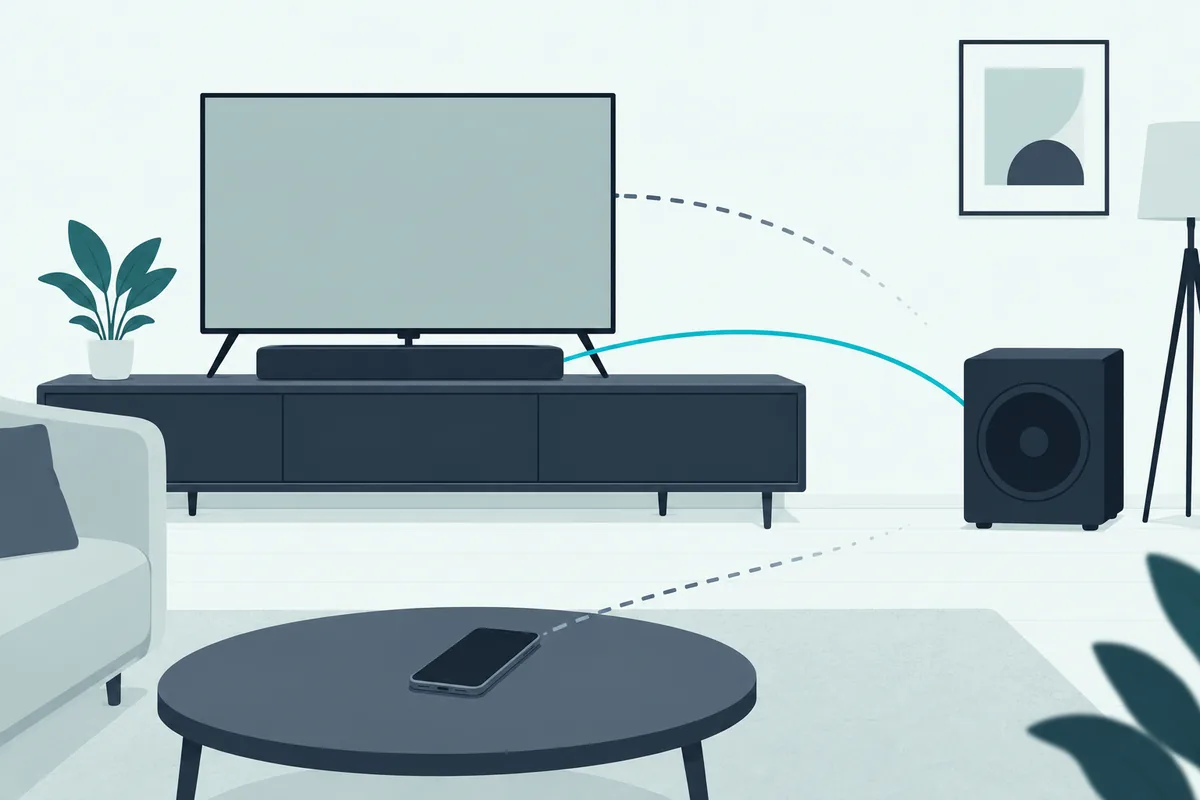
Inside the bar, a crossover splits the audio. Low notes go to the sub over a private wireless link, and everything else stays in the bar’s own drivers.
The bar also sets the bass level, the sound mode and the volume. The sub receives a signal that’s already been filtered and shaped, so it has no controls or inputs of its own to handle raw audio.
Why Bluetooth Won’t Work Either
That private link isn’t Bluetooth, so a phone won’t find the sub in its device list. It’s a closed connection that only the matched soundbar knows how to use.
That’s also why a universal remote or a TV’s settings menu can’t see the sub. There’s nothing on the TV’s side that speaks its language.
Get Studio Tips Weekly
Join 5,000+ creators getting acoustic treatment advice every week.
No spam. Unsubscribe anytime.Do Vizio, LG and Sony Subwoofers Work the Same Way?
That locked link isn’t a Samsung quirk. Bundled wireless subs from the other big soundbar brands are built the same way, paired to the bar they came with.
Where brands differ is in the subs they sell separately. Samsung, for example, sells the SWA-W510 as a wireless subwoofer “for S-Series soundbars” (Samsung US).
Even those add-on subs are tied to a named soundbar family. Check the maker’s compatibility list before buying a used sub or a used bar to match one.
Vizio owners get the same answer, with one twist covered in Burton Acoustix’s Vizio subwoofer guide: on its 5.1 sets, the rear speakers plug into the sub.
Can a New Soundbar Use Your Old Subwoofer?
That compatibility list is also the only way an old sub gets a second life. If the new bar is the same model, or the maker lists your sub for it, the two can usually be linked with the same ID SET process.

A different series, or a different brand, won’t pair. There’s no adapter that bridges one maker’s wireless link to another’s.
If you’re shopping for a new bar anyway, it helps to know whether you can connect subwoofer speakers to a soundbar. Some bars accept a wired sub, and some accept nothing extra at all.
How Do You Add Bass to a TV Without a Soundbar?
So the old sub can’t fill the gap, but a regular powered subwoofer can. Home-audio subs have a line or LFE input and their own crossover, which is exactly what a soundbar’s sub is missing.

The job is getting a line-level signal out of the TV. Which route you take depends on the ports on the back of your TV.
Use the TV’s Analog Audio Out
If your TV still has an RCA or 3.5 mm audio output, that’s the simplest route. Run it to the sub’s line input with an RCA cable or a 3.5 mm-to-RCA lead.
Check your TV’s manual first. On many TVs, plugging into the headphone jack mutes the built-in speakers, so look for a separate line-out or a setting that keeps both playing.
Convert Optical or HDMI ARC to Analog
Most newer TVs drop that analog jack and only offer digital audio out. A small digital-to-analog converter turns the optical signal into RCA outputs that a powered sub can use.
If your TV only has HDMI ARC, an ARC audio extractor does the same job. The trade-offs between those two connections are covered here.
Run Everything Through an AV Receiver
Both of those adapters feed one sub, but a receiver is the cleanest option if you want speakers as well as bass. It takes the TV’s audio over HDMI ARC or optical and sends low frequencies to a dedicated subwoofer output.
That also puts bass management in one place. The receiver decides what goes to the sub instead of relying on the sub’s own dial.
The Denon AVR-S570BT is one example: it has two subwoofer outputs and 8K HDMI connections for your TV. You add your own speakers and a powered sub to it.
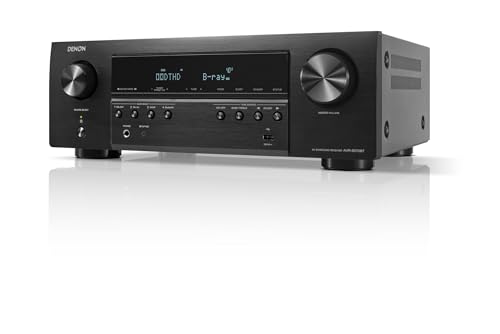
Denon AVR-S570BT
Set the Crossover So It Blends
Once the sub is connected, its low-pass control does the blending. Start around 80 to 120 Hz and adjust until voices don’t sound boomy and the bass doesn’t feel detached from the picture.
Keep in mind that a single sub fed this way plays mono bass. That’s normal, because low notes are hard to place in a room anyway.
What Should You Do With a Spare Soundbar Subwoofer?
That leaves the old sub itself. If you ever buy the matching soundbar secondhand, it’ll pair again, so it’s worth keeping while you decide.
Otherwise, sell it as a spare. Owners whose original sub failed often look for the exact model, and it’s worth more to them than to you.
If the soundbar itself died and you’d rather replace the whole set, the Samsung HW-B630F comes with its own wireless subwoofer and a center speaker for voices.
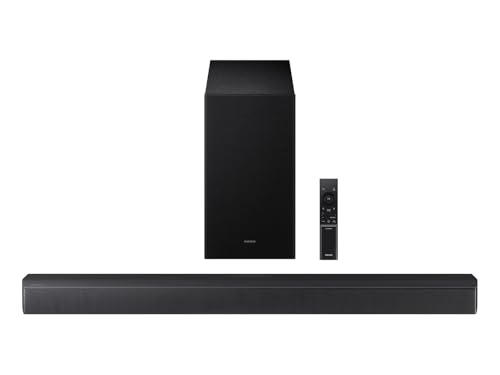
Samsung HW-B630F
On a tighter budget, the Samsung HW-B550F includes a wireless subwoofer too, just without the center speaker.
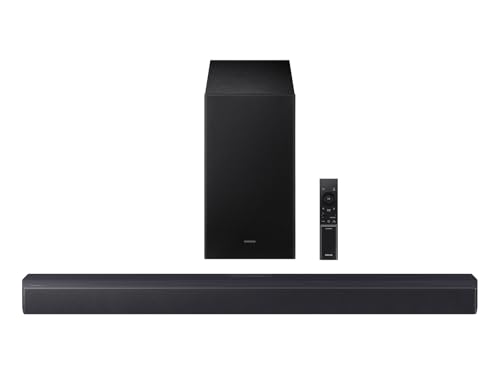
Samsung HW-B550F
If you’d rather step up, the Samsung HW-Q800F adds Dolby Atmos with side and top speakers.
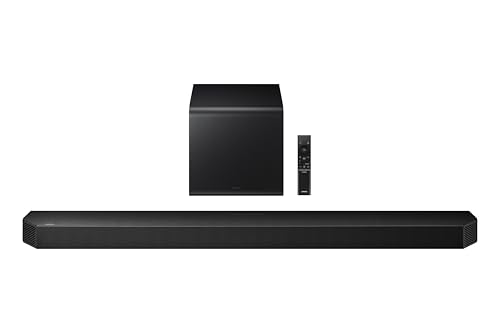
Samsung HW-Q800F
You’ll also find guides that open the case and wire the driver to an outside amplifier. That’s a rebuild rather than a hookup, it voids any warranty, and it means working near mains power inside the cabinet.
Before replacing anything, it’s also worth asking whether you need a sub at all. The honest answer depends on your room and what you watch, which this room-by-room breakdown works through.
Frequently Asked Questions
Can I use a Samsung subwoofer with a different Samsung soundbar?
Only if Samsung lists that sub as compatible with the new bar. Bundled subs are set up for the bar they came with, and add-on subs such as the SWA-W510 are sold for a named soundbar series.
Does a Samsung wireless subwoofer have an input jack?
Most models don’t. The back panel typically has a power socket and an ID SET button, with no RCA, optical or HDMI input for other devices.
Can a soundbar subwoofer connect to my phone over Bluetooth?
No. The link between the bar and the sub isn’t Bluetooth, so a phone can’t find or pair with the sub on its own.