Are All Sound Bars Wireless? What a Wireless Soundbar Still Needs
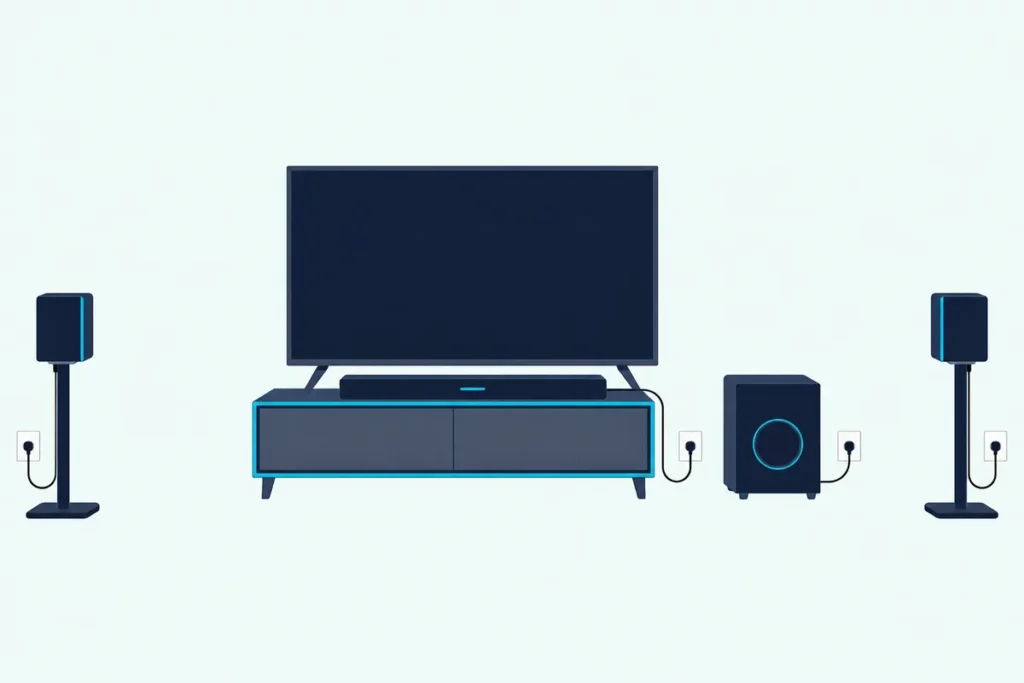
The short answer to “are all sound bars wireless?” is no: a soundbar runs on a power cord, and its best link to the TV is still an HDMI cable.
The box says wireless, so separate power cords for the bar, the subwoofer and each rear speaker come as a surprise.
Once you know which links really go over the air, you can pick a setup that hides the cables you mind and keeps the one that carries the best sound.
Makers use the word for four different things: Bluetooth from a phone or TV, Wi-Fi streaming, a subwoofer and rear speakers that link to the bar, and on matched TVs, the TV sound itself.
Each one is checked below against the makers’ own manuals, from the outlet behind the subwoofer to the TV menu that sends sound through the air.
Are All Sound Bars Wireless?
That power cord is the first thing the word wireless leaves out. No: every TV soundbar covered here, from Samsung, LG, Sony, Sonos, Vizio and Roku, runs on a power cord, and Samsung’s page for its HW-Q990F adds that even with a Wi-Fi link to the TV, the “Soundbar requires mains power connection.”
What can go wireless is the link between the boxes. Four links can skip the cable, and the power cord isn’t one of them:
| Part of the setup | Can it be wireless? | What still needs a cable |
|---|---|---|
| The soundbar itself | No | A power cord to an outlet |
| TV sound | Sometimes: Bluetooth, or Wi-Fi with a TV from the same maker | An HDMI or optical cable on every other setup |
| Subwoofer | Yes, the signal from the bar | Its own power cord |
| Rear speakers | Yes, the signal from the bar | Power for each speaker or receiver box, or a cable to the subwoofer |
| Music from a phone | Yes, over Bluetooth or Wi-Fi | Nothing extra |
A real box shows how this adds up. Samsung’s HW-Q990D comes with power cords for the bar, the subwoofer and each surround speaker, and its manual plugs in the subwoofer first, then the left and right surrounds, then the bar, so a set sold as wireless fills four outlets.
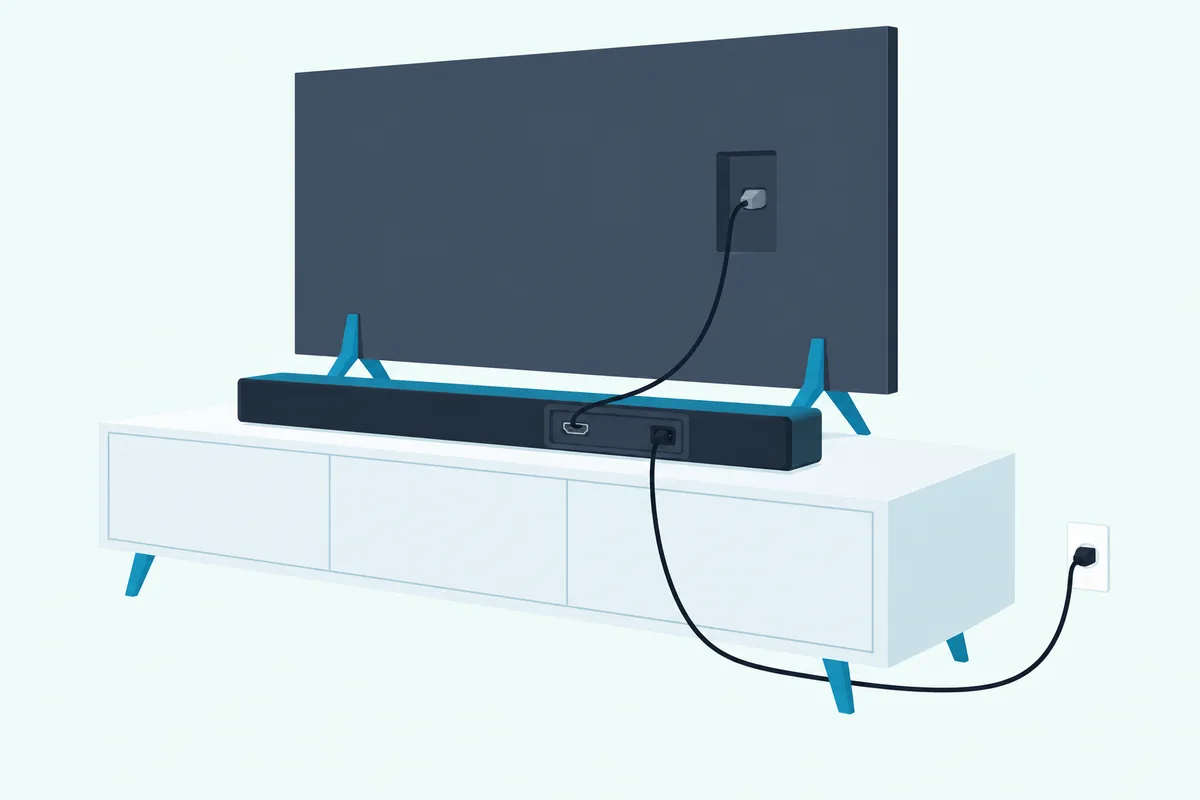
LG’s S95TR manual follows the same order, with a power cable and an outlet for the wireless subwoofer, each wireless rear speaker and then the bar. Once they’re powered, the subwoofer and rears find the bar on their own, and the lights on their backs turn green when the link is up.
So “wireless” on a soundbar box describes the signal paths between the parts, not the plugs.
How Does a Soundbar Get Power?
Those four outlets lead to the question people type next. A soundbar gets its power from a wall outlet through its own cord: Sony’s help guide for the BRAVIA Theatre Bar 7 says to connect the supplied AC power cord to the bar’s AC inlet, then to the outlet.
Bars sold as wireless start the same way. Roku’s setup page for its TV Wireless Soundbar says to “just connect the power cable and pair it,” using a nearby wall outlet or an extension cord, and Sonos’s Beam setup says to “connect it to power.”
The subwoofer and rear speakers are separate boxes with their own cords. Vizio’s manual for its SV510M-0806 5.1 system has you plug the subwoofer into an outlet, after which it “should automatically power on and link to the soundbar,” with its light turning solid to confirm.
Batteries are the rare exception, and only for rear speakers. Sony’s SA-RS5 rear speakers, an option for the BRAVIA Theatre Bar 7, have a built-in rechargeable battery, and Sony notes that switching them off on battery drops their connection until you press the power button again.
Try this before buying: find the outlets behind the TV and behind the sofa. Every box in a typical set needs one, and a battery speaker still has to be recharged.
Get Studio Tips Weekly
Join 5,000+ creators getting acoustic treatment advice every week.
No spam. Unsubscribe anytime.What Is Needed to Connect a Soundbar to a TV?
Power is the cable you can’t avoid, but the TV link is the one you get to choose. To connect a soundbar to a TV you need one of these links: an HDMI cable from the TV’s ARC or eARC port, an optical cable, Bluetooth, or a wireless link between a TV and bar from the same maker.
HDMI carries the most. HDMI Licensing Administrator, which licenses the HDMI standard, says eARC sends a TV’s audio to a soundbar through a single HDMI cable, with room for uncompressed 5.1 and 7.1, 32-channel audio, Dolby TrueHD, Dolby Atmos, DTS-HD Master Audio and DTS:X.
Plain ARC and optical carry less. LG’s guide for its 2024 TVs shows a Dolby Atmos soundtrack leaving the optical port as plain Dolby Digital, while ARC can pass it as Dolby Digital Plus with Atmos, and Dolby TrueHD itself or DTS:X goes out only over eARC.
Samsung’s buying guide puts the optical trade-off simply: an optical cable “can’t match the full bandwidth of audio signal like HDMI cables.” Its HW-Q990D manual adds that when both cables are plugged in, the bar takes the HDMI signal first.
Check the box before you buy cables. Samsung includes an HDMI cable with the HW-Q990D but not an optical one, and Sonos includes both an HDMI cable and an optical audio adapter with the Beam (Gen 2).
Sony’s BRAVIA Theatre Bar 7 lists only HDMI connections, an HDMI IN and an HDMI OUT (TV (eARC/ARC)), and its guide plays TV sound from a TV with eARC or ARC over an HDMI cable.
If your TV has an HDMI ARC or eARC port, this setup walkthrough covers the connection and settings. The trade-offs between cables are laid out in Burton Acoustix’s HDMI vs optical comparison, and Bluetooth gets the same treatment in this side-by-side comparison.
That HDMI cable can carry control signals too. Sonos notes that TV voice commands need the Beam on the TV’s HDMI-ARC input with HDMI-CEC turned on, and its commands for turning the TV on and off won’t work through the optical adapter.
Is There a Soundbar That Connects to a TV Wirelessly?
That leaves the two wireless TV links, the ones shoppers often mean by a wireless soundbar. Yes, a soundbar can take TV sound with no cable: over Bluetooth on TVs that have it, or over a maker’s own wireless link when the TV and bar share a brand, as with Samsung’s Wi-Fi link, LG WOWCAST and Roku’s TV Wireless Soundbar.

Bluetooth From the TV
Bluetooth works across brands, but it trades sound for convenience. Samsung’s HW-Q990D manual describes a Samsung TV on Bluetooth as giving “stereo sound without the hassle of cabling,” chosen under Bluetooth Speaker List in the TV’s Sound Output menu, and the bar lists SBC as its only Bluetooth codec.
LG’s 2024 TV guide is blunter about the risks. It says some Bluetooth devices may play “unsynchronized video and audio,” lists distance, obstacles, microwave ovens and wireless LAN as causes of stuttering, and recommends a wired connection if problems continue.
If Bluetooth is the only link your smart TV offers, our steps to connect a TV to a soundbar via Bluetooth cover the pairing.
Samsung TVs and Samsung Soundbars Over Wi-Fi
Samsung’s link runs over your home Wi-Fi, and only between Samsung products. The HW-Q990D manual says the Wi-Fi connection “is available only on Samsung TV,” that the TV and bar must join the same network, and that a router using a DFS channel can’t make the link.
On Samsung TVs from 2017 on, the bar then appears as Soundbar Q-Series (Wi-Fi) under Sound Output. Dolby Atmos over that link is narrower: Samsung’s page for the HW-Q800F says its Wireless Dolby Atmos transmission over Wi-Fi “works with 2022-2025 Samsung TVs.”
For a Samsung TV from those years, Samsung’s HW-Q800F with its wireless subwoofer can take Atmos from the TV without an HDMI cable and still has an HDMI eARC port for other TVs.
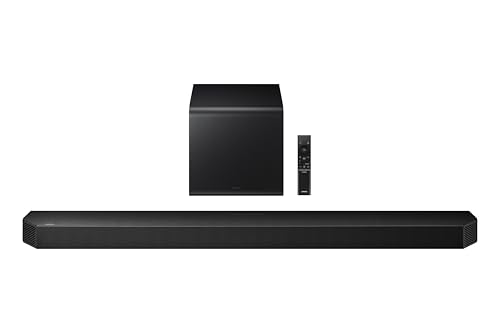
Samsung’s HW-Q800F with its wireless subwoofer
LG TVs With LG WOWCAST
LG’s version is called WOWCAST. LG’s 2024 TV guide says you can “enjoy rich sound without degraded quality” when you wirelessly connect a soundbar that supports LG WOWCAST, recommends a 5 GHz network, and warns that the link doesn’t run on 6 GHz or DFS channels.
Bars name it as a TV option: LG’s S95TR manual has you set the TV’s output speaker to HDMI ARC, Optical, LG WOWCAST or External Speaker. The TV guide adds that when an LG WOWCAST dongle is plugged in, the dongle connects first.
Roku TV and the Roku TV Wireless Soundbar
Roku’s bar is the simplest version, and the most limited. Roku says its TV Wireless Soundbar works only with a Roku TV, needs the TV on the internet and Roku OS 10.0 or higher, and pairs when you hold the remote’s Home button for 5 seconds and select Wireless Soundbar.
If the TV is wired to the internet with an Ethernet cable, Roku suggests switching it to Wi-Fi for pairing, then plugging the cable back in. Once the bar is set up, the TV’s own speakers turn off.
Do Wireless Sound Bars Work With Wi-Fi or Bluetooth?
Those TV links borrow the same two radios a bar uses for music, and the radios behave differently. Wireless sound bars work with Wi-Fi, Bluetooth or both, and the difference is the route: Bluetooth pairs a phone straight to the bar, while Wi-Fi joins your home network for app streaming and grouping.
Spec sheets show which you’re getting. Sony’s BRAVIA Theatre Bar 7 has both, Wi-Fi plus Bluetooth with the SBC, AAC and LDAC codecs, while Sonos’s list of its products with Bluetooth names the Arc Ultra and Beam Ultra among its soundbars but not the Beam (Gen 2) or Ray.
Wi-Fi can come first even on gear that has both. Sonos says an Era 100 must be set up on Wi-Fi before it can be used as a Bluetooth speaker, and a Beam has to be set up in the Sonos app before it plays TV audio at all.
How Far Does Bluetooth Reach?
That depends on the product, not on Bluetooth itself. The Bluetooth SIG puts the reliable range between devices anywhere from more than a kilometer to less than a meter, depending on the radios, the antennas and what stands between them.
Makers’ numbers show the spread. Vizio’s 5.1 manual gives Bluetooth “a range of up to 30 feet,” Samsung’s HW-A450 manual says the Bluetooth connection is lost past 32.8 ft (10 m), and Sony rates the BRAVIA Theatre Bar 7 at about 30 m (98.4 ft) in line of sight, adding that obstacles, a microwave oven or cordless phone use change the real figure.
Why Can Bluetooth Sound Worse?
Bluetooth squeezes the audio to fit the link. Vizio’s manual says so plainly: Bluetooth “is a compressed audio format, so streamed music may lose some integrity when compared to a wired connection.”
The codec decides how much is lost. Samsung’s HW-Q990D lists only SBC, the codec that comes with Bluetooth’s Classic Audio, and the Bluetooth SIG says its newer LC3 codec, part of LE Audio, sounds better than SBC even at half the bit rate.
What Does Wi-Fi Add?
A Wi-Fi bar plays music from a phone or tablet on the same home network, as Sony’s guide for the BRAVIA Theatre Bar 7 puts it, rather than through a direct pairing. Samsung’s HW-Q990D joins the network through the SmartThings app and supports AirPlay.
For multi-room listening, Samsung’s HW-Q800F page says group play reaches up to five devices on the same 5 GHz network. One catch on Samsung’s side: the HW-Q990D manual says the bar doesn’t support Wi-Fi 6.
If music matters as much as the TV, the Sonos Beam (Gen 2) keeps the TV on its HDMI cable while music arrives over your Wi-Fi, which every Sonos product joins, so phones reach it through the Sonos app rather than Bluetooth.
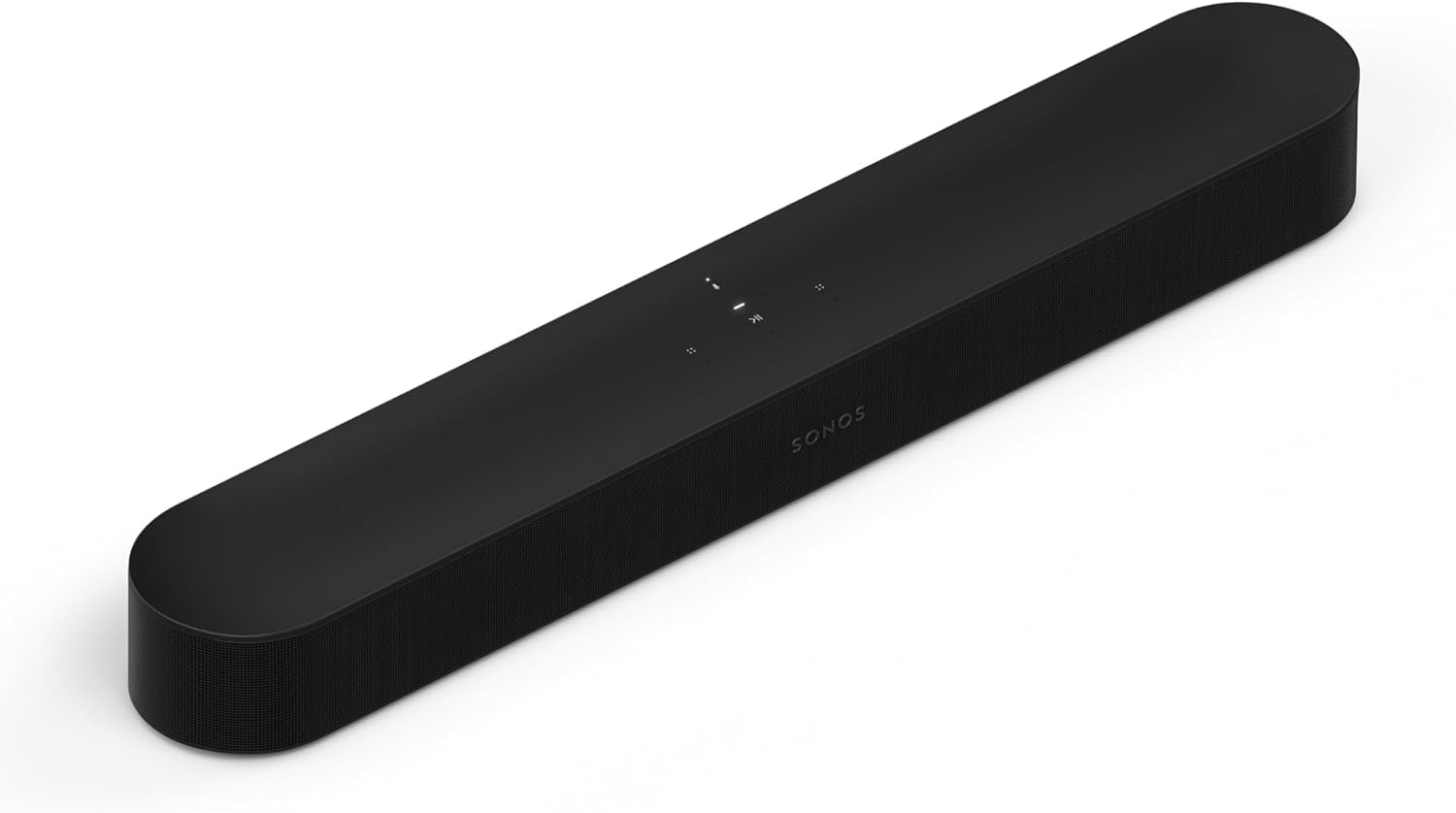
the Sonos Beam (Gen 2)
Are Wireless Subwoofers and Rear Speakers Really Wireless?
Those Wi-Fi and Bluetooth links reach outside the set, while a third wireless link stays inside it. Wireless subwoofers and rear speakers get their sound from the bar without a cable, but each still needs its own power, and some rear speakers are wired to a receiver box or to the subwoofer.
How Does the Subwoofer Link Work?
The bar sends the bass to its subwoofer over its own radio link, with antennas built into the subwoofer and surrounds on Samsung’s sets. Samsung rates that link at about 10 m (32.8 ft) and warns that a steel-concrete or metal wall between the parts may stop the system working, and its HW-A450 manual adds that devices on the same 5.8GHz frequency can cause sound interruptions.
LG asks for space around it too. Its S95TR manual says to keep the bar close to the subwoofer with nothing in between, and to leave at least 1 m between the system and devices with strong electromagnetic waves, such as wireless routers and microwave ovens.
A subwoofer that has lost its bar is a different story, as our look at using a Vizio subwoofer without its soundbar shows.
How Wireless Are Rear Speakers?
Rear speakers vary most from brand to brand. Bose says its Surround Speakers 700 need no wires from the front of the room to the back, but they “do require electrical power to power the wireless receivers,” and a speaker wire runs from each receiver to its speaker.
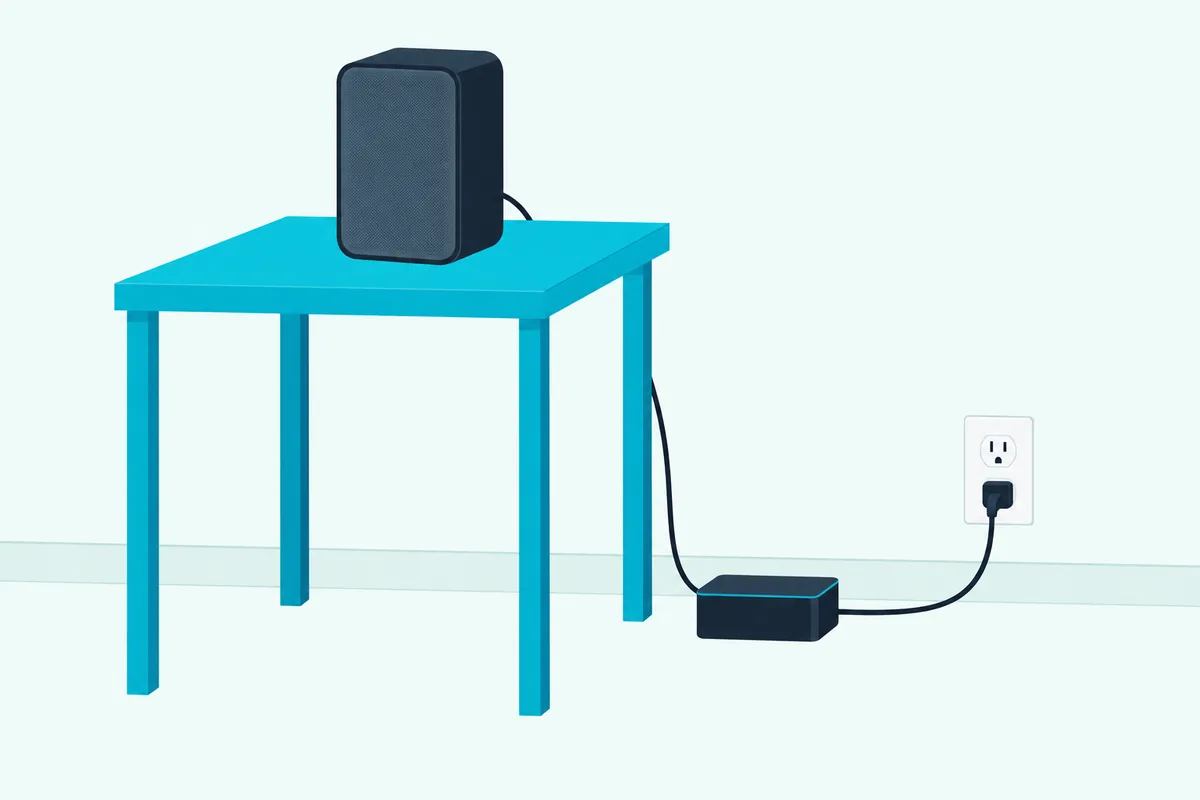
Samsung’s older SWA-9100S kit works the same way: the HW-A450 manual has you wire two surround speakers to a Wireless Receiver Module and plug the module into an outlet. Its newer SWA-9500S kit, Samsung’s HW-Q800F page notes, needs power cords for the right and left rear speakers.
Vizio’s 5.1 systems go halfway. The subwoofer links to the bar without a wire, but the two surround speakers plug into the subwoofer with color-coded cables, blue for left and gray for right, per Vizio’s SV510M-0806 manual.
Sonos surrounds connect wirelessly to what Sonos calls the home theater product, the bar, and Sonos asks for them in the same room with a line of sight to it. Each one, an Era 100 for example, still connects to power.
If your bar is a Samsung, the kit choices are covered in how to add surround speakers to a Samsung soundbar.
Are Sound Bars Completely Wireless?
Those power cords add up, which settles the question of a completely wireless setup. Sound bars aren’t completely wireless: even a Roku TV Wireless Soundbar on a Roku TV, which needs no audio cable at all, still runs on a power cord.
Counting the cables in each setup makes the pattern plain:
| Setup | Power cords | Signal cables |
|---|---|---|
| Sony BRAVIA Theatre Bar 7 on its own | 1 | 1 HDMI to the TV |
| Roku TV Wireless Soundbar with a Roku TV | 1 | None |
| Vizio SV510M-0806 5.1 system | 2, for the bar and subwoofer | 1 HDMI, plus 2 surround cables to the subwoofer |
| Samsung HW-Q990D with its subwoofer and surrounds | 4 | 1 HDMI, or none on a Samsung TV over Wi-Fi |
| Bose Surround Speakers 700 added to a Bose soundbar | 2 more, one per receiver | 2 speaker wires, receiver to speaker |
Across every row, wireless removes the signal cables that cross the room, never the power cord at each box. It works like a cordless phone: the handset is free to roam, but its base still plugs into the wall.
So the most cable-free layout puts the bar near an outlet and the TV, and an outlet near each subwoofer and rear speaker. Battery rear speakers like Sony’s SA-RS5 are a way around an outlet at the back of the room, as long as you recharge them.
Is a Wired or Wireless Soundbar Better for a TV?
Counting cables makes wireless look like the winner, but the cable that matters most is the one carrying the TV’s sound. For a TV, a wired HDMI eARC or ARC connection is the better link: Samsung’s buying guide says HDMI gives “optimal audio quality, ensuring a stable connection with minimal audio loss,” and it carries the Dolby Atmos soundtracks of movies to bars like the HW-Q990D from any brand of TV with the right port.
The exceptions are the matched pairs from earlier. Samsung’s Wireless Dolby Atmos carries Atmos over Wi-Fi, and LG says WOWCAST plays “without degraded quality,” but both need a TV and bar from the same maker.
What About Lip Sync?
Delay is the other cost of a wireless TV link. LG warns that some Bluetooth devices may play “unsynchronized video and audio.”
Bars include a manual fix for that. Samsung’s HW-Q990D has a Sync setting that delays the audio by 0 to 300 milliseconds, and Vizio’s V51x-J6 has an AV Delay level in its menu.
Which Is More Reliable?
Cables don’t share the air with anything else. Vizio lists wireless security cameras, wireless video baby monitors, cordless phones and microwave ovens as things that can affect Bluetooth range.
Samsung’s HW-Q990D manual says sound may jitter or lag when the subwoofer and surrounds sit far from the bar, or when the bar sits near a device that causes radio interference, such as a wireless router. A cable avoids that whole list.
So the setup that gets the most from both uses a cable for the TV’s sound and wireless for the speakers around the room. A wired soundbar for a TV, in other words, still benefits from a wireless subwoofer.
Are Wireless Soundbars Any Good?
That split also answers whether wireless soundbars are any good. Wireless soundbars are as good as their TV link: a bar with a wireless subwoofer and rears that takes the TV over HDMI eARC gets the full soundtrack, while a bar fed only over Bluetooth gets a compressed stereo stream.
The word wireless on the box isn’t a quality grade. As the sections above show, it can mean a Bluetooth chip or a full set of wireless speakers, so read the spec sheet instead.
Look for three things there: an HDMI port marked eARC or ARC, a Bluetooth codec list beyond SBC if you’ll stream from a phone, and Wi-Fi if you want app streaming or grouping.
If you’re still deciding whether a soundbar is worth buying at all, start there, because the wireless features only matter once the bar itself makes sense for your TV.
Which Soundbar Setup Fits Your TV and Room?
Put together, the choice comes down to your TV’s ports, your TV’s brand and where the outlets are. The setup that fits is the one whose TV link matches your TV: HDMI eARC or ARC where the TV has it, a wireless link when the TV and bar share a maker, and optical or Bluetooth as the fallback.
Your TV Is a Samsung, LG or Roku
A matched bar can take the TV’s sound without a cable. Samsung’s Wireless Dolby Atmos needs a 2022-2025 Samsung TV, LG WOWCAST needs an LG TV and a bar that supports it, and Roku’s wireless bar works only with a Roku TV.
Your TV Has No HDMI ARC
Optical is the next step, though LG’s format table shows an Atmos soundtrack reaching the bar over optical as plain Dolby Digital. Bluetooth from the TV is the last resort, with the stereo sound and delay risks covered above.
When the bar has no optical input or sits where a cable can’t reach, a Bluetooth transmitter on the TV’s audio output sends the sound over the air instead. The 1Mii B06TX transmitter takes optical, 3.5 mm or RCA audio, but its low-latency mode needs aptX-LL at the other end, and Samsung’s HW-Q990D, for one, lists only SBC.
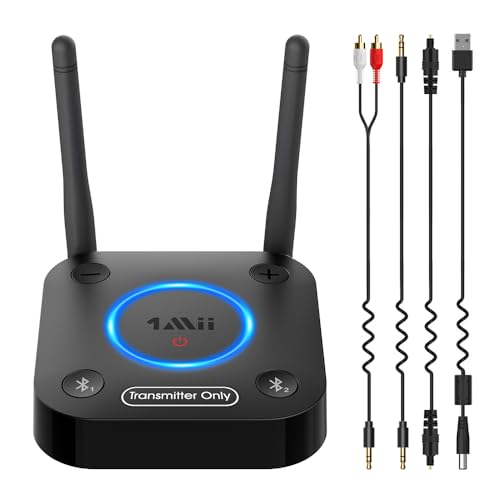
The 1Mii B06TX transmitter
You Rent or Can’t Run Cable
Wireless subwoofers and rear speakers suit rooms where no cable can cross the floor. You still need an outlet near each one, unless you choose battery rear speakers like Sony’s SA-RS5 and keep them charged.
You Mostly Stream Music
A Wi-Fi bar suits you best, with the TV still on HDMI. Check for Bluetooth too if guests will play from their phones, since not every Wi-Fi bar has it.
For picks across brands and budgets, see Burton Acoustix’s soundbar picks. Each card above was in stock on Amazon on 14 October 2026, and no prices appear because they change.
The Bottom Line
Whatever the box says, a soundbar still plugs into the wall, and so does each wireless subwoofer and each rear speaker or receiver box that gets its sound over the air, battery models aside. What wireless buys you is fewer signal cables: none across the floor to the subwoofer or rears, and on a matched Samsung, LG or Roku TV, none from the TV either.
For the best TV sound on any brand of TV, keep the HDMI eARC or ARC cable and let the speakers around the room go wireless.
Frequently Asked Questions
Do wireless soundbars need to be plugged in?
Yes. Every soundbar covered here runs on a power cord, and Samsung says even its bars that link to the TV over Wi-Fi need a mains power connection. Wireless subwoofers and rear speakers need power too: Bose’s Surround Speakers 700 plug in at their wireless receivers, and Samsung’s SWA-9500S rear speakers need their own power cords. The exception is a rear speaker with a built-in battery, such as Sony’s SA-RS5, which still has to be recharged.
Can a wireless soundbar work with any TV?
Over HDMI ARC or eARC, optical or Bluetooth, a soundbar works with any TV that has the matching port or Bluetooth audio, whatever the brand. The wireless TV links are tied to a brand: Samsung’s Wi-Fi connection works only with Samsung TVs, LG WOWCAST needs an LG TV and a bar that supports it, and Roku’s TV Wireless Soundbar works only with a Roku TV.
Does Bluetooth carry Dolby Atmos to a soundbar?
Not on Samsung’s bars, at least: the HW-Q990D manual describes Bluetooth from a Samsung TV as stereo sound, while Samsung’s Dolby Atmos routes are HDMI ARC or eARC and, on some models, Wi-Fi from a 2022-2025 Samsung TV. For Atmos from any other TV, connect the bar by HDMI to the TV’s ARC or eARC port.
How far can a wireless subwoofer be from the soundbar?
Samsung rates its bars’ wireless link to the subwoofer and surrounds at about 10 m (32.8 ft), and Bose gives its Surround Speakers 700 a range of about 30 ft. Walls cut that down: Samsung says a steel-concrete or metal wall between the bar and the subwoofer may stop the system working, and LG recommends keeping the subwoofer close with nothing in between.
Does a wireless soundbar need Wi-Fi?
Not for everything. Bluetooth pairs straight to a phone or TV, and the subwoofer link is the bar’s own radio, not your router. Wi-Fi is needed for app streaming and grouping, for Samsung’s Wi-Fi link to a Samsung TV, and for setup on some brands: Sonos sets up a Beam in its app before it plays TV audio, and Roku needs the TV online to pair its wireless soundbar.
Why does my wireless soundbar keep cutting out?
Distance, obstacles and interference are the causes makers list. Vizio names wireless security cameras, baby monitors, cordless phones and microwave ovens, Samsung adds wireless routers and metal walls, and LG suggests at least 1 m between the system and routers or microwave ovens. Vizio’s fix is to move the phone or other source closer and clear the line of sight, and if the problem stays, LG’s advice is a wired connection.