How to Connect Multiple HDMI Devices to a Soundbar (3 Setups)
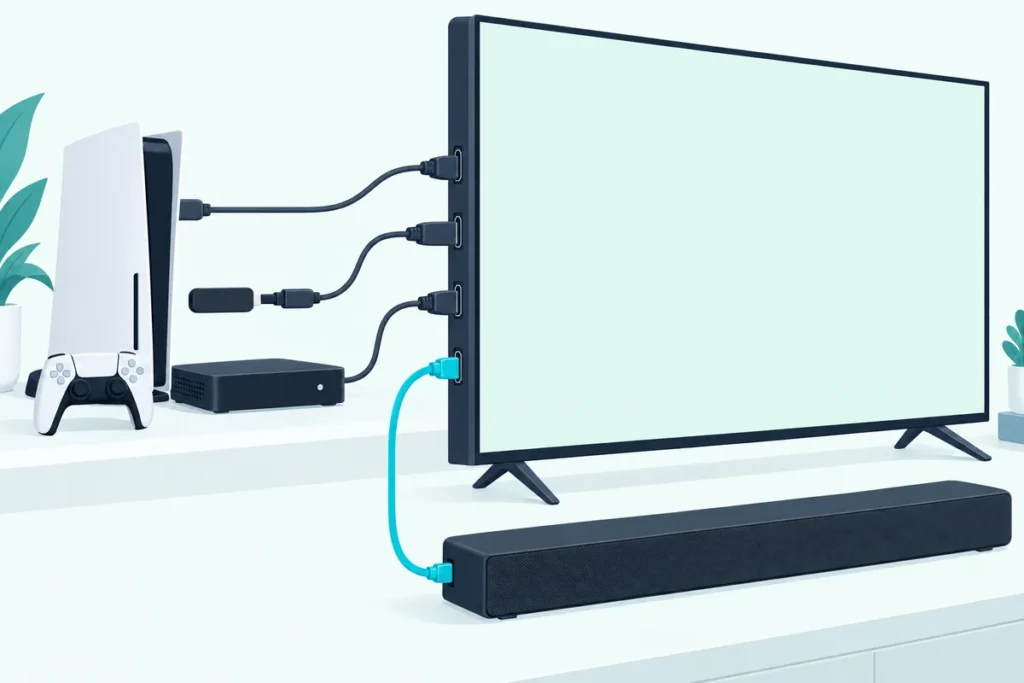
The easiest way to connect multiple HDMI devices to a soundbar is to plug them all into the TV and run one HDMI cable from the TV’s eARC or ARC port to the bar. The TV becomes the hub, and every device’s sound reaches the soundbar.
A game console, a streaming stick and a cable box all want an HDMI port. The soundbar has one, maybe two, and none of them seem to be for your console.
So people start swapping cables behind the TV every evening. There’s no need to, once you know which box should be the hub.
There are three ways to wire it, and the right one depends mostly on your TV’s HDMI ports and on which formats you care about.
Below you’ll find each setup, what it does well, and the one detail that decides between them.
What’s the Easiest Way to Connect Multiple HDMI Devices to a Soundbar?
That hub is usually the TV. Plug every device into the TV’s HDMI inputs, then connect the TV’s ARC or eARC port to the soundbar’s HDMI ARC port.
The TV sends sound from whatever you’re watching back down that one cable. You switch sources with the TV remote as usual, and the bar plays them all.
Setting Up the TV as the Hub
Those two connections take a few minutes. Here’s the order that avoids most problems:
- Plug each device (console, streaming stick, cable box) into one of the TV’s regular HDMI inputs.
- Run an HDMI cable from the TV port labeled ARC or eARC to the soundbar’s port labeled eARC or HDMI input, as Dolby describes (Dolby).
- Turn on HDMI-CEC in the TV’s settings, so the TV remote controls the bar’s volume.
- In the TV’s sound settings, choose the soundbar or HDMI receiver as the audio output.
- Set the TV’s digital audio output to Auto or Pass-Through, the settings Samsung recommends for Dolby Atmos on its bars (Samsung).
Play something from each device to check. If one plays in stereo while the others play surround, look at that device’s own audio settings first.
On a DirecTV box, the setting to check is its Dolby Digital option, and our walkthrough for connecting a soundbar to a DirecTV receiver explains where it lives and when to switch it off.
Why eARC Makes This Setup Better
The detail that decides it is whether your TV has eARC or plain ARC. HDMI Licensing says eARC can pass uncompressed, higher-bandwidth audio that ARC can’t, including Dolby TrueHD, Dolby Atmos, DTS-HD Master Audio and DTS:X (HDMI Licensing).
On an eARC TV, the TV-as-hub setup loses almost nothing. On older ARC TVs, some high-end movie soundtracks get reduced before they reach the bar, which is when the next setup starts to make sense.
eARC also keeps sound and picture together. Dolby says it can correct processor delays automatically “so that your audio and video always match,” which matters when every device’s sound takes the extra trip through the TV (Dolby).
If you’re unsure which port you have, our breakdown of HDMI vs HDMI ARC for a soundbar explains how to tell them apart.
Can a Soundbar With HDMI Inputs Be the Hub Instead?
That TV-hub setup isn’t the only option, because some soundbars have one or more HDMI inputs as well as the ARC port. With those, you can plug a device into the bar, and the bar passes the picture on to the TV while playing the sound itself.
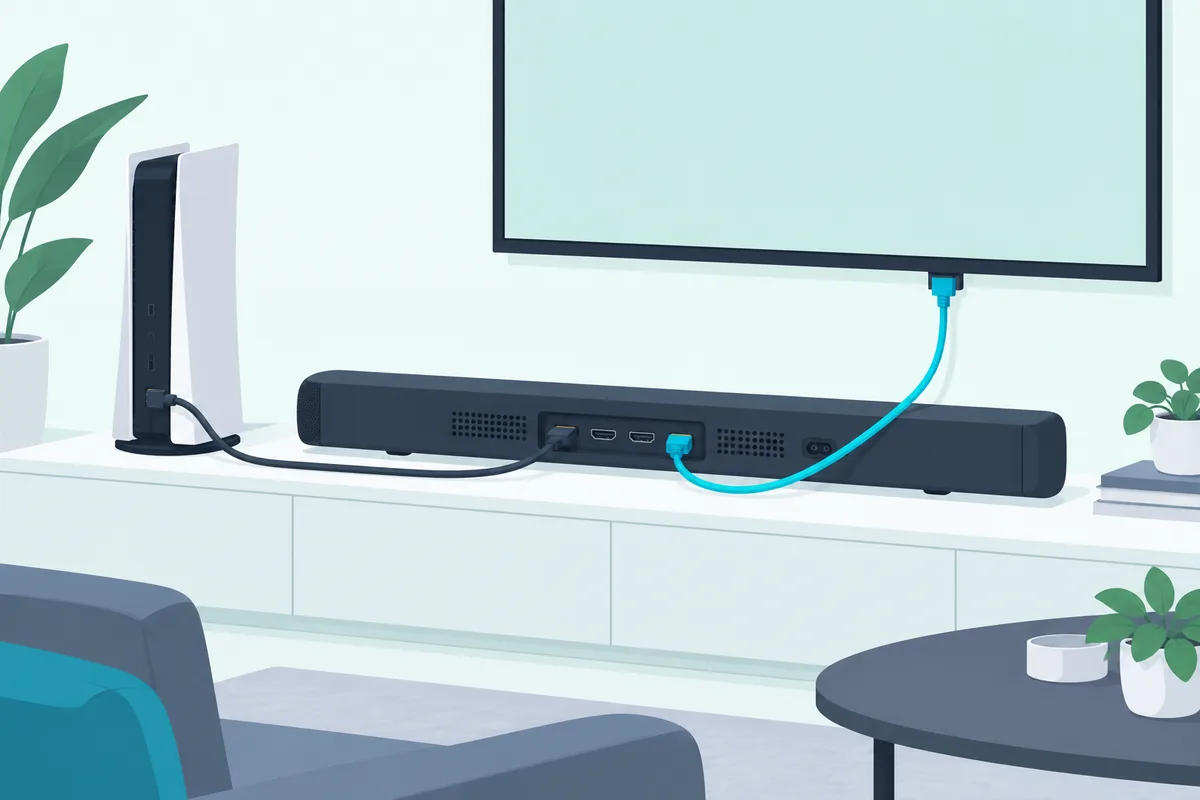
That route sends audio straight to the bar without going through the TV. It’s useful on an ARC-only TV, because a Blu-ray player’s lossless soundtrack reaches the bar intact.
Dolby calls this HDMI passthrough. You need a bar with at least one HDMI input and a dedicated HDMI output: the device plugs into the bar’s input, and the bar’s output runs to an HDMI input on the TV.
Which Devices Suit Passthrough?
Dolby’s examples are streaming boxes that support Dolby Atmos, such as an Apple TV, Fire TV, Nvidia Shield or selected Roku models, along with Blu-ray players and consoles. Many bars have more than one input, so two or three devices can use the bar as their hub.
Once they’re connected, you switch between them with the soundbar’s remote rather than the TV’s. Dolby notes the soundbar remote should have the controls you need for changing between connected devices.
Check Video Pass-Through Before You Rely on It
The catch is video. The picture now travels through the soundbar, so the bar has to support the resolution and features your device sends.
Before routing a console or 4K player through a bar, check its spec sheet for pass-through of 4K, HDR and any gaming features you use. If it doesn’t list them, plug the console into the TV instead.
The Denon Home 550 is one bar whose listing includes 4K, Dolby Vision and HDR video support, the kind of pass-through detail to check.
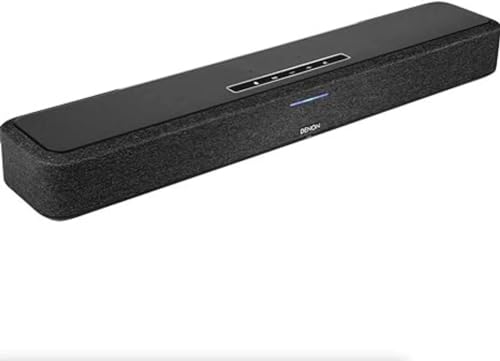
Denon Home 550
Get Studio Tips Weekly
Join 5,000+ creators getting acoustic treatment advice every week.
No spam. Unsubscribe anytime.When Do You Need an HDMI Switch or an AV Receiver?
Those two setups cover most homes, but some have more devices than either can take. An HDMI switch adds inputs in front of the TV or soundbar, feeding one cable onward.

What to Check on an HDMI Switch
A switch passes both picture and sound through, so it has to handle what your devices send. Before buying one, check its listing for the video formats your console uses and for audio pass-through of formats like Dolby Atmos.
Put the switch on the device side of the chain. Devices go into the switch, and the switch’s output goes to the TV or to the bar’s HDMI input.
When an AV Receiver Makes More Sense
An AV receiver goes further, with several HDMI inputs, its own audio decoding and outputs for separate speakers. It’s the choice if you’re moving toward a full surround system rather than a soundbar.
The Denon AVR-S570BT is a typical example, with 8K HDMI connections and support for gaming features such as VRR and ALLM.
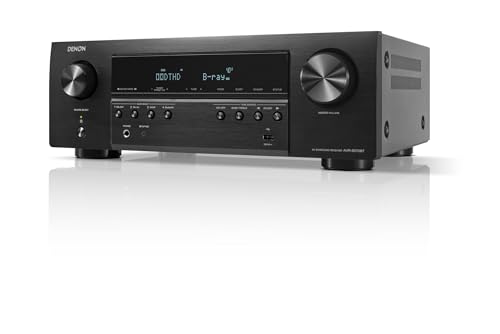
Denon AVR-S570BT
What If You Have More Devices Than Ports?
Count the ports before buying anything. Add up the HDMI inputs on the TV and on the soundbar, remembering that the TV port used for ARC or eARC is taken by the bar.
Then give the busiest devices the best ports. The console and main streaming box go straight into the TV or bar, and anything you use now and then, such as a DVD player, can share an HDMI switch.
If you still come up short, that’s usually the sign to step up to an AV receiver. It adds several inputs at once and handles the audio itself.
Where Should a Game Console Go?
That receiver example lists gaming features for a reason: consoles are the device most likely to break a passthrough setup. The picture has to travel through whatever sits between the console and the TV.
The safest home for a console is the TV itself. Plug it into one of the TV’s HDMI inputs, and let ARC or eARC carry its sound back to the bar.
Routing a Console Through the Bar
If you’d rather route the console through the bar, check the bar’s specifications first. Dolby recommends confirming that a soundbar supports HDMI 2.1 before relying on passthrough.
If the bar doesn’t list your console’s resolution and gaming features, keep the console on the TV. You lose nothing on an eARC TV, since its sound still reaches the bar in full.
How Do You Make Every Device Control the Soundbar Volume?
Whichever setup you pick, turn on HDMI-CEC on the TV and each device. With CEC on, the TV remote controls the soundbar’s volume, and devices can switch inputs when you press play.
Brands name it differently: Samsung calls it Anynet+, LG calls it SIMPLINK, and Sony calls it BRAVIA Sync. Burton Acoustix’s ARC settings guide walks through the settings by brand.
When One Device Keeps Taking Over
That same CEC feature can backfire when several devices share one TV, because each one can switch inputs on its own. If a console or streaming box keeps switching the TV to its input when it wakes, look for the CEC setting in that device’s own menu and turn it off there.
That keeps CEC working for the TV and bar, which is where you want the volume control. The other devices simply stop grabbing the screen.
Which Cables Do You Need?
That CEC control depends on a working HDMI link, so cable quality matters a little. Any certified high-speed HDMI cable handles ARC, while eARC and 4K pass-through benefit from a certified Ultra High Speed cable.
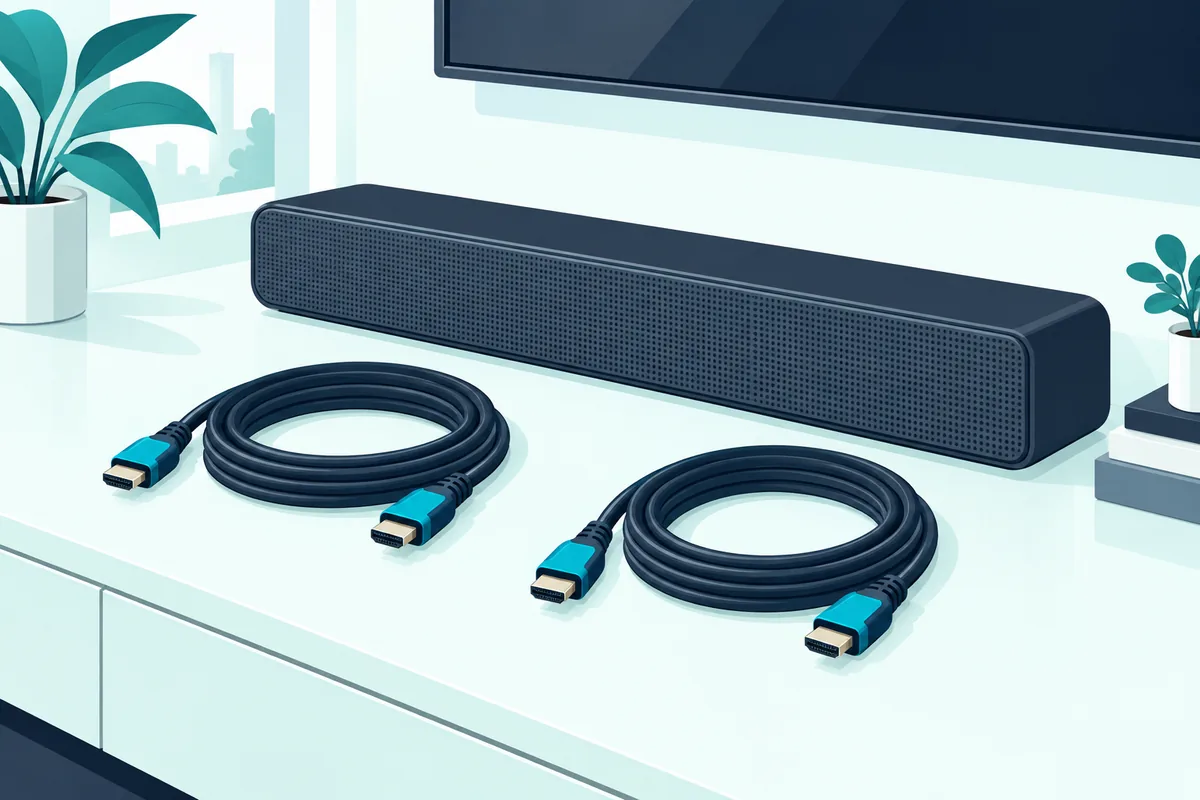
The UGREEN 8K HDMI 2.1 Cable is one certified Ultra High Speed option at 6.6 feet.

UGREEN 8K HDMI 2.1 Cable
If you’re connecting two devices at once, the JSAUX 8K HDMI 2.1 Cable (2-Pack) comes as a pair of 6-foot Ultra High Speed cables.

JSAUX 8K HDMI 2.1 Cable (2-Pack)
How Long Should the Cables Be?
Measure before you buy, from each port to the next with a little slack. The UGREEN cable above is 6.6 feet and the JSAUX pair are 6 feet each, which covers a bar sitting on the TV stand.
A bar mounted on the wall below the TV may need less, while a receiver in a cabinet across the room needs more. A cable that’s slightly too long is easy to coil; one that’s too short means buying again.
There’s no need to overspend, and this cable explainer shows which labels matter.
Can You Connect Two Soundbars to One TV?
That volume setup assumes one bar, but people searching for multiple devices sometimes mean multiple soundbars. That’s a different question with a different answer, and our look at whether you can connect two soundbars together covers what works.
Frequently Asked Questions
Does connecting devices through the TV cause audio delay?
Rarely on eARC. Dolby says eARC can automatically correct processor delays so audio and video match; on older ARC TVs, use the TV’s or soundbar’s audio sync setting if voices lag.
Do I need eARC for Dolby Atmos from a streaming stick?
Not always. Samsung’s own Dolby Atmos setup connects to the TV’s HDMI ARC port (Samsung), but lossless formats need eARC, which HDMI Licensing says supports Dolby TrueHD and Dolby Atmos alongside uncompressed 5.1 and 7.1.
Why does the soundbar lose surround sound on one device?
That device is usually set to stereo. Check its own audio output setting and choose Auto or Bitstream, and make sure the TV’s digital output is set to Auto or Pass-Through rather than PCM.
Can I plug my game console into the soundbar instead of the TV?
Yes, if the soundbar has an HDMI input with video pass-through. Check that it passes the resolution and gaming features your console uses, or plug the console into the TV and let eARC carry the sound.
Why does my soundbar only have one HDMI port?
Many bars have only an HDMI ARC or eARC port, because they’re designed to use the TV as the hub. Plug your devices into the TV, and the bar receives their sound over that one cable.
Do I lose sound quality by connecting devices through the TV?
On an eARC TV, generally not, since eARC can carry uncompressed and Dolby Atmos audio. On an older ARC TV, some lossless movie soundtracks are reduced before they reach the bar.