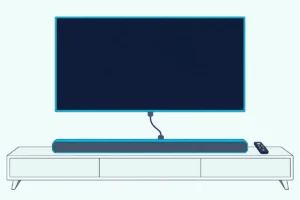
Can I Add a Subwoofer to My Vizio Sound Bar? Check the Back Panel
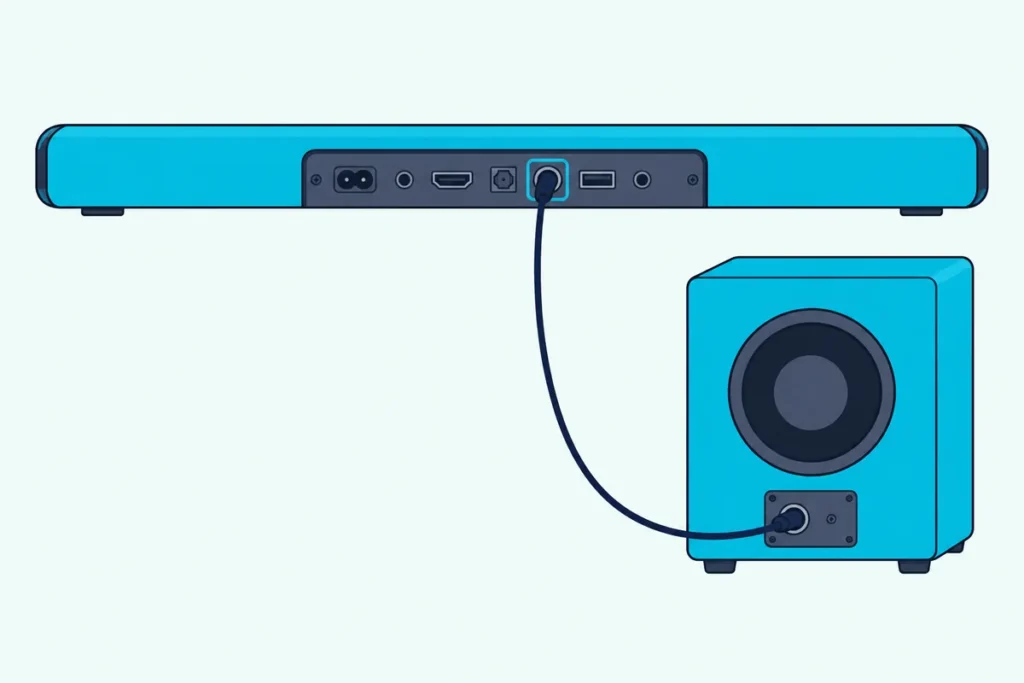
Can I add a subwoofer to my Vizio sound bar? Yes, but only when the bar has a jack on its back panel labeled Subwoofer Out.
Picture a bar that thins out on every explosion while a powered subwoofer sits unused in the closet, with no port on the back that fits its cable.
Vizio’s own manuals settle the question model by model, because some of its 2.0 bars have that jack and the sets sold with a wireless subwoofer list nothing of the kind.
This guide shows which models have it, walks through Vizio’s own steps for connecting a subwoofer and explains what to do when your bar has no jack.
Start with the short answer, since it comes down to one look at the back of your bar.
Can I Add a Subwoofer to My Vizio Sound Bar?
That short answer rests on one port. In Vizio’s manuals, the bars that take an added subwoofer are the ones whose back panel has a jack labeled Subwoofer Out or Sub Out.
Turn the bar around and look for that label beside the optical, USB and 3.5 mm ports. If it’s there, a powered subwoofer connects with one RCA cable, which is the route Vizio’s own guides show.
If it isn’t there, the bar works only with the wireless subwoofer that came in its box, if it came with one. Our page on using a Vizio subwoofer on its own covers what a spare one can still do.
The table below turns those three situations into what to do next.
| What you find on the back | What Vizio’s manuals show | What you can do |
|---|---|---|
| A Subwoofer Out jack on a bar sold without a subwoofer | RCA connection steps and bass notes for an optional subwoofer | Add a powered subwoofer with an RCA cable |
| A bar sold with a wireless subwoofer | A subwoofer paired at the factory, a re-pairing procedure and no Subwoofer Out | Re-link the subwoofer that came with it, but don’t expect a second one to connect |
| A bar sold with no subwoofer and no Subwoofer Out | Only audio inputs and power on the back | Choose a bar that has the jack, or a set that comes with a subwoofer |
Which Vizio Sound Bars Have a Subwoofer Out Jack?
The back-panel diagrams in Vizio’s own manuals settle it, so these tables cover the models I read rather than every bar Vizio has made. Of those, six bars sold without a subwoofer show a Subwoofer Out jack, and none of the sets that came with a wireless subwoofer do.
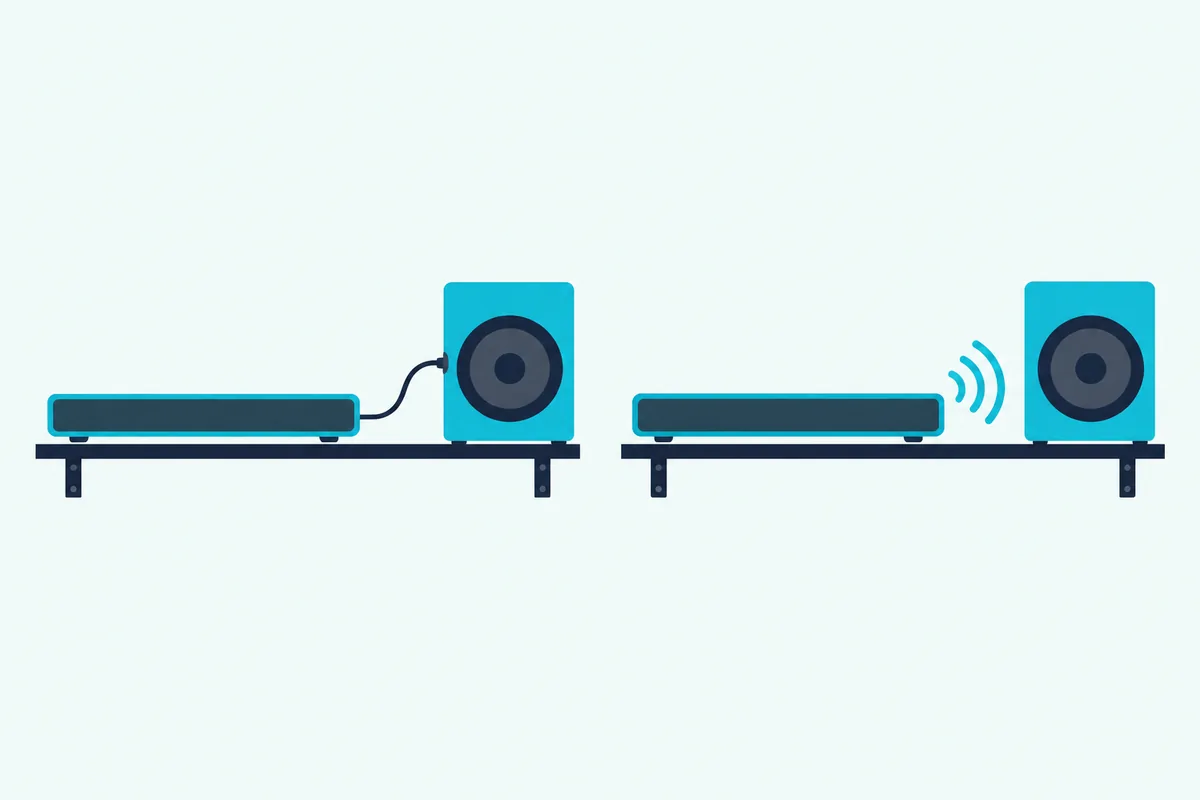
Each of these bars was sold without a subwoofer, and the Controls and Connections page of its manual shows the jack:
| Model | What the manual calls it | Back-panel label |
|---|---|---|
| SB2920-D6 | High Definition Sound Bar | SUB OUT, Subwoofer Out |
| SB3820-C6 | High Definition Sound Bar | SUB OUT, Subwoofer Out |
| SB2020n-G6 and SB2020n-G6M | 20-inch 2.0 channel sound bar with Bluetooth | Sub Out, Subwoofer Out |
| SB2020n-J6 | 2.0 sound bar | Subwoofer Out |
| SB3620n-H6 | 2.0 sound bar | Subwoofer Out |
These sets came with a wireless subwoofer instead, and the back-panel lists in their manuals show no Subwoofer Out jack:
| Models | What the manual lists in the box |
|---|---|
| SB2021n-G6, SB2021n-H6, SB2021n-J6 | 2.1 sound bar with a wireless subwoofer |
| SB3621n-G8 | 36-inch 2.1 sound bar with a wireless subwoofer |
| V21t-J8, SV210M-0808 | 2.1 sound bar with a wireless subwoofer |
| SB3651n-H6 | 36-inch 5.1 system with a wireless subwoofer and two satellite speakers |
| V51-H6, M51a-H6, M512a-H6, M51ax-J6, SV510M-0806 | 5.1 and 5.1.2 bars with a wireless subwoofer and two surround speakers |
| SB46312-F6, SB46514-F6 | Dolby Atmos systems with a wireless subwoofer |
| SV410XW-0905 | 4.1 soundbar with a wireless subwoofer and two wireless surround speakers |
The V-Series 2.0 V20xt-K6 is a third case, a bar sold with no subwoofer whose manual shows only AUX, optical and USB ports on the back. If your model isn’t listed, find its model number on the back of the bar, open its manual from Vizio’s site and check the Controls and Connections page for a Subwoofer Out label.
Vizio’s SB3620n-H6 manual adds that adjusting the bass level also adjusts a connected subwoofer’s level. The SB2020n-G6M manual says its speaker test calls out a subwoofer “if an optional subwoofer is connected.”
Get Studio Tips Weekly
Join 5,000+ creators getting acoustic treatment advice every week.
No spam. Unsubscribe anytime.How Do You Connect a Subwoofer to a Vizio Sound Bar?
That jack takes a plain RCA cable, and Vizio’s quick start guides for the SB2920-D6 and SB3820-C6 give six steps for it. Vizio’s other manuals in the table list the jack without repeating the steps, so treat these as the pattern for any of them.
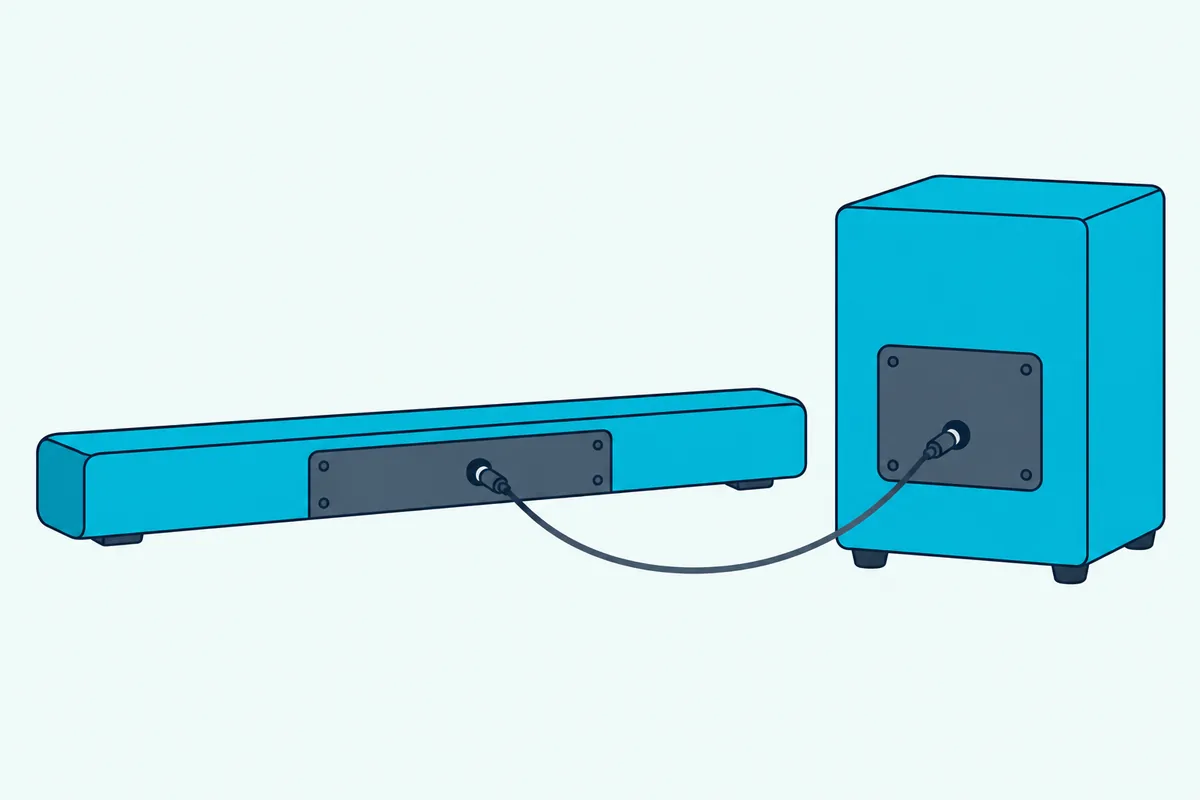
- Press the BASS button on the remote and use the Previous and Next buttons to set the bass level to the center position.
- Power off the sound bar and the subwoofer.
- Connect an RCA cable from the bar’s Subwoofer Out jack to the subwoofer’s input.
- Power on the bar and the subwoofer.
- Adjust the subwoofer’s gain (volume) and phase to your taste, using the subwoofer’s own manual.
- Use the BASS button on the remote to adjust the subwoofer’s output.
Vizio’s guides list the RCA cable and the subwoofer as items that aren’t included. BlueRigger’s 6-foot subwoofer cable is a dual-shielded RCA cable sold for this job, unless your subwoofer already comes with one, as Edifier says its T5s does.
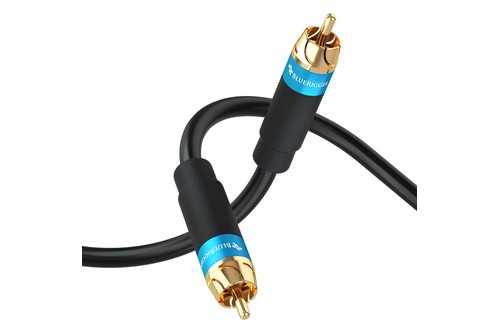
BlueRigger’s 6-foot subwoofer cable
What Kind of Subwoofer Works With a Vizio Sound Bar?
Those steps mention a subwoofer’s gain and phase, so it has to be a powered one with its own amplifier. Beyond that, Vizio doesn’t name a brand or a size, and SVS, a subwoofer maker, says a soundbar that accepts an RCA cable should work with almost any subwoofer.
Size matters more than brand with a small bar. SVS says there’s no need to over-sub a soundbar, because a soundbar can’t match the output of a full surround system, and it points to sealed cabinets as the compact choice.
Two checks keep a purchase safe. Confirm the subwoofer has a line-level RCA input, and confirm your bar has the Subwoofer Out jack from the table above, since a bar without it has nowhere to plug the cable in.
Which Powered Subwoofers Suit a Vizio Bar With a Subwoofer Out Jack?
Because Vizio doesn’t name a model, the choice comes down to size, controls and room. These three have makers’ pages or manuals that show an RCA input and the gain and phase controls Vizio’s steps mention.
The Edifier T5s has an 8-inch front-firing woofer rated at 70 W RMS, and Edifier’s page lists volume, low-pass filter and phase controls. Its quick start guide covers this setup: if the main speaker system has a port for connecting an external subwoofer, connect that port to the T5s’s Signal In ports.
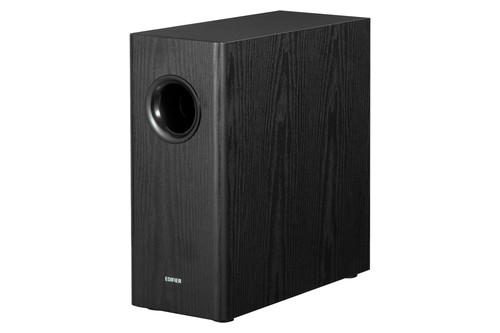
The Edifier T5s
The Klipsch R-100SW steps up to a 10-inch spun-copper woofer with a 150 W continuous, 300 W peak all-digital amplifier, according to Klipsch’s spec sheet. It lists line-level RCA inputs, volume, low-pass and 0/180 phase controls, and a 14.5 by 12.5 by 16.4 inch cabinet.
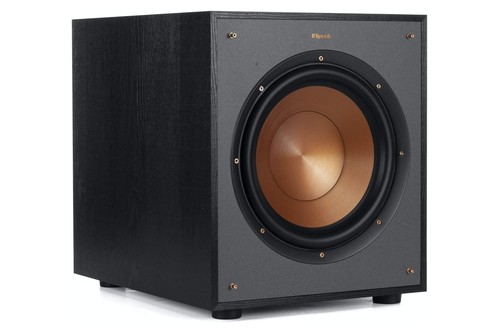
The Klipsch R-100SW
The SVS SB-1000 Pro is the premium pick, a sealed cabinet with a 12-inch driver and a 325 W RMS amplifier that SVS’s own soundbar advice names for small to medium rooms. Its manual shows a single RCA cable from a subwoofer output to its input, and its smartphone app adjusts crossover and polarity.
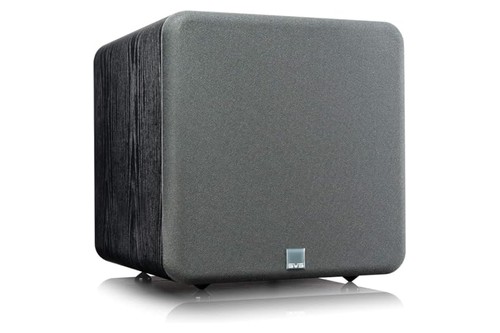
The SVS SB-1000 Pro
Can You Add a Second Subwoofer to a Vizio Bar That Came With One?
That jack rule is also why a second subwoofer is a harder question, because a set sold with a wireless subwoofer lists no Subwoofer Out at all. So a Vizio bar that came with a subwoofer can’t take another through its back panel, going by the back-panel lists in the manuals above.
On a bar that does have the jack, SVS says two subwoofers can share one output through an RCA Y-adapter, although it calls that rare. Vizio’s guides don’t cover it, so treat it as a maker’s tip rather than a Vizio feature.
Some websites suggest an HDMI splitter and an audio extractor to feed a second subwoofer from your source. Vizio doesn’t document that route, and it sends sound to the sub around the bar instead of through it.
If the bar that came with your set isn’t giving you enough bass, a different bar is the cleaner fix. Our list of soundbars with a subwoofer is a place to start.
Vizio isn’t alone in stopping at one, and Burton Acoustix’s brand-by-brand second subwoofer guide shows which makers, such as Sonos and Bose, document two.
Does a Vizio Wireless Subwoofer Use Bluetooth?
That wireless link raises the Bluetooth question, because the bars do have a Bluetooth button. Vizio’s manuals use it as an input for your phone or tablet, and the subwoofer pairs through separate buttons.
The button on the bar is labeled Bluetooth Input and is held to pair a device. The subwoofer links through a button on its own back and the bar’s power button, which the manuals describe as wirelessly connecting.
So a separate Bluetooth subwoofer has no way to join a Vizio bar. None of the manuals I read describes sending sound out over Bluetooth.
What if the Subwoofer That Came With Your Vizio Bar Stops Working?
A silent subwoofer may simply have lost its link, because Vizio ships it paired to the bar and says it may need re-linking when no sound comes out. On the SB2021n-G6, the fix is to hold the pairing button on the subwoofer’s back for 5 seconds, then the power button on top of the bar for 5 seconds.
Make sure the subwoofer’s power switch is on first. The subwoofer’s LED blinks while it searches, and the bar’s front LED flashes three times once they link.
The 2025 and 2026 models work the same way with different buttons. Hold the ON/OFF button on the back of the subwoofer for 5 seconds until its LED blinks white, then hold the Power button on the side of the bar for 5 seconds until the front LED turns solid white.
Every Vizio model’s button, the place of the bar’s Power button and the confirmation lights are in our steps for how to pair a Vizio soundbar to its subwoofer, from the S4251w-B4 to the SV410XW-0905.
On the 2016 SmartCast bars, the manual puts it in the app’s System menu under Subwoofer Pair, and notes that the option exists only on models that include a subwoofer. Our guide to how to pair a subwoofer to a soundbar covers the general case beyond Vizio.
How Do You Balance the Subwoofer Once It’s Connected?
Once the cable is in, the BASS button is the first control to use, because Vizio’s guide ties it to the subwoofer’s output. On the SB2920-D6 you set bass to the center position before connecting, then use the same button to raise or lower the subwoofer, and the minimum setting turns an external sub off.
The 2.0 bars’ manuals add that Night Mode lowers the bass level on the bar and on an external subwoofer. The speaker test on the SB2020n-G6M plays white noise through a connected subwoofer, which confirms the cable and the sub’s power in one pass.
Then set the subwoofer’s own controls. Edifier’s guide starts with the subwoofer’s volume at minimum and raises it until it matches the bar, and it says to flip the phase switch between 0 and 180 degrees and keep the setting with the strongest bass at your seat.
Vizio’s guides don’t say whether the Subwoofer Out signal is already filtered. Edifier suggests a crossover of 90 to 150 Hz when the main speakers are 4 inches or smaller, and the drivers in Vizio’s SB2020n-J6 and SB3620n-H6 are under 3 inches.
Edifier’s guide also says the T5s drops into standby after 15 minutes without a signal and wakes when audio returns. A silent subwoofer after a long pause isn’t necessarily broken.
The Bottom Line
A Vizio sound bar takes an added subwoofer only through a Subwoofer Out jack, and Vizio’s manuals show that jack on the SB2920-D6, SB3820-C6, SB2020n and SB3620n bars and on none of the sets sold with a wireless subwoofer.
Check the back panel first, then follow Vizio’s RCA steps with a powered subwoofer. If the jack isn’t there, re-link the subwoofer that came with the bar instead of hunting for a second one.
Frequently Asked Questions
Can you add a subwoofer to any Vizio sound bar?
No. Only bars with a Subwoofer Out jack on the back panel take one, such as the SB2920-D6, SB3820-C6, SB2020n-J6 and SB3620n-H6 in Vizio’s manuals, while the bars sold with a wireless subwoofer list no such jack.
Will any subwoofer work with a Vizio sound bar?
Any powered subwoofer with an RCA input can connect to a bar that has a Subwoofer Out jack, going by Vizio’s guide and SVS’s advice. A bar without the jack won’t take any subwoofer, because there’s nothing to plug the cable into.
Can I use a Bluetooth subwoofer with a Vizio sound bar?
No manual I read describes it. Vizio uses Bluetooth as an input for your phone or tablet, and its own subwoofers link through the pairing buttons on the sub and the bar.
Can I add a wireless subwoofer to a Vizio sound bar that came without one?
Only on a bar with a Subwoofer Out jack. SVS describes a wireless subwoofer kit as a way to skip the interconnect cable, and Vizio’s manuals don’t cover it, so treat it as an add-on you test yourself.
Where is the Subwoofer Out jack on a Vizio sound bar?
On the back panel, with the other connections. Vizio’s Controls and Connections page for each model labels it Subwoofer Out or Sub Out.
What cable connects a subwoofer to a Vizio sound bar?
An RCA cable, according to Vizio’s guides for the SB2920-D6 and SB3820-C6. They list the RCA subwoofer cable and the subwoofer as items that aren’t included.
Why is my Vizio subwoofer not making sound?
It has probably lost its link to the bar. Re-link it by holding the pairing or ON/OFF button on the subwoofer and the power button on the bar for 5 seconds each, as in the steps above.
Can I connect two subwoofers to a Vizio sound bar?
Not through a set with a wireless subwoofer, because its manual lists no Subwoofer Out jack. On a bar with the jack, SVS says an RCA Y-adapter can split one output to two subwoofers, though it calls that rare.
Can I use a Vizio subwoofer with a different sound bar?
Vizio’s manuals describe the subwoofer as paired to the bar it shipped with, and they don’t cover pairing it elsewhere. Our page on using a Vizio subwoofer with a different soundbar goes into the options.
Does adding a subwoofer change the BASS button on the remote?
On the SB2920-D6 and SB3820-C6, yes. Vizio says the BASS button also adjusts the subwoofer’s output, and that setting bass to the minimum turns the external sub off.