How to Connect a DJ Controller to a MacBook Pro or Air
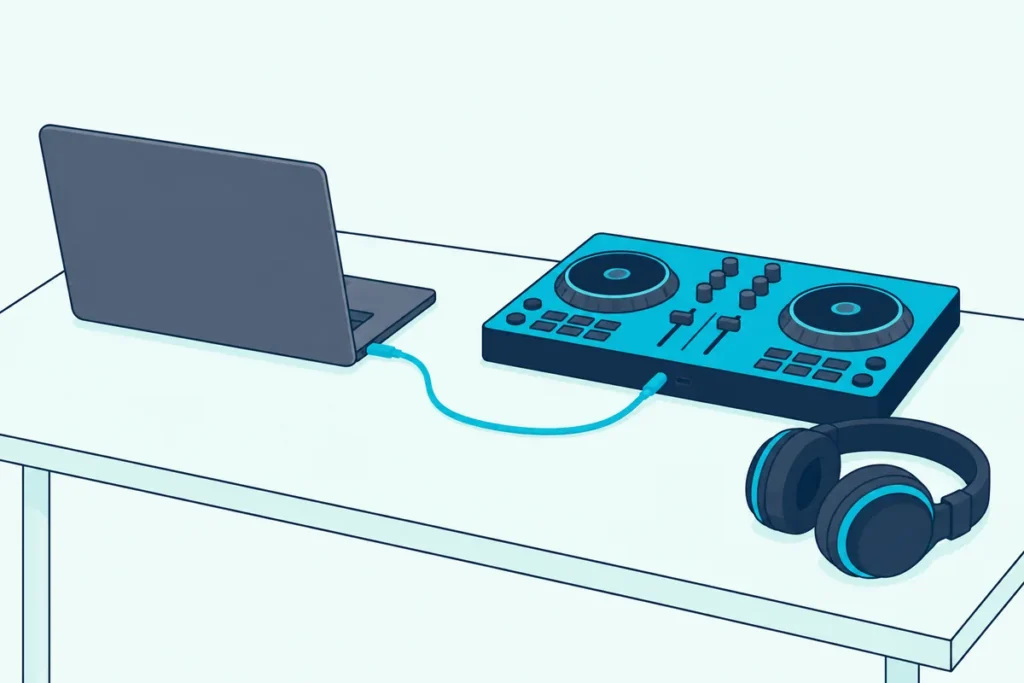
When you look up how to connect a DJ controller to a MacBook Pro, the cable turns out to be only half the job, because macOS runs a few checks of its own between the plug and the first track.
The jog wheels light up, yet rekordbox shows no deck, or the music plays from the MacBook’s speakers while the controller sits silent.
Apple and the DJ software makers document each of those snags, and every fix below is a cable, a setting, a download or a version check you can handle yourself.
You’ll match the cable to your MacBook’s ports, answer the Allow prompt, check that your DJ app supports your version of macOS and send the sound to the controller.
Start with the five steps, then jump to the section for whichever step stops you.
How to Connect a DJ Controller to a MacBook Pro in Five Steps
Those five steps run in the order you’ll meet each snag, from the software on the Mac to the sound coming out of the controller.
| Step | What to do on a Mac | From |
|---|---|---|
| 1. Check the macOS version | Confirm your DJ app lists the macOS you’re running, and hold off on macOS 27 until it does | rekordbox, Serato, Native Instruments |
| 2. Install the software first | Install the DJ app, plus the controller’s Mac driver if its maker lists one, and restart if the driver asks | AlphaTheta, rekordbox |
| 3. Plug in the right cable | Go straight into a Thunderbolt or USB-C port with a USB-C cable, or add a USB-C to USB-A adapter for a USB-A plug | Apple, AlphaTheta |
| 4. Click Allow | Approve the accessory when macOS asks, and allow the DJ app’s Microphone access | Apple, rekordbox |
| 5. Pick the audio device | Choose the controller as the audio output in the DJ app, then load a track | rekordbox, VirtualDJ, djay |
Step 2 comes before the cable for a reason: AlphaTheta’s DDJ-FLX4 manual says not to connect the unit to your Mac until the rekordbox installation is complete. The sections below take each step in turn, and the full order for any computer, Windows included, is in our guide to connecting a DJ controller to any laptop.
Which Cable or Adapter Does a MacBook Need?
Step 3 depends on your MacBook’s ports, and Apple’s port guide lists Thunderbolt or USB-C ports for every MacBook Pro from 2016 on and every MacBook Air from 2018 on. So a controller cable with a USB-C plug goes straight in, while a USB-A plug needs a USB-C to USB-A adapter, as Apple’s adapter guide puts it.
| Your controller’s cable | How it meets a MacBook | From |
|---|---|---|
| USB-C at the computer end | Plugs straight into a Thunderbolt or USB-C port, no adapter | Apple |
| USB-A at the computer end | Add a USB-C to USB-A adapter, such as Apple’s USB-C to USB Adapter | Apple |
| A USB-B port on the controller | A replacement cable with USB-C at one end and USB-B at the other | Apple, Hercules |
For the DDJ-FLX4, AlphaTheta’s manual names the supplied USB cable for a USB-C port and a certified cable of 3 m (about 10 ft) or less for a USB-A port. Check your own model’s manual, because each maker sets its own cable rule.
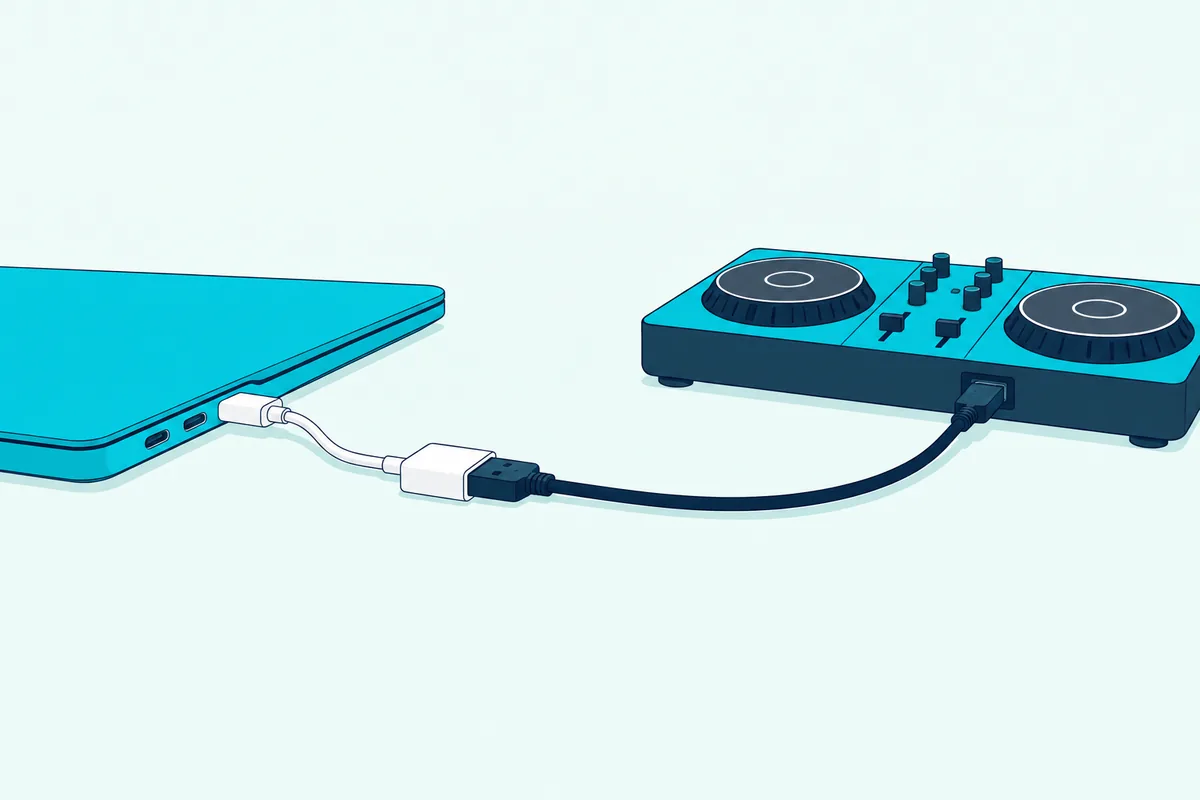
If your controller came with a USB-A cable, the Apple USB-C to USB Adapter sits between that plug and the Mac. Apple says it needs no power to operate, though the device plugged into it may draw power from your Mac (Apple).
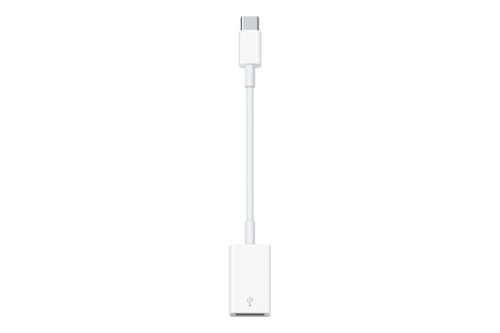
the Apple USB-C to USB Adapter
To skip the adapter on a controller with a USB-B port, the UGREEN USB-B to USB-C cable replaces the original lead with USB-C at the Mac end. Hercules’ troubleshooting page, for one, says to use the cable supplied with the controller or a high-quality replacement.
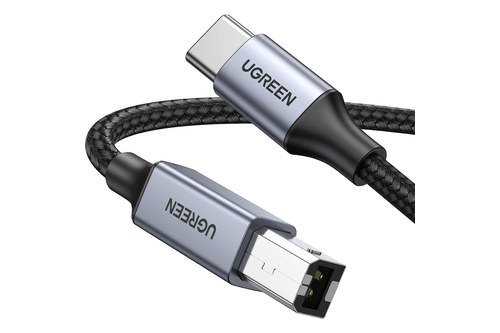
the UGREEN USB-B to USB-C cable
Hubs are where the makers differ. AlphaTheta says to use only a hub that your Mac’s maker recommends with the DDJ-FLX4, and its DDJ-400 answer rules a hub out, while Hercules suggests a powered hub when the computer’s ports can’t supply enough power.
On the new MacBook Neo, with its two USB-C ports, Apple says to use the rightmost one, as you face the left side of the Mac, for USB 2 devices and the leftmost for a display or USB 3 devices. rekordbox’s requirements describe a USB 2.0 port for connecting a controller, so try the rightmost one first.
Get Studio Tips Weekly
Join 5,000+ creators getting acoustic treatment advice every week.
No spam. Unsubscribe anytime.Why Does Your Mac Ask to Allow the Controller?
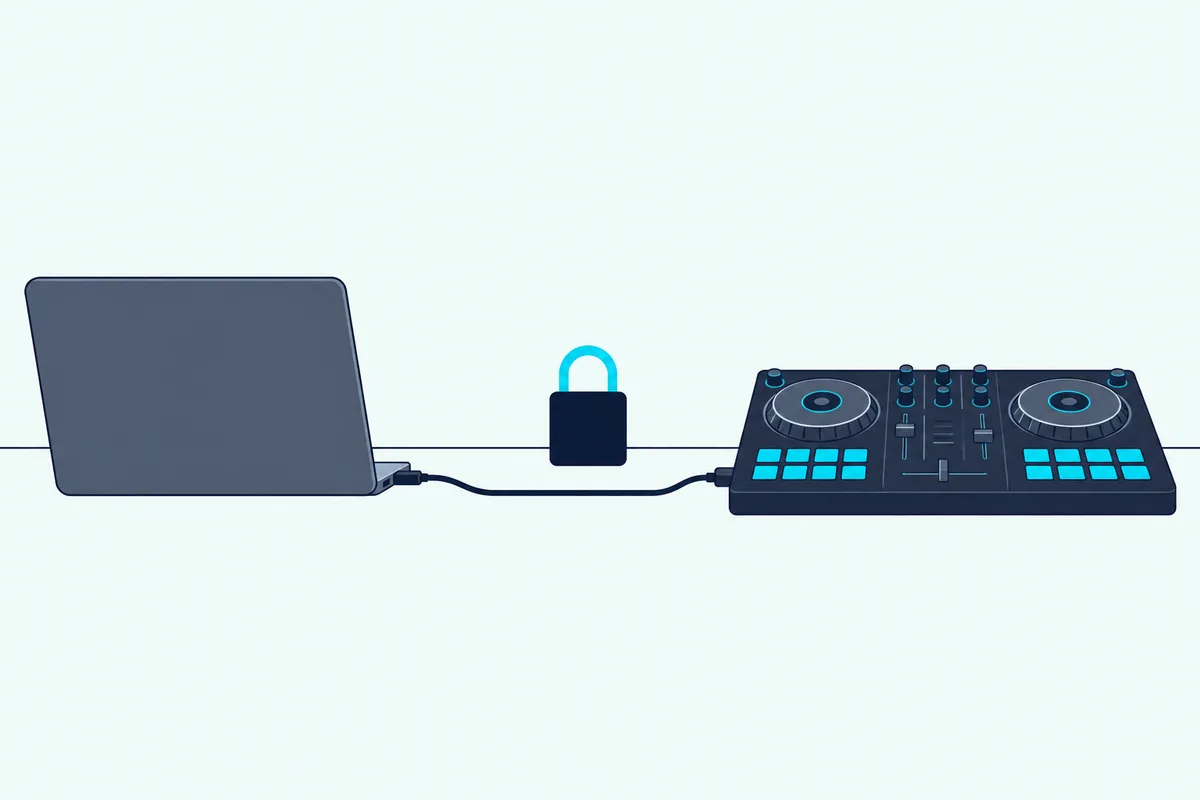
Once that cable is in, a MacBook with Apple silicon may stop and ask whether to let the controller connect at all. Apple’s Mac User Guide for macOS Tahoe 26 says a Mac laptop with Apple silicon has to approve new USB or Thunderbolt devices, and the macOS 27 version of the page applies the rule to your Mac without the laptop qualifier.
If you choose Allow, Apple says both power and data pass, but if you choose Don’t Allow, the accessory can still charge while no data is transmitted. Going by that description, a controller can light up and still stay invisible to your DJ app, because it’s getting power without data.
To change it, open System Settings, then Privacy & Security. On Tahoe 26 and Sequoia 15, Apple says to choose Automatically When Unlocked or Always in the pop-up next to Allow accessories to connect, and on macOS 27 the setting sits under Accessories with Always ask, Ask for new accessories, Automatically allow when unlocked and Always allow.
Apple adds that Allow is usually fine for accessories you own, and that Don’t Allow is the safer answer at a public device such as an airport charging station.
Your DJ app asks for permissions too. rekordbox’s notice for Mac users lists three on macOS Tahoe 26: access to files and folders, access to the Microphone and Camera, and finding devices on local networks.
Its Microphone document says that without that access you lose DVS, recording while a Pioneer DJ controller or mixer is connected, the microphone function on the mixer panel and other features that take audio into rekordbox, while Camera access runs the camera function of rekordbox video. If you clicked Don’t Allow, turn rekordbox back on under System Settings, Privacy & Security, Microphone, the same switch Apple describes for any app.
rekordbox also points to Full Disk Access, under Privacy & Security, when music files stop playing after an OS update or a USB drive is missing from its Device list.
Which DJ Apps Support Your Version of macOS?
Those permission notes come out for each macOS version, and on 6 October 2026 rekordbox, Serato, Traktor and VirtualDJ list macOS up to Tahoe 26, not the new macOS 27 Golden Gate. Serato’s download page says macOS 27 is not yet supported, and Native Instruments says its hardware and software aren’t supported on it and asks users not to update until it confirms compatibility.
That matters because Apple’s version list now puts macOS 27 Golden Gate (27.0.1) at the top, and its compatibility list names only Macs with Apple silicon. djay’s and Mixxx’s download pages give only a minimum version, so ask those makers too before you update.
| DJ app (version) | macOS versions the maker lists | What else the maker says |
|---|---|---|
| rekordbox 7.2.19 | Ventura 13, Sonoma 14, Sequoia 15, Tahoe 26 | Apple M1 series or later, or a supported Intel chip; 8 GB of RAM, 16 GB for STEMS and GROOVE CIRCUIT |
| Serato DJ Pro 4.0.10 | Sonoma 14, Sequoia 15, Tahoe 26; macOS 27 not yet supported | A 2017 or later Mac with an Intel Core i5 or Apple M1/M2 or higher and 8 GB of RAM (16 GB for its high-performance tier) |
| Traktor Pro 4 | Tahoe 26 from version 4.4.1; not supported on macOS 27 yet | Runs natively on Apple silicon |
| VirtualDJ 2026 | Monterey 12 to Tahoe 26 | Apple silicon M1 or better, macOS 13 or newer and 8 GB of RAM recommended; 16 GB for stems 2.0 |
| djay Pro for Mac | macOS 10.15 or later | Supports over 100 DJ controllers out of the box |
| Mixxx 2.5.6 | macOS 11 or later | Free, with separate Intel and ARM downloads |
The controller has to be on the list too. Pioneer DJ’s macOS Tahoe 26 page, dated 16 June 2026, marks the DDJ-FLX4, DDJ-400, DDJ-200 and DDJ-SB3 among the controllers it has verified, and says models missing from it are no longer supported.
VirtualDJ’s requirements page adds the rule that covers every brand: check that your controllers and sound cards support a new OS before you upgrade.
One newer Mac sits outside these lists: the MacBook Neo runs an A18 Pro chip, which none of the requirement pages names, so ask your DJ app’s maker before you rely on one.
Do You Need a Driver for a DJ Controller on a Mac?
That compatibility check covers drivers as well, though some controllers don’t use one on a Mac at all. VirtualDJ’s DDJ-FLX4 page says there’s no driver to install on Windows or Mac, because the controller is USB class compliant and uses the operating system’s standard audio driver.
Other models need one. The DDJ-1000’s Mac audio driver reached version 4.0.2 on 16 June 2026 with macOS Tahoe support (AlphaTheta), and Hercules asks for its HDJCSeries MAC driver before you test a controller in its macOS control panel.
Serato DJ Pro 4.0.10 also bundles Pioneer DJ drivers updated to support macOS Tahoe, for models that include the DDJ-1000SRT, DDJ-SR2 and DDJ-SX3.
A driver can install and still be blocked. AlphaTheta’s notice for macOS Big Sur says to click Open Security Preferences rather than OK when the System Extension Updated message appears, then click Allow and restart, and that the message only shows for 30 minutes after the installation starts.
On an M1 Mac, the same notice answers the message “Your current security settings prevent the installation of system extensions” with Reduced Security in Startup Security Utility. That advice predates Tahoe, and the June 2026 rekordbox notice for Mac users says to restart after installing the driver without mentioning startup security, so check your driver’s current notes before you lower it.
If the controller still isn’t recognized after the driver is in, AlphaTheta’s DDJ-SX3 answer for a Mac is to disconnect the USB cable, uninstall the driver, restart and install it again.
How Do You Send the Sound to the Controller on a Mac?
With the driver settled, the DJ app still has to be told to use the controller’s sound card rather than the MacBook’s speakers. In rekordbox, the DDJ-FLX4 manual sets Preferences, Audio to DDJ-FLX4 on a Mac, with the headphones output on DDJ-FLX4 : PHONES.
The same manual says PC MASTER OUT, on by default, also plays the master through the Mac’s own speakers, and a click on its icon at the top right of the screen switches it off.
In djay, Algoriddim says a supported controller sets up its own audio when you connect it, and Reset to Defaults in Settings, Devices puts the routing back if it goes wrong (Algoriddim).
VirtualDJ shows a detection window for a controller like the DDJ-FLX4, and its button is the one to click when your speakers are on the controller’s master output. The licenses and the rest of that process are in this Virtual DJ setup walkthrough.
Serato’s own Mac reset for a controller it won’t see is in Burton Acoustix’s Serato DJ Pro and Lite walkthrough.
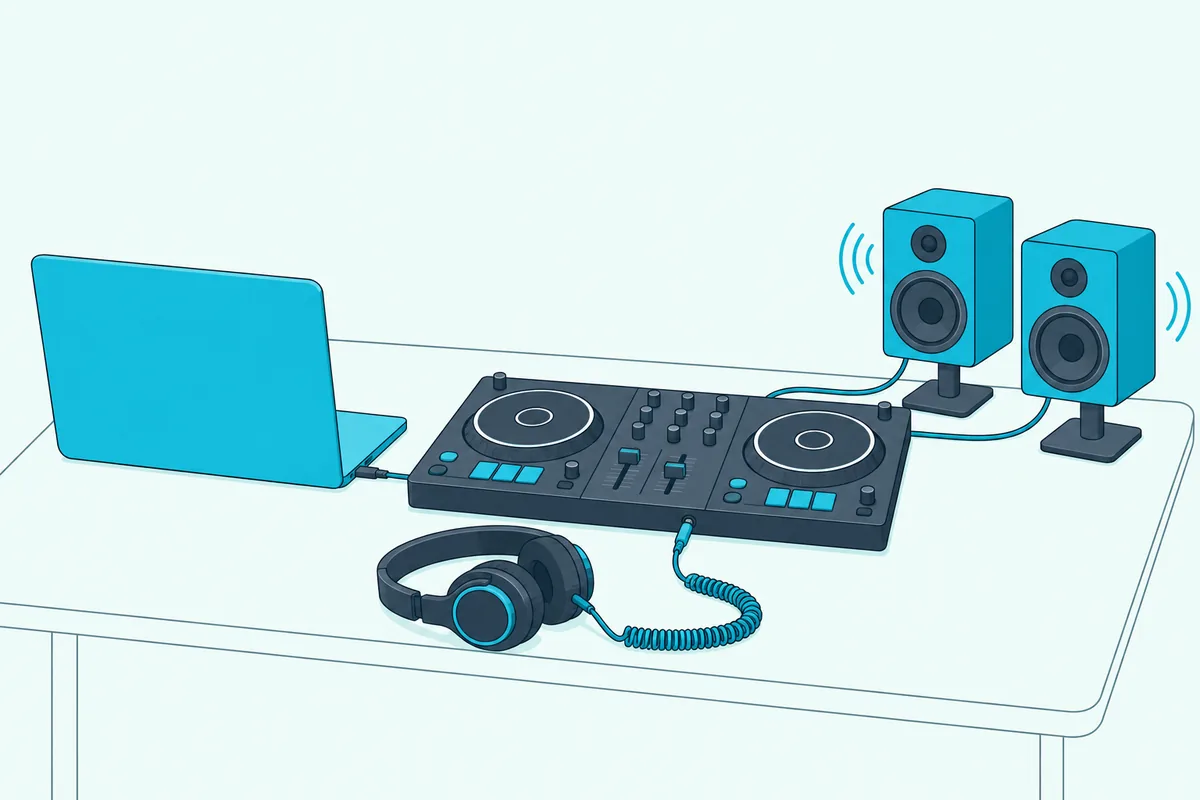
On the Mac side, Audio MIDI Setup lists the controller as an audio device, and Apple says to set its sample rate and bit depth in the Format menu to match the device (Apple).
If the cable comes loose during a mix, Apple says the Core Audio driver in macOS switches to another available device, so check the DJ app’s output once you plug it back in (Apple).
The speakers are the other half of the sound, and our speaker wiring guide covers the cables from the controller’s master output. If everything is connected and the music is still silent, the DJ controller no sound fixes take each app’s audio menu in turn.
What If Your Mac Still Doesn’t See the Controller?
Those audio menus only list the controller once macOS can see it, so if your Mac isn’t detecting it, work through these checks in order.
- Check the Allow setting. If you clicked Don’t Allow earlier, change Allow accessories to connect as described above, since that choice lets the controller charge without passing data.
- Look for a power message. If macOS says a device needs more power or shows USB Devices Disabled, Apple says to reconnect it, try another port, plug it straight into the Mac rather than a hub and connect a self-powered hub to its AC adapter.
- See whether the Mac lists it. Hold Option, choose Apple menu, System Information, and look under Hardware; Apple says a device that appears there but doesn’t work needs its own documentation’s troubleshooting.
- Reset Audio MIDI Setup. Open it from the Utilities folder, choose Window, Show MIDI Studio, and click Rescan MIDI, which is Apple’s fix for a device that isn’t shown.
If that doesn’t bring it back, the DDJ-FLX4 manual’s Mac step is to unplug the cable, select the controller’s icon (or USB MIDI Device) in MIDI Studio, click Remove Device and plug the cable back in. AlphaTheta’s general workaround switches MIDI Studio’s configuration from Default to New Configuration, so USB MIDI Device changes to the name of your equipment.
The manual’s other checks still apply on a Mac: quit other apps, unplug other USB devices such as an external drive or keyboard, and try another port.
Hercules owners can test the hardware itself. With the HDJCSeries MAC driver installed and the DJ software closed, its control panel on macOS 12 or later checks the audio outputs, the buttons and faders and the lights on models such as the DJControl Inpulse 200 and 500.
Should You DJ on Battery or Keep the MacBook Plugged In?
Even once it’s recognized, a MacBook running on battery can hold the software back. rekordbox’s requirements say power-saving settings can keep a computer from its full processing capacity, and they ask laptop users to run on AC power for the best performance.
AlphaTheta’s DDJ-FLX4 manual adds low-power mode to the things to turn off when rekordbox turns unstable, along with wireless networking, antivirus software and the screen saver.
On a Mac, that setting is Energy Mode under System Settings, Battery, with separate menus for On battery and On power adapter on macOS Ventura or later (Apple). Apple says Low Power Mode reduces energy use to extend battery life, and some MacBook Pro models also offer High Power Mode, which lets the fans run faster.
The Bottom Line
All of that comes down to three things on a Mac: the right USB-C cable or adapter, an Allow click and a DJ app that supports your version of macOS.
If the Mac still can’t see the controller, check for a power message, System Information and Audio MIDI Setup, and wait for your DJ app’s maker before you install macOS 27.
Frequently Asked Questions
Can you DJ with a MacBook Air?
Yes, if it meets your DJ app’s requirements. rekordbox asks for an Apple M1 series or later chip and 8 GB of RAM, or 16 GB for STEMS, Serato recommends an Apple M1/M2 or higher with 8 GB, and VirtualDJ recommends an M1 or better with 8 GB. Apple’s port guide gives every MacBook Air from 2018 on Thunderbolt or USB-C ports, so plan on a USB-C cable or an adapter for the controller.
Do you need a special cable to connect a DJ controller to a MacBook?
Only if your controller’s cable doesn’t end in USB-C. Apple’s adapter guide says a USB-C cable plugs straight in, while a USB-A cable needs a USB-C to USB-A adapter such as Apple’s USB-C to USB Adapter. For the DDJ-FLX4, AlphaTheta names the supplied cable for a USB-C port.
Should you update to macOS 27 before a gig?
Not until your DJ app and your controller’s maker list it. On 6 October 2026, Serato’s download page says macOS 27 Golden Gate is not yet supported, Native Instruments asks users not to update yet, and rekordbox’s and VirtualDJ’s requirement lists end at macOS Tahoe 26.
How do you connect a DDJ-200 to a MacBook?
With a USB cable and rekordbox for Mac. AlphaTheta’s DDJ-200 rekordbox page lists macOS Ventura 13 through Tahoe 26 with an Apple M1 or later or an Intel Core chip, and its connection answer puts Bluetooth with rekordbox for iOS, where the sound comes from the mobile device. If the Mac won’t see it, the Audio MIDI Setup steps above apply.
Do DJ controllers work with a Mac?
The ones whose makers list macOS do. Pioneer DJ’s macOS Tahoe 26 list includes the DDJ-FLX4, DDJ-FLX10, DDJ-400 and DDJ-200, and Native Instruments lists the Traktor Kontrol S2, S3, S4, S5 and S8 as compatible with Tahoe. Check your model’s page for the macOS you run, plus any driver it needs.
Can you DJ on a Mac without a controller?
Yes. For mixing directly on a Mac, Algoriddim’s djay setup sets Mixer Mode to Internal and the main output to the Mac’s speakers or wired headphones. To hear the next track, use Split Output with a stereo/mono DJ split cable, or headphones on the audio-out port while the master plays through the internal speakers, and Algoriddim says pre-cueing needs a PRO subscription. Other programs and keyboard control are covered in our guide on how to DJ on a MacBook without a controller.