How to Connect a Samsung Soundbar to an LG TV
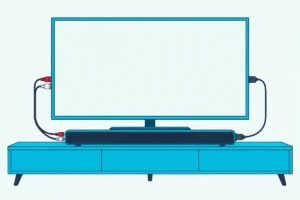
Here’s how to connect a Samsung soundbar to an LG TV: plug one HDMI cable into the bar’s HDMI TO TV (eARC/ARC) port and the LG’s eARC/ARC port, then set the TV’s Sound Out to HDMI(ARC) Device.
Skip that last setting and the LG keeps talking through its own speakers, while the bar sits silent on an input that never gets a signal.
Get it right and the TV’s sound moves to the bar, and Samsung’s manuals say the TV remote’s volume buttons then run the soundbar too.
Below are LG’s menu paths for 2022 to 2025 sets, the display message that confirms the link, and the optical and Bluetooth routes for setups without HDMI.
You’ll also see which extras stay brand-locked, from Samsung’s Q-Symphony to LG’s WOW Orchestra, before you count on them.
How to Connect a Samsung Soundbar to an LG TV With HDMI eARC or ARC
That one HDMI cable from the opening line does two jobs: it carries the TV’s sound, and it carries HDMI-CEC, the control link LG calls SIMPLINK and Samsung calls Anynet+. Samsung’s set-up guide calls HDMI the best way to connect a soundbar because the cable carries the sound digitally.
The steps below take the bar’s side from Samsung’s HW-Q990D manual and the TV’s side from LG’s webOS guides:
- With the soundbar and the TV off, connect an HDMI cable from the bar’s HDMI TO TV (eARC/ARC) port to the LG port labeled eARC/ARC, then turn both on.
- On the LG remote, press Settings and open All Settings > Sound > Sound Out > Use Wired Speaker, then choose HDMI(ARC) Device, which LG says turns SIMPLINK on by itself (LG).
- For an eARC link, open All Settings > Sound > Advanced Settings > eARC Support and set it to On.
- Look for TV ARC on the bar’s display, or TV eARC on an eARC link, and if nothing plays, press Source on the Samsung remote until TV ARC appears.
Use the LG port marked eARC/ARC rather than any HDMI input. Samsung warns that the TV’s sound may not come out through other terminals, and LG’s guide names its HDMI (eARC/ARC) port as the one that sends sound to an external audio device.
Samsung’s HW-Q990D, HW-S60D and HW-B400F manuals list no HDMI cable in the box, and the Q990D’s recommends one certified by HDMI.org. If you need one, UGREEN’s 6.6 ft Ultra High Speed HDMI cable is certified, per its listing.

UGREEN’s 6.6 ft Ultra High Speed HDMI cable

If the LG’s speakers keep playing alongside the bar, Samsung’s manuals say to set the TV speaker to External Speaker. On an LG, that means Use Wired Speaker, since LG’s Use External Speakers with TV Speaker option plays through both at once.
Which LG TV Menus Send the Sound to a Samsung Soundbar?
Those two LG settings move a little between model years, so it helps to know which webOS your TV runs. LG’s 2023, 2024 and 2025 guides keep SIMPLINK under General > External Devices > HDMI Settings, while the 2022 guide puts it under General > Devices > HDMI Settings, and Sound Out and eARC Support sit in the same Sound menus in all four.
| LG TV (webOS) | SIMPLINK (HDMI-CEC) | Sound to the soundbar | eARC |
|---|---|---|---|
| 2023 to 2025 (webOS 23, 24, 25) | General > External Devices > HDMI Settings | Sound > Sound Out > Use Wired Speaker > HDMI(ARC) Device | Sound > Advanced Settings > eARC Support |
| 2022 (webOS 22) | General > Devices > HDMI Settings | Sound > Sound Out > Use Wired Speaker > HDMI(ARC) Device | Sound > Advanced Settings > eARC Support |
Every path in that table starts from the remote’s Settings button and All Settings, and LG’s developer site dates each version: webOS TV 22 shipped in 2022 and webOS TV 25 in 2025. For a 2021 or older LG, follow LG’s user guide for that TV, since this guide follows LG’s webOS 22 to 25 guides.
One more LG setting decides what the bar receives: Digital Sound Output, under All Settings > Sound > Advanced Settings, which is only available once Use Wired Speaker is set to Optical Out Device or HDMI(ARC) Device. LG lists PCM, Auto and Pass Through, and its table shows PCM turning everything into PCM, while Auto or Pass Through sends Dolby Digital Plus and Atmos over HDMI ARC and adds Dolby TrueHD and DTS:X over eARC.
Samsung’s manuals recommend moving a TV’s output from PCM to Dolby Digital for Dolby broadcasts, and they note that TV makers word the setting differently. On an LG, that’s Auto or Pass Through rather than PCM, and the guide on how to connect a soundbar to an LG TV walks through the same menus with LG’s own soundbars.
Get Studio Tips Weekly
Join 5,000+ creators getting acoustic treatment advice every week.
No spam. Unsubscribe anytime.What Should the Samsung Soundbar Show Once It’s Connected?
With the LG sending sound, the bar’s front display is the quickest proof that the link took. Samsung’s HW-Q990D and HW-Q800D show TV ARC once the HDMI link works and TV eARC when the TV’s eARC function is on, while pressing Source to D.IN on the HW-Q60C shows D.IN and then TV ARC or TV eARC in sequence.
Bars without a text display answer with a light instead: the HW-B400F’s LED flashes white as you step through its inputs, so check the LED table in your own manual. Samsung’s first fix for a missing TV ARC message is to check that the HDMI cable sits in the correct port.
Samsung’s display messages, and the eARC menus on its own TVs, are covered in how to connect a Samsung soundbar to any TV.
Will the LG Remote Control the Samsung Soundbar’s Volume?
That TV ARC message also means HDMI-CEC is working, since Samsung lists CEC switched off among the reasons the link fails, and CEC is what lets one remote run both. It can: Samsung’s manuals tell you to use the TV remote’s volume buttons once the HDMI ARC link is up, but LG’s guides say SIMPLINK works only with devices carrying the SIMPLINK logo and that other products may cause problems.
LG’s own soundbar manuals treat the brand names as one feature: the S60T’s lists LG SIMPLINK, Sony BRAVIA Sync/Link, Philips EasyLink and Samsung Anynet+ as each maker’s HDMI-CEC (LG). So try the LG remote’s volume buttons first, and keep Samsung’s fallback below for when they don’t respond.
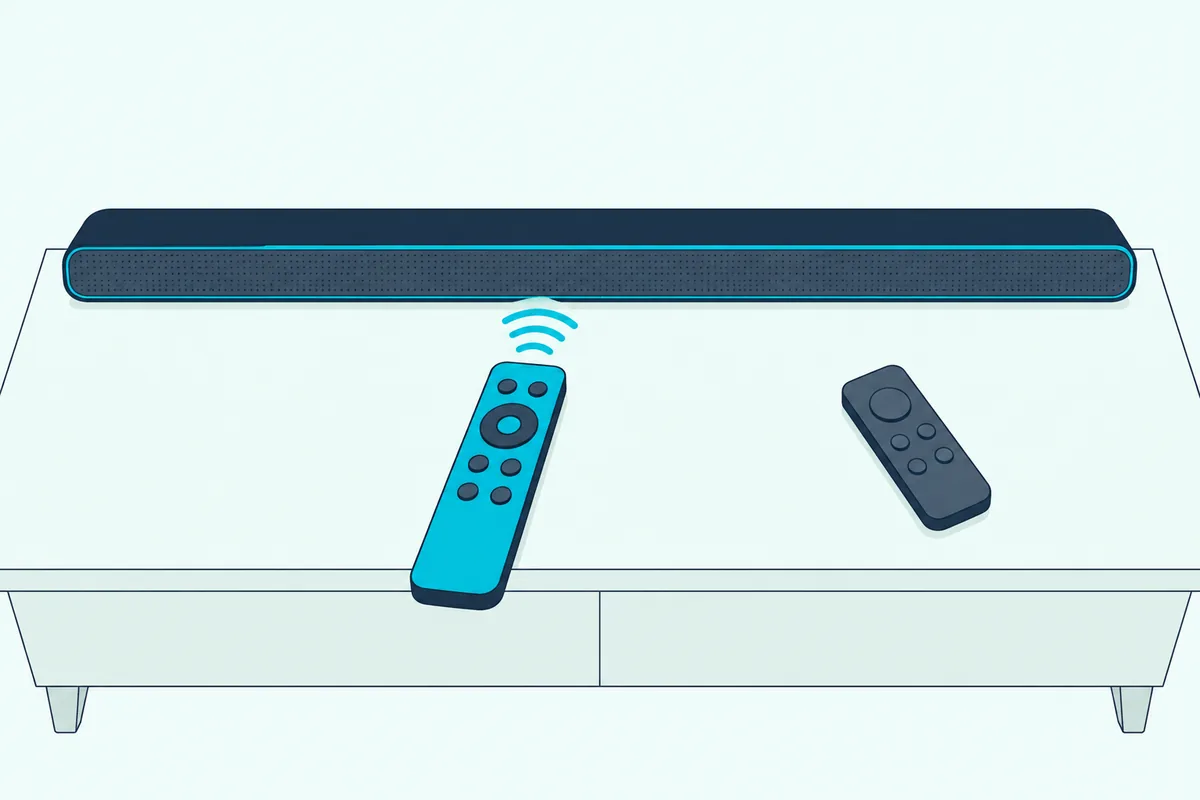
That fallback copies an infrared TV remote, and LG is on the list of supported makers in Samsung’s HW-Q990D, HW-B400F, HW-C450 and HW-Q60C manuals:
- Turn the Samsung soundbar off.
- On the soundbar remote, push the WOOFER button up and hold it for 5 seconds.
- Repeat until the display reads ALL-TV REMOTE, after OFF-TV REMOTE (the default) and SAMSUNG-TV REMOTE; bars without a display change their LED instead.
- Keep the LG’s Sound Out on the soundbar, since Samsung says the TV speaker must be set to External Speaker for this mode.
Samsung adds that the mode works with infrared remotes only, not Bluetooth remotes that need pairing. LG’s guide has you pair a Magic Remote to the TV before first use, so a Magic Remote isn’t one that Samsung promises the mode will follow.
Can You Connect a Samsung Soundbar to an LG TV With an Optical Cable?
That infrared mode matters most on optical, because LG’s 2024 and 2025 guides tie TV-remote volume over the optical port to soundbars that support LG Sound Sync. Yes, an optical cable works if your LG has an optical digital output, which LG says only some models do: run the cable from the TV’s optical out to the bar’s DIGITAL AUDIO IN (OPTICAL), set Sound Out to Use Wired Speaker > Optical Out Device, and press Source until the bar shows D.IN.
Optical is the only cable route for a bar like Samsung’s HW-C450, whose manual shows no HDMI port at all, and that model ships with an optical cable in the box. Remove any covers from the cable’s terminals first, as Samsung’s manuals remind you.
The trade-off shows in LG’s own table: over optical, even on Auto or Pass Through, Dolby Atmos content arrives as Dolby Digital, and DTS:X as plain DTS. And when both cables are plugged in, Samsung’s bars take the HDMI signal first.
How Do You Pair a Samsung Soundbar to an LG TV With Bluetooth?
When neither cable suits the setup, Bluetooth connects the two wirelessly, though Samsung says it doesn’t match HDMI’s sound quality. Put the Samsung bar in pairing mode with the PAIR button on its remote, then on the LG choose the soundbar under Sound Out’s Use Wireless Speaker menu:
- Press PAIR on the Samsung remote, and the display shows BT PAIRING (on the HW-B400F, the LED cycles red, green and blue until pairing finishes).
- If it shows BT READY instead, it’s waiting for a device it already knows: press PAIR again, or on the HW-Q990D hold the bar’s Mic On/Off button for more than 5 seconds.
- On the LG, open All Settings > Sound > Sound Out > Use Wireless Speaker > Bluetooth Device, select More Actions to see the devices you can connect, and choose the soundbar.
- Keep the TV within 1 m of the bar while pairing, and enter 0000 if a PIN is requested.
Samsung’s HW-Q990D manual writes its Bluetooth TV steps for Samsung TVs, while the HW-Q60C’s says to select Bluetooth mode on the TV and see the TV’s manual, as Samsung’s set-up guide does for other brands. LG’s Use Wireless Speaker path is that TV-side step.
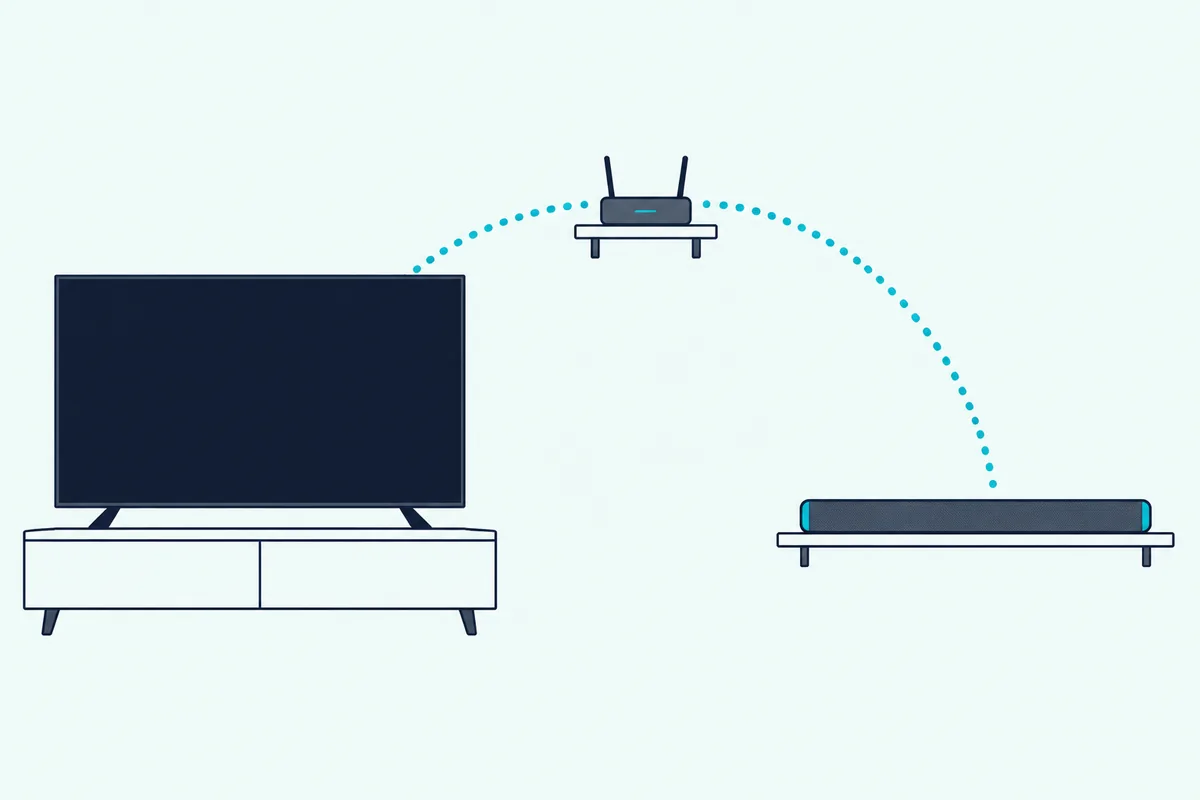
LG sends Bluetooth audio as SBC or aptX and warns that distance, obstacles, microwave ovens and wireless LAN can make it stutter, and it recommends a wired connection if problems continue. It also switches the Game Optimizer picture mode back to Standard while Sound Out is set to Bluetooth Device.
Does Wi-Fi, Q-Symphony or WOW Orchestra Work Across Brands?
Bluetooth is as wireless as this pairing gets. No: Samsung’s manuals say the soundbar’s Wi-Fi connection to a TV is available only on Samsung TVs and Q-Symphony needs a Samsung TV that supports it, while LG’s WOW Orchestra pairs an LG soundbar with an LG TV.
| Feature | Whose | What the makers’ documents tie it to |
|---|---|---|
| Wi-Fi link to the TV | Samsung | Samsung TVs only |
| Q-Symphony | Samsung | A Samsung TV that supports it |
| WOW Orchestra | LG | An LG soundbar with an LG TV, on some models |
| TV Sound Mode Share | LG | An LG soundbar that supports it |
| LG Sound Sync | LG | A soundbar that supports LG Sound Sync |
| LG WOWCAST | LG | A soundbar that supports LG WOWCAST |
The Samsung rows come from the HW-Q990D manual, which also says Q-Symphony runs on some Samsung TVs and some soundbar models only, and Samsung’s set-up guide repeats the Wi-Fi limit. The LG rows come from LG’s webOS 25 guide and its S60T manual, and none of the six Samsung manuals read for this guide mentions WOW Orchestra, TV Sound Mode Share, LG Sound Sync or LG WOWCAST, so don’t count on any of them with a Samsung bar.
Why Won’t a Samsung Soundbar Work With an LG TV?
Most failures trace back to the HDMI steps at the top of this guide. Samsung’s troubleshooting for an HDMI link that won’t connect or stays silent names five causes: the cable isn’t in an ARC terminal, another device sits in between, HDMI-CEC is off on the TV, eARC isn’t switched on, or the TV sends a format the bar can’t play.
- The port. Run the cable straight from the bar’s HDMI TO TV (eARC/ARC) port to the LG’s eARC/ARC port, with no set-top box or game console between them.
- SIMPLINK. Check it’s On under HDMI Settings, since LG says the output settings revert to their defaults once SIMPLINK is turned off.
- eARC Support. Set it to On for an eARC link, as Samsung’s manuals require for an eARC connection.
- The format. If the bar shows TV ARC but plays nothing, set Digital Sound Output to PCM, the change Samsung suggests when a bar can’t play the TV’s signal.
LG’s own test splits the problem in two: set Sound Out to Use TV Speaker, and if the TV plays normally, LG says to check the soundbar’s connection and settings. Its Sound Self-diagnosis, under All Settings > Support, checks the TV side.
Samsung’s HDMI ARC page adds two checks: unplug every other device from the TV, such as set-top and streaming boxes, because some don’t fully comply with the HDMI specification, and avoid unauthorized cables, which can cause errors. LG asks for a high-speed HDMI cable with CEC for SIMPLINK, which is where the certified cable above earns its place.
As a last step, the HW-Q990D resets when you hold both volume buttons on the bar for at least 5 seconds with it on, until INIT appears, and that clears all its settings. Other models use other buttons, so follow the reset steps for each Samsung model before you try it.
How Do You Connect an LG Soundbar to a Samsung TV?
The same standards work in reverse, with the brand names swapped. Connect the LG bar’s HDMI TV (ARC) port to the Samsung TV’s HDMI (ARC) port, pick the TV input on the bar (on the S60T, press Function until LED1 lights white), and set the Samsung TV to send its sound to the bar.
Samsung switches Anynet+ on at the factory only for its own soundbars and home cinema systems, so with an LG bar you turn it on yourself. Samsung’s ARC page gives Home > Settings > General > External device management > Anynet+ (HDMI CEC) for its 2017 and later TVs, and its newer set-up guide lists External Device Manager under Connection.
LG’s extras don’t follow its bar to a Samsung TV, since WOW Orchestra needs an LG TV. Burton Acoustix’s walkthrough for an LG soundbar on a Samsung TV covers the optical route and the Samsung remote in more detail.
Frequently Asked Questions
How do I put my Samsung soundbar in pairing mode?
Press PAIR on the soundbar remote, and the display shows BT PAIRING. Without the remote, Samsung’s manuals have you select BT with the bar’s Source or Multi Function button: it changes to BT PAIRING by itself, or to BT READY if it remembers an earlier device. From BT READY, hold the bar’s Source button (Mic On/Off on the HW-Q990D) for more than 5 seconds to reach BT PAIRING, then pick the bar in the LG’s Bluetooth Device list.
Can you connect a Samsung soundbar to an LG TV without HDMI?
Yes, in two ways. An optical cable works if the LG has an optical digital output, which LG says only some models do, and Bluetooth works from the LG’s Use Wireless Speaker menu. Optical keeps the link wired but turns Dolby Atmos into Dolby Digital, while Bluetooth needs no cable but gives up HDMI’s sound quality, Samsung says. A bar with no HDMI port, such as the HW-C450, has to use one of the two.
Can you connect a Samsung soundbar to an LG TV with a USB cable?
No. In the six Samsung manuals read for this guide, the USB port loads software updates or plays music files from a USB drive (the HW-Q60C’s does both), and none lists USB as a way to connect a TV. Use HDMI, optical or Bluetooth instead.
Does Dolby Atmos work from an LG TV to a Samsung soundbar?
It can over HDMI. LG’s table sends Dolby Atmos over HDMI ARC and eARC when Digital Sound Output is on Auto or Pass Through, and Samsung’s HW-Q990D manual says the ARC and eARC protocols support Dolby Atmos. Over optical, LG sends Atmos content as Dolby Digital instead, and Samsung reminds you that the content itself has to carry Dolby Atmos.
Which HDMI cable do you need for a Samsung soundbar and an LG TV?
A certified one. Samsung’s HW-Q990D manual recommends an HDMI cable certified by HDMI.org, the HW-B400F’s names a High Speed HDMI Cable with Ethernet, and LG’s guides ask for a high-speed cable with CEC for SIMPLINK. HDMI.org says certified Ultra High Speed cables carry a label you can scan to check the model, and Samsung suggests a coreless cable, or a cored one less than 14 mm in diameter.
Will the Samsung soundbar turn on and off with the LG TV?
Over HDMI it can. LG’s SIMPLINK turns connected devices off with the TV, though LG says that works only with certain devices, and turning on a SIMPLINK device can turn the TV on too, on some models. Samsung’s HW-Q990D also switches itself off after 18 minutes with no audio signal in its TV ARC, eARC, D.IN and BT modes.