How to Install an LG Sound Bar, Model by Model
Here’s how to install an LG sound bar the way LG’s own manuals lay it out: cable the bar to the TV, power the subwoofer and any rear speakers before the bar, then the speaker setting and the app.
Miss a step and the bar looks broken when it isn’t, because a red light on the subwoofer, in LG’s own code, simply means the two haven’t connected yet.
Follow LG’s order and most of these bars find their subwoofer and rear speakers by themselves, turning those lights green.
This guide follows LG’s owner’s manuals model line by model line, from the wall bracket in the box to the brackets that hang some bars from LG TVs.
It starts with the four steps LG’s quick guides share, then covers the box, the spot, the brackets, the app and the first software update.
How to Install an LG Sound Bar in Four Steps
Those four steps come from the Installing and using the Product page that opens LG’s soundbar manuals, from the S60Q’s to the S95TR’s and SQ75TR’s. Only the details change from model to model (LG).
- Place or mount the bar with its cables already plugged in. LG warns that cables are hard to connect once the bar is on the wall.
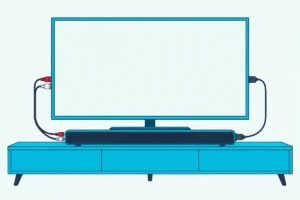
- Connect the bar to the TV. Run an HDMI cable from the bar’s HDMI TV (eARC/ARC) port to the set’s HDMI IN (ARC) port, or an optical cable from its optical output.
- Plug in power in LG’s order. Subwoofer first, then any rear speakers, then the bar, and only then press the bar’s Power button and wait for green lights on the subwoofer and rears.
- Pick the input and the speaker setting, then add the app. Press Function until the bar shows the right input, set the TV’s speaker output to HDMI ARC or Optical, and register the bar in LG ThinQ or the LG Sound Bar app.
What changes from line to line is the hardware around those steps. Here’s what each manual lists:
| LG models (manuals read) | Rear speakers | App the manual names | Mounting the manual covers |
|---|---|---|---|
| S95TR, S80TR | Wireless, in the box | LG ThinQ, over Wi-Fi | Wall bracket in the box, 10 cm below the screen |
| S60TR, US70TR | Wired pair with a powered receiver, in the box | LG ThinQ | Wall bracket in the box |
| S60T, S70TY | None listed (S60T); SPT8-S kit sold separately (S70TY) | LG ThinQ | Wall bracket in the box |
| SC9S, SQ70TY, SQ75TR | SPQ8-S kit sold separately (SC9S); SPT8-S sold separately (SQ70TY); in the box (SQ75TR) | LG Sound Bar app (SC9S); LG ThinQ (SQ70TY, SQ75TR) | Brackets that join the bar to LG OLED or QNED sets |
| S95QR, S60Q | Wireless, in the box (S95QR); none listed (S60Q) | LG Sound Bar app | Wall bracket in the box |
Each of these manuals opens with a page called Installing and using the Product, so that’s the quickest check for a model that isn’t in the table.
What Comes in the Box, and What Do You Still Need?
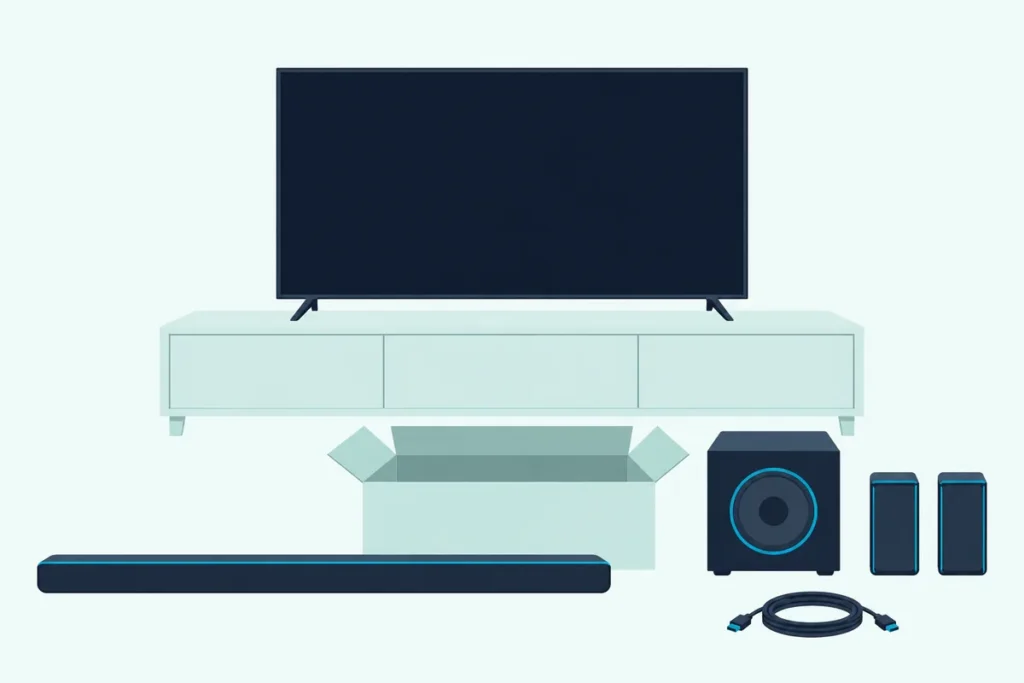
That last column decides what you’ll unpack. The S95TR, S80TR, S60T, S60TR, S70TY, US70TR, S95QR and S60Q manuals list a wall bracket, screws for the bar and a wall bracket installation guide you mark the holes through, but not the screws and wall plugs that hold the bracket to the wall.
LG recommends Hilti HUD-1 6 x 30 wall plugs for that job, and the Sound Suite H7’s manual adds M4 x 35 mm bracket screws. The H7’s manual also asks for a wall that can take the bar’s weight and vibration, such as concrete, natural stone, structural brick or a wood stud.
The bars made to hang from an LG TV swap the wall bracket for mounting hardware. The SC9S box holds front and rear TV synergy brackets, spacers for 55- and 65-inch or 77-inch screens and two kinds of screws, while the SQ70TY and SQ75TR bring a WOW Bracket, a holder, M4 x 16 mm and M4 x 12 mm screws and a cable holder.
Cables are the other gap. The SC9S manual tells you to buy HDMI cables, an optical cable or a USB extension cable if you need them, and the S95TR’s asks for a certified cable with the HDMI logo.
Get Studio Tips Weekly
Join 5,000+ creators getting acoustic treatment advice every week.
No spam. Unsubscribe anytime.Where Should the Bar, Subwoofer and Rear Speakers Go?
Once the boxes are open, placement comes before any drilling. LG’s manuals say to install the bar as close to the wireless subwoofer as possible, with nothing between them, because the closer they are, the better the sound.
Keep the bar, the subwoofer and any rear speakers at least 1 m (3.3 ft) from wireless routers, microwave ovens and other devices that give off strong electromagnetic waves. Rear speakers also need at least 30 cm (about 12 inches) of space from the TV.
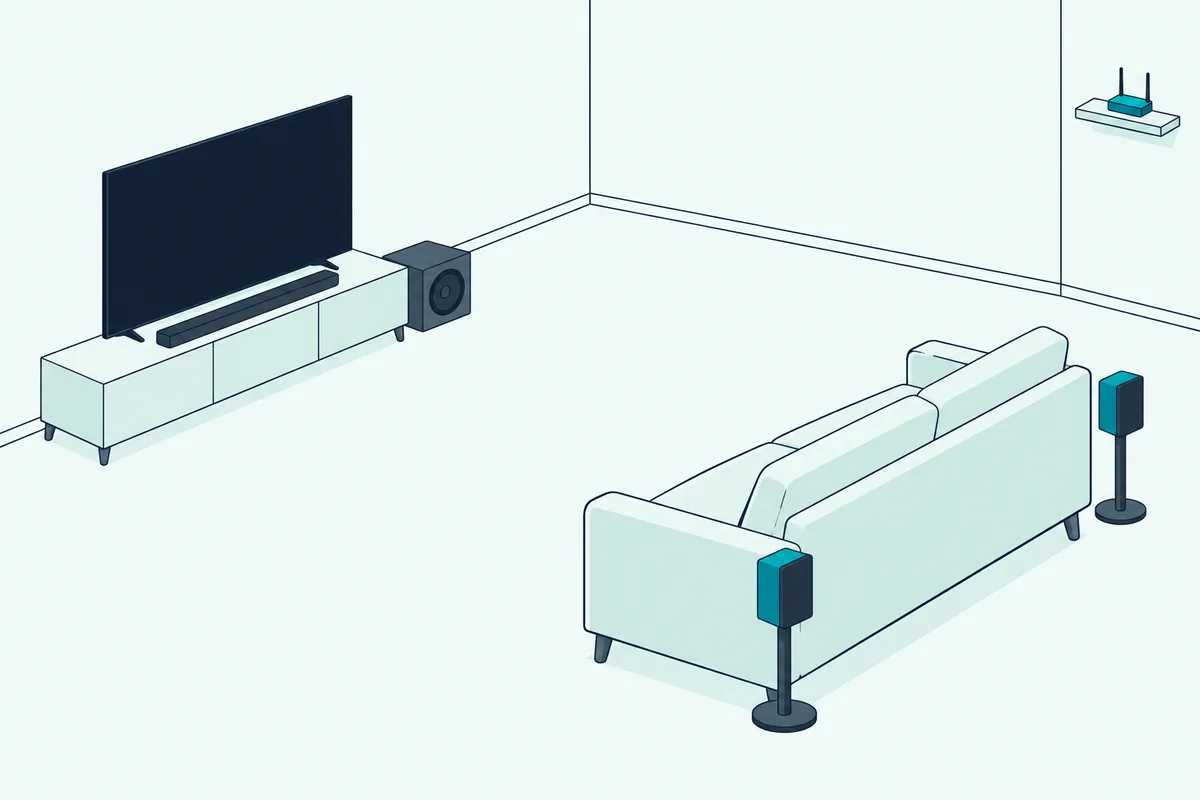
Bars with speakers on top, such as the S95TR, S80TR, S95QR and Sound Suite H7, need 10 cm (about 4 inches) of space below the screen when you install them under it. On furniture, LG warns against a space that doesn’t ventilate, such as inside a bookshelf, and against letting the bar’s front edge stick out past the shelf.
A quick test saves drilling twice: set everything in its final spot, plug it in, and check that the subwoofer’s light turns green before the bracket goes up.
How Do You Wall-Mount an LG Sound Bar With LG’s Bracket?
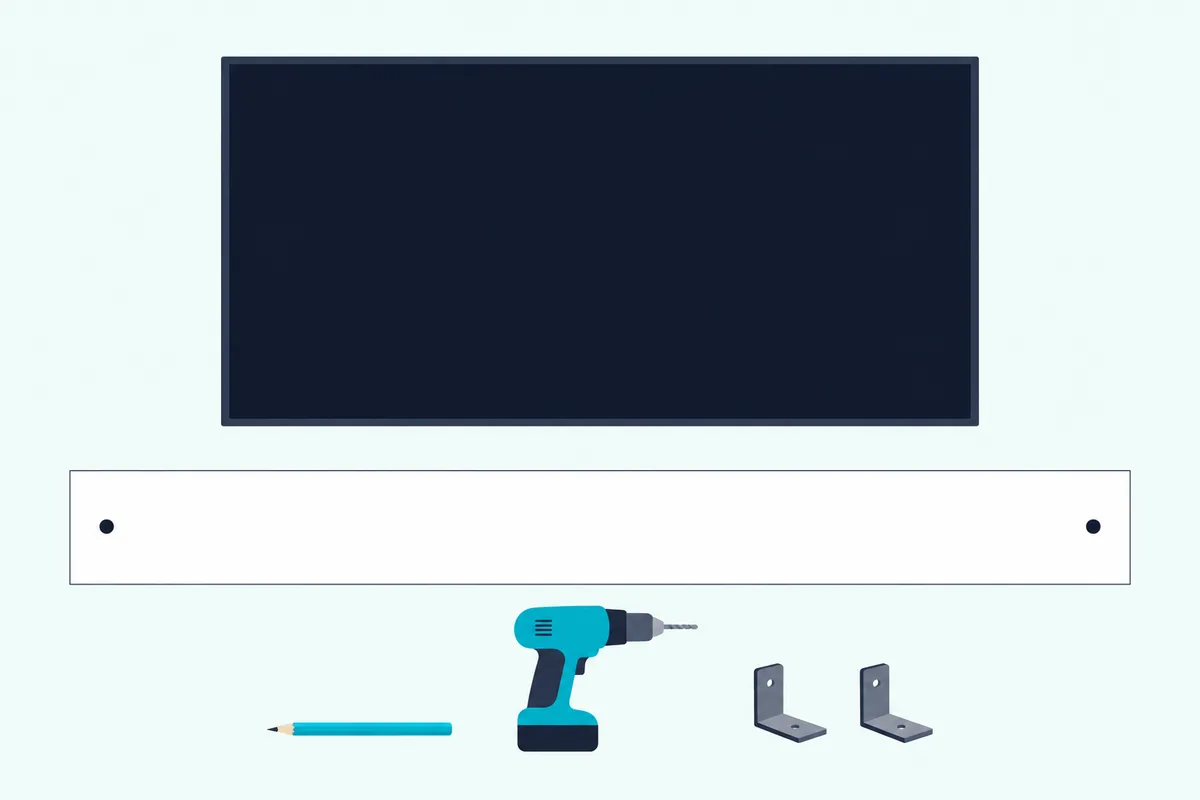
With the spot settled, LG’s wall steps are the same in every manual read here that has a wall chapter (LG). Connect the HDMI or optical cable and any others to the bar first, because LG warns they’re hard to reach once it’s up.
- Attach LG’s wall bracket installation guide to the wall. Line up its TV Bottom Line with the screen’s bottom edge and its TV Center mark with the middle of the screen.
- Mark and drill the screw holes. Mark them through the guide with a pen, drill them, then take the guide down.
- Fix the brackets to the wall. Use the wall plugs and screws you bought, and tighten them firmly.
- Set the bar on the brackets and screw it in. Line up the holes in the bar’s underside with the brackets’ holes, then fix it with the screws LG supplies.
The S95TR and S95QR also hang their wireless rear speakers on brackets of their own, and those take the same kind of separately bought plugs and screws. LG adds that screws left loose can let the bar tilt, while too much force can wear out the screw joint.
For studs, anchors and drill bits beyond LG’s one recommendation, Burton Acoustix’s guide to wall-mounting any soundbar sets several makers’ hardware side by side.
Can You Attach an LG Sound Bar to an LG TV?
Some LG bars skip that wall bracket and hang from the set itself, but only from the models their manuals name. The SC9S fits the 55-, 65- and 77-inch OLED C2, C3 and C4, and the SQ70TY and SQ75TR fit the QNED80, QNED82, QNED85, QNED88 and QNED90 models their manuals list, from 55 to 86 inches (LG).
On the SC9S, you screw a spacer to the front synergy bracket, turn the bar upside down and feed its cables through the bracket’s hole, and fix the bracket to the bar’s underside. Then you hook the bracket into the back of the OLED and secure it with four screws, with at least two people and never the stand’s screws.
To keep the OLED on its stand, the rear synergy bracket goes on too, and LG says it must be attached for safety. On a wall, you connect the bar’s cables first and then hang the set following its own manual.
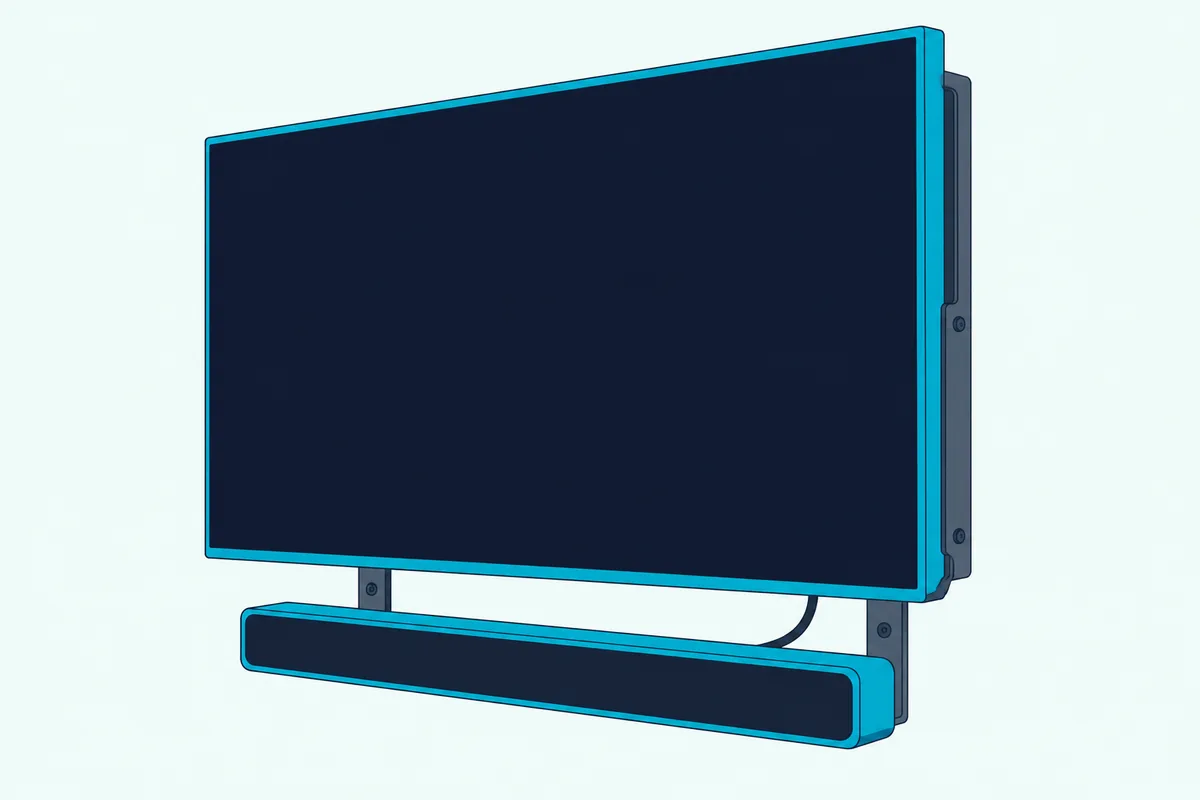
The SQ70TY and SQ75TR work only with a wall-mounted QNED on one of the LG mounts their manuals list: WB24GC for 55 to 75 inches, WB24GD for 86 inches, WB21LM or WB21LG (LG). The WOW Bracket screws to the QNED with four M4 x 16 mm screws, the bar sits on it with two M4 x 12 mm screws, and LG asks for four or more people.
Plug the power cable into the SQ bar before it goes on the bracket, then connect HDMI or optical. None of the other LG manuals read for this guide has a chapter on hanging the bar from the set.
Which Cable Connects an LG Sound Bar to the TV?
Whichever way the bar ends up mounted, the connection comes down to the same two cables. For HDMI, connect the bar’s HDMI TV (eARC/ARC) port to the HDMI IN (ARC) port on the set, the link LG’s eARC note ties to Dolby Atmos, DTS:X, Dolby TrueHD and DTS-HD Master Audio.
LG asks for a certified cable with the HDMI logo, and if your box didn’t include one, UGREEN’s certified 6.6 ft HDMI cable is sold as Certified Ultra High Speed. Measure the run from the bar to the set’s port before you order.

UGREEN’s certified 6.6 ft HDMI cable
Optical works too: plug the cable into the bar’s OPTICAL IN and the set’s optical output, removing any covers from its ends first. If both cables are connected, LG says the HDMI ARC signal takes priority.
Some bars can also reach an LG TV without a cable. The SQ75TR, SQ70TY, S70TY, US70TR and S60Q manuals list LG Sound Sync (Wireless), and the S95TR and S80TR list LG WOWCAST among the output choices.
Then set the speaker output to HDMI ARC, Optical or External Speaker, and press the bar’s Function button until it shows the matching input. LG’s menus for each model year are in our walkthrough on how to connect an LG soundbar to the TV, and the same ports work for an LG bar on a Samsung TV.
In What Order Do You Power On the Subwoofer and Rear Speakers?
Once the HDMI or optical cable is in, power is where LG gets specific. Plug in the wireless subwoofer, then the rear speakers, then the bar, and press the bar’s Power button last.
The subwoofer and rears then connect on their own, and the light on each one shows where things stand:
| Light on the subwoofer or rear speaker | What LG says it means |
|---|---|
| Blinking green | Connecting |
| Green | Connected |
| Red | Bad connection, or the speaker is in standby |
| Off | Power cable not connected |
If a light stays red, switch the bar off with its Power button and press PAIRING on the back of that speaker until its light blinks green, pressing and holding it again if it’s still red. Then switch the bar back on and watch for steady green.
What to try when a subwoofer won’t pair or stay connected is in our guide to pairing an LG subwoofer by hand.
Are LG’s Rear Speakers Wired or Wireless?
That power order already includes the rear speakers, but how they reach the bar depends on the model. The S95TR, S80TR and S95QR come with wireless rear speakers that each take a power cable and connect to the bar by themselves.
The S60TR, US70TR and SQ75TR, and the SPT8-S kit sold separately for the S70TY and SQ70TY, use a wired pair in which one rear speaker holds the wireless receiver and takes the power cable. Connect the black-striped wire to each speaker’s negative terminal and the other wire to positive, and use only the speakers and cables LG supplies.
The SC9S’s SPQ8-S kit, sold separately, has its own wireless receiver that both rear speakers wire into, and LG’s power order for it runs subwoofer, receiver, then bar. On the US70TR, if the power plug’s position puts the rear speakers on the opposite sides, the LG ThinQ app can swap their left and right channels instead of rewiring.
With rears connected, LG’s surround setting spreads sound recorded in fewer channels, such as 2.0 music, across the speakers. On LED models such as the S95TR, press Settings, choose surround with Left or Right, then press Up or Down: LED1 blinks for on and LED3 for off.
Which App Sets Up an LG Sound Bar, LG ThinQ or LG Sound Bar?
After the speakers, the app is the last piece, and each manual names only one. The S95TR, S80TR, S60T, S60TR, S70TY, US70TR, SQ70TY, SQ75TR and Sound Suite H7 use LG ThinQ, while the SC9S, S95QR and S60Q use the LG Sound Bar app.
Don’t mix them up: the SC9S and S95QR manuals say LG ThinQ can’t configure or control those bars.
In LG ThinQ, sign in or create an account, tap the add (+) button and follow the instructions, or scan the bar’s QR code if it has one. LG notes the code may not be there at purchase and its spot varies by model, and its ThinQ pages ask for Android 9.0 or iOS 15.0 or later, with iOS 16.0 for the H7.
For a Wi-Fi bar such as the S95TR, the router has to be online, the phone on the same Wi-Fi network and its Bluetooth on, or the bar may not register. LG also advises a router password of plain letters and numbers, without symbols such as quotation marks, slashes or ampersands, and WPA2 security.
In the LG Sound Bar app, the S95QR shows up as LG_Speaker_S95QR_XXXX, and after you pick your network and enter the password, its display reads CONNECTED. That app needs Android 6.0 or iOS 12 or later on the S95QR and SC9S.
Can You Update an LG Sound Bar’s Software?
With the app in place, updates come next, and this is where LG’s manuals go quiet. Yes, they say the bar’s software can be updated, and the SC9S manual says it happens through the LG Sound Bar app, but none of the manuals read here gives the menu path.
What they do spell out is the safety side: don’t switch the bar off while it updates, because that can cause a malfunction, and expect it to power off by itself when the update finishes (LG).
LG’s troubleshooting tables also ask you to check Google Play or the App Store for an Update button next to the app itself. So keep the app current, and leave the bar plugged in until it turns itself off.
How Do You Pair a Phone With an LG Sound Bar Over Bluetooth?
Bluetooth needs no app, which makes it a quick check that the bar works before the app is set up. Turn on Bluetooth in the phone’s settings, press the bar’s Bluetooth pair button, and pick the bar from the list, where it shows up as LG S60T(XX) or LG_Speaker_S95TR_XXXX, depending on the model.
On bars with status lights, LED1 and LED2 blink white while the bar waits and stay lit once it’s paired, while display models show BT READY and then PAIRED. The SC9S blinks blue instead, and the S60T and SQ75TR manuals give the pair button three minutes to find a phone.
Which Buttons Switch On and Run an LG Sound Bar?
Once it’s paired, daily use comes down to a few buttons. Press Power to switch the bar on, and on the S95TR, Auto Power switches it on and off with the TV or another connected device.
The Function button picks the input: on the S95TR, LED1 lights white for the TV and golden yellow for a device on the bar’s own HDMI IN, while display models show OPT, ARC or E-ARC. Point the remote at the front of the bar from within 7 m (23 ft).
Night Time lowers the overall volume but raises soft sounds, which helps late at night.
What If the Subwoofer Light Stays Red or the TV Stays Silent?
Most day-one problems go back to one of the steps above. A red light means a subwoofer or rear speaker isn’t connected, so re-pair it, keep it 1 m from the router and clear anything between it and the bar.
For no sound, LG’s checklist starts with the volume, mute (all LEDs blinking orange on the S95TR) and the input the Function button has selected. The TV’s speaker output from step four is worth a second look, and if nothing helps, the LG sound bar reset steps by model come next.
The Bottom Line
Install an LG sound bar in LG’s order: cables in before it goes on the wall or the set, power to the subwoofer and rears before the bar, then the speaker output and the app your manual names.
Check the bracket and the app for your exact model first, because the SC9S, SQ70TY and SQ75TR attach only to the LG TVs their manuals list, and the SC9S and S95QR set up only in the LG Sound Bar app.
Frequently Asked Questions
Does an LG sound bar come with a wall mount?
Most of the models read for this guide do. The S95TR, S80TR, S60T, S60TR, S70TY, US70TR, S95QR and S60Q manuals list a wall bracket, screws for the bar and an installation guide for marking the holes, but not the screws and wall plugs for the wall, where LG recommends Hilti HUD-1 6 x 30 plugs. The SC9S, SQ70TY and SQ75TR come with brackets that fix the bar to specific LG TVs instead.
Do you need an app to set up an LG sound bar?
Not for TV sound. The cable, power and speaker-output steps work without a phone, and Bluetooth pairing needs only the phone’s settings. The app adds control of the bar’s settings and, on Wi-Fi models, network features: LG ThinQ for bars such as the S95TR and S60T, and the LG Sound Bar app for the SC9S and S95QR.
Can you install an LG sound bar without HDMI?
Yes, on most. LG’s quick guides connect these bars with either an optical or an HDMI cable, so an optical cable works, though LG lists formats such as Dolby Atmos for the eARC connection. Some bars, such as the SQ75TR and US70TR, can also join an LG TV wirelessly through LG Sound Sync (Wireless), while the Sound Suite H7’s quick guide names HDMI and Bluetooth.
How do you switch on an LG sound bar?
Press the Power button on the bar or the remote. The first time, plug in the subwoofer and any rear speakers before the bar, then press the bar’s Power button so they connect. After that, Auto Power on models such as the S95TR switches the bar on and off with the TV.
How far can the subwoofer be from an LG sound bar?
LG gives no maximum in the manuals read here. It says to keep the subwoofer as close to the bar as possible with nothing between them, since the sound gets better the closer they are, and to keep both at least 1 m (3.3 ft) from wireless routers and microwave ovens.