How to Connect a PS5 to a Soundbar Without Losing Picture
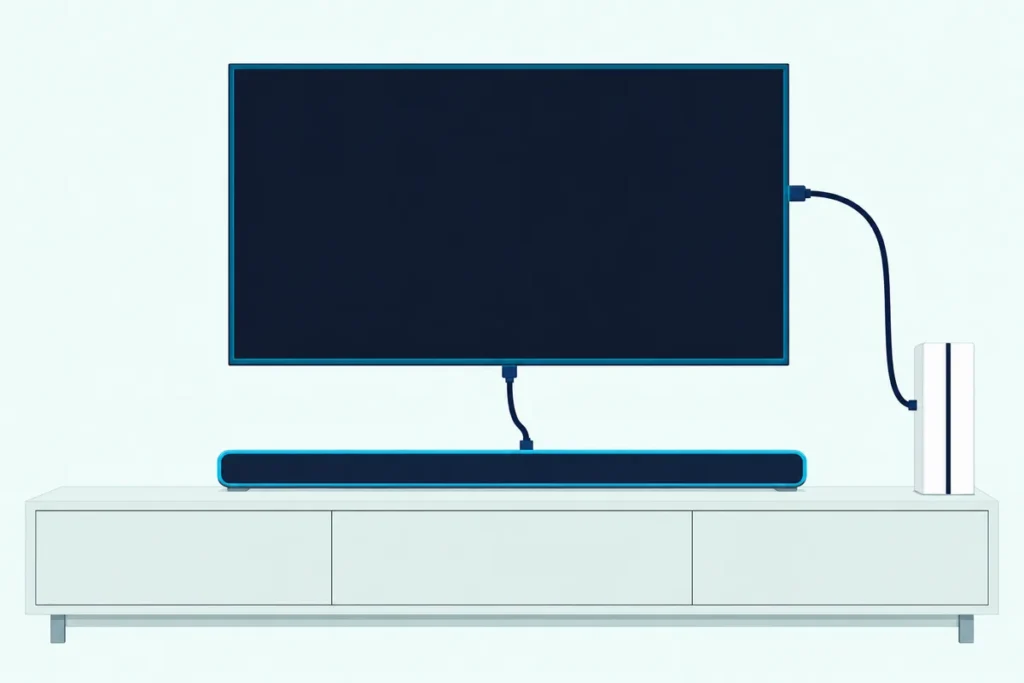
Here’s how to connect PS5 to soundbar setups without giving up the console’s best picture: plug the PS5 into the TV’s HDMI 2.1 port, then run the TV’s eARC or ARC port to the bar.
Plug the console into the bar instead and 4K at 120 Hz can drop out, since Sony’s own checklist names in-between gear as a possible cause.
Get the order right and the bar plays the game sound while the TV still gets the console’s VRR, HDR and 120 Hz picture with nothing in between.
Below are the three routes, what each keeps, and the Audio Output settings Sony puts under Settings > Sound.
You’ll also find the Dolby Atmos switch, the Bluetooth answer and the checks that bring a silent bar back.
How to Connect PS5 to Soundbar and TV in Three Routes
Those three routes share one starting fact. Sony’s PS5 spec table lists a single AV output, the HDMI OUT port, so every route begins with an HDMI cable.
| Route | Cables | What it keeps | Watch for |
|---|---|---|---|
| 1. PS5 into the TV, TV’s eARC or ARC port to the bar | Two HDMI | Video goes straight to the screen | The TV must pass the sound on; ARC carries Atmos only compressed |
| 2. PS5 into the bar’s HDMI input, bar’s HDMI out to the TV | Two HDMI | The bar gets the console’s sound directly | Video passes through the bar, so you keep only what its spec lists |
| 3. PS5 into the TV, optical from it to the bar | HDMI plus optical | Works with a bar that has no HDMI | Two-channel PCM or 5.1 compressed sound, no Atmos |
Why Does Plugging the PS5 Into the TV Usually Win?
Route 1 wins because Sony’s 4K 120 Hz checklist asks whether the console is connected directly to the TV or to a receiver or other intermediary equipment that could be affecting the signal. Sony also wants a port that supports HDMI 2.1.
The sound then leaves through the TV’s eARC or ARC port. Sony’s HT-A7000 guide says an eARC TV can take the console and still send high quality sound to the bar once the TV’s eARC is on, and the TV-side eARC menus by brand show where that switch hides.
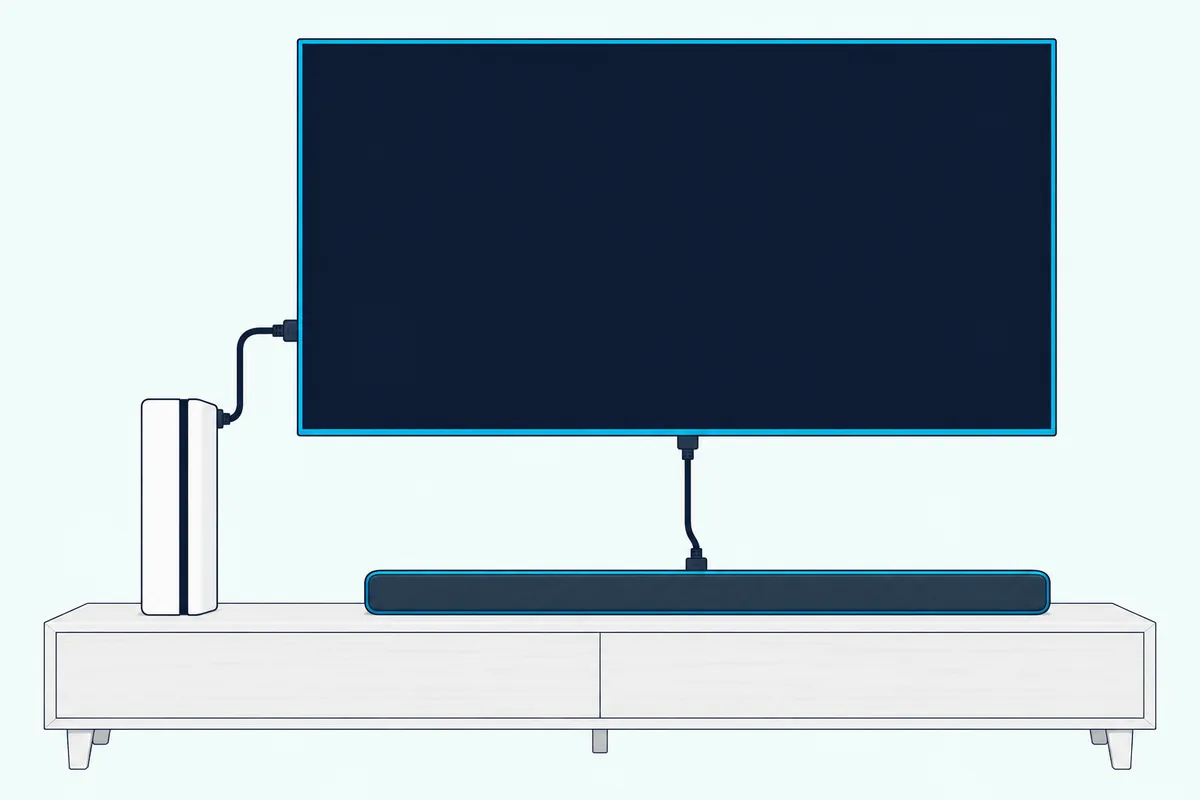
Roku’s surround guide says ARC carries Dolby Atmos only compressed while eARC carries it uncompressed, and HDMI.org adds uncompressed 5.1 and 7.1, Dolby TrueHD and DTS:X to eARC’s list.
Get Studio Tips Weekly
Join 5,000+ creators getting acoustic treatment advice every week.
No spam. Unsubscribe anytime.When Should the PS5 Plug Into the Soundbar Instead?
That eARC gap is the main reason to flip the order. If your TV has only ARC, or none, a bar with an HDMI input can take the console’s sound directly and pass the picture on.
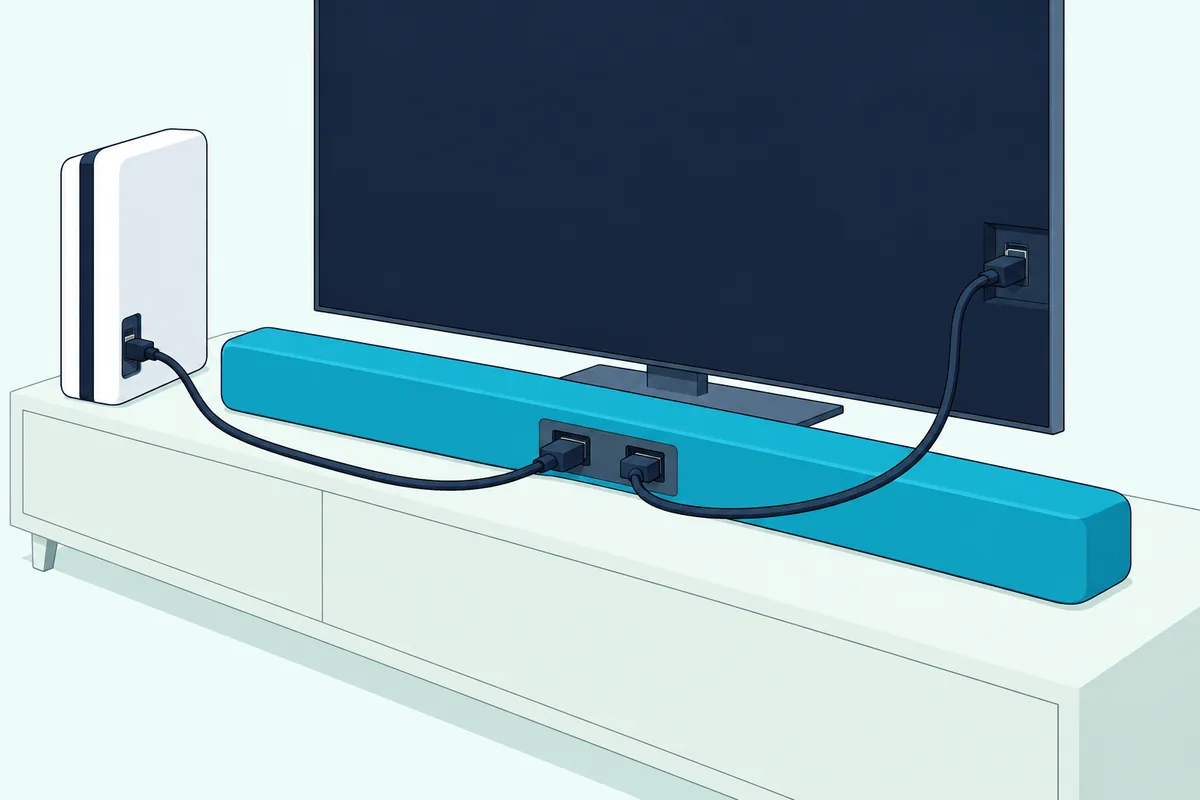
Sony’s HT-A7000 passes 4K 120 Hz, 8K, HDR10, HLG and Dolby Vision through, but only with HDMI Signal Format set to Enhanced format (4K120, 8K) and a 48 Gbps Ultra High Speed cable; Standard format limits it to 4K 60 Hz 4:2:0.
Sony’s format list for that bar never mentions VRR, so check your own bar’s manual before trusting it with a VRR game.
The PS5 ships with one HDMI 2.1 cable and Sony packs a bar-to-TV cable with that bar; if you still need a 48 Gbps run, a 48Gbps HDMI 2.1 cord from UGREEN is sold as Certified Ultra High Speed.

a 48Gbps HDMI 2.1 cord from UGREEN
Can You Use Optical Between a PS5 and a Soundbar?
Not from the console, since that spec table has no optical port. The cable runs from the TV’s digital audio output to the bar’s optical input, as Sony’s guide shows for a TV without ARC.
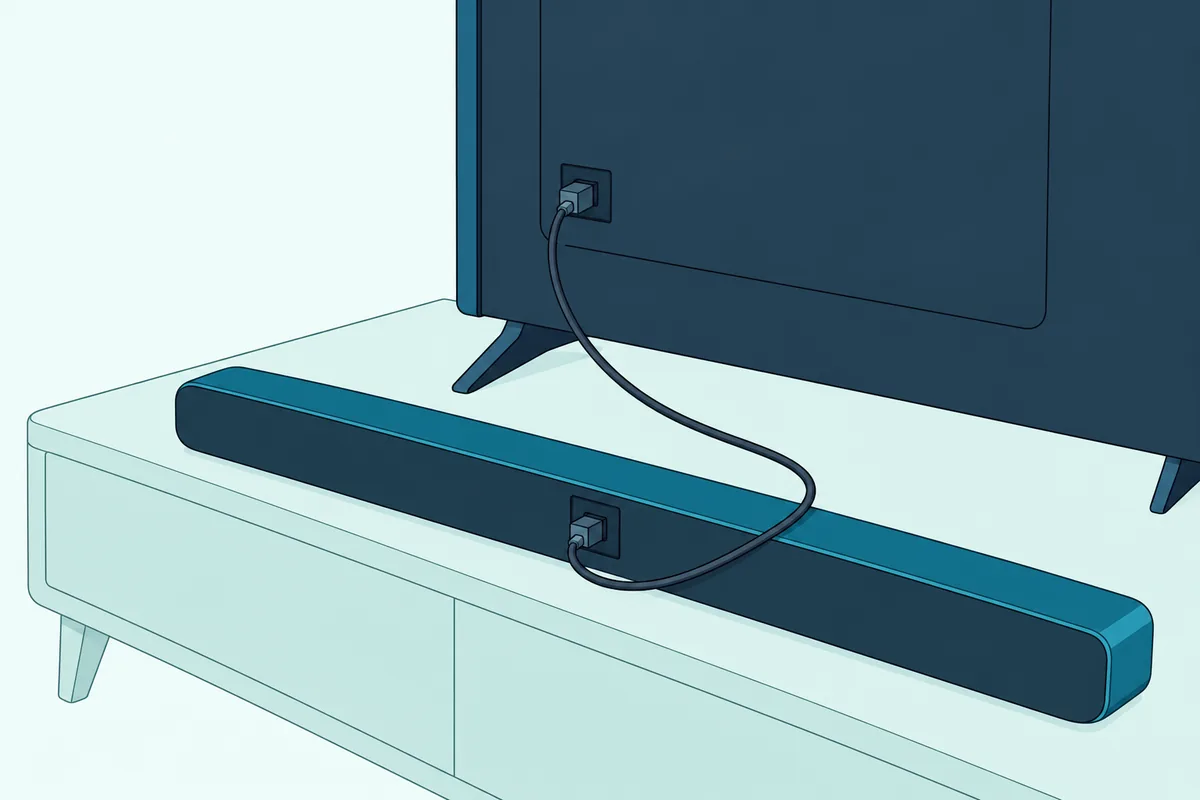
Roku’s guide limits that S/PDIF link to two channels of PCM or 5.1 compressed Dolby Digital or DTS, so Atmos stays off the table.
Which PS5 Audio Settings Should You Change for a Soundbar?
Those cables only carry what the console sends. Sony’s path is Settings > Sound > Audio Output, where four entries matter.
| Setting | What Sony says it does |
|---|---|
| Output Device | Picks the device that plays the sound; also in the control center under Sound |
| HDMI Device Type | Tells the console what’s connected over HDMI |
| Number of Channels, Adjust Speaker Positions | Shown only when HDMI Device Type is AV amplifier |
| Audio Format (Priority) | Sets the format for games and video apps; the disc player has its own audio settings |
Sony’s online article doesn’t list each device type or format choice. The full list sits in the User’s Guide on the console, under Settings > Guide & Tips, Health & Safety, and Other Information.
Does the PS5 Send Dolby Atmos to a Soundbar?
Audio Format (Priority) is also where Atmos lives. Dolby says the PS5 plays compatible games in Dolby Atmos through a TV or soundbar that supports it once you pick Settings > Sound > Audio Output > Audio Format (Priority) > Dolby Atmos.
Dolby adds that a PS5 with a disc drive plays Atmos Blu-ray and 4K UHD discs too. The optical limit from earlier rules route 3 out.
Does PS5 3D Audio Work Through a Soundbar?
Sony’s 3D audio setup covers TV speakers and headphones and never mentions soundbars. The TV version, 3D Audio (TV), measures your room with the TV speakers and the controller’s mic.
That gap stays a gap. Sony lets you compare stereo and 3D audio after measuring, with TV effects such as surround turned off.
Can a PS5 Connect to a Bluetooth Soundbar?
The spec table lists Bluetooth 5.1, yet Sony’s audio article covers a TV, headset or AV system and gives no steps for a Bluetooth bar. HDMI or the TV’s optical route is the documented link.
Why Is the Soundbar Silent With the PS5?
Silence usually traces to a setting or port above. Sony’s no-audio checks:
- Make sure the TV and bar aren’t muted and the volume is up.
- Set the PS5’s audio output to an HDMI device.
- Update the PS5’s system software and the bar’s firmware.
- Try a different HDMI cable.
- Plug the PS5 straight into the screen with the sound bar disconnected.
On the bar’s side, Sony’s HT-A3000 guide adds three checks: the TV port is labeled eARC or ARC, the TV’s Control for HDMI and eARC or ARC are on, and the bar is on its TV input. If it shows MUTING, turn on the TV first, then the bar.
Control for HDMI also lets the TV remote run the bar’s volume, though Sony warns it may not work with other makers’ devices.
Frequently Asked Questions
Is it better to plug PS5 into soundbar or TV?
The TV, for most setups. Sony’s 4K 120 Hz checklist flags intermediary equipment, and an eARC TV can still pass Atmos on. Go through the bar only when the TV lacks eARC, after checking its passthrough list; our PS5 soundbar picks for low latency suit either route.
Should I plug PS5 into HDMI ARC?
Not in route 1, where the ARC or eARC port takes the soundbar’s cable. Sony asks for a port that supports HDMI 2.1, and the set’s manual says which those are.
Do I need a special HDMI cable for a PS5 and a soundbar?
Use the one in the PS5’s box for the console. Sony asks for that cable or an Ultra High Speed cable rated for 4K 120 Hz; the port-by-port soundbar HDMI guide covers the bar’s side.