How to Connect a Soundbar to a TV: HDMI ARC, eARC and Menus by Brand
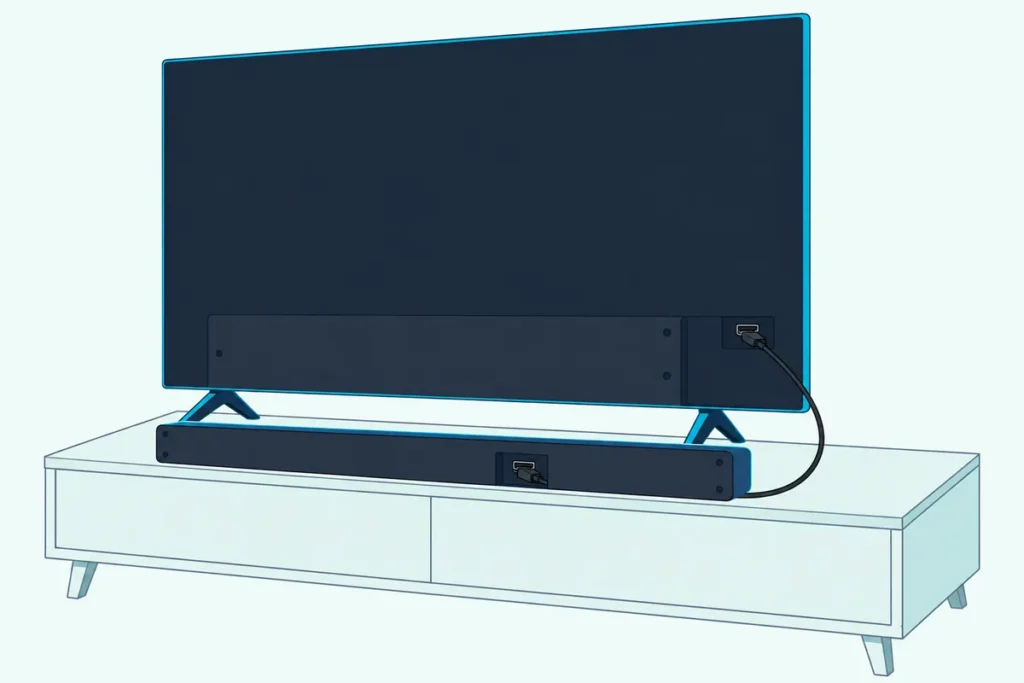
If you’re working out how to connect a soundbar to a TV, run one HDMI cable from the TV’s port labeled ARC or eARC to the bar’s matching ARC port, then set the TV’s sound output to that device.
Use any other HDMI input and the bar can sit there lit up and silent, because ARC works only through the TV’s port marked for it.
Get the port and two TV settings right, and the TV remote runs the bar’s power and volume through HDMI-CEC, which several TV makers rename.
Below are the five steps, each big TV maker’s menu path from its own guides and what ARC and eARC can each carry.
Start with the steps, then use optical, Bluetooth or the no-sound checks only if your setup needs them.
How to Connect a Soundbar to a TV in Five Steps
That one HDMI cable is the connection Sony’s TV guides recommend for a sound bar and TCL’s support says to use when it’s available, and the steps barely change between brands. To connect a soundbar to a TV with HDMI ARC, follow these five steps:
| Step | What to do | What the makers’ guides add |
|---|---|---|
| 1 | Plug an HDMI cable into the TV’s port labeled ARC or eARC | Sony’s guide for its BRAVIA 9, 8, 7 and 5 lists eARC/ARC on HDMI IN 3 only |
| 2 | Plug the other end into the bar’s ARC port, never one of its HDMI inputs | TCL’s bars mark it HDMI OUT (ARC), LG’s S60T TV (ARC) |
| 3 | Set the bar’s input to HDMI ARC | TCL says some bars label it just ARC or HDMI |
| 4 | Set the TV’s sound output to the HDMI ARC device | LG calls it HDMI(ARC) Device, Sony Audio system, Hisense HDMI (ARC/eARC) |
| 5 | Turn on HDMI-CEC, then eARC if both ends support it | Roku and TCL also say to turn on System Audio Control |
Step 4 matters because TCL’s soundbar support says most TVs don’t switch to ARC on their own. LG saves you a step: its webOS guides say choosing HDMI(ARC) Device turns on SIMPLINK, LG’s name for HDMI-CEC, by itself.
TCL’s troubleshooting adds a test worth running now: play something from a built-in TV app, a TV channel and an HDMI device in turn. If only one of them is silent, the issue may be that source or its audio format rather than the link.
Does It Matter Which HDMI Port You Use for a Soundbar?
Those first two steps are the ones to get right, because TCL says ARC works only through specific HDMI ports on both the TV and the soundbar. It matters a lot: Roku says its TVs label that port “HDMI ARC” or just “ARC”, and Sony tells you to use the HDMI input bearing the text “ARC” or “eARC/ARC” (Sony Help Guide).
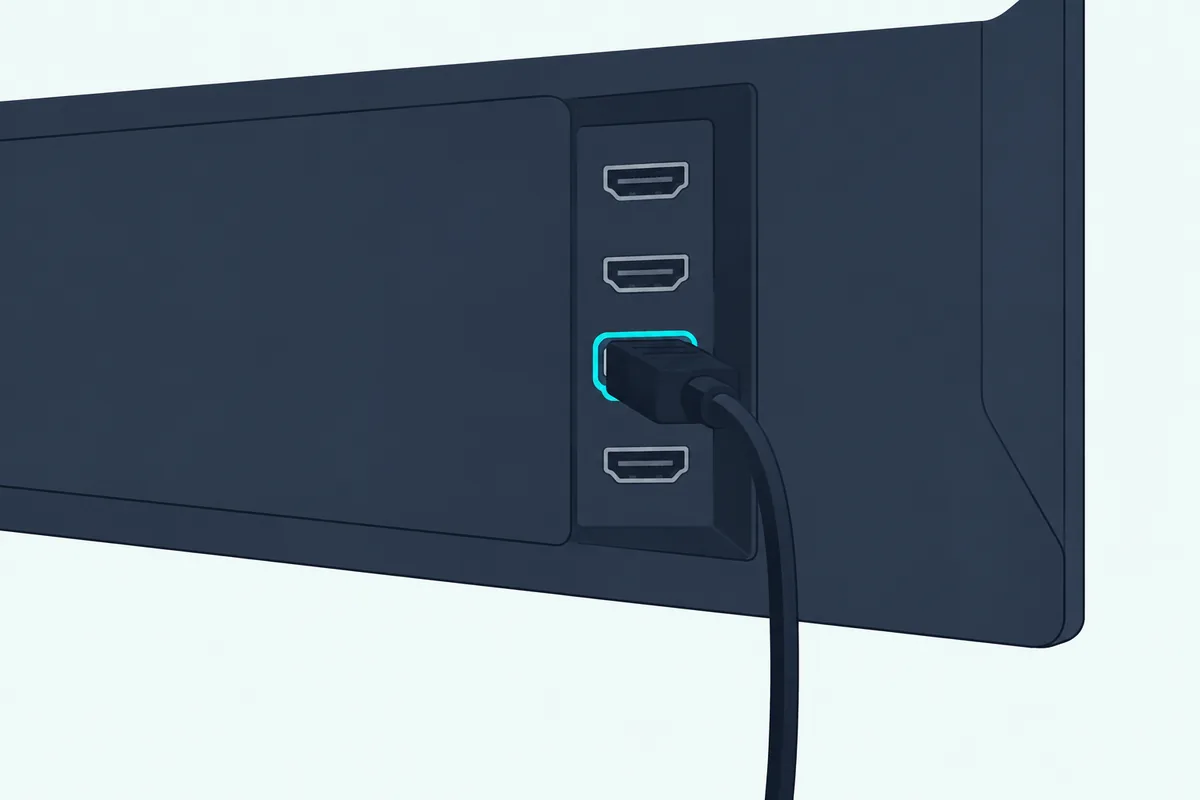
Sony’s guide for its BRAVIA 9, 8, 7 and 5 lists four HDMI inputs and eARC/ARC on HDMI IN 3 only, Vizio’s 2022 V-Series manual sends audio devices to HDMI-1 (HDMI ARC), and Samsung’s e-Manuals say an eARC link needs the TV’s eARC dedicated HDMI port.
On the bar, the matching port is named for the television. TCL says to use the soundbar’s HDMI OUT (ARC) port, not HDMI IN, Sony’s HT-A3000 manual calls it HDMI OUT (TV eARC/ARC), and LG’s S60T manual calls it the HDMI TV (ARC) terminal.
For which HDMI port and cable a soundbar needs on both ends, including when a High Speed cable is enough and when to buy Ultra High Speed, there’s a page of its own.
Sony adds that some bars don’t print ARC on the port at all, so check the bar’s manual if every socket looks alike. TCL notes that its bars’ standard HDMI input is meant for source devices.
A streaming box such as an Apple TV 4K is one of those sources, and Apple’s Atmos article sends it to the bar’s HDMI input, as plugging an Apple TV into a soundbar explains.
Own an Onn bar? This Onn-specific walkthrough names the right port on each Onn model.
Our HDMI vs HDMI ARC soundbar guide explains what the ARC label changes.
That single ARC port is also why a soundbar and an AV receiver can’t both take it, and our guide on how to hook up a soundbar to a receiver covers the routes that work around it.
Which HDMI Cable Do You Need for ARC or eARC?
That port only does its job if the cable supports the features riding on it. For HDMI-CEC, LG’s TV guides ask for a high-speed HDMI cable with the CEC function, and for eARC, Roku asks for a High Speed HDMI Cable with Ethernet, or for 4K HDR a Premium High Speed HDMI Cable with Ethernet or an Ultra High Speed HDMI Cable (Roku).
Sony’s eARC troubleshooting also asks for an HDMI cable with Ethernet, and Samsung’s Australian help warns that some HDMI cables may not support Anynet+ (HDMI-CEC).
The HDMI Licensing Administrator, which licenses the HDMI specification, says every Ultra High Speed HDMI Cable must carry a certification label on its package that a QR code app can scan.
If you need a cable, UGREEN’s 6.6 ft HDMI 2.1 cable is sold as a Certified Ultra High Speed cable, with the label in its listing photo.

UGREEN’s 6.6 ft HDMI 2.1 cable
Our TV-to-soundbar cable guide covers more options if that one doesn’t fit your room.
Which Menu Turns On the Soundbar on Each TV Brand?
With the cable in, steps 4 and 5 happen in the TV’s menus, and every maker files them in a different place. This table gives each TV’s path for sending sound to the bar, its switch for HDMI-CEC under the maker’s own name, and its eARC setting, all from the makers’ guides:
| TV (years) | Send the sound to the bar | HDMI-CEC switch | eARC setting |
|---|---|---|---|
| Samsung 2022-2025 | Settings > All Settings > Sound > Sound Output | Anynet+ (HDMI-CEC): External Device Manager, under Connection (2022-2024) or General & Privacy (2025) | All Settings > Sound > Expert Settings > HDMI-eARC Mode |
| Samsung 2017-2021 | Settings > Sound > Sound Output | Settings > General > External Device Manager > Anynet+ (HDMI-CEC) | Settings > Sound > Expert Settings > HDMI-eARC Mode (2020-2021) |
| LG webOS 23, 24, 25 (2023-2025) | All Settings > Sound > Sound Out > Use Wired Speaker > HDMI(ARC) Device | SIMPLINK (HDMI-CEC): General > External Devices > HDMI Settings | Sound > Advanced Settings > eARC Support |
| LG webOS 22 (2022) | Same Sound Out path | General > Devices > HDMI Settings | Same path |
| Sony Google TV (newer BRAVIA guides) | Display & Sound > Audio output > Speakers > Audio system | BRAVIA Sync control: Channels & Inputs > External inputs > BRAVIA Sync settings | Audio output > Audio system settings > eARC setting > Auto |
| Sony Google TV (2022 guide) | Same Speakers path | Same BRAVIA Sync path | Audio output > eARC mode > Auto |
| Roku TV | Settings > Audio > Audio Output > eARC | Settings > System > Control other devices (CEC) | Same Audio Output path |
| TCL Google TV (X11L guide) | Audio Output > HDMI ARC/eARC | HDMI CEC and HDMI Control under Channels & Inputs (T-Link on TCL) | eARC under Channels & Inputs |
| Hisense Google TV (2025) | Display & Sound > Audio Output > HDMI (ARC/eARC) | Channels & Inputs > External Inputs > HDMI control | Display & Sound > Sound > eARC > Auto |
| Hisense VIDAA (55A6GV manual) | Sound > Audio Output Settings > Audio Output > ARC | System > HDMI-CEC > HDMI-CEC | Not in this manual |
| Vizio (2022 V-Series) | Menu > Audio: TV Speakers turn off when a sound bar is found | Menu > System > CEC > Enable | Not given in this manual |
Paths start from the TV’s settings, and the makers note that names vary by model, region and software. Samsung’s rows follow its e-Manuals, and Samsung Australia’s Anynet+ page matches them except for 2022, which it files under General & Privacy.
A 2023 Samsung set on newer software follows the 2025 path, per the e-Manual Samsung now publishes for the 2023 QN90C.
Our guide to connecting a Samsung soundbar to its TV covers every Samsung year back to 2016. LG’s developer site dates each webOS TV version by year, and Burton Acoustix’s LG TV hookup guide covers older LG sets too.
Sony calls the same control BRAVIA Sync, and setting up a soundbar on a Sony TV shows where to find it. Roku’s own help lists the ARC switch in two places, though: Settings > Audio > Audio Output in its 12 Oct 2026 article, and a check box under Settings > System > Control other devices (CEC) in its surround-sound article.
For a Vizio TV and bar, hooking up a Vizio sound bar to a TV covers the bar’s side. For a Hisense TV on optical instead, the exact Hisense menu sequence with the bar set to Optical/D.IN and the TV sound mode set to external is the brand-specific reference.
For a Panasonic TV, connecting a soundbar to a Panasonic TV gives the Fire TV and VIERA Link menus and explains why HDMI 2 is the port to use.
For HDMI ARC on a Hisense, Burton Acoustix’s Hisense TV sound bar hookup guide adds the 2022 and 2023 Google TV, 2021 Android TV and Roku TV paths beside the two Hisense rows above.
What Is HDMI-CEC, and Why Does Each TV Call It Something Else?
That fifth step is HDMI-CEC, short for Consumer Electronics Control, the HDMI feature that lets one remote run several devices. Sony describes BRAVIA Sync as its TV remote controlling other compatible equipment “through the use of the HDMI CEC” technology, and LG’s S60T soundbar manual lists the makers’ names: LG SIMPLINK, Sony BRAVIA Sync/Link, Philips EasyLink and Samsung Anynet+.
On a Philips TV, EasyLink sits under Settings > Channels & Input > Inputs on Google TV models, and connecting a Philips soundbar to a TV gives the Android TV and older Philips paths too.
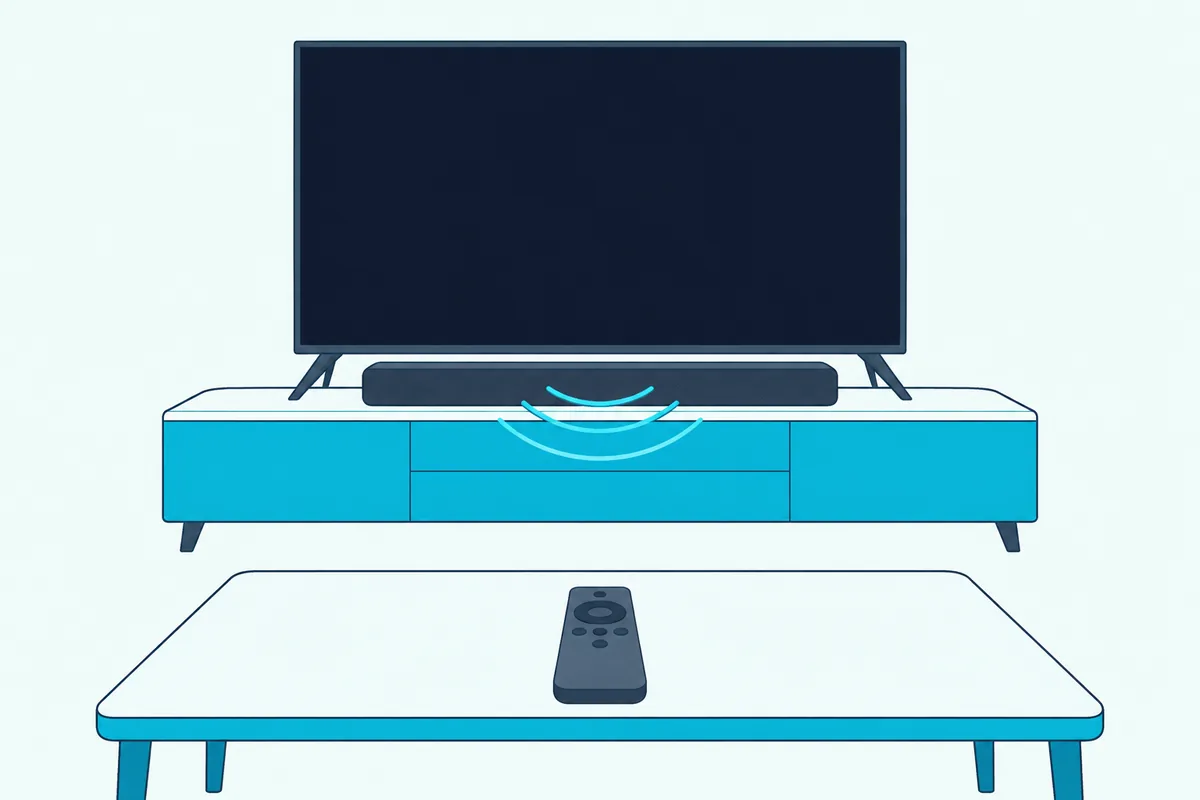
TCL’s soundbar support adds T-Link for TCL TVs, Hisense’s manuals say HDMI-CEC on VIDAA sets and HDMI control on Google TV sets, and Vizio’s and Roku’s menus just say CEC.
Yamaha’s bars call their end of it HDMI Control, and how to hook up a Yamaha sound bar names the remote button that switches it on for each model.
For a TCL bar on a TCL TV, connecting a TCL soundbar to a TCL TV gives the TCL Roku TV and Google TV switches side by side.
What you get depends on the pair. Roku lists volume and mute, with the level shown on screen, Vizio adds power and play/pause, and Sony’s TVs can switch the sound to a connected receiver when the TV comes on.
An Xbox Series X|S can join in too, since Microsoft’s Console sends volume commands setting lets the console run a soundbar’s volume, one of the steps in Burton Acoustix’s Xbox-to-soundbar guide.
If power is the part that isn’t working, our guide on how to get your soundbar to turn on with the TV lists the power options each brand hides under its CEC menu, from Hisense’s Device Auto Power On to Sony’s TV auto power on.
CEC can also decide whether ARC plays at all. Roku’s help says many TVs require CEC on for ARC to work, and Sony’s HT-A3000 manual says TV sound won’t come out of the bar unless the TV’s Control for HDMI function is on.
Roku and TCL also say to turn on System Audio Control where a TV has it. If you watch through a Fire TV Stick, the follow-up question is usually getting the Firestick remote to control the soundbar’s volume, which is a separate setup.
The catch is mixing brands: LG’s guides say SIMPLINK works only with devices that carry the SIMPLINK logo, and other products may cause problems.
What Is the Difference Between ARC and eARC?
Once CEC is on, the last switch is eARC, and the difference is how much audio the cable can carry. ARC sends the TV’s sound to the bar and supports the formats optical does plus Dolby Digital Plus and Dolby Atmos, while eARC adds full-resolution formats such as Dolby TrueHD, DTS-HD Master Audio and DTS:X, per Roku’s help.
Sony’s BRAVIA 9, 8, 7 and 5 guide shows the gap format by format:
| Audio format | ARC mode | eARC mode |
|---|---|---|
| Linear PCM | Two channels, 48 kHz, 16 bits | 7.1 channels, up to 192 kHz |
| Dolby Audio | Listed | Listed |
| Dolby Atmos | Listed | Listed |
| DTS | Listed | Listed |
| DTS-HD Master Audio and DTS:X | Not listed | Listed |
Dolby Atmos shows up in both columns because, as Roku explains, ARC carries it only in a compressed format and eARC carries it uncompressed. The HDMI Licensing Administrator puts eARC’s ceiling at 192 kHz, 24-bit audio, uncompressed 5.1 and 7.1, and 32-channel audio.
Sony’s HT-A3000 manual sums it up from the bar’s side: eARC carries the object audio and multi-channel LPCM that ARC can’t.
Roku also says eARC has built-in lip-sync, which was optional in the original ARC specification, and that both the TV and the bar need eARC, or the pair falls back to ARC.
When a pair falls back to ARC, a disc player’s TrueHD track can’t make the trip, and Burton Acoustix’s Dolby Atmos setup checklist shows how plugging the player into the bar’s HDMI input gets around it.
So eARC matters most when a bar from our best Dolby Atmos soundbars list gets full-resolution movie soundtracks such as Dolby TrueHD from the TV, while ARC still carries Dolby Digital Plus and compressed Atmos.
Which Audio Format Should the TV Send to the Soundbar?
Those format limits are why TVs have an output format setting, and the safe starting point is Auto. Samsung’s e-Manuals say Auto changes to the mode the connected soundbar supports and Pass-through sends audio with no processing, and Roku’s default, Auto detect, reads the bar’s capabilities over HDMI.
PCM is the fallback. Sony says to set Digital audio out to PCM if the audio system doesn’t support Dolby Digital or DTS, and TCL’s troubleshooting starts with PCM, then tries Auto or Pass Through once sound works.
Insignia’s guides go further and ask for PCM on both the ARC and optical routes, as the Insignia hookup steps show model by model.
Some TVs hide 5.1 behind this menu. Hisense’s manuals say to choose Dolby Audio – Dolby Digital Plus under the digital audio format to receive 5.1-channel audio, and Samsung’s say the Dolby Digital+ option works only over HDMI (eARC).
Vizio’s 2022 manual adds that its Digital Audio Out setting covers both optical and HDMI ARC.
Our guide to PCM vs Dolby Digital on a soundbar explains what each choice changes in the sound.
How Do You Connect a Soundbar to a TV Without HDMI ARC?
All of that assumes an ARC port, but some TVs and bars don’t have one, and two routes still work. The simplest is optical: Hisense’s manual says an audio system without ARC support connects to the TV’s DIGITAL AUDIO OUT instead, and Roku says that output carries two-channel PCM or 5.1-channel compressed Dolby Digital or DTS.
Each maker names that output setting differently, and our walkthrough on how to connect a soundbar to a TV with an optical cable gives the path for Samsung, LG, Sony, Roku, Vizio and Hisense TVs. The only thing to buy is the cable, such as KabelDirekt’s 6 ft TOSLINK cable, which has a full-size TOSLINK plug at each end.
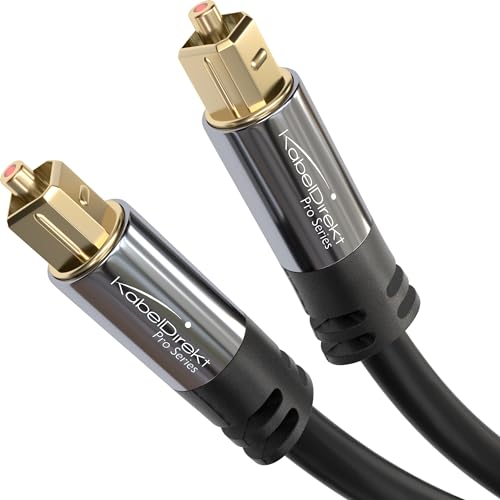
KabelDirekt’s 6 ft TOSLINK cable
The second route puts the bar between your sources and the TV. Dolby’s guide describes plugging a streaming box, Blu-ray player or console into the soundbar’s HDMI input and running the soundbar’s HDMI output to the TV.
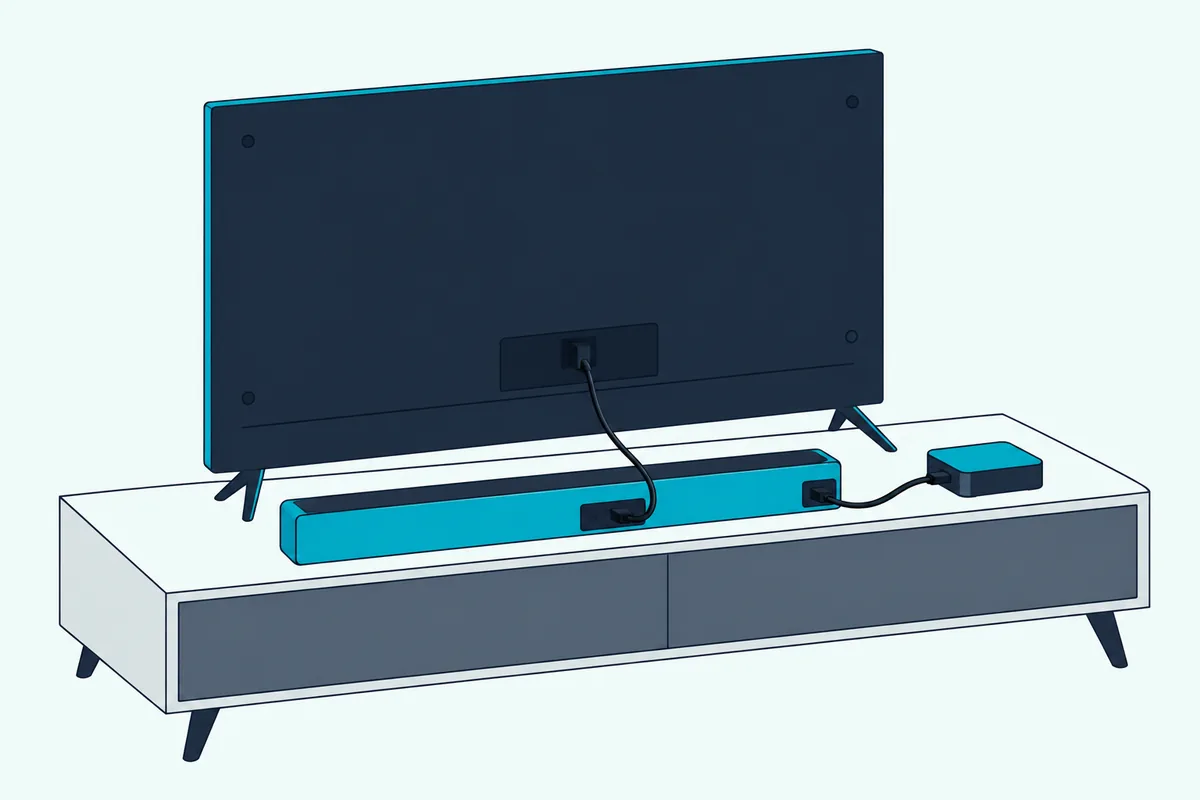
That only works on bars with an HDMI input. Sony’s HT-A3000 manual shows a combined version for a TV without ARC: the bar’s HDMI cable to the TV plus an optical cable from the TV’s optical output.
A PS5 can’t start that optical run itself, since Sony lists HDMI OUT as its only AV output, so Burton Acoustix’s PS5-to-soundbar walkthrough begins the cable at the TV.
Sonos takes a third route: Arc and Beam come with an optical adapter that fits on the end of their HDMI cable, which this Sonos-specific walkthrough sets out step by step.
Those two aren’t the only routes, and our guide on how to connect a soundbar to a TV with HDMI without ARC adds the analog, Bluetooth and HDMI audio extractor options, with what each one gives up.
When the TV has no optical output either, connecting a soundbar to a TV with no optical cable comes down to Bluetooth, an analog or coaxial jack, or a converter.
Running a console, a streaming stick and a cable box too? This multi-device setup guide shows which box should be the hub.
If that box is a DirecTV receiver, our page on how to connect a soundbar to DirecTV weighs this route against the TV-first one. If the source is a console, our gaming soundbar guide covers bars picked with gaming in mind.
Can You Connect a Soundbar to a TV Wirelessly?
Both routes still use a cable, and going wireless gives up some of what HDMI does. Yes, you can connect a soundbar to a TV wirelessly over Bluetooth, which Samsung’s buying guide says most recent TVs and soundbars support, or over Wi-Fi on some TV and bar pairs.
A Fire TV Stick can pair one too, from Settings > Controllers & Bluetooth Devices, and Burton Acoustix’s Fire TV soundbar guide puts that route beside the HDMI one.
The trade-off is timing. Sony’s TV guides say the sound is delayed behind the picture over Bluetooth because of Bluetooth’s properties, and they offer an A/V sync setting to adjust it.
Sony also says its TVs can’t play Bluetooth and their own speakers together, and it suggests a wired sound bar for games where response time matters. Samsung’s guide says some soundbars carry wireless Dolby Atmos over Wi-Fi, but asks you to check that the TV and bar work together over Wi-Fi first.
For the TV-side pairing steps, see our TV-to-soundbar Bluetooth guide. The label covers less than it sounds like, too: whether all sound bars are wireless comes down to which links skip the cable, since the bar itself still runs on a power cord.
Why Is the TV Not Playing Sound Through the Soundbar?
When a wired setup stays silent, look back at the five steps before blaming the bar. Roku’s help says the likely cause is ARC not being set up: the bar plugged into a port not labeled ARC, the TV’s output not set to HDMI ARC, or CEC switched off.
TCL’s soundbar support adds three more checks to that list: PCM as the TV’s audio format, volume and mute on both remotes, and a 30-second power cycle.
A few makers add their own fixes. Vizio’s 2022 manual says to set eARC to Off and use ARC mode, and Sony’s no-audio checks say to turn the TV’s Digital audio out volume to maximum.
For a stubborn handshake, Roku suggests unplugging the TV and every HDMI device for about a minute, then turning on the TV alone before plugging in the audio device and the other sources. TCL adds that ARC won’t play while the bar sits on Bluetooth, optical or another input, so reselect HDMI ARC afterward.
If HDMI still won’t play, TCL suggests testing the bar over optical: sound there points to the ARC link, the cable or compatibility rather than the bar.
If the soundbar is failing across every input or still refuses to take over TV audio, the no-sound guide and reset soundbar guide are the next stops before another cable swap. If the soundbar is an LG and the silence returns after every fix, LG’s own soundbar checks, from the mute light to demo mode, are the brand-targeted next step.
If the bar itself is the problem, our best soundbar roundup is the place to start over.
Do All Soundbars Connect to All TVs?
Those checks assume both ends share the same HDMI features, which is the real compatibility question. Most soundbars connect to most TVs: TCL’s support says its TVs and soundbars generally work with other makers’ products over HDMI ARC, optical, AUX or Bluetooth, though the features vary with the models, connection, audio format and software.
If AUX is the only port the two share, our guide to hooking up a soundbar to a TV with an AUX cord covers the jack, the cable and the TV’s output setting.
Remote control is the feature at risk across brands, for the SIMPLINK reason above. Some bars have no HDMI port at all: Samsung’s HW-C450 manual lists optical, Bluetooth and USB as its only inputs.
Our guide to connecting a Majority soundbar to a TV covers the optical and RCA routes for bars like that. For iLive’s bars, see how to connect an iLive soundbar to a TV.
RCA-brand bars fit there too: none of their manuals shows an HDMI input, and our answer to how do you hook up an RCA sound bar gives each model’s jacks.
Sizing the bar to the room matters as much as the ports, and our small-room soundbar guide and soundbars with subwoofers roundup help with that choice. The TV side stays the same for a pick from our best budget soundbar roundup as for a flagship.
Once the bar is connected, our guide on how to set up a soundbar covers the rest of a first-time setup, from pairing the subwoofer to checking Dolby Atmos, and the broader soundbar hub has every other guide.
Frequently Asked Questions
How do I make my TV remote control the soundbar?
Connect the bar over HDMI ARC and turn on HDMI-CEC under your TV maker’s name: Anynet+ on Samsung, SIMPLINK on LG, BRAVIA Sync on Sony, T-Link on TCL, HDMI-CEC or HDMI control on Hisense, CEC on Vizio and Control other devices (CEC) on a Roku TV. Over optical, TCL says to adjust the volume with the soundbar’s own remote, though LG’s TVs offer LG Sound Sync for LG bars that support it.
Should the TV speakers stay on when a soundbar is connected?
Usually not, and some TVs switch them off for you: Vizio’s 2022 manual says the built-in speakers turn off automatically when a sound bar is found. If you want both playing, Sony allows it only over an optical cable with Digital audio out set to PCM, and LG’s webOS 25 guide offers Optical Out Device + TV Speaker.
Why does the soundbar turn on and off with the TV?
That’s HDMI-CEC’s power link working as designed. LG’s guides say turning off the TV also turns off devices connected through SIMPLINK, and Sony and Hisense both have a Device auto power off setting that controls it. Switch that setting off if you want the bar to stay on. Turning CEC off entirely also takes away TV-remote volume, and on LG TVs it sends the sound back to the TV speakers.
Can a soundbar connect to a TV with no HDMI ARC or optical port?
Often, yes, through an analog output. TCL lists headphone or audio out among the TV outputs a soundbar can use, and LG’s Use Wired Speaker menu includes Audio Out Device. On Vizio’s 2022 TVs, set Analog Audio Out to Fixed when the bar controls the volume, and note Vizio’s tip that more than two channels need the digital output.