Choosing the best soundbar for PS5 starts with where the console plugs in, and Sony’s BRAVIA Theater Bar 9 is the pick that takes it straight in at 4K 120 Hz with VRR and 8K.
The picks
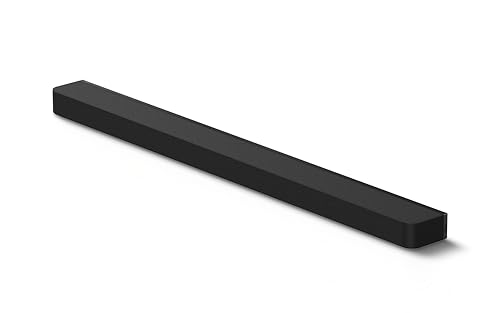
Sony BRAVIA Theater Bar 9
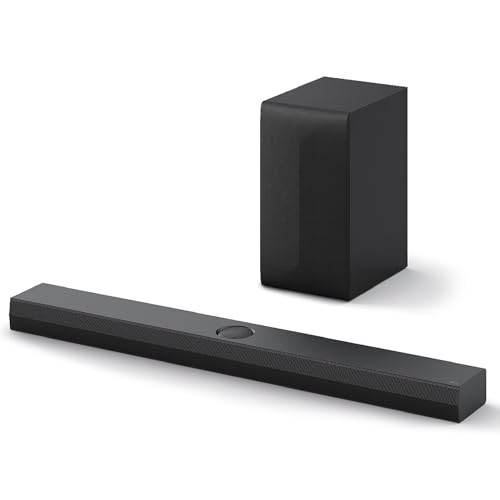
LG S70TY
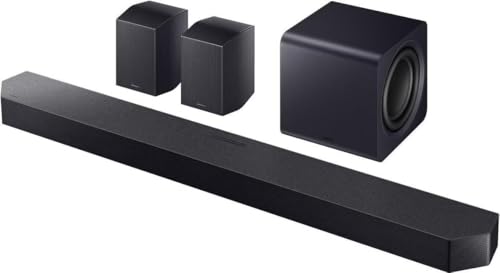
Samsung HW-Q990F
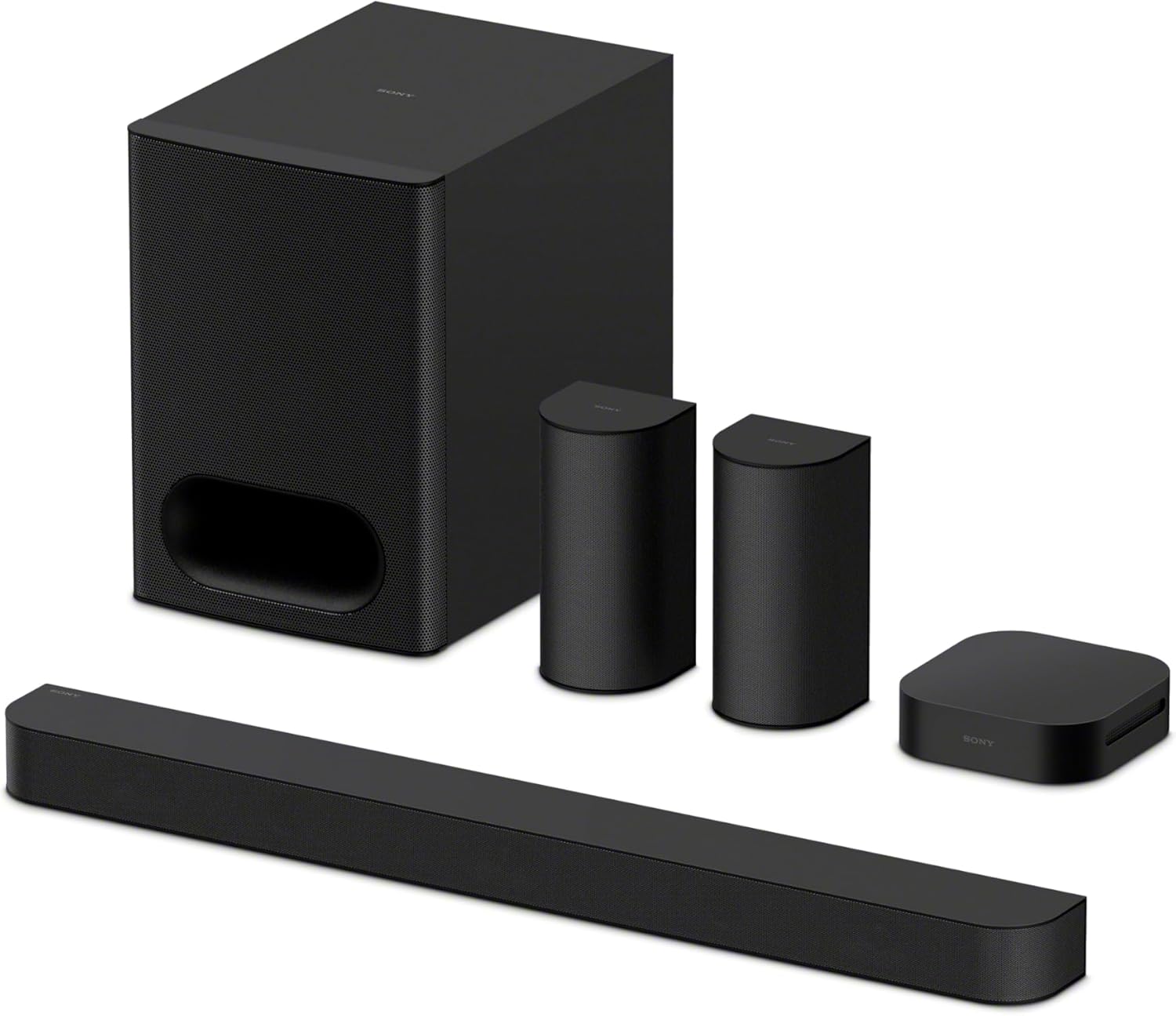
Sony BRAVIA Theater System 6
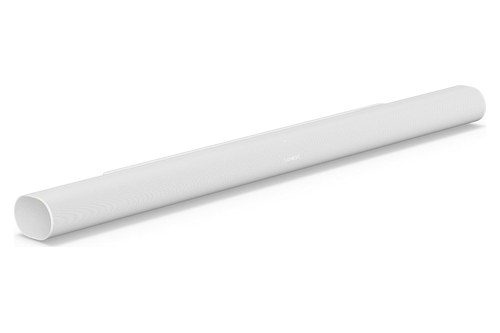
Sonos Arc Ultra
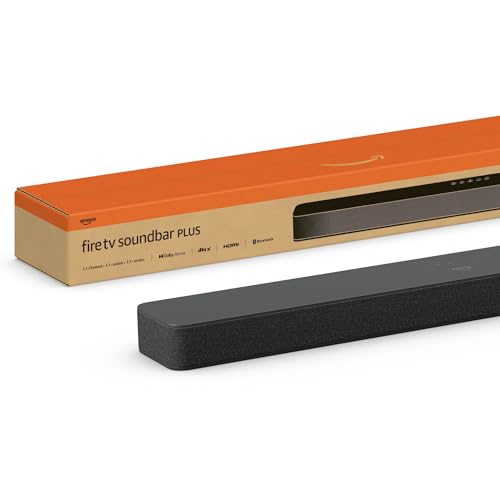
Amazon Fire TV Soundbar Plus
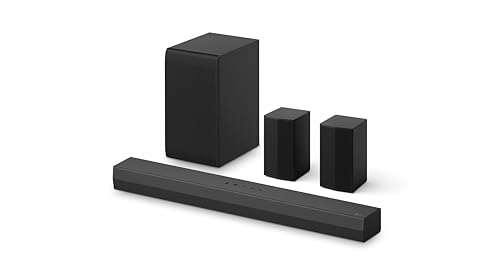
LG S40TR

Sony HT-S100F
Put a soundbar in the way that can’t carry that signal and Sony’s 4K 120 Hz checklist describes the result: a blank screen or a 1080p picture, with intermediary equipment among the causes.
Get the route right and the TV keeps its 4K 120 Hz picture while the soundbar plays the Dolby Atmos that Dolby says the PS5 sends to an Atmos TV or soundbar.

The picks come first, sorted by how the console connects, then the two hookup routes, the PS5’s audio settings, Dolby Atmos, eARC, 3D audio, sync and the PS5 Pro.
Start with the table, then go to the pick that matches your TV’s HDMI ports.
What Is the Best Soundbar for PS5?
That plug-in question sorts the field before any brand name does. The best soundbar for PS5 for most setups is Sony’s BRAVIA Theater Bar 9, because Sony’s help guide lists 4K at 120 Hz, VRR, ALLM and 8K at 60 Hz on its HDMI input, and the PS button on a PS5 controller turns the bar and the TV on together.
If your TV already has an HDMI 2.1 port and eARC, the console can stay on the TV and any eARC pick below plays its sound. The LG S70TY and Samsung HW-Q990F also take the console directly at 4K 120 Hz, and the LG S40TR and Sony HT-S100F suit TVs with only ARC or optical.
| Pick | Best for | Why |
|---|---|---|
| Sony BRAVIA Theater Bar 9 | Plugging the PS5 into the soundbar | 4K 120 Hz, VRR and 8K on its HDMI input |
| LG S70TY | A mid-size soundbar with a subwoofer | 4K 120 Hz, VRR and ALLM pass-through |
| Samsung HW-Q990F | Full surround, PS5 on the soundbar | Subwoofer and rear speakers in the box |
| Sony BRAVIA Theater System 6 | Rear speakers with the PS5 on the TV | Two rear speakers and a subwoofer |
| Sonos Arc Ultra | No subwoofer box | 9.1.4 Dolby Atmos from one soundbar |
| Amazon Fire TV Soundbar Plus | A smaller TV | Atmos and DTS:X with built-in bass |
| LG S40TR | Rear speakers on an ARC TV | 4.1 channels over ARC or optical |
| Sony HT-S100F | A simple stereo upgrade | Two channels for ARC or optical TVs |
Read the table by your TV’s ports first, then by the fact in the last column. The spec table below puts each soundbar’s channels, its link to the TV and the PS5’s hookup point side by side, and what numbers like 11.1.4 mean on a soundbar explains the channel figures.
| Soundbar | Channels | TV link | PS5 plugs into |
|---|---|---|---|
| Sony BRAVIA Theater Bar 9 | eARC | Soundbar or TV | |
| LG S70TY | 3.1.1 | eARC | Soundbar or TV |
| Samsung HW-Q990F | 11.1.4 | eARC | Soundbar or TV |
| Sony BRAVIA Theater System 6 | 5.1 | eARC | TV |
| Sonos Arc Ultra | 9.1.4 | eARC | TV |
| Amazon Fire TV Soundbar Plus | 3.1 | eARC/ARC | TV |
| LG S40TR | 4.1 | ARC | TV |
| Sony HT-S100F | 2.0 | ARC | TV |
Sony lists the Bar 9 by its 13 speakers rather than by a channel count. The descriptions come from the makers’ manuals and spec pages.
Every pick met Burton Acoustix’s rating, review and stock checks on 7 November 2026.
Which Soundbars Take the PS5 Straight In at 4K 120 Hz?
The first three rows share a feature the other soundbars here don’t list. Sony’s Bar 9, LG’s S70TY and Samsung’s HW-Q990F each have an HDMI input that their makers say passes the PS5’s 4K 120 Hz picture through to the TV, and Sony and LG add VRR and ALLM.

That input matters when the TV has too few HDMI 2.1 ports for the console and everything else, or no eARC to send the sound back. With one of these, the PS5 plugs into the soundbar and its HDMI output goes to the TV.
Sony BRAVIA Theater Bar 9
Spec: 13 speakers; one HDMI input and an HDMI eARC/ARC output; 4K at up to 120 Hz, 8K at up to 60 Hz, VRR and ALLM through the input; Dolby Atmos and DTS:X.
For a PS5 that plugs straight into the soundbar, the Sony BRAVIA Theater Bar 9 is the pick. Sony’s help guide for the Bar 9 and Bar 8 lists 4K at up to 120 Hz, 1440p at 120 Hz and 8K at up to 60 Hz on its HDMI jack, with VRR, ALLM and HDR passing through to the TV.
Sony BRAVIA Theater Bar 9
Those formats need its HDMI Signal Format set to Enhanced format (4K120, 8K), which is the default and also switches on VRR and ALLM. Sony’s guide says a 48 Gbps Ultra High Speed HDMI Cable carries every format it supports, while an 18 Gbps Premium High Speed cable stops at 4K 60 Hz.
Plugged in this way, it plays Dolby Atmos from the console even when the TV isn’t compatible with eARC, Sony notes. Its one-touch play turns the soundbar and the TV on together when you press the PS button on a PS5 controller.
Two more HDMI settings help a console setup. Signal Pass Through keeps sending the HDMI signal to the TV even with the soundbar turned off, and TV Power Off Link turns the soundbar off when the TV goes off.
The guide also says that when ALLM switches on low latency mode, some sound processing is skipped to reduce audio delay. An A/V Sync setting adjusts the delay between picture and sound if it still drifts.
Sony’s listing describes 13 speakers and a Sound Field Optimization feature that calibrates the sound to your room. The guide covers adding an optional subwoofer and rear speakers later, so it can grow into a surround system.
LG S70TY
Spec: 3.1.1 channels with a wireless subwoofer; one HDMI input and one output with eARC; 4K, 120 Hz, VRR and ALLM pass-through; Dolby Atmos and DTS:X; 37.4 inches wide.
If you’d rather keep the PS5 on a smaller soundbar with a subwoofer, the LG S70TY with its wireless subwoofer passes the same gaming signals through. LG’s S70TY spec sheet lists one HDMI input and one output, with 4K and 120 Hz pass-through, VRR and ALLM, HDR10 and Dolby Vision.
LG S70TY
It’s a 3.1.1-channel soundbar that decodes Dolby Atmos and DTS:X, and LG lists eARC for the TV connection, so the console can just as easily stay on the TV. The spec sheet gives it a width of 37.4 inches, matches it to TVs of 49 inches and up, and marks it Wireless Surround Sound Ready for rear speakers added later.
LG’s listing recommends it for its QNED TVs, and the spec sheet adds a night mode, an auto volume leveler in the app and Bluetooth 5.1. LG’s S70TY spec sheet gives no 8K figure, so a PS5 Pro sending 8K belongs on the TV, as the PS5 Pro section explains.
Samsung HW-Q990F
Spec: 11.1.4 channels with a subwoofer and rear speakers; HDMI input and HDMI eARC/ARC output; 4K at 120 fps on the input; Dolby Atmos and DTS:X; Game Pro sound mode.
For full surround with the console on the soundbar, the Samsung HW-Q990F with its subwoofer and rear speakers is the pick. Samsung’s HW-Q990F user guide lists 4K (3840 x 2160) at 120 frames per second on the HDMI input, in 8-bit and 10-bit color in all four formats and in 12-bit YCbCr 4:2:2 and 4:2:0.
Samsung HW-Q990F
That needs an Ultra High Speed HDMI cable, Samsung says, and its guide limits the HW-Q930F and HW-Q800F inputs to 4K below 60 fps. Check the model number before you buy, because those two share the guide.
The output table is where the channel count shows. In Standard mode it plays Dolby Atmos and DTS:X at 7.1.4, while Surround, Game Pro and Adaptive Sound spread every input, stereo included, across all 11.1.4 channels.
Game Pro is the mode Samsung calls optimized for gaming. If picture and sound drift apart, a Sync setting moves the audio delay anywhere from 0 to 300 milliseconds.
On a Samsung TV that supports Q-Symphony, the TV’s speakers play along with the soundbar, which Samsung says gives a richer, more immersive sound. The Q-Symphony menu appears in the TV’s Sound Output settings once the soundbar is connected.
Samsung’s guide lists frame rates and color formats for the input, not VRR. If your games lean on VRR, the TV-first route in the hookup section keeps it on the TV’s own HDMI 2.1 port.
Which Soundbars Fit a PS5 That Stays on the TV?
Every soundbar in that first group also works the other way round, and the next three are set up that way by their makers: the PS5 plugs into the TV, and the TV’s eARC port sends the sound down to the soundbar. That leaves the TV’s own HDMI 2.1 port in charge of the picture.

It’s the simplest route when the TV has an HDMI 2.1 port free for the console. The eARC section explains why that eARC link matters for Dolby Atmos and lossless audio.
Sony BRAVIA Theater System 6
Spec: 5.1 channels from a soundbar, a subwoofer, a wireless amplifier and two rear speakers; 10 speakers in all; HDMI eARC/ARC to the TV; Dolby Atmos and DTS:X.
Rear speakers are the reason to choose the Sony BRAVIA Theater System 6, and it suits the TV-first route. Sony’s help guide for the system shows a game console plugged into the TV, with the TV’s eARC or ARC jack feeding the subwoofer, which is the system’s main unit.
Sony BRAVIA Theater System 6
The soundbar connects to the subwoofer by cable, and a wireless amplifier drives the two rear speakers, which plug into it with their own cables. So the amplifier needs a power outlet near the rear speakers, but no cable has to run back across the room, the layout that tops Burton’s 5.1 soundbar picks.
Sony’s listing counts 10 speakers in all and lists Dolby Atmos and DTS:X support. The help guide’s one-touch play covers the PS button on a PS5 controller, as the Bar 9’s does.
After you move the furniture or your seat, Sony recommends rerunning the speaker positioning and volume level settings in its app. Its guide also has you set the TV so that TV sound plays from the system, which some TVs do on their own once it’s connected.
The remote has a voice mode, which Sony says emphasizes dialogue, and a night mode for clear sound at low volume.
Sonos Arc Ultra
Spec: 9.1.4 Dolby Atmos from a single soundbar with 14 drivers, two of them up-firing; HDMI eARC; Trueplay tuning on iOS and Android.
A single soundbar with no subwoofer box is the case for the Sonos Arc Ultra, shown here in white, and its HDMI eARC link keeps the PS5 on the TV. Sonos lists 14 drivers, two of them tweeters that fire upward for height, and calls the result 9.1.4 spatial audio with Dolby Atmos.
Sonos Arc Ultra
Its bass comes from Sound Motion, which Sonos describes as a four-motor, dual-membrane woofer in a flat, compact design. You can add a Sonos Sub and Era 300 rear speakers later if one soundbar stops being enough.
The eARC link matters more here than on most soundbars. Sonos’s list of supported home theater formats marks Dolby Atmos, Dolby TrueHD and multichannel PCM as needing an eARC connection, and the Arc Ultra page lists DTS Digital Surround rather than DTS:X.
Trueplay tunes the sound to your room and to where it sits, from the Sonos app on iOS and Android. Setup is one HDMI cable to the TV’s eARC/ARC port, plus power.
When the TV is off, Sonos says it streams music over Wi-Fi and Bluetooth. Its far-field microphones handle voice control and Trueplay tuning, and a switch turns them off.
Amazon Fire TV Soundbar Plus
Spec: 3.1 channels with built-in bass and a center dialogue channel; Dolby Atmos and DTS:X; HDMI cable to the TV’s eARC/ARC port.
For a smaller TV, the Amazon Fire TV Soundbar Plus brings Dolby Atmos and DTS:X without a subwoofer box. Amazon’s listing describes an all-in-one 3.1 soundbar with built-in bass and a dedicated center channel for dialogue.
Amazon Fire TV Soundbar Plus
Setup is the included HDMI cable to the TV’s HDMI eARC/ARC port, so the PS5 stays on the TV here too. The listing adds Movie, Music, Sports and Night modes, and Bluetooth for streaming from a phone.
It’s also Fire TV ready, the listing says, so one remote can run the TV and the soundbar. That’s handy on a Fire TV set, and the listing says it works with smart TVs and with TVs connected to streaming media players.
On select Fire TV models, its sound can also be adjusted in the Fire TV audio settings.
Which Soundbars Suit a PS5 on a TV Without eARC?
Older TVs change the shortlist, because a TV with only ARC or an optical output can’t pass on the lossless formats the eARC picks decode. The best fit then is a soundbar built for ARC or optical, such as the LG S40TR for rear speakers or the Sony HT-S100F for a simple stereo upgrade.

Both still replace the TV’s built-in speakers, and our soundbar guide explains the main types of soundbars and how they fit a room. If you’re shopping for a budget soundbar for the TV as much as for the console, the best budget soundbars for a TV covers what you give up with a cheaper bar.
LG S40TR
Spec: 4.1 channels from a soundbar, a wireless subwoofer and two rear speakers; HDMI ARC or optical to the TV; Dolby Digital and DTS Digital.
Rear speakers on a TV without eARC is the job of the LG S40TR with its rear speakers and wireless subwoofer. LG’s S40TR owner’s manual connects it to the TV by HDMI ARC or by optical cable, with a wireless subwoofer and two rear speakers joined to each other by a speaker cable.
LG S40TR
LG’s listing names Dolby Digital and DTS Digital compatibility, not Dolby Atmos, so this pick is about rear speakers rather than height. That’s the trade an ARC TV forces anyway, as the eARC section explains.
Its 4.1 layout puts two speakers behind you. LG’s manual has one rear speaker take the power cable and the other run off the speaker cable between them, so plan where that cable goes before you place the pair.
Sony HT-S100F
Spec: 2.0 channels; HDMI ARC, or the supplied optical cable for TVs without ARC; bass reflex speaker; Bluetooth and USB playback.
The simplest pick is the Sony HT-S100F, a 2.0-channel soundbar for a TV with an HDMI ARC jack or only an optical output. Sony’s HT-S100F quick start guide connects it by HDMI to an ARC jack, or with the supplied optical cable when the TV has no ARC jack.
Sony HT-S100F
Sony’s listing adds a bass reflex speaker for deeper sound, S-Force Pro front surround, and USB and Bluetooth for music.
Sony’s guide adds a warning for a TV without ARC: connected by HDMI alone, the TV’s sound won’t come out of the soundbar, so the optical cable has to go in as well. It’s a step up from TV speakers rather than a surround system, and it needs nothing from the console beyond its sound going to the TV.
Should the PS5 Plug Into the TV or the Soundbar?
Those three groups come down to one hookup decision. Plug the PS5 into the TV when the TV has an HDMI 2.1 port and eARC, and into the soundbar only when its HDMI input lists 4K at 120 Hz, as the Bar 9, S70TY and HW-Q990F do.

Sony’s PS5 resolution guide says the console supports HDMI 2.1 and 4K 120 Hz output, then gives a checklist for when that picture fails. It asks whether the TV claims 4K 120 Hz, whether its firmware is current, whether you’re using the console’s own cable or an Ultra High Speed cable rated for 4K 120 Hz, and whether the PS5 connects directly to the TV or to a receiver or other intermediary equipment that could be affecting the signal.
The checklist also asks whether the PS5 sits in an HDMI 2.1 port on the TV, adds that HDMI 2.1 support may need a change in the TV’s own settings, and asks whether the console’s Resolution is set to Auto or 2160p. Dolby’s guide to HDMI 2.1 puts numbers on the difference: HDMI 2.0 stops at 4K and 60 frames per second, while HDMI 2.1 reaches 4K at 120 or 8K at 60.
A soundbar in the middle has to clear the same hurdle. Samsung’s HW-Q600B lists 4K pass-through only below 60 fps, as comparing the JBL 5.0 with the Samsung Q600B shows, so a console sending 4K at 120 Hz belongs on the TV with a soundbar like that.
Optical can only start at the TV, because the specifications in Sony’s CFI-20XX PS5 Safety Guide list a single AV output, the HDMI OUT port. The full hookup for each route, with the PS5’s menus, is in how to connect PS5 to soundbar and TV.
If the soundbar will also be the hub for a streaming box or a disc player, where a game console goes among several HDMI devices covers where the console fits in that chain.
Try this once everything is wired: on the PS5, open Settings > Screen and Video > Video Output, where Information for the Connected HDMI Device shows the resolution, VRR and HDR the console sees. Turn on 120 Hz Output there as well, which Sony says enables 120 Hz video for games that support it.
Which PS5 Audio Settings Matter With a Soundbar?
Once the cable runs the right way, the console’s own menu decides what the soundbar receives. Sony’s audio settings page names the settings under Settings > Sound > Audio Output, and three of them shape what a soundbar hears: Output Device, HDMI Device Type and Audio Format (Priority).
HDMI Device Type tells the console what sits at the other end of the HDMI cable. Sony’s example is AV amplifier, which unlocks a Number of Channels setting and a speaker position adjustment.
Audio Format (Priority) sets the output format for games and video apps. Sony notes that some apps, the disc player among them, have their own audio settings that take priority.
Switch Output Device Automatically, a fourth setting, moves the sound to a device such as a headset as soon as it’s connected. Output Device picks the device by hand, and Sony says you can also change it from the control center by selecting Sound.
Sony keeps the full list of options in the PS5 User’s Guide on the console itself. You’ll find it under Settings > Guide & Tips, Health & Safety, and Other Information > Guide and Tips > User’s Guide.
Sony adds that the settings you see vary with your devices and your audio configuration.
Does the PS5 Play Dolby Atmos Through a Soundbar?
That Audio Format (Priority) setting is where Atmos starts. Yes: Dolby’s PS5 article says the console’s Tempest 3D AudioTech delivers Dolby Atmos in compatible games through a TV or soundbar enabled with Dolby Atmos, once you choose Dolby Atmos under Settings > Sound > Audio Output > Audio Format (Priority).

Dolby adds that a PS5 with a disc drive plays Blu-ray and 4K UHD movies with Dolby Atmos soundtracks through the same enabled TV or soundbar. Among the picks, the Bar 9, S70TY, HW-Q990F, Theater System 6, Arc Ultra and Fire TV Soundbar Plus all list Dolby Atmos.
The LG S40TR’s listing names Dolby Digital and DTS Digital instead, and the HT-S100F is a 2.0-channel soundbar. Either still plays the console’s sound, just without Atmos height.
Height is where the Atmos soundbars differ. Sonos gives the Arc Ultra two up-firing tweeters for its height channels, and Samsung’s HW-Q990F plays Atmos at 7.1.4 in Standard mode and across all 11.1.4 channels in its other modes.
The connection matters as much as the soundbar. Roku’s surround sound article puts it plainly: Dolby Atmos works over ARC only in a compressed format, while eARC carries it uncompressed.
Do You Need eARC for a PS5 Soundbar?
That compressed-or-uncompressed split is the whole eARC question. You need eARC for the lossless formats: HDMI LA’s eARC page lists uncompressed 5.1 and 7.1 and 32-channel audio at up to 192 kHz and 24-bit, plus DTS-HD Master Audio, DTS:X, Dolby TrueHD and Dolby Atmos.
Sony’s help guides put the same point in one line. eARC, they say, carries object-based audio and multichannel LPCM content that ARC can’t.
Sonos draws the line on its own list of supported formats, marking Dolby Atmos, Dolby TrueHD and multichannel PCM as needing an eARC connection on the Arc, Arc SL, Arc Ultra, Beam (Gen 2) and Beam Ultra. Dolby Atmos in its Dolby Digital Plus form carries no such mark, which matches the compressed Atmos on ARC that Roku describes.
HDMI LA’s eARC FAQ answers the cable question: both Ultra HDMI Cables are designed for eARC, while a Standard or High Speed HDMI Cable with Ethernet might work but isn’t certified for it. The FAQ also says eARC generally can’t be added by a firmware upgrade, and that older ARC products may or may not work with eARC ones, because eARC isn’t defined as backwards compatible.
Roku’s article adds that both the TV and the soundbar need eARC to use it. If one of them has only ARC, the pair still works over ARC, but the eARC device can’t use its enhanced features.
Dolby’s advice for a mixed setup is that an eARC TV with an ARC-only soundbar still plays, though support for some formats may be reduced. The label on each HDMI port tells you which you have, and a comparison of soundbars by HDMI port sorts bars by that label.
Does a Soundbar Work With PS5 3D Audio?
Atmos is the soundbar half of the PS5’s spatial sound, and Sony’s own 3D audio settings cover the rest. A soundbar works with it through Dolby Atmos: Sony’s 3D audio page sets up 3D audio for TV speakers and for headphones, and Dolby’s article says the console’s Tempest 3D AudioTech delivers Dolby Atmos through an Atmos-enabled TV or soundbar.
The TV speaker setting, 3D Audio (TV), measures your room with the TV speakers and the mic built into the controller, so Sony asks you to sit where you normally play. After the measurement you can compare stereo and 3D audio and keep whichever you prefer.
Sony says to measure again whenever the TV, your seat or the room changes. If the effect is hard to hear, it suggests turning off the TV’s own sound adjustment functions, such as surround sound.
With Apply 3D Audio Measurement Results turned off, Sony says to sit in front of the TV and in the center. It also warns that the volume may change with the 3D audio effect, in which case you adjust the TV’s volume.
For headphones, you either build a personalized 3D audio profile by answering questions about where sounds seem to come from, or pick one of five presets. Sony describes 3D audio as immersive surround sound that lets you hear footsteps from the direction an enemy is approaching.
How Do You Keep a Soundbar in Sync With PS5 Games?
Footsteps only help if they land with the picture. Start with the soundbar’s own settings: Sony’s guide for the Bar 9 and Bar 8 says that when ALLM switches on low latency mode, some sound processing is skipped to reduce audio delay, and Samsung’s HW-Q990F guide has a Sync setting from 0 to 300 milliseconds.
Sony’s soundbars add an A/V Sync setting for the delay between picture and sound, on the Theater System 6 as on the Bar 9. Samsung’s Game Pro sound mode is the one it calls optimized for gaming.
On the console side, Sony’s resolution guide says the PS5 switches a TV that supports ALLM into low latency mode while you play. It does so whenever VRR output is on, even with ALLM set to Off, though the console doesn’t send an ALLM signal while a media app is running.
For ALLM, Sony recommends the HDMI cable that came with the console, or an Ultra High Speed HDMI cable that supports HDMI 2.1, and the latest system software. Its ALLM answers also say to check the TV’s manual, because not every TV with HDMI 2.1 has ALLM.
HDMI LA’s FAQ defines ALLM as a signal from the console that switches the display into a low-latency mode for gaming. eARC brings lip-sync correction of its own: Dolby says eARC can correct processor delays automatically so audio and video match, and Roku says lip-sync is built into eARC where it was optional on ARC.
What Changes With a PS5 Pro?
Those sync settings live on the soundbar and the TV, but the PS5 Pro adds one video mode that changes the shortlist. Sony’s resolution guide says 8K output on consoles from the CFI-7000 model group needs a screen that supports 8K at 60 Hz with Display Stream Compression, and VRR is disabled during 8K output.
Among the picks, Sony’s Bar 9 lists 8K at up to 60 Hz on its HDMI input, so it’s the one to put between a PS5 Pro and an 8K TV. LG and Samsung list 4K pass-through for the S70TY and HW-Q990F, so with those two an 8K picture means the console plugs into the TV.
Sony’s 8K list has more limits. You can’t use 8K output while PlayStation VR is connected, zoom during 8K output, or watch two screens at once in pin to side mode.
Sony’s audio settings page is written for PS5 consoles as a whole, so the Audio Output menus above are the same place to start on a Pro. The Pro-only settings Sony lists, such as Enhance PSSR Image Quality, are video settings.
If you’d rather skip a subwoofer under a Pro setup, the Arc Ultra and Fire TV Soundbar Plus are the picks without a separate subwoofer box. The Bar 9 also starts as a single soundbar, with the subwoofer an option for later.
The Bottom Line
The best soundbar for PS5 is the Sony BRAVIA Theater Bar 9 if the console will plug into the soundbar, because Sony lists 4K 120 Hz, VRR, ALLM and 8K on its HDMI input. The LG S70TY does the same at 4K with a wireless subwoofer in the box, and the Samsung HW-Q990F adds rear speakers and 11.1.4 channels.
If the PS5 stays on an eARC TV, the Theater System 6 adds rear speakers, the Arc Ultra keeps everything in one soundbar and the Fire TV Soundbar Plus covers a smaller TV. On a TV with only ARC or optical, the LG S40TR and Sony HT-S100F still replace the TV’s speakers.
Whichever you choose, set Audio Format (Priority) to Dolby Atmos on an Atmos soundbar. Keep the console on the TV’s HDMI 2.1 port unless the soundbar’s own input lists 4K at 120 Hz.
Frequently Asked Questions
Can You Use a Bluetooth Soundbar With a PS5?
Sony’s PS5 specifications list Bluetooth 5.1, but its audio settings page is written for a TV, a headset or an AV system rather than a Bluetooth speaker. The dependable route for a soundbar is HDMI: the console plays through the TV, and the TV sends the sound on by eARC, ARC or optical. Every pick on this page connects that way, and the hookup guide linked in the routes section walks through the steps for each connection.
Do You Need a Subwoofer With a PS5 Soundbar?
Not always. The Sonos Arc Ultra and Amazon Fire TV Soundbar Plus come without a separate subwoofer box, Sonos building its bass from the Sound Motion woofer and Amazon describing built-in bass, while the LG S70TY, Samsung HW-Q990F, Sony Theater System 6 and LG S40TR include one. Sony’s Bar 9 takes an optional subwoofer later. For the trade-offs, see whether a soundbar needs a subwoofer at all.
Which Sony Soundbar Is Best for a PS5?
Sony’s BRAVIA Theater Bar 9 is the one to plug the console into, since its HDMI input lists 4K 120 Hz, VRR, ALLM and 8K. The BRAVIA Theater System 6 suits a PS5 that stays on the TV and adds a subwoofer and two rear speakers, and the HT-S100F is the simple 2.0-channel option for an ARC or optical TV. Sony’s help guides for the Bar 9 and the Theater System 6 both list one-touch play from the PS button on a PS5 controller.
Why Does the PS5 Picture Drop Out Through a Soundbar?
Sony’s PS5 resolution guide lists the symptoms, a blank screen or a 1080p picture where 4K 120 Hz was expected, and its checklist starts with the cable and the TV’s HDMI 2.1 port. On a Sony soundbar, the HDMI Signal Format setting comes next: Sony’s guide for the Bar 9 and Bar 8 says to step down from Enhanced format (4K120, 8K) to Enhanced format or Standard format if picture and sound don’t come through, which limits the input to 4K at 60 Hz. The PS5’s own Video Transfer Rate should stay at Auto, the last item on Sony’s list.