How to Connect Bose Subwoofer to Soundbar, Model by Model
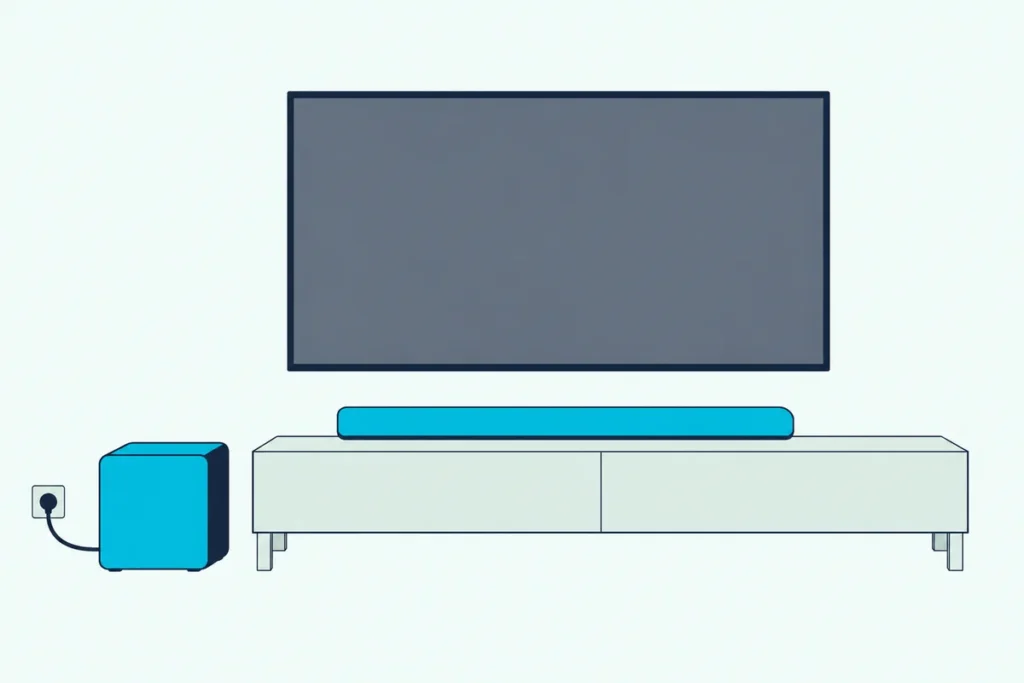
Knowing how to connect a Bose subwoofer to a soundbar comes down to one choice, because Bose pairs its bass modules three different ways depending on the bar.
That’s why a new Bass Module 500 or 700 can sit there blinking amber: the bar it’s meant for may want the Bose app, a remote-button press or a plain 3.5 mm cable.
Pick the right route and the module links in a few taps, plays a tone and turns solid white, and the bar hands it the low end.
The first step is matching your soundbar to its route and checking that Bose lists your module for it, since a TV Speaker or Lifestyle Ultra Soundbar takes some subwoofers by wire only.
From there, the pairing steps, placement, light colors and fixes below take you from an unopened box to bass you can feel.
How to Connect a Bose Subwoofer to a Soundbar?
You add it from the soundbar’s settings in the Bose app, or run a 3.5 mm cable where the bar needs one. On Bose’s smart soundbars, the steps for how to connect a Bose subwoofer to a soundbar are short: open the Bose app, select your soundbar, go to the Settings menu and add the bass module.
Two exceptions change that. The SoundTouch 300 pairs from its remote, and the Bose TV Speaker and Lifestyle Ultra Soundbar take certain modules only by cable, a route Bose also offers as a backup on other bars.
If your bar isn’t in the app yet, set that up first with our Bose soundbar TV setup steps, then add the subwoofer. Bose’s bass module steps begin by selecting the soundbar in the app.
Which Bose Bass Modules Work With Which Soundbars?
Those three routes line up with Bose’s own lists. Each Bose bass module page says the module “can only be added to” the bars it names, and each soundbar’s owner’s guide lists the accessories it accepts:
| Soundbar | Bass modules Bose lists | How it connects |
|---|---|---|
| Smart Ultra Soundbar | Bass Module 700, Bass Module 500 | Bose app (cable as a backup) |
| Smart Soundbar 900, 600 and 300 | Bass Module 700, Bass Module 500 | Bose app (cable as a backup) |
| Smart Soundbar (2024) and Soundbar 550 | Bass Module 700, Bass Module 500 | Bose app (cable as a backup) |
| Smart Soundbar 700 and Soundbar 500 | Bass Module 700, Bass Module 500, Acoustimass 300 | Bose app (cable as a backup) |
| SoundTouch 300 | Bass Module 700, Bass Module 500, Acoustimass 300 | Soundbar remote (cable as a backup) |
| TV Speaker | Bass Module 700, Bass Module 500 | 3.5 mm cable only |
| TV Speaker (2nd Gen) | Lifestyle Ultra Subwoofer, Bass Module 500, Bass Module 700 | 3.5 mm cable |
| Lifestyle Ultra Soundbar | Lifestyle Ultra Subwoofer; Bass Module 700 by wire only | Bose app or cable |
The Smart Soundbar 300’s guide also lists the Acoustimass 300. The Smart Soundbar and Soundbar 550 rows come from those bars’ own owner’s guides, since the bass module pages saved for this guide don’t name them yet.
Read the table like a parts list for one model. Bose’s Bass Module 700 page also names the Lifestyle 600 and 650 systems, and it marks the TV Speaker and Lifestyle Ultra Soundbar “wired connection only.”
Get Studio Tips Weekly
Join 5,000+ creators getting acoustic treatment advice every week.
No spam. Unsubscribe anytime.What Are the Bose App Pairing Steps?
The app route covers most rows of that table, and Bose’s quick start guide for the Bass Module 700 gives the same order as the Bass Module 500 guide. Plug the module in first, then do the rest from your phone:
- Place the module where it will stay, at least 1 to 3 ft (0.3 to 0.9 m) from other wireless equipment.
- Connect its power cord and plug it into an outlet; a module ready to connect blinks amber.
- In the Bose app, select your soundbar.
- Go to the Settings menu and add the bass module.
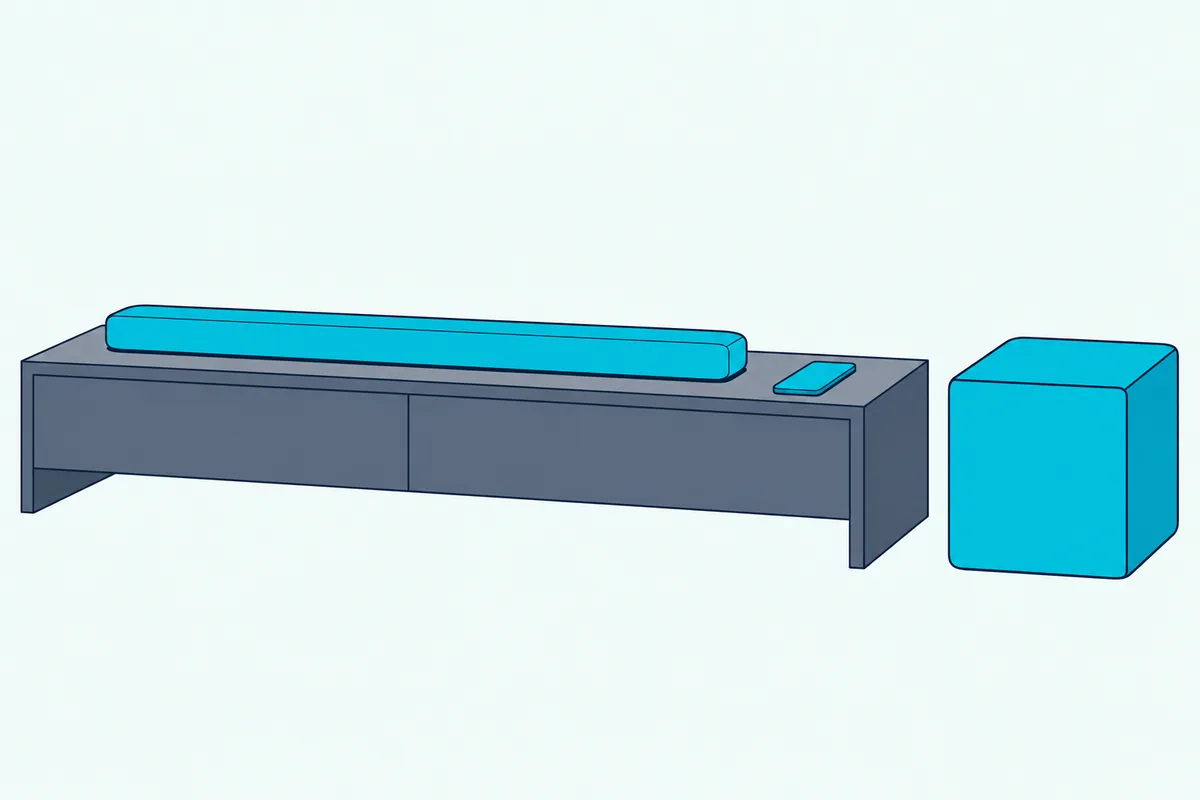
If you’re new to the app, Bose’s guides say to download it and follow its instructions, which set up the soundbar and bass module together. Older guides, such as the Bass Module 500 owner’s guide, call it the Bose Music app, and the Soundbar 500 and 700 guides do the same.
Once it’s linked, run the room tuning again. The Smart Soundbar 700 and Smart Ultra guides both say that after you connect an optional bass module, you should run ADAPTiQ audio calibration again, a 10-minute job in a quiet room.
The Smart Soundbar 300 is the exception there. The Bass Module 500 guide notes its ADAPTiQ advice doesn’t apply to that bar.
Does the SoundTouch 300 Pair Differently?
Yes, unlike the app steps above, the SoundTouch 300 pairs from its remote. Bose’s Bass Module 500 guide and the Acoustimass wireless bass module guide give the same remote steps for it:
- On the soundbar’s remote, press the SoundTouch button.
- Press and hold the connect button the guide pictures until the connectivity light on the soundbar blinks white.
- Wait for the tone; the light on the back of the module and the soundbar’s connectivity light then glow white.
Give it time, because Bose notes that connecting may take several minutes. Then check for sound: turn on the TV, any cable or satellite box, then the soundbar, and you should hear the module.
The Acoustimass guide adds the same tuning step as the app route. It says to run ADAPTiQ audio calibration after setting up the bass module and pairing it, using the headset that came with the soundbar.
When Should You Use the Bass Module Cable?
That ADAPTiQ headset plugs in by wire, and so does the bass module on some bars. Use a cable when the bar is a TV Speaker or a Lifestyle Ultra Soundbar with a Bass Module 700, or when a wireless link keeps failing on any other bar.
Bose’s guides call for a 3.5 mm audio cable, the kind used for headphones, which isn’t in the box. The Bass Module 500 and 700 guides both point to Bose’s 15 ft (4.5 m) cable, sold on Bose’s site, or any electronics store’s cable.
- Connect one end to the BASS IN port on the bass module.
- Connect the other end to the port marked BASS on the back of the soundbar or TV Speaker.
- Check for sound with the TV and soundbar on.
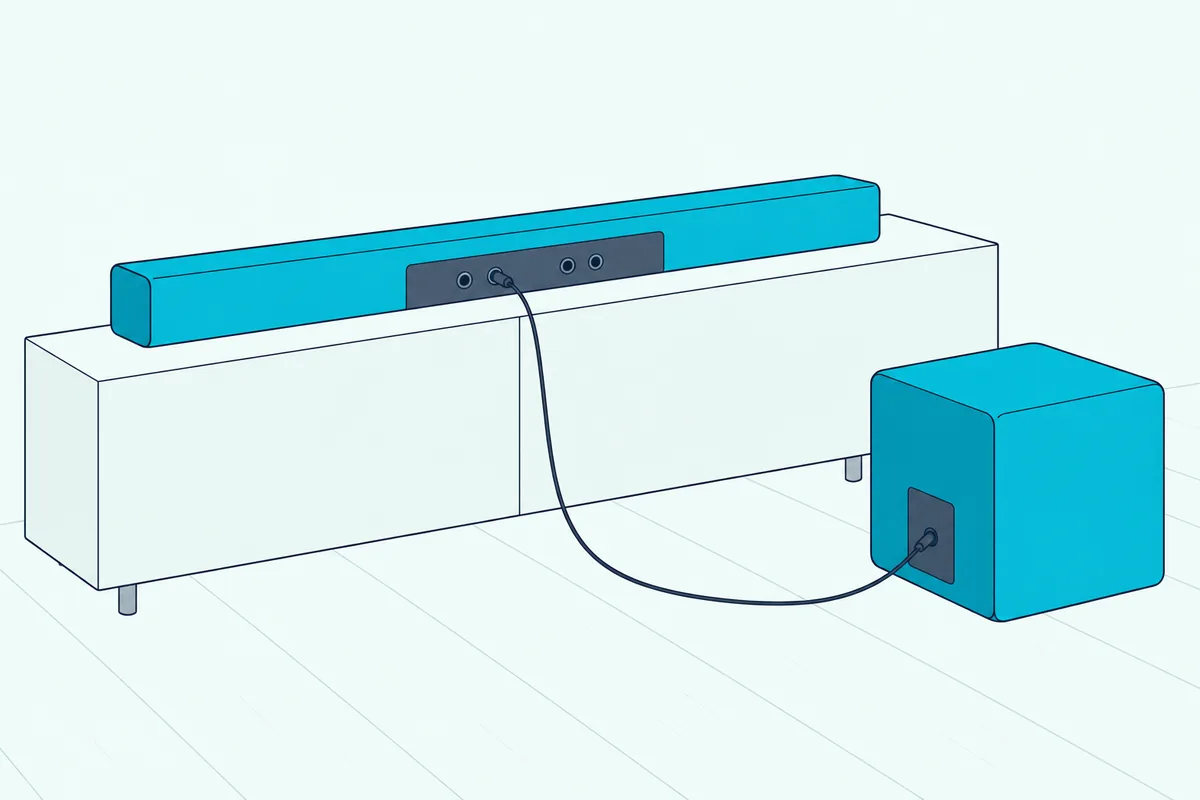
Get the port right, because Bose warns against the neighbors. The Bass Module 500 guide tells TV Speaker and Smart Soundbar owners to use the BASS port, not the other connector it names, and the SoundTouch 300 uses a different marked port.
A wired module also behaves a little differently. Bose’s Bass Module 500 light table says its light turns off in power-saving mode on a wired connection, so a dark module on a cable isn’t necessarily dead.
Where Does the Lifestyle Ultra Subwoofer Fit In?
That wired option carries over to Bose’s newest subwoofer. The Lifestyle Ultra Subwoofer connects to the Lifestyle Ultra Soundbar in the Bose app the same way: select the soundbar, go to the Settings menu and add the subwoofer.
Its owner’s guide says to connect by audio cable if the app route fails, using a 3.5 mm cable or Bose’s Bass Module Connection Cable. It adds that a cable turns off the subwoofer’s wireless connection, and that a wired subwoofer on the Lifestyle Ultra Soundbar won’t receive software updates.
On a new unit, expect a slow light show at first. The status light pulses white, red and amber during first setup, quickly blinks amber while connecting and glows solid white once it’s linked.
The TV Speaker (2nd Gen) is the other bar that names it. Its guide lists the Lifestyle Ultra Subwoofer next to the Bass Module 500 and 700, all connected with a 3.5 mm cable.
After either route, Bose recommends running CustomTune sound calibration in the Bose app. That’s the Lifestyle Ultra’s version of ADAPTiQ, and it uses your phone’s microphone instead of a headset.
Where Should the Bass Module Go?
That CustomTune run, like ADAPTiQ, measures the room with the module where it sits, so placement comes first. Bose wants it on the floor along the same wall as the TV, or along any wall in the front third of the room, with a power outlet nearby.
The Bass Module 500 guide adds the details. Keep its back side, the side opposite the Bose logo, at least 3 in (7.6 cm) from any other surface, because blocking the port on the bottom of that side can affect the sound.
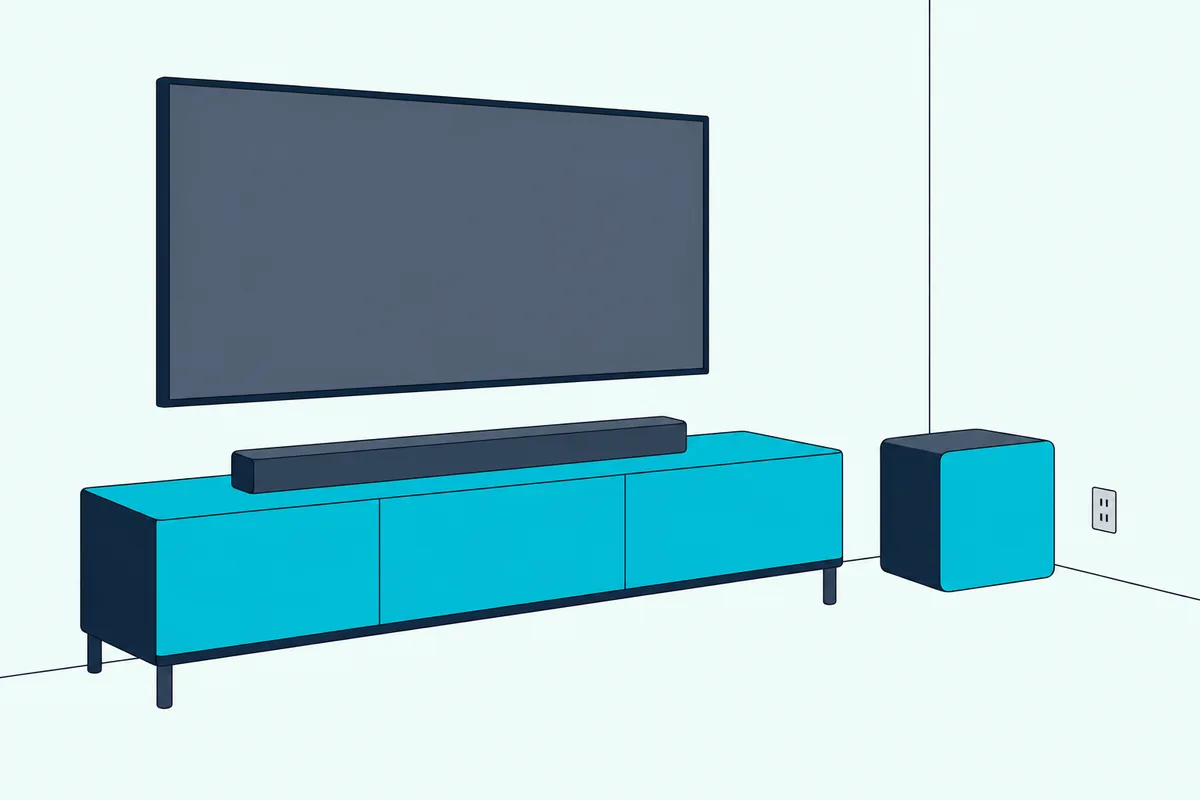
Bass level moves with the walls. For more bass, Bose says to move the module closer to walls and corners, and for less, further away from them.
Keep it upright and clear of clutter. Bose says not to place it on its top or sides, not to put objects on top of it, and to keep it out of metal cabinets and away from other audio and video gear.
Wi-Fi gear is the other neighbor to watch. The Smart Ultra guide says some Wi-Fi access points may need to be 8 to 10 ft (2.4 to 3.0 m) from the soundbar and bass module to avoid interference, and where a subwoofer goes in the room covers corners and the subwoofer crawl for any brand.
What Do the Lights on a Bose Bass Module Mean?
Once the module is placed, its status light tells you where pairing stands. The Bass Module 500 owner’s guide gives this table for the light on the back of the module:
| Light | What it means |
|---|---|
| Solid white | Connected to the soundbar or speaker |
| Blinking white | Downloading a software update |
| Solid amber | Network standby (wireless connection) |
| Blinking amber | Ready to connect to the soundbar or speaker |
| Off | Power-saving mode (wired connection) |
| Blinking red | Error: contact Bose customer service |
So blinking amber is a waiting module, not a broken one. It’s the light the troubleshooting table asks you to confirm before you repeat the connection steps.
The older Acoustimass 300 adds one meaning. Its guide lists dim solid amber as disconnected from the soundbar, so on that model a steady amber light after setup means the link dropped.
Why Won’t the Bose Bass Module Connect?
A module that won’t link is usually fixed by a reset of its connection, not a factory reset. Bose’s Bass Module 500 guide works through it in this order: confirm the light is blinking amber, repeat the connection steps, then reset the module’s connection if it was paired with a soundbar before.
To reset the connection, press the button on the back of the bass module. Bose says this makes the soundbar try to reconnect, and when it does you hear a tone and the light glows white.
If that fails, unplug the power cords for the module and soundbar, wait 30 seconds and plug them firmly back in. Moving both away from wireless routers, cordless phones, TVs and microwaves is Bose’s other early step.
The cable is the last fallback in Bose’s table. Connecting with a 3.5 mm audio cable gets bass playing even when the wireless link won’t hold.
A full module reset is the bigger hammer. Press and hold the module’s button until the light blinks white; when the reset is complete it blinks amber, and you connect it to the soundbar again.
Check the model match too, since the soundbar guides list “make sure your bass module or surround speakers are compatible” for this symptom. If the soundbar itself is misbehaving, the reset buttons for each Bose soundbar are a separate step from the module’s own reset.
Why Is There No Bass After Pairing?
A solid white light after those connection fixes, with no bass, usually points at the source or settings, not the link. Bose’s Bass Module 500 guide starts with the basics: unmute, turn up the volume and confirm the soundbar is playing audio at all.
Then test something with real low end. Bose says to play audio that has bass frequencies, such as music or movies.
The soundbar guides add three checks for “No audio from bass module or surround speakers.” Make sure the module is compatible with the soundbar, make sure the software is current in the Bose app, and adjust the bass level in the app.
If the bass sounds too heavy rather than missing, two of the same guide’s fixes apply. Adjust the bass in the app, and move the module away from nearby walls and corners, the reverse of the placement tip above.
Can You Use a Non-Bose Subwoofer or Two Bass Modules?
Bose documents only its own modules, and only the Smart Ultra Soundbar for two of them. Every pairing route above ends with a Bose bass module or the Lifestyle Ultra Subwoofer, and Bose’s bass module pages say the modules can’t be added to one-piece speakers such as the Bose Smart Speaker 500 or SoundTouch 10.
That’s a gap in what Bose says about other brands, so a third-party subwoofer has no documented route to a Bose bar. The 3.5 mm BASS port on some bars is described only for Bose’s own modules.
For a second module, Bose’s Smart Ultra Soundbar page says you can wirelessly connect two, but only two of the same model. Its FAQ also says the Smart Ultra and Bose’s bass modules use the same wireless protocols and can be mixed and matched, and Bose’s two-module rule and other brands’ limits sit side by side in our guide to second subwoofers.
Which Bose Bass Module Should You Buy?
Buy the one your bar’s row in the table names, since both modules pair through the same steps above. For the biggest Bose option, the Bose Bass Module 700 is the module Bose’s Smart Ultra FAQ says was designed to complement that bar.
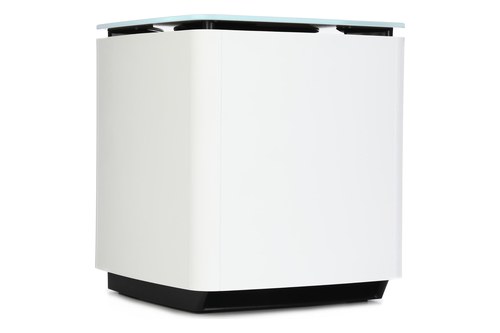
the Bose Bass Module 700
For a smaller module, the Bose Bass Module 500 is on the same lists. Its owner’s guide covers all three routes, the app, the SoundTouch 300 remote and the cable, in one place.
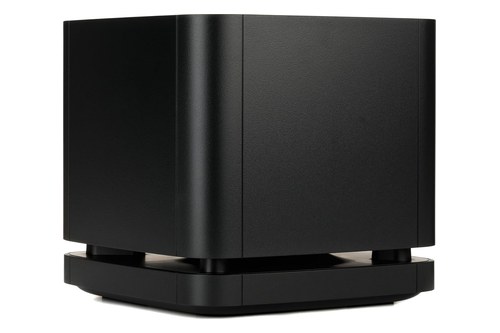
the Bose Bass Module 500
Either way, match a second module to the first on a Smart Ultra. Bose’s page says you can’t connect one 700 and one 500 to a single soundbar.
The Bottom Line
Every fix above comes back to the same start: your soundbar’s route, which is the Bose app’s Settings menu for the smart bars, the remote for the SoundTouch 300, and a 3.5 mm cable for the TV Speaker or as a backup anywhere. Check your bar’s row in the table, place the module on the floor along the TV wall, and watch for a tone and a solid white light.
If it won’t link, press the button on the back of the module to reset the connection, power-cycle both units for 30 seconds, and fall back to the cable. Then rerun ADAPTiQ or CustomTune so the bar tunes the bass to your room.
Frequently Asked Questions
Does a Bose soundbar need a subwoofer?
No. Bose’s soundbar guides list the bass module as an accessory, and the Smart Soundbar guide puts the Bass Module 700 and 500 under “Connect accessories (optional),” alongside surround speakers. The guides’ setup and troubleshooting steps also call it the “optional bass module,” and you can add one later through the app’s Settings menu.
Can I connect a Bass Module 500 to a Bose Smart Soundbar 900?
Yes. The Smart Soundbar 900 owner’s guide lists both the Bass Module 700 and the Bass Module 500 as accessories, and Bose’s Bass Module 500 page names the Smart Soundbar 900 among the bars it can be added to. Pair it in the Bose app from the soundbar’s Settings menu, then run ADAPTiQ again.
How do I connect a Bass Module 700 to a Bose Soundbar 300?
It depends on which 300 you have. The Smart Soundbar 300 pairs in the Bose app from its Settings menu, while the older SoundTouch 300 pairs from its remote by pressing the SoundTouch button and holding the connect button until the connectivity light blinks white. Both are on the Bass Module 700 page’s compatibility list.
Can you connect a Bose subwoofer with Bluetooth?
Bose’s guides don’t describe Bluetooth for its bass modules. The documented routes are Bose’s own wireless link set up in the Bose app or the SoundTouch 300 remote, and a 3.5 mm cable. Bose’s soundbar guides use Bluetooth for phones and for SimpleSync with certain Bose speakers and headphones, not for the bass module.
How do you tell if a Bose subwoofer is working?
Check the light on its back and play something with bass. Solid white means it’s connected to the soundbar, and Bose says to test with music or movies, since some programs carry little bass. On a wired connection the light can be off in power-saving mode, so try sound before assuming a fault.