Can You Add Another Subwoofer to a Soundbar? What Each Brand Allows

Can you add another subwoofer to a soundbar? Only when the bar’s maker supports a second one, as Sonos, Bose and Klipsch do on certain models.
Buy the wrong extra subwoofer and it sits in the corner with its light blinking, because the bar’s manual only covers linking one.
Pick a pairing the maker documents and both subwoofers share the bass, which Klipsch says smooths out the peaks and nulls a single subwoofer leaves in a room.
The first step is checking your bar’s maker, since the rules run from two full-size Subs on a Sonos Arc Ultra to one per host device on Roku.
Below, each brand’s rules come from its own manuals and support pages, followed by the wired and receiver routes for bars that stop at one.
Can You Add Another Subwoofer to a Soundbar?
That brand-by-brand split is the whole answer. You can add another subwoofer to a soundbar only where the maker documents two, which today means Sonos home theater speakers, the Bose Smart Ultra Soundbar and Klipsch’s Flexus Core 200.
Everywhere else, the documents read for this guide describe one subwoofer per bar. Roku is the only maker here that says so in plain words: its subwoofer setup page says you can only pair one wireless subwoofer to a Roku host device.
A bar with no subwoofer at all is a different job. Our guide on how to add a first subwoofer to a soundbar covers Subwoofer Out jacks and add-on wireless subs, so this page sticks to the second one.
Which Soundbars Officially Pair Two Subwoofers?
Those three brands split further by model, so the table lines up what each maker’s documents say. Read the “documented limit” column as the maker’s own words, not a guess.
| Maker | Bars or systems | Documented limit | Rule for the second subwoofer |
|---|---|---|---|
| Sonos | Arc Ultra, Beam Ultra | Two | Two Sub 4s, two Sub (Gen 3)s, or one of each |
| Sonos | Arc, Beam (Gen 1 and 2), Ray, Amp | Two | A Sub 4 with a Sub 4 or Sub (Gen 3); a Sub (Gen 3) with any Sub |
| Bose | Smart Ultra Soundbar | Two | Two Bass Module 700s or two Bass Module 500s, never one of each |
| Klipsch | Flexus Core 200 | Two | Two identical Flexus subwoofers |
| Roku | Roku host devices | One | Only one wireless subwoofer per host |
| Samsung, LG, Sony, Vizio | Bars read for this guide | One described | No second subwoofer in the documents |
The last row is a gap, not a ban. Samsung, LG, Sony and Vizio don’t say “never” in the pages read here; they simply describe one subwoofer and stop there.
Get Studio Tips Weekly
Join 5,000+ creators getting acoustic treatment advice every week.
No spam. Unsubscribe anytime.How Do Sonos’s Two-Sub Rules Work?
Sonos sits at the top of that table because its rules are the most detailed. In Sonos’s Sub setup article, the Arc Ultra and Beam Ultra take two Sub 4s, two Sub (Gen 3)s or one of each, while the Arc, Beam (Gen 1 and 2), Ray and Amp need a Sub 4 or a Sub (Gen 3) in the pair.
Older Subs still count on those bars, with a catch. A Sub (Gen 3) can pair with a Sub (Gen 2) or a Sub (Gen 1), and on the Playbar and Playbase at least one of the two must be a Sub (Gen 3).
The Sub Mini isn’t on that two-Sub list. Sonos lists it as compatible with the Arc, Beam, Ray and the Ultra bars, but its second-Sub rules name only the Sub 4 and the full-size Subs.
Adding the second one happens in the Sonos app. Open Settings, pick the home theater room that already has a Sub, select Connect Second Sub and follow the prompts.
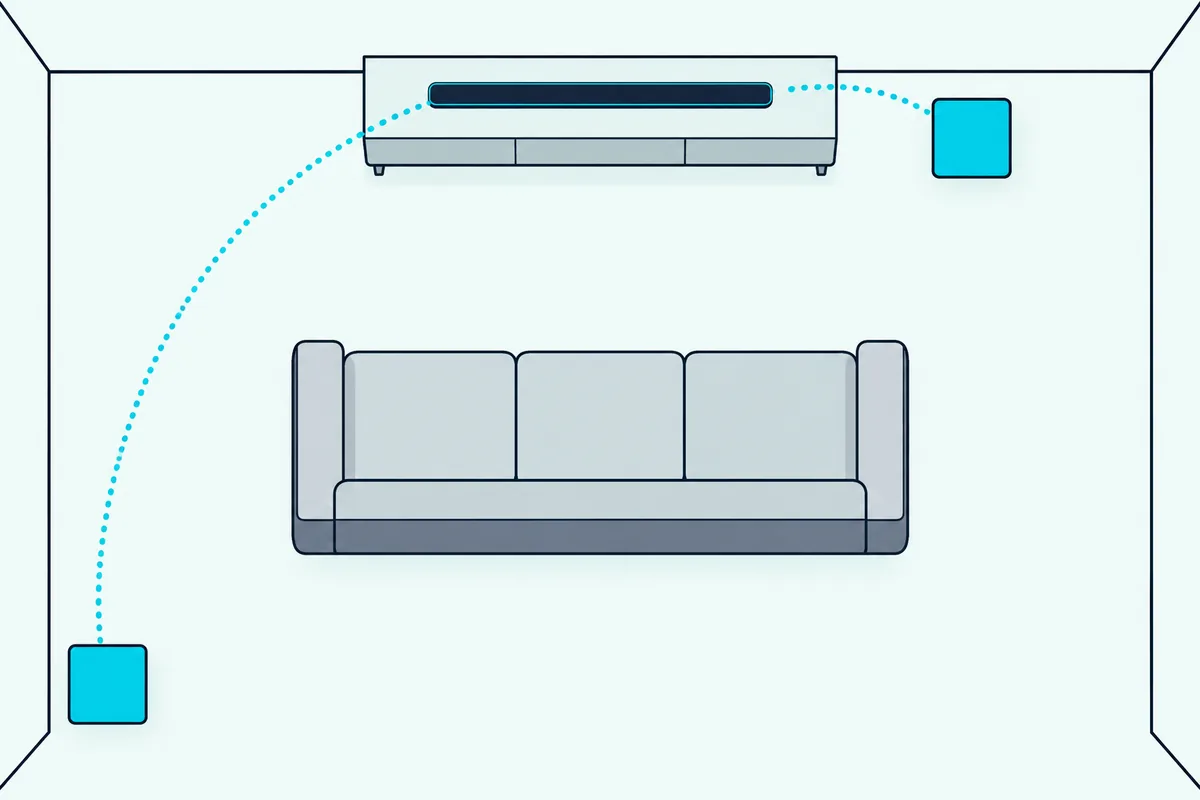
After that, both Subs behave as one. Sonos says each Sub Audio setting applies to both Subs once two are in a room, so there’s a single level to set, not two.
What Does Bose Allow With Two Bass Modules?
Bose’s rule is simpler than Sonos’s but stricter about matching. Bose’s Smart Ultra Soundbar page says you can wirelessly connect two bass modules to that soundbar, but only two of the same model.
That means two Bass Module 700s or two Bass Module 500s. Bose says you can’t connect one 700 and one 500 to a single soundbar, even though the same page says the Smart Ultra Soundbar and Bose’s bass modules otherwise mix and match.
Placement follows the same advice as a single module. Bose puts each bass module on the floor against the TV wall, closer to walls and corners for more bass and farther away for less.
Bose’s own FAQ names only the Smart Ultra Soundbar for the two-module setup. If you own a different Bose bar, check its manual before you buy a second module.
What About Samsung, LG, Sony and Vizio?
Those four brands are the “one described” row in the table, and their manuals show why. Samsung’s HW-Q990D manual pairs “the Subwoofer” and the surround speakers with one ID SET routine and lists 11.1.4 channels, where Dolby says the number after the dot counts the subwoofers.
Samsung’s HW-S60D works the same way from the other end. Its subwoofer is sold separately, and its manual says the Subwoofer-only setup with the SWA-W510 gives 5.1-channel audio from a Dolby Atmos source, again a single unit.
That’s why a Samsung subwoofer hack or an external subwoofer mod isn’t in the Samsung documents read for this guide. Opening the bar or the subwoofer to add a second one is a reader’s experiment, not a setup Samsung supports.
LG’s newest system spells out its count. The manual for the LG Sound Suite H7 says you can connect up to 3 or 4 Sound Suite speakers and a subwoofer, and its combination charts each show one W7 subwoofer.
Sony’s HT-A7000 help guide draws one “Optional subwoofer” beside the rear speakers and sends you to Sony’s website for the supported models. Its manual linking steps connect “the optional speaker”, with no mention of a second subwoofer.
Vizio pairs its subwoofer at the factory. Its SB2021n-G6 and SB3651n-H6 manuals say the subwoofer “has already been paired with the sound bar by VIZIO” and give steps only for re-linking that one, which is the same job as re-linking a soundbar to its subwoofer on any brand.
Can a Soundbar’s Sub Out Jack Feed Two Subwoofers?
Wired outputs are the one place a second subwoofer has a route on bars that stop at one. The Denon DHT-S216 and the Yamaha SR-B20A each have a SUBWOOFER OUT jack, and Denon asks for a subwoofer with a built-in amplifier.
Neither maker documents two subwoofers on that jack. Axiom, a speaker and subwoofer maker, describes two ways to run two subwoofers from one Sub Out: an RCA splitter cable, or a daisy chain from the first subwoofer’s low-level output to the second subwoofer’s input.
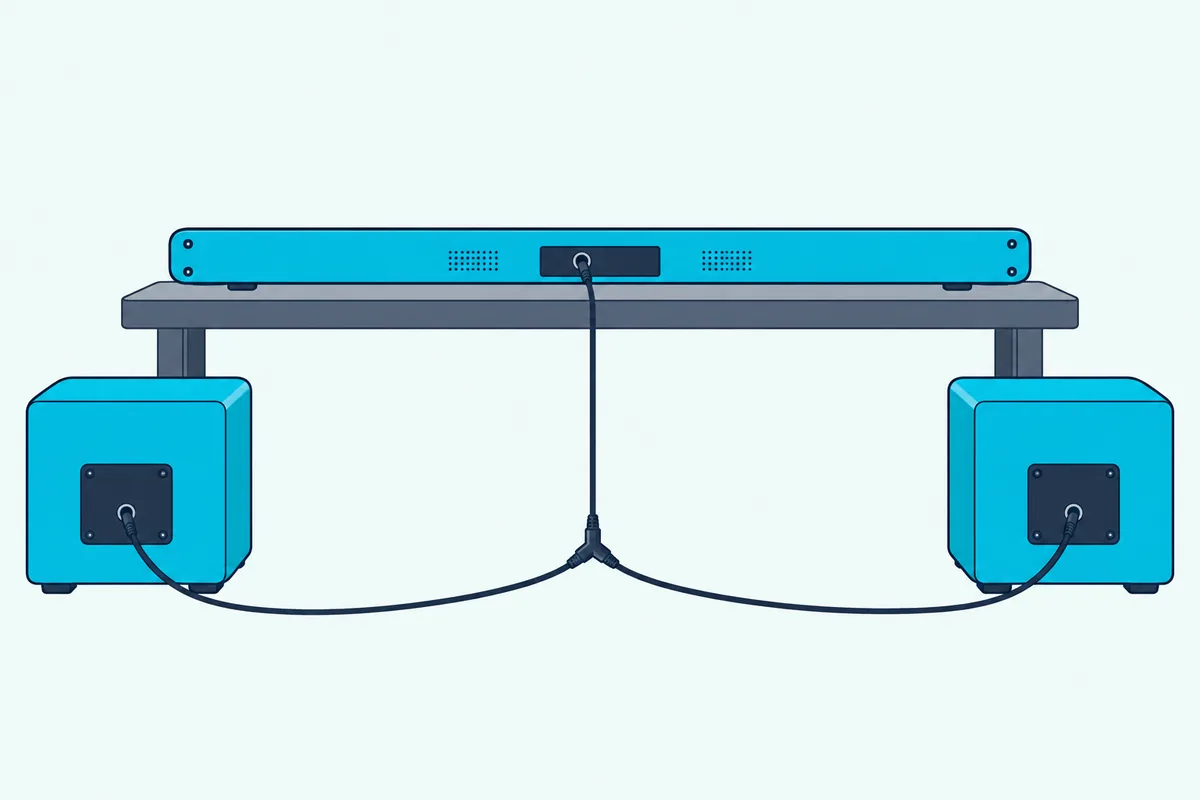
The daisy chain needs a first subwoofer with a low-level output, so check its back panel before you buy. Axiom also notes the splitter may mean two fairly long cables, since subwoofers often sit a distance away from the electronics.
Treat this as Axiom’s wiring advice, not Denon’s or Yamaha’s. The bars send their subwoofer signal out, and what you hang on the end is your call. Burton Acoustix’s guide to Vizio Subwoofer Out jacks shows which Vizio bars have one.
When Is an AV Receiver the Better Route?
That splitter workaround is exactly what receivers build in. Denon’s AVR-X1800H lists two subwoofer outputs, and its owner’s manual says two subwoofers can be connected and that the same signal comes from both terminals.
A receiver replaces the soundbar rather than adding to it. You’d run your own front, center and surround speakers from it, so it’s the route for someone already thinking past a bar.
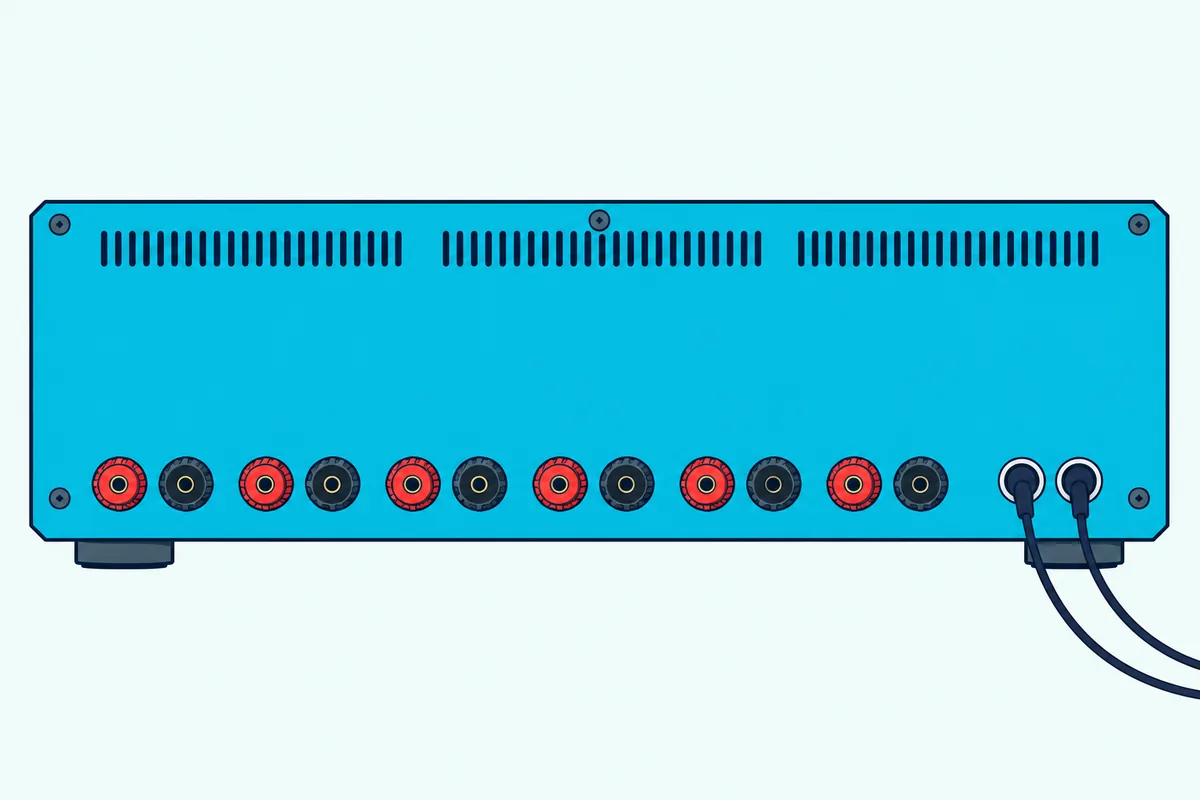
Placement changes with two subs, too. Denon’s speaker installation page says to place two subwoofers asymmetrically across the front of the room.
If two speakers is all you really wanted, a different path may fit better. Our guide on adding speakers instead covers rear and wired speakers for bars that take them.
Is a Second Subwoofer Worth It?
With the receiver route on the table, the bigger question is what a second one buys you. Klipsch says two identical Flexus subwoofers smooth out the peaks and nulls a single subwoofer leaves, and Bose pitches the second module for “even more bass.”
Dolby’s speaker guide keeps that in proportion. It says most setups use one subwoofer and some use two for a large space.
So the case is strongest in a big room with several seats. A single good subwoofer suits a small room, and those even-bass claims from Klipsch matter most when people sit in different spots.
Which Subwoofer Should You Buy as the Second One?
If your bar is on the two-subwoofer list, buy the model its maker names, because each maker’s rule is specific. On a Sonos Arc Ultra or Beam Ultra, the Sonos Sub 4 pairs with another Sub 4 or a Sub (Gen 3), and on an Arc, Beam, Ray or Amp it pairs with the same two models.
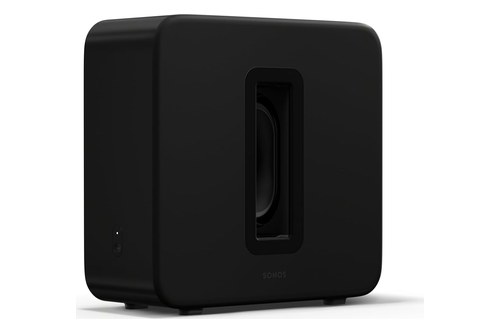
the Sonos Sub 4
For a Bose Smart Ultra Soundbar that already has a Bass Module 700, the second one has to match. The Bose Bass Module 700 is the only partner Bose allows for it.

The Bose Bass Module 700
The same rule runs the other way for the smaller module. If your Smart Ultra Soundbar came with a 500, the Bose Bass Module 500 is the second module to buy.
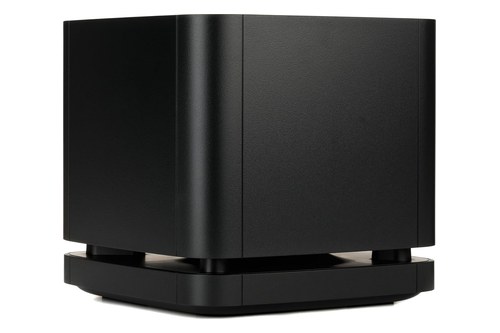
the Bose Bass Module 500
Klipsch’s Flexus Sub 100 is the subwoofer Klipsch pitches in identical pairs, but its Amazon listing had too few reviews to recommend on 20 Oct 2026. Buy it from a Klipsch dealer if you go that way, and match the model you already own.
The Bottom Line
You can add another subwoofer to a soundbar from Sonos, Bose’s Smart Ultra Soundbar or Klipsch’s Flexus Core 200, as long as the second one matches the maker’s rule. Roku says one per host device, and Samsung, LG, Sony and Vizio describe only one.
On a bar with a SUBWOOFER OUT jack, Axiom’s splitter or daisy chain is the do-it-yourself route, and an AV receiver with two subwoofer outputs is the clean one. Whatever you buy, check the bar’s own manual first.
Frequently Asked Questions
Can I connect another subwoofer to my soundbar?
Only if your soundbar’s maker supports a second one. Sonos lets its home theater speakers take two Subs in set combinations, Bose lets the Smart Ultra Soundbar take two matching bass modules, and Klipsch suggests a Flexus subwoofer (or two) for its Flexus Core 200. Roku says you can pair only one wireless subwoofer to a Roku host device, and the Samsung, LG, Sony and Vizio manuals read for this guide describe a single subwoofer.
Will 2 subs be louder than 1?
The makers don’t put it in decibels. Bose offers the second bass module “if you desire even more bass,” while Klipsch’s case is about evenness: two identical subwoofers smooth out the peaks and nulls of a single one. Dolby notes that most setups use one subwoofer and some use two for a large space.
Can any subwoofer go with any soundbar?
No, the wireless subwoofers in this guide pair only with their own maker’s systems, and often only certain models. Roku’s subwoofer connects only to a Roku host device, and Bose won’t mix a 700 and a 500 on one bar. A wired subwoofer with a built-in amplifier works on a bar with a SUBWOOFER OUT jack, such as Denon’s DHT-S216.
Can you connect two wireless subwoofers to a Samsung soundbar?
Samsung’s documents don’t describe it. Its HW-Q990D manual pairs one subwoofer with the surround speakers through ID SET, and the HW-S60D manual lists 5.1 audio with a single SWA-W510 subwoofer. Samsung’s pairing page also covers just one subwoofer, so a second wireless Samsung sub has no documented setup.