How to Connect a Soundbar to a PS4 Without Bluetooth
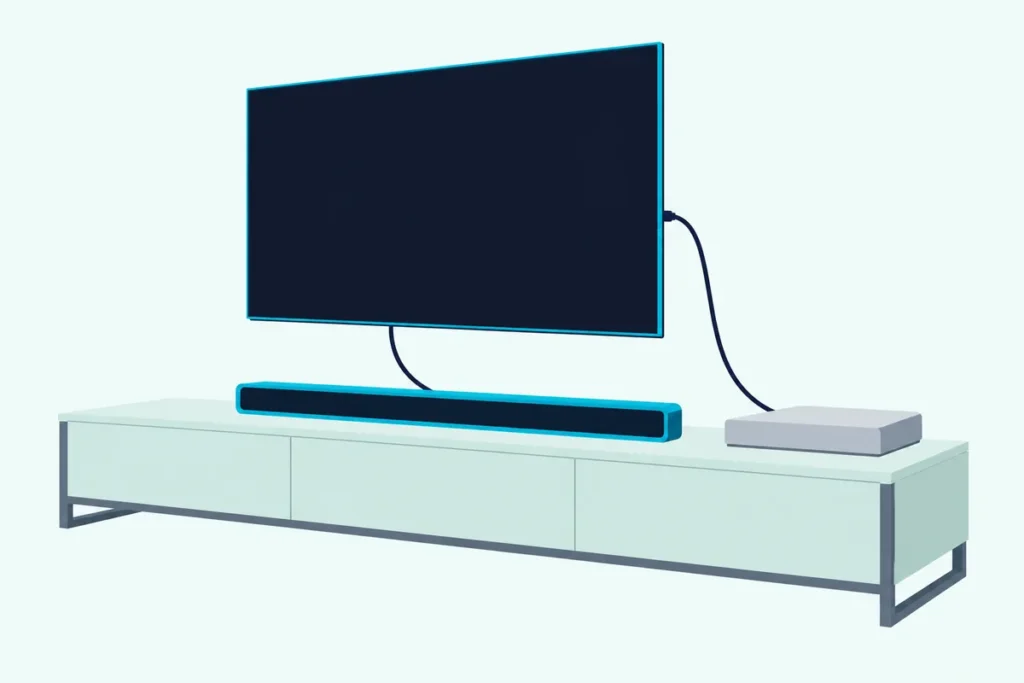
Here’s how to connect soundbar to PS4 setups: run HDMI from the console to the TV and the TV’s HDMI ARC or eARC port to the bar, because Sony documents no Bluetooth route for game sound.
Pair the bar over Bluetooth instead and you’ll find no Sony step for it: the console has Bluetooth, but its audio settings cover only HDMI, the optical port on some models, and headsets.
Wire the bar one of those ways and change one setting, and it can play 5.1 game sound instead of the stereo the default sends over optical.
Below are the three wired routes, which PS4 models have an optical port, and the Audio Output Settings that decide what the bar receives.
You’ll also find the Bluetooth workarounds worth checking and the fixes for a silent, delayed or stereo-only bar.
Can a PS4 Connect to a Bluetooth Soundbar?
Not by any route Sony documents. Sony’s PS4 audio output article covers the primary output port, HDCP, output to headphones and the audio format, and none of those steps sends sound to a Bluetooth speaker or soundbar.
The radio is there. Sony’s spec page lists Bluetooth 4.0 on the CUH-2000 PS4 and the PS4 Pro, and the User’s Guide has a Bluetooth Devices menu for pairing, but it tells you to check the device’s own instructions rather than naming audio as a use.
Even Sony’s own PlayStation wireless headsets connect another way: its pairing guide has you plug a USB wireless adapter into the console, and it sends you to the maker for third-party headsets.
That gap stays a gap: Sony doesn’t say a Bluetooth bar can’t work, it just gives no steps for one, so this guide uses HDMI and optical.
How to Connect a Soundbar to a PS4 in Three Routes
Those documented links give you three routes. The PS4 itself has one HDMI OUT port on every model, and an optical port on some, so pick the route from the ports you have.
| Route | Cables | What it keeps | Watch for |
|---|---|---|---|
| 1. PS4 into the TV, TV’s eARC or ARC port to the bar | Two HDMI | Video goes straight to the screen | The TV must pass the sound on |
| 2. PS4 into the bar’s HDMI input, bar’s HDMI out to the TV | Two HDMI | The bar gets the console’s sound first | A PS4 Pro’s 4K picture must pass through the bar |
| 3. Optical from the PS4 to the bar | HDMI plus optical | Works with a bar that has no HDMI | Two-channel PCM or 5.1 compressed sound only |
Route 3 depends on the model, which the optical section below sorts out. Routes 1 and 2 work on every PS4.
Get Studio Tips Weekly
Join 5,000+ creators getting acoustic treatment advice every week.
No spam. Unsubscribe anytime.Why Does the TV Route Come First?
That first route matches Sony’s own setup steps, which run the HDMI cable from the console’s HDMI OUT port straight to the screen. Its no-audio checklist goes further: if a sound bar, home theater or capture device sits in between, plug the console directly into the TV and disconnect the others to see if that fixes it.
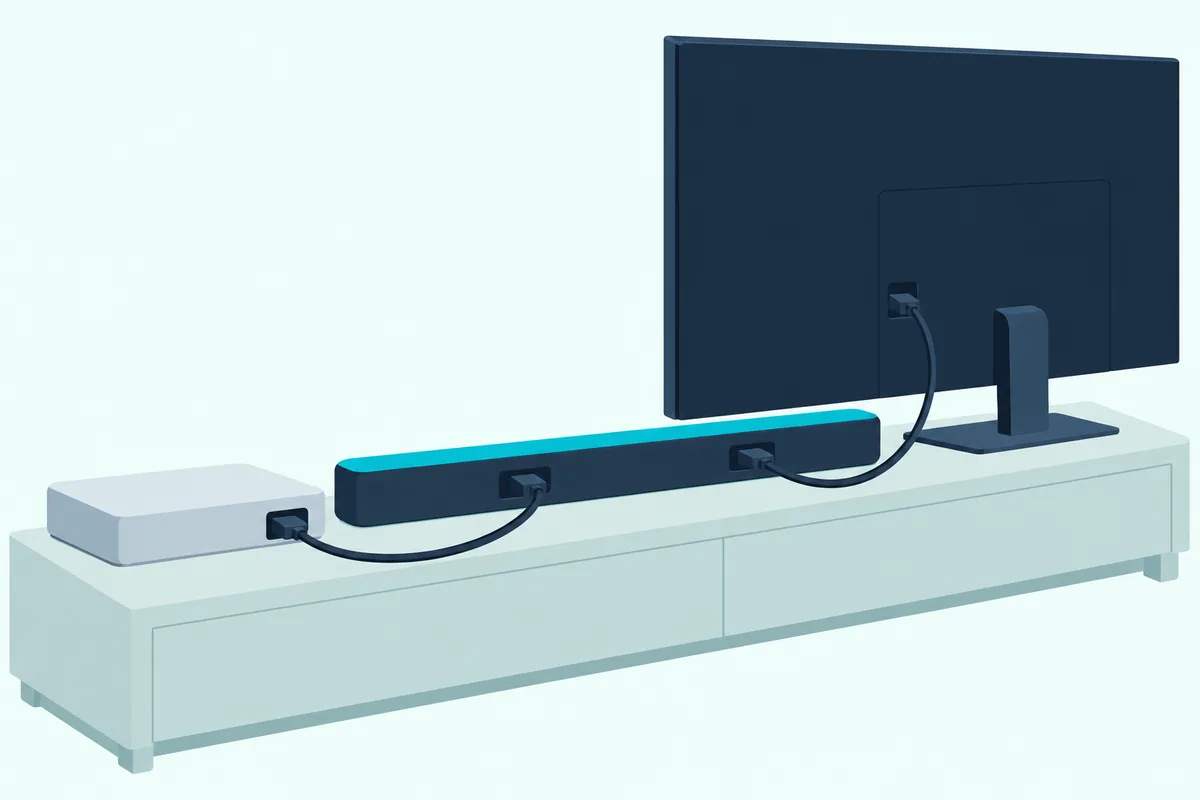
The TV then hands the sound to the bar through its HDMI ARC or eARC port. Sony’s HT-A3000 guide lists what has to be on: the bar’s cable in the TV port labeled eARC or ARC, the TV’s Control for HDMI and its eARC or ARC function, and the bar on its TV input.
Each brand files those switches somewhere different, so the eARC and CEC menus for each TV brand shows where to look. If the bar shows MUTING after power-up, Sony’s fix is to turn on the TV first, then the bar.
The port type sets the format ceiling. Roku’s surround guide says ARC carries the optical formats plus Dolby Digital Plus and Dolby Atmos, and HDMI.org adds uncompressed 5.1 and 7.1 to eARC’s list.
When Should the PS4 Plug Into the Soundbar?
That TV handoff is the step to skip when the TV has no ARC, or when the sound lags. Nakamichi, a soundbar maker, says that if you notice audio delay with the PS4 plugged into the TV, plug the console directly into the soundbar instead.
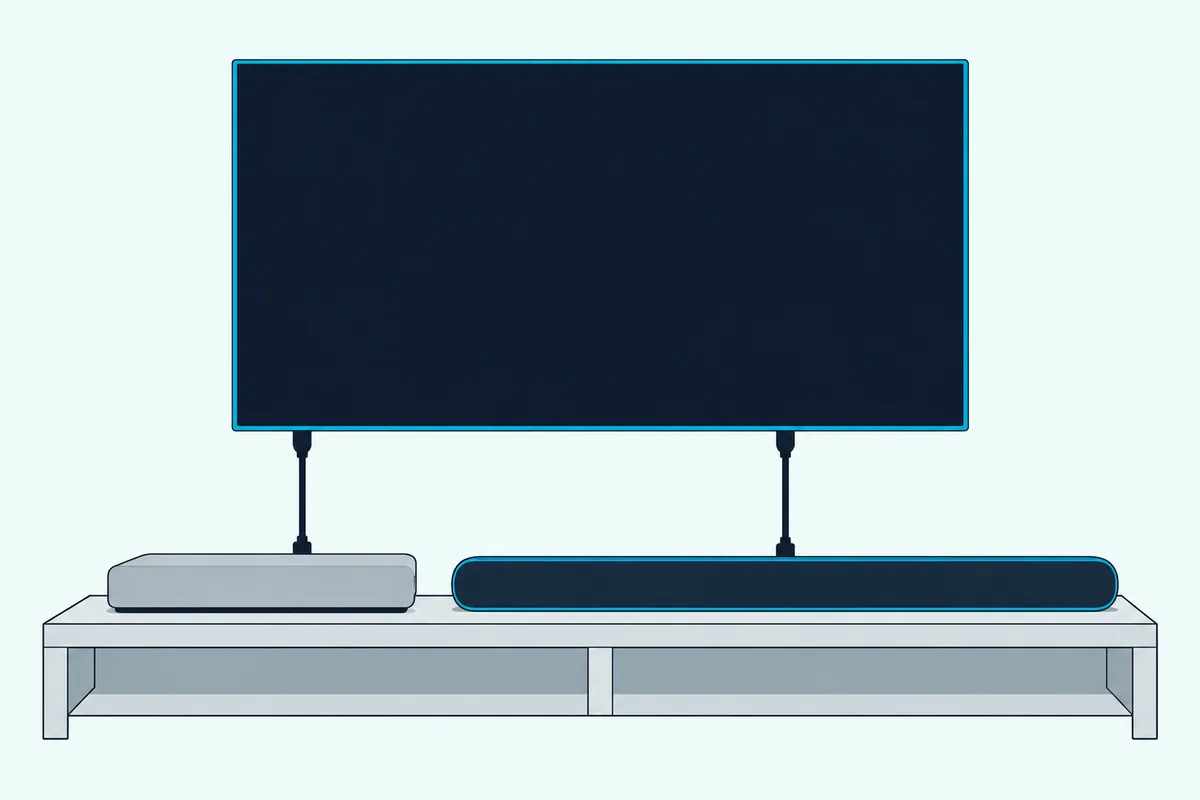
A PS4 Pro adds one condition. Sony’s 4K and HDR guide says to enable 4K on every device between the console and the display, a home cinema system included, to use each device’s 4K HDMI input, and to use Premium HDMI cables for every link in the chain.
Sony says 4K comes only with the PS4 Pro, so that step is a Pro step. It also says all PS4 consoles have HDR capabilities, so the bar’s passthrough list matters on every model.
Which PS4 Models Have an Optical Port?
Route 3 hangs on this answer. The launch PS4 (CUH-1000, 1100 and 1200 series) and the PS4 Pro (CUH-7000, 7100 and 7200) have a DIGITAL OUT (OPTICAL) port, while the CUH-2000, 2100 and 2200 series doesn’t.
| PS4 model | Model numbers | Optical port |
|---|---|---|
| Launch PS4 | CUH-1000, 1100, 1200 | Yes |
| Slimmer PS4 | CUH-2000, 2100, 2200 | No |
| PS4 Pro | CUH-7000, 7100, 7200 | Yes |
Sony’s PS4 page calls the current model slimmer and lighter than the original, and its tech specs list an HDMI out port as the CUH-2000’s only AV output. The support article says it plainly: the CUH-2000 series doesn’t have an optical digital output terminal.
The model number sits on the back of a launch console and on the spine of the CUH-20xx and the Pro, per Sony’s model number guide.
Without the port, the optical run starts at the TV: Sony’s HT-A7000 guide runs it from the TV’s optical digital output to the bar’s optical input. Check your TV’s manual that it sends sound from HDMI inputs out that jack.
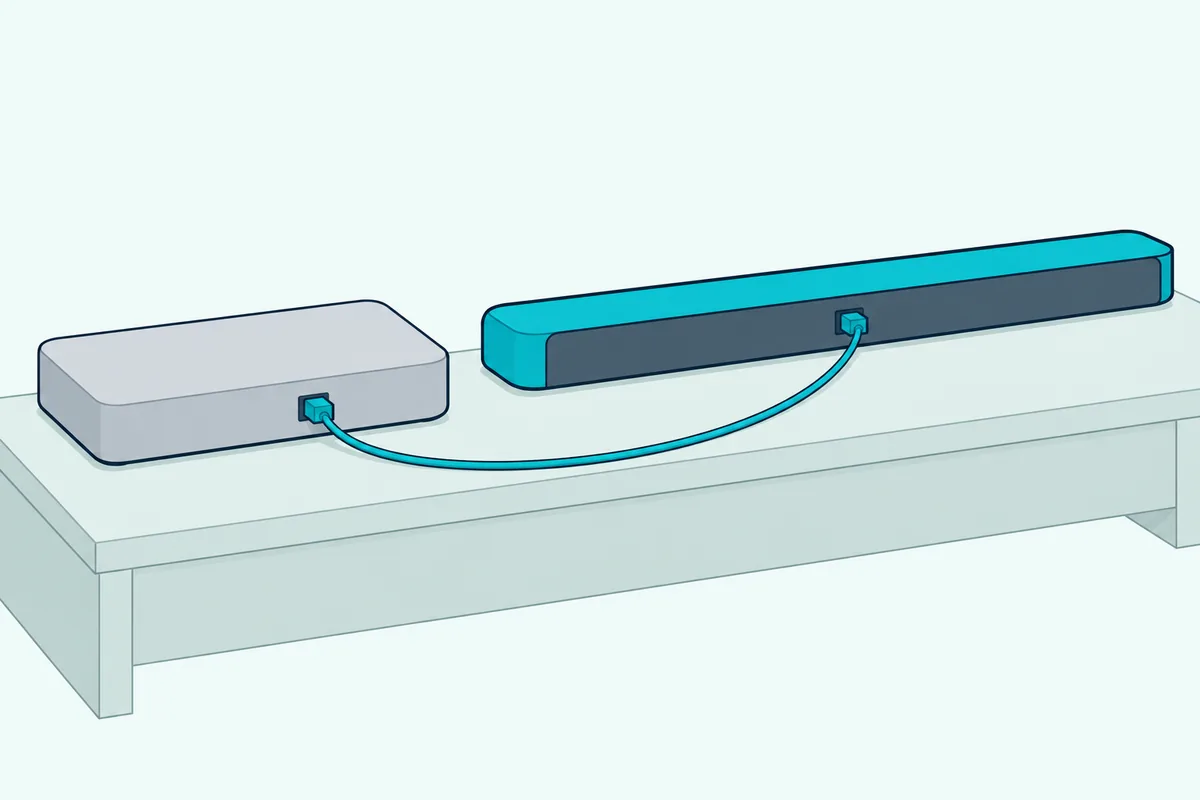
With the port, the HDMI cable still goes to the TV for picture and a second cable carries the sound. Amazon Basics’ 9.8-foot Toslink optical cable is listed for sound bars and home theater.
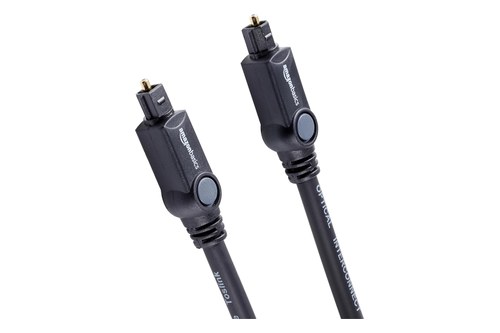
Amazon Basics’ 9.8-foot Toslink optical cable
Then select Settings > Sound and Screen > Audio Output Settings > Primary Output Port > DIGITAL OUT (OPTICAL). Nakamichi’s setup ticks Dolby Digital 5.1ch and DTS 5.1ch there, and Sony warns that a format the bar can’t take could damage the speakers.
Which PS4 Audio Settings Matter for a Soundbar?
Those cables only carry what the console sends. Sony’s PS4 User’s Guide keeps the main choices under Settings > Sound and Screen > Audio Output Settings, plus one under Devices.
| Setting | What Sony says it does |
|---|---|
| Primary Output Port | Picks the formats a device on the optical port supports; usually not needed |
| Audio Format (Priority) | Sets the default output format; starts at Linear PCM |
| HDMI Audio Output | Chooses the 7.1ch output type, on some systems only |
| Devices > Audio Devices > Output to Headphones | Sends all audio or only chat audio to a headset; default Chat Audio |
Audio Format (Priority) is the one that changes what a bar gets. Roku’s guide limits an optical link to two channels of uncompressed PCM or 5.1 compressed Dolby Digital or DTS, and it lists no multichannel PCM for ARC either, so Linear PCM over either one arrives as two channels.
Nakamichi’s PS4 steps set it to Bitstream (Dolby), then check that the bar receives Dolby Digital, which Roku says optical carries in 5.1. Bitstream versus PCM on a soundbar goes deeper on that trade.
Output to Headphones matters for a different reason. Set to All Audio, it sends every sound to a connected headset, so check it if the bar goes quiet while one is plugged in.
What Bluetooth Workarounds Are Worth Checking?
The Bluetooth gap from the first section still leaves two places to look. The first is the TV: if your TV’s manual lists a Bluetooth audio output, the console’s sound reaches the TV over HDMI and the TV sends it on wirelessly.
That route is the one in pairing a TV with a soundbar over Bluetooth. The second is a third-party USB Bluetooth adapter, which Sony doesn’t cover for speakers, so check that adapter maker’s PS4 notes before buying.
Wired aux is the same story: Sony documents the DUALSHOCK 4’s stereo headset jack for headsets, not for a bar’s aux input.
Why Is the Soundbar Silent, Delayed or Stuck in Stereo?
Silence usually traces back to a setting or port above. Sony’s no-audio checks for the PS4 run in this order:
- Make sure the screen and other audio devices aren’t muted and the volume is up.
- Make sure the PS4’s audio output is set to an HDMI device.
- Update the PS4’s system software.
- Try a different HDMI cable, then connect the console straight to the screen with the bar disconnected.
Sony also says to check that the screen or audio device has its latest firmware. On the bar’s side, the HT-A3000 checks from the TV section apply.
Stereo-only sound has a simpler cause: the Linear PCM default over optical or ARC. Switch Audio Format (Priority) to Bitstream (Dolby), as Nakamichi does, then check the format the bar reports; Nakamichi’s bars show it with the remote’s INFO button.
Delay gets Nakamichi’s fix from route 2: move the PS4 from the TV to the bar’s HDMI input. If the lag stays, the TV and soundbar delay settings are the next stop.
Frequently Asked Questions
Can a PS4 connect to a Bluetooth soundbar?
Not by any route Sony documents, and the same goes if you hook up a Bluetooth speaker such as a JBL. Sony’s audio settings cover HDMI, the optical port on some models and headsets, so use one of the three wired routes above.
Does the PS4 need HDMI ARC?
Not on the console side: Sony’s part names show a single HDMI OUT port. ARC is the TV’s job in route 1, where its HDMI ARC or eARC port sends the sound down to the bar, and routes 2 and 3 skip it.
Does the PS4 Slim have an optical port?
No. Sony’s support article says the CUH-2000 series, the current slimmer model, doesn’t have an optical digital output terminal, so start the optical run at the TV or use HDMI.
Is it better to plug a PS4 into the soundbar or the TV?
The TV, for most setups. Sony’s setup and no-audio steps both put the console straight into the screen; go through the bar when the TV lacks ARC or the sound lags. The PS5 version of this question is in the PS5 soundbar hookup guide.