How to Connect a Bose Soundbar to a Samsung TV by HDMI or Optical
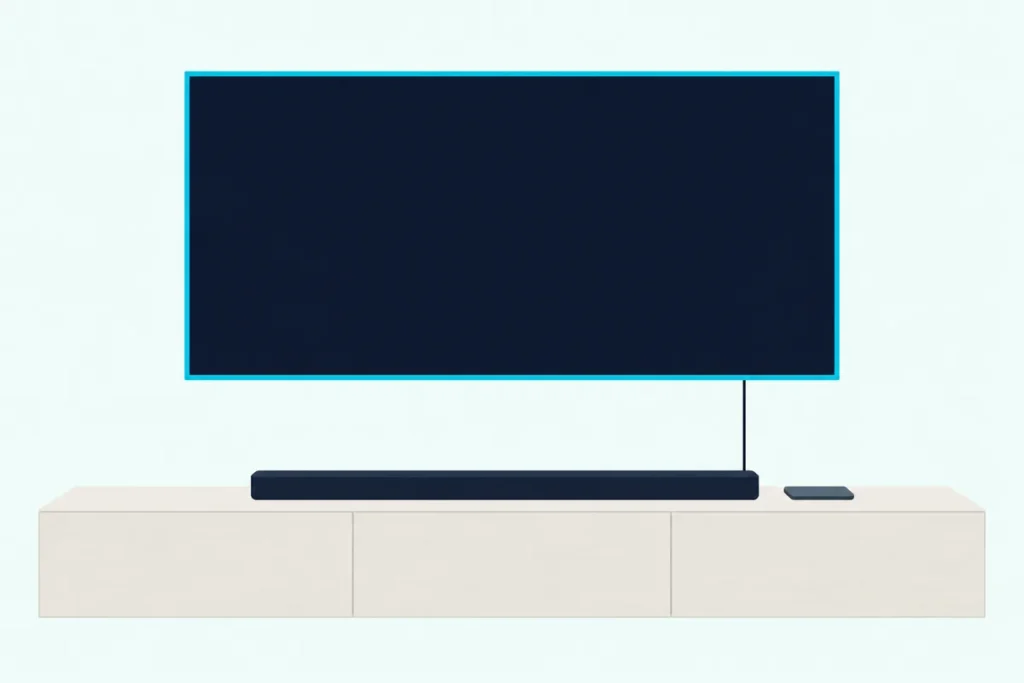
Here’s how to connect a Bose soundbar to a Samsung TV: run a cable from the TV’s HDMI (eARC/ARC) port to the bar, turn on Anynet+ (HDMI-CEC), and pick the bar under Sound Output.
Use a standard input instead, or leave Anynet+ off, and the TV keeps its own speakers playing or the Samsung remote stops moving the Bose volume.
Get those three things right and one Samsung remote turns both on, sets the volume and, on Bose’s Dolby Atmos bars, carries Atmos to the bar.
If the bar or TV has no ARC port, an optical cable from the TV’s Digital Audio Out carries the sound instead, though Bose ties TV-remote control to the ARC connection.
Below, each step follows Bose’s guides bar by bar and Samsung’s e-Manual menu by menu, and then the fixes cover silence, a deaf remote and missing Atmos.
Which Port Does Your Bose Soundbar Use for the TV?
That first step depends on the bar you own. Bose’s eARC bars are the Smart Soundbar, 600, 550, 900 and Smart Ultra; the 700, 500 and 300 use ARC, and both TV Speakers take the cable in a port marked HDMI IN.
The table sums up what Bose’s documents show for each bar:
| Bose soundbar | Bar’s TV port | HDMI cable in the box |
|---|---|---|
| Smart Soundbar | eARC | Yes |
| Smart Soundbar 600 | eARC | Yes |
| Soundbar 550 | eARC | Yes |
| Smart Soundbar 900 | eARC | Yes |
| Smart Ultra Soundbar | eARC | Yes |
| Smart Soundbar 700 | ARC | Yes |
| Soundbar 500 | ARC | Yes |
| Smart Soundbar 300 | ARC | No |
| TV Speaker (original) | IN, run to the TV’s ARC port | No |
| TV Speaker (2nd Gen) | IN (eARC/ARC) | Yes |
| Solo Soundbar Series II | None (optical or coaxial) | No |
Every box but the TV Speaker (2nd Gen)’s also holds an optical cable, which Bose says is sold separately for that model. An eARC label on the bar only pays off when the TV’s port is eARC too, since Samsung’s e-Manual says eARC works only on the TV’s eARC-dedicated port and only with a soundbar that supports it.
Bose’s guide for the original TV Speaker and the Smart Soundbar 300’s guide mark the HDMI cable as not provided, and Bose’s help article for the 700, like its 300 twin, asks for one rated High Speed or better. A short cable sold for soundbar ARC and eARC hookups, like the Silkland 3.3 ft HDMI eARC cable, fills that gap.
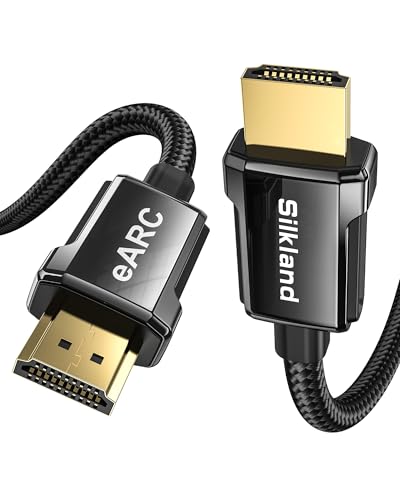
Silkland 3.3 ft HDMI eARC cable
The port rules hold on any TV brand, and Burton Acoustix’s guide to hooking a Bose soundbar up to any TV covers the steps that work everywhere.
How to Connect a Bose Soundbar to a Samsung TV With HDMI
Once you know the bar’s port, the cable hookup takes four steps. Bose’s guides for the Smart Soundbar, 700, 900 and 500 call it the preferred connection.
- Turn the TV off and find the port Samsung labels HDMI (eARC/ARC), since Bose’s guides warn against a standard input.
- Plug the cable into that port and into the bar’s eARC or ARC port, or a TV Speaker’s IN port.
- Power the bar and turn the TV back on; Samsung says a new Anynet+ device can take up to 2 minutes to connect.
- Check for sound the way Bose does: turn off the TV speakers, play something, then press Mute on the Bose remote and listen for silence from both.
If step 4 leaves the TV speakers playing, Bose’s fixes point to the Samsung settings in the next section. Bose’s 700 and 300 help articles note that some TVs need the ARC function switched on in their menus before they send sound to the bar.
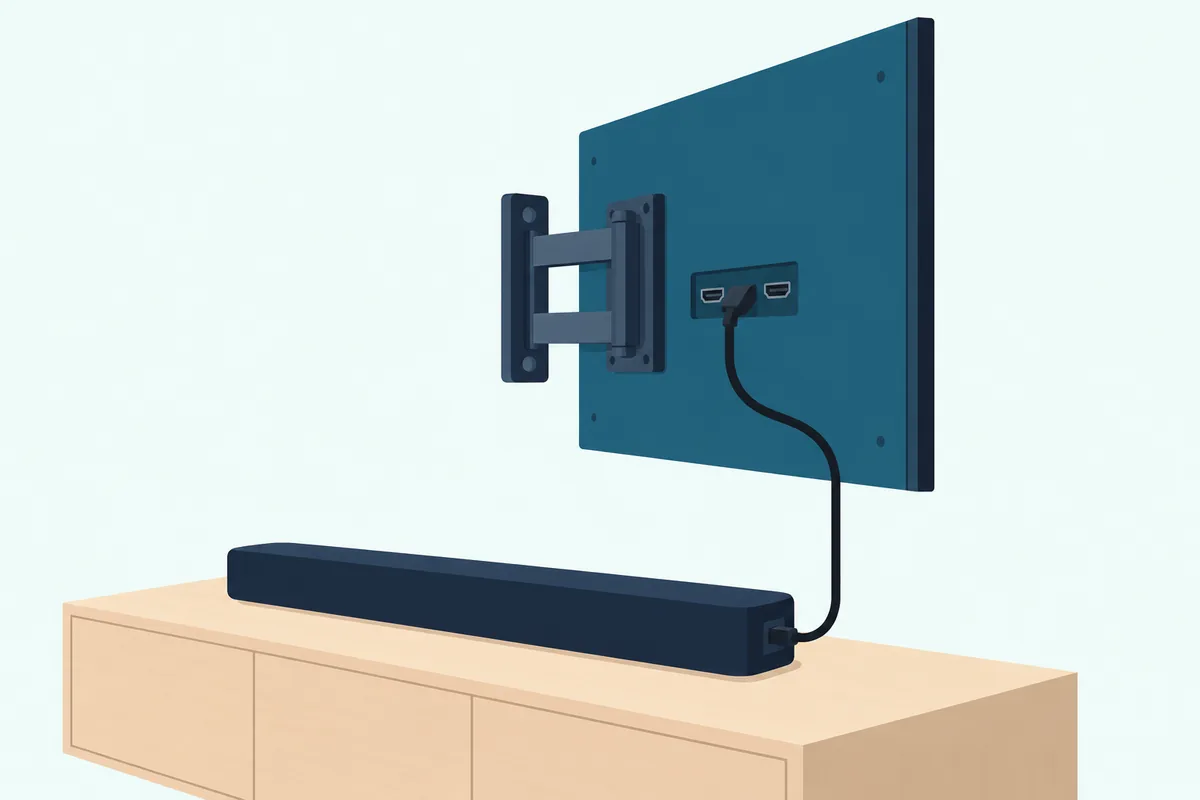
The original TV Speaker’s guide adds one rule: power the speaker off before you switch it from one cable to the other.
Which Samsung TV Settings Does a Bose Soundbar Need?
Those switched-on menus sit in three places on a Samsung TV, and the path to the first one moved between model years. Samsung’s 2025 e-Manual puts Anynet+ (HDMI-CEC) under Settings, All Settings, General & Privacy, External Device Manager; the 2024 edition files External Device Manager under Connection, and the 2021 edition under General.
| Samsung setting | Menu (2025 e-Manual) | What it does with a Bose bar |
|---|---|---|
| Anynet+ (HDMI-CEC) | General & Privacy, External Device Manager | Lets the TV remote run CEC devices and power them on and off with the TV |
| Sound Output | Sound | Picks the speakers the TV plays through: the bar, or Receiver (Optical) |
| HDMI-eARC Mode | Sound, Expert Settings | Connects an audio device that supports eARC |
| Digital Output Audio Format | Sound, Expert Settings | Auto follows the bar’s formats; Pass-through sends audio unprocessed |
| Digital Output Audio Delay | Sound, Expert Settings | Shifts the digital audio’s timing for HDMI sources when the bar is on ARC or eARC |
Set Anynet+ to On first, choose the bar in Sound Output, then turn on HDMI-eARC Mode if the bar is an eARC model. Samsung notes that some cables may not support Anynet+, so a different cable is a fair test when the remote won’t reach the bar.
How Do You Set Up the Bose App for a Samsung TV?
That TV side is half the job on Bose’s Wi-Fi bars, and Bose runs the other half in its own app. Its setup article for the Smart Soundbar has you turn on Bluetooth on your phone, open the Bose app, let it find the bar, join your Wi-Fi network, name the bar and choose whether to share it.
One step asks you to connect the cable from the bar’s ARC jack to the TV’s ARC or eARC jack and tap Next, so plug it in first. If the light bar isn’t glowing amber when you start, the same article puts the bar in setup mode: hold Mute and Music on the remote for five seconds until it does.
The original TV Speaker’s and Solo Soundbar Series II’s guides skip the app for the TV and connect it by cable alone.
Samsung-only extras stay with Samsung bars, since the e-Manual allows wired Q-Symphony only with a Samsung audio device that supports it, and the soundbars matched to Samsung TVs show what that link adds.
How Do You Connect a Bose Soundbar to a Samsung TV With an Optical Cable?
If your Samsung TV or Bose bar has no ARC port, an optical cable does the job. The Solo Soundbar Series II, which has no such port, lists optical as its preferred connection.
- Pull the protective caps off both ends of the cable; Bose warns that a capped or misaligned plug can damage the plug or the port.
- Plug one end into the TV’s DIGITAL AUDIO OUT (OPTICAL) port and the other into the bar’s OPTICAL IN until it clicks.
- Turn the bar on before connecting the cable if you can, because Samsung says Sound Output then switches to it by itself.
- Otherwise choose Receiver (Optical) under Settings, All Settings, Sound, Sound Output.
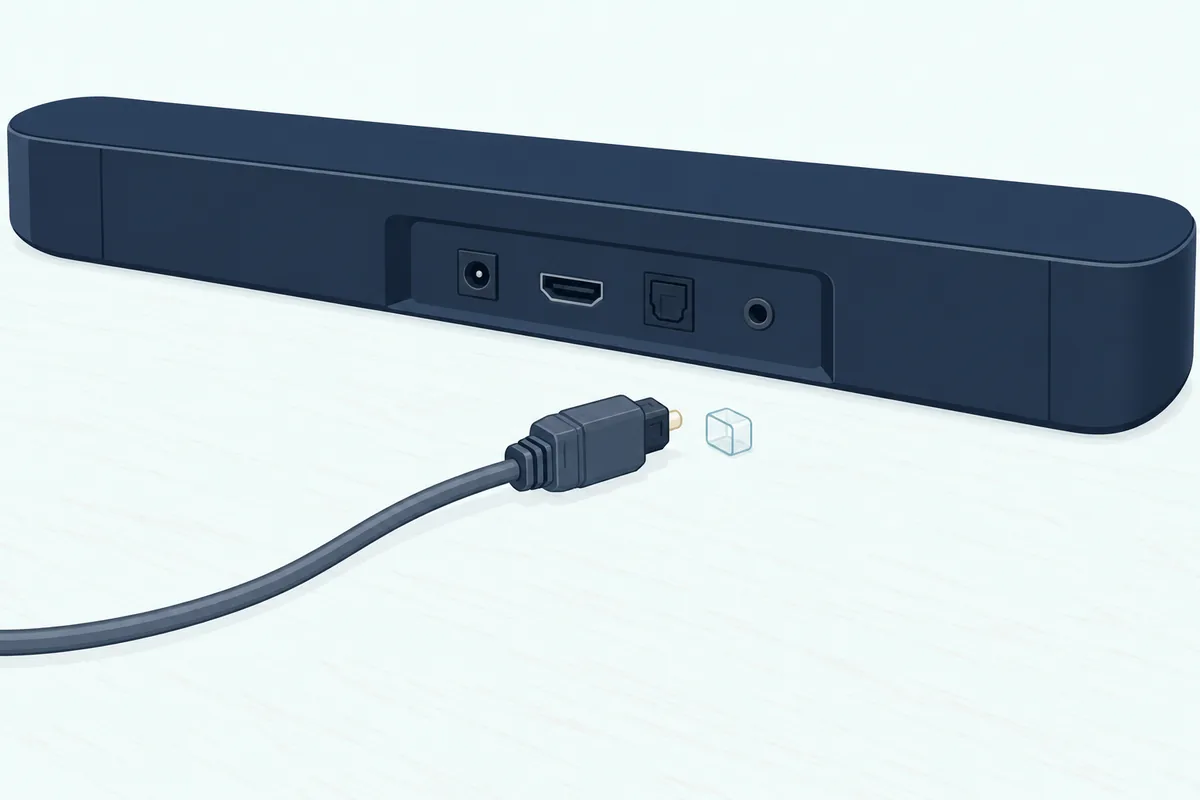
That route gives up two things. Bose ties Dolby Atmos and TV-remote control of power, volume and mute to the eARC or ARC connection.
Power sync has a workaround called auto-wake, which turns the bar on whenever sound arrives over optical. On the Smart Soundbar, hold Power for 10 seconds until you hear a tone and the light bar pulses white twice, or switch it in the Bose app’s Settings.
Samsung adds one quirk: with both cables connected, the TV may pick HDMI first even when you select Optical. For PCM, Dolby Digital and lip sync on that connection, see the optical settings on a Samsung TV.
Will the Samsung Remote Control the Bose Soundbar?
That remote question comes down to the cable from the first steps. Bose’s guides say the TV remote controls the bar’s power, volume and mute when the bar is on the TV’s eARC or ARC port, and Samsung’s half of that handshake is Anynet+ set to On.
Bose adds a setting of its own: the Smart Soundbar’s troubleshooting table points to Advanced CEC in the Bose app’s Settings menu when the sound drops or the bar picks the wrong source.
Power follows the same link, so with Anynet+ on, the bar turns on and off with the TV. Samsung’s e-Manual says that with Anynet+ off, a soundbar on the eARC port no longer turns off and on together with the TV.

An original TV Speaker on optical can still learn the Samsung remote’s volume and mute buttons. Hold the TV button on the Bose remote until the speaker’s TV and Bluetooth lights blink 3 times and glow white, press Volume up on the Bose remote, hold Volume up on the TV remote for 2 seconds until the TV light blinks amber twice, then repeat those two presses with Volume down and Mute.
Bose notes the TV remote must send IR (infrared) signals for that to work. Samsung adds one override: a device set up for both Anynet+ and a universal remote answers only to the universal remote.
Can You Connect a Bose Soundbar to a Samsung TV Over Bluetooth?
Bluetooth looks like the wireless shortcut, and a Samsung TV does list Bluetooth speakers under Sound, Sound Output, Bluetooth Speaker List. Bose’s guides connect the TV by cable, though, and the original TV Speaker’s help article names a phone, tablet or computer as its Bluetooth source.
Samsung’s own troubleshooting points the same way. When Bluetooth sound keeps cutting out, its e-Manual recommends a wired eARC/ARC or optical connection, and Anynet+ needs the wired link anyway.
Why Is There No Sound From the Bose Soundbar on a Samsung TV?
Those cable and menu choices explain most silent setups, and the table matches each symptom to the fix Bose or Samsung gives:
| What happens | The fix, per Bose or Samsung |
|---|---|
| Sound still comes from the TV speakers | Choose the bar in Sound Output, turn the TV speakers off, use the eARC or ARC port, enable CEC and turn the TV volume to its lowest |
| An original TV Speaker leaves the TV speakers on | Connect both the HDMI cable and the optical cable |
| No sound through the eARC or ARC cable | Set Digital Output Audio Format to Auto, then reconnect the cable at the TV |
| No sound over optical | Choose Receiver (Optical) and use the TV port marked Output or OUT |
| The Samsung remote won’t change the volume | Turn Anynet+ on, check the bar’s CEC setting in the Bose app and try another cable |
| No Dolby Atmos | Use the eARC or ARC port, turn on HDMI-eARC Mode and check the Bose app’s Now Playing screen |
| The bar jumps to the wrong source | Check Advanced CEC, or turn off CEC on the other source |
| Sound and picture drift apart | Adjust Digital Output Audio Delay |
That format row comes with a warning: Samsung says Pass-through leaves no sound on Dolby Digital+ sources when the bar doesn’t support that format, and it recommends Auto for bars with limited formats. Bose’s Smart Ultra guide adds that the TV and the content must both support Dolby Atmos.
If nothing in the table helps, unplug the bar and any bass module or surround speakers for 30 seconds, as Bose suggests.
Is HDMI or Optical Better for a Bose Soundbar on a Samsung TV?
Both carry the sound, but the eARC or ARC cable does more, and Bose ranks it first. Bose’s Smart Soundbar setup article calls the audio identical over either cable for the formats the soundbar supports, while that cable adds Consumer Electronics Control (CEC).
The Smart Soundbar’s owner’s guide still reserves the Dolby Atmos surround-sound experience for eARC or ARC, and Samsung’s e-Manual sends the TV’s Dolby Digital+ output only over eARC. For the formats behind that choice, see how HDMI and optical compare on a soundbar.
The Bottom Line
So for almost every Bose bar on a Samsung TV, the recipe is the same: the cable to the eARC/ARC port, Anynet+ on, the bar chosen in Sound Output and HDMI-eARC Mode on for an eARC bar. Optical is the fallback without ARC, with auto-wake standing in for power sync, and the original TV Speaker and the 300 need a cable bought separately for the eARC or ARC route.
The descriptions come from Bose’s and Samsung’s manuals and help pages.
Frequently Asked Questions
Is a Bose soundbar compatible with a Samsung TV?
Yes. Bose’s guides connect their bars through a TV’s eARC or ARC port or its optical output, and Samsung’s e-Manual lists HDMI (eARC/ARC) and optical among its audio-device connections. Bose’s help article for the 700 and 300 calls a TV incompatible when it has neither an ARC nor an optical output. Samsung’s own speaker features, such as Q-Symphony, don’t carry over, since the e-Manual ties them to Samsung audio devices.
Does it matter which HDMI port you use for a Bose soundbar?
Yes. Bose’s guides call for the TV port labeled eARC or ARC, not a standard input, and the original TV Speaker’s guide says you won’t hear audio from the speaker otherwise. On a Samsung TV that’s the port marked HDMI (eARC/ARC). Samsung adds that eARC works only on that port and with a soundbar that supports it, and Bose’s 700 and 500 guides send their ARC bars to the same TV port.
Why won’t my Bose sound bar connect to my Samsung TV?
Start with the port and the menus. Bose’s troubleshooting tables list a cable in a standard input, CEC switched off in the TV menu and an optical cable in an input instead of an output, and Samsung’s e-Manual adds Sound Output, which has to point at the bar. Bose’s tables also suggest updating the TV’s software. If the app can’t find a Smart Soundbar, Bose’s setup article starts with your phone’s Bluetooth on and the phone close to the bar.
Can you connect a Bose soundbar to a Samsung TV without HDMI ARC?
Yes, with an optical cable: the TV’s DIGITAL AUDIO OUT (OPTICAL) port to the bar’s OPTICAL IN, then Receiver (Optical) in Sound Output. With neither port on the TV, Bose’s Smart Soundbar guide suggests running optical from a cable or satellite box, or an audio converter with a coaxial, 3.5 mm or analog cable (not provided). The original TV Speaker also takes a 3.5 mm cable from a headphone port, or a 3.5 mm to RCA cable from red and white analog outputs, in its AUX IN port.