Best Soundbar for an Apartment: Night Modes, Widths and Subwoofers
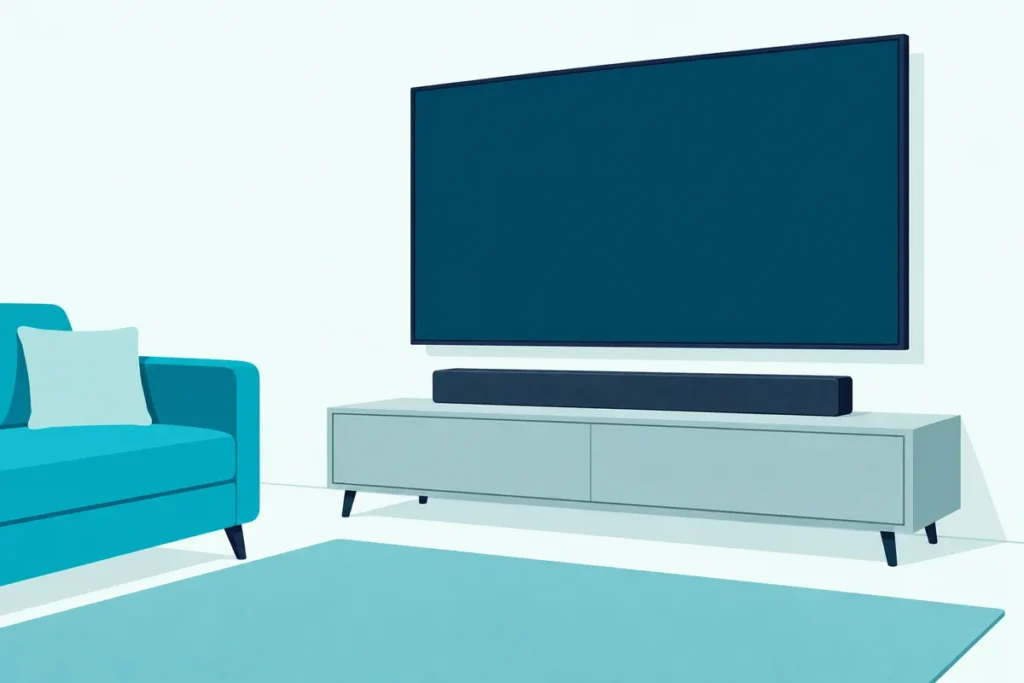
To pick the best soundbar for an apartment, start with the night mode its maker documents, then check the width against your TV and decide whether you’ve got floor space for a separate subwoofer.
Turn a film down for the people next door and the dialogue often goes with it, so you end up riding the remote all night.
A named night mode goes straight at that swing: Sonos says Night Sound reduces loud sounds while raising quieter ones, and Polk says Night Mode turns down the bass for late-night watching without disturbing the neighbors.
So read the table below for each mode’s name and what the maker says it does, and measure your stand before you fall for anything.
The picks come next, grouped by what your apartment asks for, followed by what the makers say about bass, placement, drilling and headphones.
What Is the Best Soundbar for an Apartment?
That night mode test narrows the field fast. The best soundbar for an apartment, for most people, is the Sonos Beam (Gen 2), because Sonos documents Night Sound and Speech Enhancement for it, there’s no separate subwoofer in the box and it’s 25.63 inches wide.
If your TV is small or has no HDMI ARC port, the Sonos Ray has the same two modes at 21.93 inches and connects by optical. If you’d rather press a button than open an app, the Denon DHT-S218 has a NIGHT button on its remote.
With floor space for a second box, the Yamaha SR-B40A comes with a wireless subwoofer and a remote button for that subwoofer’s volume. Yamaha’s guide recommends its Clear Voice function for movies or dramas at a low volume.
Every pick met Burton Acoustix’s rating, review and stock checks on 1 November 2026. The descriptions come from the makers’ manuals and spec pages.
| Product | Link |
|---|---|
Night Mode, One Box 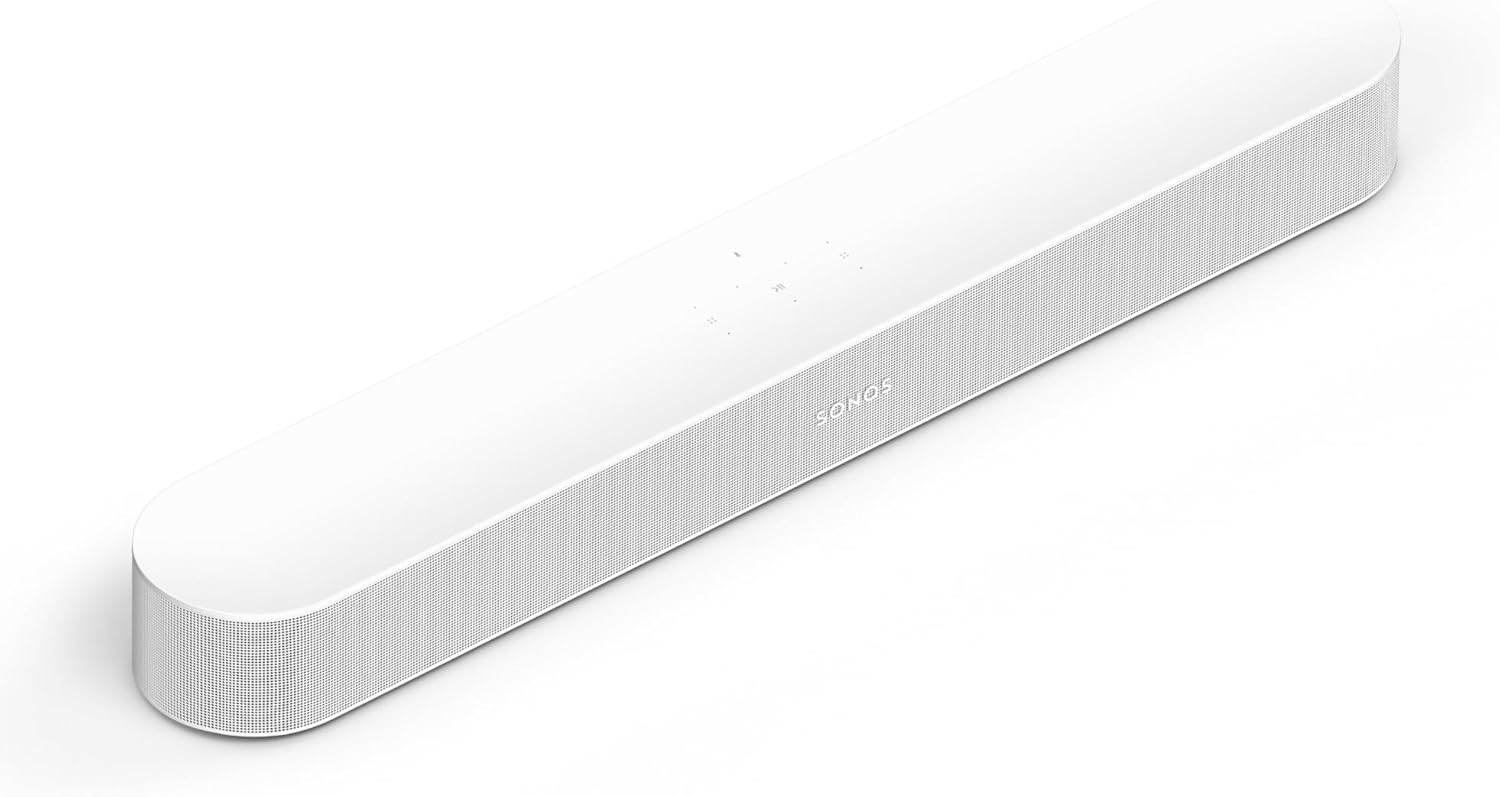 | See ratings |
Night Button on the Remote 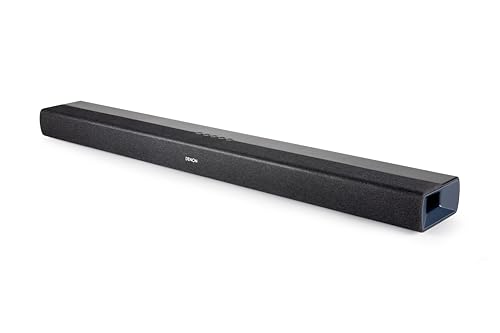 | See ratings |
Wider TV, No Subwoofer Box 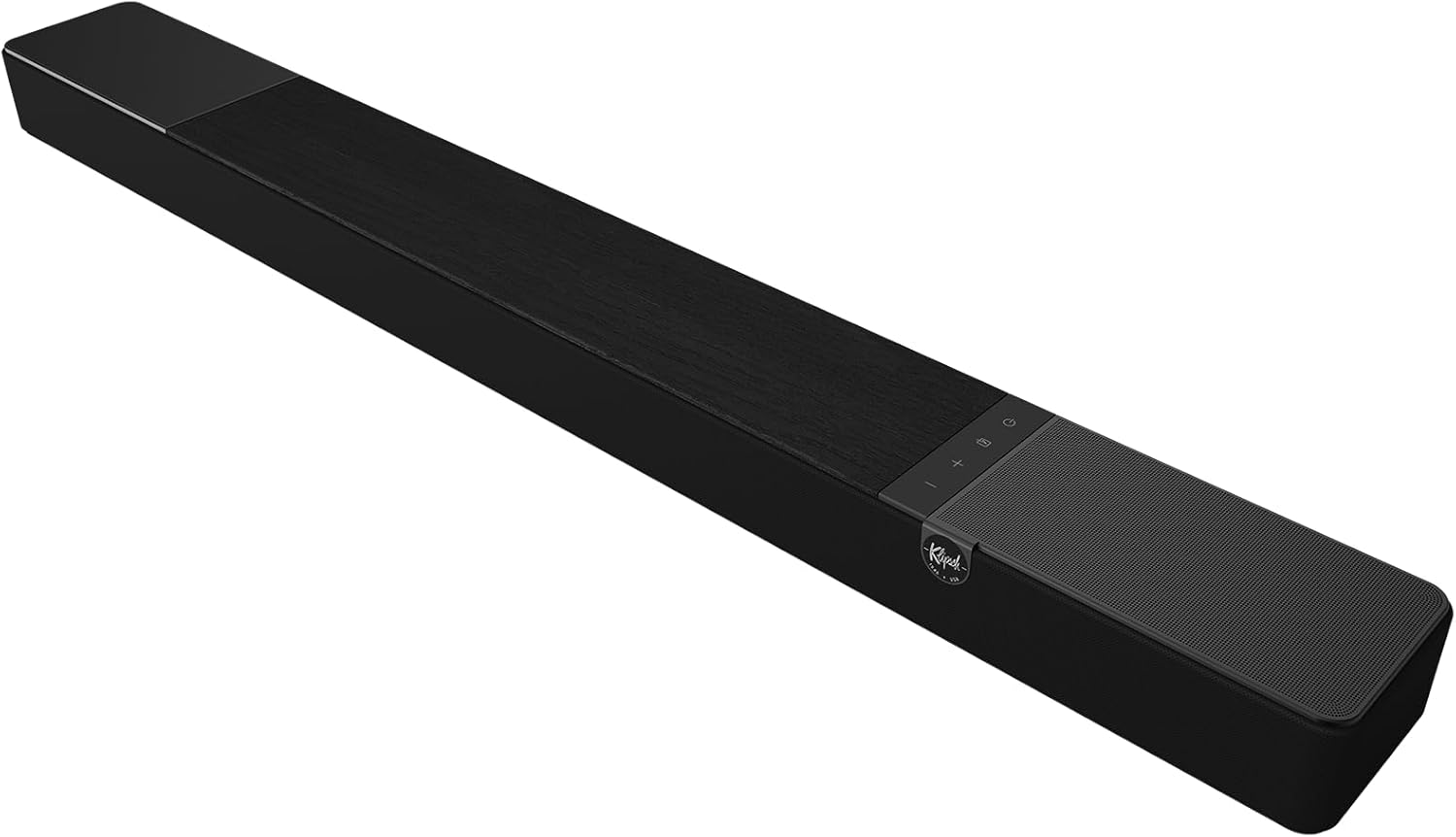 | See ratings |
Voices at a Low Volume 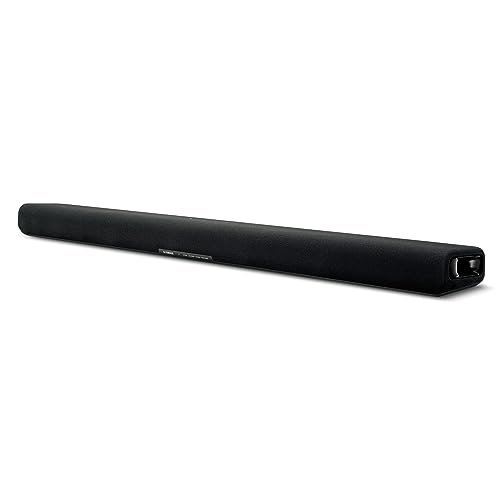 | See ratings |
Narrowest One-Box HDMI Bar 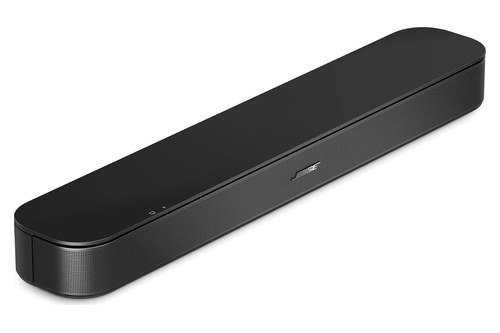 | See ratings |
Small TV, Optical Port 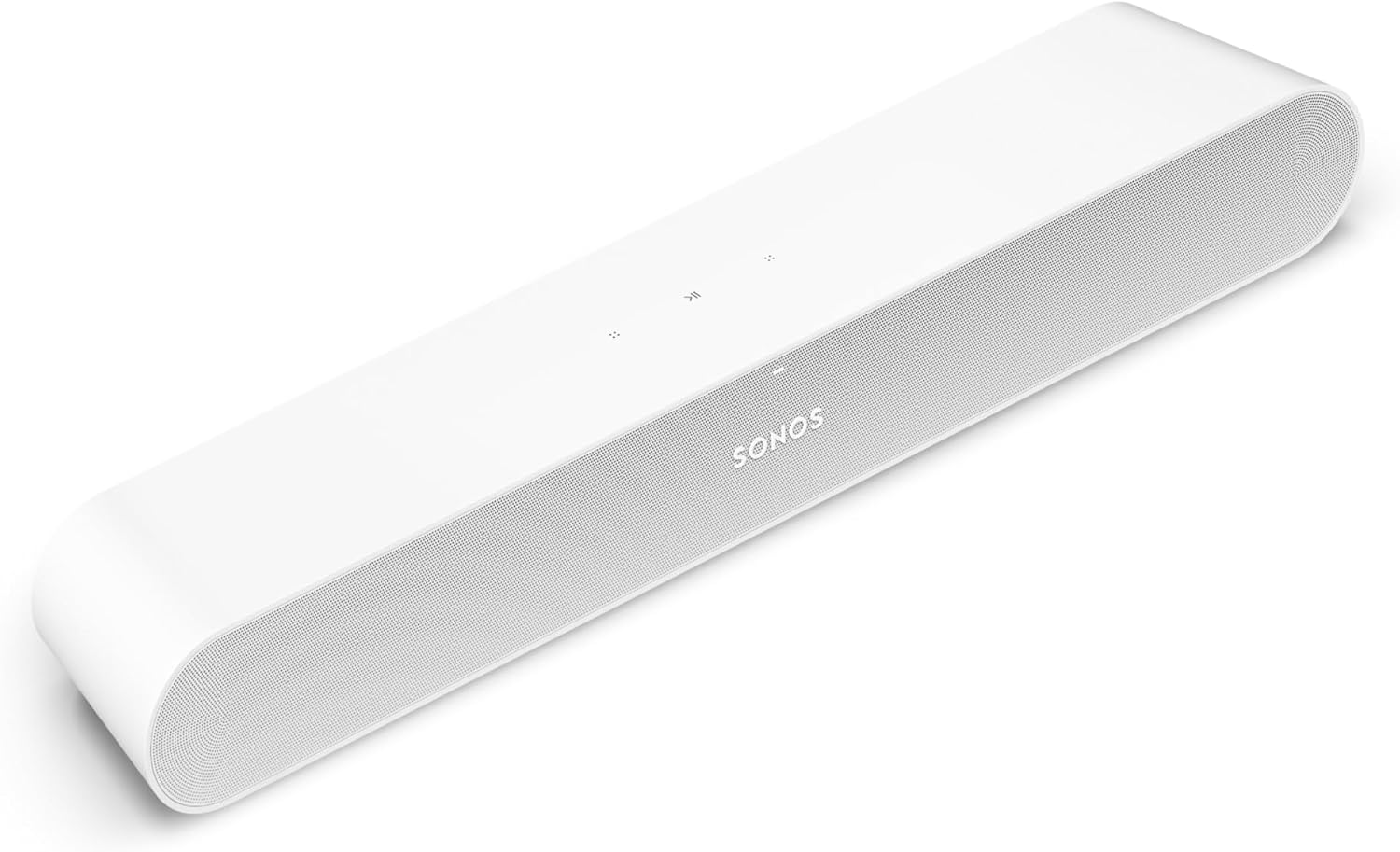 | See ratings |
Shortest Bar, Subwoofer on the Floor 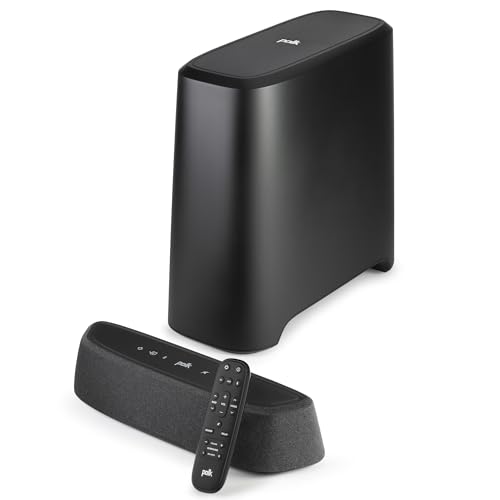 | See ratings |
Subwoofer With Its Own Volume Button 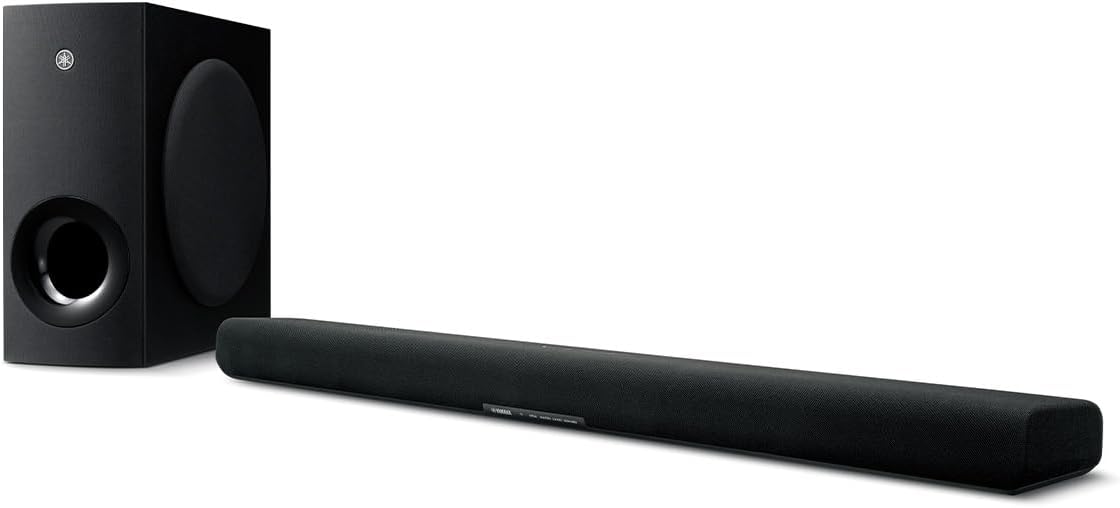 | See ratings |
What Does an Apartment Change About the Choice?
Those answers turn on three things a detached house rarely forces on you: shared walls and floors, a smaller room and TV, and a landlord’s rules on drilling. Start with the walls, because they’re the reason you’re reading about night modes at all.
Quieting, the National Bureau of Standards’ Handbook 119, separates airborne noise, which travels through the air and along corridors, doorways and staircases, from structureborne noise, which occurs when walls or floors are set vibrating by direct contact with a vibrating source. It uses a neighbor’s stereo as its apartment example, saying the sound may annoy people in adjacent rooms but rarely in rooms farther away unless doors or passageways are open.
No maker’s document on this page claims a night mode changes what your walls or floors pass, and none gives a figure for it. They describe what the bar plays, so treat the mode as control over your own soundtrack and the building as a separate job.
That job has its own guides: soundproofing a whole apartment covers the rooms, and you can soundproof an apartment door if the hallway is where sound gets out.
The smaller room and TV show up as arithmetic. Yamaha’s How to Shop for a Sound Bar says to decide where the bar will go, check its dimensions and make sure a bar on a surface isn’t tall enough to block the TV.
It also says stand-alone subwoofers are often more powerful and effective than built-in ones, but that you might want a built-in one if there isn’t a lot of floor space. In a small living room, that’s the whole trade in one sentence.
The landlord’s rules are yours to read in your own lease. The wall instructions in the makers’ manuals here all involve fixing something to the wall, which is why mounting gets its own section further down.
What Do the Makers Say Each Night Mode Does?
Since the walls stay as they are, the wording of each mode is what you can actually compare. Most of those words fall into three groups: Sonos, LG and Denon describe narrowing the gap between loud and quiet, Polk and Klipsch add less bass to that, and Vizio’s SV210D-0806 manual describes a lower subwoofer level alone.
| Soundbar | Night mode, in the maker’s terms | Speech mode | Subwoofer | Width | TV ports |
|---|---|---|---|---|---|
| Sonos Beam (Gen 2) | Night Sound: less intense loud sounds, higher quiet ones | Speech Enhancement | None in box | 25.63 in | HDMI eARC, optical adapter |
| Denon DHT-S218 | NIGHT: compresses the dynamic range | Dialog Enhancer, 3 levels | Built in | 35 in | HDMI eARC, optical, analog |
| Klipsch Flexus Core 200 | Night Mode: reduced range, compressed bass | Dialog Boost, 4 settings | Built in | 44 in | HDMI eARC, optical |
| Yamaha SR-B30A | None named; Bass Extension has its own button | Clear Voice | Built in | 35-7/8 in | HDMI eARC, optical |
| Bose TV Speaker (2nd Gen) | None named; five bass steps | Dialogue Mode | None in box | 23.47 in | HDMI ARC, optical |
| Sonos Ray | Night Sound, as on the Beam | Speech Enhancement | None in box | 21.93 in | Optical only |
| Polk MagniFi Mini AX | Night Mode: less bass and dynamics, clearer voices | VoiceAdjust | Wireless | 14.4 in | HDMI eARC, optical, aux |
| Yamaha SR-B40A | None named; subwoofer level on the remote | Clear Voice | Wireless | 35-7/8 in | HDMI eARC, optical |
| Sony BRAVIA Theater Bar 6 | Night mode: clear sound at a low volume | Voice mode | Wireless | 37-1/2 in | HDMI eARC, optical |
| Polk Signa S2 | Night Effect: lower bass, more VoiceAdjust | VoiceAdjust | Wireless | 35.4 in | HDMI ARC, optical, aux |
| LG S40T | Night Time: lower volume, soft sounds raised | None named | Wireless | 28.3 in | HDMI ARC, optical |
Read the table as the makers’ own words shortened, and where a row says none named, that bar’s guide simply lists no such mode. Yamaha and Bose give you a speech mode and a bass control instead.
Try this on any bar you’re weighing: open its manual and search the PDF for night, voice and dialog, and you’ll know in under a minute what it documents.
Two makers’ documents speak to neighbors directly. Polk’s MagniFi Mini AX page says Night Mode is for late-night watching without disturbing the neighbors, and Vizio’s SV210D-0806 manual says its Night Mode reduces the subwoofer level, for example to accommodate sleeping babies or easily annoyed apartment neighbors.
Vizio’s V51x-J6 manual says much the same, calling the lower bass of its Night Mode ideal for apartment living and homes with sleeping children. None of those lines is a measurement through a wall, so read them as what the mode is for.
Which Soundbars Have a Documented Night Mode?
Those wordings matter most on a bar you can simply switch at 11 p.m. The soundbars with a documented night mode and no second box to place are the Sonos Beam (Gen 2), the Denon DHT-S218 and the Klipsch Flexus Core 200, at 25.63, 35 and 44 inches wide.
Sonos Beam (Gen 2)
For a documented night mode on the narrowest one-box HDMI bar that names one, the Sonos Beam (Gen 2) is the pick.
the Sonos Beam (Gen 2)
Sonos’s Night Sound article says to use it when watching at low volumes, such as late at night, and that it reduces the intensity of loud sounds while increasing the level of quieter ones, making dialogue clearer without turning up the volume. You switch it with a button on the Sonos app’s Now Playing screen.
Speech Enhancement sits beside it, and Sonos says it boosts the audio frequencies associated with the human voice. Think of the two as different tools: one narrows the whole soundtrack, the other lifts the voices.
Sonos lists HDMI eARC, Dolby Atmos and Wi-Fi, a height of 2.68 inches and an optical adapter in the box for a TV with optical output only. It also recommends Sub Mini for the Beam, if you later want a subwoofer and have the floor for it.
Denon DHT-S218
If you want a night mode spelled out in plain terms and a button for it, the Denon DHT-S218 is the pick.
the Denon DHT-S218
Denon’s manual says NIGHT compresses the dynamic range, meaning the difference between loud and soft sounds, to make audio easier to hear at low volumes. Dialog Enhancer has low, medium and high levels for dialog in movies and vocals in music.
Two built-in 3-inch subwoofers fire downward, and the remote’s BASS + and BASS – set their volume. The HDMI port has eARC, an HDMI input sits beside it, and optical and analog connections cover older TVs.
Klipsch Flexus Core 200
For a wider TV and these controls on the remote, the Klipsch Flexus Core 200 is the pick.
the Klipsch Flexus Core 200
Klipsch’s manual says enabling Night Mode gives reduced dynamic range with compressed bass for low volume listening, against full dynamic range with full bass when it’s off. Dialog Boost steps through off, low, medium and high on the same remote.
Its spec sheet lists dual 4-inch built-in subwoofers with no subwoofer required, plus two 2.25-inch elevation speakers for Dolby Atmos. That 44-inch width is the catch, since a 50-inch TV is only about 43.6 inches across.
Which Soundbars Work Without a Separate Subwoofer?
All three of those keep their bass in the bar, and two more do the same without naming a night mode. The Yamaha SR-B30A and the Bose TV Speaker (2nd Gen) have no second box, and each gives you a speech mode and a bass control instead.

Yamaha SR-B30A
For one box whose maker recommends its voice setting at a low volume, the Yamaha SR-B30A is the pick.
the Yamaha SR-B30A
Yamaha’s guide says human voices can be heard more easily without turning up the volume when Clear Voice is on, and it recommends the function for movies or dramas at a low volume. That’s a night mode’s goal by another route, though the guide doesn’t use the word.
Yamaha calls this bar perfect for smaller living rooms, bedrooms and dens, with rich bass and no need for a separate sub. Bass Extension has its own remote button, so you can leave it off when the building is asleep.
Bose TV Speaker (2nd Gen)
For the narrowest one-box HDMI bar here, the Bose TV Speaker (2nd Gen) is the pick.
the Bose TV Speaker (2nd Gen)
Bose’s owner’s guide says Dialogue mode improves the clarity of dialogue and vocals by adjusting the audio balance, and a remote button switches it. Bass runs in five steps from -2 to +2, set with the remote’s bass button and the volume keys.
The guide wants it directly below the TV if you can, with the front close to the front edge of a shelf or TV stand for optimal sound quality and the back at least 0.4 inch from any surface. Bose lists it at 23.465 inches and 4.409 lb, and it connects by HDMI ARC or optical.
Which Compact Soundbar Fits a Small TV?
Width is where a small TV changes the list, and that Bose is already most of the way across a 32-inch screen. The compact soundbars for a small TV here are the Polk MagniFi Mini AX at 14.4 inches and the Sonos Ray at 21.93 inches.
A 16:9 TV is about 27.9 inches wide at 32 inches, 34.9 at 40, 37.5 at 43 and 47.9 at 55. Hold a tape against your stand and your TV before you settle, and check the bar’s height against the bottom of the screen.
For more choices, Burton Acoustix has small bars compared side by side. If it’s the room rather than the TV that’s small, start with the best soundbar for a small room setup instead.
Sonos Ray
If your TV has optical and no ARC, the Sonos Ray is the pick.
the Sonos Ray
Sonos says to turn on Night Sound to reduce the intensity of loud effects when you don’t want to disturb anyone else at home, and Speech Enhancement for clearer dialogue when characters whisper or the music swells. Both work as they do on the Beam, through the same app.
It connects to your TV by its optical port only, and it’s 2.76 inches tall. Sonos also sells a Wall Mount for it, and the Sub Mini if you later want more bass.
Polk MagniFi Mini AX
For the shortest bar on this page, the Polk MagniFi Mini AX is the pick.
the Polk MagniFi Mini AX
Polk lists it at 14.4 by 3.1 by 4.1 inches with a wireless subwoofer in the box, so the width you save on the stand comes back as a box on the floor. Its quick-start guide says Night Mode is for low-volume listening and reduces bass and volume dynamics while improving voice intelligibility.
VoiceAdjust is the speech control, and Polk names HDMI, eARC, optical and aux connections. That neighbors line from the table section is Polk’s own, on this bar’s product page.
What If You Have Room for a Separate Subwoofer?
A floor box like the Mini AX’s is easier to live with if you can turn it down from the sofa. The Yamaha SR-B40A, Sony BRAVIA Theater Bar 6, Polk Signa S2 and LG S40T each pair a wireless subwoofer with a remote control for bass, and the next section gives each maker’s placement advice.
Yamaha SR-B40A
If you like the SR-B30A but have the floor space, the Yamaha SR-B40A is the pick.
the Yamaha SR-B40A
The remote has SUBWOOFER + and – buttons for that box alone, and Yamaha says Bass Extension leaves the subwoofer volume the same while adjusting the sound of the bass. It shares the SR-B30A’s width, Clear Voice and HDMI eARC and optical ports.
Yamaha says the wireless link makes the subwoofer easy to place anywhere in the room, though its guide adds some limits we’ll come to.
Sony BRAVIA Theater Bar 6
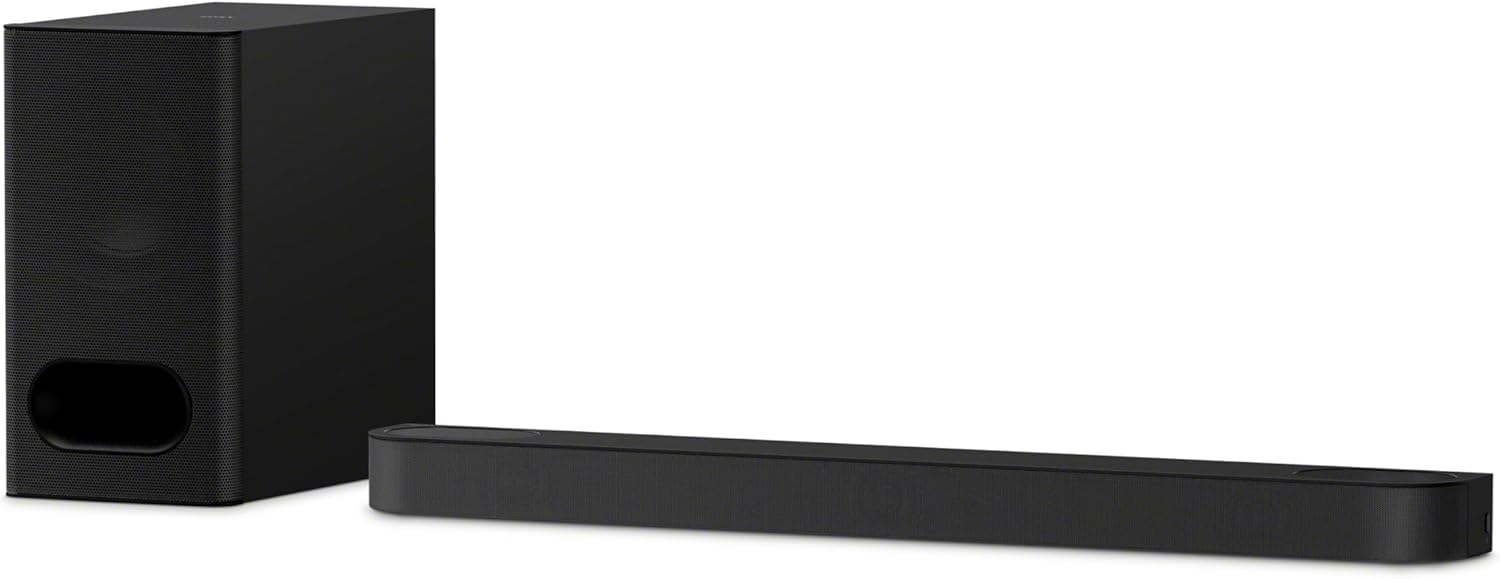
For a night mode on the remote plus a subwoofer in the box, the Sony BRAVIA Theater Bar 6 is the pick.
the Sony BRAVIA Theater Bar 6
Sony’s Help Guide says Night mode outputs clear sound even at a low volume for late night use, with clear dialog and minimum loss of fidelity, and the remote has a NIGHT button. Voice mode emphasizes dialog and makes it easier to hear.
BASS + and – adjust the bass volume on their own. At 37-1/2 inches, it matches a 43-inch TV almost exactly.
Polk Signa S2
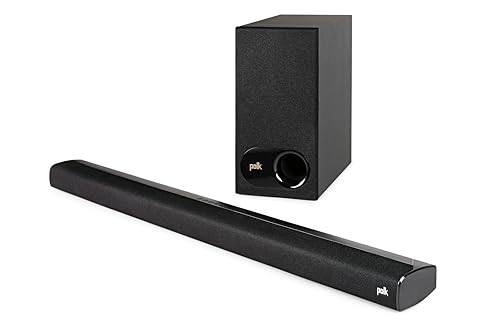
For a thin bar and a single night button, the Polk Signa S2 is the pick.
the Polk Signa S2
Polk’s page says Night Mode, at the push of a button, lowers the bass and increases VoiceAdjust for clear dialogue without raising the master volume, so you hear it all without disturbing others in and around your home. The remote labels that button Night Effect and adds separate bass and VoiceAdjust controls.
Polk’s information sheet gives 90 cm across and 5.5 cm tall, about 35.4 by 2.2 inches, and says it won’t block your TV’s bottom edge or IR remote sensor. It takes HDMI ARC, optical and aux.
LG S40T
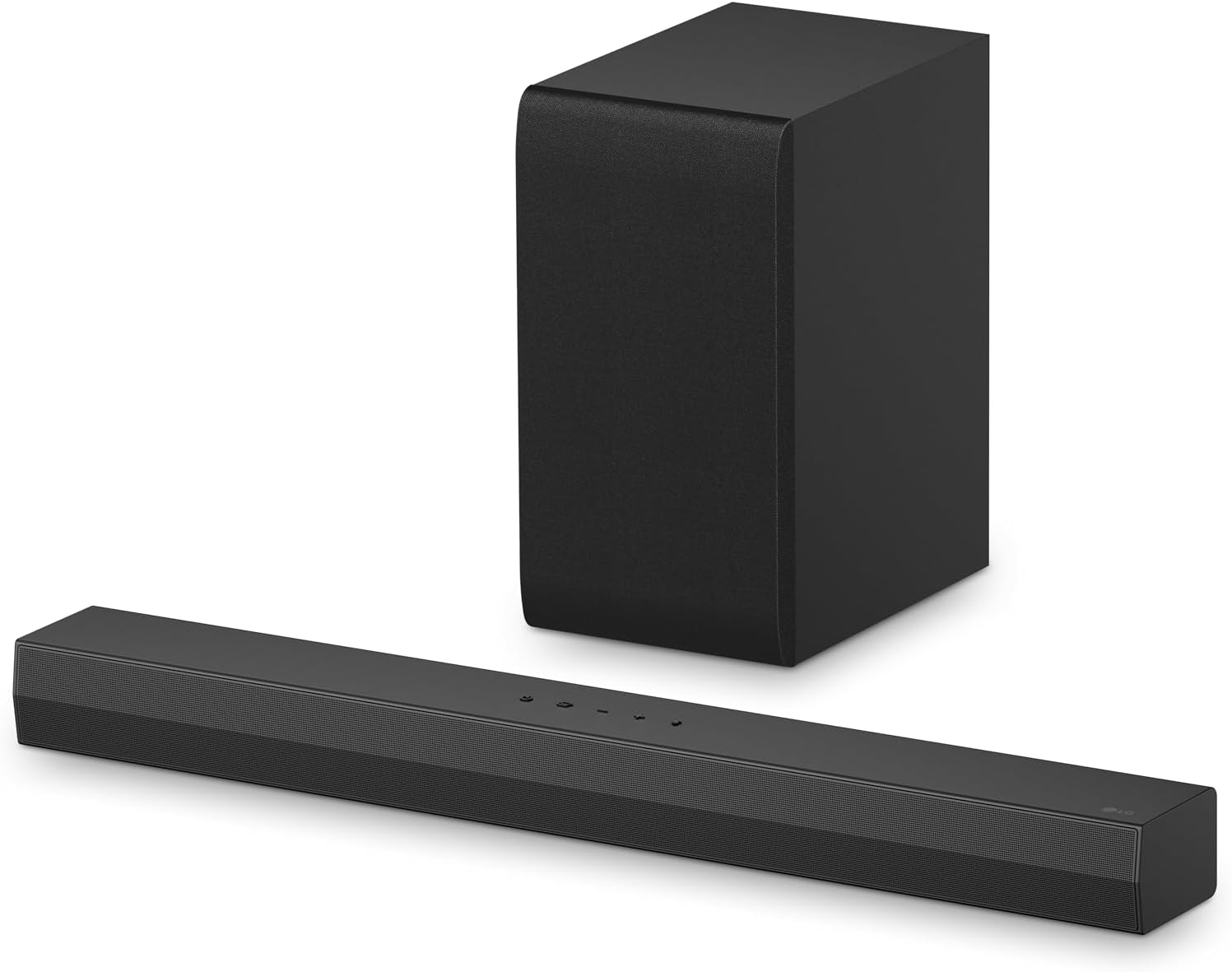
For a narrower bar with its subwoofer in the box, the LG S40T is the pick.
the LG S40T
LG’s manual says Night Time reduces the general sound volume but raises the volume of soft and delicate sounds, which it calls useful for music or a movie late at night. You reach it through the remote’s Settings button.
Sound Tuning sets the subwoofer alone from -15 to 6, so you can drop it without touching the other levels. The bar is 28.3 inches wide, about a 32-inch TV’s width, and the subwoofer is 6.7 by 12.6 by 9.9 inches.
Where Do the Makers Say a Subwoofer Should Go?
Those four subwoofers come with instructions, and the instructions don’t agree. The makers here put a wireless subwoofer beside the bar, on the TV’s wall or a short distance off the wall, so read yours before you pick a spot.
- Yamaha SR-B40A: to the side of the bar with its front pointed slightly inward, and never with the speaker tight against a wall or the bass reflex port blocked.
- Sony BRAVIA Theater Bar 6: at least 2 inches from a TV stand or wall, and never lying on its side.
- Polk Signa S2 and MagniFi Mini AX: on the same wall as the TV for best performance, and for the Mini AX as close to the TV as possible.
- LG S40T: close to the soundbar.
Yamaha says those two mistakes may cause a loss in bass sound volume, and Polk puts a 30-foot limit between the Mini AX’s bar and subwoofer, with less distance preferred. If you add a Sonos subwoofer, the Sub 4 guide says you can place it in a corner, against the wall, behind, under or next to furniture, and the Sub Mini guide says upright near the speaker with room for air through its center tunnel.
None of those notes mentions neighbors, because they’re written for the sound in your own room. If bass is your worry, the documented tool is the level control: turn the subwoofer down first, then add the night mode.
How Do You Keep a Night Mode Working?
Once the subwoofer has its spot, the mode itself has a few catches that the manuals spell out. To keep a night mode working, check whether it resets: Vizio’s SV210D-0806 manual says Night Mode turns off when the bar goes into standby, and its V51x-J6 manual says a power cycle sets it to off.
Other modes can block it too. Samsung’s HW-B550F guide says Voice Enhance and Night Mode aren’t available in DTS Virtual:X mode, while Bose’s Dialogue mode goes the other way and stays on for your current source even after you turn the speaker off.
Here’s a quick test for the bar you buy. At your usual late-night volume, find a scene with a quiet conversation followed by something loud, then flip the mode on and off in the middle of it.
You’re checking two things: whether you can still follow the speech, and whether the loud part stops sending you to the remote. If speech is the bigger complaint, Burton Acoustix’s dialogue soundbar picks go much further into voice modes and center channels.
Can You Mount a Soundbar Without Drilling?
Those settings don’t care where the bar sits, but your lease might. You usually can’t wall-mount one without fixing something to the wall, and the one no-drill mount a maker documents here is Vizio’s QuickFit, where you twist the included thumbscrews into the bottom of a compatible Vizio TV, no tools needed, and the soundbar snaps on.
Vizio says that’s on select models only, so it’s a route for Vizio TV owners. For everyone else, the makers’ instructions start at the wall.

Samsung’s HW-B550F guide tells you to drill a hole at each marking, Denon says it’s best to employ a contractor, and Yamaha’s SR-B40A guide asks for the dealer or a contractor with qualified service personnel. Bose says not to use any hardware but its own Soundbar Wall Bracket on the TV Speaker, and Sonos says most of its products mount with a bracket made by Sonos or a third party.
The plain alternative is a stand or shelf. Denon says to position the bar in front of the TV on a flat surface, clear of the TV’s remote sensor, and Vizio’s SB2021n-J6 manual says you can slide the bar under the TV if the TV permits it.
Can You Listen Through Headphones Instead?
When a shelf and a night mode still aren’t quiet enough, headphones are the last step, and two makers here document that route. Roku says its Streambar SE, Streambar and Streambar Pro can play your TV’s audio through Bluetooth headphones when the TV is connected by HDMI ARC or optical, and Sonos lists TV Audio Swap on the Beam and Ray for moving TV audio to Sonos headphones.
Roku’s sound settings also list Speech clarity and volume modes, where automatic leveling and night mode lower the volume on loud scenes and boost it on quieter ones. A Streambar has streaming built in too, so it can replace a separate streaming box on a small stand.
On the other picks, Bluetooth is listed for playing music into the bar. Yamaha’s SR-B40A guide calls it a sink function, from the source device to the unit, so check the bar’s manual if you need it the other way.
Frequently Asked Questions
Will a Night Mode Stop My Neighbors Hearing the TV?
No maker here promises that, and none gives a figure for sound through a wall. Polk writes about watching without disturbing the neighbors and Vizio about easily annoyed apartment neighbors, but those lines describe what the mode is for. A night mode changes what the bar plays. Handbook 119 frames home noise control as reducing how airborne and structureborne noise travel, so the walls, floors and doors are a separate job.
Do You Need a Subwoofer in an Apartment?
No, you don’t. The Sonos Beam (Gen 2), Sonos Ray and Bose TV Speaker (2nd Gen) have none in the box, and Klipsch says no subwoofer is required for the Flexus Core 200, thanks to its built-in drivers. Yamaha’s shopping guide says stand-alone subwoofers are often more powerful and effective, but that a built-in one makes sense when there isn’t a lot of floor space.
What Size Soundbar Fits an Apartment TV?
Measure your TV and stand first, because the picks here run from 14.4 to 44 inches. A 16:9 TV is about 27.9 inches wide at 32 inches, 37.5 at 43 and 47.9 at 55, so the Sonos Beam (Gen 2) at 25.63 inches fits under a 32-inch set and the Klipsch Flexus Core 200 at 44 inches wants about a 55-inch one. Yamaha also says to check that a bar on a surface isn’t tall enough to block the screen.
Which Bose Soundbar Suits a Small Apartment?
On this page it’s the Bose TV Speaker (2nd Gen), which Bose lists at 23.465 inches with Dialogue mode and five bass steps. Bose says it’s compact enough to fit comfortably in front of your TV, and there’s no subwoofer to place. Its owner’s guide names no night mode, so if that’s your priority, look at the Sonos Beam (Gen 2) or the Denon DHT-S218 instead.
What’s the Difference Between a Night Mode and a Speech Mode?
A night mode changes the whole soundtrack, while a speech mode raises the voices in it. Sonos separates them cleanly: Night Sound reduces loud sounds and lifts quieter ones, and Speech Enhancement boosts the frequencies of the human voice. Some night modes do both, since Polk’s Night Mode turns down the bass and turns up the dialogue, so the bar’s own manual is the place to check.