Can I Add More Speakers to My Vizio Sound Bar? What Each Set Allows
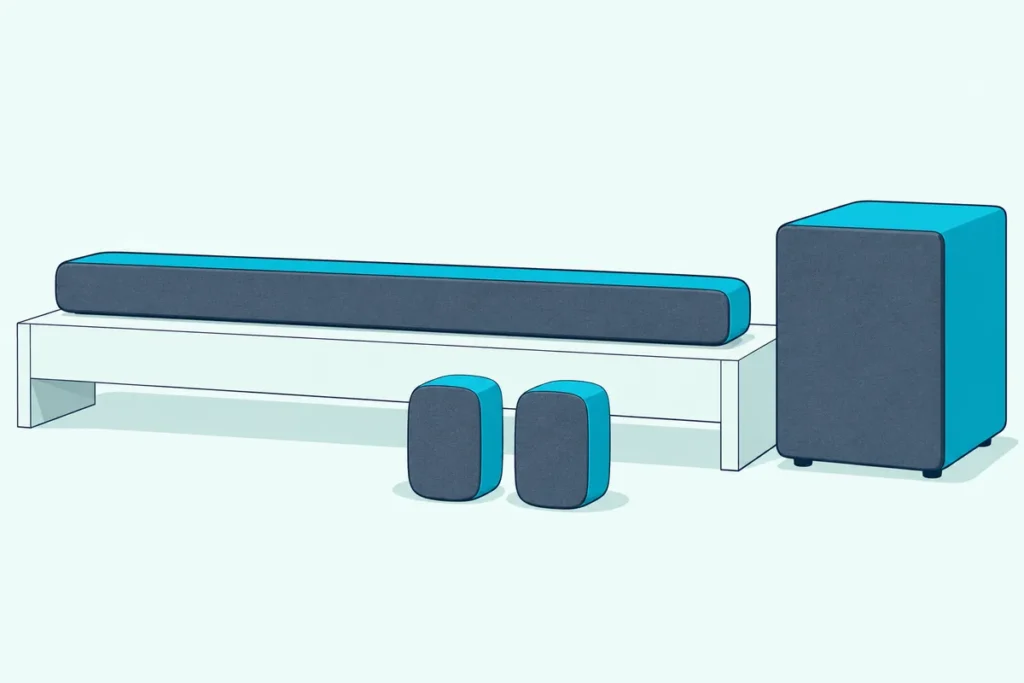
Can I add more speakers to my Vizio sound bar? Going by Vizio’s own manuals, the only surround speakers that connect are the ones in your set’s box.
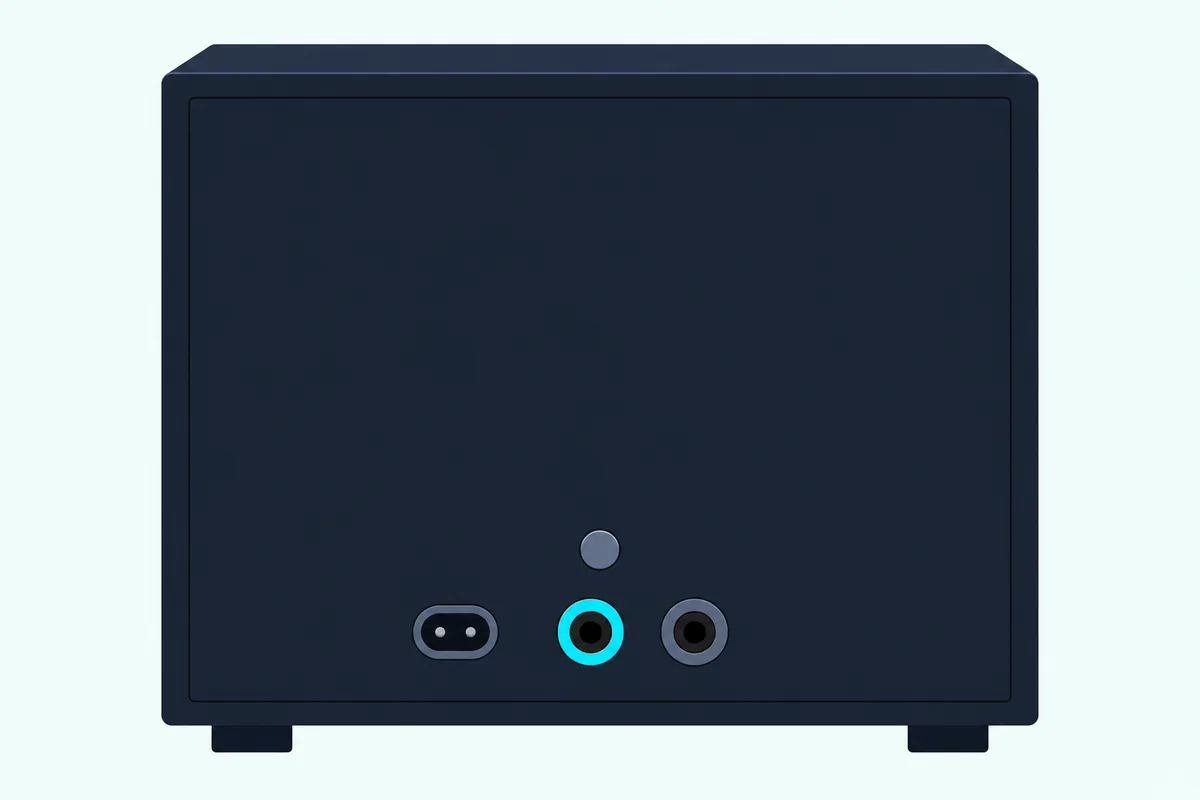
Order a pair of rear speakers for a 2.1 bar and you’ll turn the subwoofer around to find a power port, a button and a light, with nowhere to plug them in.
Knowing which set you own clears that up fast, because Vizio’s wired 5.1 sets use two colored jacks on the subwoofer and its newer wireless surrounds arrive already paired to the bar.
The table below lines up the current sets, from the 2.0 Soundbar to the Elevate 7.1.4 Pro, by what ships in the box and what the manual connects.
After it come rear speakers on a 5.1, wireless speakers, other brands, Bluetooth and a second bar, then where your surrounds should go.
Can I Add More Speakers to My Vizio Sound Bar?
That box settles it, and the short version holds across every line. You can’t add more speakers to a Vizio sound bar in any way Vizio documents, because none of the manuals named on this page lists a jack, a pairing step or an accessory for a surround speaker that didn’t ship with the set.
Vizio doesn’t write that it’s impossible, either. Its manuals describe one closed set at a time, so a surround speaker from outside the box is beyond what they cover.
So here’s a quick test of what you have. Turn the subwoofer around, if your set has one, and look:
- Two round jacks, one blue and one gray: a wired set. The included surround speakers plug in here and use both.
- A power port, a power button and a light: a wireless subwoofer with no speaker jacks. Your surrounds either pair to the bar on their own, or your set has none.
- No subwoofer box at all: a 2.0 bar, an All-in-One with built-in subwoofers, or the 4.1 Pro.
A subwoofer is a separate question, since some older 2.0 bars do have a jack for one. Adding a subwoofer to a Vizio bar has its own model list.
Which Vizio Sound Bars Come With Surround Speakers?
That test lines up with Vizio’s current range. Vizio’s 4.1, 5.1 and Elevate sets come with surround speakers, and its 2.0, 2.1 and All-in-One bars don’t.
| Vizio set (model) | In the box | Speakers | What the manual connects |
|---|---|---|---|
| 2.0 Soundbar (SV200M-0808) | Bar only | 2 | HDMI eARC, USB and power on the bar; no speaker jack |
| All-in-One (SV210D-0806), All-in-One SE (SV210Y-0808) | Bar with built-in subwoofers | 4 | HDMI eARC, USB and power on the bar; no speaker jack |
| 2.1 Soundbar (SV210M-0808), 2.1 SE (SV210X-0805) | Bar, wireless subwoofer | 3 | Power port, power button and light on the subwoofer; no speaker jacks |
| 4.1 Soundbar (SV410XW-0905) | Bar, wireless subwoofer, 2 wireless surrounds | 5 | Subwoofer and surrounds paired to the bar by Vizio |
| 4.1 Pro (SV410YW-1008) | Bar with built-in subwoofer, 2 wireless surrounds | 6 | Surrounds paired to the bar by Vizio |
| 5.1 Soundbar (SV510M-0806), 5.1 SE (SV510X-0806) | Bar, wireless subwoofer, 2 wired surrounds | 6 | Surrounds cable to the subwoofer’s blue and gray jacks |
| 5.1 Soundbar (SV510MW-0906, SV510XW-0908) | Bar, wireless subwoofer, 2 wireless surrounds | 6 | Subwoofer and surrounds paired to the bar by Vizio |
| Elevate SE (SL512X-0806) | Bar, wireless subwoofer, 2 wired surrounds | 8 | Surrounds cable to the subwoofer’s blue and gray jacks |
| Elevate 5.1.4 (SL514MW-1006), Elevate 5.1.4 Pro (SL514PW-1006) | Bar, wireless subwoofer, 2 wireless surrounds | 10 | Subwoofer and surrounds paired to the bar by Vizio |
| Elevate 7.1.4 Pro (SL714PW-1006) | Bar, wireless subwoofer, 4 wireless surrounds | 14 | Subwoofer and surrounds paired to the bar by Vizio |
Every row ends the same way, since none of those manuals adds a speaker to the set it describes. The speaker counts come from Vizio’s spec lists and include the subwoofer and the surrounds.
Older lines follow the same split. The V-Series 5.1 (V51-H6, V51x-J6), the M-Series 5.1 (M51a-H6, M51ax-J6), the M512a-H6 and the P514a-H6 all show surround ports on the subwoofer, while the V21t-J8 and M215a-J6 show power only.
If your model isn’t here, open its manual on Vizio’s site and find Back of Subwoofer under Controls & Connections.
Can You Add Speakers to a Vizio 5.1 Soundbar?
Those blue and gray jacks are where 5.1 owners tend to get their hopes up. You can’t add speakers beyond the included pair to a Vizio 5.1 soundbar as its manual describes it, because the subwoofer has two surround speaker ports and the two included surrounds fill them.
The SV510M-0806 user manual labels them left, blue cable, and right, gray cable, and each surround has one port that connects back to the subwoofer. Vizio’s spec lists for the SV510X-0806 and SL512X-0806 call that arrangement Wired Satellite Surrounds to Subwoofer.
The same two ports appear in the V51x-J6, M51ax-J6 and M512a-H6 manuals, and the older SB3651-E6 and SB36512-F6 call the speakers satellites with the same blue and gray cables. None of those manuals shows a third port, a splitter or a second pair.
Swapping in your own speakers runs into a different gap. None of those manuals gives an impedance or a power rating for the ports, so Vizio offers nothing to match another speaker against.
Can I Add Wireless Speakers to My Vizio Soundbar?
Those ports are gone on Vizio’s wireless-surround sets, which raises the wireless version of the question. You can’t add wireless speakers to a Vizio soundbar beyond the ones in its box, going by its manuals: the SV510MW-0906 user manual says the subwoofer and surrounds have already been paired with the soundbar by Vizio, and its re-pairing steps are for when those same speakers lose the link.
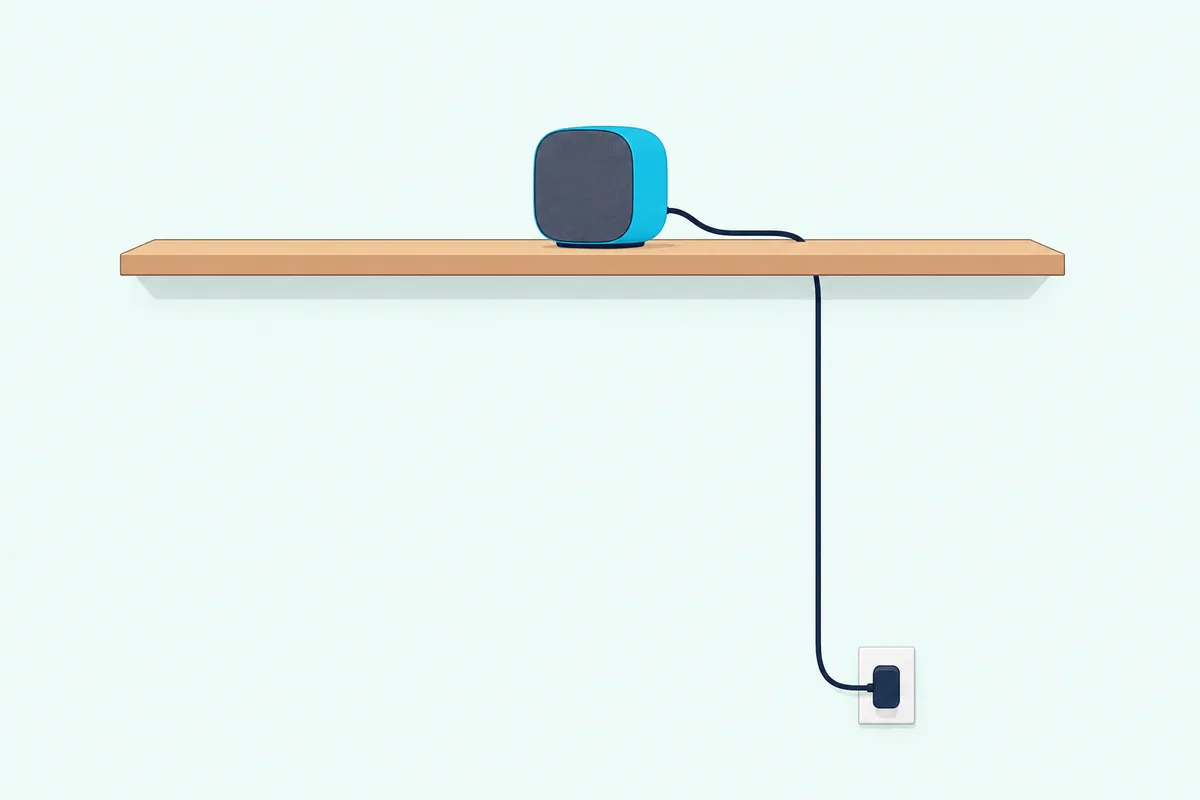
Wireless here means no audio cable, not no cable. Each surround plugs into an outlet through its own power adapter on a 98.4-inch cable, and Vizio’s Home Theater Collection page says they aren’t tethered to the subwoofer.
Four surrounds is a different set, not an upgrade path. The Elevate 7.1.4 Pro user manual labels its speakers Left Wide, Right Wide, Left Rear and Right Rear on their bases and gives each pair its own level and balance settings, while the SV510MW-0906’s are plain Left and Right.
So a 5.1 doesn’t become a 7.1 in any manual on this page. If four surrounds is the goal, that’s the 7.1.4 set from the start.
Can a 2.0 or 2.1 Vizio Sound Bar Take Surround Speakers Later?
That leaves the smaller bars, where there’s even less to connect to. A 2.0 or 2.1 Vizio sound bar can’t take surround speakers later on anything its manual shows: the SV210M-0808 user manual lists HDMI eARC, USB and power on the bar, and only a power port, a power button and a light on the subwoofer.
The 2.0 SV200M-0808 and the All-in-One SV210D-0806 and SV210Y-0808 show those same three back-panel connections and no subwoofer box, so their manuals give surrounds nowhere to go. Vizio’s older V20x-J8 and SB2021n-J6 manuals don’t list surround ports either.
A subwoofer is the one add-on with a documented route, and only on some older 2.0 bars. Vizio’s SB3620n-H6 manual lists a Subwoofer Out jack, and the current SV200M-0808’s list doesn’t.
What these manuals do offer is processing rather than hardware. The SV210M-0808 and SV200M-0808 app settings include DTS Virtual:X, which Vizio says provides spatial enhancement that creates immersive surround and height with any content, and the rest of a Vizio bar’s sound settings sit beside it.
Do Bluetooth Speakers or Other Brands’ Speakers Work With a Vizio Sound Bar?
Virtual:X aside, the next idea is a speaker you already own. Bluetooth speakers and other brands’ speakers don’t appear in Vizio’s manuals as something a sound bar connects to: Bluetooth is described as a way to stream music from your phone to the bar, and no manual here names another maker’s speaker.
The SV510MW-0906 manual says the soundbar supports music streaming from devices with Bluetooth capability, and that only one paired device can stream to it at a time. None of the manuals on this page describes sending the bar’s sound out to a Bluetooth speaker.
The current bars’ back panels leave no wired way out either. The SV510MW-0906 lists HDMI eARC to the TV, a USB port for .WAV and .MP3 playback and power, and its specifications add that no optical output connection is available.
On other makers’ speakers, the closest thing to a ruling is the general safety line in these manuals: only use attachments and accessories specified by the manufacturer. Vizio’s manuals specify no surround speaker beyond the set’s own, and other makers differ, as what each brand lets you add to a soundbar shows.
Can You Link Two Vizio Soundbars Together?
Bluetooth isn’t the only link in Vizio’s history, because some older bars could form groups. You could link two Vizio soundbars on SmartCast models such as the 2017 SB3651-E6, where the SB3651-E6 quick start guide creates an audio group in the Google Home app, but that’s multi-room music rather than more speakers in one surround system.
The guide says Chromecast built-in lets you cast different music or the same music to multiple sound bars at the same time, and only SmartCast audio devices can be put into groups. Vizio’s SB4051-D5 manual adds that only content in the Music category can be cast to the sound bars.
Don’t plan on it with a newer bar. The V51x-J6, M512a-H6, SV510MW-0906 and SL714PW-1006 manuals mention neither casting nor groups.
Do the TV’s Speakers Play Along With a Vizio Sound Bar?
That leaves one more speaker already in the room: the TV. The TV’s speakers don’t play along on their own, since Vizio’s 2022 V-Series TV manual says the built-in speakers automatically turn off if a sound bar is discovered.
Its audio menu has a TV Speakers setting for On or Off, and nothing in that manual describes the TV and the bar playing as one system. For another brand’s TV, check its own manual.
Where Should Vizio Surround Speakers Go?
If your set does include surrounds, placement is where Vizio’s manuals have the most to say. Vizio’s surround speakers go behind your seat, one to your right and one to your left as you face the TV, in line with each other.
- Off the floor. The wireless manuals say not to place them on the floor, since the best position is at or above ear level.
- Left and right. The base of each wireless surround is marked L or R; on a wired set, blue is left and gray is right.
- In range. Wireless surrounds should stay within 20 feet for the best connection, with a 30-foot maximum.
- Subwoofer. Wireless sets: the corner of the room by the same wall as the TV. The wired V51x-J6 and M51ax-J6 guides put it in the rear of the room with the surrounds, and the manuals say to keep its port clear.
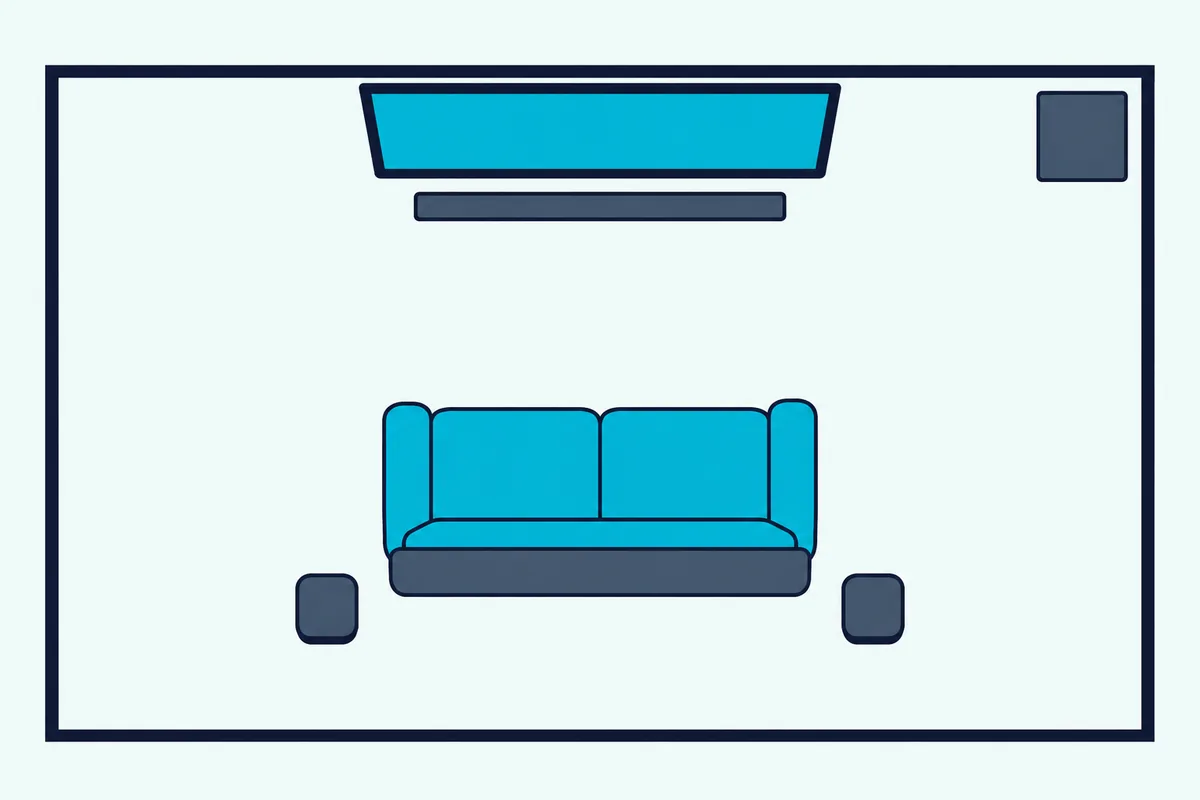
Vizio’s answer for a room that won’t allow that is Front Surround Mode, which its manuals say uses DTS Virtual:X to produce a virtual surround sound experience. You place the surrounds on either side of the soundbar and pick Front under the surround settings, and the SV510MW-0906 manual says special processing makes the sound seem like it’s coming from behind you.
Owners of four surrounds get two lines to set. On the Elevate 7.1.4 Pro, the rear pair stands in line, the wide pair stands in line, and all four front logos point toward the center of your seating.
How Do You Connect the Surround Speakers That Came With Your Set?
Those spots decide your cable runs, and the connection itself depends on which kind you’ve got. You connect wired Vizio surrounds to the subwoofer with the included audio cables, while wireless ones only need power and link to the bar on their own.
On a wired set such as the SV510M-0806, the manual’s order runs like this:
- Connect the bar to your TV’s HDMI ARC or eARC port with the included HDMI cable.
- Plug in the bar’s power cable.
- Run each surround’s included cable to the subwoofer, matching blue to blue and gray to gray; the included ties wrap the spare length.
- Plug in the subwoofer, which powers on and links to the bar, with its light glowing solid to confirm.
On a wireless set, skip the audio cables and plug each surround into an outlet after the subwoofer. Each one powers on and connects by itself, and its white light glows solid once it has.
A light that keeps blinking may mean a lost link. The SV510MW-0906 manual has you hold the ON/OFF button on that speaker for 5 seconds until its light blinks rapidly, then hold Power on the side of the bar for 4 seconds until the light turns solid white, and Vizio’s pairing buttons by model cover the other sets.
Then check the result. Speaker Test runs pink noise through each speaker, Surround Balance evens out a pair that sits at different distances, and Surround Dual puts the bar in stereo mode with the surrounds mirroring it.
What If You Want Surround Speakers and Your Bar Has None?
All of that assumes surrounds in the box, and a 2.0 or 2.1 owner doesn’t have them. If your bar has none, the route Vizio documents is a set that includes them, since its manuals show no kit to add later.
The 4.1 and 5.1 rows in the table are the smallest sets that do, and Vizio’s Home Theater Collection page points buyers of its wireless-surround sets to Walmart or Sam’s Club. Burton Acoustix’s Vizio sound bar comparison goes through the range.
Vizio Elevate SE Soundbar
For surround speakers in the box from Vizio itself, the Vizio Elevate SE Soundbar (SL512X-0806) is the set to look at.
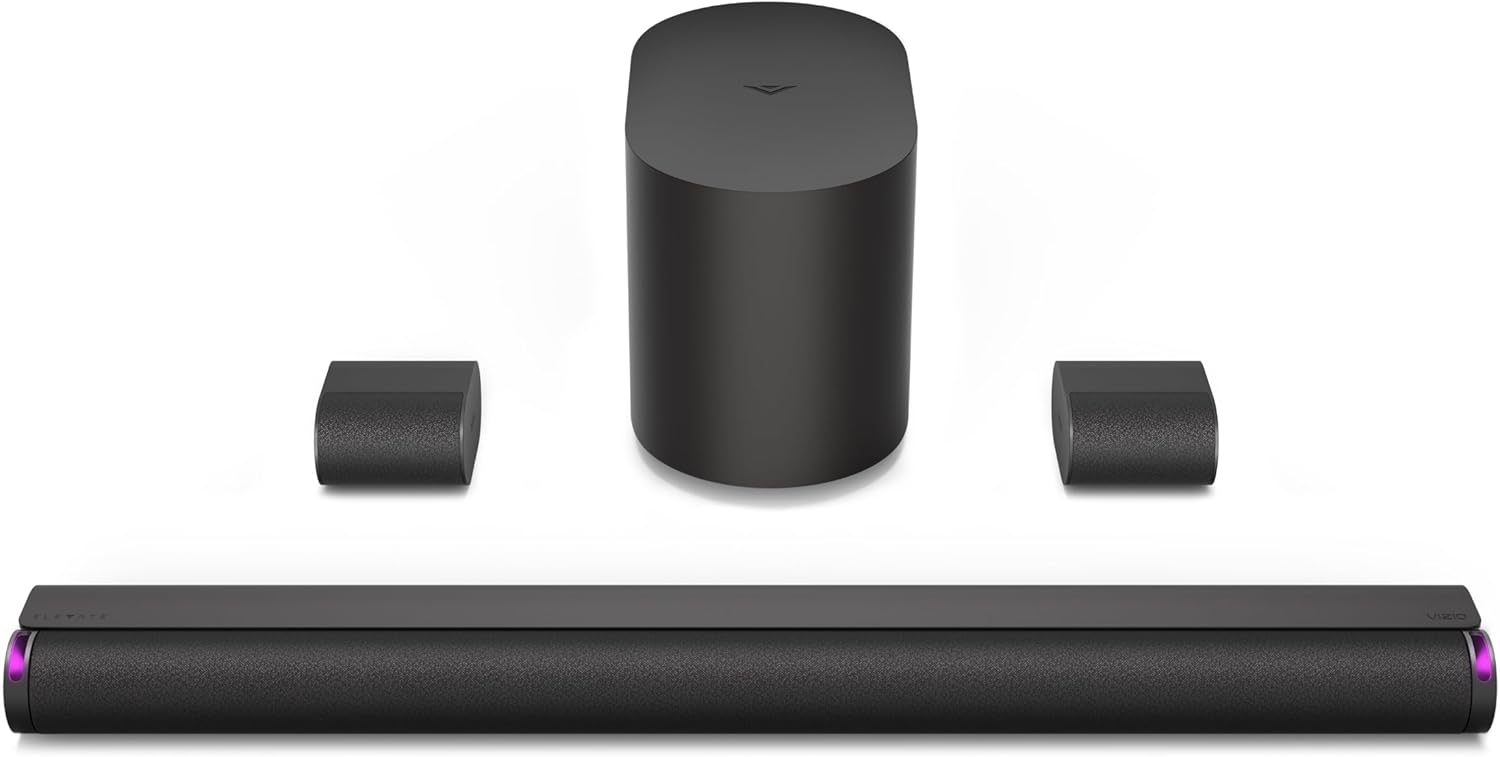
the Vizio Elevate SE Soundbar (SL512X-0806)
Its two surrounds use the blue and gray jacks described above, and its manual offers Front Surround Mode for a room that can’t take them behind the seat. Vizio says the bar’s height speakers automatically rotate up when Dolby Atmos or DTS:X content is detected.
The pick met Burton Acoustix’s rating, review and stock checks on 1 November 2026. The descriptions come from Vizio’s manuals and spec pages.
The Bottom Line
A Vizio set runs the speakers it shipped with: two wired surrounds through the subwoofer’s jacks, two or four wireless ones paired to the bar, or none on a 2.0, 2.1 or All-in-One. Check the back of your subwoofer first, then place what you’ve got by the manual’s map, because no Vizio manual on this page adds surrounds to it.
Frequently Asked Questions
How many speakers are in a Vizio sound bar?
It depends on the set. Vizio’s spec lists give 2 for the 2.0 Soundbar, 3 for the 2.1 Soundbar, 4 for the All-in-One, 6 for the 5.1 sets and 14 for the Elevate 7.1.4 Pro, counting the subwoofer and the surrounds.
Can I use surround speakers from another Vizio set?
Vizio’s manuals don’t cover it. Each one describes its own surrounds with its own subwoofer or bar, so a speaker from another set is outside what they describe.
Why aren’t my Vizio surround speakers playing?
Check the setting first, because Surround Off turns them off and sound then comes only from the soundbar and subwoofer. On a wired set, check that each cable is in its matching jack; on a wireless set, a blinking light means it may be disconnected, so re-pair it with the steps above.
Can I add rear speakers to a Vizio SmartCast sound bar?
The SmartCast name doesn’t change the answer. The SB3651-E6 guide shows two satellite speaker ports on the subwoofer for its two included speakers, and its extra feature is the audio group described above, for music on several bars.
Do Vizio’s wireless surround speakers need an outlet?
Yes. The manuals have you plug each one into a power outlet with its own adapter, and the SV510MW-0906 specifications give that adapter’s cable as 98.4 inches, so check for an outlet near each spot.