Best Alexa Soundbar: Built-In Mics or Works With an Echo

Picking the best Alexa soundbar starts with two phrases on the spec sheet, because “Alexa built-in” and “works with Alexa” describe different products.
Mix them up and you could end up asking a soundbar with no microphone to turn itself down, while the Echo its maker expected you to own is still on a store shelf.
Match the wording to your home and you get the setup you pictured: a soundbar you talk to directly, with a mute control you can see, or one your Echo speakers can command.
The picks run from Sonos, Bose, Samsung, Denon and Yamaha models with their own microphones to Polk, LG, Sony and JBL models that take orders through an Echo.
A quick answer and a comparison table come first, then each pick, then what setup needs and how each mute control works.
What Is the Best Alexa Soundbar?
Those two phrases sort every soundbar on this page, and one of them documents the most control over when it can listen. The best Alexa soundbar overall is the Sonos Arc Ultra, which Sonos says works with Amazon Alexa and Sonos Voice Control, with a back switch that cuts power to its microphones and a separate top button for voice services.
If your home already has Echo speakers and you don’t want another set of microphones, the Polk MagniFi Max AX takes its commands from a nearby Echo instead. The table sorts the rest by how each maker describes Alexa.
| Pick | How Alexa works (maker’s words) | Mute control | Maker’s app | Channels or speakers | Best for |
|---|---|---|---|---|---|
| Sonos Arc Ultra | “Works with” Amazon Alexa, on its own microphones | Back switch, plus top voice button | Sonos, with the Alexa app | 9.1.4 | Most control over the mics |
| Bose Smart Ultra Soundbar | “Alexa on your soundbar” | Top button, solid red light | Bose | Nine speakers | One-request TV control |
| Samsung HW-Q800F | “Voice Assistants Built-in: Alexa” | Top button, red light | SmartThings | 5.1.2 | Alexa with a subwoofer |
| Sonos Beam (Gen 2) | “Works with” Alexa or Google Assistant, on its own microphones | Touch control, LED | Sonos, with the Alexa app | One center tweeter, four midwoofers | A choice of assistant at Sonos |
| Bose Smart Soundbar 600 | “Amazon Alexa built-in” | Top button, solid red light | Bose | Five transducers | A small Dolby Atmos bar |
| Bose Smart Soundbar 900 | “Google Assistant (Built In), Amazon Alexa (Built In)” | Top button, solid red light | Bose Music | Nine speakers | Alexa or Google on the bar |
| Denon Home Sound Bar 550 | “Alexa Built-In” | Touch key, red light bar | HEOS | 4-channel amplifier | HEOS multi-room homes |
| Yamaha YAS-209 | “Alexa built-in” (discontinued) | Touch key, red indicator | Sound Bar Controller | Bar plus wireless subwoofer | An older bar with a subwoofer |
| Polk MagniFi Max AX | Through your “Amazon Alexa Built-in or Echo device(s)” | On your Echo | Alexa | 5.1.2 | Echo homes |
| LG S95TR | “Works with Alexa” through a device “sold Separately” | On your Echo | LG Soundbar | 9.1.5 with rear speakers | A full surround system |
| Sony HT-A3000 | Echo “required”; the bar “does not have a microphone” | On your Echo | Sony Music Center | 3.1 | Voice control of streaming only |
| JBL Bar 500 | “Alexa Multi-Room Music” | On your Echo | JBL One, with the Alexa app | 5.1 | Multi-room music |
The descriptions come from the makers’ manuals and spec pages. Every pick met Burton Acoustix’s rating, review and stock checks on 4 November 2026.
Alexa support tells you about the controls and says nothing about sound quality, bass or dialogue clarity, so treat the channel column as a rough size guide. If numbers such as 5.1.2 need decoding first, here’s what a soundbar’s channel numbers mean.
| Product | Link |
|---|---|
Best Alexa Soundbar Overall 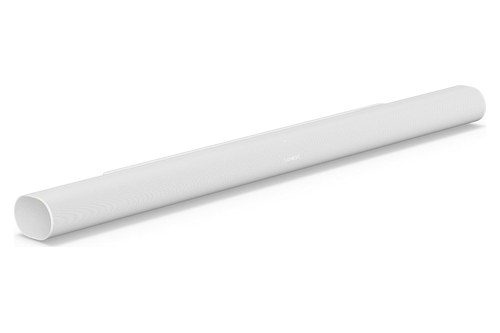 | See ratings |
Best for One-Request TV Control 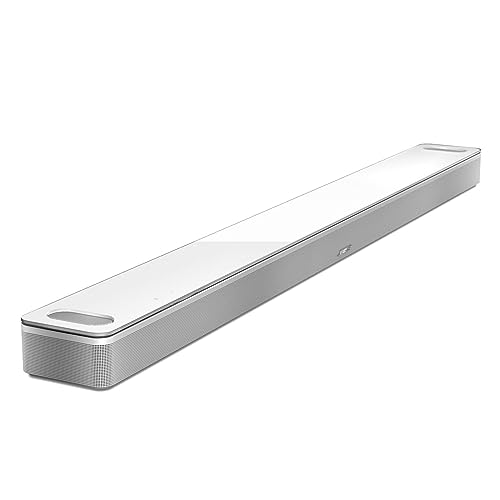 | See ratings |
Alexa Built In With a Subwoofer 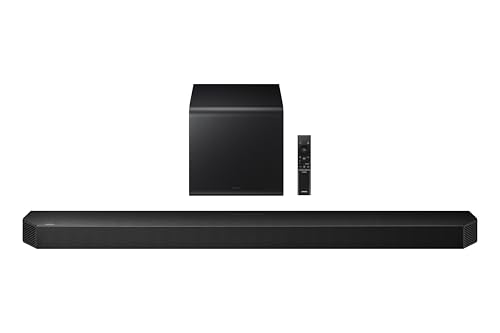 | See ratings |
Alexa or Google Assistant at Sonos 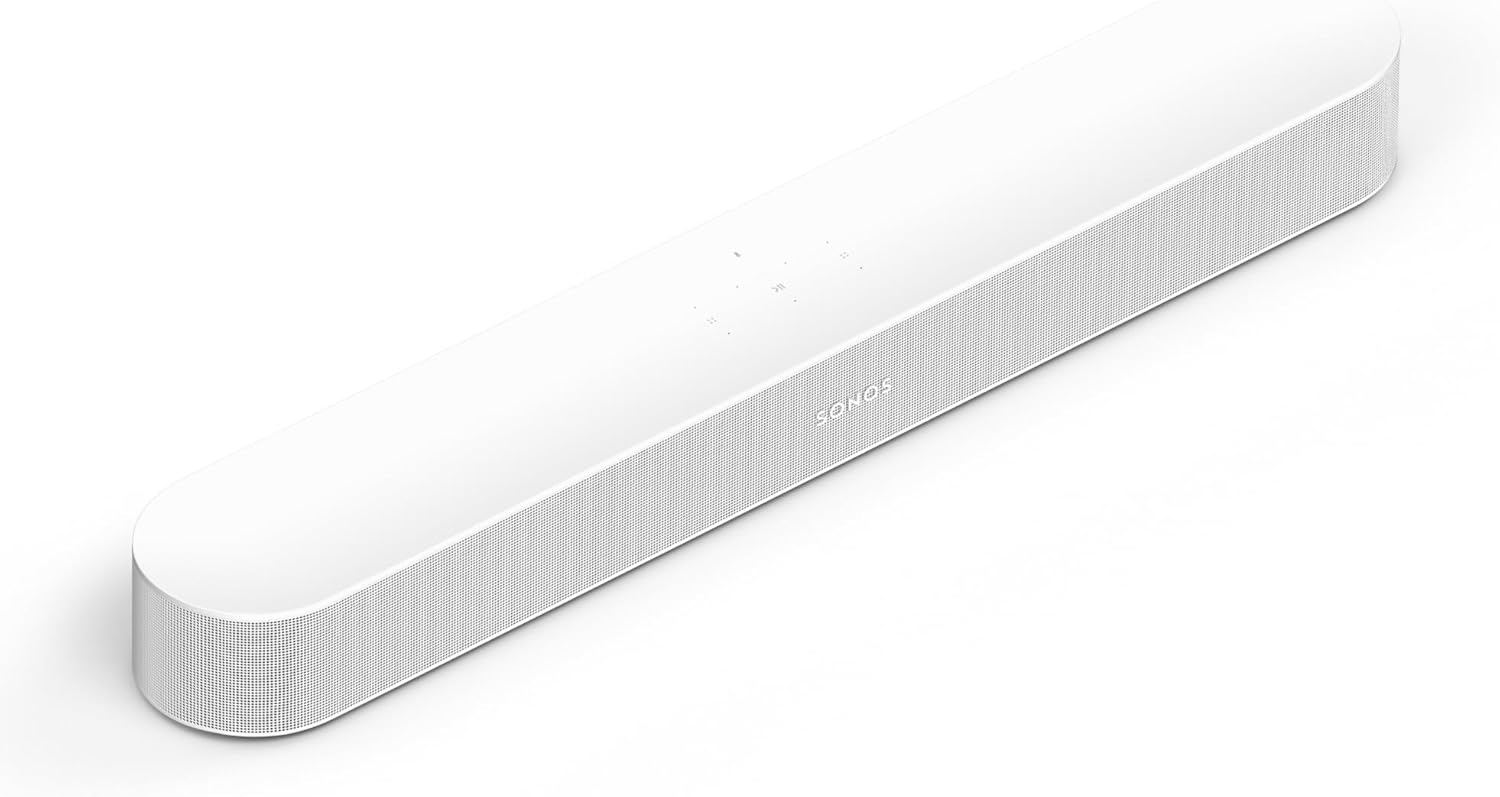 | See ratings |
Alexa Built In, Small Dolby Atmos Bar 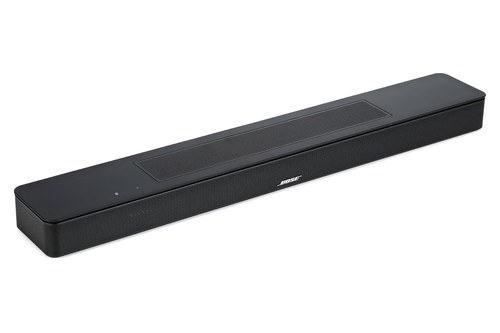 | See ratings |
Alexa or Google Assistant on the Bar 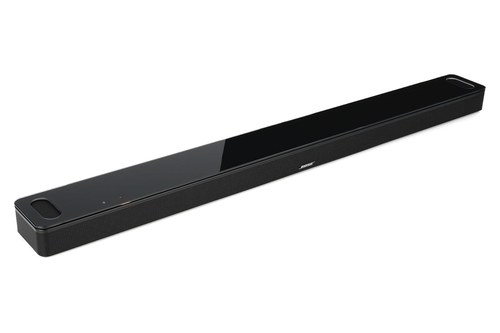 | See ratings |
Alexa Built In for HEOS Homes 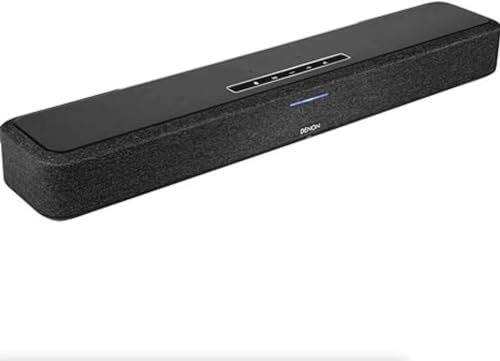 | See ratings |
Older Alexa Bar With a Wireless Subwoofer 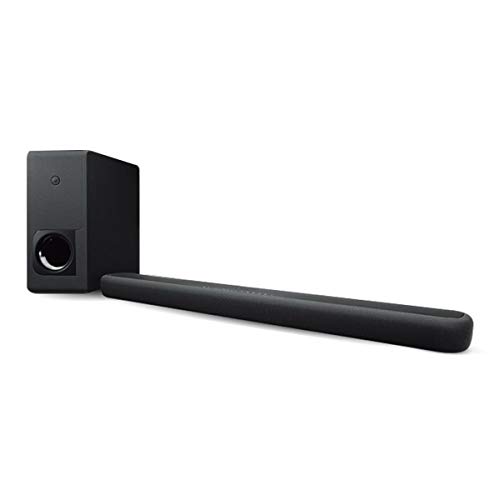 | See ratings |
What’s the Best Soundbar With Alexa Built In?
The top of that table answers to you directly, with no Echo in the room. The best soundbar with Alexa built in is the Sonos Arc Ultra for microphone control, the Bose Smart Ultra Soundbar for TV commands and the Samsung HW-Q800F if you want a subwoofer in the box.
In this group the microphones sit on the soundbar, and each maker tells you how to switch them off. Sonos is the odd one out on wording: its spec lists say “works with” rather than “built in,” but the far-field microphone array is on the soundbar itself.
Sonos Arc Ultra
For the most say over when a soundbar can listen, the Sonos Arc Ultra is the pick, shown here in white.
the Sonos Arc Ultra
Its spec list reads “Works with Sonos Voice Control and Amazon Alexa,” and adds that availability varies by language and country. Sonos’s guide then gives you two controls: a universal microphone switch on the back turns all the microphones on and off, and a voice services button on top turns voice services off without affecting the microphones Trueplay needs.
That split matters if you want room tuning but no assistant. Leave the switch on and the voice services light off, and Sonos says Trueplay and the other microphone features stay available while voice control is off.
Setup takes two apps. Enable the Sonos skill in the Alexa app first, then go to Settings, Manage and Add a voice assistant in the Sonos app, and Sonos says you can add Alexa and Sonos Voice Control to the same product.
With Alexa added, you can turn your TV on and off and adjust its volume by voice, as long as it’s on the TV’s HDMI-ARC or HDMI-eARC input and the TV has HDMI-CEC enabled. Sonos describes 9.1.4 spatial audio from 14 drivers, an included HDMI cable, a separately sold optical adapter, Bluetooth 5.3 and Wi-Fi 6.
If you’re weighing the Arc Ultra against the rest of the range, Burton Acoustix’s Sonos soundbar guide sorts them by room.
Bose Smart Ultra Soundbar
For Alexa commands that reach past the soundbar itself, the Bose Smart Ultra Soundbar is the pick, also shown in white.
the Bose Smart Ultra Soundbar
Bose’s feature here is Voice4Video. Its owner’s guide says one request of Alexa can turn on your TV and soundbar, switch to your video source and tune a station by network name or channel number, so you can start watching with one sentence, though it’s only available for TV, cable and satellite boxes.
Order matters at setup: set up Alexa in the Bose app’s Settings menu first, then Voice4Video. Bose also asks you to use the same audio service account for Alexa that you used in the Bose app.
On top sit an Action button, which you tap before speaking if you’d rather not say the wake word, and a Microphone off button. When the mic is off, the Microphone off light glows solid red and you can’t reach Alexa.
Bose lists nine speakers, two of them upward-firing, and packs both an HDMI eARC cable and an optical cable. Its product FAQ adds a detail worth knowing: if enabled, Alexa keeps listening for voice commands in standby mode.
Samsung HW-Q800F
For Alexa and a subwoofer in one box, the Samsung HW-Q800F is the pick.
the Samsung HW-Q800F
Samsung’s US spec sheet lists “Voice Assistants Built-in: Alexa,” with 5.1.2 channels and a subwoofer in the box. Its footnote warns that content services vary by region and can change without notice, and Samsung’s Philippines page for the same model says Alexa: No.
The Microphone button on top turns the mic on and off, and a red indicator means it’s off. Samsung’s manual also uses that microphone for SpaceFit Sound Pro, the feature that analyzes your listening space.
The same manual points you to the SmartThings app for control and settings. Samsung’s separate user guide for the Q990F, Q930F and Q800F names Alexa among the services a network connection enables and says services can change with software updates, so check your exact model’s page or the app’s settings before you buy.
Sonos Beam (Gen 2)
For a Sonos bar that lets you choose your assistant, the Sonos Beam (Gen 2) is the pick, shown in white.
the Sonos Beam (Gen 2)
Sonos lists Sonos Voice Control, Amazon Alexa and Google Assistant, then adds a limit in its footnotes: “Alexa and Google Assistant cannot be used on the same product.” Pick one of those two at setup, and you can still run Sonos Voice Control beside Alexa.
Its capacitive touch controls turn the microphones off, and the microphone LED shows when your voice assistant is listening. With that light off, voice control is off and Trueplay is unavailable too, which is the trade-off the Arc Ultra’s separate button avoids.
Setup is the same two-app routine: Sonos’s guide says you’ll need the Sonos app and the Alexa app with the Sonos skill enabled. The TV commands need HDMI-ARC and HDMI-CEC here as well, and Sonos warns the on and off commands won’t work through the optical adapter.
Inside are five Class-D amplifiers, one center tweeter and four elliptical midwoofers, plus an Ethernet port if you’d rather wire it to your router. Sonos also says it can be linked to Alexa-enabled streaming devices such as Fire TV.
Bose Smart Soundbar 600
For the Bose Alexa features in a smaller soundbar, the Bose Smart Soundbar 600 is the pick.
the Bose Smart Soundbar 600
Bose’s October 2022 announcement calls it a small, sleek soundbar with five transducers, Works with Google Assistant capabilities and Amazon Alexa built-in. One cable connects it to the TV, either HDMI eARC or optical.
The 600’s owner’s guide gives it the same two top buttons and the same solid red light as the Smart Ultra, plus Voice4Video, Alexa calling and messaging and Do Not Disturb. It also answers a question about power: you can still reach Alexa when the soundbar is off, as long as you set it up in the Bose app and the microphone is on.
Those microphones are the main thing it has over the older 550, which takes Alexa commands only through another device, as our breakdown of how the Bose 550 and 600 differ on voice control explains.
Bose Smart Soundbar 900
If you want either assistant on the bar itself, the Bose Smart Soundbar 900 is the pick.
the Bose Smart Soundbar 900
Bose’s comparison table lists both Google Assistant (Built In) and Amazon Alexa (Built In) for it. The owner’s guide adds the catch: “You can’t set the soundbar to access Google Assistant and Amazon Alexa at the same time.”
You choose in the Bose Music app, with your phone and the soundbar on the same Wi-Fi network, and the Action and Microphone off buttons then work with whichever assistant you picked. Bose’s help site labels it as sold from 2021 to 2023, so treat it as an older model and check the listing before you buy.
Denon Home Sound Bar 550
For Alexa in a home built around HEOS, the Denon Home Sound Bar 550 is the pick.
the Denon Home Sound Bar 550
Denon’s page says “Alexa Built-In” and promises direct voice control of volume, inputs and audio levels. A proximity panel lights up as your hand gets close, with touch controls for volume, play and pause, skipping songs and muting Alexa.
Its manual sets out the requirements: a network connection, an Amazon account, and the HEOS app to enter your Amazon details and log in. It also says why you’d touch the mute key, to prevent accidental activation or protect your privacy, and the light bar turns red while the microphone is muted.
Being Powered by HEOS, it syncs with other Denon Home and HEOS products, and Denon says Siri is enabled too. Connections are one 4K HDMI in and one out with eARC, plus optical, 3.5mm AUX, USB and a wired network port, and Denon lists a 4-channel power amplifier in a cabinet just under 26 inches wide.
Yamaha YAS-209
For a wireless subwoofer and Alexa in an older model, the Yamaha YAS-209 is the pick, with one warning.
the Yamaha YAS-209
Yamaha’s own page marks it discontinued and no longer for sale, though Amazon still had stock on 4 November 2026. Buy it knowing that, and check who the seller is first.
Yamaha still describes “Alexa built-in” for control of the sound bar, setting timers and controlling lights and thermostats “without an extra device.” Its owner’s manual lists what Alexa can do on the unit itself: switch input sources, adjust or mute the volume, and play streaming services.
The touch key comes with the plainest line of any maker here: “Disable the microphones to maintain privacy.” The Alexa indicator glows red while they’re off, and setup runs through the Sound Bar Controller app, where you enter your Amazon account information.
What’s the Best Alexa Compatible Soundbar If You Own an Echo?
Every soundbar so far does its own listening, which is exactly what some households don’t want. The best Alexa compatible soundbar for a home with Echo speakers is the Polk MagniFi Max AX, because Polk’s manual spells out the longest list of what an Echo can do with it, from multi-room music to volume and alarms.
These models lack Alexa of their own, so it lives in your Echo and not in the soundbar. You speak to the Echo, and the soundbar plays or adjusts.
Polk MagniFi Max AX
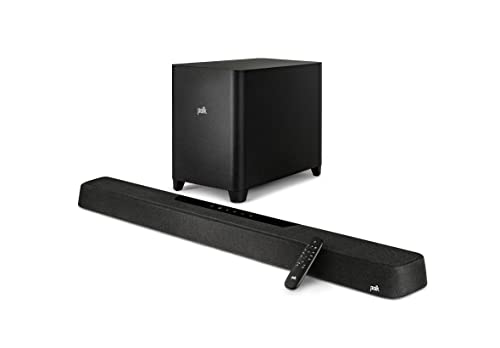
For the fullest list of Echo commands in this group, the Polk MagniFi Max AX is the pick.
the Polk MagniFi Max AX
Polk’s owner’s manual says to connect it to your Alexa account, then use “your existing Amazon Alexa Built-in or Echo device(s)” to play music, including multi-room music, adjust volume and set alarms. The Alexa app handles it with a prompt on its Home screen, and if none appears, you add the soundbar by hand.
That same app can put it on Wi-Fi in the first place, with the Google Home app or an iOS device as Polk’s other two options. Afterward you can also send music to it directly from the Amazon Music, Amazon Alexa and Spotify apps.
Polk’s spec sheet gives it 5.1.2 Dolby Atmos and DTS:X sound, 3-in/1-out HDMI switching with eARC and a 10-inch wireless subwoofer. It connects by Bluetooth too, so a phone doesn’t need Alexa at all.
LG S95TR
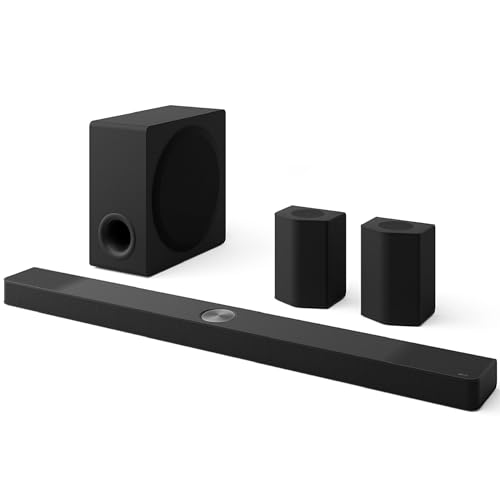
For a full surround system with an Echo in charge, the LG S95TR is the pick.
the LG S95TR
LG’s owner’s manual is the clearest statement of this whole group: Alexa lets you control the product “by speaking commands through an Alexa Built-in device,” and that device “is sold Separately.” Its spec sheet adds “Amazon Alexa Supported: Yes” and “Works with the Google Assistant: Yes.”
Setup starts in the LG Soundbar app, where you tap the Amazon Alexa button and sign in to Amazon. From then on you name the bar in your request, as in LG’s example, “Alexa, play jazz on [LG S95TR Soundbar],” or send music from the Alexa app.
If the login fails, LG’s US online manual asks whether you’ve installed the LG Soundbar AlexaLoginManager app and whether you entered a valid Amazon account and password. It adds that the function may be limited by Amazon’s service support policy in some countries.
LG lists 9.1.5 channels once the rear speakers are connected, and 5.1.3 for Dolby Atmos or DTS:X without them.
Sony HT-A3000
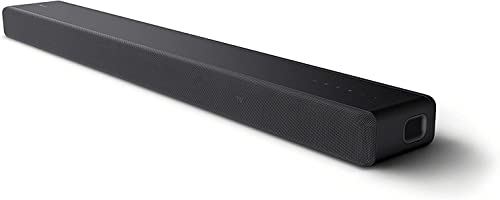
For voice control of streaming and nothing more, the Sony HT-A3000 is the pick.
the Sony HT-A3000
Sony’s HT-A3000 Help Guide says it flatly: the speaker system “does not have a microphone,” and an Amazon Alexa Built-in device such as an Echo, not supplied, is required for voice commands. What you get is play, skip to the beginning of the next or current track, and volume.
Sony also warns that not all Alexa functions are available and that skills needing user responses don’t work on it. You register it in the Sony | Music Center app under Settings, Amazon Alexa and Initial Setup, with your phone on the same Wi-Fi network.
One housekeeping note if you sell it: use Sony | Music Center to remove it from your Amazon account, because Sony says deregistering in the Alexa app doesn’t reach the speaker system.
JBL Bar 500
For Alexa multi-room music with a subwoofer in the box, the JBL Bar 500 is the pick.

the JBL Bar 500
JBL’s spec sheet lists Alexa Multi-Room Music alongside AirPlay and Chromecast built-in, and says the bar “works with voice assistant-enabled speakers.” You enable Amazon Alexa in the JBL One app, then start music from the Alexa or Amazon Music app using that same Alexa account.
The microphone JBL’s owner’s manual lists is for sound calibration. Connections are HDMI eARC, one HDMI input, optical, Bluetooth and USB, with a wireless 10-inch subwoofer in the box.
If you’re comparing JBL’s newer bars, note that the owner’s manuals for the Bar 300MK2, Bar 500MK2 and Bar 1000MK2 don’t mention Alexa at all. Check JBL’s spec sheet for your exact model before you buy one for this job.
What’s the Difference Between Alexa Built In and Works With Alexa?
LG’s and Sony’s wording above is the easiest way to see the split. Alexa built in means the soundbar has its own microphones and you talk to the bar, while works with Alexa means a separate Echo or Alexa Built-in device hears you and the soundbar follows.
Think of a receptionist and an office phone extension. One answers for itself, and the other only rings when someone else puts the call through.

| Alexa built in | Works with Alexa | |
|---|---|---|
| Who hears you | The soundbar’s microphones | A separate Echo or Alexa Built-in device |
| Extra hardware | None: Yamaha says “without an extra device” | “Sold Separately” (LG), “not supplied” (Sony) |
| Mute control | On the soundbar | On your Echo |
| What you can ask | Music, volume and general requests, plus each maker’s extras | Mostly music and volume; Sony lists play, skip and volume |
| Setup | The maker’s app, with an Amazon sign-in | The maker’s app or the Alexa app, with an Amazon sign-in |
Here’s a quick test for any soundbar that isn’t on this page. Search its manual for “microphone”: if the only entry is for room calibration, as on JBL’s Bar 500, or the manual says it has none, as on Sony’s HT-A3000, you’re holding a works-with model.
Then search the spec sheet for the words “Built-in.” Samsung’s sheet prints them on a line of their own, which is why that one’s easy to check.
What Does Alexa Built-In Need to Work?
That quick test tells you which group a soundbar is in, not whether Alexa will run in your home. Alexa built-in needs the maker’s app, an Amazon account, a network connection, and a country and language Amazon supports.
Yamaha and Denon put the first three in nearly the same words: an Amazon account is required, and the unit must be connected to a network. Bose wants the same audio service account you used in the Bose app, and it routes the whole thing through that app’s Settings menu.
| Maker | App you set Alexa up in | Where to start |
|---|---|---|
| Sonos | Alexa app, then Sonos app | Enable the Sonos skill; then Settings, Manage, Add a voice assistant |
| Bose (Smart Ultra, 600) | Bose app | Settings menu |
| Bose (900) | Bose Music app | Settings menu, on the same Wi-Fi network as your phone |
| Samsung (HW-Q800F) | SmartThings | Control and settings, per Samsung’s manual; check your model’s Alexa support |
| Denon | HEOS app | Enter your Amazon account information and log in |
| Yamaha | Sound Bar Controller | Enter your Amazon account information and log in |
| Polk (MagniFi Max AX) | Alexa app | Follow the Home screen prompt, or add the bar by hand |
| LG (S95TR) | LG Soundbar app | Tap the Amazon Alexa button, then sign in to Amazon |
| Sony (HT-A3000) | Sony Music Center | Settings, Amazon Alexa, Initial Setup |
| JBL (Bar 500) | JBL One, then Alexa app | Enable the Amazon Alexa streaming service |
The fourth requirement is where makers get careful. Bose, Denon and Sony all warn that Alexa isn’t available in every language and country, and Yamaha’s manual lists English, German, Italian, Spanish and French as of February 2020.
Sonos’s Alexa availability article is the most specific document here. It lists the regions for the standard version, from the United States, Canada and the United Kingdom to Japan, Brazil and Saudi Arabia, and a separate international version with more limited features and languages.
Outside those lists, read the spec sheet for your country and not someone else’s. That’s the lesson of the HW-Q800F we covered above: a US sheet that says Alexa is built in, and a Philippines page for the same model that says No.
How Do You Mute the Microphones on Each Soundbar?
Once Alexa is running, the microphones are the next thing to get comfortable with. You mute them with a dedicated control on the soundbar, and each maker places and lights it differently: a back switch on the Arc Ultra, a red-lit top button on Bose and Samsung bars, and touch keys on the Denon and Yamaha.

| Soundbar | Control | What shows it’s off | What else stops |
|---|---|---|---|
| Sonos Arc Ultra | Universal microphone switch on the back; voice services button on top | Voice services light off | The switch also stops Trueplay and other microphone features |
| Sonos Beam (Gen 2) | Touch control on the bar | Microphone LED off | Trueplay |
| Bose Smart Ultra, 600 and 900 | Microphone off button | Light glows solid red | The assistant, including Alexa calling and messaging |
| Samsung HW-Q800F | Microphone button on the top panel | Red indicator on | Samsung’s manual also uses this mic for SpaceFit Sound Pro |
| Denon Home Sound Bar 550 | Touch key on the unit | Light bar lights in red | Alexa, until you touch the key again |
| Yamaha YAS-209 | Microphones disabled touch key | Alexa indicator glows red | Alexa, which won’t respond to utterances |
Here’s a practical test once it’s set up. Mute it, say “Alexa” from your usual seat, and confirm nothing happens, then touch the control again and repeat, so you know the light means what you think it means.
Mute isn’t the same as standby. Bose’s product FAQ says that, if enabled, Alexa will still listen for voice commands in standby mode, and its 600 guide says you can reach Alexa with the soundbar powered off when the microphone is on.
The works-with group sidesteps this question, at the cost of a second device in the room. Sony says the HT-A3000 has no microphone, so the only one you’re managing is on your Echo.
What Can You Actually Ask Alexa to Do on a Soundbar?
With the microphones on, the useful question is what Alexa can reach. Alexa can play music on every soundbar here and change the volume on most of them, while TV power, inputs and channels depend on each maker’s extras.
Bose’s guides list playing a favorite song, skipping a track, changing the volume, reading the news and controlling your smart home. Yamaha’s list for the YAS-209 is shorter and more specific to the hardware: switching inputs, adjusting or muting the volume, and selecting streaming services.
Denon promises volume, inputs and audio levels by voice, with examples such as “Alexa, turn up the volume.” Sonos adds TV control on the Arc Ultra and Beam, turning the TV on and off and adjusting its volume, as long as HDMI-CEC is on.
Picture the end of a long day with your hands full. On a Bose Voice4Video bar, one request of Alexa can start the TV and tune your channel, while on Sony’s HT-A3000 your voice reaches play, skip and volume on streaming music, and the remote does everything else.
Bose bars also support Alexa calling and messaging, which need the microphone on and the feature enabled in the Alexa app. That’s not universal: Polk’s manual for its React soundbar says plainly that the microphone “cannot be used for calls.”
Alexa+ is the next wrinkle to check for. Sonos’s setup article for the Beam Ultra says Alexa+ won’t be available at launch, and that Sonos is working closely with Amazon to bring it to that model.
Can One Soundbar Run Both Alexa and Google Assistant?
That Beam Ultra note is a reminder that assistant support changes by model. The Sonos Beam (Gen 2) and the Bose 900 offer both on their own microphones and still make you choose: Sonos says Alexa and Google Assistant can’t be used on the same product, and Bose’s 900 can’t access both at the same time.
What you can do is mix them. The Bose 600 has Alexa built in and works with Google Assistant through a separate Google Assistant-enabled device, and LG’s spec sheet for the S95TR lists support for both.
Polk’s MagniFi Max AX shows the same flexibility at setup, since the Google Home app and the Alexa app are both ways onto Wi-Fi. If Google is your household’s main assistant, check the Beam and the 900 first, then read each maker’s setup steps before you commit.
Which Soundbar Should You Buy for an Echo Dot?
All of that assumes you want your voice to control the soundbar. For an Echo Dot, the best soundbar is any one you’d want anyway that accepts Bluetooth from a phone, because the Echo can simply play through it.
That route has limits worth knowing. A soundbar paired to an Echo plays whatever that one Echo plays and doesn’t join a speaker group itself, as our guide to connecting Alexa to a soundbar over Bluetooth explains alongside Amazon’s pairing steps.
If you want more than that, the works-with models are the step up. Polk’s MagniFi Max AX, JBL’s Bar 500 and LG’s S95TR all list Bluetooth too, so you can start with the simple pairing and add the Alexa account link later.
Which Alexa Soundbars Didn’t Make the List?
A few well-known names are missing from those picks, and the reasons are worth a line each. Polk’s React, Yamaha’s True X models, Sonos’s Beam Ultra and Ray, and Sony’s BRAVIA Theater range each miss for a specific reason.
Polk React. Polk’s page says it “adds Alexa-built in voice control,” with a microphone mute button that lights up red, but Amazon listed it as currently unavailable on 4 November 2026.
Yamaha True X Bar 40A and 50A. Yamaha describes both with Alexa Built-in, but its pages mark them discontinued, and neither met our rating and review checks on that date.
Sonos Beam Ultra and Ray. The Beam Ultra’s spec list names only Sonos Voice Control, and the Ray’s page says voice requires a compatible third-party device, such as an Amazon Echo.
Bose Smart Soundbar and Lifestyle Ultra Soundbar. Bose says voice control comes built-in via Amazon Alexa where available on the first, and lists Alexa built in on the second, so both are worth comparing against the Bose picks above in our best Bose soundbar roundup.
Sony’s BRAVIA Theater bars. The Help Guides for the Bar 5, Bar 6, Bar 8 and Bar 9 don’t mention Alexa, so don’t assume they inherit the HT-A3000’s setup.
Samsung’s 2026 bars. Samsung’s 2026 user guide doesn’t mention Alexa either, though its Samsung Sound app listing says Alexa login is now supported on more models, with the list in the app’s settings.
How Do You Choose Between These Alexa Soundbars?
Those gaps show why the model number matters more than the brand. Choose by where you want to speak and what else you want Alexa to reach, then check the mute control suits your household.
- No Echo in the room: a built-in bar. The Arc Ultra gives you the most microphone control, the Bose bars the most TV control.
- Echo speakers already in most rooms: the Polk MagniFi Max AX, or the JBL Bar 500 for multi-room music.
- You’re wary of always-ready microphones: the Sony HT-A3000, whose maker says it has none.
- Google in the house too: the Sonos Beam (Gen 2) or the Bose 900, choosing one assistant at setup.
Room size and how much you use it for movies are the other half of the decision, and Alexa has nothing to do with them. A big open space may point you toward the systems with rear speakers or a subwoofer, like the LG S95TR or the Samsung HW-Q800F, while a small one may be happier with the compact Bose 600.
The Bottom Line
For the most control over when a soundbar can listen, the Sonos Arc Ultra’s back switch and separate voice button lead this list. The Bose Smart Ultra is the pick if you want one Alexa request to start the TV and tune a channel, and Samsung’s HW-Q800F adds a subwoofer in the box.
If you already live with Echo speakers, skip the extra microphones: Polk’s MagniFi Max AX lists the most Echo commands, LG’s S95TR brings a full surround system, Sony’s Help Guide says the HT-A3000 has no microphone, and JBL’s Bar 500 suits multi-room music.
Whichever you choose, read your own country’s spec sheet for the words “Built-in” before you pay, then mute it once and say “Alexa” to check it does what the maker says.
Frequently Asked Questions
What soundbar works with Alexa?
Soundbars work with Alexa in two ways. Models with Alexa on their own microphones include the Sonos Arc Ultra and Beam (Gen 2), Bose’s Smart Ultra, 600 and 900, Samsung’s HW-Q800F, Denon’s Home Sound Bar 550 and Yamaha’s YAS-209. Models that take commands through an Echo include Polk’s MagniFi Max AX, LG’s S95TR, Sony’s HT-A3000 and JBL’s Bar 500. Support varies by model and country, so check the spec sheet for your exact soundbar.
Can you use a soundbar with Alexa without an Echo?
Yes, if the soundbar has Alexa built in. Bose, Samsung, Denon and Yamaha all describe models with their own microphones, and Yamaha’s words for the YAS-209 are “without an extra device.” You still need the maker’s app, an Amazon account and a network connection. A works-with soundbar such as LG’s S95TR or Sony’s HT-A3000 does need an Echo or another Alexa Built-in device, since LG says it’s sold separately and Sony says it isn’t supplied.
Does the Amazon Fire TV Soundbar have Alexa built in?
Amazon’s listing doesn’t describe it that way. The listing calls the Fire TV Soundbar “Fire TV Ready,” for control of your TV and audio with one remote, and its feature list doesn’t mention Alexa or microphones. It connects by HDMI eARC/ARC and Bluetooth. If talking to the soundbar itself is the point, look at the built-in picks above; if you already use a Fire TV, the listing describes the bar for that setup.
Do soundbars with Alexa always listen?
They can, unless you mute them. Bose’s product FAQ says that, if enabled, Alexa will still listen for voice commands in standby mode, and each built-in model here has a control to switch that off: a switch on the Sonos Arc Ultra, a Microphone off button with a solid red light on Bose bars, a top button with a red light on Samsung’s HW-Q800F, and touch keys on the Denon and Yamaha. Yamaha says to disable the microphones to maintain privacy.
Does a Sonos soundbar have Alexa?
Some do. Sonos lists Amazon Alexa for the Arc Ultra and the Beam (Gen 2), using its own microphones once you enable the Sonos skill in the Alexa app and add Alexa in the Sonos app. The Ray’s page says voice requires a compatible third-party device such as an Echo. The Beam Ultra’s spec list names only Sonos Voice Control, and Sonos says it’s working with Amazon to bring Alexa+ to that bar.
What is the best Alexa soundbar with a subwoofer?
Samsung’s HW-Q800F is the pick among models with Alexa built in, with “Voice Assistants Built-in: Alexa” on its US spec sheet and a subwoofer in the box. Yamaha’s YAS-209 also includes a wireless subwoofer, but Yamaha marks it discontinued. If you own an Echo, Polk’s MagniFi Max AX and JBL’s Bar 500 each come with a 10-inch wireless subwoofer and take their commands through the Echo.