Bose Soundbar 550 vs 600: The Real Difference Is Alexa

If you’re stuck on the Bose Soundbar 550 vs 600, the surprise is how much they share: Bose’s owner’s guides give both the same up-firing Dolby Atmos speakers, the same TV ports and the same Bose bass modules.
So the spec lists look identical, and the difference that matters hides in the guides’ voice-control pages.
Once you know whether you want Alexa living inside the bar, the choice gets quick.
This guide lines both bars up from Bose’s own guides and product pages, including the two editions of the 550, the older Soundbar 500 and the Smart Soundbar Bose now sells.
A side-by-side table comes first, then each difference in turn, then which bar suits which room.
What Separates the Bose Soundbar 550 vs 600?
The short answer is voice. The Smart Soundbar 600 has Amazon Alexa built in, with a microphone and two voice buttons on top, while the 550’s guides describe no microphone and leave voice to a separate speaker, or drop it.
Bose’s paperwork shows how close the rest is. Both 550 guides and the 600’s guide give the same regulatory model number, 439269, and the same 100-watt power input rating (Bose’s Soundbar 550 owner’s guide).
| Feature | Bose Soundbar 550 | Bose Smart Soundbar 600 |
|---|---|---|
| Dolby Atmos height | Up-firing and side-firing speakers | Up-firing and side-firing speakers |
| TV connection | HDMI eARC or ARC, or optical | HDMI eARC or ARC, or optical |
| Back panel | BASS, HDMI (eARC), optical in, IR, service, power | The same six |
| In the box | Remote with battery, HDMI cable, optical cable, power cord | The same |
| Alexa | Through a separate Alexa device, in one edition | Built in, with a Microphone off button |
| Google Assistant | Through a Google device and Google Cast, in one edition | Through a Google device and Google Cast |
| TV control by voice | No Voice4Video section in either guide | Voice4Video, through Alexa |
| Streaming | AirPlay 2 and Bluetooth, plus Google Cast in one edition | AirPlay 2, Bluetooth and Google Cast |
| Buttons on the bar | Multi-function and Bluetooth | Action and Microphone off |
| Add-ons | Bass Module 500 or 700, Surround Speakers 700 | The same, plus the original Surround Speakers |
| Power input | 100 W | 100 W |
Outside voice and the top buttons, the columns match, and one 550 edition lists the original Surround Speakers too. So the rest of this page is mostly about the microphone and the 550’s two editions.
Do Both Bars Have Up-Firing Dolby Atmos Speakers?
That first table row is the one worth checking, since height is the reason to buy either bar. Yes: the 550’s guides and the 600’s guide use the same words, saying each bar “uses up-firing and side-firing speakers to deliver high-quality sound from all directions” (Bose’s Smart Soundbar 600 owner’s guide).
Bose’s page for its newer Smart Soundbar credits TrueSpace with upmixing stereo and 5.1 content. Neither 550 guide nor the 600’s guide mentions TrueSpace, so treat it as a Smart Soundbar feature.
The guides set the same conditions for height on both bars. Use the TV’s HDMI eARC or ARC port, since Bose ties the Dolby Atmos experience to it and describes optical as giving “spacious and life-like sound.”
Keep the top and sides clear too. Bose warns against blocking those speakers, putting the bar in an enclosed cabinet or setting anything on top of it.

On a wall, the top of either bar should sit at least 4 inches (10 cm) from the TV, and holding Mute on the remote for 5 seconds adjusts the sound for wall mounting. If your TV’s ports are a puzzle, hooking a Bose soundbar up to a TV walks through each connection.
To check it’s working, play a Dolby Atmos title and look at the Bose app’s Now Playing screen. If it doesn’t show Atmos, Bose says to check the eARC or ARC connection and your TV’s pass-through setting.
Which Version of the 550 Do You Have?
Those Atmos rules hold for every 550, but the rest of its guide comes in two editions. Check the button under Bluetooth on your remote: Bose’s two 550 guides draw the same eight-button remote, except one edition has a Bose app button there and the other a Dialogue Mode button.
The Bose app button edition (guide 877984) matches the 600 except for voice and the top buttons. It works with Alexa through a separate Alexa Built-In device and with Google Assistant through a Google device and Google Cast.
The Dialogue Mode edition (guide 877985) has no Alexa or Google Assistant section at all (Bose’s Soundbar 550 guide, Dialogue Mode edition). Instead, one press of Dialogue Mode adjusts the audio balance for clearer voices in movies, TV and podcasts, until you switch sources or turn the bar off.
That edition also powers on to the last source you used, where the others default to TV. Its guide alone explains pairing add-ons from the remote and wiring a bass module.
Bought a 550 secondhand without its paperwork? That one button tells you which guide to download.
How Do Alexa and Google Assistant Work on Each One?
Voice is where the two 550 editions and the 600 split furthest. On the 600, you talk to the bar itself: tap its Action button or say “Alexa,” and tap Microphone off to stop it listening, which lights a red indicator.
The 600’s guide adds Alexa calling, messaging and Do Not Disturb, plus Bose Voice4Video. Voice4Video lets you turn on the TV, switch inputs and tune a cable or satellite box by network name or channel number.
The Bose app button 550 takes Alexa commands only through another device. You enable the skill, link your Alexa and Bose accounts, then speak to that device and name the soundbar.
Google Assistant works the same way on that 550 and the 600. A Google Assistant-enabled device controls the bar through Google Cast, which you switch on in the Bose app.
So if your living room already has an Alexa speaker, that 550 can take commands from it. The 600’s own microphone mainly adds hands-free control and Voice4Video.
Are the Ports, Remote and Box Contents the Same?
Away from voice, the hardware lists match line for line. Yes: every guide shows the same six labels on the back and the same box of bar, remote with battery, power cord, HDMI cable and optical cable.
Your TV remote works the same way on both. Bose says the bar must be on the TV’s HDMI eARC or ARC port for the TV remote to handle power, volume and mute.
The remotes reach 20 feet (6 m) and run on a CR2032 coin battery. Bluetooth reaches 30 feet (9 m), and each bar remembers up to eight devices.
The top panel is where you’ll see the split. The 550 has a Multi-function button and a Bluetooth button, while the 600 has its Action and Microphone off buttons, so Bluetooth pairing on the 600 starts from the remote.
Each guide rates the power input at 100 watts (100 to 240 volts, 50/60 Hz). None lists an amplifier output in watts.
Can Both Take a Bose Bass Module and Surround Speakers?
That BASS port on the back points to the add-ons, and here the documents disagree a little. Yes, by their own guides: both 550 editions and the 600 list the Bass Module 500, the Bass Module 700 and the Surround Speakers 700.
Bose’s Bass Module 500 and 700 store pages, though, name the Smart Soundbar 600 among compatible bars and leave the 550 off. The Surround Speakers 700 page does the same, so if you’re adding to a 550, its own guide is the more specific document.
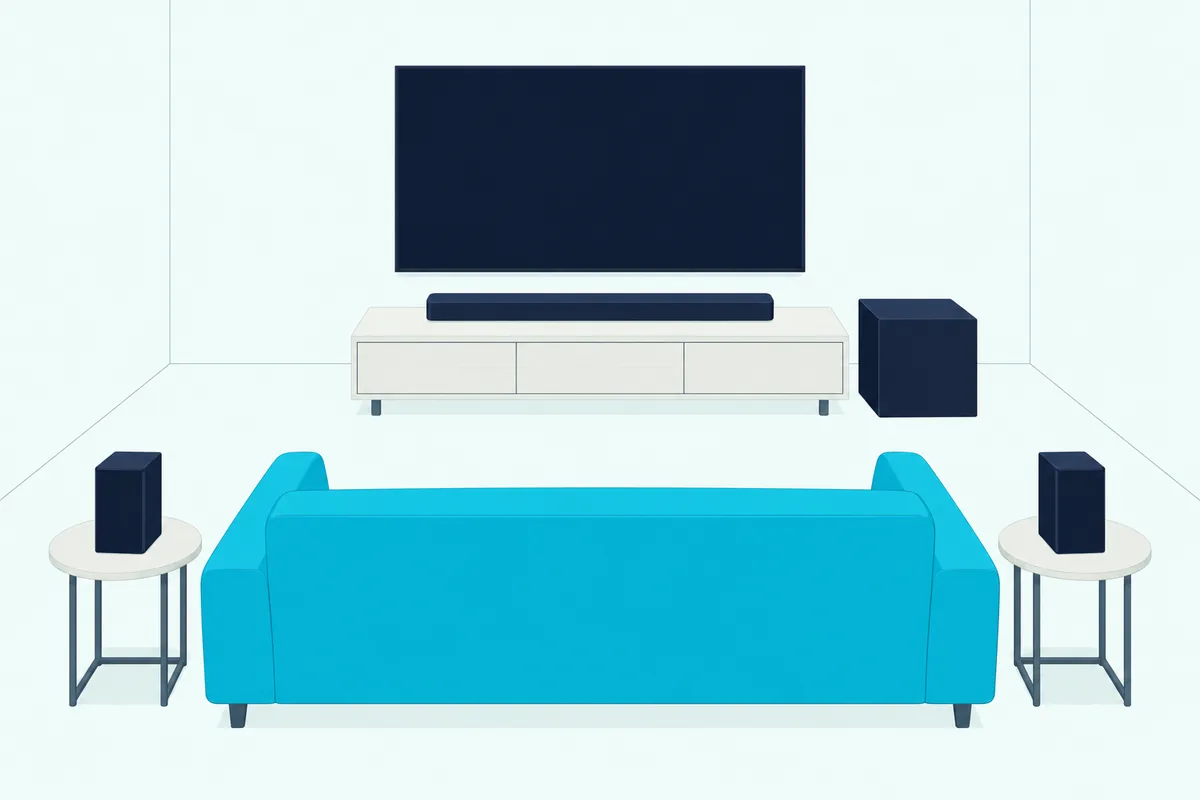
The Dialogue Mode edition’s guide goes furthest. It allows two bass modules of the same model, both connected wirelessly, and explains a wired option: a 3.5 mm cable, not included, from the module’s BASS IN to the bar’s BASS port.
Say you already own a Bass Module 700 from an older Bose bar. By their guides, either bar can take it.
How Does the Bose Soundbar 500 Compare With the 550?
Those add-on lists also cover Bose’s older Soundbar 500, the other bar people weigh against the 550. The main difference is Atmos: the 550’s guides describe up-firing and side-firing speakers for Dolby Atmos, while Bose’s Soundbar 500 owner’s guide doesn’t mention Atmos at all.
The 500 answers back in other ways. It has Alexa or Google Assistant built in, one at a time, with Action and Microphone off buttons on top.
It also has ADAPTiQ room calibration, which uses the headset in its carton to take five measurements in about 10 quiet minutes. Its remote has preset buttons for six music presets, and the bar runs from an external power adapter.
Both connect over HDMI eARC or ARC, or optical, and both take the Bass Module 500 or 700 and the Surround Speakers 700. Pick the 550 for Atmos height, and the 500 if built-in voice and room calibration matter more to you.
Where Does Bose’s Newer Smart Soundbar Fit In?
The 500 is the older bar in this story, and the 600 has a newer sibling. Bose’s US store no longer lists the 600, whose old product address now opens the home theater category, and the bar Bose compares it with is the Smart Soundbar.
Bose’s FAQ calls the Smart Soundbar “similar in many ways to the Smart Soundbar 600,” adding AI Dialogue Mode and Personal Surround, which pairs Bose Ultra Open Earbuds as rear speakers (Bose). Its guide carries the same model number, 439269, as the 550 and 600 guides.
If you’re choosing among Bose’s current bars instead, compare the Smart Soundbar against the Smart Ultra.
Which One Should You Buy for Your Room?
With the newer bar in the picture, the choice still comes down to the microphone. Buy the 550 if you’d rather keep voice on a separate speaker or skip it, and the 600 if you want Alexa built into the bar.
In a bedroom where you don’t want a listening device by the bed, the 550 fits better, since its guides describe no microphone. In a living room run by a cable or satellite box, the 600’s Voice4Video lets Alexa turn on the TV and change channels.

If dialogue is the problem, the Dialogue Mode edition of the 550 puts a one-press setting on the remote. On the other 550 and the 600, the center channel level sits in the Bose app’s audio settings.
If the 600 is your pick, the Bose Smart Soundbar 600 is still sold on Amazon. Check that the listing is new, not renewed, since Bose’s own US store no longer carries it.
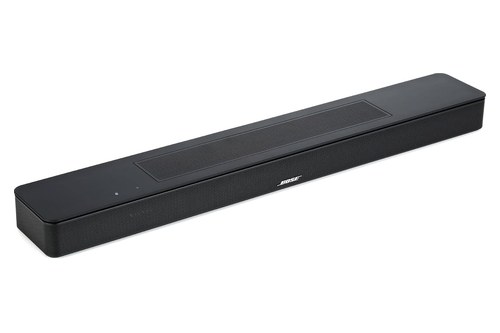
the Bose Smart Soundbar 600
Shopping for a 550 instead? Look for the remote in the listing photos to see which edition you’re getting.
The 600’s listing met Burton Acoustix’s rating, review and stock checks on 30 October 2026.
The Bottom Line
On paper, most of that first table matches, and so does the model number. Choose the 600 for Alexa inside the bar and voice control of your TV box, and the 550 for the same up-firing design without a microphone.
The descriptions come from Bose’s owner’s guides and product pages. For the rest of the range, from the TV Speaker up, see Burton Acoustix’s guide to the whole Bose lineup.
Frequently Asked Questions
Does the Bose Soundbar 550 work with Alexa?
One edition does, through another device. The 550 with a Bose app button on its remote works with a separate Alexa Built-In device once you enable the skill and link your Alexa and Bose accounts, and with Google Assistant through Google Cast.
The edition with a Dialogue Mode button has no Alexa or Google Assistant section in its guide.
How do you reset a Bose Soundbar 550 or 600?
The same way on both. Hold Volume down and Play/Pause on the remote for 5 seconds until the light bar pulses white twice and fades, and the bar restarts and glows amber, ready to add back in the Bose app.
Our reset steps for every Bose soundbar cover the older models too.
Can you connect the 550 or 600 to a TV without HDMI ARC?
Yes, with the optical cable in the box. Bose’s guides make HDMI eARC or ARC the preferred connection and the one for Dolby Atmos, then optical for TVs without ARC.
With none of those ports, the guides suggest running the HDMI cable to a cable or satellite box, or using an audio converter.