Best Sonos Soundbar: Arc Ultra, Beam Ultra, Beam or Ray by Room

Picking the best Sonos soundbar starts with a count most guides still get wrong, because Sonos’s own soundbar shop now lists four current bars: Arc Ultra, Beam Ultra, Beam (Gen 2) and Ray.
Buy on the name alone and you can end up with virtual height when you wanted speakers aimed at the ceiling, or an optical-only bar under an eARC TV.
Match the bar to Sonos’s room sizes and your TV’s ports instead, and you only pay for the speakers your room can use.
Start with the floor plan: Sonos rates the Ray for rooms up to 150 square feet and the Arc Ultra for 350 square feet and up, with the two Beams in between.
Below, each bar’s channels, TV port, Bluetooth, Trueplay and Sub options come from Sonos’s own pages, then what the original Arc and older models mean now.
Which Is the Best Sonos Soundbar for Your Room?
Those room sizes do most of the choosing for you. The best Sonos soundbar for a large living room or open floor plan is the Arc Ultra, for a mid-size living room it’s the Beam Ultra, and for a smaller room it’s the Beam (Gen 2) or the Ray, based on the recommended room sizes Sonos publishes in its own soundbar comparison.
That’s this guide’s reading of Sonos’s numbers, not a listening test. Sonos puts each bar against a room type and a square-foot range, and the table below lines them up with the features that separate them.
| Sonos soundbar | Sonos’s room size | Sonos’s channel label | Height speakers | TV connection | Bluetooth |
|---|---|---|---|---|---|
| Arc Ultra | 350+ sq ft (large living rooms and open floor plans) | 9.1.4 with Dolby Atmos | Two upward-firing tweeters | HDMI eARC | Bluetooth 5.3 |
| Beam Ultra | 250-350 sq ft (mid-size living rooms) | 7.1.2 with Dolby Atmos | Two upward-firing tweeters | HDMI eARC | Bluetooth 5.3 |
| Beam (Gen 2) | Up to 250 sq ft (small or mid-size living rooms) | 5.1.2, virtualized Dolby Atmos | None (virtual height) | HDMI eARC | Not listed |
| Ray | Up to 150 sq ft (smaller rooms and studio apartments) | 3.0 with Dolby Digital | None | Optical | No |
A quick test tells you which row you’re in. Multiply your room’s length by its width in feet: a 12 by 12 bedroom is 144 square feet, Ray territory, while a 15 by 20 living room is 300, squarely in the Beam Ultra’s range.
Every column in that table comes back later in the guide, so you can skip to the one that worries you. If you already know your room size, the four bars below are in the order of Sonos’s room ranges, largest first.
Sonos Arc Ultra
For the largest rooms, the Sonos Arc Ultra is the pick.
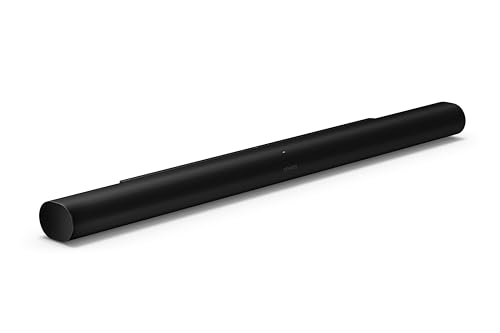
the Sonos Arc Ultra
Sonos builds it around 14 drivers, including two upward-firing tweeters for dedicated height channels and Sound Motion, a four-motor, dual-membrane woofer in a flat, compact design. Fifteen Class-D amplifiers drive them, and Sonos describes the result as a 9.1.4 spatial audio experience with Dolby Atmos.
Sound Motion is the reason Sonos gives for its bass. Its product page says the woofer gets deeper bass into a smaller package and frees up room for more tweeters and midrange drivers.
Its connections are just as complete. The spec sheet lists HDMI eARC with an included 4.9 ft HDMI cable, Bluetooth 5.3 with a Bluetooth button, WiFi 6, a far-field microphone array with a mic switch, and voice control through Sonos Voice Control and Amazon Alexa.
Dialogue gets fine control too. Speech Enhancement has four levels, Low, Medium, High and Max, and Sonos says Max prioritizes dialogue clarity for people with hearing loss, which our guide to sound bars for viewers with hearing loss compares with dialogue-first bars from other brands.
Sonos pitches its flagship “for serious cinephile viewing,” and how it compares with JBL, Sony and Yamaha for movies is in our movie soundbar roundup. Within the Sonos range, the trade-off is size: at 46.38 inches wide and 13.01 lbs, it’s the longest and heaviest current Sonos bar.
Sonos Beam Ultra
The Beam Ultra is the newest bar in the lineup and the one most older guides leave out. Sonos lists it at 7.1.2 with Dolby Atmos, for mid-size living rooms of 250 to 350 square feet and TVs up to 65 inches.
Its nine drivers are five tweeters and four low-profile woofers. Two of those tweeters fire upward through a directional horn for Atmos height, two horn-loaded mid tweeters fire to the sides, and one faces forward for the center image, all on nine Class-D amplifiers.
That puts real height speakers in a bar 29.53 inches wide. Sonos’s FAQ says the Beam Ultra “can fully render Dolby Atmos content” and has more bass output than the Beam (Gen 2), which virtualizes its height channels instead.
The Beam Ultra shares the flagship’s Bluetooth 5.3, WiFi 6 and quick Trueplay tuning, and adds a USB-C port that takes Sonos’s Line-In Adapter for a turntable or CD player, or its Combo Adapter for an Ethernet cable. Voice control is Sonos Voice Control only, according to its FAQ.
No Beam Ultra card appears here, and that’s deliberate. On 21 Oct 2026 its Amazon listing was too new to meet this site’s review threshold for a product card, so its full specs are on Sonos’s Beam Ultra page.
Sonos Beam (Gen 2)
For smaller living rooms, the Sonos Beam (Gen 2) is the pick.
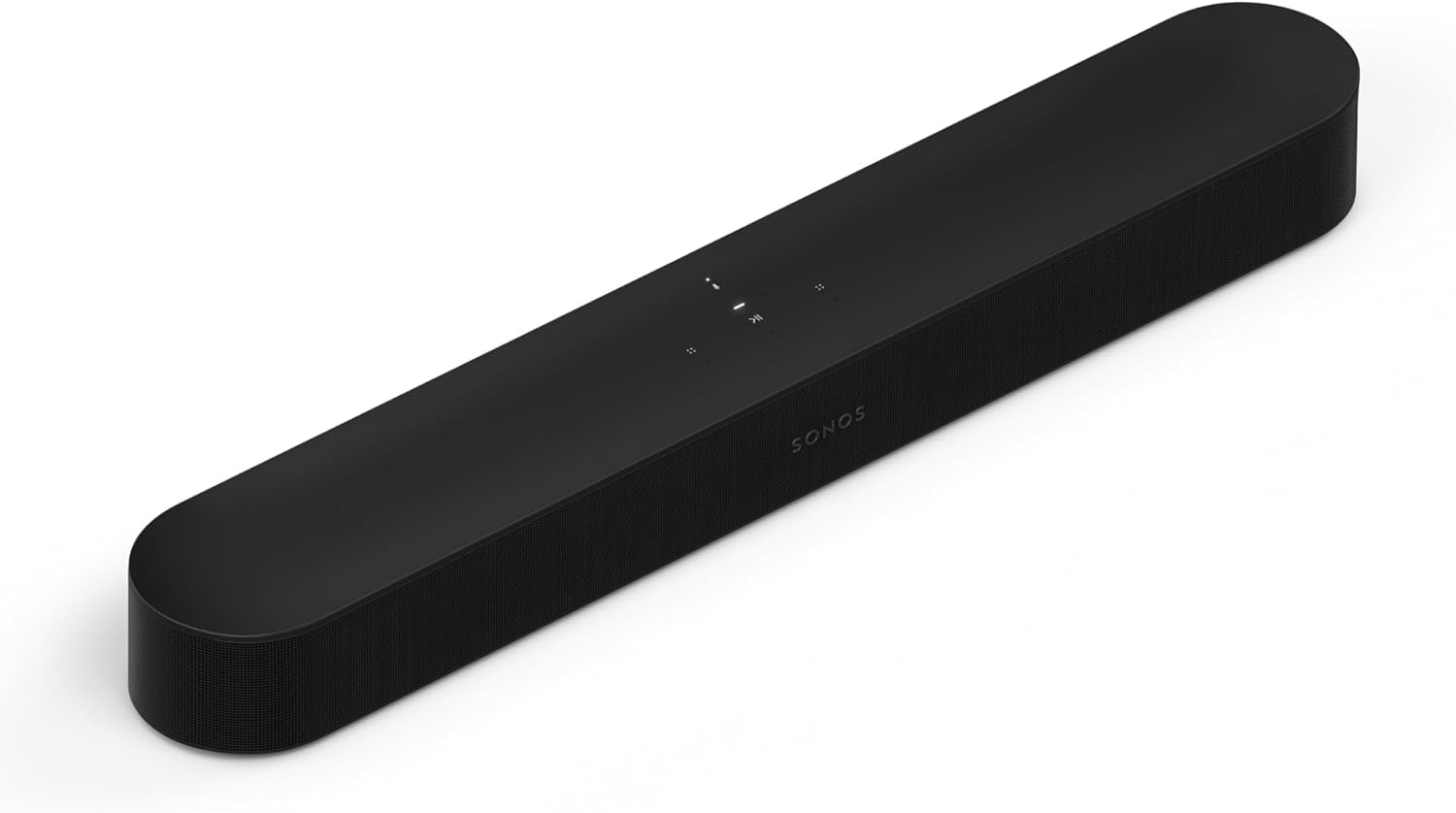
the Sonos Beam (Gen 2)
The Beam (Gen 2) plays Dolby Atmos without pointing anything at the ceiling. Sonos says it renders two extra audio channels through its five speaker arrays and uses psychoacoustic HRTF technology to give the impression of height.
Inside are one center tweeter, four elliptical midwoofers and three passive radiators on five Class-D amplifiers. Sonos’s comparison counts that as five drivers and labels the result 5.1.2 virtualized Dolby Atmos.
It’s well equipped on connections for its size. The box holds an HDMI cable and the Sonos Optical Audio Adapter, and the back has an Ethernet port and an IR receiver alongside HDMI eARC.
Voice is broad as well: Sonos lists Sonos Voice Control, Amazon Alexa and Google Assistant. The limits are older radios, WiFi 4 on 2.4 GHz only, and Trueplay that needs a supported iOS device.
The Beam (Gen 2) suits a bedroom TV, a den or a living room under 250 square feet where you want Atmos content to play as Atmos. Sonos’s tagline puts it under TVs up to 65 inches, the same as the Beam Ultra.
If Bose’s compact bar is your other option, the Sonos Beam against the Bose Smart Soundbar covers the up-firing drivers, Bluetooth and remote the Bose adds.
Sonos Ray
For the smallest rooms, the Sonos Ray is the pick.
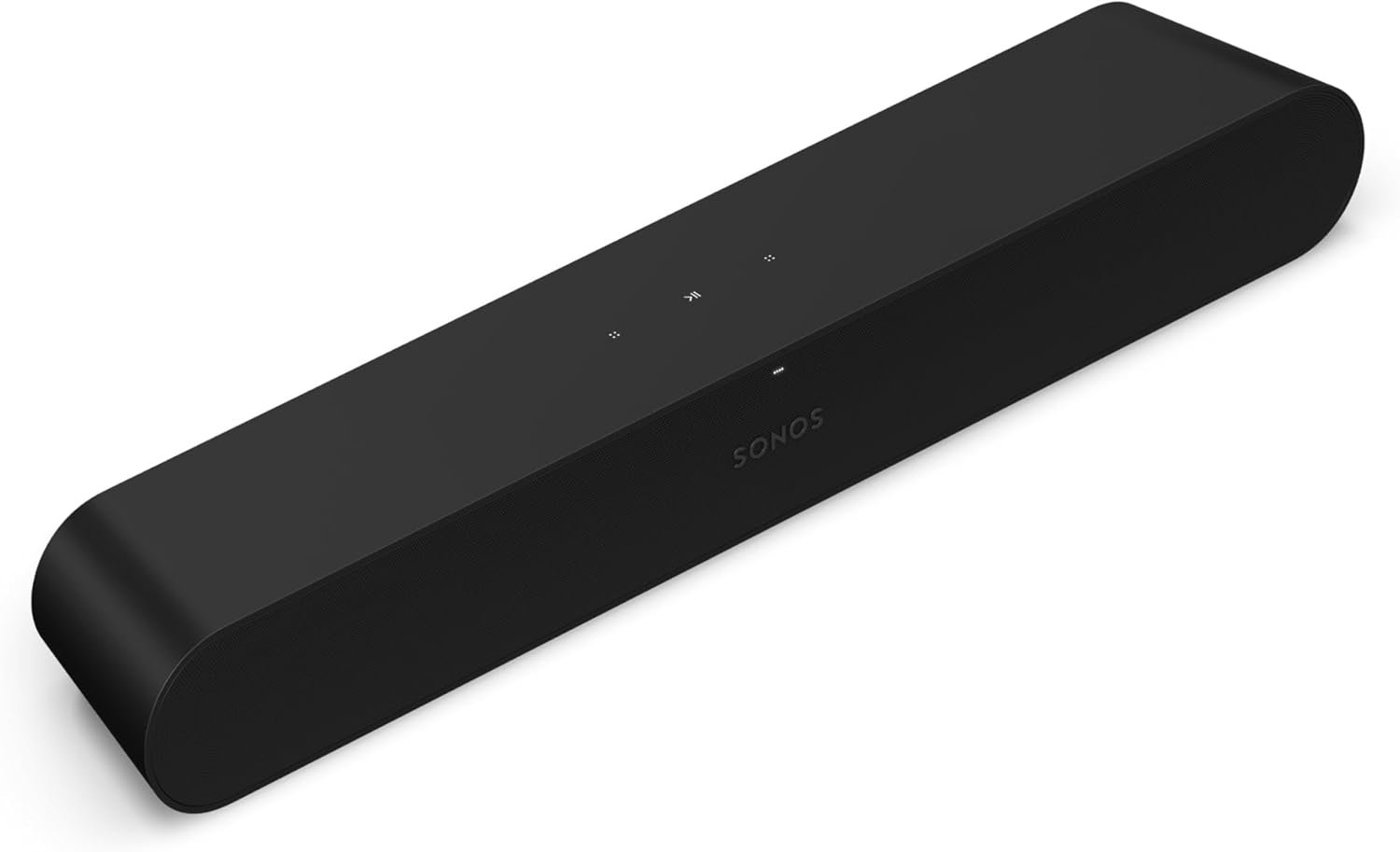
the Sonos Ray
The Ray is the Sonos soundbar built for tight spaces. Sonos rates it for rooms up to 150 square feet and studio apartments, and says every acoustic component faces forward, so it can sit in an enclosed shelf of your TV stand with at least 5 mm of space around its edges.
Two tweeters and two midwoofers on four amplifiers do the work, with a low-velocity bass port. Sonos’s comparison labels it 3.0 with Dolby Digital, and its format list stops at Stereo PCM, Dolby Digital and DTS Digital Surround.
Its connection is different from every other current Sonos bar. The Ray plugs into your TV’s optical port with the included 4.9 ft optical cable, and Sonos’s TV requirements say it needs a TV with a digital optical audio output.
Optical carries no remote commands, so the Ray listens for your TV remote’s infrared signal instead. Sonos says a bar on optical needs its TV remote set up in the app, while a bar on HDMI ARC works with the remote automatically.
The Ray’s FAQ is blunt about what’s missing: no Bluetooth, and voice only through another device such as a Sonos One or an Amazon Echo Dot. It still gets Speech Enhancement, Night Sound, TV Audio Swap and the full Sub and surround path covered further down.
| Product | Size | Link |
|---|---|---|
Best Overall | 46.38 inch | See ratings |
Best Compact Atmos | 25.63 inch | See ratings |
Best for Small Rooms | 21.93 inch | See ratings |
While Stock Lasts  | 44.96 inch | See ratings |
How Do Sonos Soundbars Compare on Channels and Drivers?
Those four write-ups lean on driver counts, so here they are side by side. Sonos soundbars range from 4 drivers in the Ray to 14 in the flagship, and among the current bars only the two Ultras include drivers aimed at the ceiling.
| Sonos soundbar | Drivers (Sonos’s count) | What Sonos lists | Amplifiers | Width x height x depth |
|---|---|---|---|---|
| Arc Ultra | 14 | Tweeters (two upward-firing), midwoofers, Sound Motion woofer | 15 | 46.38 x 2.95 x 4.35 in |
| Beam Ultra | 9 | 5 tweeters (two upward-firing, two side-firing), 4 woofers | 9 | 29.53 x 2.56 x 4.13 in |
| Beam (Gen 2) | 5 | 1 tweeter, 4 midwoofers, plus 3 passive radiators | 5 | 25.63 x 2.68 x 3.94 in |
| Ray | 4 | 2 tweeters, 2 midwoofers, bass reflex port | 4 | 21.93 x 2.76 x 3.66 in |
| Arc (original) | 11 | 3 tweeters, 8 elliptical woofers | 11 | 44.96 x 3.43 x 4.57 in |
Think of the channel label as the soundbar’s job description. In the usual notation the first number counts the main channels, the middle one the bass channel and the last the height channels, so the flagship’s 9.1.4 claims four height channels while the Ray’s 3.0 claims none.
A higher count isn’t automatically better in a small room. A 9.1.4 bar 46 inches wide under a 43-inch TV overhangs the screen, while the 21.93-inch Ray fits the same stand with room to spare.
Which Sonos Soundbars Have Real Dolby Atmos Height Speakers?
That last number in the channel label is where the lineup splits in two. The two Ultras have dedicated upward-firing speakers for Dolby Atmos height, the Beam (Gen 2) virtualizes height through its front-facing arrays, and the Ray doesn’t play Atmos at all.
Sonos’s own FAQ draws the line. The flagship has “two upward-firing speakers that physically project audio toward the ceiling,” while the Beam (Gen 2) uses HRTF processing “to give the impression of height channels.”
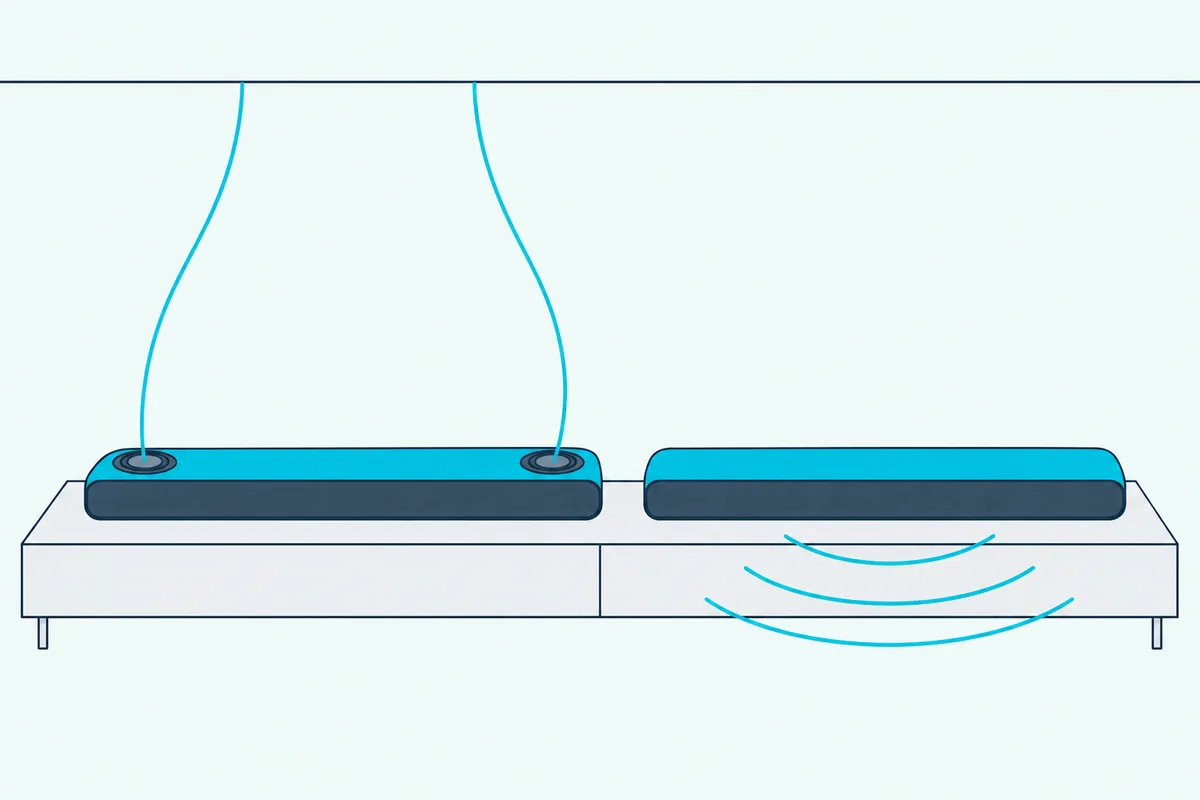
Up-firing speakers need something to bounce off. Sonos asks for at least 4 inches of clear space above the Beam Ultra, and for bars tucked under a shelf, its Height Audio settings offer a simulated overhead mode, which Sonos says is supported on Beam Ultra.
So a Beam Ultra in a cabinet nook gives up the very drivers that set it apart. In this guide’s view, a bar that has to live under a shelf loses less with the Beam (Gen 2), whose virtual height never relied on the ceiling.
Atmos also depends on the source. Sonos says its bars must be connected to HDMI ARC or eARC to play any Dolby Atmos content, and the Sonos app’s Now Playing screen shows which format is being decoded, so you can check that a film really arrives as Atmos.
You can tune the effect afterward. On each of its Atmos soundbars, Sonos’s Height Audio setting has a slider for the level of the height channels.
Which TV Connection Does Each Sonos Soundbar Use?
Atmos needing HDMI is the first hint that the port matters as much as the soundbar. The two Ultras and the Beam (Gen 2) connect to your TV’s HDMI eARC or ARC port, while the Ray connects only to an optical port.
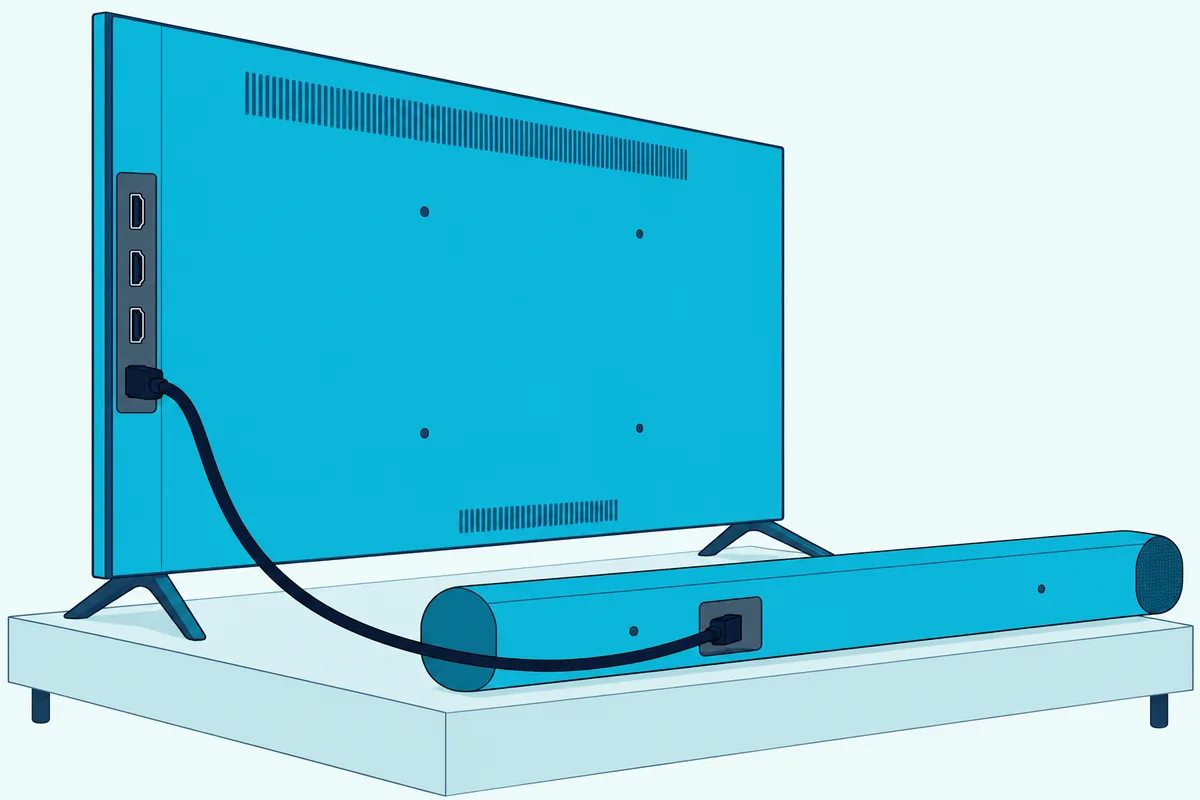
Sonos’s FAQ spells out what each route carries. On eARC, the flagship gets Dolby Atmos, TrueHD, MAT, Dolby Digital Plus and Dolby Digital; on plain ARC, what arrives depends on the TV, and ARC can’t carry TrueHD or MAT.
That matters most with an Apple TV 4K. Sonos says the Apple TV sends Atmos in a format called MAT that requires an eARC-capable TV, though some Dolby-certified TVs can convert it to an ARC-friendly format.
Try this before you buy: look at the HDMI ports on the back or side of your TV. If one is labeled eARC or ARC, any of the three HDMI bars will work and your TV remote will control the volume through CEC, with no setup.
If your TV has only an optical output, every bar can still connect, with conditions. The Beam (Gen 2) and the original Arc include the Optical Audio Adapter in the box, while for the two Ultras Sonos sells it separately.
For the step-by-step hookup on each bar, from the eARC socket to the adapter, see how to hook a Sonos soundbar up to your TV.
Optical costs you features on the HDMI bars, though. Sonos says optical supports up to 5.1 channels and passes no remote commands, so you lose Atmos, and your TV remote has to be set up by hand in the app instead of working through CEC.
One more check if your set is older: Sonos’s spec sheets for both Ultras and the original Arc say they aren’t compatible with CCFL-backlit TVs made from 2004 to 2012. If that’s your TV, the Beam (Gen 2) and Ray spec sheets carry no such note.
Once it’s plugged in, the Sonos app takes over. If the bar won’t show up during setup, the trick is reading the status light before you touch any button.
Do Sonos Soundbars Have Bluetooth?
Bluetooth is the other connection buyers ask about after the TV port. Only the two Ultras have Bluetooth, version 5.3 on both with a Bluetooth button on the bar, while Sonos says the Ray has none and its spec lists for the Beam (Gen 2) and the original Arc include no Bluetooth entry.
Even the two Bluetooth bars start on WiFi. Sonos’s pairing articles say each must be set up with the Sonos app on WiFi first, and then you press and hold the Bluetooth button, on the back of the Arc Ultra or the top of the Beam Ultra, to start pairing.
For the other bars, WiFi does the streaming. Every current Sonos soundbar works with Apple AirPlay 2 from an iPhone, iPad or Mac, and the Sonos app streams from music services directly.
That’s also the answer for the “best Sonos soundbar for music” question. With the TV off, Sonos calls the Arc Ultra “our most powerful spatial audio speaker,” and the Beam Ultra’s upward-firing drivers support Dolby Atmos Music from Amazon Music and Apple Music, which the Beam (Gen 2) also plays with virtual height.
Which Sonos Soundbars Tune Themselves With Trueplay?
Microphones, which the two Bluetooth bars and the Beam (Gen 2) all carry, decide what else a soundbar can do. Every current Sonos soundbar supports Trueplay room tuning, but only the two Ultras can tune themselves with their own microphones from an iPhone or an Android phone, while the Beam (Gen 2) and Ray need an iOS device.
Sonos’s Trueplay article says it measures how sound reflects off walls, furnishings and other surfaces, then fine-tunes the speaker for where it sits. Advanced tuning, with the phone moving around the room, takes about 3 minutes and works on iOS only.
Quick tuning is the newer option. It uses the built-in microphones on both Ultras, and Android users go straight to it.
Retune after any change. Sonos says moving a speaker to a new spot or changing its configuration, such as creating or separating a stereo pair, calls for running Trueplay again.
Voice follows the same microphones:
- Arc Ultra: Sonos Voice Control and Amazon Alexa.
- Beam Ultra: Sonos Voice Control.
- Beam (Gen 2): Sonos Voice Control, Amazon Alexa and Google Assistant.
- Ray: no microphones in its spec list; voice only through a separate device such as a Sonos One or an Echo Dot.
Sonos adds that on a TV with CEC, a voice assistant on the bar can control the TV too. Both Ultras also have a switch on the back that cuts power to their microphones.
Which Sound Settings Come on Every Sonos Soundbar?
Trueplay is one of several settings the whole lineup shares, and the rest matter just as much at night. Every current Sonos soundbar has Speech Enhancement, Night Sound and adjustable bass, treble and loudness in the Sonos app, so the compact Ray gets the same core TV settings as the flagship.
Speech Enhancement boosts the frequencies of the human voice. Sonos’s spec sheets describe it as AI-based on the Arc Ultra and Beam Ultra, with four selectable levels, while the Beam (Gen 2) and Ray switch it on or off.
Night Sound is the setting for a sleeping house. Sonos says it reduces the intensity of loud sounds while raising quieter ones, so dialogue gets clearer without turning the volume up.
Here’s a quick way to see the difference. Play a loud action scene at a low late-night volume, toggle Night Sound from the Now Playing screen, and listen for the explosions to drop back while the voices stay put.
The format check lives on that same screen. The Sonos app’s Now Playing view shows which audio format the bar is decoding, from Stereo PCM to Dolby Atmos, which is the quickest way to confirm the TV settings from the connection section are right.
Every current bar also takes Apple AirPlay 2. Sonos says an AirPlay stream can then be grouped with any other Sonos speaker in your home for multi-room playback, the same as music started in the Sonos app.
For AirPlay bars from Bose, Samsung, LG, Sony, Polk and Denon, Burton Acoustix’s AirPlay soundbar guide shows which ones also take an Apple TV 4K through an HDMI input.
How Do You Add a Sonos Sub and Rear Speakers Later?
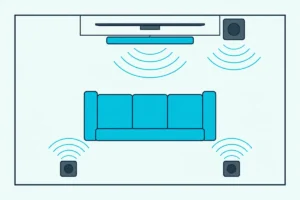
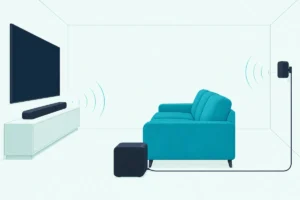
That grouping is one half of Sonos’s modular idea, and adding speakers to the same room is the other. Every current Sonos soundbar works with Sonos’s Sub 4 and Sub Mini and with a matching pair of Sonos speakers as rear surrounds, added wirelessly in the Sonos app whenever you’re ready.
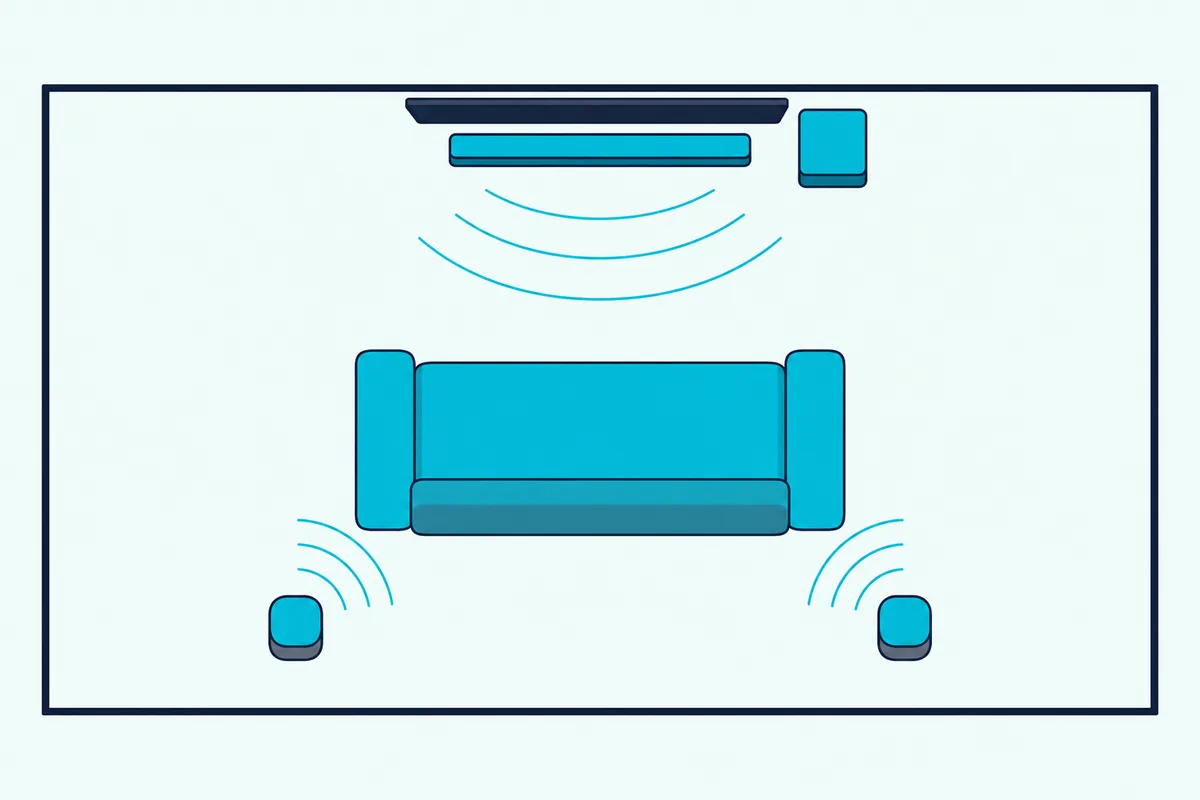
The subs differ in size and in what Sonos pairs them with. Sub 4 uses dual 5 by 8 inch elliptical woofers facing inward in a ported cabinet and weighs 25.99 lbs; Sub Mini uses dual 6 inch woofers in a sealed cabinet and weighs 14 lbs, and both reach as low as 25 Hz by Sonos’s specs.
Sonos recommends the Sub Mini for the Beam, Ray, Era 100 and One. For the original Arc, it says the Sub Mini works best in a smaller room at low to moderate volume, and that a larger space or higher volume calls for the full Sub.
Two subs are possible on the newest bars. Both Ultras’ FAQs say every generation of Sub and Sub Mini works with them, and a dual Sub setup requires Sub 4 or Sub (Gen 3); you can’t pair two Sub Minis in one room.
Rear surrounds must be a matching pair of the same model. Sonos’s soundbar FAQs list which speakers qualify:
| Soundbar | Sonos speakers that work as surrounds |
|---|---|
| Arc Ultra | Era 300, Era 100, One (including SL), Five, SYMFONISK (Gen 2) |
| Beam Ultra | Sonos Play, Move 2, Era 300, Era 100, One (including SL), Five, SYMFONISK (Gen 2) |
| Beam (Gen 2) | Era 300, Era 100, One (including SL), Five, Play:1, Play:3, Play:5 (Gen 2) |
| Ray | Era 100, One (including SL), Five, Play:1, Play:3, Play:5 (Gen 2) |
Sonos’s own sets show the intended pairings: the Arc Ultra with a Sub 4 and two Era 300s, and the Beam Ultra, Beam and Ray each with two Era 100s. Era 300 surrounds also play Dolby Atmos, according to Sonos’s Atmos article.
Portable surrounds are the newest trick. A Beam (Gen 2), either Ultra or the original Arc, with its microphone on, can use two Sonos Play or two Move 2 speakers as surrounds that bond in about eight seconds when you set them down.
Sonos also lets an Amp power in-wall, in-ceiling or other passive speakers as surrounds. And for late nights, TV Audio Swap sends the TV sound from any of these bars to up to two sets of Sonos headphones, Sonos Ace or Ace Ultra.
Which Sonos Soundbar Fits Your TV Size?
That surround table settles what a soundbar can grow into, and its width settles what it fits under. Sonos says the Beam Ultra and Beam (Gen 2) suit TVs up to 65 inches and describes the Ray as for smaller rooms and TVs, and the comparison on its original Arc page puts both Arcs, old and new, under TVs of 50 inches and up.
A 16:9 screen is about 0.87 times its diagonal wide, so a 55-inch TV is roughly 47.9 inches across and a 65-inch about 56.7. By that arithmetic, the 46.38-inch flagship sits just inside a 55-inch screen’s width, and the 29.53-inch Beam Ultra spans about half a 65-inch screen.
| TV size | Approx. screen width | Bars no wider than the screen |
|---|---|---|
| 43 in | 37.5 in | Ray, Beam (Gen 2), Beam Ultra |
| 50 in | 43.6 in | Ray, Beam (Gen 2), Beam Ultra |
| 55 in | 47.9 in | All four current bars |
| 65 in and up | 56.7 in and up | All four current bars |
Treat that table as this guide’s rule of thumb, not Sonos’s, which is why it lists the flagship under a 55-inch screen rather than Sonos’s 50-inch starting point. A bar narrower than the screen looks tidy, but the room-size ranges from the first table matter more for how the sound fills the space.
Wall mounting works for all four. Sonos makes a wall mount for each current bar, and its FAQ warns that the Beam (Gen 2) mount doesn’t fit the Beam Ultra, while the original Arc’s mount fits the newer flagship but may show from some angles.
Is the Original Sonos Arc Still Worth Buying?
Mounts aside, the original Arc is the soundbar most likely to tempt you on price, and it’s on its way out. Sonos’s own shop lists it under Last Chance and showed it out of stock on 21 Oct 2026, though Amazon still had a few from a third-party seller.
If you find one, the Sonos Arc (Gen 1) still plays real Atmos height.
the Sonos Arc (Gen 1)
Sonos says it has two internal speakers that fire upward “for a true height experience,” alongside 3 tweeters and 8 elliptical woofers on 11 amplifiers. It runs on the current Sonos app, works with every generation of Sub, and supports TV Audio Swap.
What the newer flagship added is mostly in the spec list. Sonos’s Arc page lists no Bluetooth or Sound Motion, its Trueplay needs a supported iOS device, its voice options are Amazon Alexa and Google Assistant, and its Speech Enhancement is a single on-off setting rather than four levels.
Here’s a real scenario. In a 400 square foot open-plan room with an Apple TV and an eARC TV, an original Arc still covers Atmos and TrueHD, but if you also want Bluetooth streaming or Trueplay from an Android phone, the flagship is the Sonos soundbar rated for that room size that does both.
What About Older Sonos Soundbar Models?
It isn’t the only older Sonos soundbar on the secondhand market. The Playbar and Playbase are legacy products that Sonos says are no longer in production and get stability updates only, while the Beam (Gen 1) still appears on Sonos’s current Sub Mini and TV Audio Swap lists but lacks Dolby Atmos.
Sonos’s legacy list names the Playbar, Playbase, Sub (Gen 1) and Sub (Gen 2) among its earliest S2-compatible products, with no voice capability and no Bluetooth. They still group and play in the same Sonos app as newer speakers.
The Playbar and Playbase also need an optical output on the TV, the same as the Ray. Sonos’s TV requirements name all three together.
The Beam (Gen 1) is a closer call. Sonos says the Gen 2 added a faster processor and HDMI eARC that enable Dolby Atmos, and five speaker arrays against the first Beam’s three, and its Atmos lists name the Beam (Gen 2), not the first Beam.
Some Sonos products work only with the older S1 Controller app, and a system that mixes them has to run as two separate systems that can’t group together. Every current bar requires the latest Sonos app, so check an older bar’s compatibility before you mix it in.
Buying used, plan on a factory reset first so the soundbar leaves the seller’s account. Our steps to wipe a secondhand Sonos bar back to factory settings cover the Playbar, Playbase, Beam, Arc and Ray buttons.
How Do Sonos Soundbars Compare With Bose, Samsung, Sony and Denon?
Everything above compares Sonos with Sonos, which is the question this guide answers. Brand-against-brand questions each have their own page on this site, so they’re linked here rather than repeated.
- Our Sonos vs Bose soundbar comparison sets the two ranges side by side on room calibration, voice assistants, multi-room audio and surround expansion.
- How Sonos stacks up against Samsung’s soundbars weighs a short lineup against Samsung’s much wider one, along with software support.
- Choosing between a Sonos or Sony soundbar puts the Arc Ultra against Sony’s Bravia Theater Bar 9.
- The Denon Home Sound Bar 550 against the original Arc covers Denon’s HEOS and AV receiver side.
For the wider category beyond any one brand, the soundbar guide explains what a soundbar does and how the types differ.
The Bottom Line
All of those tables point to one rule: the best Sonos soundbar is the one sized to your room, the Arc Ultra for 350 square feet and up, the Beam Ultra for 250 to 350, the Beam (Gen 2) up to 250, and the Ray up to 150. That’s Sonos’s own scale, and it lines up with the channel counts and widths in the tables above.
Pick an HDMI soundbar if your TV has eARC or ARC and you want Atmos; pick the Ray if your TV stand shelf is tight and your TV has optical out. If you want Bluetooth or Android Trueplay, only the two Ultras have them.
Whichever you choose, the Sub and surround path stays open. Start with the soundbar, then add a Sub Mini or Sub 4 and a matching pair of rear speakers when the room asks for more.
Frequently Asked Questions
Should I buy Sonos Arc or Arc Ultra?
Buy the Ultra if you can. Sonos lists the original under Last Chance and showed it out of stock on its shop on 21 Oct 2026, while the Ultra is its current flagship.
Both have two upward-firing speakers for Dolby Atmos height and HDMI eARC. The Ultra adds the Sound Motion woofer, Bluetooth 5.3, WiFi 6, quick Trueplay tuning from Android or iOS and four Speech Enhancement levels, and Sonos labels it 9.1.4.
An original Arc found new or used still plays real Atmos and works with every Sub and with TV Audio Swap. It just lacks those additions, and Sonos recommends a different wall mount for each.
Are Sonos soundbars any good?
Sonos’s soundbars are built to grow. Every current bar works with Sonos’s subwoofers and with rear surrounds added later in the app, supports AirPlay 2, Speech Enhancement and Night Sound, and gets Trueplay room tuning.
Whether one is good for you depends on matching it to the room. A Ray in a 300 square foot living room is outside the 150 square foot range Sonos gives it, while the flagship in a small bedroom is more soundbar than the room needs.
Is Sonos really better than Bose?
That depends on what you weigh most, and it’s a question this site answers in full in the Bose comparison linked in the brand section above. From the Sonos side, the strengths are the ones listed here: wireless Subs and matching surrounds, AirPlay 2, Trueplay and one app for every room.
What is the best Sonos soundbar for a small room?
The Ray is Sonos’s pick for rooms up to 150 square feet and studio apartments. Its forward-facing design fits inside a TV stand shelf, and it connects by optical.
For a small living room up to 250 square feet where you want Dolby Atmos, Sonos’s range for the Beam (Gen 2) fits. It virtualizes height rather than firing at the ceiling, so it doesn’t need the 4 inches of clearance the Beam Ultra asks for.
What is the best Sonos soundbar with a subwoofer?
Sonos sells its bars with matching subs as sets: the Arc Ultra with Sub 4, and the Beam Ultra and Beam (Gen 2) with Sub Mini. With the original Arc, Sonos says a larger space or higher volume calls for the full Sub rather than the Sub Mini, and on both Ultras only Sub 4 or Sub (Gen 3) can run as a dual Sub setup.
Which Sonos soundbars have Dolby Atmos?
Both Ultras play Dolby Atmos with upward-firing speakers, the original Arc does too, and the Beam (Gen 2) plays it with virtualized height. The Ray doesn’t support Atmos, and every Atmos bar needs an HDMI ARC or eARC connection for it.