Why Does My Soundbar Sound Muffled? Fixes by Cause and Maker

If you keep asking why does my soundbar sound muffled, the makers’ manuals point to the setup first: the TV’s speakers and output, a sound preset or tone setting, the bass level, the shelf or wall it sits on, or a Bluetooth link.
When a soundbar sounds muffled, voices seem to come through a blanket, the bass blurs the words, and turning it up only makes the blur louder.
Each of those causes takes a setting or a short move to rule out, and every one you clear tells you more about whether the bar itself is at fault.
Below are the causes in the order the makers’ manuals and Dolby’s documents point to them, with each maker’s own name for the setting.
Start with the two-minute test that sorts them, then go straight to the section your result points at.
Why Does My Soundbar Sound Muffled?
That test rests on the makers’ own fixes, which start outside the speaker. A muffled soundbar is first a settings, TV and placement question in the makers’ troubleshooting tables, and Bose’s row for poor or distorted audio lists six fixes of that kind, none of them a repair.
Bose’s Smart Soundbar owner’s guide says to test different sources, make sure the TV can output surround sound audio, and reduce the volume of any other device the audio is playing from. It also says to adjust the bass level in the Bose app, power off the TV speakers and go through its check-for-sound steps.
Turning off the TV’s own speakers shows up in other makers’ tables too. JBL’s Cinema SB190 manual lists it under distorted sound or echo, and Yamaha’s SR-B20A user guide lists sound from the TV’s built-in speakers under no surround effect, with the fix of turning the TV’s volume all the way down.
Here’s the two-minute test, which splits the remaining causes into groups. Mute the TV’s speakers, switch off the bar’s surround, voice, night and bass extras, then play one scene from the TV and one song from your phone over Bluetooth.
| What you notice | Where to look first |
|---|---|
| Voices muffled, music and effects fine | A 5.1 soundtrack folded into two speakers, then the voice setting |
| Everything dull, as if through a blanket | The sound preset, then treble and EQ |
| Bass booming over the words | The subwoofer level and any bass boost |
| Muffled on the TV but fine from the phone | The TV’s output format and its own speakers |
| Muffled from the phone but fine on the TV | The Bluetooth link |
| Muffled since the bar moved to a cabinet or wall | Placement and the wall-mount step |
| Changed overnight with nothing moved | An update or reset that restored the defaults |
Each row matches a section below. If the bar plays nothing at all, the no-sound checks by TV brand are the place to start instead.
Is a 5.1 Movie Being Folded Into Two Speakers?
If voices are the muffled part while music sounds fine, start with the soundtrack itself. On a bar without a center channel, a 5.1 movie does get folded into two front speakers: Dolby’s speaker setup guide says center speakers are primarily used to deliver dialog, and Samsung’s HW-B550 manual lists a 5.1-channel input as 2.1-channel output without its rear speaker kit.
That fold puts the dialogue on the same two speakers as the score and the effects. The levels, the TV setting behind the fold and the voice settings that help are in why 5.1 voices sound muffled on a 2.1 soundbar.
A stereo show has no center channel to fold in. So if stereo shows sound muffled too, the cause is in the sections that follow.
Is the Soundbar in a Surround, Virtual or Bass Mode?
Once the soundtrack is ruled out, the bar’s own processing is the next layer between you and the voices. A surround, virtual or bass preset changes the sound on purpose, so compare it with the plain setting each maker names: Samsung’s HW-B550 STANDARD outputs the original sound, and Vizio’s SV210M Direct plays the audio as the creator intended and removes virtualization.
Yamaha’s SR-B20A has a STEREO button for 2-channel stereo playback, and LG’s S60T lists STANDARD alongside CINEMA, which plays content with 3D sound, and BASS BLAST, which enhances bass. Roku describes its Music setting as unaltered sound, authentic like the artist intended.
Some bars start with an effect already on. Vizio’s V21t-J8 manual says its Movie preset is on by default and that with DTS Virtual:X off, all sources play back in stereo, and JBL’s Cinema SB190 manual lists virtual Dolby Atmos and bass boost as on by default.
Try this: play one dialogue-heavy scene in the plain setting, then in the one you normally use, at the same volume. Keep whichever lets you follow every word without reaching for the remote.
Has the Treble or EQ Been Turned Down?
That same side-by-side works for tone controls, which sit a menu away from the presets. Turned-down treble softens the sound by design: Roku’s article on its sound settings says raising treble gives a brighter, more detailed sound and lowering it gives a softer one.
Samsung’s HW-B550 sets TREBLE and BASS from -6 to +6 with its TONE CONTROL button, and holding Sound Control opens bands from 150 Hz to 10 kHz, each from -6 to +6, with STANDARD selected. Vizio’s SV210M app has Treble, which adjusts high frequency audio, and Bass, which adjusts low frequency audio.
LG’s S60T sets Treble, Mid and Bass from -6 to 6 under Sound Tuning, and Bose’s Smart Soundbar adjusts bass, treble, center channel, height channel and surround channels in the Bose app. Sonos says its products ship with preset equalization settings that you can change for bass, treble or loudness.
Hisense’s HS312 and TCL’s Q85H list treble controls too, and on Vizio’s V21t-J8, two center LEDs show treble at level 0. Set treble and bass back to 0 or the middle, then raise treble one step at a time while someone on screen is talking, and stop when the words sound clear.
Is Night Mode or DRC Still On?
Those tone controls aren’t the only settings that reshape the sound for a reason. If DRC is still on, it’s squeezing the gap between loud and quiet parts, and Samsung’s HW-B550 full manual says that with DRC on, loud sound is reduced and the sound may be distorted.
Night settings each change something different. Samsung’s Night Mode brings the volume down but keeps the dialog clear, Vizio’s SV210M Night Mode reduces the subwoofer level, and Roku’s night setting is optimized for lower volumes with less bass.
LG’s S95TR Night Time reduces the general volume but raises soft and delicate sounds, and Polk’s Signa S4 night setting compresses the dynamic range to make audio easier to hear at low volumes. Sony’s BRAVIA Theatre Bar 6 Audio DRC compresses it to make softer sounds easier to hear, and Sonos’s Night sound enhances quiet sounds and reduces the intensity of loud sounds.
Switch them off while you work through the rest of the list, then decide whether you want them back for late listening. Vizio’s SV210M resets one for you: its Night Mode turns off when the soundbar goes into standby.
Is the Voice or Dialogue Setting Switched Off?
Unlike night mode, the voice setting is one to try switched on. If it’s off, turn it on first, since it’s the makers’ own answer to voices lost under music and effects: Samsung’s Voice Enhance makes it easier to hear spoken dialog, and Yamaha’s Clear Voice distinguishes human voices from background sound and raises the volume of the voices only.
The setting goes by a different name on each bar. Vizio calls it ClearDialog, LG CLEAR VOICE PRO, Sony VOICE, Bose AI Dialogue Mode, JBL Voice mode, Polk Voice adjust, Roku Speech clarity, Sonos Speech enhancement and TCL Voice Enhance.
Some bars also let you raise the center or voice level itself. Samsung’s HW-B550 sets VIRTUAL CENTER LEVEL from -6 to +6, LG’s S60T sets Center from -6 to 6, and Bose’s Smart Soundbar adjusts the center channel in the Bose app.
Bose says AI Dialogue Mode applies to every source and stays on even after the soundbar is powered off, so you only need to set it once. If the voice setting helps but not enough, the best soundbar for dialogue guide compares bars by their center channels and voice settings.
Should the TV Send Dolby Digital Instead of PCM?
Even with the right presets, the bar can only work with the signal the TV sends it. For Dolby-encoded broadcasts, Samsung says yes: its HW-B550 and HW-Q600F manuals recommend changing the TV’s Digital Output Audio Format from PCM to Dolby Digital, saying you’ll experience better sound quality.
Vizio’s V21t-J8 manual has you set the TV’s Digital Audio Setting to Dolby Digital or Bitstream during HDMI ARC setup. Yamaha’s SR-B20A guide lists a TV set to output 2-channel audio such as PCM under no surround effect, and says to change it to Bitstream.
Vizio’s manual gives one exception: if the input lights flash rapidly on a digital input, an unsupported format is present, so set the source to output PCM. The menu names differ by TV brand, and the PCM vs Dolby Digital setting on each TV walks through each one.
If your bar’s display or app says PCM, what a PCM readout on the bar means explains when that’s normal. Bose’s poor-audio row makes the same point from the other side: make sure the TV can output surround sound audio.
Is the Soundbar Boxed In or Set Back From the Edge?
That signal still has to get out of the bar and into the room, which is where placement comes in. A bar pushed back on a shelf or shut in a cabinet works against the makers’ setup advice: Bose says to put the front of its Smart Soundbar as close as possible to the front edge of the shelf or stand for best sound quality, and not to place it in an enclosed cabinet.
Bose also asks for at least 0.4 in (1 cm) behind the bar, saying that blocking the ports affects sound quality, and for the up-firing and side-firing speakers to stay unblocked. Sonos says not to enclose Arc Ultra in a cabinet or a corner, and to position its front as close to the edge as possible.
Polk’s MagniFi Max AX manual puts the bar flush with the front edge of the cabinet, and Roku’s Streambar SE guide puts it at the front edge of the TV stand for the best sound experience. Sony’s BRAVIA Theatre Bar 6 guide says not to cover the top, because that may interrupt the sound output from the top of the bar.
Dolby’s sound bar setup guide explains why the top and sides matter on Atmos bars. Upward-firing drivers need a clear line of sight to the ceiling, so it advises against a cabinet or a soffit, and side-firing speakers need a direct line to the side walls with no furniture in the way.

The same guide puts the bar at, or slightly above, seated ear level and at least 4 to 5 feet (1.2 to 1.5 meters) from your seat, and warns against sitting too close or looking down on the top of the bar. Vizio’s V21t-J8 manual also asks for the bar close to ear level and centered below the TV.
If you’d rather keep the bar out of sight, Burton Acoustix’s soundbar hiding guide covers the cabinet and shelf options that leave it open at the front.
Did You Adjust the Audio After Wall-Mounting?
That placement advice changes again on a wall, and Bose ties a setting to it. After mounting, Bose says you must adjust the audio for best sound quality: on the Smart Soundbar, press and hold Mute for 5 seconds until you hear a tone and the light bar pulses white twice.
Bose’s TV Speaker uses the Dialogue mode button instead, held for 5 seconds until the TV light blinks amber, and its troubleshooting row for poor or distorted audio repeats the step. On the Smart Ultra Soundbar, the step after mounting is running ADAPTiQ audio calibration.
Take the bar off the wall and the step runs in reverse. Bose says to repeat it to return the Smart Soundbar to its default audio settings and to run ADAPTiQ again on the Smart Ultra, and the Bose app can make the same wall adjustment.
Other makers tune for the room in their own way. Sonos says Trueplay adapts the sound for your surroundings and content, and LG’s S95TR AI Room Calibration analyzes the sound from the bar and fine-tunes the audio settings, so run either one again after a move, the way Bose asks for ADAPTiQ.
Is the Subwoofer or Bass Boost Set Too High?
Bass is the other half of the balance that placement and tone controls set. If the subwoofer level or a bass boost is set high, turn it down a step first, because Bose’s row for poor or distorted audio includes adjusting the bass level in the Bose app.
Samsung’s HW-B550 sets the woofer level to -12 or from -6 to +6, with 0 as the default, and LG’s S60T sets Subwoofer from -15 to 6. Vizio’s SV210M has a Subwoofer setting that adjusts the deep bass intensity, and Yamaha’s SR-B20A SUBWOOFER buttons change the subwoofer’s volume without changing the rest.
Check the bass extras too, since some start switched on. JBL’s Cinema SB190 manual lists bass boost as on by default, Samsung’s BASS BOOST preset emphasizes bass, LG’s BASS BLAST enhances it, and Yamaha’s Bass Extension boosts bass levels for more impactful sound.
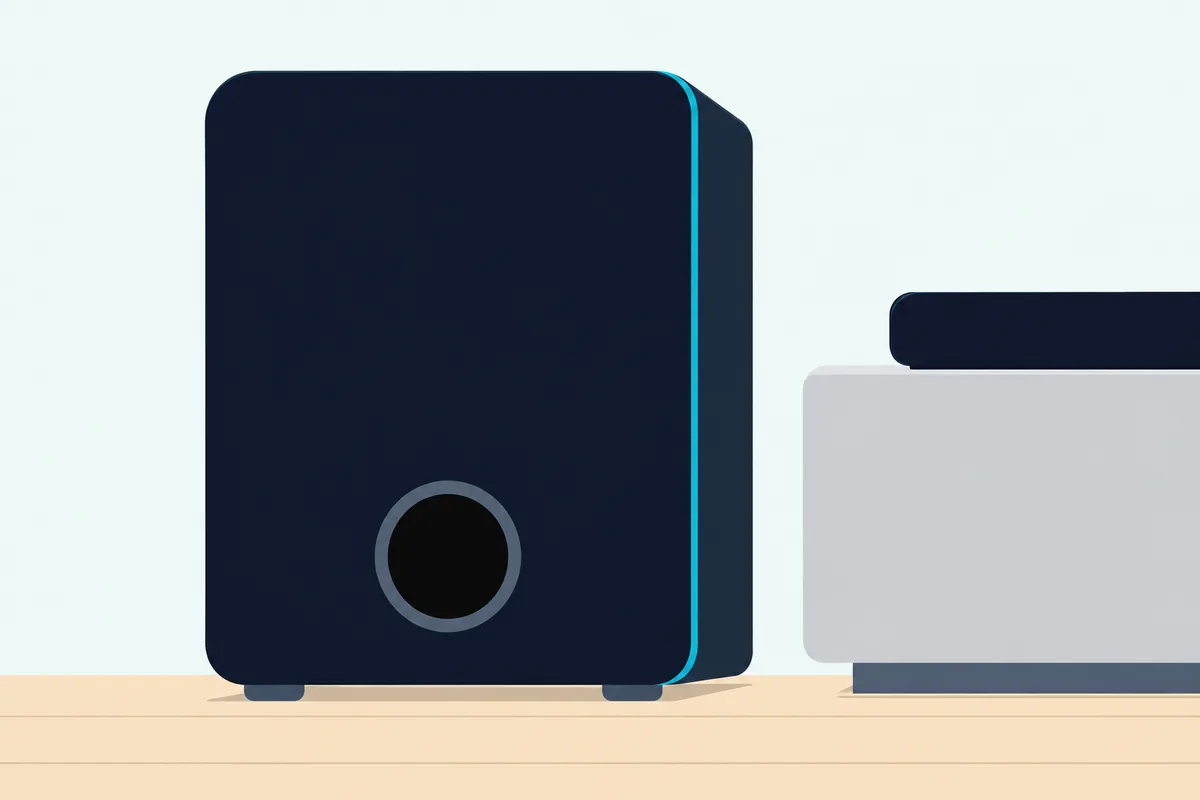
Sonos’s app adds Crossover Frequency and Phase Control next to Sub Level under Sub audio. If those have been changed, put them back where they started before you judge the level.
Placement matters for the subwoofer as well. Vizio’s manuals say not to block the subwoofer port, Polk’s Signa S2 guide places the subwoofer on the same wall as the TV for best performance, and Sony’s Bar 6 guide keeps it 5 cm (2 in) or more from a TV stand or wall.
Does It Only Sound Muffled Over Bluetooth?
That phone test splits the problem in two. If it only sounds muffled over Bluetooth, the link is the first suspect: Vizio’s manuals say Bluetooth is a compressed audio format, so streamed music may lose some integrity compared with a wired connection.
For sound quality that’s less than optimal, Vizio’s SV210M manual says to move the source closer if you hear break-up, keep solid obstructions out of the line of sight, and turn off or move wireless security cameras, baby monitors, cordless phones and microwave ovens. JBL’s Cinema SB190 manual gives the same fix for poor audio quality from a connected Bluetooth device: move it closer, or remove any obstacle in between.
LG’s S95TR troubleshooting adds rules for noise over Bluetooth. Keep your body off the transceiver, don’t put the Bluetooth device on a wall or in a secluded spot, and keep it 1 m away from wireless routers and microwave ovens.

A TV connected over Bluetooth is a different case. Samsung’s manuals describe a Bluetooth TV connection as stereo sound without the hassle of cabling, and Vizio’s V21t-J8 recommends the TV’s HDMI ARC or eARC port for the best possible sound quality.
Could an Update or Reset Have Changed the Settings?
Even with nothing moved, the sound can change when the bar’s own settings do. An update or reset can put them back to the start: Samsung’s HW-B550 and HW-Q600F manuals say the update function erases all user settings and resets the subwoofer connection, and recommend writing your settings down first.
Samsung’s bars take an update from a USB drive when Samsung offers one, and Vizio’s SV210M needs the Vizio mobile app to receive system updates, with its light flashing orange and green while the firmware updates. Sony says it will post notice of BRAVIA Theatre Bar 6 software updates on its support page.
A factory reset does the same thing on purpose. Polk’s Signa S4 manual says a reset returns various settings to their factory defaults and asks you to make the settings again, so after either one, go back through the preset, tone, voice and night settings above.
The Checks in Order, Maker by Maker
All of those causes fit one order, from the signal to the room, because each step changes what the next one hears. Here are the nine checks:
| Step | Check and setting |
|---|---|
| 1 | TV’s own speakers: off or muted (Bose, JBL, Yamaha) |
| 2 | TV’s digital output: Dolby Digital or Bitstream, unless your manual says PCM |
| 3 | Sound preset: the plain one (STANDARD, Direct, STEREO or Music) |
| 4 | Treble, bass and EQ: back to 0 or the middle |
| 5 | Night and DRC: off while you test |
| 6 | Voice setting: on, then compare |
| 7 | Subwoofer and bass extras: down a step, bass boost off |
| 8 | Placement and wall step: front edge, top and sides clear, wall adjustment done |
| 9 | Bluetooth: source closer, nothing in between, or the TV on HDMI ARC instead |
The names change from brand to brand, so here’s where each maker puts those settings in the documents named on this page:
| Maker (document) | Presets and tone | Voice, night and room steps |
|---|---|---|
| Samsung (HW-B550, HW-Q600F) | STANDARD; TREBLE and BASS -6 to +6 | Voice Enhance, Night Mode, DRC; TV to Dolby Digital |
| Vizio (SV210M, V21t-J8) | Direct (SV210M); Treble and Bass | ClearDialog or Dialogue EQ; Night Mode lowers the sub |
| LG (S60T, S95TR) | STANDARD; Treble, Mid and Bass | CLEAR VOICE PRO, Night Time, AI Room Calibration |
| Sony (BRAVIA Theatre Bar 6) | SOUND FIELD off; BASS level | VOICE, NIGHT, Audio DRC; top uncovered |
| Bose (TV Speaker, Smart Soundbar, Smart Ultra) | Bass and treble in the Bose app | Dialogue mode or AI Dialogue Mode; wall step or ADAPTiQ |
| JBL (Cinema SB190) | Virtual Atmos and bass boost on by default | Voice mode; TV speakers off |
| Yamaha (SR-B20A) | STEREO; 3D surround off | Clear Voice, Bass Extension, compression level |
| Polk (Signa S4) | Movie and Music presets; BASS for the sub | Voice adjust 1 to 3, night setting |
| Sonos (Arc, Arc Ultra) | EQ for bass, treble and loudness | Speech enhancement, Night sound, Trueplay |
| Roku audio devices | Standard or Music; Treble | Dialogue or Speech clarity, Night |
| Hisense (HS312) | EQ presets; Bass and Treble | Surround on or off, NIGHT preset |
| TCL (Q85H) | Standard; Treble | Voice or Voice Enhance, Night |
For a bar not listed, open its manual’s sound settings and look for the same five things: a plain setting, tone controls, a voice setting, a night or DRC setting and any wall or room step. Then check its troubleshooting table under distorted or poor audio, where Bose and JBL file this symptom.
The Bottom Line
When a soundbar sounds muffled, the makers’ manuals point to the setup before the speaker: the TV’s speakers and output, the preset, tone, night and voice settings, the bass level, the spot on the shelf or wall, and the Bluetooth link. Work through them in that order with your own manual open, and if the sound is still muffled after a reset, contact the maker before trying a repair.
The checks come from the makers’ manuals and Dolby’s documents.
Frequently Asked Questions
Can turning the volume up make a muffled soundbar worse?
It can if you’re raising the volume on the wrong device. Bose’s troubleshooting for poor or distorted audio says to reduce the volume of any other device the audio is playing from, and its Solo 5 guide says to reduce the TV volume when the bar is connected to a TV output labeled VARIABLE (VAR). Vizio’s V21t-J8 manual asks for the TV’s audio output to be set to FIXED or STANDARD, not VARIABLE. Control the level from the bar’s remote, or from the TV remote over HDMI ARC, and leave the source near its normal level.
Can sitting too close make a soundbar sound wrong?
Yes, for some effects. Dolby’s sound bar setup guide puts a Dolby Atmos bar at least 4 to 5 feet (1.2 to 1.5 meters) from the listener and warns against sitting too close or looking down on the top of the bar. Yamaha’s SR-B20A user guide lists listening from a position extremely close to the bar under no surround effect, and says to listen at some distance from it.
Why does my soundbar sound muffled on some channels or apps only?
That pattern points at the source rather than the bar, which is why Bose’s first fix for poor or distorted audio is to test different sources. Samsung’s advice to switch the TV from PCM to Dolby Digital applies when a broadcast is encoded in Dolby Digital, so check each app’s own audio setting as well as the TV’s. Vizio’s manual also notes that some TVs don’t pass digital audio through from other devices, and its fix is to connect the source directly to the bar.
What if the soundbar still sounds muffled after every check?
Reset it the way its manual describes, then set it up again from the defaults. Polk’s Signa S4 manual says a reset returns various settings to their factory values, and JBL’s Cinema SB190 manual restores factory settings from buttons on the bar. If it’s still muffled, contact the maker: JBL’s troubleshooting opens by telling owners never to try to repair the product themselves, and Hisense says the same to keep the warranty valid.