The Sonos Arc Ultra is the best for dialogue, with a center channel and four Speech Enhancement levels.
The picks
Sonos Arc Ultra
Klipsch Flexus Core 200
Bose Smart Ultra Soundbar
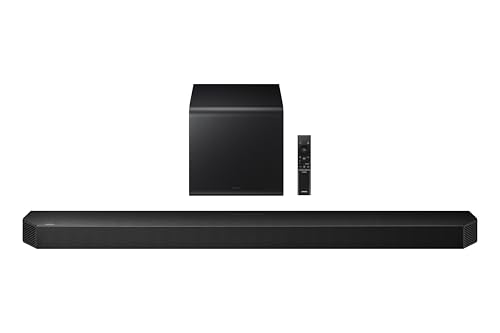
Samsung HW-Q800F
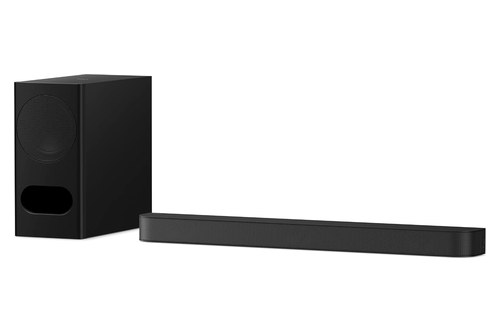
Sony BRAVIA Theater Bar 5
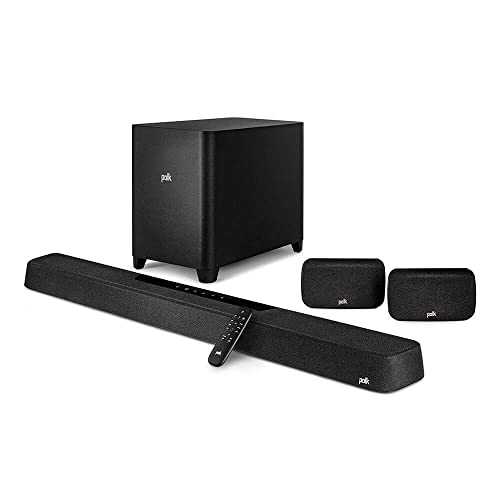
Polk MagniFi Max AX SR
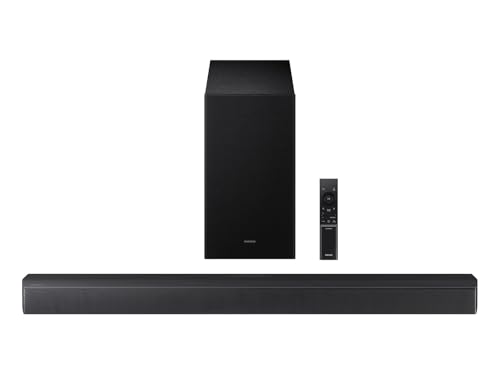
Samsung HW-B630F
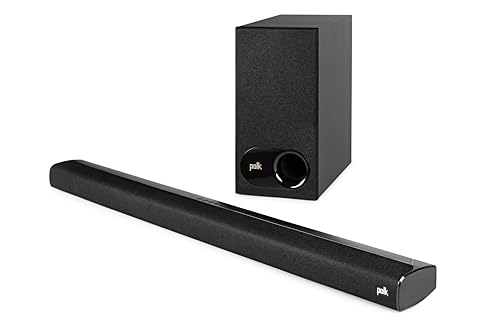
Polk Signa S2
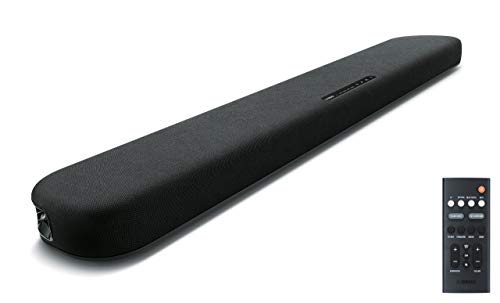
Yamaha SR-B20A
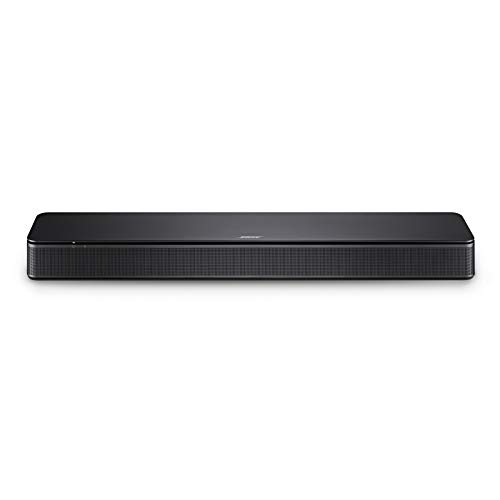
Bose TV Speaker
Choosing the best soundbar for dialogue comes down to two things a spec sheet can tell you: whether voices get a center channel, and what the maker’s speech setting does.
If lines get buried under music and effects, you end up riding the volume between whispers and explosions or reading captions you didn’t want.

Match the bar to those features and you get the speech controls each maker documents, set once at a level that suits you and the people beside you.
The picks run from Sonos’s Arc Ultra, with four Speech Enhancement levels, to Bose’s TV Speaker, with one Dialogue mode button, each described from its maker’s documents.
A quick answer and table come first, then the picks by setup, how center channels and dialogue modes work, where each brand puts its mode, and night mode, hearing loss and your TV.
What Is the Best Soundbar for Dialogue?
Those two features sort every pick below, and one soundbar documents more of both than the rest. The best soundbar for dialogue overall is the Sonos Arc Ultra, which Sonos says maximizes center channel performance for vocal clarity, with a Speech Enhancement setting you can set to Low, Medium, High or Max in the Sonos app.
If you’d rather press a remote button than open an app, the Klipsch Flexus Core 200 gives its Dialog Boost three levels above Off and uses a horn-loaded tweeter as its center channel.
Each of the ten suits a different setup:
| Pick | Best for | Why |
|---|---|---|
| Sonos Arc Ultra | Best overall for dialogue | Speech Enhancement with four levels |
| Klipsch Flexus Core 200 | Voice levels on the remote | Dialog Boost, three levels above Off |
| Bose Smart Ultra Soundbar | Automatic dialogue mode | Balances voice and surround by itself |
| Samsung HW-Q800F | Center control with a subwoofer | Center level from -6 to +6 |
| Sony BRAVIA Theater Bar 5 | Sony TV owners | Voice Zoom with a compatible Sony TV |
| Polk MagniFi Max AX SR | Voice levels with rear speakers | VoiceAdjust with a center channel |
| Samsung HW-B630F | A budget center channel | A built-in center speaker |
| Polk Signa S2 | Budget voice levels | VoiceAdjust levels on the remote |
| Yamaha SR-B20A | One budget button | One CLEAR VOICE button |
| Bose TV Speaker | The simplest remote | A Dialogue mode button |
The descriptions come from the makers’ manuals and spec pages. Every pick met Burton Acoustix’s rating, review and stock checks on 31 October 2026.
If numbers such as 3.1 and 5.1.2 on the box need decoding first, the guide to how soundbar channels work explains what a channel count describes.
Which Soundbars Have the Best Voice Clarity Controls?
That Low-to-Max scale is the kind of control most soundbars here don’t offer, since many of their dialogue settings only switch on or off. The soundbars with the best voice clarity controls are the Sonos Arc Ultra, with four Speech Enhancement levels, and the Klipsch Flexus Core 200, with three Dialog Boost levels above Off on its remote.
Both are one-piece soundbars with a center channel, so dialogue gets its own speaker before any setting touches it. The difference is where you change the level: in an app, or on the remote in your hand.
Sonos Arc Ultra
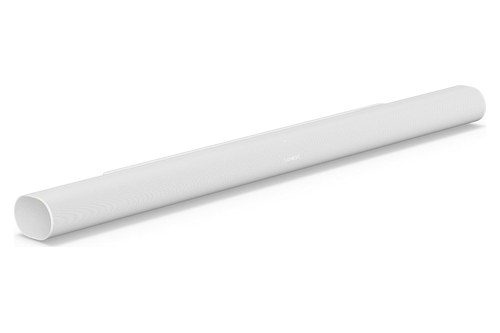
For the most dialogue settings in one soundbar, the Sonos Arc Ultra is the pick, shown here in white.
Sonos Arc Ultra
Sonos’s support article on Speech Enhancement says the setting boosts the audio frequencies associated with the human voice, and on the Arc Ultra it adds a choice of levels. Sonos calls Medium the default, recommended for most people, while High significantly reduces non-dialog audio.
Max goes furthest: Sonos says it prioritizes dialogue clarity for those with hearing loss, controlling the dynamic range of everything that isn’t speech. Low sits at the other end, as subtle speech enhancement.
To switch it on, tap the System tab in the Sonos app and select the soundbar to open its Now Playing screen. Then tap Speech Enhancement and pick a level, with TV audio already playing through the soundbar.
Sonos’s product page adds that the Arc Ultra’s Speech Enhancement uses AI to detect the human voice. Its product guide pairs it with the center channel: Sonos says the Arc Ultra maximizes center channel performance for vocal clarity so you never miss a word.
Night Sound sits on the same Now Playing screen. Sonos says it reduces the intensity of loud sounds while increasing the level of quieter sounds, making dialogue clearer without turning up the volume.
Klipsch Flexus Core 200
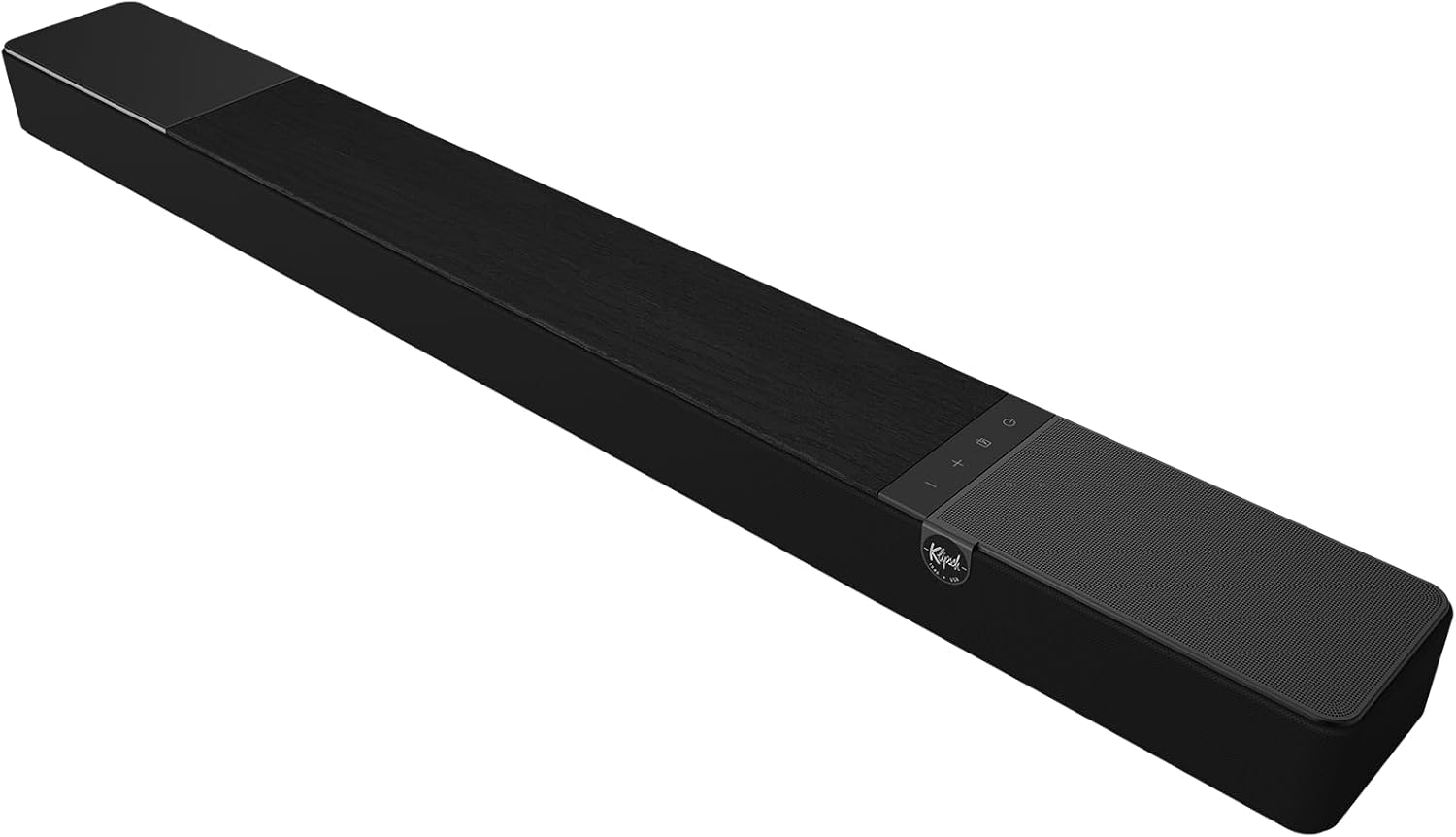
If you’d rather keep dialogue control on the remote, the Klipsch Flexus Core 200 is the one to look at.
Klipsch Flexus Core 200
Klipsch’s spec sheet calls it a 3.1.2-channel soundbar whose dedicated horn-loaded tweeter serves as the center channel for vocal clarity. Dual 4-inch built-in subwoofers handle the bass, and Klipsch says no subwoofer is required.
The Flexus Core 200 owner’s manual says the remote’s Dialog Boost button toggles through Off, Low, Medium and High, and a long press sets it back to Off. The bar’s display confirms each step as DLG OFF, DLG LOW, DLG MED or DLG HIGH.
Its listening presets matter here too. Klipsch says Movie mode increases dialog clarity, while Music mode disables dialog enhancement, so switch back to Movie for a drama after an album.
Two built-in elevation speakers add Dolby Atmos height, per Klipsch. You can add Flexus Surrounds and a Flexus Subwoofer later if the room grows, and the center tweeter stays in the soundbar either way.
What’s the Best Standalone Soundbar for Dialogue Clarity?
Both of those picks already work as one-piece soundbars, and the standalone question usually comes from a room with no space for a separate subwoofer. The Sonos Arc Ultra above is already the best standalone soundbar for dialogue clarity, and if you’d rather let the soundbar decide when to lift dialogue, the Bose Smart Ultra Soundbar does it with its AI Dialogue Mode.
Bose lists nine speakers and a center tweeter for it, and its owner’s guide lets you raise the center channel level in the Bose app. That gives you an automatic setting and a manual level in one soundbar.
Bose Smart Ultra Soundbar
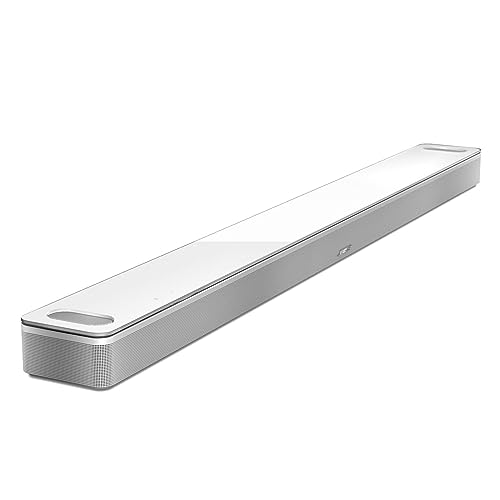
For automatic dialogue balancing without a subwoofer, the Bose Smart Ultra Soundbar is the pick, shown in white with its glass top.
Bose Smart Ultra Soundbar
Bose’s product page says AI Dialogue Mode senses when dialogue is occurring and automatically balances voice and surround sound, so dialogue comes through without giving up the immersive effects. Bose places the setting in its app, beside the adjustable EQ.
The owner’s guide covers the manual route: bass, treble and the center, height and surround channels all adjust from the Settings menu of the Bose app. The guide ties the center level to speech in one place, suggesting a higher center channel level for greater dialogue clarity when Bose’s Ultra Open Earbuds add Personal Surround.
Bose’s own comparison suggests this soundbar for a room of about 12 by 14 feet. For a small room, Bose suggests about 8 by 8 feet for its TV Speaker, which comes up further down.
Which Soundbar Systems Keep Speech Clear Over a Subwoofer?
Past the one-piece bars come systems with a separate subwoofer, and the ones in this section pair it with a documented center channel. The soundbar systems that keep speech on its own channel over a subwoofer are Samsung’s HW-Q800F, Sony’s BRAVIA Theater Bar 5 and Polk’s MagniFi Max AX SR.
Each also has a dialogue setting on top, so you can lift speech further when a scene gets loud. They differ in what that setting adjusts.
Samsung HW-Q800F
For direct control of the center channel with a subwoofer, the Samsung HW-Q800F is the pick.
Samsung HW-Q800F
Samsung’s spec sheet lists three front channels (left, center and right), plus two side-firing ones and a subwoofer, in a 5.1.2 layout. The HW-Q800F user manual adds the two dialogue features that matter here.
Voice Enhance, in Samsung’s words, improves the dialogue quality in videos and TV shows, making it easier to hear. AVA Pro (Active Voice Amplifier Pro) analyzes external noise to ensure clear voice quality, and the manual notes it can’t be used when the soundbar’s microphone is turned off.
Both sit under the remote’s Sound Control button, beside Night mode, which Samsung says lowers the volume while keeping spoken dialog clear. The Channel level button reaches the center level, adjustable from -6 to +6, so you can lift the center on its own.
The sound presets are a separate choice: Standard, Surround, Game Pro and Adaptive Sound. Samsung says Adaptive Sound analyzes content in real time and plays optimal sound for it.
Sony BRAVIA Theater Bar 5
If you own a compatible Sony TV, the Sony BRAVIA Theater Bar 5 adds a dialogue feature tied to the TV itself.
Sony BRAVIA Theater Bar 5
Sony’s Help Guide lists a front speaker section with two cones and a separate center speaker section with a third, each 45 by 82 mm, plus a wireless subwoofer with a 160 mm cone. That middle cone is the center channel.
Press VOICE on the remote and Voice mode, which Sony says emphasizes dialog and makes it easier to hear, switches on. Its sub status indicator lights once in white for on and flashes twice for off.
With a compatible Sony TV on the TV input, the same button runs Voice Zoom instead, which Sony says adjusts only the volume of the human voice without changing the overall volume. Sony’s examples run both ways: louder for a newscaster, quieter for sports commentary that’s too loud.
One catch from the guide: with the Sound Field Type set to Dolby Speaker Virtualizer and the sound field on, Voice mode is disabled. Night mode, which Sony says keeps dialog clear at low volume, also turns itself off when the system powers down.
Polk MagniFi Max AX SR
For rear speakers and a dialogue level you can dial up, the Polk MagniFi Max AX SR is the system to choose.
Polk MagniFi Max AX SR
Polk’s product page says its VoiceAdjust technology works with the MagniFi’s integrated center-channel speaker to bring up the volume of voices over other elements of the soundtrack. The system is a 7.1.2 setup with the surround speakers and a 10-inch wireless subwoofer included.
Polk’s MagniFi Max AX user manual puts the control on the remote: press VOICE, then + or – to raise or lower the dialogue level. That’s a step-by-step level, closer to Klipsch’s Dialog Boost than to an on-off switch.
The same manual describes a Night mode for low-volume listening that reduces bass and volume dynamics while improving voice intelligibility. TV, Movie, Music and All Stereo presets sit beside it.
What’s the Best Budget Soundbar for Dialogue?
Those systems aren’t the only way to get a named dialogue feature, since each budget pick below still lists one in its maker’s documents. The best budget soundbar for dialogue is Samsung’s HW-B630F, a 3.1-channel system with a built-in center speaker, while Polk’s Signa S2 adds adjustable levels without a center and Yamaha’s SR-B20A puts Clear Voice on one button.
The Samsung and the Polk come with a wireless subwoofer, while the Yamaha builds its subwoofers into the bar.
Samsung HW-B630F
For a real center channel on a budget, the Samsung HW-B630F is the pick.
Samsung HW-B630F
Samsung’s product page describes 3.1-channel sound with a built-in center speaker that delivers clearer dialogue by amplifying voice audio. Its Voice Enhance setting, Samsung says, boosts vocal audio and optimizes the equalizer settings for a clearer listening experience.
Samsung also lists a Night Mode that compresses the bass for a softer late-night sound, and a scene setting that recognizes what you’re watching and adapts the audio to produce clear voices. A wireless subwoofer comes in the box.
Polk Signa S2
For dialogue levels you can step up and down on a budget, the Polk Signa S2 is the pick.
Polk Signa S2
Polk’s quick start guide shows VoiceAdjust Levels buttons on the remote, which isolate and adjust the voice channel level, in Polk’s words, for clear, crisp dialogue. Its Night Effect reduces bass and volume dynamics while improving speech intelligibility for low-volume listening.
Unlike the HW-B630F, the Signa S2 has no center driver: Polk’s product page lists two oval midrange drivers and two 1-inch tweeters in the soundbar, with a 5.25-inch wireless subwoofer. Here the dialogue level is a setting, not a separate speaker.
Polk puts it at 2.15 inches tall and says it won’t block a TV’s bottom edge or IR remote sensor. It connects by HDMI ARC, optical or a 3.5 mm AUX input, with Bluetooth for music.
Yamaha SR-B20A
If a single button is all you want to learn, the Yamaha SR-B20A is the budget pick.
Yamaha SR-B20A
Yamaha’s owner’s manual says Clear Voice automatically distinguishes human voices from background sound and increases the volume of the voices only. Yamaha recommends it for movies or dramas that use a lot of background music and sound effects.
Press CLEAR VOICE on the remote: the indicator flashes three times when the function turns on and once when it turns off. INFO shows its current state, and Yamaha’s app can switch it too.
Like the Signa S2, it has no center driver. Yamaha’s spec page lists two front cones, two 1-inch tweeters and two 3-inch built-in subwoofers, so Clear Voice does the work for speech.
Is There a Soundbar With One Simple Dialogue Button?
That CLEAR VOICE button is close, but some households want the dialogue button to be the main thing on a short remote. The simplest pick here is the Bose TV Speaker, whose remote has a Dialogue mode button that switches between that setting and your default audio.
Bose sizes it for a room of about 8 by 8 feet and lists three speakers. Setup takes one cable to the TV.

Bose TV Speaker
For the plainest dialogue control on a remote, the Bose TV Speaker is the pick.
Bose TV Speaker
Bose’s owner’s guide for the TV Speaker describes Dialogue mode as a change to the system’s audio balance that makes dialogue and vocals clearer in movies, TV programs and podcasts. Bose also points to it for dialogue-only programs such as news and talk shows.
Press the Dialogue mode button and the light for the current source glows green; press it again to return to your default audio settings. The guide adds that the setting stays on for that source even if you switch to another source or turn the speaker off.
It connects with the optical cable in the box or by HDMI ARC, which lets the TV remote handle power, volume and mute. An HDMI cable isn’t included.
How Does a Center Channel Help Speech?
Most of the soundbars above list a center channel, and their makers tie it to speech in plain words. A center channel helps speech by giving dialogue a dedicated speaker: Klipsch calls its horn-loaded center tweeter a dedicated center channel for vocal clarity, and Samsung says the HW-B630F’s built-in center speaker delivers clearer dialogue by amplifying voice audio.
Sonos says the same of the Arc Ultra, and Polk says VoiceAdjust works with the MagniFi’s integrated center-channel speaker to bring up voices. On a soundbar without a center driver, such as the Signa S2 or the SR-B20A, the dialogue setting has to do that job alone.
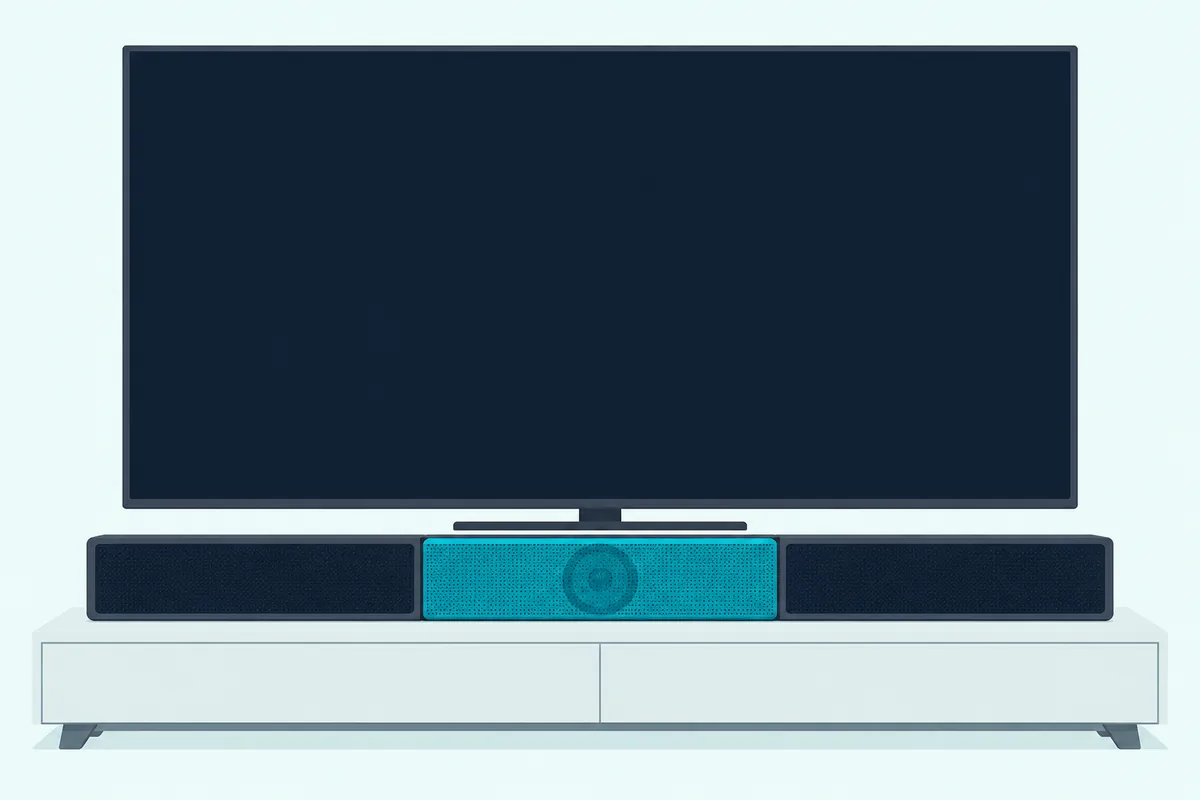
Think of a panel show with one microphone per speaker instead of one for the whole stage. The center channel is the host’s own microphone, and the dialogue setting is the sound engineer turning it up.
Two-channel and three-channel soundbars get a full side-by-side in this 2.0 vs 3.0 soundbar breakdown. If you already own an AV receiver, pitting a center channel speaker against a soundbar gets its own guide.
Here’s a practical test for a soundbar with adjustable levels. Play a scene where lines get lost, then raise only the center a step or two, on the HW-Q800F’s -6 to +6 scale or in the Bose app for the Smart Ultra, and compare at the same volume.
Do Dialogue Settings Actually Make Speech Clearer?
Raising the center is one tool, and the named settings are the other, but they don’t all work the same way. Their makers say they do, and they describe three ways of doing it: lifting speech over the rest of the mix, reshaping the sound around it, or reacting to the scene and the room.
Yamaha’s Clear Voice and Polk’s VoiceAdjust are the first kind. Yamaha says its feature increases the volume of the voices only, and Polk says VoiceAdjust raises and accentuates dialog without impacting the rest of the soundtrack.
Roku describes its speech clarity setting the same way. Low makes dialogue slightly louder than the rest of the scene, and High makes it noticeably louder.
Samsung’s Voice Enhance on the HW-B630F is closer to the second kind, boosting vocal audio and optimizing the equalizer settings. Bose’s TV Speaker setting works by adjusting the audio balance of the system, and Sonos’s Speech Enhancement boosts the frequencies associated with the human voice.
The third kind watches what’s happening. Samsung’s AVA Pro analyzes external noise, JBL says PureVoice 2.0 on its Bar 500MK2 raises or optimizes the dialogue based on the ambient sound in the scene and the soundbar’s volume, and Bose says AI Dialogue Mode senses when dialogue is occurring.
ZVOX names one more tool on its AccuVoice AV157: its manual says SuperVoice uses advanced compression algorithms to lift voices out of the other sounds in a TV show, sporting event or movie. Which method suits you depends on whether you want a fixed lift, a level you choose or a setting that adjusts itself.
Those are the makers’ own descriptions, so judge each setting on the scenes that give you trouble. A drama with a loud score is a fairer test than the news, which Bose’s guide counts among dialogue-only programs.
How Do You Turn On Each Brand’s Dialogue Mode?
Knowing what a setting does only helps if you can find it, and every brand puts it somewhere different. Most put it on a remote button, while Sonos and Bose’s smart soundbars keep it in their apps.
The two app bars keep it in these menus:
| Brand and model | Feature name | Switching it on | Settings |
|---|---|---|---|
| Sonos Arc Ultra | Speech Enhancement | Sonos app, Now Playing screen | Low, Medium, High, Max |
| Bose Smart Ultra Soundbar | AI Dialogue Mode | Bose app, sound settings | Automatic |
The other seven put it on a remote button:
| Brand and model | Feature name | Switching it on | Settings |
|---|---|---|---|
| Bose TV Speaker | Dialogue mode | Dialogue mode button on the remote | On or off, for each source |
| Samsung HW-Q800F | Voice Enhance, AVA Pro | Sound Control button on the remote | Up or Down; center level -6 to +6 |
| Sony BRAVIA Theater Bar 5 | Voice mode, Voice Zoom | VOICE button on the remote | On or off; Zoom uses the TV’s level |
| Polk MagniFi Max AX | VoiceAdjust | VOICE, then + or – on the remote | Dialogue level up or down |
| Polk Signa S2 | VoiceAdjust | VoiceAdjust Levels buttons on the remote | Level up or down |
| Klipsch Flexus Core 200 | Dialog Boost | Dialog Boost button on the remote | Off, Low, Medium, High |
| Yamaha SR-B20A | Clear Voice | CLEAR VOICE button or Yamaha’s app | On or off |

Three details from the manuals save some confusion. Sony disables Voice mode when the Dolby Speaker Virtualizer sound field is on, Klipsch’s Music mode switches dialog enhancement off, and Samsung’s AVA Pro needs the soundbar’s microphone switched on.
Roku’s speech clarity article adds one for Streambar owners: when you watch an external device such as a cable box, you change speech clarity from the Settings menu, not during playback.
When Should You Use Night Mode for Speech?
Several of those remotes also carry a night button, and late viewing is where it earns its place. Use night mode when you have to keep the volume low, because the makers describe it as keeping dialogue clear while the loud parts come down.
At normal volume, try the dialogue setting first and save the night setting for late hours. The best soundbar settings for everyday TV go through night mode, auto volume and the rest of the menu across several brands.
What If You Have Hearing Loss?
Night and dialogue settings are the general tools, but hearing loss changes which features come first. If you have hearing loss, start with the settings their makers design for it: Sonos says the Arc Ultra’s Max level prioritizes dialogue clarity for those with hearing loss, and ZVOX says people with hearing loss will appreciate the extra boost of SuperVoice on its AccuVoice AV157.
For picks chosen around hearing loss, including ZVOX’s AccuVoice models and Sonos’s Speech Enhancement levels, see Burton Acoustix’s guide to the best sound bar for hard of hearing viewers. That guide also covers whether hearing aids can connect to a TV sound system.
Do Your TV’s Sound Settings Still Matter?
Hearing aids are one link in the chain, and the TV is another, since it decides what reaches the soundbar. Your TV’s settings matter for the dialogue feature Sony ties to its own TVs: Voice Zoom only works on the Bar 5’s TV input with a compatible Sony TV, and Sony warns that the TV setting or the content can stop it working.
LG owners will find Clear Voice Pro, the other sound effects and the WOW Orchestra link with an LG TV in Burton Acoustix’s guide to LG soundbar settings. For other brands, the settings guide linked in the night section above covers the menus.
The Bottom Line
For the most control over dialogue in one soundbar, the Sonos Arc Ultra’s four Speech Enhancement levels and its center channel lead the field here. The Klipsch Flexus Core 200 is the pick if you want three Dialog Boost levels on a remote instead of an app.
If you’d rather the soundbar lift dialogue on its own, the Bose Smart Ultra Soundbar’s AI Dialogue Mode does it automatically, with the center level set in the Bose app.
With a subwoofer, Samsung’s HW-Q800F lets you set the center level itself, Sony’s BRAVIA Theater Bar 5 adds Voice Zoom for Sony TV owners, and Polk’s MagniFi Max AX SR pairs VoiceAdjust with rear speakers.
On a budget, Samsung’s HW-B630F keeps a real center channel, Polk’s Signa S2 adds adjustable levels, and Yamaha’s SR-B20A keeps it to one Clear Voice button. If one plain button is the whole brief, the Bose TV Speaker’s Dialogue mode is the simplest to use.
Whichever you choose, switch on its dialogue setting during the scene that gave you trouble, then adjust from there.
Frequently Asked Questions
Will a soundbar help with dialogue?
Yes, when it has the right features. Makers tie dialogue clarity to two things: a center channel, which Klipsch, Samsung and Sonos all link to clearer dialogue, and a dialogue setting such as Sonos’s Speech Enhancement, Polk’s VoiceAdjust or Yamaha’s Clear Voice. A soundbar with both gives speech its own speaker and a way to lift it further. Models without a center driver, such as Polk’s Signa S2 or Yamaha’s SR-B20A, rely on the setting alone, so check the maker’s driver list before you buy.
How can I hear TV dialogue better?
Turn on your soundbar’s dialogue setting first: Speech Enhancement on Sonos, Voice Enhance on Samsung, Voice mode on Sony, VoiceAdjust on Polk, Clear Voice on Yamaha or Dialogue mode on Bose. At night, try the night setting, which Samsung, Sony, Sonos and Polk all describe as keeping dialogue clear at low volume. Roku Streambar owners will find speech clarity under the Star button’s Sound settings.
What is dialogue mode on a Bose soundbar?
Bose has two versions. The TV Speaker’s Dialogue mode, on its own remote button, rebalances the system’s audio so voices come through more clearly, and it stays on for the source you set it on. The Smart Ultra’s AI Dialogue Mode, which Bose’s Smart Ultra page says senses dialogue and balances voice and surround sound, is switched on in the Bose app’s sound settings.
Can you adjust dialogue levels on a soundbar?
On many models, yes. Sonos gives the Arc Ultra four Speech Enhancement levels, Klipsch gives the Flexus Core 200 three Dialog Boost levels above Off, and Roku’s speech clarity has Off, Low and High. Polk’s VoiceAdjust raises or lowers the dialogue level with VOICE and the + or – buttons, and Samsung’s HW-Q800F sets its center channel from -6 to +6. ZVOX’s AccuVoice AV157 goes to six AccuVoice and six SuperVoice levels. Simpler settings, such as Bose’s Dialogue mode and Yamaha’s Clear Voice, only switch on or off.